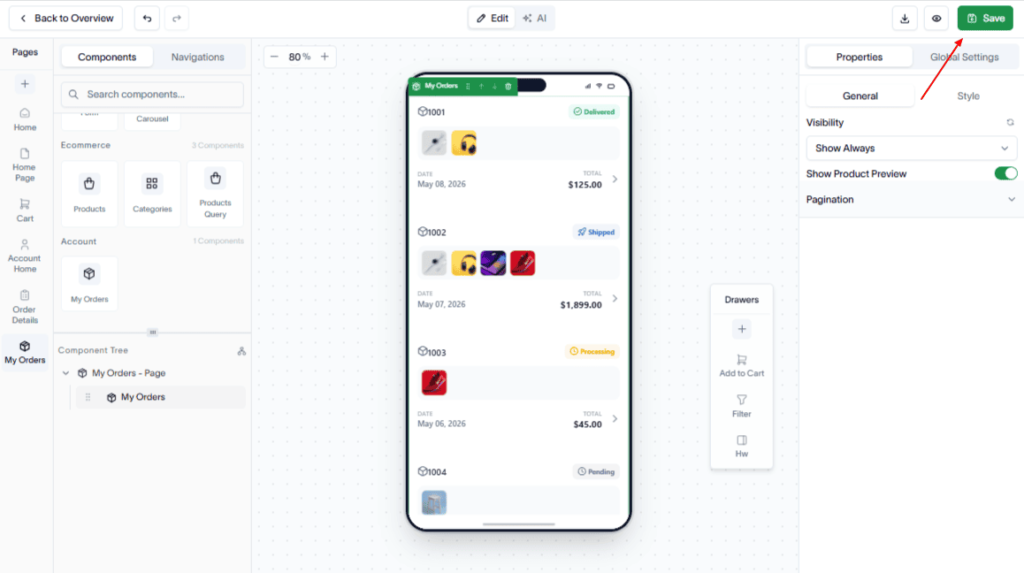
Create a My Orders page to allow customers to view their order history and track the status of their purchases.
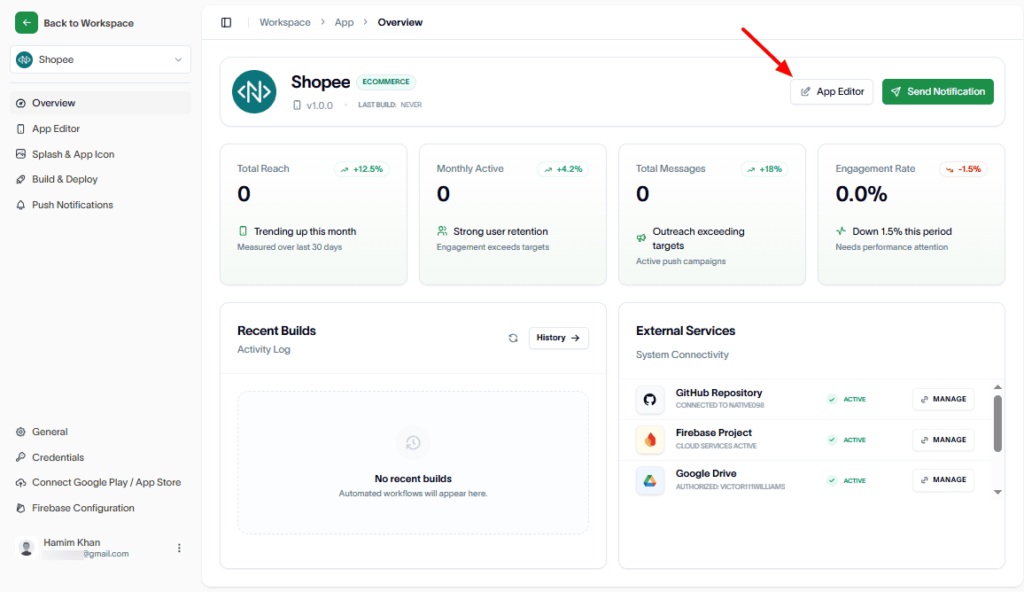
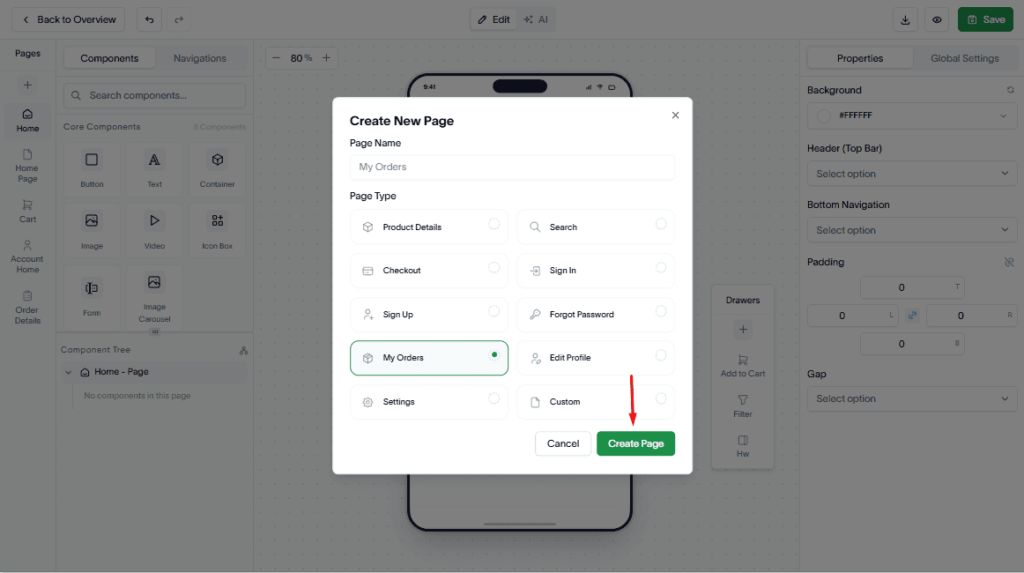
To create the My Orders page, go to the App Editor.
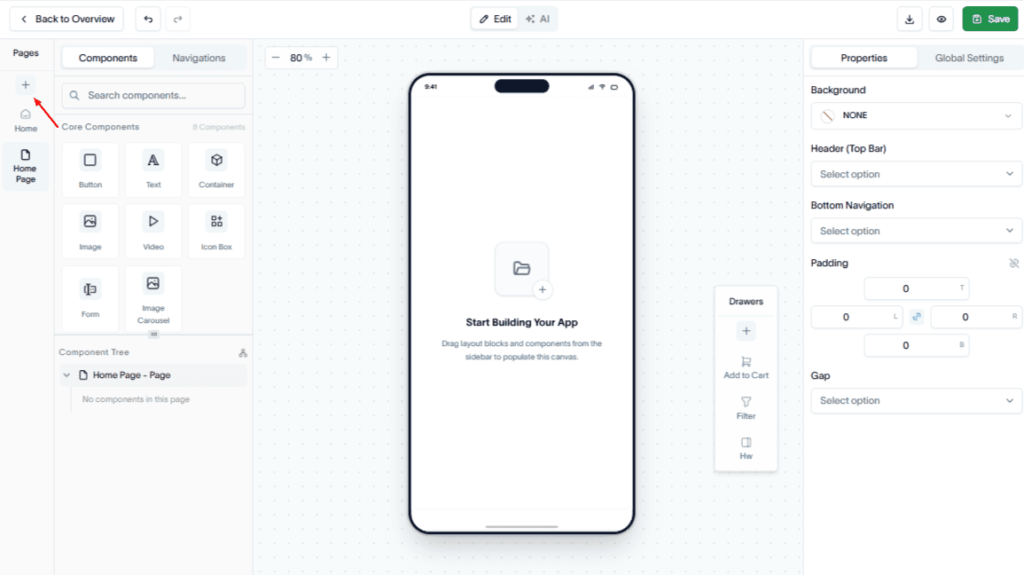
In the Pages section, click the Add (+) button.
Select My Orders as the page type.
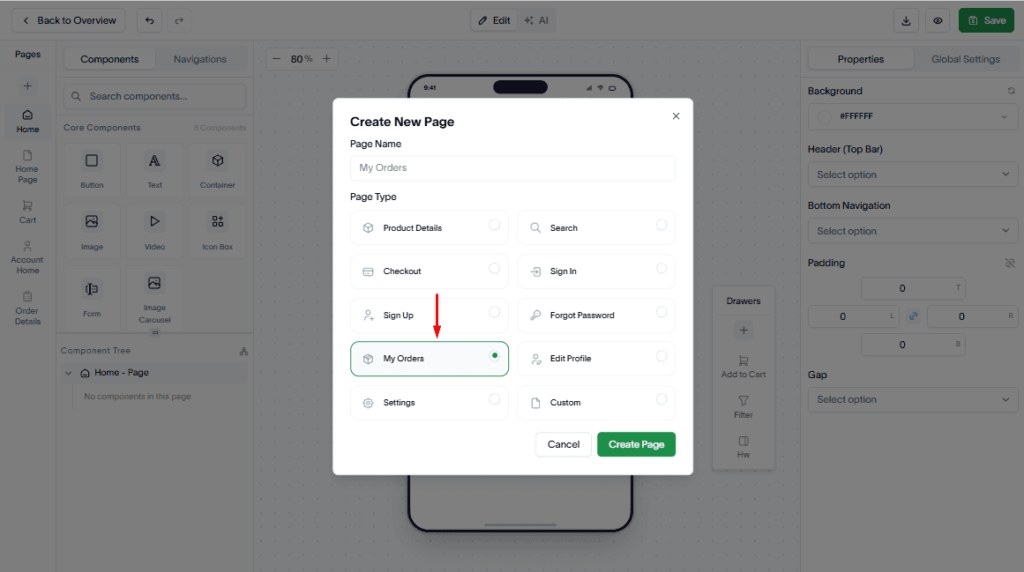
Click Create Page.
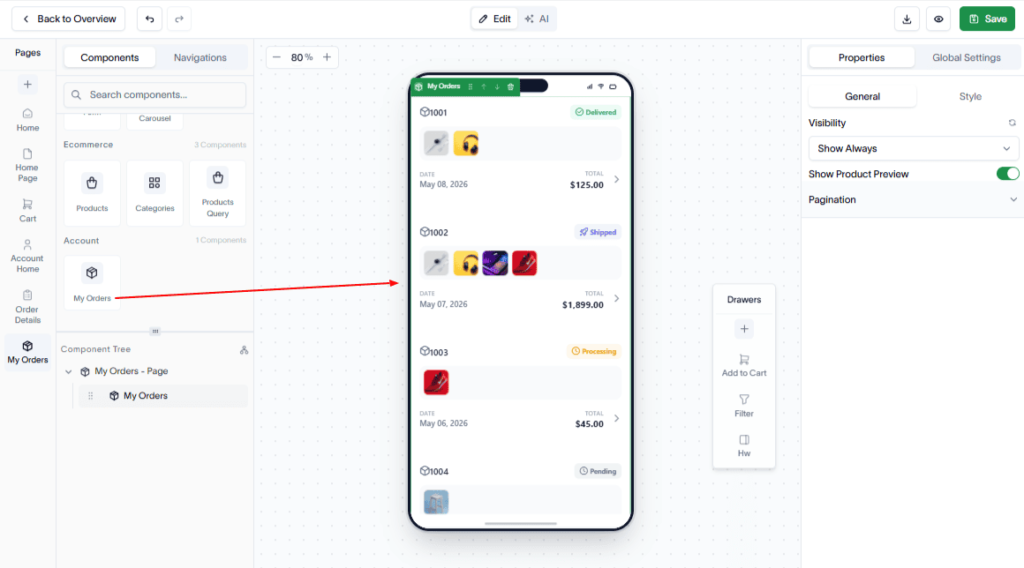
Now, drag and drop the required Core, Ecommerce, and Account components to the page.
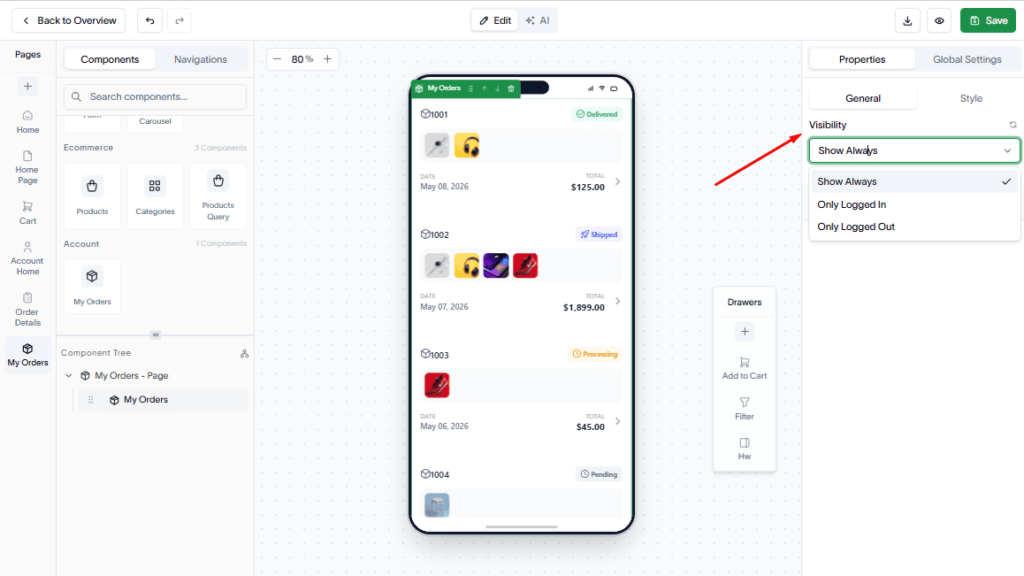
Visibility Settings
In the top-right sidebar, open the Properties tab. Under General, locate the Visibility setting. Choose one of the following options:
- Show Always – Display the component to all users.
- Only Logged In – Display the component only to signed-in users.
- Only Logged Out – Display the component only to users who are not signed in.
The visibility setting is applied automatically.
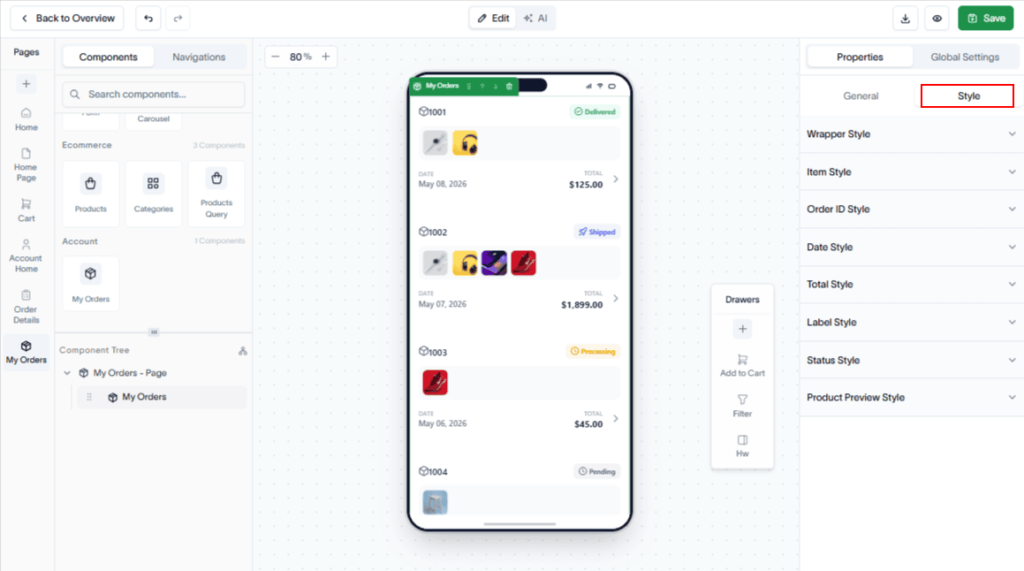
You can also style the page just by clicking the Style tab.
Click Save to save your My Orders page.