The Edit Profile page in your app lets users update their personal information, such as their name, email address, phone number, password, and other account details.
Before you begin
- Ensure you have already created an application.
- Open the application in the App Editor.
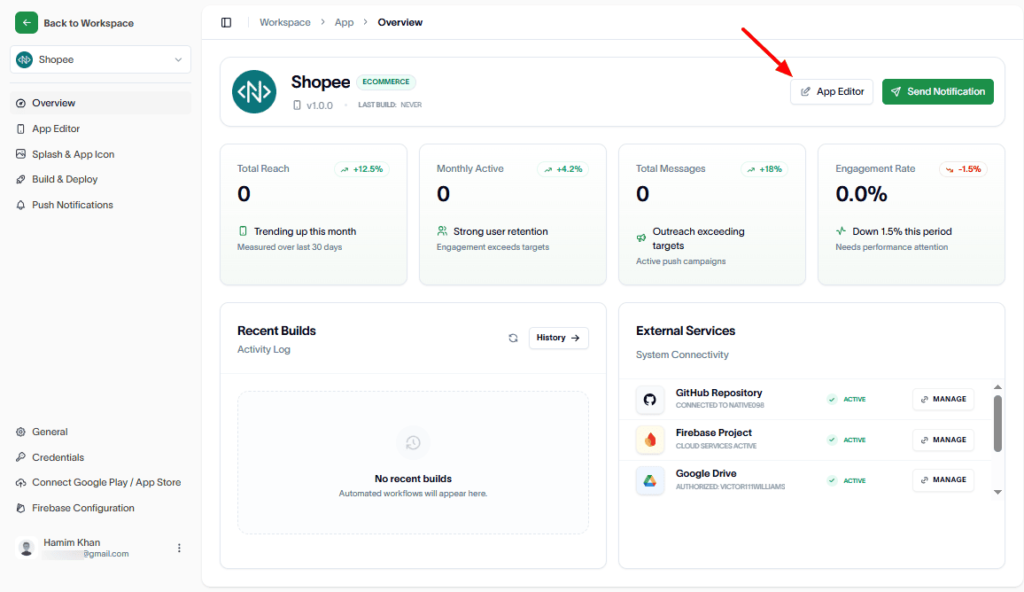
Create the page:
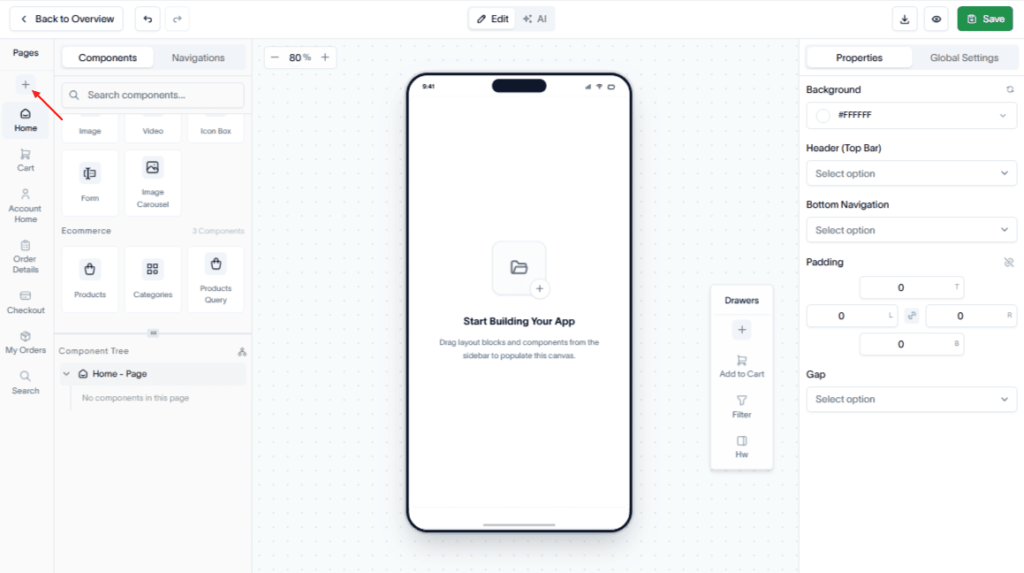
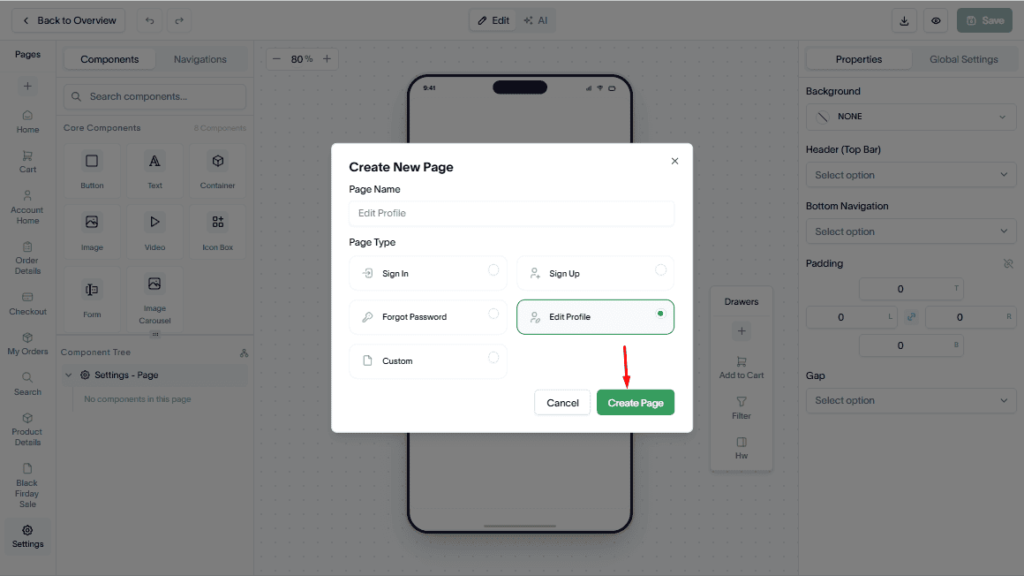
In the Pages section, click Add (+).
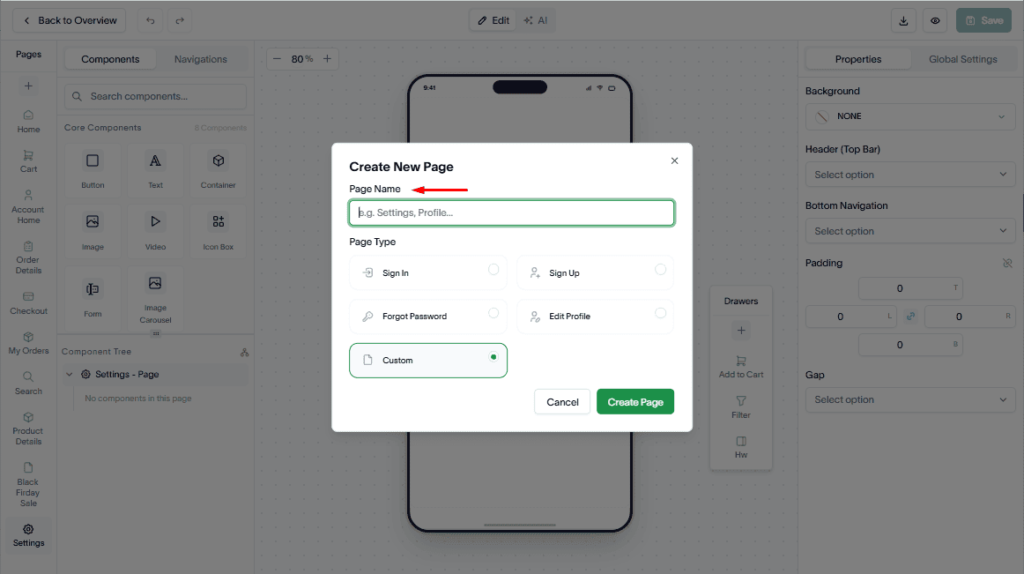
Then, enter a page name.
Up next, select Edit Profile as the Page Type.
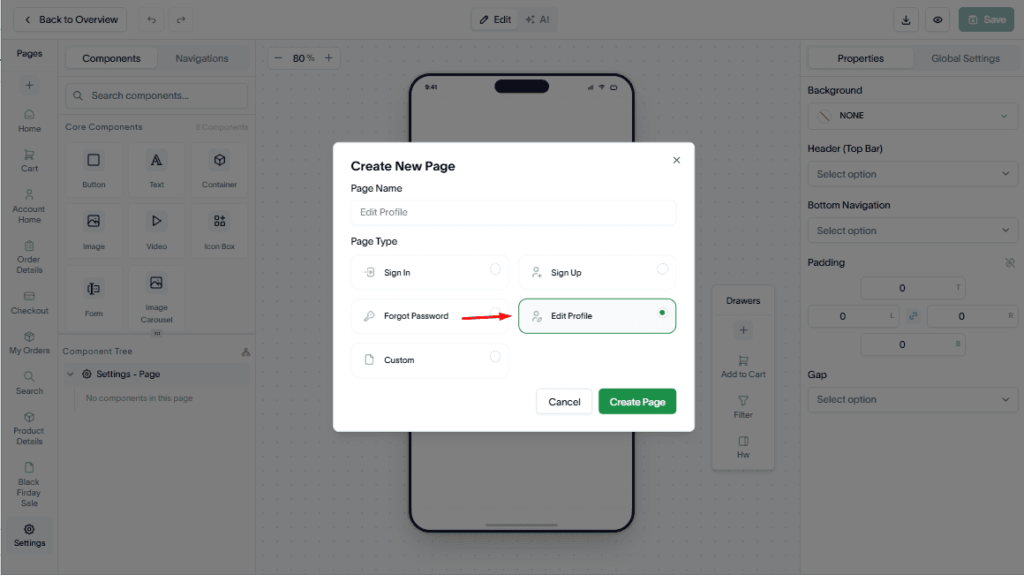
Hit the Create Page button.
Customize the page:
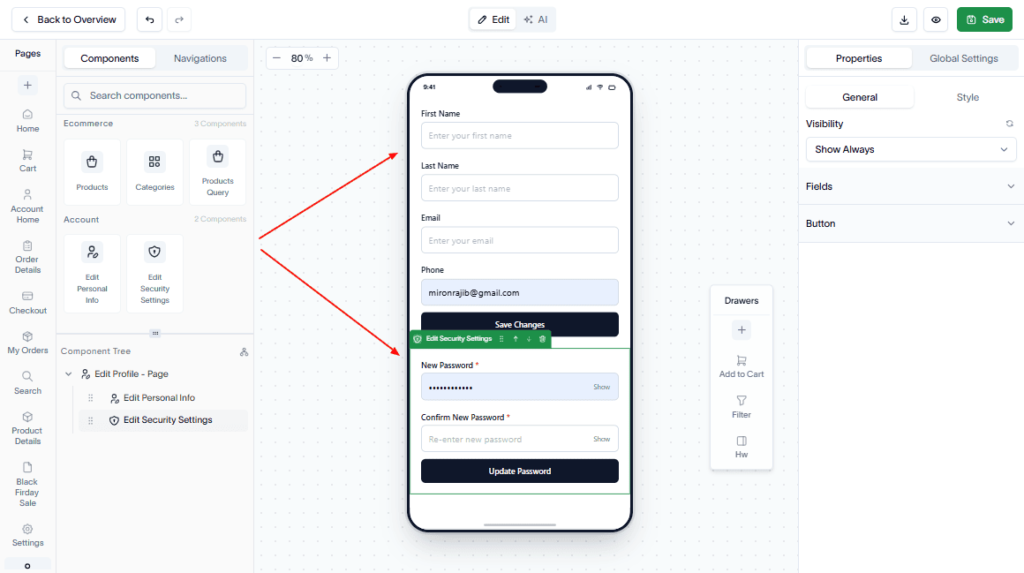
At first, Drag and drop the required Core, Ecommerce, and Account components to the page.
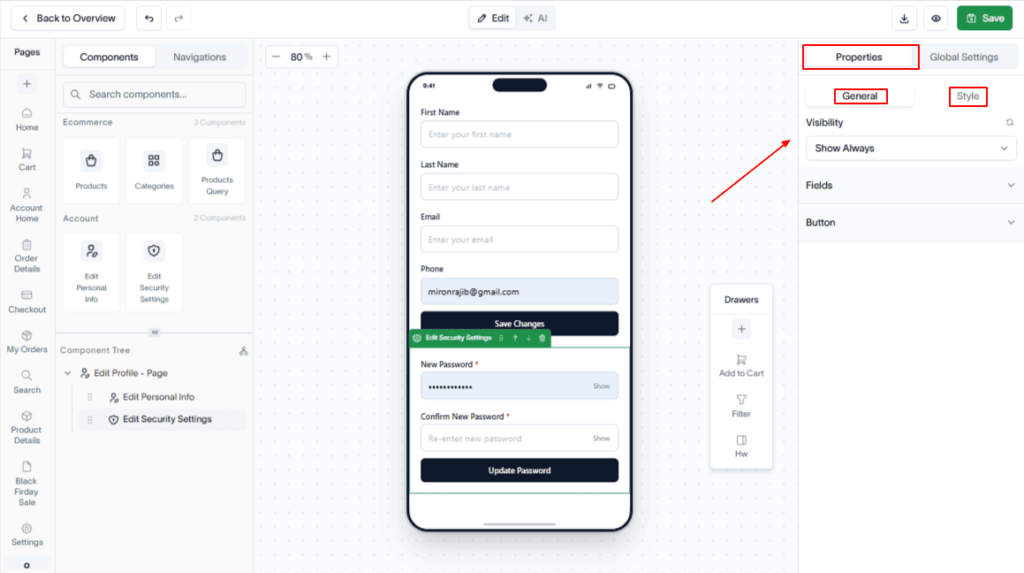
Next, configure the components to display the profile fields. To do this, navigate to the Properties panel in the top-right sidebar. Then, you can set the visibility option and style the component buttons, etc.
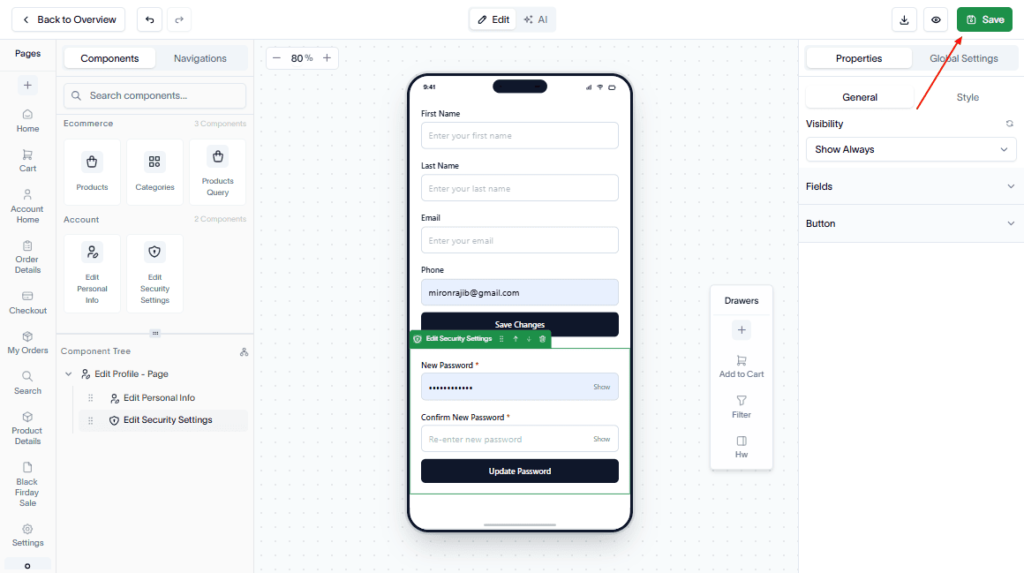
Finally, hit the Save button to save changes.
Outcome
Your application now includes an Edit Profile page where users can update and manage their account information.