Follow the steps below to create and customize a header using a Top Bar navigation.
Step 1: Open the navigation modal
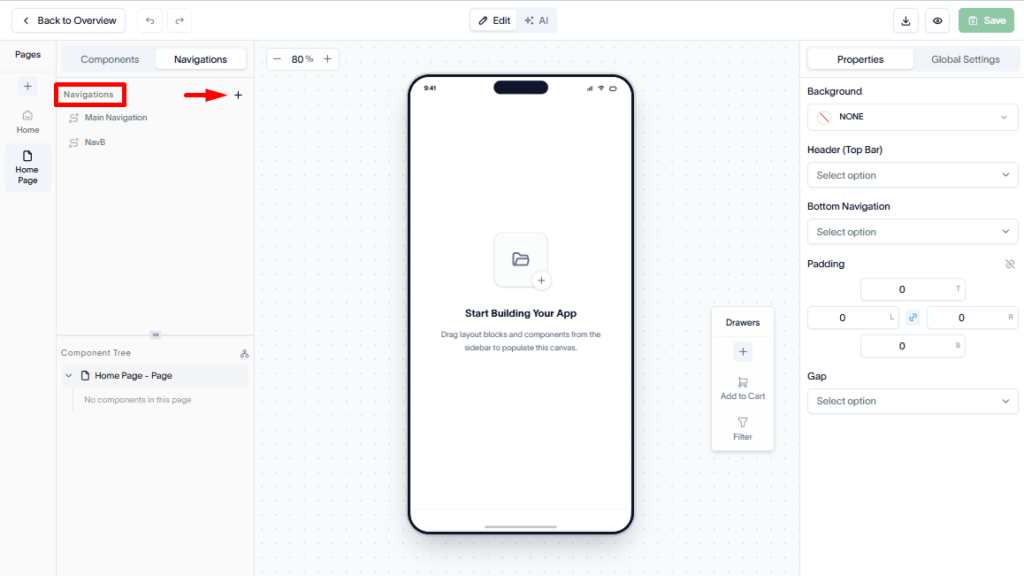
Navigate to the Navigation tab and click the + (Plus) button to open the Create New Navigation modal.
Step 2: Enter navigation details
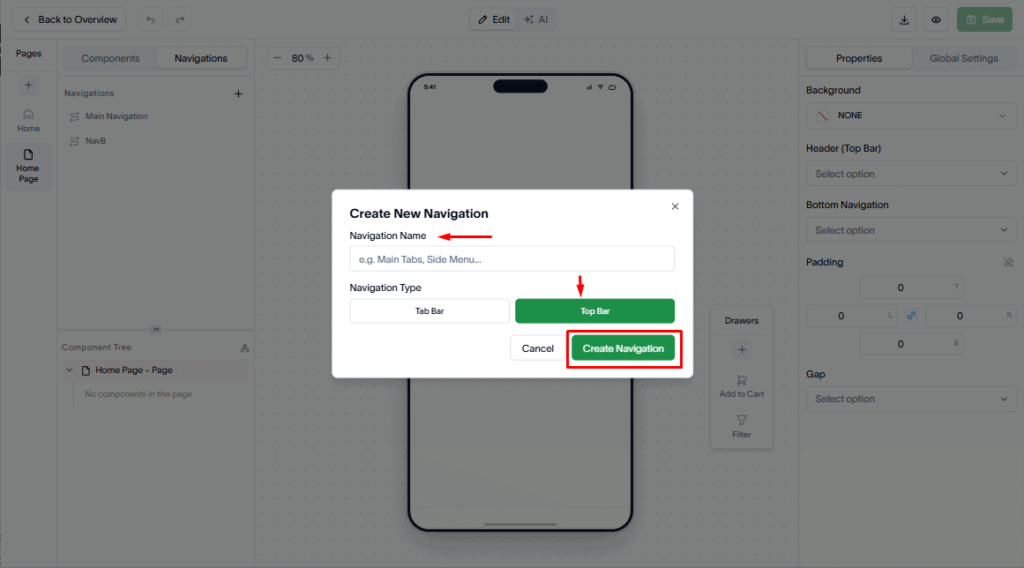
Provide the required information:
- Navigation Name – Enter a descriptive name for the header.
- Navigation Type – Select Top Bar as the navigation type.
Click Create Navigation to create the header.
Step 3: Customize the header design
Use the Properties section in the right sidebar to customize the appearance of the header.
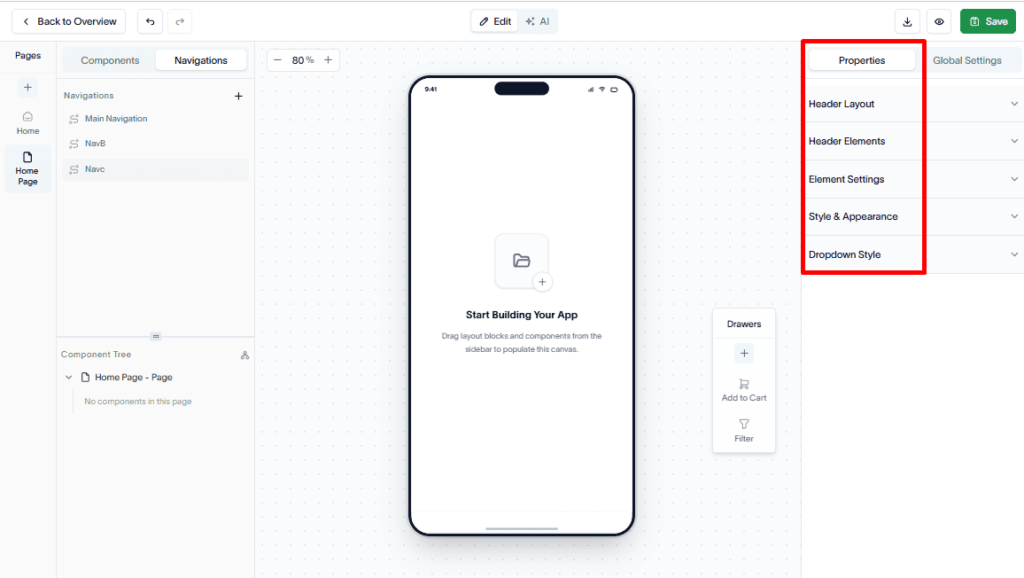
You can adjust various design settings to align the header with your application’s branding and overall design system.