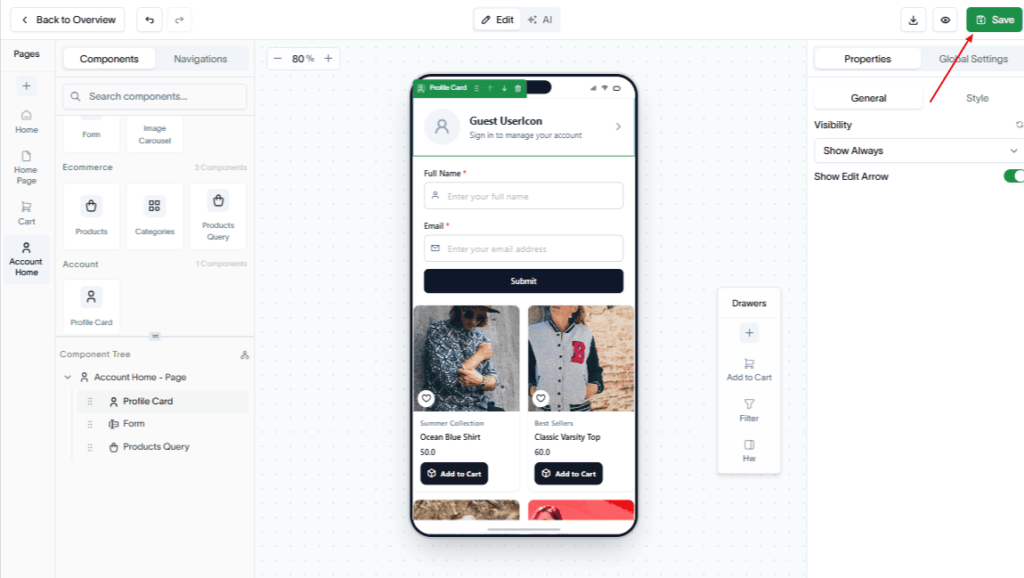
Create an account page to allow users to manage their profile, view account information, and access account-related features in your app.
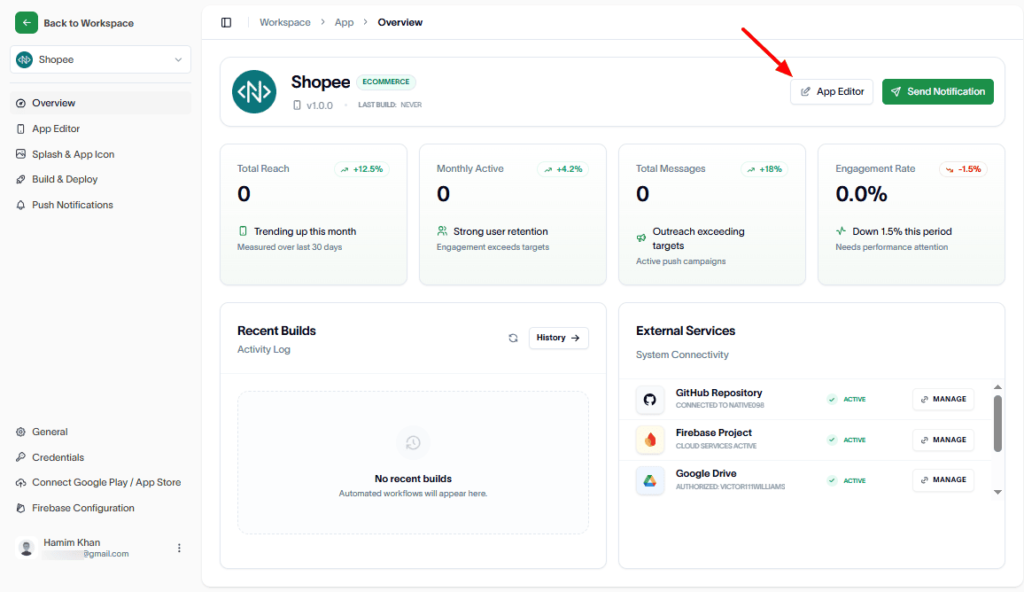
To create an account page, navigate to the App Editor.
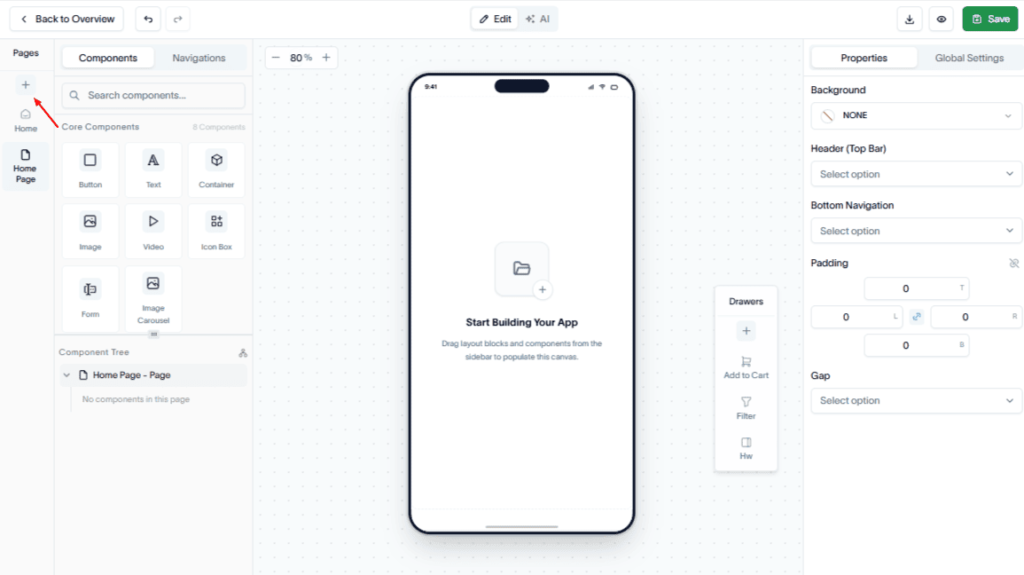
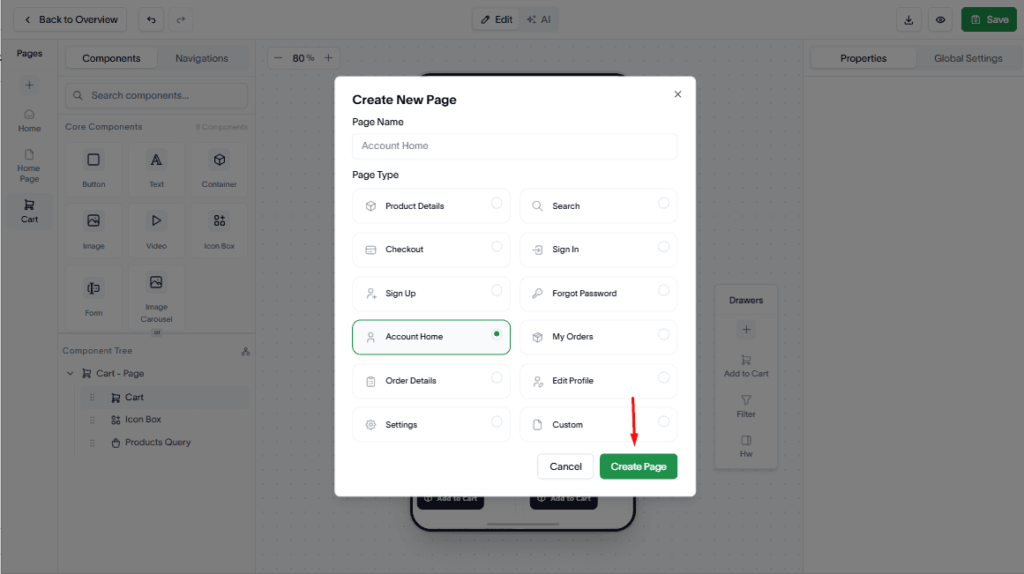
In the Pages section, click the Add (+) button.
Now, select Account as the page type.
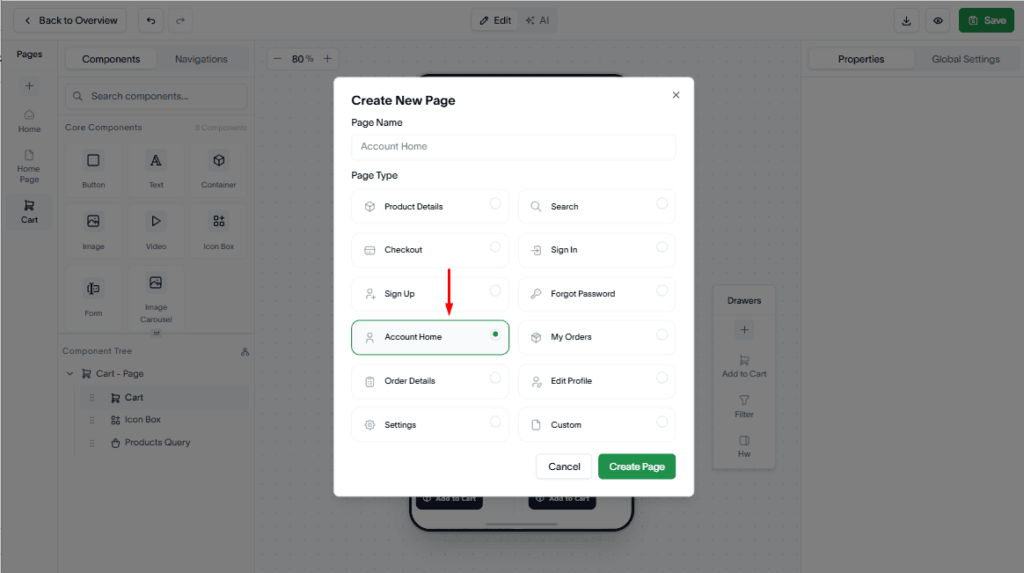
Hit the Create Page button.
Next, drag and drop the required Core, Ecommerce, and Account components onto the page.
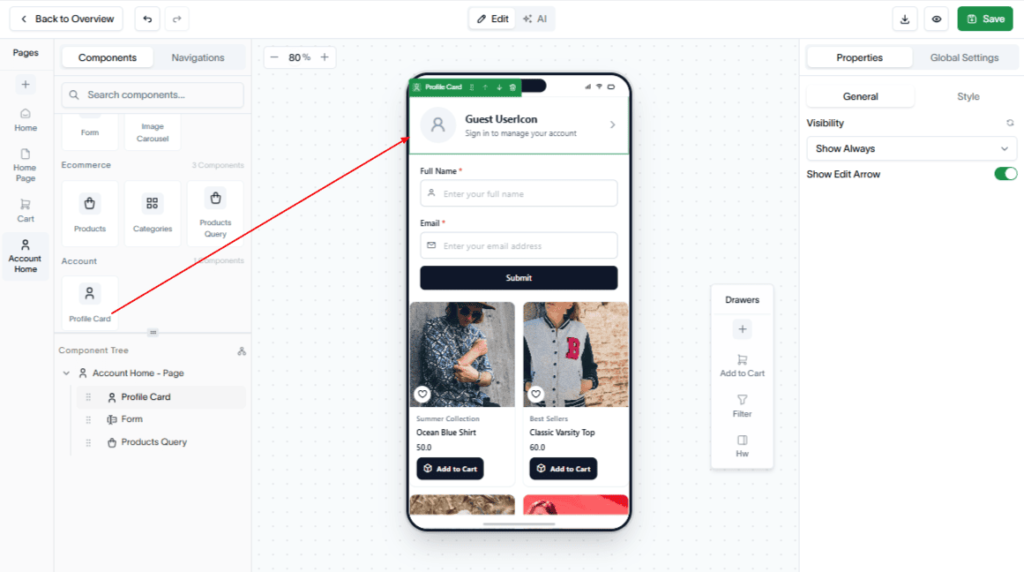
Finally, click Save to save your account page.