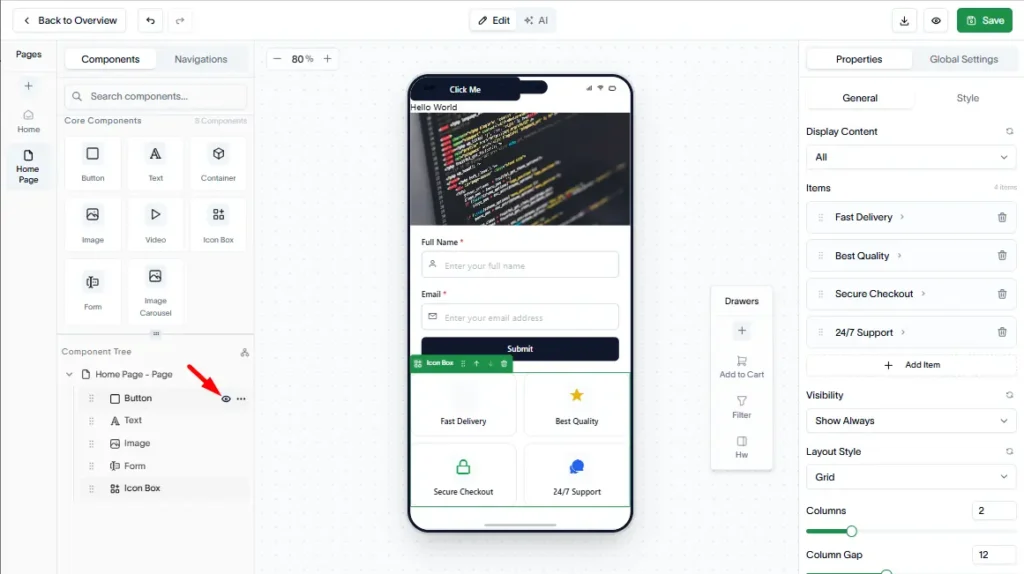
Manage and customize your app components directly from the App Editor.
Reorder components
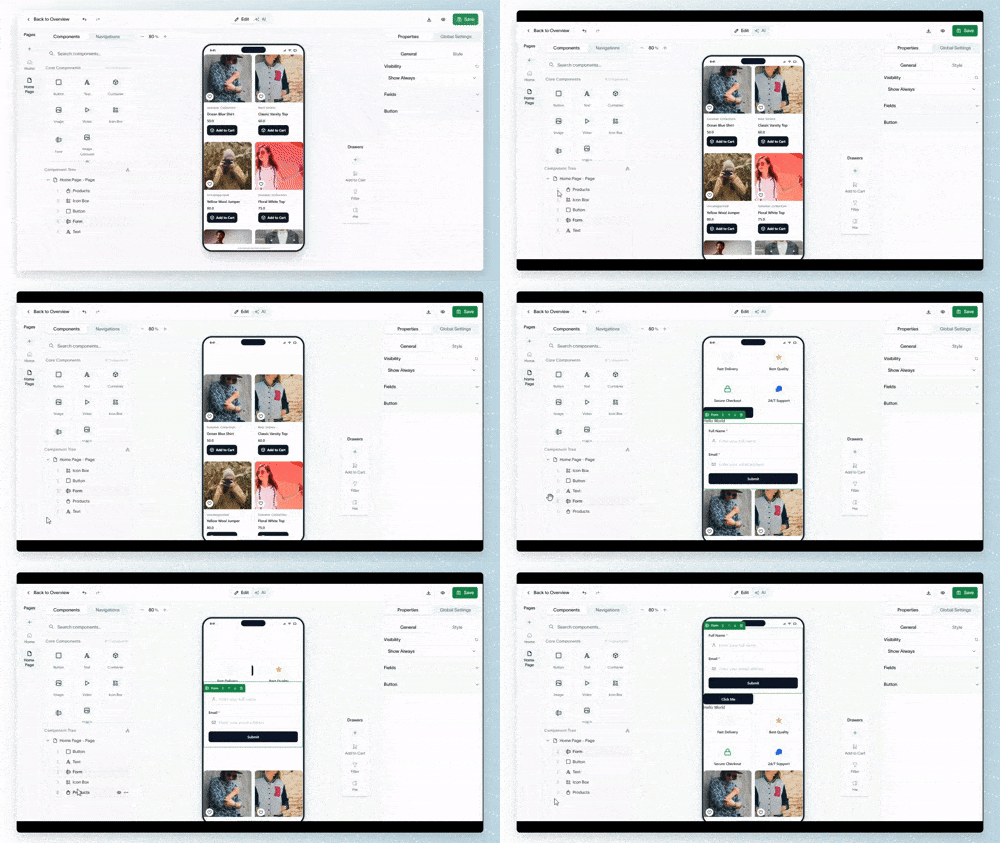
You can change the position of components by:
Dragging and dropping them to a new location in the builder simulator.
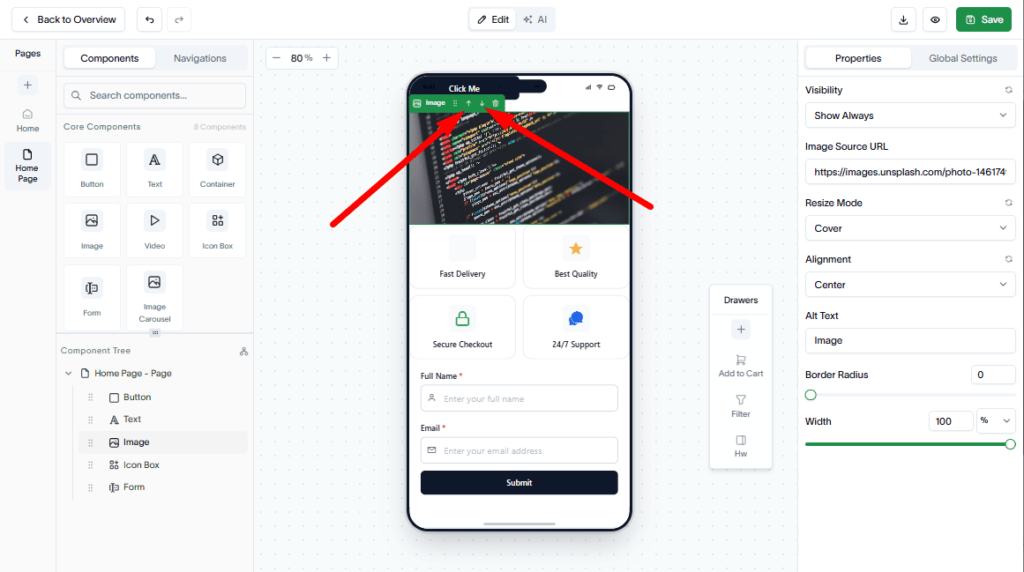
You can also reorder them from the Component Tree in the left sidebar.
Manage components
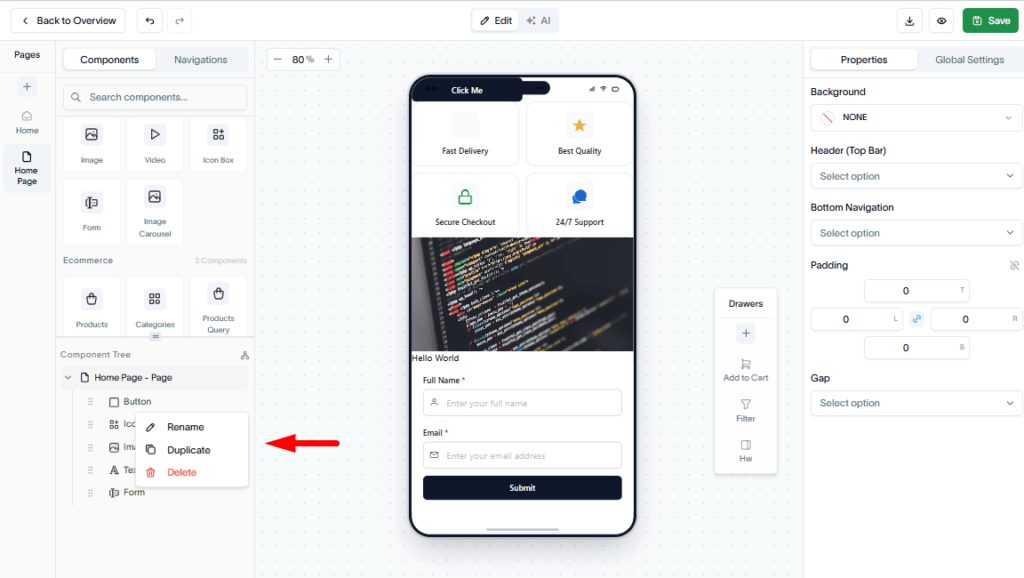
From the Component Tree, you can:
- Rename components.
- Duplicate components.
- Delete components.
- Hide components from the page.
To do these, click on the 3 dots.
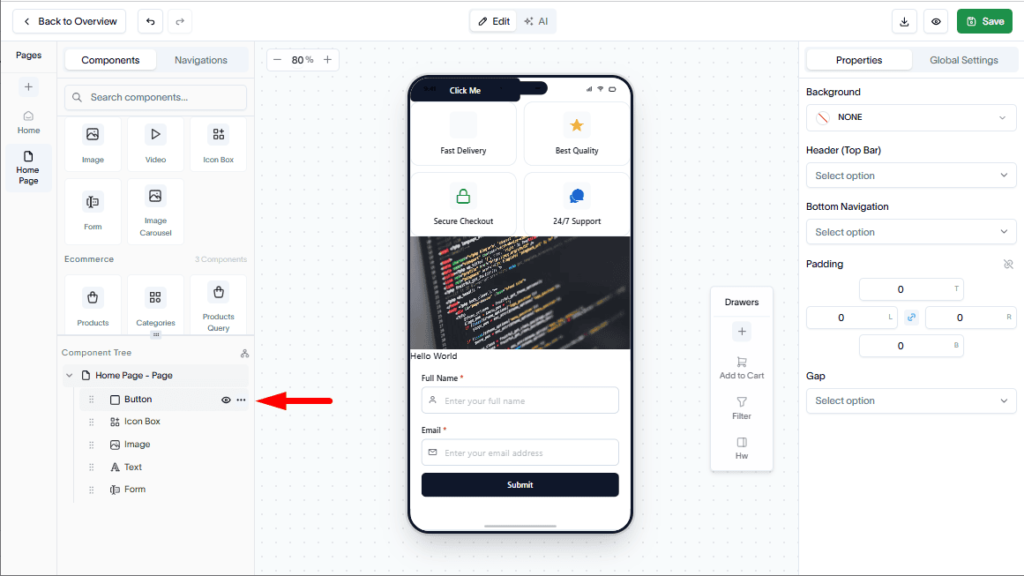
Then, you can Rename, Duplicate, and Delete
Finally, you can hide a component as well, just by clicking on the Eye Icon