Bottom navigation helps users move between key sections of your application quickly and efficiently. Follow the steps below to create and configure a bottom navigation (Tab Bar).
Step 1: Open the navigation modal
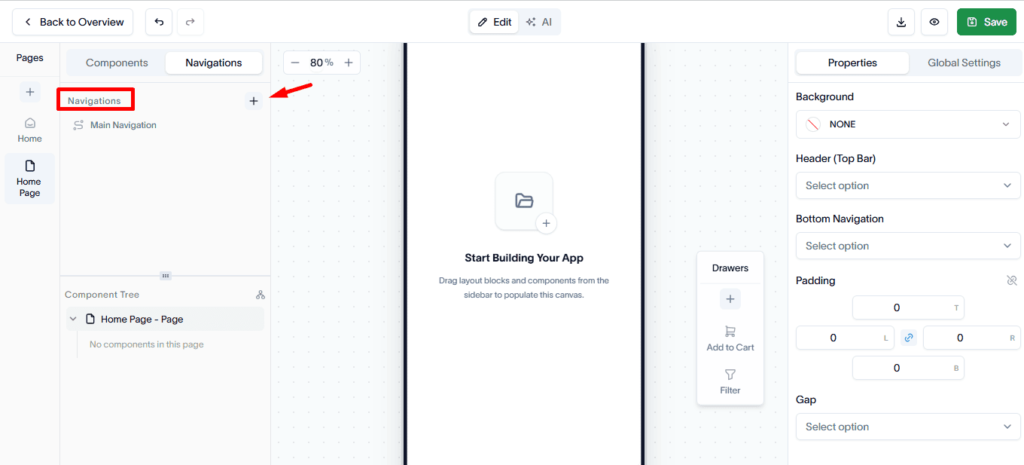
Go to the Navigation tab and click the + (Plus) button to open the Create New Navigation modal.
Step 2: Enter navigation details
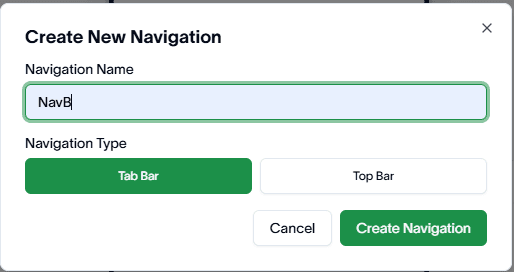
Provide the required information:
- Navigation Name – Give your navigation a clear and meaningful name.
- Navigation Type – Select Tab Bar as the navigation type.
Click Create Navigation to proceed.
Step 3: Add navigation items
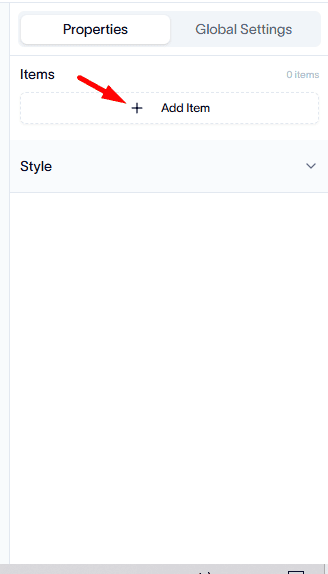
After creating the navigation, open the right sidebar and go to the Items section.
From here, you can:
- Add new navigation items.
- Select a target page for each item.
- Arrange items based on your desired order.
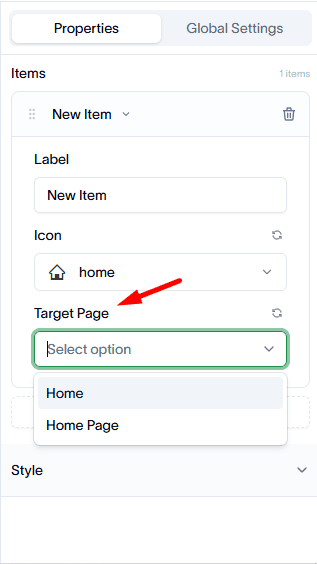
Each item will act as a link to its assigned page.
Step 4: Customize navigation design
Use the Style Properties section in the right sidebar to customize the appearance of your bottom navigation.
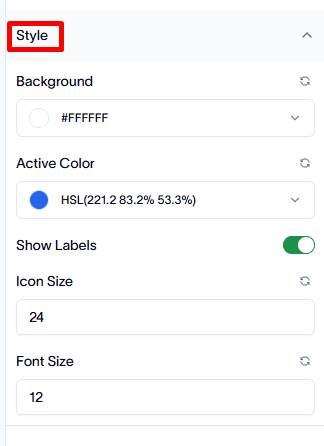
You can adjust design elements to match your app’s visual style and improve user experience.