Adding your Android app to a Firebase project connects it with Firebase Cloud Messaging (FCM) for push notifications.
Prerequisites:
- A Firebase project has already been created.
- You have your Android application’s Package Name.
Steps:
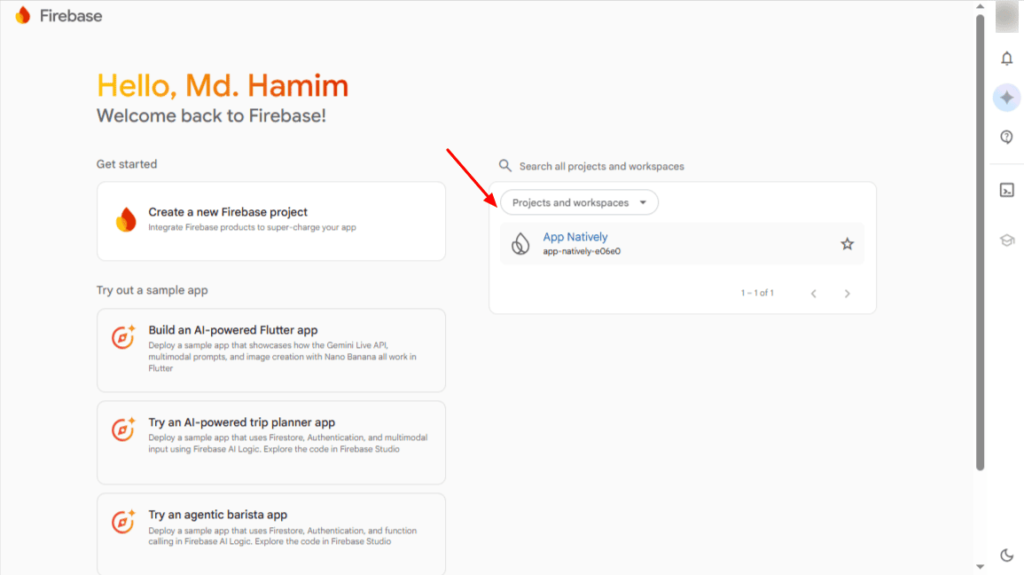
First, navigate to the Firebase Console and select your Firebase project.
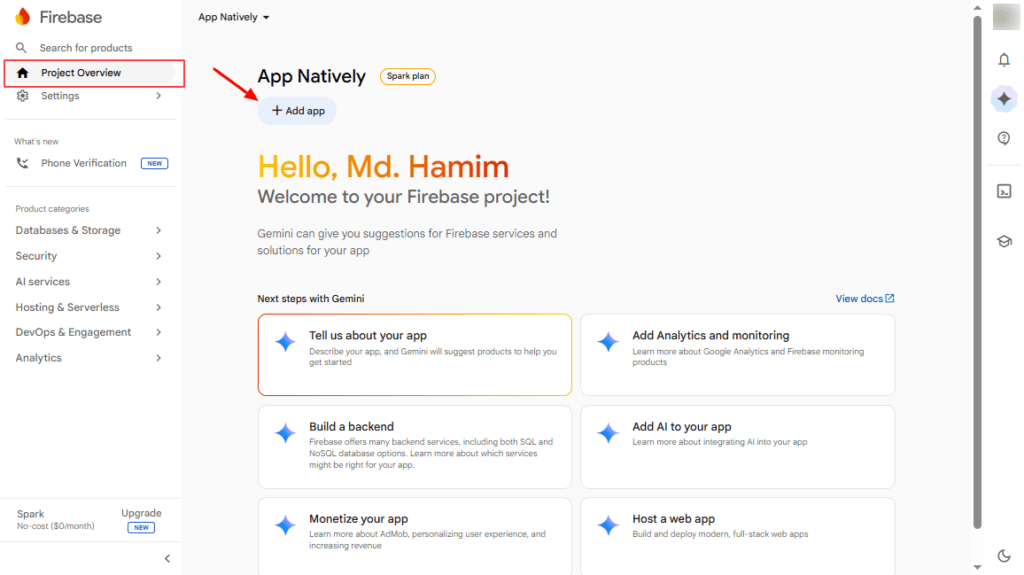
On the project overview page, hit the (+ Add app) button.
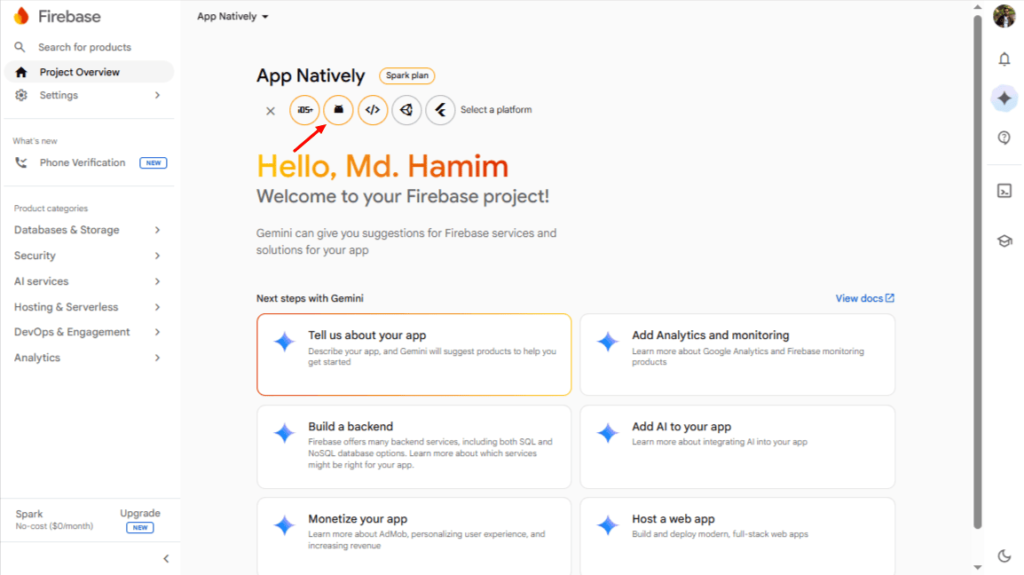
Now, click on the Android app icon.
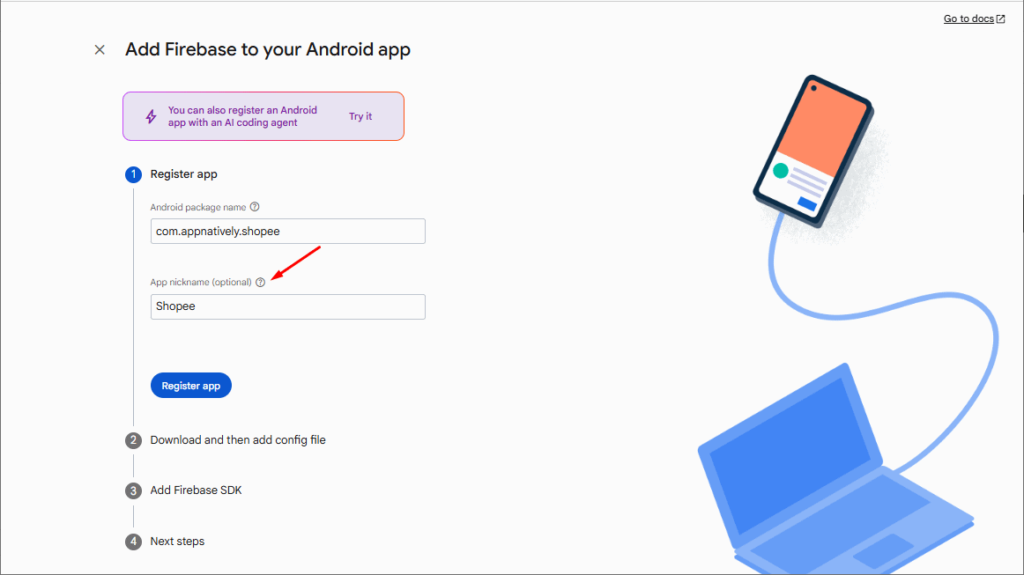
Enter your application’s Android Package Name.
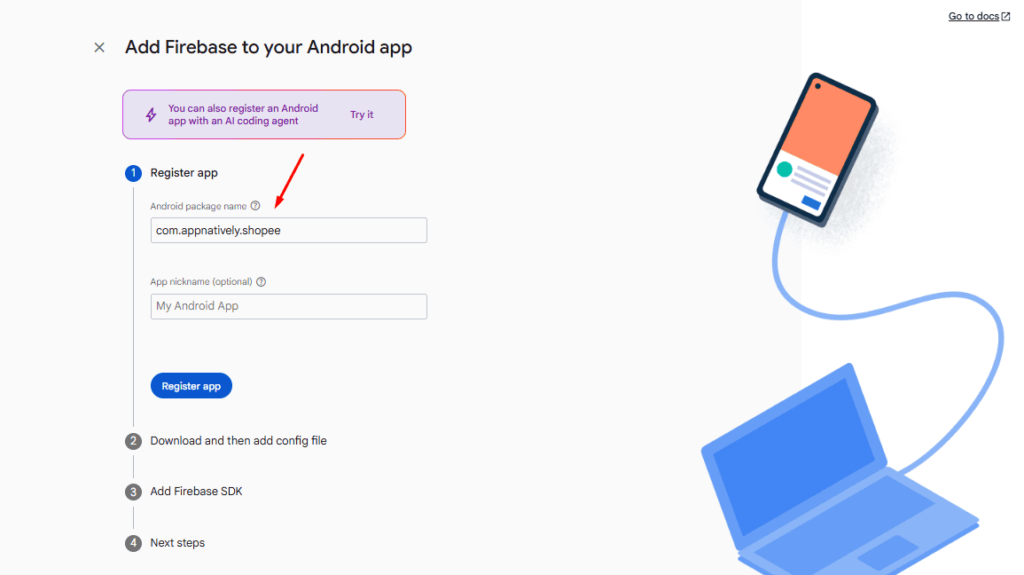
(Optional) Enter an App Nickname
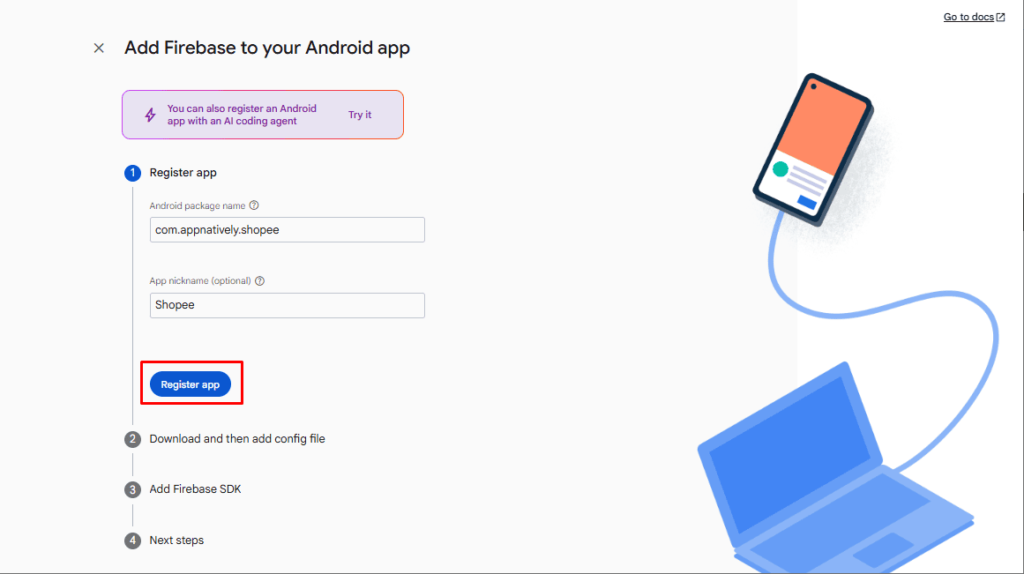
Hit the Register App button.
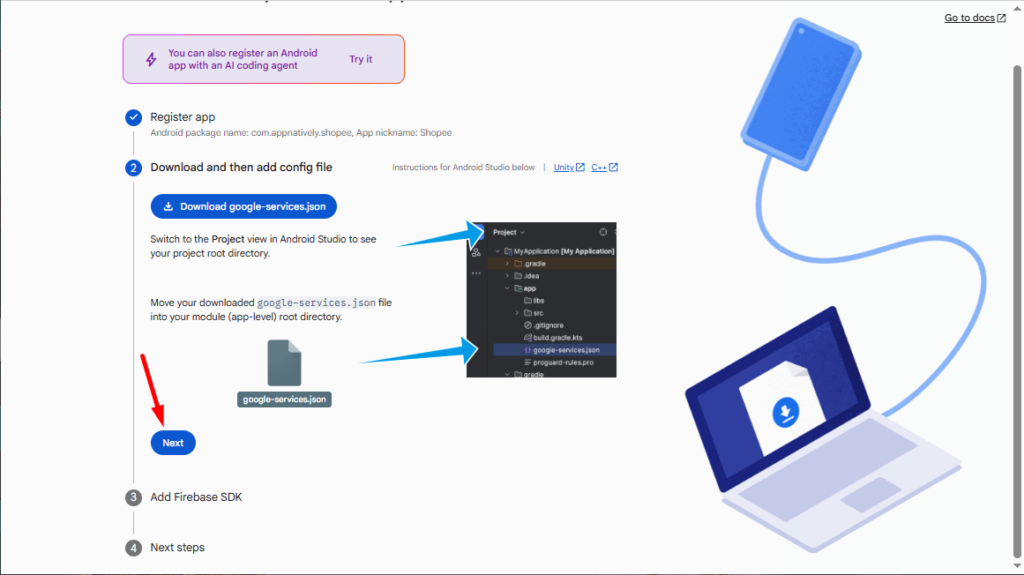
Then, press the Next button.
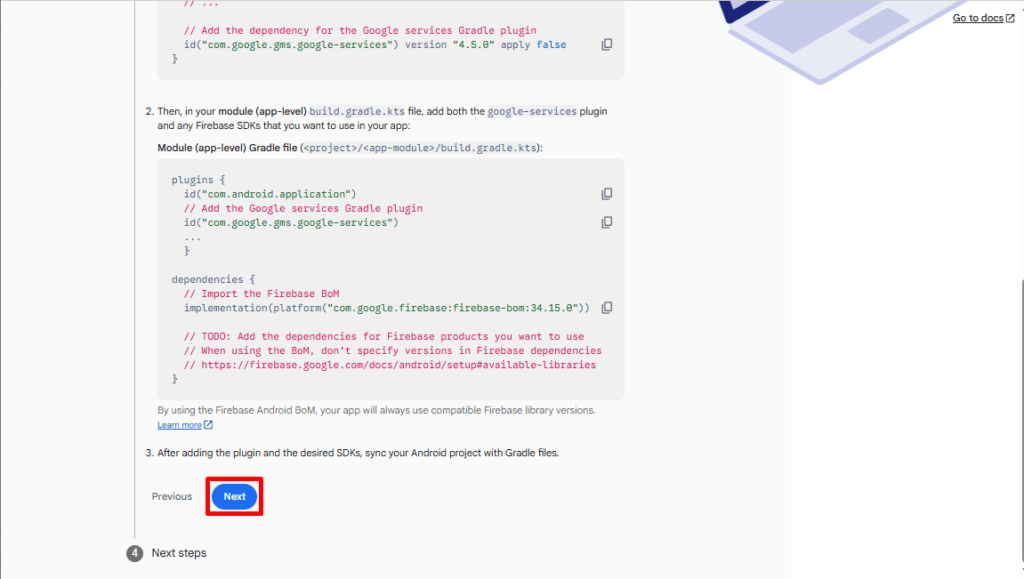
Again, hit the Next button.
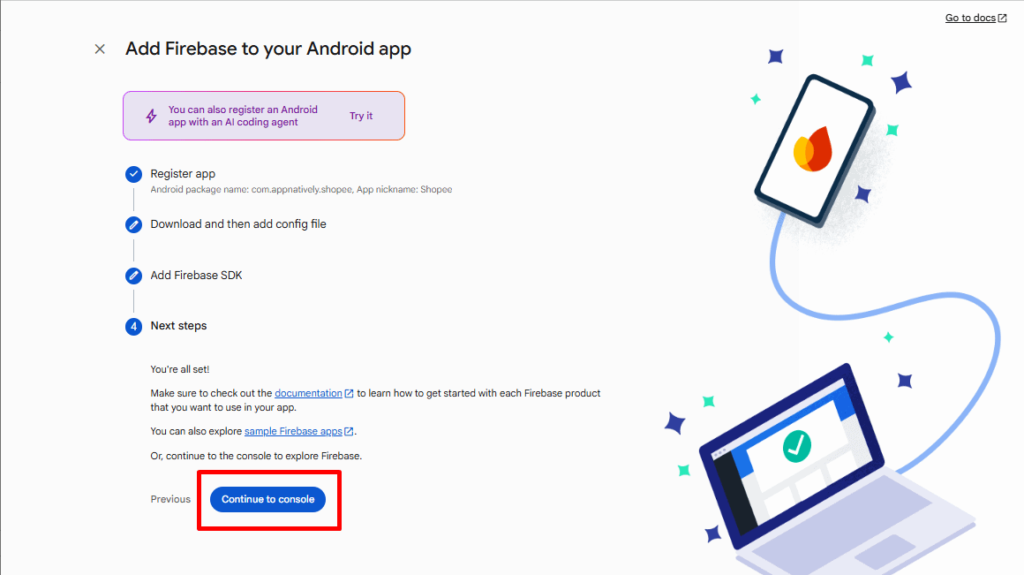
Now, press the Continue to console button.
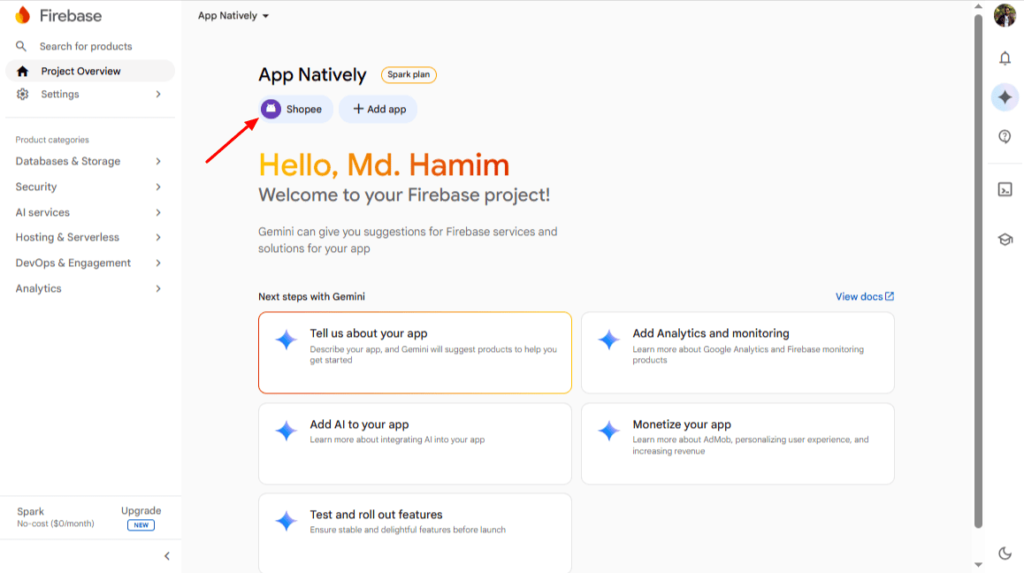
Then, click on the Android app name.
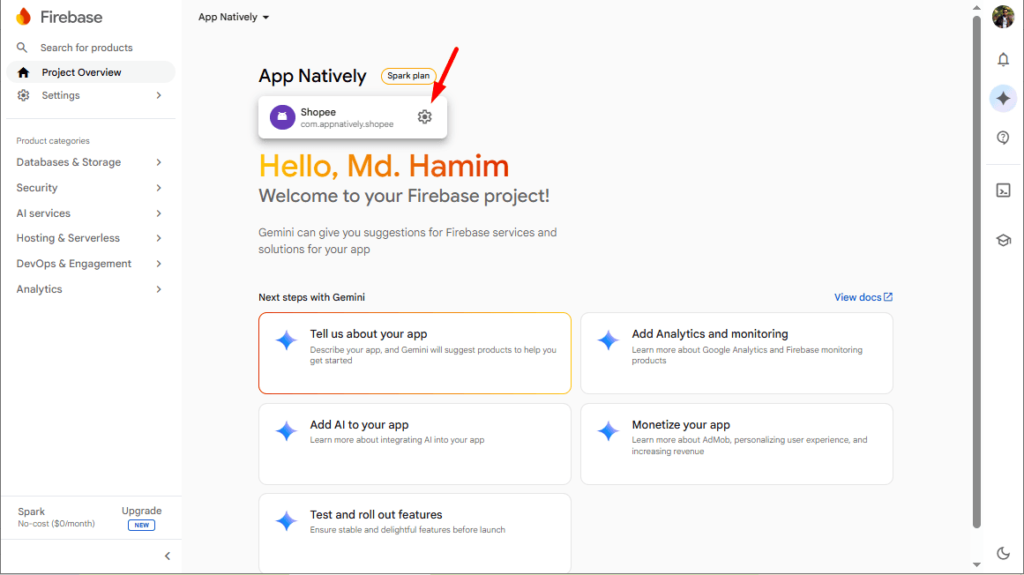
Next, trigger the Settings icon.
Finally, download the google-services.json configuration file.
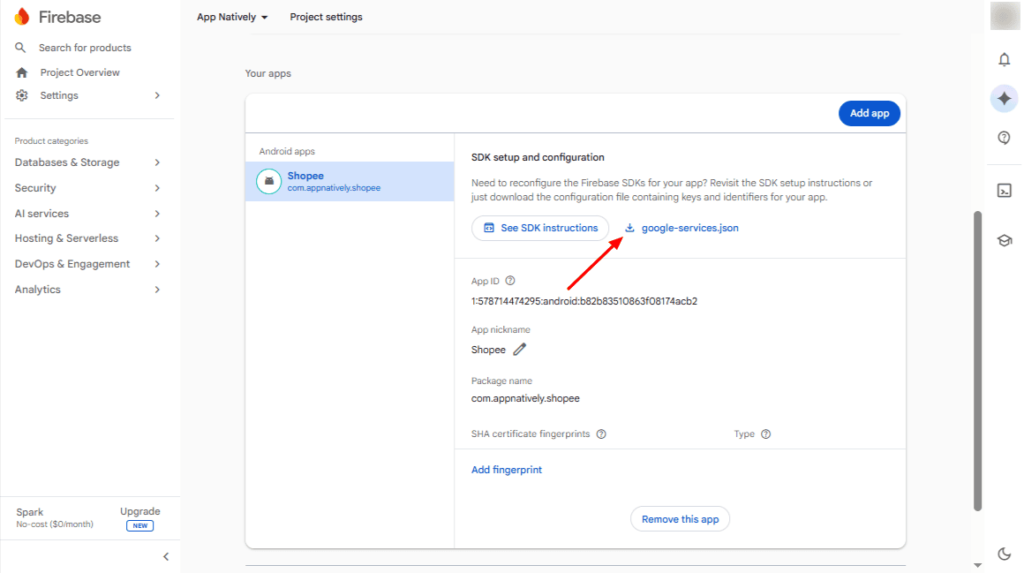
Keep the downloaded file ready, as it will be required when configuring your Android application.