Overview:
A Sign Up page allows new users to register for an account and access your application’s features.
Procedure:
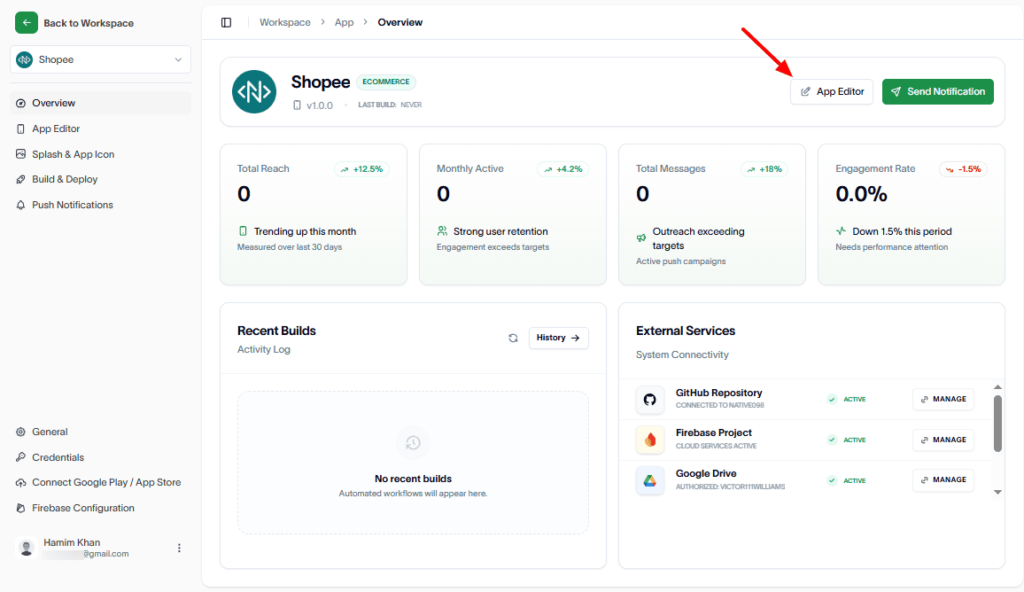
At first, navigate to the App Editor.
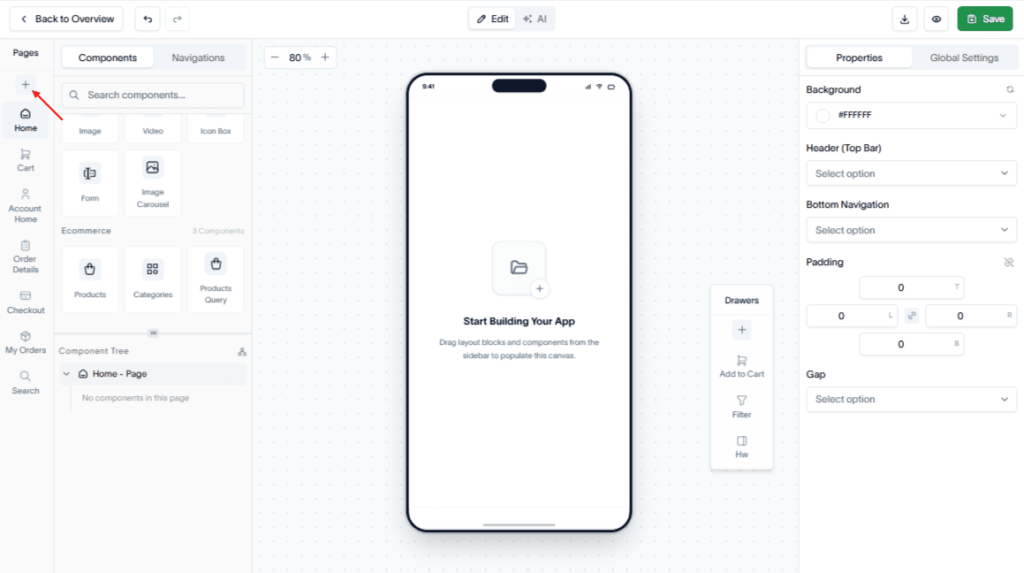
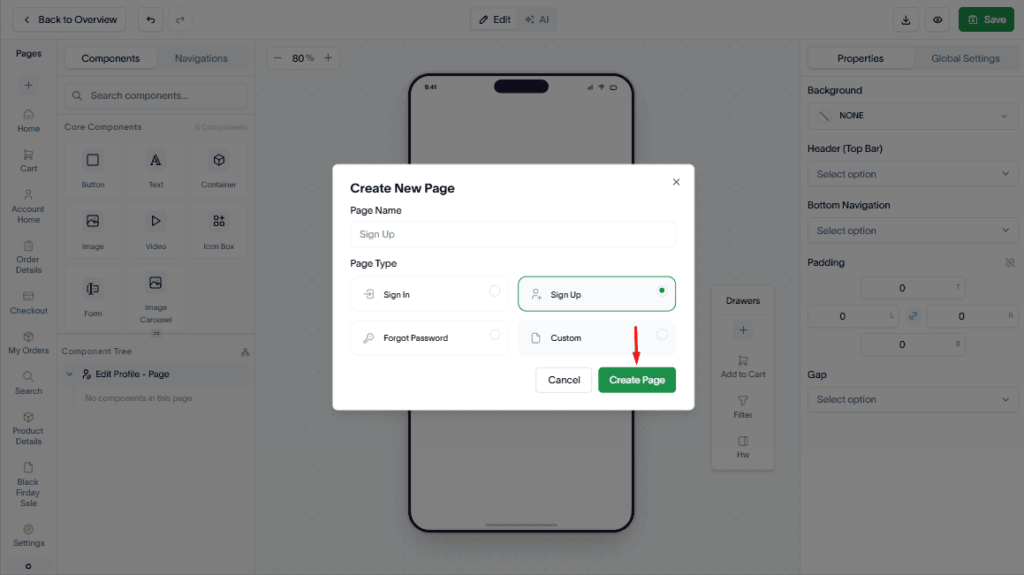
Next, in the Pages panel, click Add (+).
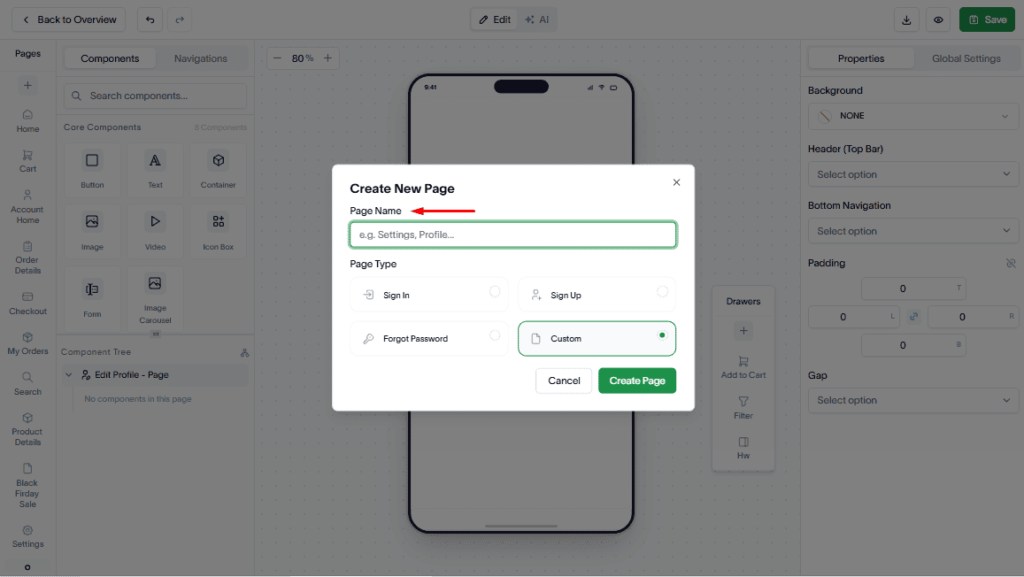
Then, enter a name for the page.
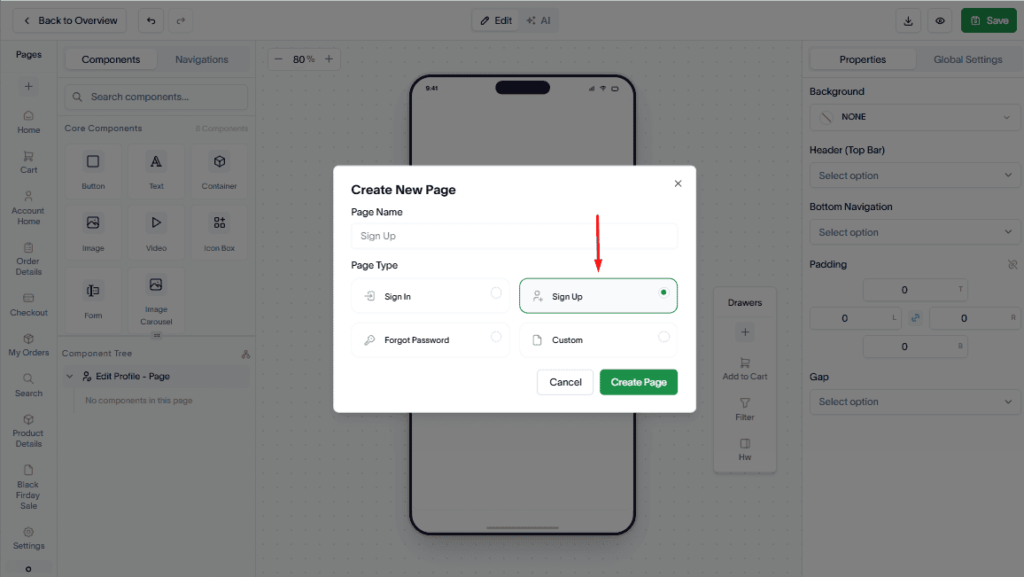
Select Sign Up from the Page Type list.
Now, click the Create Page button.
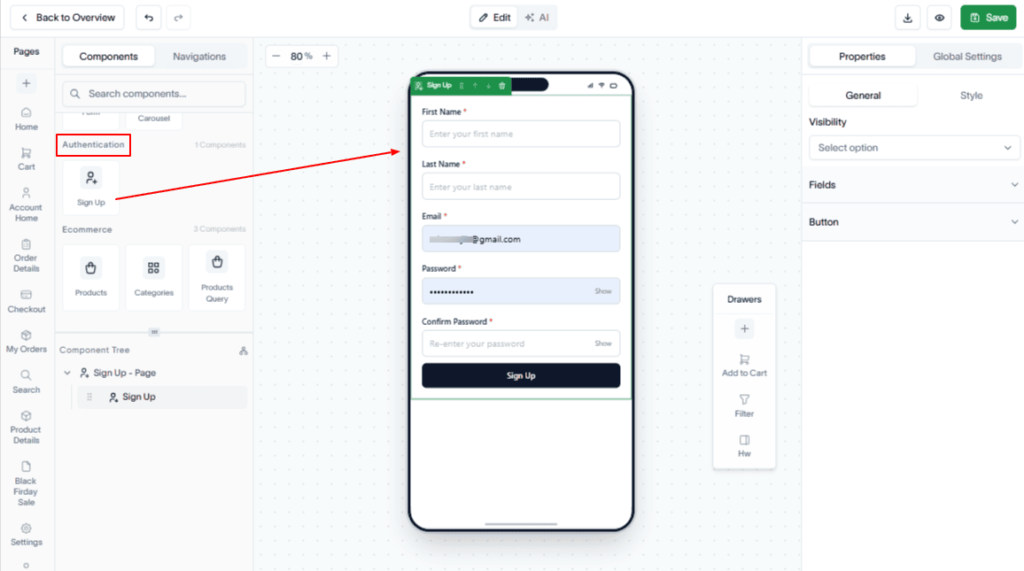
Drag & drop the Authentication component to the Sign Up page.
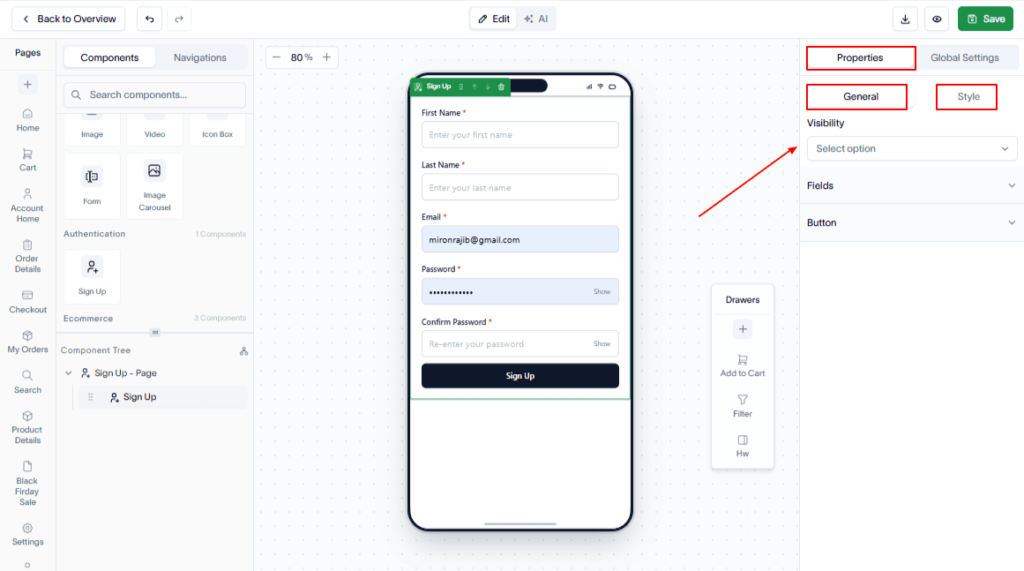
Configure the page to match your application’s design. To do this, navigate to the Properties panel in the top-right sidebar.
Under the General tab, you can set the visibility option. And, under the Style tab, you can style Wrapper, Label, Field, Button, etc.
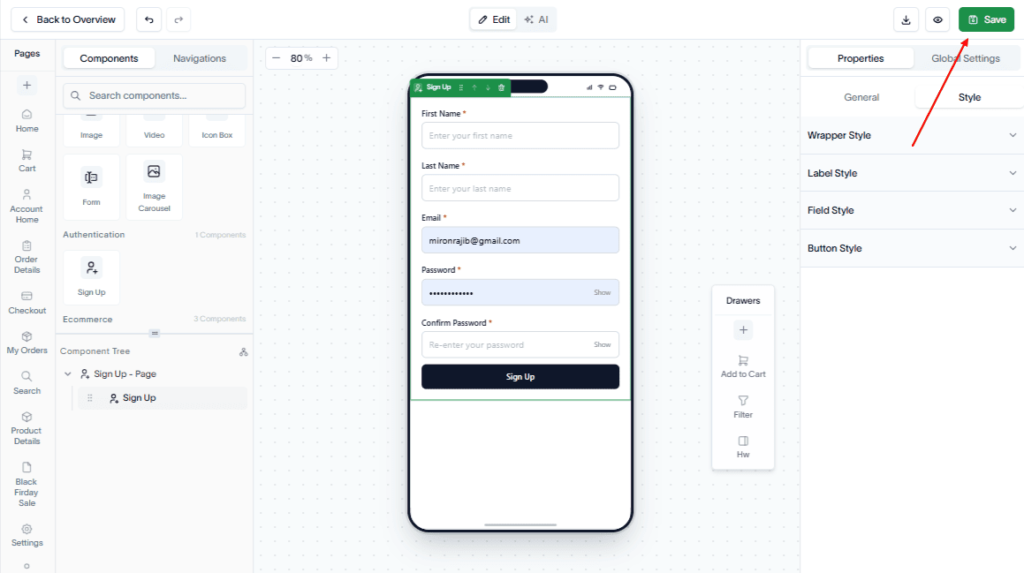
Finally, click the Save button.
Result:
The Sign Up page is added to your application and is ready for users to create new accounts.