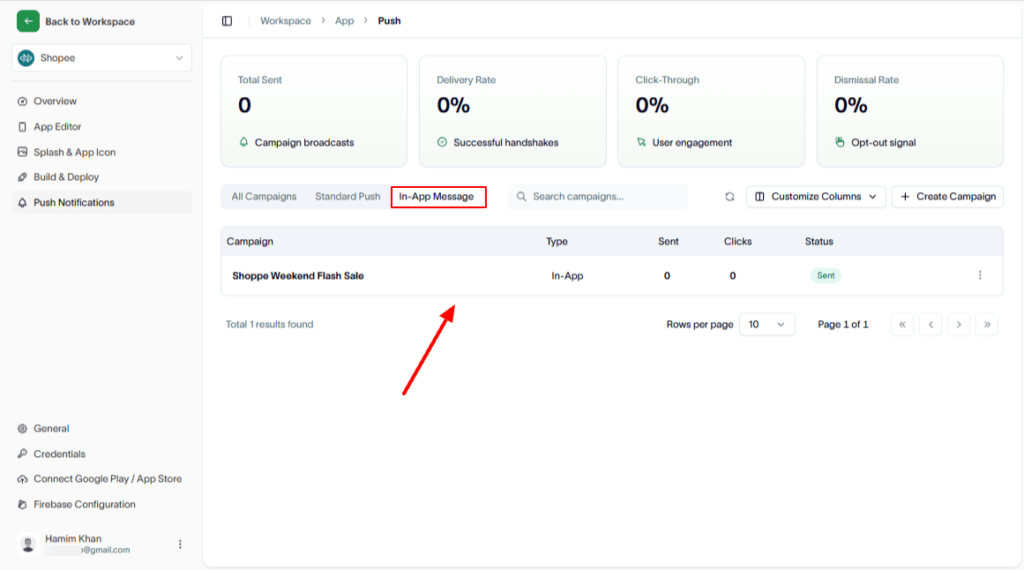
Follow these steps to create a modal In-app message campaign.
Steps
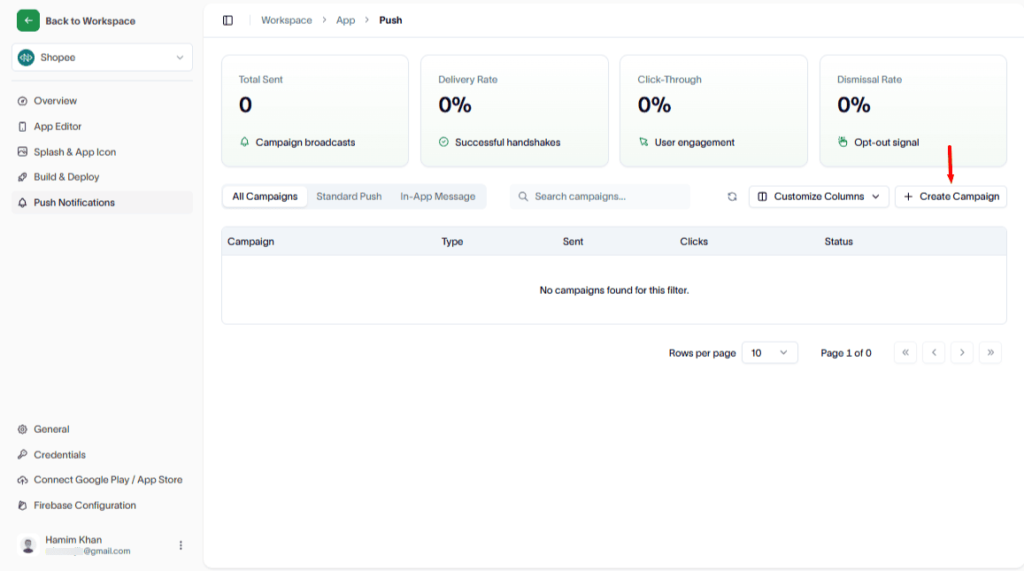
1. Create a new campaign
To do this, click the Create Campaign button.
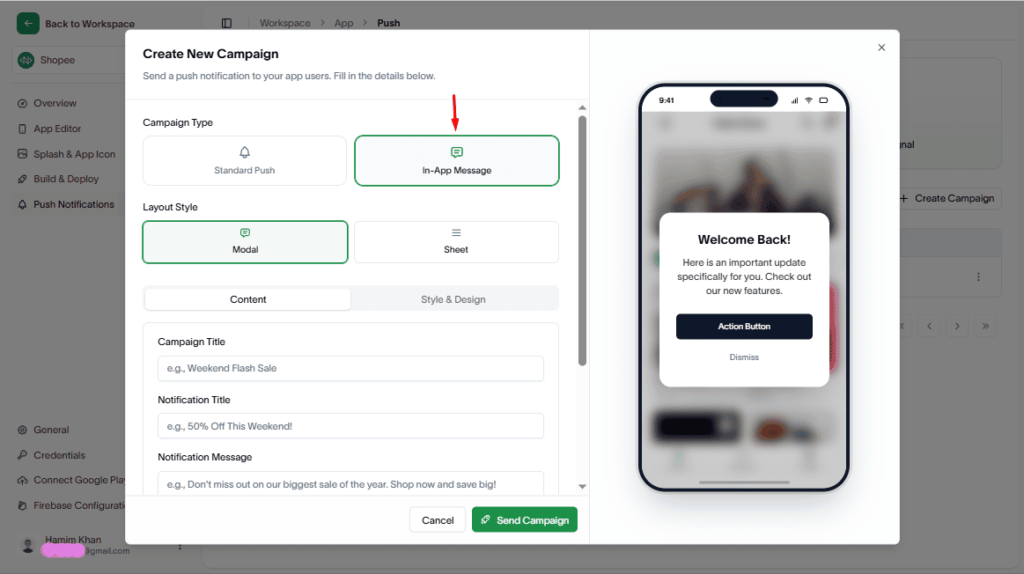
2. Select campaign type
In the Create New Campaign modal, choose In-App Message as the campaign type.
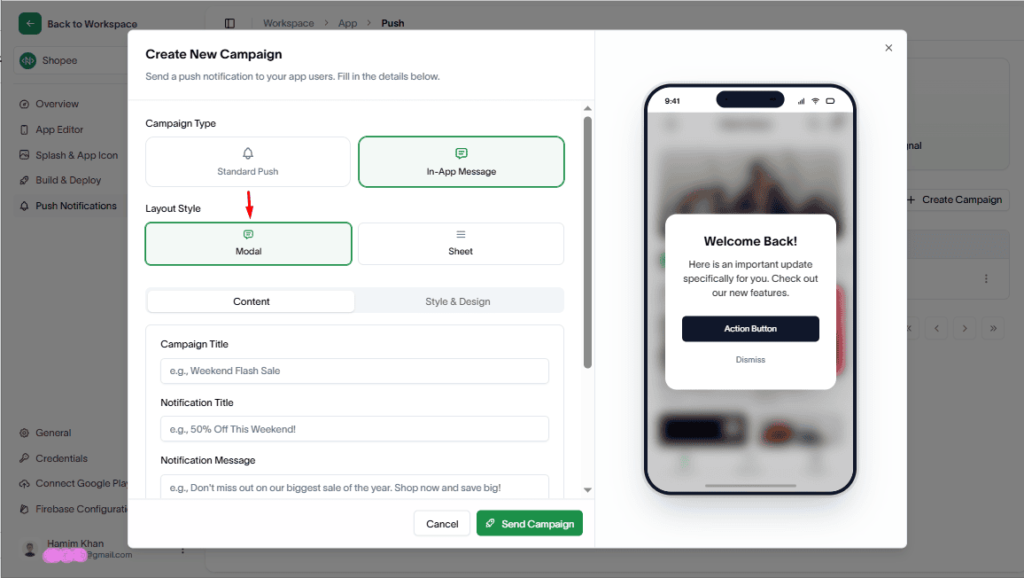
3. Choose Layout Style
Select the Modal as the Layout Style.
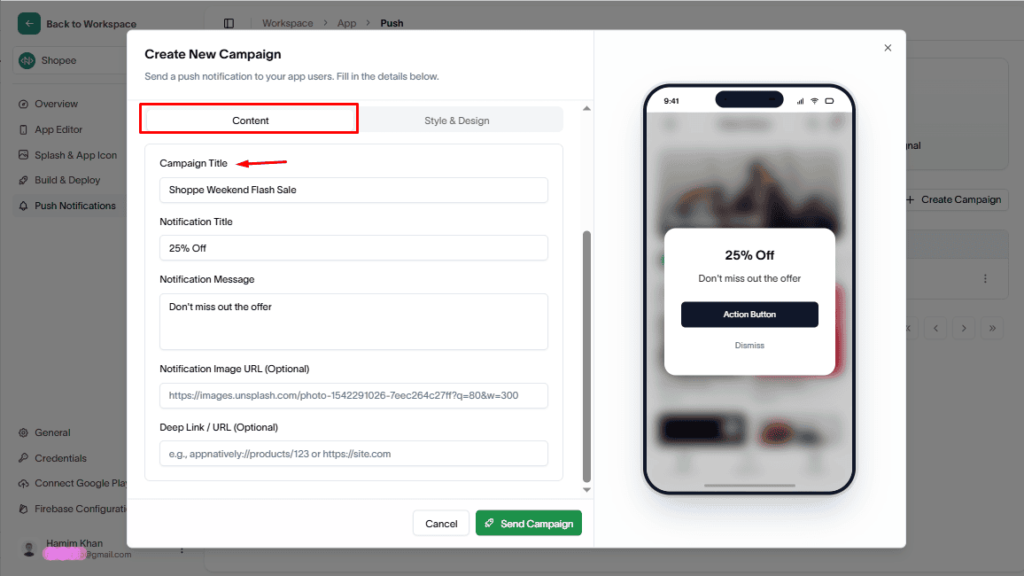
4. Add campaign details
Fill in the required information such as:
- Campaign title
- Notification title
- Notification message
- Other necessary content
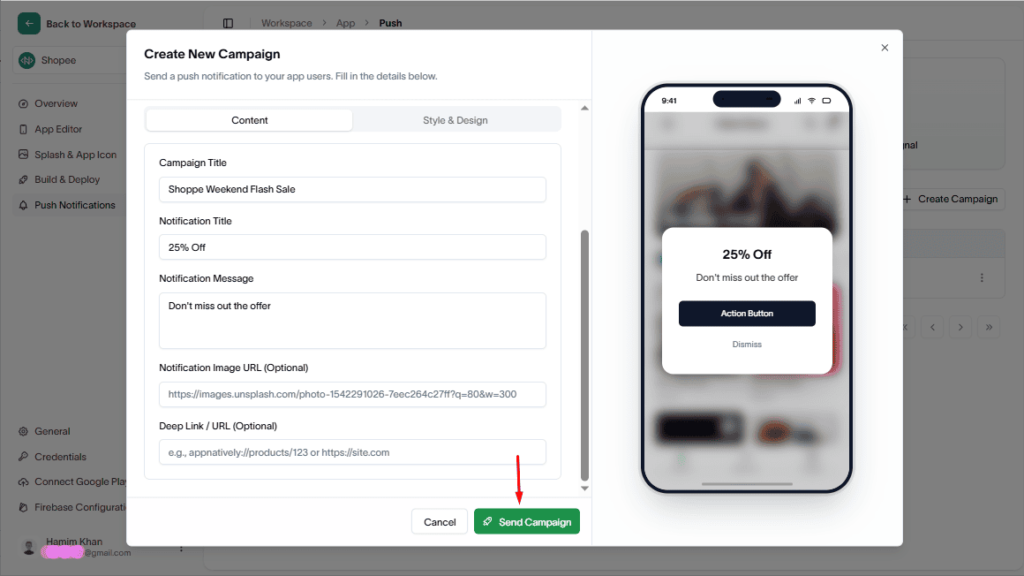
5. Send campaign
Finally, hit the Send Campaign button to launch it.
Result
- A new in-app modal campaign will be created
- It will be listed in the Campaigns table for tracking and management