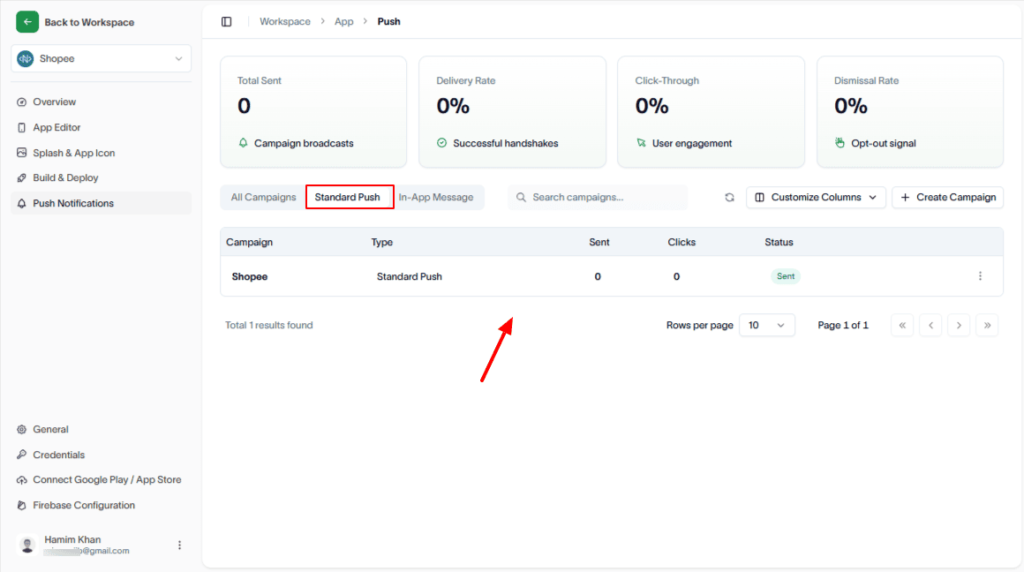
This section explains how to create and send a standard push notification campaign.
Overview
A standard push notification campaign lets you send targeted notifications to your users through a simple, guided workflow.
Step-by-Step Guide
1. Start a New Campaign
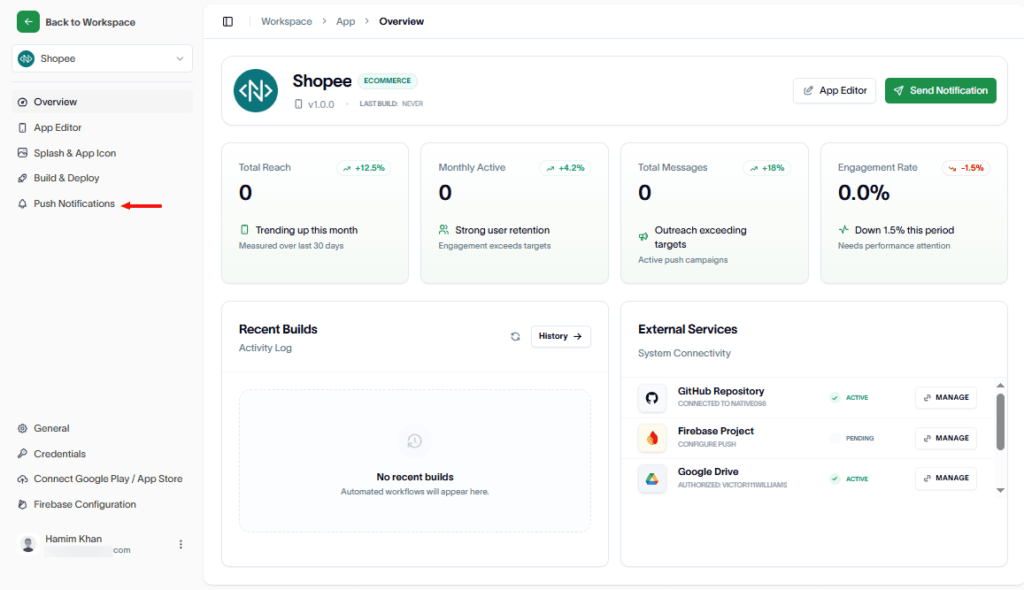
Navigate to Push Notifications
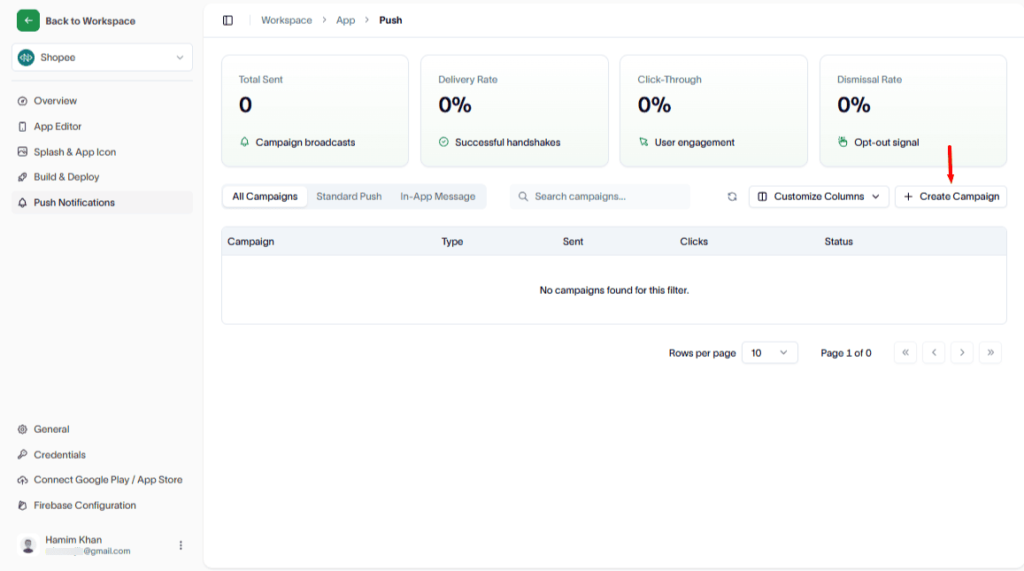
Click the Create Campaign button from the campaign dashboard.
2. Select Campaign Type
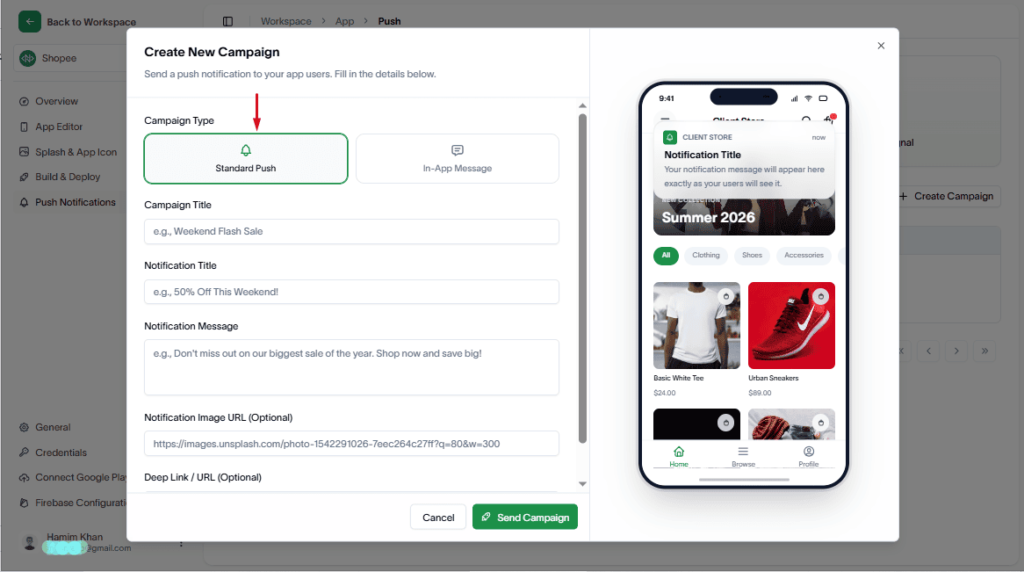
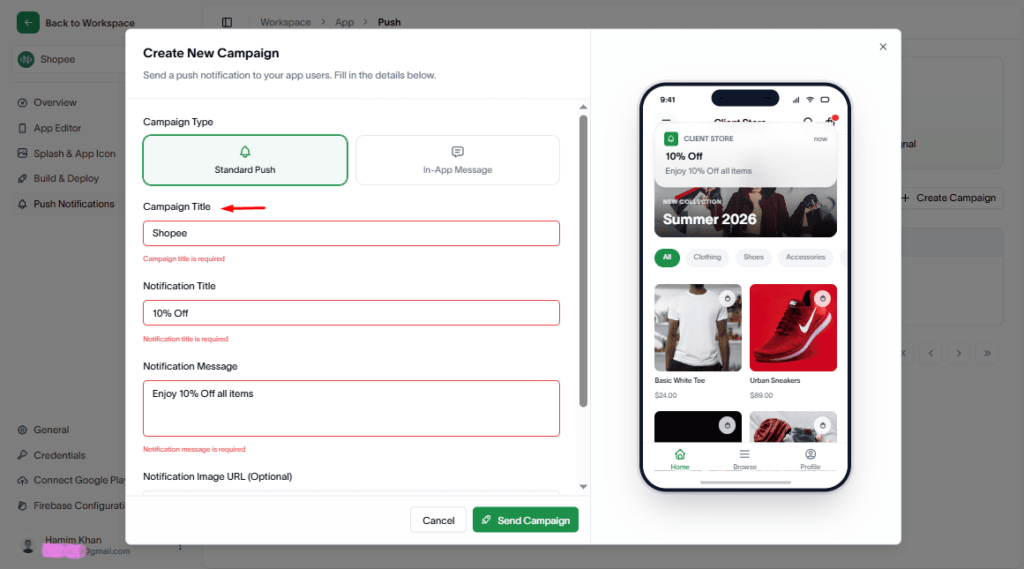
In the Create New Campaign modal:
- Choose Standard Push as the campaign type
3. Configure Campaign Details
Fill in the required fields, such as:
- Campaign Title
- Notification Title
- Notification Message
- Notification Image URL (Optional)
- Any other content fields
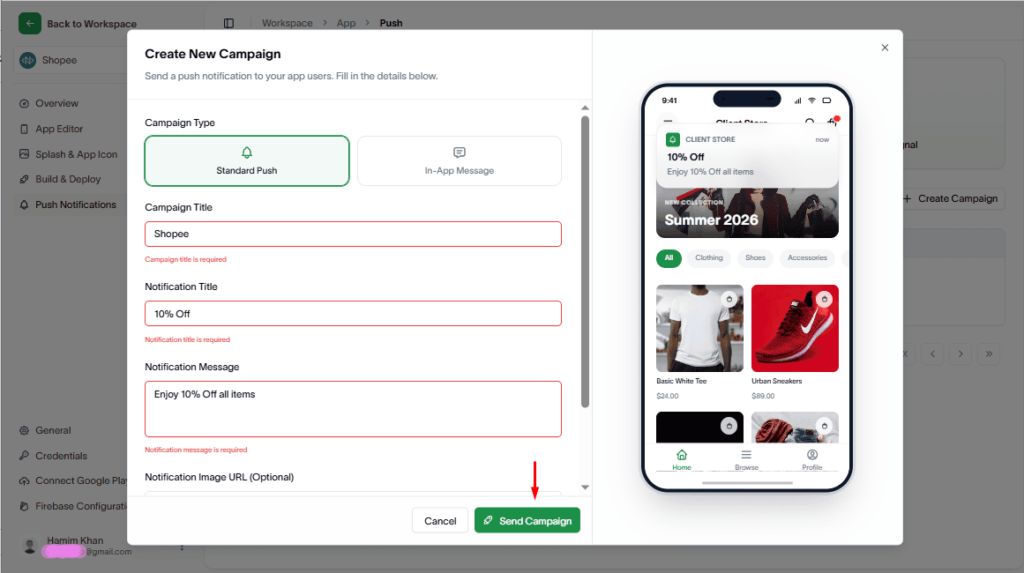
4. Send the Campaign
Hit the Send Campaign button to initiate delivery.
Confirmation
Once submitted successfully:
- A new standard push campaign will be created
- The campaign result will appear in the Campaigns table for tracking and management