The Product Details page in your native app displays comprehensive information about a selected product, including images, descriptions, pricing, variants, and purchasing options. This page allows customers to view product details before adding items to their cart.
Prerequisites
- An application has already been created.
- You have access to the App Editor.
Steps
Go to the App Editor in your application.
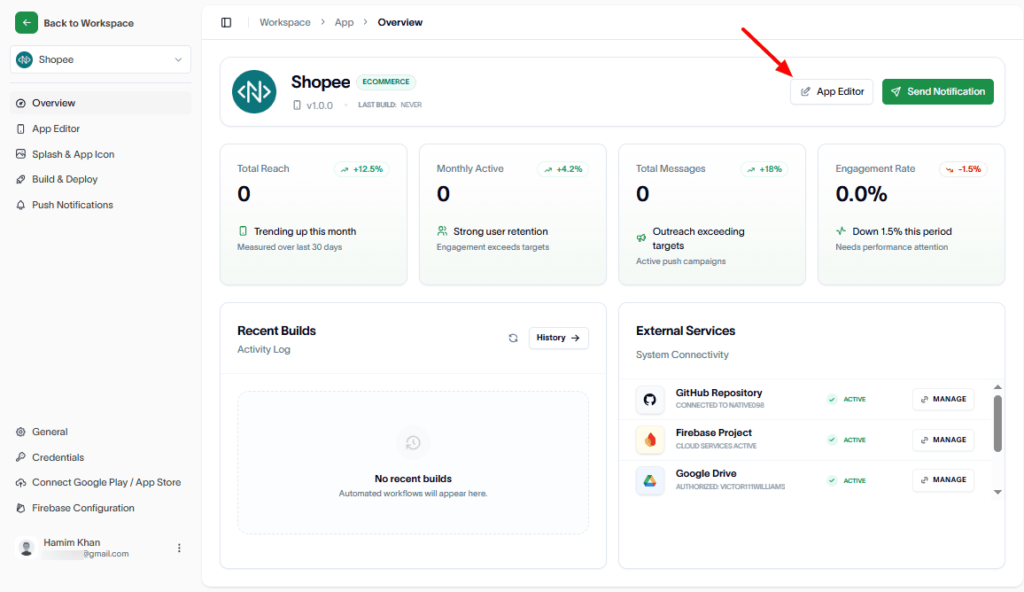
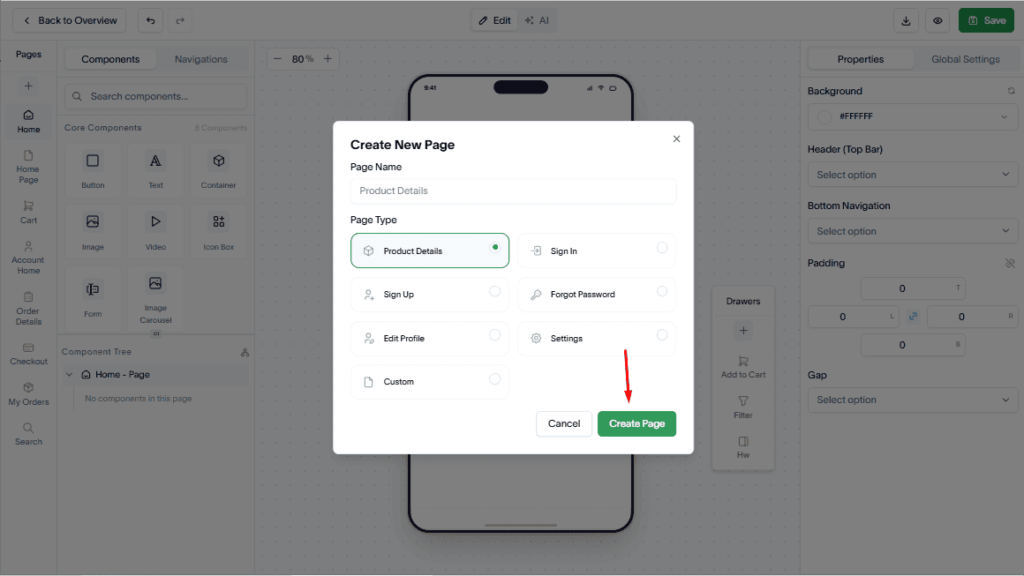
In the Pages section, click the Add (+) button to create a new page.
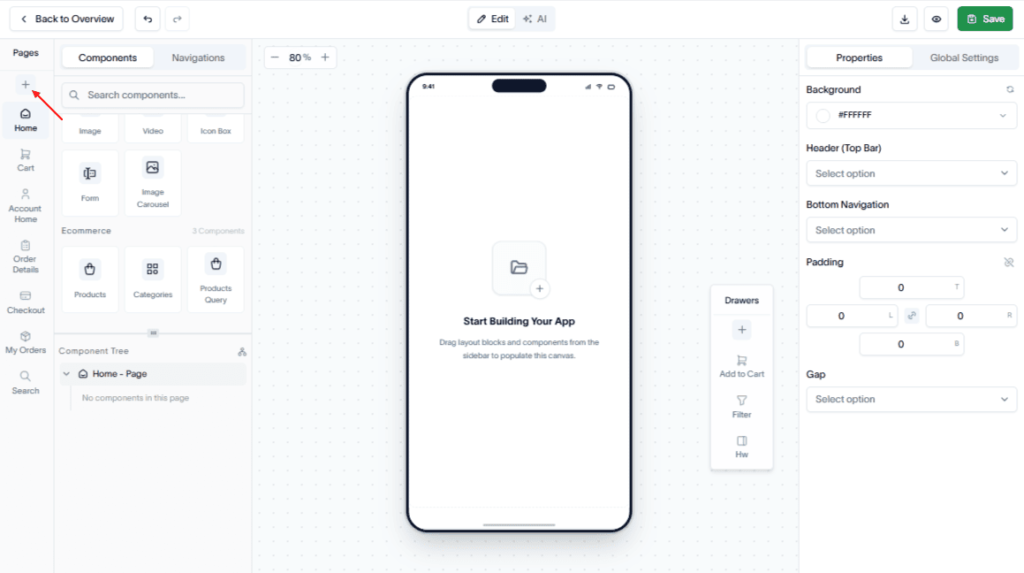
Enter the page name.
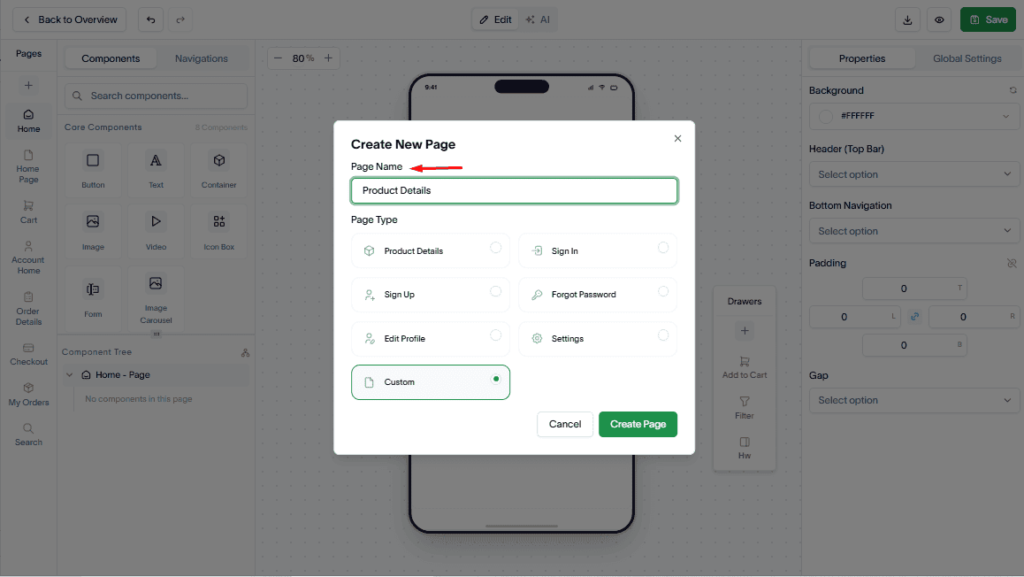
Then, from the Page Type dropdown, select Product Details.
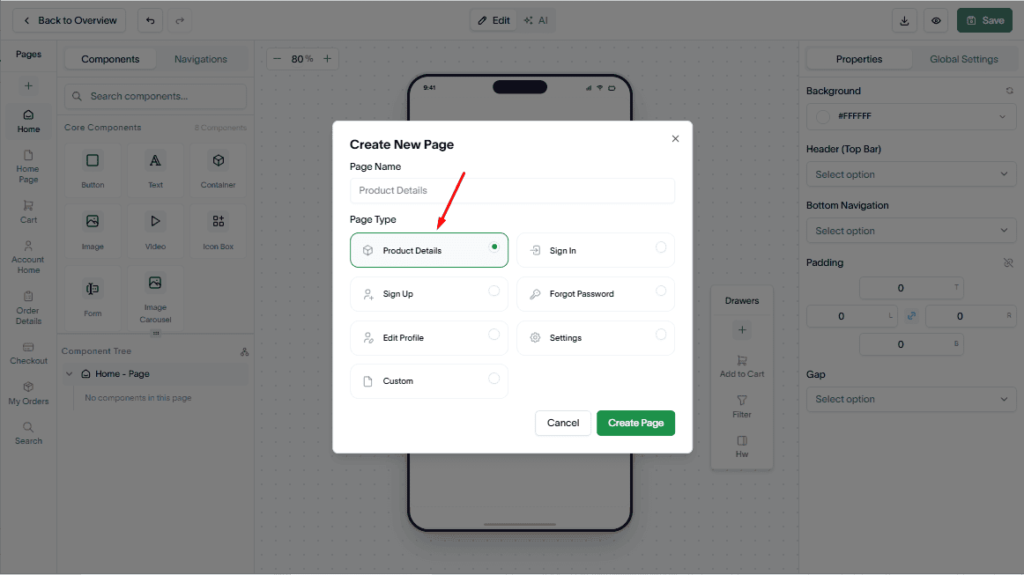
Click the Create Page button.
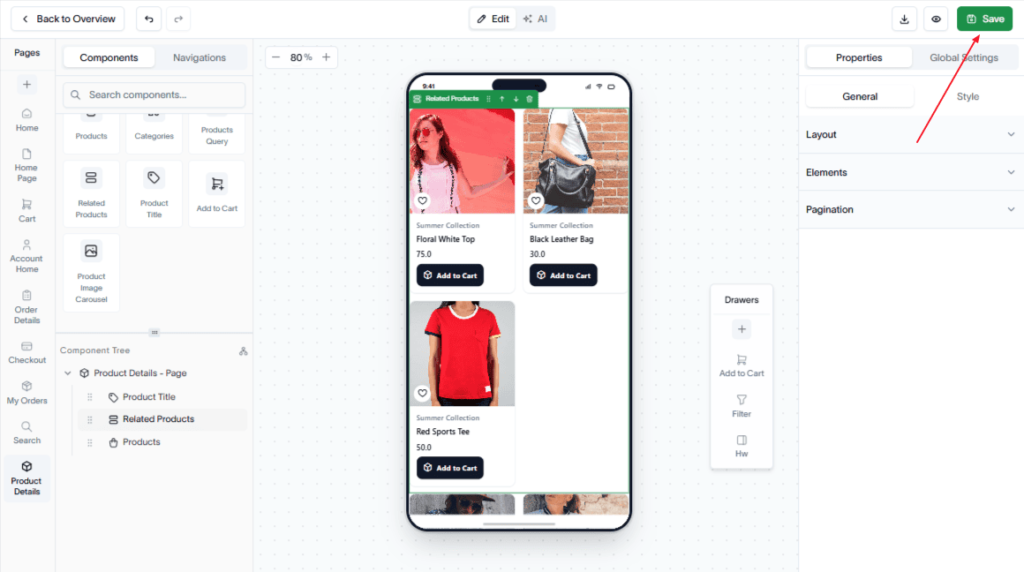
Now, use the drag-and-drop editor to add the required Core and Ecommerce components to the page.
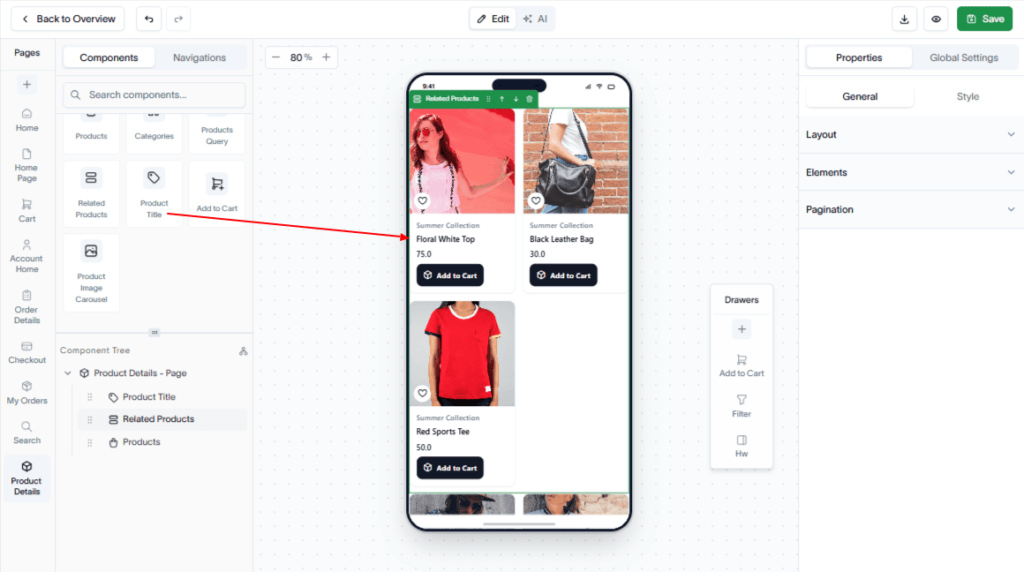
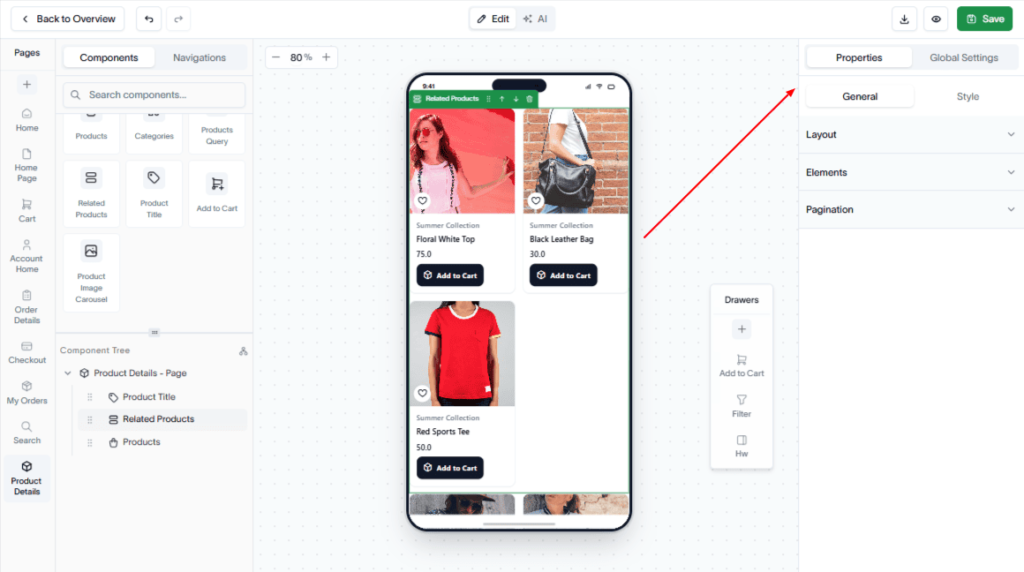
Configure Layout, Elements, and Pagination of the components to display the desired product information.
Also, you can style the page like its price style, price layout, price color, category style, and more.
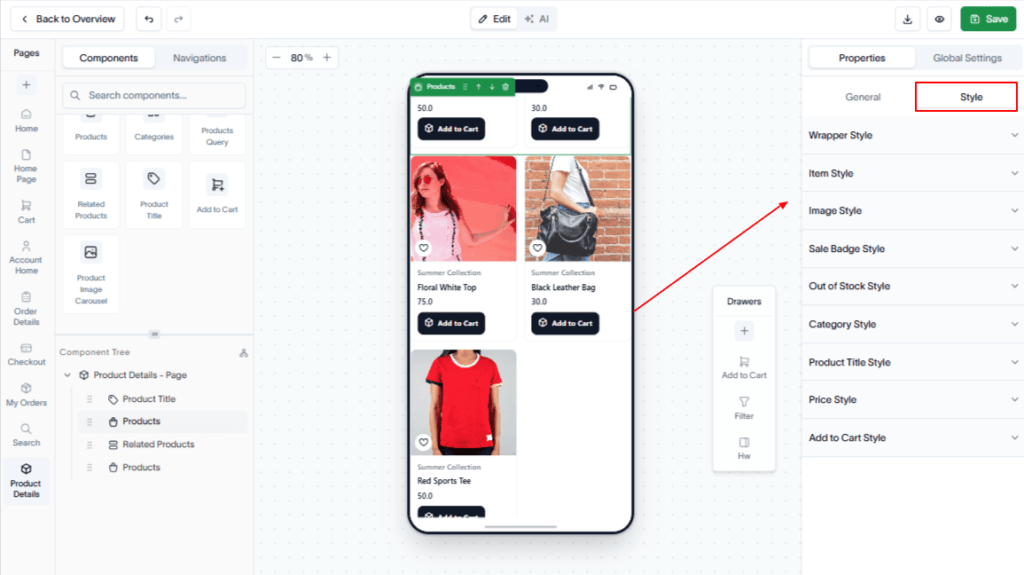
Hit the Save button to save your changes.
Result
A Product Details page is created and added to your native app, allowing customers to view detailed product information and make informed purchasing decisions.