Create a native mobile app for your WooCommerce store using the drag-and-drop app builder without writing any code.
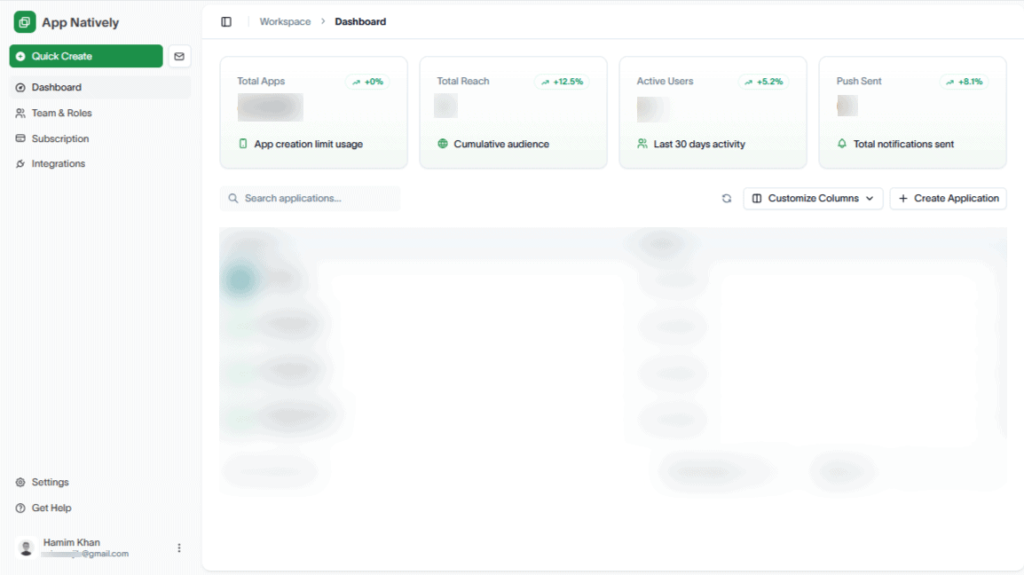
To do this, navigate to Workspace Dashboard.
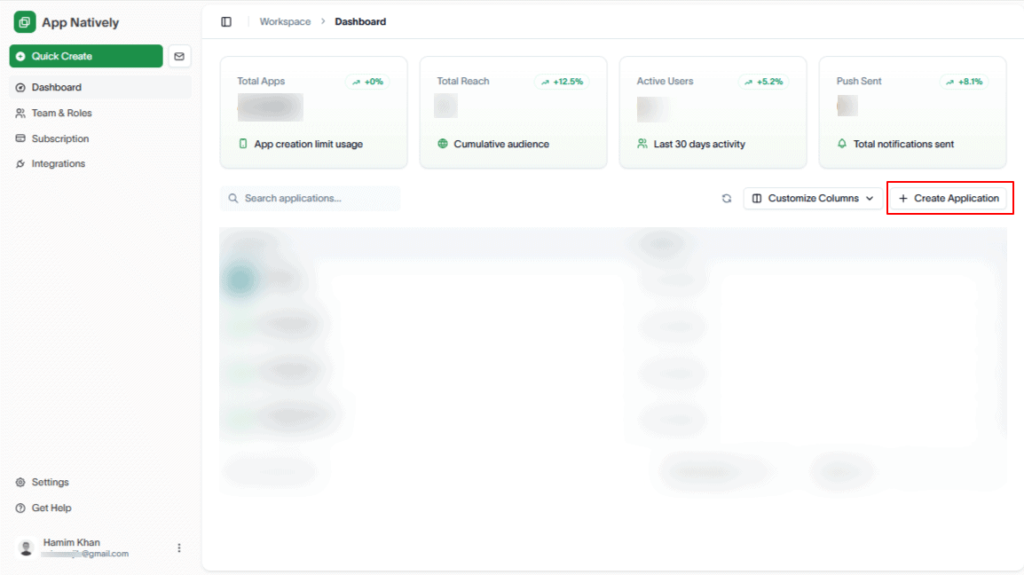
Next, hit the Create Application button.
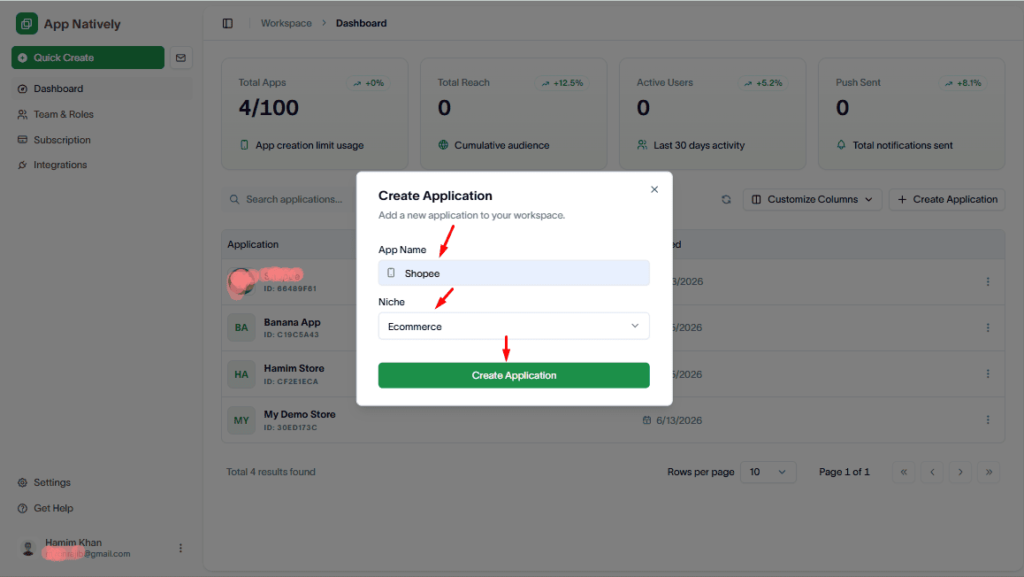
Now, enter your WooCommerce app name and select Ecommerce as the niche. Then, click Create Application.
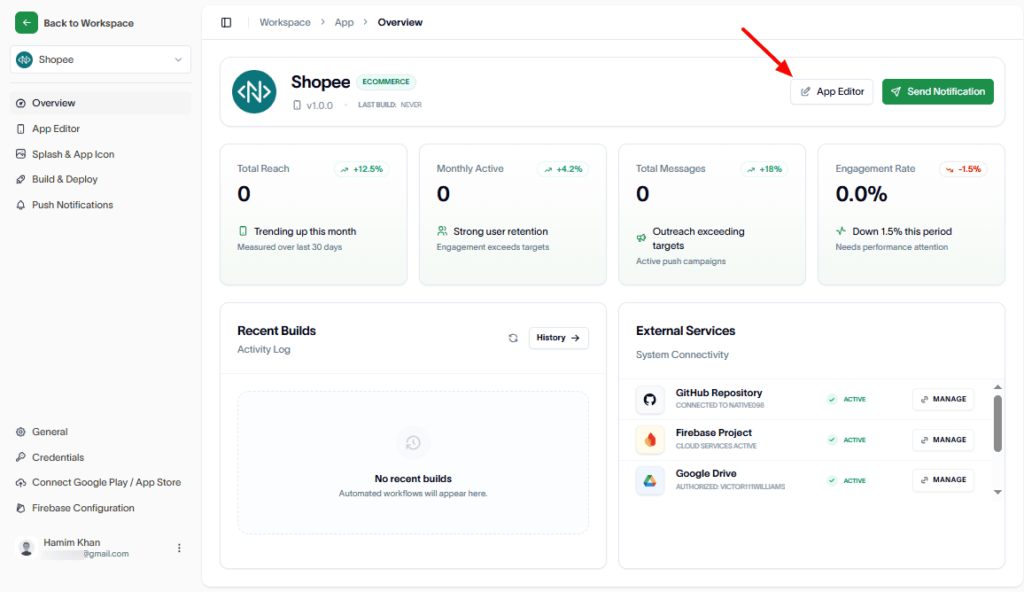
Up next, hit the App Editor button.
Then, create pages for your WooCommerce app.
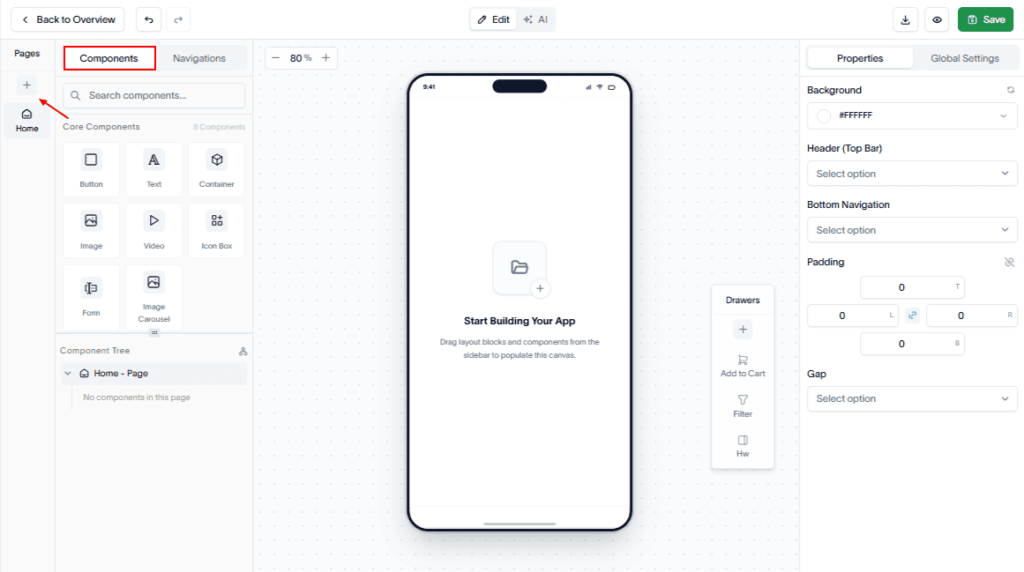
To do these, go to Components in the App Editor. And, click on the Plus (+) sign.
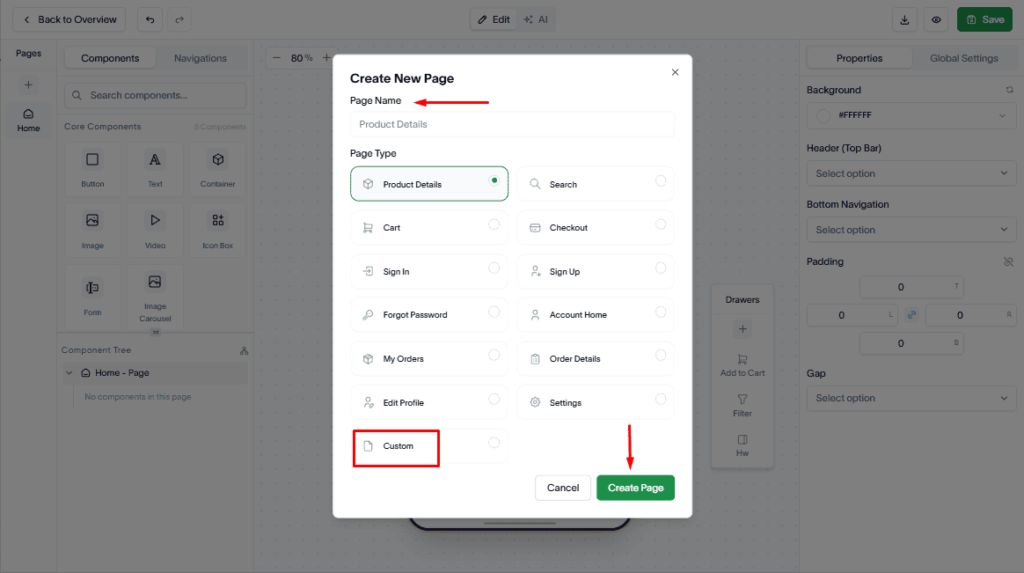
Next, select the page name from the menu or you can customize the page name.
Then, drag and drop the required components onto the page.
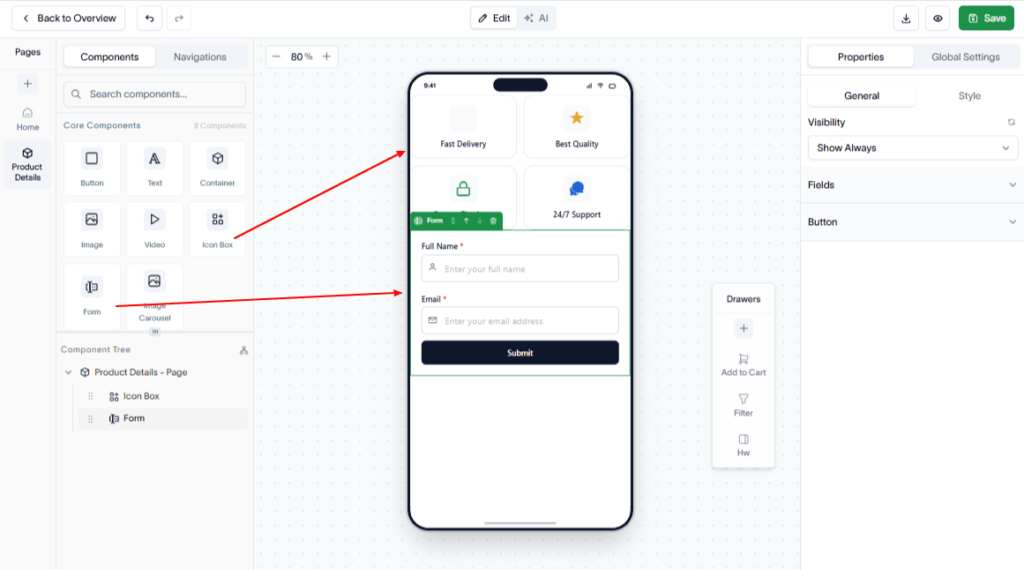
Customize the app as needed.
Once completed, your WooCommerce mobile app is ready to build and publish.