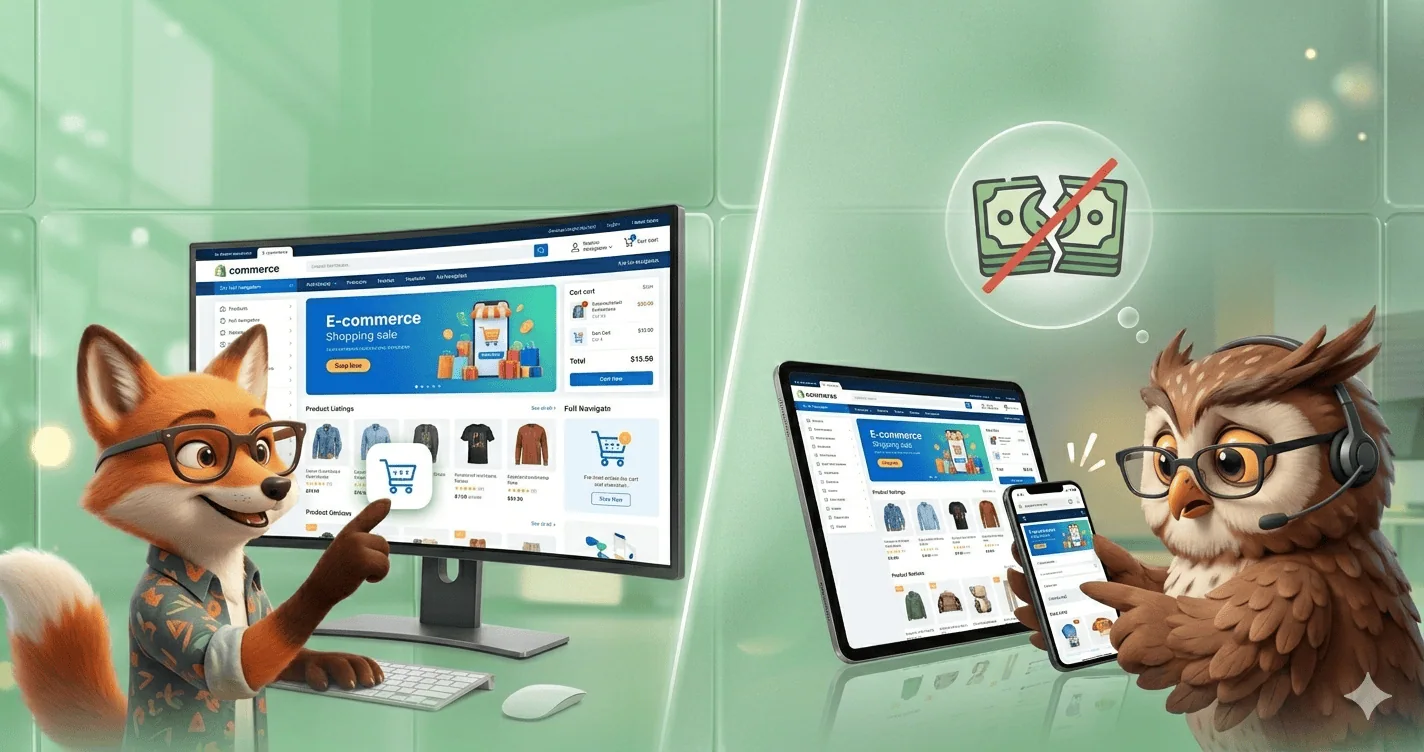
Every Shopify store owner knows that mobile commerce is dominating online shopping. With the majority of customers browsing, comparing, and purchasing products from their smartphones, many brands believe that having a responsive mobile website is enough to stay competitive. Unfortunately, that’s where a costly mistake begins.
While mobile websites provide convenience, they often fail to deliver the speed, engagement, personalization, and customer retention that today’s shoppers expect.
As a result, countless Shopify stores unknowingly leave thousands or even hundreds of thousands of dollars in revenue on the table every year. From abandoned carts and lost repeat customers to missed opportunities for push notifications and loyalty-building experiences, relying solely on a mobile website can significantly limit growth.
The most successful eCommerce brands have discovered a critical advantage: mobile apps consistently outperform mobile websites when it comes to customer engagement, repeat purchases, and lifetime value.
In this article, we’ll uncover the $100,000 mistake many Shopify stores make. So, without further ado, let’s dig deeper.
Build your Shopify app instantly with drag & drop- Join Waitlist
Why Mobile Websites Are No Longer Enough
Consumer behavior has changed dramatically over the last decade. Mobile shoppers now expect instant experiences, personalized recommendations, and seamless purchasing journeys.
While responsive websites can provide accessibility, they often cannot match the convenience and engagement features available through mobile applications.
When customers close a browser tab, reconnecting with them becomes significantly more difficult.
A mobile app changes that equation.
The Real Cost of Relying Only on a Shopify Mobile Website
Imagine a Shopify store generating $500,000 annually.
If the business loses:
10% of potential repeat customers
5% in abandoned carts
8% in missed promotional opportunities
7% in reduced customer engagement
The combined revenue loss can easily exceed $100,000 annually.
Many merchants focus heavily on acquiring new customers while overlooking retention opportunities that already exist within their customer base.
Because acquiring a new customer often costs far more than retaining an existing one, every missed repeat purchase becomes increasingly expensive.
$100,000 Mistake Shopify Stores Make by Relying Only on Mobile Websites
The “$100,000 mistake” Shopify stores make by relying only on a mobile website usually comes down to one core issue: treating the mobile browser experience as the final product instead of just one channel.
Here’s what that really means in practical terms.
Many Shopify merchants assume that because their store is “mobile-optimized,” they’re fully covered. After all, most traffic is mobile.
But a mobile website (even a responsive one) still sits inside a browser environment, which has limits that directly affect conversions, retention, and repeat purchases.
The hidden cost shows up in a few ways:
1. Losing high-intent repeat customers
A mobile website requires users to:
open a browser
search or retype the URL
wait for the site to load
log in again (often)
That friction quietly kills repeat buying behavior. Apps, on the other hand, keep users logged in and one tap away from checkout.
2. Lower conversion rates from push traffic
With only a mobile website, you can’t effectively use:
push notifications
home screen presence
app-exclusive drops or reminders
So even if someone is interested, you lose easy re-engagement paths that drive impulse purchases.
3. Weaker brand “stickiness”
A website is temporary; an app icon on a phone is persistent. Stores relying only on mobile web often struggle with:
lower return frequency
weaker customer lifetime value (LTV)
higher dependence on paid ads
4. Higher customer acquisition costs over time
Because customers don’t come back as often, you keep paying to re-acquire them through ads. That’s where the “$100,000 mistake” framing comes from—lost repeat revenue compounds quickly at scale.
5. Missed personalization opportunities
Apps allow deeper personalization like:
behavior-based notifications
saved preferences
faster checkout flows
loyalty integration
Mobile web is more limited in how “sticky” and personalized it can become.
How Mobile Apps Increase Shopify Revenue
1. Higher Conversion Rates
Mobile apps remove many of the friction points associated with websites.
Customers can:
Stay logged in
Save payment methods
Browse faster
Checkout with fewer clicks
The result is a smoother shopping experience that often leads to higher conversion rates.
2. Push Notifications Drive Repeat Sales
One of the biggest advantages of a Shopify mobile app is push notifications.
Unlike email campaigns that may never be opened, push notifications appear directly on customers’ devices.
Store owners can instantly notify customers about:
Flash sales
New arrivals
Back-in-stock products
Exclusive discounts
Abandoned carts
This creates a direct communication channel that mobile websites simply cannot replicate effectively.
3. Improved Customer Retention
Retention is often the biggest growth lever in eCommerce.
When customers install a store’s mobile app, the brand gains a permanent place on their smartphone.
This visibility creates ongoing engagement opportunities and increases the likelihood of repeat purchases.
Customers who regularly interact with an app often become more loyal than website-only shoppers.
4. Faster User Experience
Speed matters.
Research consistently shows that even small delays in page loading can reduce conversions.
Mobile apps typically offer:
Faster navigation
Better performance
Reduced loading times
Offline browsing capabilities
These improvements create a more enjoyable shopping experience and encourage users to complete purchases.
5. Personalized Shopping Experiences
Modern consumers expect personalization.
Mobile apps can deliver:
Product recommendations
Personalized promotions
Purchase history tracking
Behavior-based offers
This level of customization helps increase customer satisfaction and average order value.
Shopify Mobile App vs Mobile Website: Which Performs Better?
For most growing eCommerce brands, the answer isn’t either/or—it’s both.
A mobile website is essential for attracting visitors through search engines, while a Shopify mobile app excels at retaining customers, increasing engagement, and driving repeat purchases.
The key difference is that a mobile website helps customers find your store, while a mobile app helps them keep coming back.
Performance Comparison
Feature
Shopify Mobile Website
Shopify Mobile App
SEO Visibility
Excellent
Limited
App Store Presence
No
Yes
Loading Speed
Good
Excellent
Push Notifications
No
Yes
Customer Retention
Moderate
High
Repeat Purchases
Moderate
High
Personalized Experience
Basic
Advanced
Offline Access
No
Limited
Cart Recovery
Limited
Strong
User Engagement
Moderate
Very High
Checkout Experience
Good
Excellent
Brand Visibility
Browser-Based
Always on Customer’s Device
Key Takeaway
A mobile website is your customer acquisition tool. It helps shoppers discover your products through Google and other search engines.
However, once a customer makes a purchase, a mobile app becomes significantly more powerful for building loyalty and encouraging repeat sales.
Mobile apps offer several advantages that websites cannot easily replicate:
Instant push notifications
Faster navigation and checkout
Personalized product recommendations
Higher customer retention
Better customer lifetime value
Increased repeat purchase rates
Which Option Should Shopify Stores Choose?
Business Goal
Best Solution
Increase Organic Traffic
Mobile Website
Improve Customer Retention
Mobile App
Reduce Cart Abandonment
Mobile App
Build Brand Loyalty
Mobile App
Rank on Google
Mobile Website
Drive Repeat Purchases
Mobile App
Maximize Revenue Growth
Both
Turn Your Website Into a Native Mobile App in Minutes with AppNatively
Signs Your Shopify Store Needs a Mobile App
Your store may benefit from a mobile app if:
You receive substantial mobile traffic.
Customer retention is lower than expected.
Cart abandonment rates remain high.
You run frequent promotions.
Repeat purchases drive a large percentage of revenue.
Customer acquisition costs continue increasing.
You want stronger customer loyalty.
The larger your customer base becomes, the greater the potential return from app-based engagement.
How to Transition Beyond a Mobile-Only Strategy
The most successful Shopify brands do not replace their websites.
Instead, they create a complete mobile commerce ecosystem:
Use SEO to attract organic traffic.
Convert visitors through a high-performing website.
Encourage customers to install the mobile app.
Use push notifications for retention.
Personalize offers based on customer behavior.
Increase lifetime value through repeat purchases.
This approach creates multiple growth channels instead of relying on a single customer touchpoint.
Build Shopify App at Reasonable Price: Join AppNatively Waitlist
Final Thoughts
The biggest mistake many Shopify merchants make is assuming a responsive website is the final step in mobile optimization.
In reality, a mobile website is only the beginning.
As competition increases and customer acquisition costs rise, retention becomes the true driver of long-term profitability. Mobile apps provide advantages that websites simply cannot match, including push notifications, deeper personalization, stronger engagement, and improved customer loyalty.
For many Shopify stores, continuing to rely solely on a mobile website can quietly cost tens of thousands or even hundreds of thousands—of dollars in missed revenue every year.
The brands that recognize this gap early are often the ones that achieve faster growth, stronger retention, and greater lifetime customer value.
Frequently Asked Questions (FAQs)
Is a mobile website enough for a Shopify store?
A mobile website is essential, but it may not be enough for stores seeking higher retention, engagement, and repeat purchases. Mobile apps provide additional advantages such as push notifications and personalized experiences.
Why do Shopify stores need a mobile app?
A mobile app helps increase customer retention, improve conversions, strengthen loyalty, and create direct communication channels through push notifications.
Do mobile apps convert better than mobile websites?
In many cases, yes. Mobile apps often provide faster experiences, simpler checkout processes, and personalized shopping journeys that encourage purchases.
How much revenue can a Shopify mobile app generate?
Results vary by store size and customer base. However, many merchants see improvements in repeat purchases, retention, and customer lifetime value after launching a mobile app.
What are the benefits of push notifications?
Push notifications help stores instantly communicate promotions, product launches, abandoned cart reminders, and personalized offers directly to customers’ devices.
Can small Shopify stores benefit from a mobile app?
Yes. While larger stores often see the biggest impact, smaller stores can also improve retention, customer engagement, and repeat sales through mobile apps.
Launching an e-commerce app used to require hiring developers, managing complex code, and spending thousands of dollars before making a single sale.
For many entrepreneurs, small businesses, and online store owners, these technical barriers made mobile commerce seem out of reach.
The challenge is even greater in 2026. Mobile shopping continues to dominate online sales, customers expect fast and seamless app experiences, and competition is stronger than ever.
Businesses that rely solely on websites risk losing valuable customers who prefer shopping through dedicated mobile apps. Yet building a custom e-commerce app from scratch remains expensive, time-consuming, and difficult to maintain.
Fortunately, modern no-code e-commerce app builders have changed the game. These platforms allow anyone to create, customize, and launch professional shopping apps without writing a single line of code.
In this blog post, we’ll explore the best no-code e-commerce app builders in 2026 & beyond. It’ll help you choose the right platform to turn your online store into a high-converting mobile shopping experience.
What Is a No-Code E-commerce App Builder?
A no-code e-commerce app builder is a software platform that allows users to create and manage online shopping applications without writing any programming code.
It provides visual development tools, drag-and-drop interfaces, and prebuilt templates that make it easy for individuals and businesses to quickly design, customize, and launch e-commerce apps.
These platforms typically include essential e-commerce features such as product catalogs, shopping carts, payment gateway integration, inventory management, and order tracking.
By eliminating the need for coding skills, no-code e-commerce app builders help entrepreneurs and small businesses reduce development time and costs while making online selling more accessible.
Who Should Use No-Code E-commerce Builders?
No-code e-commerce builders are best for people who want to sell online without dealing with coding, servers, or complex technical setup.
They’re designed to make launching and running an online store fast and manageable.
Here’s who benefits most:
1. First-time entrepreneurs
If you’re starting your first online business, platforms like Shopify or WordPress let you launch quickly without hiring developers. You can focus on products and marketing instead of technical setup.
2. Small business owners
Local shops, home-based businesses, and small brands use no-code tools to expand online. It’s especially useful if you already sell offline and just want an online storefront without having to rebuild everything from scratch.
3. Creators and freelancers
Artists, designers, writers, and content creators can sell digital products, merchandise, or services directly. No-code tools handle payments, product pages, and delivery systems.
4. Dropshippers and print-on-demand sellers
These models rely on fast setup and easy scaling. No-code platforms integrate with suppliers, so you can launch products without holding inventory.
5. Non-technical teams and startups
Early-stage startups often use no-code builders to validate ideas quickly before investing in custom development.
Best No-Code E-commerce App Builders in 2026 & Beyond
No-code e-commerce app builders are transforming how brands launch mobile stores—faster, cheaper, and without technical barriers.
Whether you’re a startup, Shopify seller, or WordPress store owner, these tools help you turn ideas into revenue-generating apps in record time.
1. AppNatively Powered By AI
Best for: Shopify + WordPress store owners who want next-gen mobile commerce apps
AppNatively is an upcoming powerhouse designed to bridge Shopify and WordPress ecosystems into fully native mobile apps. It focuses on making e-commerce app creation seamless, scalable, and conversion-driven.
Why it stands out:
Built specifically for Shopify + WordPress integration
Designed for high-conversion mobile shopping experiences
Perfect for merchants who want a modern, app-first sales channel without technical complexity.
2. FlutterFlow
Best for: Highly customizable, production-level mobile apps
FlutterFlow gives creators the power of Flutter without coding. It’s ideal for teams that want deeper control while still staying in the no-code/low-code space.
Highlights:
Drag-and-drop UI builder
Firebase integration
Exportable production code
Strong for scalable e-commerce apps
Ideal when you want design freedom + developer-grade output without full coding.
3. Bubble
Best for: Web-based e-commerce marketplaces and SaaS-style stores
Bubble is one of the most powerful no-code platforms for building logic-heavy applications.
Highlights:
Advanced workflow automation
Fully customizable database
Huge plugin ecosystem
Strong for marketplaces and custom checkout flows
Best for entrepreneurs building complex, feature-rich e-commerce ecosystems.
2. “Headless + no-code” is becoming the default stack
A major trend is the merging of no-code tools with headless commerce architectures.
This means:
Frontends (storefronts) are built visually with no-code tools
Backends (payments, inventory, CMS) stay modular and API-driven
Why it matters:
Teams can redesign storefronts without touching backend systems
Faster experimentation across channels (web, mobile, social)
Less dependency on developer bottlenecks
3. Non-technical teams are running full commerce operations
In 2026, no-code is no longer just for “building pages”—it’s for running the entire commerce workflow.
Marketers and operators now:
Launch landing pages and funnels
Manage catalogs and pricing rules
Trigger automated campaigns and workflows
This is reducing reliance on engineering teams for day-to-day commerce changes
4. Agentic commerce is reshaping storefront design
A major structural shift: customers are increasingly shopping through AI agents rather than browsing manually.
This means no-code platforms must support:
Structured product data (for AI discovery)
API-first catalogs
Machine-readable pricing, inventory, and attributes
Instead of designing only for humans, stores must now be designed for:
humans + AI agents acting on their behalf
5. Hyper-personalization is now built-in, not optional
No-code platforms are integrating real-time personalization engines:
Dynamic storefront layouts per user
AI-driven product recommendations
Adaptive pricing and content
This is becoming standard because shoppers now expect “Netflix-level” personalization everywhere
6. “Composable commerce” is replacing all-in-one builders
Instead of single platforms doing everything, no-code e-commerce is shifting toward composable stacks:
Shopify / headless backend
No-code frontend builder
Plug-in AI tools for marketing, pricing, analytics
This reduces lock-in and lets brands swap tools quickly as they scale.
7. Faster experimentation is the main competitive advantage
The biggest strategic change isn’t technical—it’s cultural:
Winning brands now:
Launch and test in days, not months
Run continuous storefront experiments
Treat e-commerce like a “live product,” not a static site
No-code is the infrastructure that enables this velocity.
8. AI-driven automation of operations (not just design)
Beyond storefronts, no-code platforms are expanding into:
Inventory forecasting
Dynamic pricing rules
Automated returns handling
Customer support workflows
This is turning no-code tools into end-to-end commerce operating systems, not just website builders.
Final Verdict
No-code e-commerce builders have matured into full-scale commerce platforms, not just website creators. The best ones now combine ease of use, AI automation, and scalable infrastructure, allowing businesses to launch and grow without relying heavily on developers.
What stands out across the top platforms is a clear shift toward AI-assisted building, integrated marketing tools, and flexible (often headless) architectures. This means users can design storefronts visually while still supporting advanced customization, automation, and multi-channel selling.
The direct-to-consumer (DTC) landscape is more competitive in 2026 than ever before. Rising acquisition costs, shorter attention spans, stricter privacy rules, and platform dependency risks are forcing brands to rethink how they build customer relationships.
For years, brands relied heavily on social media ads, email campaigns, and mobile-responsive storefronts. But customer expectations have evolved. Shoppers now expect faster experiences, personalized engagement, loyalty rewards, seamless checkout, and direct communication channels.
That is why many successful DTC brands are investing in native Shopify apps.
In this blog post, we’ll explain why native Shopify apps matter in 2026, how they impact growth, what benefits brands gain, and how to decide whether your business should invest in one.
What Is a Native Shopify App?
A native Shopify app is a mobile application built specifically for iOS and Android devices that integrates directly with a Shopify store.
Unlike a mobile website or progressive web app (PWA), native apps are developed using platform-specific technologies or frameworks optimized for mobile performance.
These apps connect directly to Shopify through APIs and provide customers with:
Faster browsing experiences
Personalized shopping journeys
Push notifications
One-tap checkout
Loyalty integrations
In-app customer accounts
Real-time order tracking
Subscription management
Exclusive app-only experiences
In 2026, consumers increasingly prefer app-based shopping because apps feel more personalized, responsive, and convenient than mobile websites.
The State of DTC Commerce in 2026
1. Customer Acquisition Costs Continue to Rise
Advertising costs across Meta, TikTok, Google, and YouTube continue to increase as competition grows.
For many DTC brands, acquiring a new customer is significantly more expensive than retaining an existing one.
This changes the economics of growth.
Brands can no longer rely purely on paid traffic. Sustainable growth now depends on:
Customer retention
Repeat purchases
Community building
First-party data ownership
Personalized engagement
A native app directly supports all five.
2. Privacy Restrictions Reduced Ad Efficiency
Changes to mobile tracking and consumer privacy regulations reduced the precision of traditional advertising.
As attribution becomes harder, brands are shifting focus toward owned marketing channels:
Email
SMS
Loyalty programs
Communities
Mobile apps
A native Shopify app gives brands direct access to customer engagement without depending entirely on third-party platforms.
3. Mobile Commerce Dominates Online Shopping
Most DTC traffic now comes from mobile devices.
But there is an important distinction:
Mobile websites generate traffic
Mobile apps generate retention
Users spend more time inside apps, convert more frequently, and return more often compared to mobile browser shoppers.
That difference becomes extremely important in crowded markets.
Why Native Shopify Apps Matter More Than Ever
1. Push Notifications Drive Repeat Revenue
Push notifications are one of the most powerful retention tools available to DTC brands.
In many cases, push notifications outperform email campaigns in engagement and conversion.
For DTC brands struggling with rising ad costs, this creates a major advantage.
2. Apps Increase Customer Lifetime Value (LTV)
One of the biggest reasons DTC brands build apps is to increase lifetime value.
App users typically:
Purchase more frequently
Browse more often
Stay connected longer
Respond better to promotions
Join loyalty programs more actively
The convenience of an app reduces friction throughout the buying journey.
Customers do not need to:
Search for the website again
Re-enter login details repeatedly
Navigate slow mobile pages
Deal with browser interruptions
That convenience compounds over time into stronger retention and higher revenue per customer.
3. Native Apps Create Stronger Brand Ownership
On social media, brands compete with endless distractions.
Inside a native app, the brand controls the entire environment.
This allows DTC companies to create:
Branded experiences
Exclusive product drops
VIP communities
Gamified loyalty systems
Personalized content
Interactive shopping journeys
An app becomes a direct extension of the brand identity.
For lifestyle, fashion, beauty, wellness, and subscription brands, this emotional connection can significantly strengthen customer loyalty.
4. Faster Performance Improves Conversion Rates
Speed matters.
Even small delays in page loading can reduce conversions.
Native apps are generally faster than mobile websites because they:
Store data locally
Use optimized device resources
Reduce browser overhead
Deliver smoother navigation
The result is:
Faster product browsing
Better checkout experiences
Lower bounce rates
Higher conversion rates
In highly competitive DTC categories, speed can directly affect profitability.
5. Apps Improve Personalization
Modern consumers expect personalized experiences.
Native Shopify apps can use customer behavior, browsing patterns, order history, and engagement signals to create tailored shopping journeys.
Examples include:
Personalized home feeds
Smart recommendations
AI-driven product suggestions
Dynamic promotions
Loyalty-based rewards
Customized notifications
This level of personalization is harder to achieve consistently through standard mobile websites.
Native App vs Mobile Website: What’s the Difference? (Quick Chart)
Feature
Native App
Mobile Website
Installation
Must be downloaded from an app store
No installation required
Access
Appears on device home screen
Accessed through a browser
Performance
Generally faster and smoother
Depends on browser and internet connection
Offline Use
Often supports offline functionality
Usually requires internet access
Device Features
Full access to camera, GPS, biometrics, notifications, etc.
Limited access to device features
Development Cost
Higher
Lower
Updates
Users may need to update the app
Updates are immediate on the server
Discoverability
Found in app stores
Found through search engines
Key Industries Benefiting from Shopify Apps
1. Fashion Brands
Fashion shoppers browse frequently and respond well to:
Push notifications
New arrivals
Restock alerts
Personalized recommendations
Loyalty rewards
Apps also support visual discovery and smoother repeat purchases.
2. Beauty and Skincare Brands
Beauty brands benefit from:
Subscription management
Reorder reminders
Tutorials and content
Loyalty programs
Personalized routines
Apps help create long-term relationships instead of one-time transactions.
3. Health and Wellness Brands
Supplements and wellness products rely heavily on repeat purchases.
Native apps help automate:
Subscription renewals
Reminder notifications
Educational content
Habit tracking
Community engagement
This strengthens retention significantly.
4. Food and Beverage Brands
For recurring orders, convenience matters.
Apps simplify:
Reordering
Subscription management
Rewards tracking
Delivery notifications
This creates a smoother customer experience.
Features DTC Brands Should Prioritize in 2026
Direct-to-consumer (DTC) brands in 2026 are competing in a market shaped by AI, social commerce, rising customer expectations, and tighter acquisition economics.
The brands winning now are building smarter customer experiences, stronger first-party data systems, and faster fulfillment operations.
Here are the highest-impact features DTC brands should prioritize:
1. AI-Powered Personalization
Customers increasingly expect stores to adapt to their preferences in real time. AI-driven personalization now goes beyond product recommendations into dynamic landing pages, predictive offers, conversational shopping, and personalized search.
Key features:
Personalized homepages
AI product recommendations
Predictive replenishment reminders
Dynamic pricing/offers
AI shopping assistants
Brands that personalize effectively are seeing measurable lifts in conversion and retention.
2. Conversational & Agentic Commerce
Shopping journeys are becoming chat-based. Consumers are increasingly using AI assistants and conversational search tools to discover and buy products.
Prioritize:
AI customer support agents
Natural-language product search
Chat-based checkout
Voice commerce compatibility
Structured product data for AI discovery
DTC brands need product catalogs that AI systems can easily understand and recommend.
3. Social Commerce Integration
Social platforms are no longer just acquisition channels — they are becoming full shopping ecosystems. TikTok, Instagram, and YouTube are driving discovery and direct purchases.
Important capabilities:
Native social checkout
Creator affiliate programs
Shoppable short-form video
Livestream commerce
User-generated content integration
Younger shoppers especially expect seamless social buying experiences.
4. First-Party Data Infrastructure
As privacy regulations tighten and third-party cookies continue fading, first-party data becomes a major competitive advantage.
Critical investments:
Loyalty programs
Zero-party preference collection
Unified customer profiles
Consent management
CRM + CDP integration
Brands that own customer relationships will be less dependent on paid ad platforms.
5. Unified Omnichannel Experiences
Pure-play online DTC is evolving into blended online/offline commerce. Customers expect consistency across websites, apps, pop-ups, marketplaces, and physical retail.
Features to prioritize:
Unified inventory visibility
Cross-channel order tracking
Buy-online-pickup-in-store (BOPIS)
Seamless returns
Consistent customer accounts
Physical experiences are becoming growth channels again for many digital-native brands.
6. Faster Fulfillment & Flexible Delivery
Consumer expectations around speed continue rising due to quick-commerce models.
High-priority capabilities:
Real-time inventory sync
Same-day or next-day shipping
Smart order routing
Transparent tracking
Flexible delivery windows
Operational speed is increasingly tied directly to customer retention.
7. Mobile-First UX
Mobile dominates DTC traffic and increasingly drives the majority of purchases.
Must-have mobile features:
One-tap checkout
Fast-loading pages
Mobile wallets
Thumb-friendly navigation
Vertical video commerce
Slow or cluttered mobile experiences now directly hurt conversion rates.
8. Community & Loyalty Systems
Acquisition costs remain high, making retention more valuable than ever. Strong communities create repeat customers and organic growth.
Important features:
Tiered loyalty programs
Referral systems
Exclusive memberships
Community content/forums
Personalized rewards
The strongest DTC brands are building audiences, not just customer lists.
9. Sustainability & Circular Commerce
Sustainability is shifting from a marketing bonus to a customer expectation.
Features worth implementing:
Carbon transparency
Recommerce/resale programs
Refill subscriptions
Eco-friendly packaging tracking
Product lifecycle visibility
Consumers increasingly reward brands that show measurable sustainability efforts.
10. Flexible Commerce Architecture
Composable and headless commerce stacks are becoming more important as brands expand across channels and AI systems.
Technical priorities:
API-first infrastructure
Modular commerce tools
Headless storefronts
Real-time analytics
Scalable integrations
Flexible architecture helps brands adapt faster to emerging platforms and AI-driven shopping environments.
Conclusion: Why DTC Brands Need a Native Shopify App
Native Shopify apps are becoming essential for modern DTC brands that want to increase retention, improve customer experience, and scale revenue in 2026 & beyond. With mobile commerce dominating ecommerce growth, brands can no longer rely solely on traditional storefronts.
A well-built Shopify mobile app creates stronger customer relationships, increases repeat purchases, improves engagement, and delivers a faster shopping experience that modern consumers expect.
A Shopify native app builder is essential for creating powerful, scalable, and merchant-friendly eCommerce solutions inside the Shopify ecosystem.
As online stores continue to demand better automation, seamless integrations, faster performance, and personalized customer experiences, developers must focus on building feature-rich native apps that solve real business challenges.
The best Shopify native app builders are designed to integrate deeply with Shopify APIs, improve operational efficiency, simplify store management, and enhance customer engagement.
From advanced analytics and mobile responsiveness to automation tools and secure payment systems, modern Shopify apps must provide a seamless experience for both merchants and customers.
In this article, you’ll discover the top features every Shopify native app builder should include to stay competitive, improve app performance, increase merchant adoption, and drive long-term success in the Shopify App Store.
Build your Shopify app instantly with drag & drop
Why Shopify Native Apps Matter
Native Shopify apps are specifically built to work within the Shopify ecosystem. Unlike third-party standalone tools, native apps provide better performance, smoother integration, and enhanced user experience.
Benefits of Shopify native apps include:
Faster loading speeds
Better compatibility with Shopify themes
Improved store management
Real-time data synchronization
Enhanced customer experience
Easier scalability for growing businesses
Top Features Every Shopify Native App Builder Should Include
As Shopify continues expanding globally, merchants increasingly prefer native applications that operate reliably without complicated configurations.
1. Seamless Shopify API integration
A powerful Shopify native app builder must include deep integration with Shopify APIs. APIs allow apps to communicate directly with Shopify stores for inventory updates, customer management, orders, shipping, and analytics.
Key API integrations include:
Admin API
Storefront API
Checkout API
Webhooks
GraphQL API
Strong API connectivity ensures real-time synchronization and smooth store operations.
2. User-friendly dashboard
Merchants prefer apps that are simple to navigate. A clean and intuitive dashboard improves usability and reduces the learning curve.
Important dashboard elements include:
Easy navigation
Real-time reporting
Drag-and-drop functionality
Mobile-friendly design
Custom settings panel
A well-designed interface increases user retention and improves customer satisfaction.
3. Mobile responsiveness
Modern Shopify merchants manage stores from smartphones and tablets. Every Shopify native app builder should prioritize mobile optimization.
Benefits of mobile responsiveness include:
Better accessibility
Improved merchant productivity
Faster store management
Enhanced user experience across devices
Responsive apps also perform better in search rankings due to mobile-first indexing.
4. Advanced analytics and reporting
Data-driven decision-making is essential for eCommerce growth. Shopify app builders should include built-in analytics and reporting features.
Important analytics features:
Sales tracking
Customer behavior analysis
Revenue insights
Conversion rate monitoring
Product performance reports
Advanced analytics help merchants optimize marketing campaigns and improve store profitability.
5. Automation features
Automation saves merchants time and reduces manual work. A modern Shopify native app builder should support workflow automation.
Popular automation capabilities include:
Automated inventory updates
Email notifications
Order management automation
Customer segmentation
Marketing automation
Automation improves operational efficiency and reduces human error.
6. Secure payment and data protection
Security is one of the most critical aspects of Shopify app development. Merchants need apps that protect customer data and comply with security standards.
Essential security features include:
SSL encryption
Secure API authentication
GDPR compliance
Two-factor authentication
Role-based access control
Strong security builds trust and prevents data breaches.
7. Fast performance optimization
Store speed directly affects conversion rates and SEO rankings. A Shopify native app builder must focus on lightweight coding and performance optimization.
Performance optimization techniques include:
Lazy loading
Efficient API requests
Optimized database queries
Image compression
CDN integration
Fast apps improve both merchant experience and customer satisfaction.
8. Third-party integration support
Merchants often use multiple tools for email marketing, CRM, shipping, and accounting. Shopify native apps should support integrations with external platforms.
Popular integrations include:
Mailchimp
Klaviyo
Google Analytics
QuickBooks
HubSpot
Stripe
Flexible integrations increase app functionality and market demand.
9. Customization options
Every Shopify store has unique business requirements. Native app builders should provide customization flexibility.
Customization features may include:
Custom workflows
Personalized dashboards
Theme compatibility
Configurable settings
White-label capabilities
Customization helps merchants adapt apps to their specific operational needs.
10. Multi-language and multi-currency support
Global eCommerce growth requires apps that support international markets.
Important localization features:
Multi-language interface
Currency conversion
Regional tax support
Local payment gateways
International shipping integration
These features help Shopify merchants scale globally.
11. AI-powered features
Artificial intelligence is transforming Shopify app development. Modern native app builders increasingly include AI-driven capabilities.
Examples include:
Product recommendations
AI chatbots
Predictive analytics
Smart inventory forecasting
Automated customer support
AI enhances personalization and improves sales performance.
12. Easy App Store Compliance
To publish successfully on Shopify App Store, developers must follow Shopify guidelines. A quality Shopify native app builder should simplify compliance requirements.
Compliance support should include:
Shopify Polaris design standards
API usage best practices
Performance benchmarks
Security requirements
Accessibility standards
Compliance improves approval chances and app credibility.
Conclusion
A successful Shopify native app builder must combine performance, scalability, security, automation, and user-friendly design to meet the growing demands of modern eCommerce businesses.
From seamless Shopify API integration and mobile responsiveness to AI-powered features and advanced analytics, these essential capabilities help developers create high-performing apps that merchants truly value.
As competition within the Shopify ecosystem continues to grow, focusing on merchant experience, speed optimization, and flexible customization will become even more important.
By implementing the top features discussed in this guide, developers can build powerful Shopify native apps that improve store operations, increase customer engagement, and achieve long-term success in the Shopify App Store.
Frequently Asked Questions (FAQs)
What is a Shopify native app builder?
A Shopify native app builder is a development framework or platform used to create apps that integrate directly with Shopify stores using Shopify APIs and native functionalities.
Why are native Shopify apps better than third-party apps?
Native Shopify apps offer better performance, smoother integration, enhanced security, and improved compatibility with Shopify themes and features.
Which APIs are essential for Shopify app development?
Important Shopify APIs include the Admin API, Storefront API, Checkout API, GraphQL API, and Webhooks.
How can Shopify apps improve store performance?
Shopify apps improve store performance through automation, analytics, inventory management, customer engagement tools, and personalized shopping experiences.
What security features should Shopify apps include?
Essential security features include SSL encryption, secure authentication, GDPR compliance, role-based permissions, and two-factor authentication.
Are AI features important in Shopify native apps?
Yes. AI-powered features like predictive analytics, smart recommendations, and automated support improve customer experience and increase conversions.
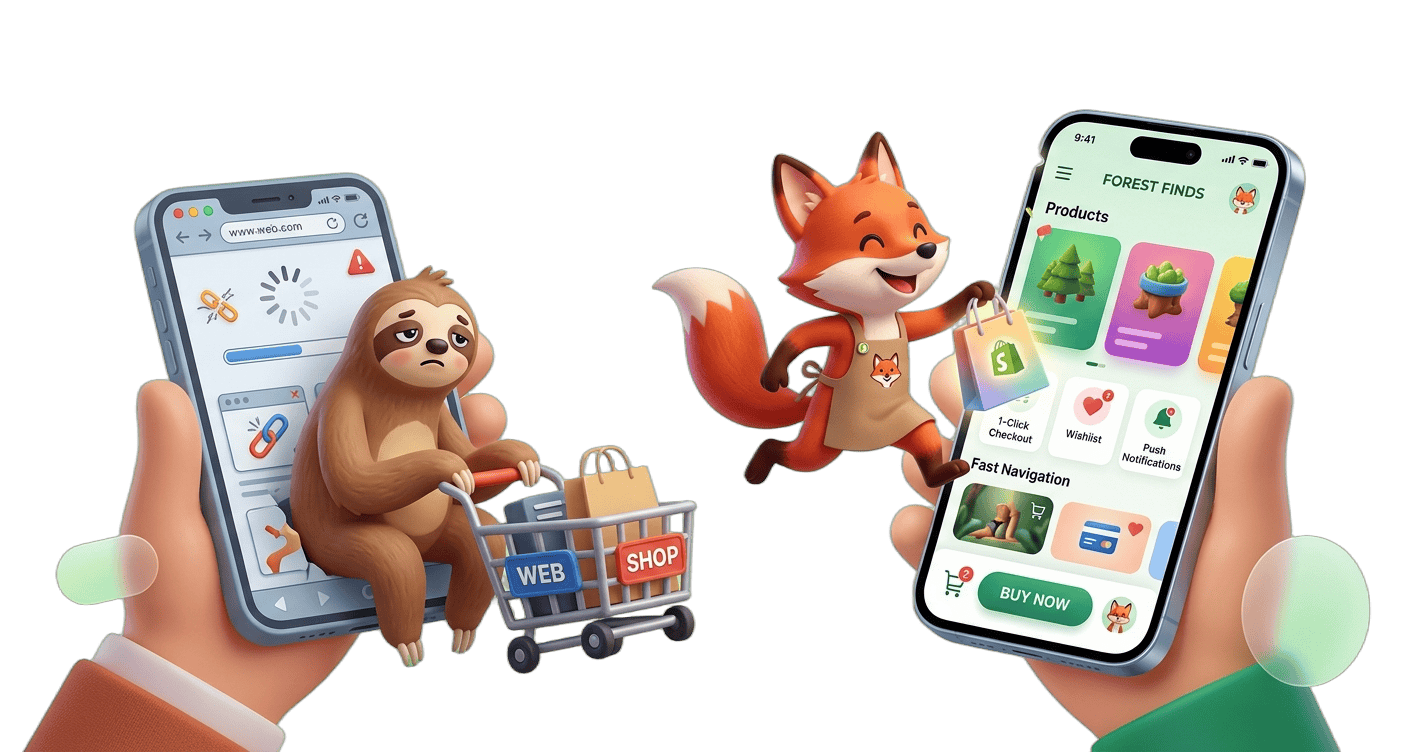
Shopify brands are increasingly shifting from mobile websites to native apps because the numbers behind retention and conversion are hard to ignore.
Across ecommerce, repeat purchase rates from app users are consistently higher than mobile web users, largely because apps remove friction at checkout and keep customers continuously engaged through push notifications and personalized experiences.
Native apps typically see stronger session frequency, longer engagement time, and higher average order value compared to mobile browsers.
Instead of relying on users to “come back” through ads or search, brands gain a direct channel to re-engage customers instantly and consistently.
As customer acquisition costs continue to rise, Shopify brands are prioritizing channels that maximize lifetime value rather than one-time purchases.
Native mobile apps are becoming that channel, turning passive mobile traffic into owned, high-retention customer relationships.
Reduce app bloat and improve mobile shopping performance without coding- Join AppNatively Waitlist
What Is a Native Mobile App?
A native mobile app is a type of application that is built specifically for a particular mobile operating system, such as Android or iOS.
What makes it “native”?
It’s written using programming languages and tools that are officially supported by that platform:
For Android → languages like Java or Kotlin
For iOS → languages like Swift or Objective-C
Key characteristics
Optimized performance: Runs fast because it’s designed for that specific system
Full device access: Can use features like the camera, GPS, microphone, and notifications
Better user experience: Follows the platform’s design guidelines (so it feels “natural” to users)
App store distribution: Typically downloaded from stores like the Google Play Store or Apple App Store
Simple example
Apps like Instagram or WhatsApp have native versions built separately for Android and iOS.
Native vs others (quick contrast)
Native apps → Built for one platform (best performance)
Web apps → Run in a browser (no installation needed)
Hybrid apps → One codebase for multiple platforms (less optimized)
Why Shopify Brands Are Moving Beyond Mobile Websites
Many Shopify brands are moving beyond mobile websites because shoppers now expect faster, smoother, and more app-like experiences on their phones.
A mobile website is still important, but for many online stores it’s no longer enough to maximize customer engagement and sales.
Main reasons Shopify brands are making the shift
1. Better shopping experience
Native mobile apps feel faster and more responsive than mobile websites:
Instant loading
Smooth navigation
Easier checkout
Personalized experiences
This reduces friction during shopping, which can increase conversions.
2. Push notifications increase repeat sales
Websites rely mostly on email or ads to bring customers back. Mobile apps can send:
Sale alerts
Back-in-stock reminders
Cart abandonment notifications
Loyalty rewards
Push notifications often lead to higher repeat purchases because they reach users directly on their phones.
3. Faster checkout = fewer abandoned carts
Apps can store:
Payment details
Shipping addresses
Preferences
That means fewer steps at checkout and fewer lost sales.
4. Stronger customer loyalty
Apps help brands create a more direct relationship with customers through:
Rewards programs
Exclusive app-only offers
Personalized recommendations
Membership features
This can make shoppers return more often instead of comparing products across many websites.
5. Better performance on mobile
A lot of e-commerce traffic now comes from smartphones. Native apps can better use phone features like:
Camera
Biometrics (Face ID/fingerprint login)
Offline access
Location services
These features are harder or more limited in standard mobile websites.
6. Reduced dependence on social media ads
As advertising costs rise on platforms like Meta Platforms and TikTok, brands want owned channels where they can reach customers directly. Mobile apps give them:
Direct communication
First-party customer data
Higher retention opportunities
7. Progressive Web Apps (PWAs) and native apps are more competitive now
Some Shopify brands are also adopting:
Progressive Web Apps (PWAs) — websites that behave more like apps
Full native mobile apps
Cross-platform frameworks like Flutter or React Native
These technologies have become cheaper and easier to build than before.
Who benefits most?
This trend is especially strong for:
Fashion brands
Beauty brands
Fitness and wellness companies
Subscription businesses
Brands with loyal repeat customers
Small stores with occasional buyers may still do fine with only a mobile website.
Important point
Most Shopify brands are not replacing mobile websites completely. Instead, they’re adding:
Native apps
PWAs
App-like shopping experiences
The mobile website still matters for search engines, discovery, and first-time visitors. The app is often used to improve retention and repeat purchases.
Key Benefits of Native Mobile Apps for Shopify Brands
Native mobile apps give Shopify brands a way to move beyond the limitations of mobile websites and create a more direct, high-performing shopping experience.
Instead of relying on browsers and ads alone, brands use apps to build stronger long-term relationships with customers.
i. Higher conversion rates
One of the biggest advantages is smoother purchasing. Native apps reduce friction by allowing faster browsing, saved user details, and simplified checkout flows.
When customers don’t have to repeatedly enter information or wait for pages to load, they are more likely to complete their purchases.
ii. Stronger customer retention
Apps naturally encourage repeat visits because they live on the user’s home screen. Unlike mobile websites that require search or ads to revisit, an app is always one tap away.
For Shopify brands, this helps turn one-time buyers into returning customers.
iii. Direct communication through push notifications
Native apps allow brands to reach customers instantly through push notifications. These can include sale announcements, abandoned cart reminders, restock alerts, or personalized offers.
This direct channel is often more effective than email because it appears immediately on the user’s device.
iv. Better personalization
Apps can deliver more tailored shopping experiences based on user behavior. Product recommendations, offers, and content can be adjusted to match individual preferences, making the shopping journey feel more relevant and engaging.
v. Improved performance and speed
Because native apps are built specifically for platforms like iOS and Android, they generally run faster and more smoothly than mobile websites.
This performance advantage matters a lot in e-commerce, where even small delays can reduce sales.
vi. Stronger brand presence on the device
Having an app installed creates a constant visual reminder of the brand. It increases familiarity and keeps the store present in the customer’s daily phone usage, which helps build long-term loyalty and engagement.
vii. Reduced dependence on advertising platforms
With a native app, Shopify brands are less reliant on paid channels like Meta Platforms and TikTok for re-engagement. Instead, they can communicate directly with their audience and build a stronger owned customer base.
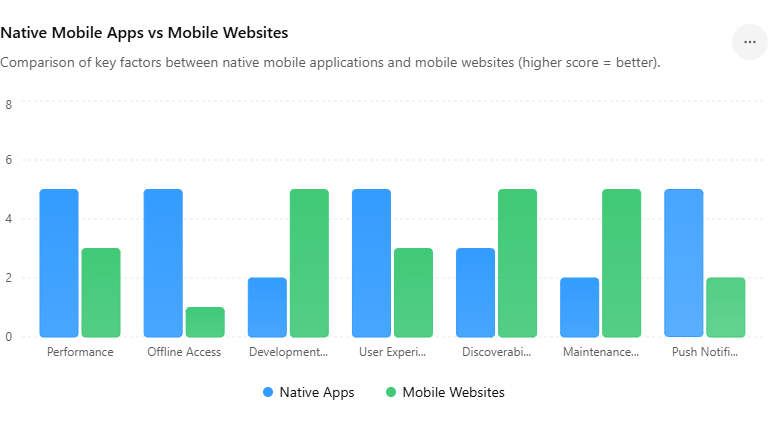
Native Mobile Apps vs Mobile Websites
Native mobile apps and mobile websites both serve the same goal, helping users access content and shop on mobile devices, but they differ in how they are built, how they perform, and what they are best suited for, especially for Shopify brands.
1. Core difference
A native mobile app is installed directly on a device and built specifically for operating systems like iOS and Android.
A mobile website, on the other hand, runs inside a browser and is accessed through a link without installation.
2. Performance and speed
Native apps generally feel faster and more responsive because they are optimized for the device they run on. They can load content instantly, handle animations smoothly, and work better under weaker internet conditions.
Mobile websites have improved significantly, but they still depend on browser performance and network conditions, which can introduce delays.
3. User experience
Apps provide a more seamless and immersive experience. Navigation feels more fluid, and interactions are designed specifically for mobile usage patterns.
Mobile websites are easier to access but often feel more constrained because they must work across many devices and browsers.
4. Engagement and retention
Native apps have a major advantage in keeping users engaged. Since they are installed on the home screen, users are more likely to return. Features like push notifications also help bring users back regularly.
While mobile websites rely more on search engines, ads, or links to drive repeat visits.
5. Features and device access
Apps can use built-in phone capabilities such as biometrics, camera access, location services, and offline functionality.
Mobile websites can access some of these features, but usually in a more limited or inconsistent way, depending on the browser.
6. Discoverability and accessibility
Mobile websites win when it comes to discovery. They are indexed by search engines, easy to share via links, and require no installation.
Apps require users to download them, which adds friction but often leads to more committed users once installed.
7. Maintenance and cost
Mobile websites are generally cheaper and easier to maintain because one version works across all devices.
Native apps require separate development for iOS and Android, which can increase cost and complexity.
8. When each works best
Mobile websites are ideal for attracting new customers, SEO traffic, and quick browsing without commitment.
Native apps work best for brands focused on repeat customers, loyalty programs, and higher lifetime value—common goals for growing Shopify stores.
Features Shopify Brands Love in Native Mobile Apps
Native mobile apps give Shopify brands a way to turn one-time shoppers into repeat customers by creating a more direct and engaging shopping experience.
Push notifications that drive repeat sales
Native Shopify apps let brands communicate directly with customers through push notifications. These are used for back-in-stock alerts, flash sales, cart reminders, and personalized recommendations.
Unlike email, they feel immediate and tend to get higher engagement, especially for time-sensitive offers.
Faster checkout that removes friction
One of the biggest advantages of native apps is a smoother checkout flow. Customers can use saved payment methods like Apple Pay or Google Pay, skip repeated form filling, and complete purchases in just a few taps.
This reduction in friction often translates directly into higher conversion rates.
Personalized shopping experiences
Apps make it easier to tailor the storefront to each user. Brands can show personalized home screens, recommend products based on browsing history, and highlight collections that match individual preferences.
Over time, this creates a more “curated” shopping experience that feels less generic than a standard website.
Loyalty programs that feel more engaging
Instead of hiding loyalty systems in email or web dashboards, apps bring them directly into the shopping experience.
Customers can see points, unlock VIP tiers, claim rewards, and access referral bonuses in real time. This visibility helps increase repeat purchases and long-term retention.
Exclusive drops and member-only access
Many Shopify brands use apps to create exclusivity. App users may get early access to product drops, app-only discounts, or limited-edition releases.
This creates urgency and gives customers a reason to install and keep the app.
In-app engagement and support tools
Native apps allow richer interaction beyond just browsing and buying. Customers can track orders, save wishlists, read reviews, and even chat with support without leaving the app. This keeps users inside the brand ecosystem for longer sessions.
Faster browsing and better performance
Because apps can cache content locally, product browsing often feels faster and smoother than the mobile web.
This is especially useful for image-heavy categories like fashion, beauty, and home goods, where load speed strongly affects user experience.
Stronger brand presence on the customer’s phone
An app icon on a home screen is powerful branding in itself. It keeps the brand top-of-mind, encourages repeat visits, and reduces dependence on paid ads or search traffic over time.
“Build your app instantly with drag & drop”
Common Concerns About Shopify Native Apps
Shopify brands often see strong upside in native apps, but the decision usually comes with a set of practical concerns around cost, complexity, and long-term value.
Understanding these helps teams decide whether an app is truly worth the investment.
1. High development and maintenance costs
One of the biggest concerns is the upfront and ongoing cost. Building a native app requires design, development, and integration work beyond a standard Shopify store.
On top of that, brands must budget for maintenance, updates, and OS compatibility over time.
2. Uncertainty around ROI
Many brands worry whether the app will generate enough incremental revenue to justify the investment. If customer retention is low or repeat purchase cycles are long, it can take time to see meaningful returns compared to web-only strategies.
3. App install friction
Unlike a website, an app requires users to take an extra step—downloading and installing it. Brands often struggle with convincing first-time visitors to make that commitment unless there’s a strong incentive like exclusive deals or loyalty rewards.
4. Ongoing user acquisition effort
An app doesn’t grow on its own. Brands need to actively promote installs through email, SMS, web banners, and ads. Without a strong acquisition funnel, even a well-built app can end up underused.
5. Platform restrictions and App Store dependencies
Publishing on iOS and Android means following Apple and Google guidelines. This can introduce limitations around design, payments, and updates.
App store approval processes can also slow down releases compared to web changes.
6. Technical complexity with Shopify integrations
While Shopify provides APIs, syncing product catalogs, inventory, customer data, and checkout flows in real time can still be technically complex.
This is especially true for brands using multiple third-party apps or custom backend logic.
7. Risk of low engagement after install
Getting installs is only the first step. Many brands face the issue of users downloading the app once and never returning.
Without strong retention features like push notifications or loyalty programs, engagement can drop quickly.
8. Added operational overhead for teams
Managing a mobile app adds another layer to marketing and product operations. Teams need to coordinate app-specific campaigns, analytics, UX improvements, and release cycles alongside the main Shopify store.
Turn Your Shopify Store Into a Lightning-Fast Mobile App With AppNatively
As Shopify brands grow, so does the number of apps running behind the scenes.
What starts with a few useful tools quickly turns into app bloat — heavy scripts, slower storefronts, poor mobile Core Web Vitals, frustrating checkout experiences, and declining conversions.
Many merchants are forced to choose between adding features and maintaining store speed.
We believe Shopify brands shouldn’t have to make that tradeoff.
That’s why we’re building AppNatively — an affordable drag-and-drop no-code Shopify app builder powered by AI, designed to help merchants create lightning-fast native mobile apps without developers, complex coding, or performance-heavy storefront customizations.
Instead of relying entirely on dozens of storefront apps that slow down your website, AppNatively gives brands a faster, smoother, mobile-first shopping experience built specifically for modern ecommerce customers.
Why We’re Building AppNatively
Most Shopify mobile experiences still depend heavily on browsers and third-party apps. Over time, that creates:
Slow-loading mobile pages
Poor customer experience
Lower conversion rates
High mobile bounce rates
Frustration managing multiple apps
Performance issues caused by excessive scripts and code injection
AppNatively is being built to solve these problems.
Our goal is simple: help Shopify merchants launch high-performance native mobile apps that improve customer experience without adding more storefront complexity.
What AppNatively Will Help You Do
Build Native Shopify Mobile Apps Without Coding
No developers. No complicated setup. No expensive custom mobile app projects.
AppNatively’s drag-and-drop builder will make it easy to visually create and customize your Shopify mobile app.
Create Faster Mobile Shopping Experiences
Native apps are naturally faster and smoother than traditional mobile websites. With AppNatively, brands will be able to deliver:
Faster browsing
Better mobile navigation
Streamlined checkout experiences
Improved shopping retention
Higher mobile engagement
Reduce Dependence on Bloated Storefront Apps
Instead of continuously adding more apps and scripts to your Shopify storefront, AppNatively helps brands create a dedicated mobile experience optimized for performance and conversions.
Use AI to Simplify App Creation
We’re building AI-powered workflows to help merchants launch apps faster and make mobile app creation more accessible for growing ecommerce brands.
Join the AppNatively Waitlist
AppNatively is currently in development, and we’re opening early access soon.
If you’re a Shopify merchant frustrated with slow storefronts, app overload, and poor mobile experiences, join the waitlist to get early access, product updates, and launch announcements.
Be among the first brands to experience a faster, simpler way to build native Shopify mobile apps — without sacrificing performance.
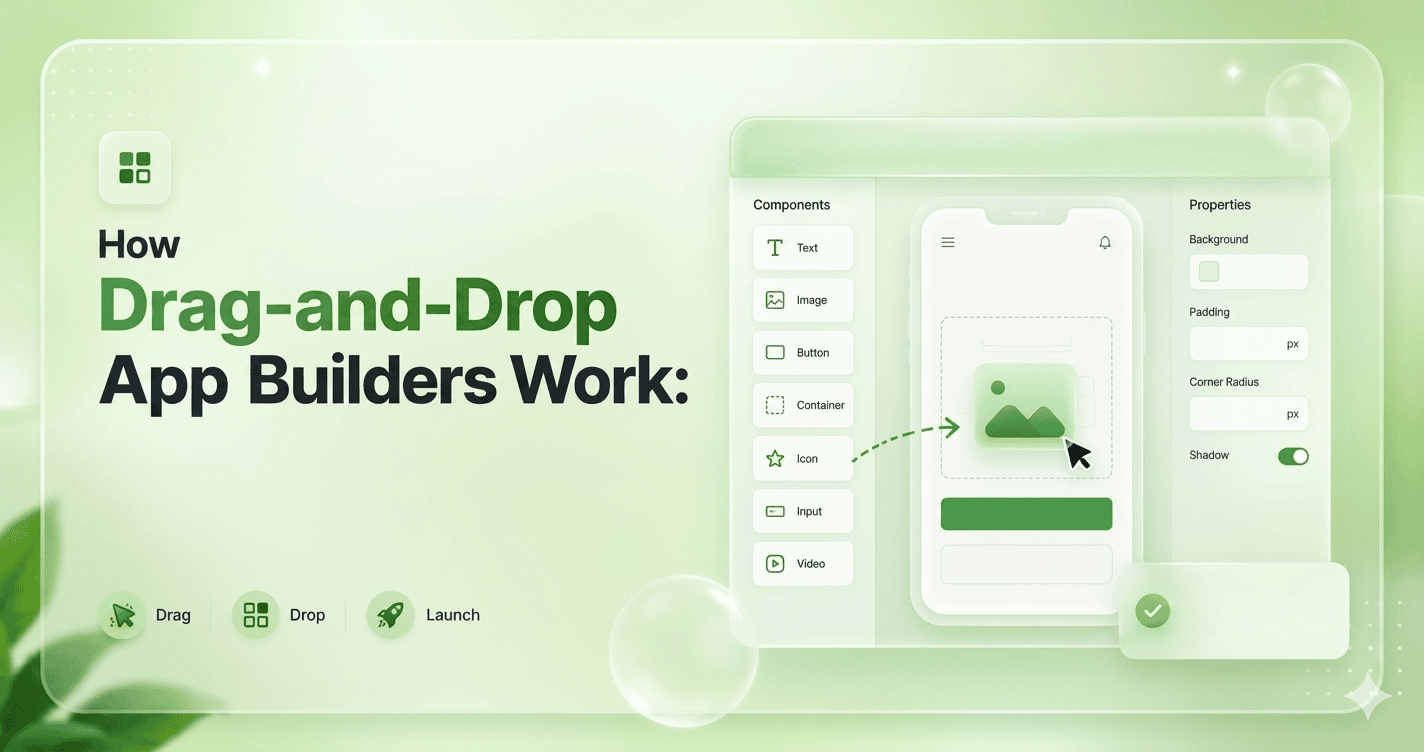
Drag-and-drop app builders are tools that let people create apps and websites visually, without writing traditional code. Instead of typing programming commands, users build applications by dragging elements like buttons, text boxes, images, and menus onto a screen and arranging them like building blocks.
Behind the scenes, these platforms automatically convert the visual design into real working code. When a user drags a button onto a page or connects it to an action like “submit form” or “open screen,” the system generates the necessary logic and infrastructure to make it function.
The main idea is to simplify software creation. What once required skilled developers and complex programming can now be done through a visual interface that focuses on design and logic rather than syntax.
This makes app development faster, more accessible, and easier for beginners, entrepreneurs, and teams who want to quickly turn ideas into working products.
What Are Drag-and-Drop App Builders?
A drag-and-drop app builder is a software platform that allows users to create applications by using visual tools instead of writing complex code.
Users can simply drag interface elements such as buttons, images, forms, and menus onto a workspace and arrange them to design an app. These platforms make app development easier and faster for beginners and non-programmers.
These builders usually include pre-designed templates, built-in features, and workflow tools that help users add functions like login systems, databases, and navigation without advanced programming knowledge.
Many drag-and-drop builders also support mobile and web app development, allowing users to publish their apps directly online or to app stores.
Drag-and-drop app builders are widely used for creating business apps, educational tools, online stores, and personal projects. They save time and reduce development costs compared to traditional coding methods.
However, they may offer limited customization for highly complex applications, which is why professional developers sometimes combine them with manual coding.
How Drag-and-Drop App Builders Work (Step-by-Step)
Drag-and-drop app builders are platforms that let people create apps visually instead of writing most of the code manually. Examples include AppNatively, Bubble, FlutterFlow, Adalo, and Webflow.
Here’s the typical workflow behind how they work internally.
1. Visual Editor (The Canvas)
Users see a blank canvas where they drag components like:
Buttons
Text fields
Images
Forms
Lists
Navigation bars
The builder stores each element as structured data, usually JSON-like objects.
User Drags Component
        ↓
Editor Updates State
        ↓
Layout Engine Recalculates
        ↓
Preview Re-renders
        ↓
Project Saved as JSON
        ↓
Code Generator / Runtime Engine
        ↓
Final App
Two Main Types of Builders
A. Code-Generating Builders
They generate actual source code.
Examples:
FlutterFlow
Builder.io
Advantages:
Exportable code
More flexibility
Disadvantages:
Harder architecture
B. Runtime-Based Builders
They store app definitions and run them dynamically.
Examples:
Bubble
Retool
Advantages:
Faster development
Easier updates
Disadvantages:
Platform lock-in
Technologies Commonly Used
Frontend:
React
Vue
TypeScript
Canvas/SVG
Backend:
Node.js
PostgreSQL
Firebase
Infrastructure:
Docker
Kubernetes
CDN hosting
The difficult engineering parts are usually:
Real-time drag precision
Responsive layout generation
Undo/redo systems
Component nesting
Performance with large apps
Generating clean code
Cross-platform rendering
Collaborative editing
State synchronization
AppNatively helps anyone build real native mobile apps using AI and drag-and-drop tools with App Store-ready performance
Final Thoughts
Drag and drop app builders have changed the way applications are created by making development faster, simpler, and more accessible for beginners.
Instead of writing complex code, users can visually design interfaces, add features, connect databases, and build workflows using ready-made elements.
This approach removes many traditional barriers and allows entrepreneurs, business owners, creators, and students to turn ideas into working applications with confidence.
By understanding how drag-and-drop app builders work step by step, beginners can make smarter decisions throughout the development process, from planning and design to testing and launch.
As no-code and low-code technology continues to grow, learning to use these platforms is becoming an essential digital skill that opens new opportunities for innovation, creativity, and business growth.
Building a mobile app once meant hiring expensive developers, managing endless development cycles, and investing months—sometimes years before seeing your idea live in the Apple App Store or Google Play.
For businesses running on WordPress or Shopify, going mobile often felt like a luxury reserved for brands with deep pockets, in-house tech teams, and enterprise-level resources.
Meanwhile, mobile users kept growing, customer expectations kept rising, and businesses without an app quietly lost engagement, retention, and revenue to competitors who were already living in their customers’ pockets.
That story is changing—fast. The rise of no-code native app builders has completely rewritten the rules of mobile app development.
Today, store owners, educators, marketplace operators, booking businesses, directory owners, restaurant brands, membership sites, and digital entrepreneurs can transform their existing websites into fully native iOS and Android apps without writing a single line of code, hiring an agency, or spending $20,000 to $100,000 on traditional development.
What once took months can now happen in days. What once required developers can now be done with drag-and-drop simplicity.
In this complete guide, you’ll discover what a no-code native app builder really is, how it works with WordPress and Shopify, why businesses are moving from websites to apps faster than ever, and much more.
What is a No-Code Native App Builder?
A no-code native app builder is a software platform that enables individuals, startups, agencies, and enterprises to design, build, test, and publish fully functional mobile applications for Apple Inc. iOS and Google LLC Android without writing traditional programming code.
Instead of manually developing an app using languages such as Swift, Kotlin, or Java, users create applications through visual interfaces, drag-and-drop components, workflow automation, and prebuilt integrations.
At its core, a no-code native app builder removes the technical barriers of mobile development by transforming complex programming logic into visual actions.
Users can design screens, define user journeys, connect data sources, configure app behavior, and integrate features such as payments, messaging, analytics, authentication, and push notifications through graphical tools rather than code editors.
The platform then compiles or generates the underlying native code needed to run efficiently on mobile operating systems.
How Drag & Drop App Builders Work (Step-by-Step)
A drag-and-drop app builder transforms mobile app development from a code-heavy engineering process into a visual workflow.
Instead of writing thousands of lines of code, users build apps by selecting components, arranging layouts, defining logic, and connecting data through an intuitive interface.
While the experience feels simple on the surface, powerful automation, code generation, APIs, and cloud infrastructure work behind the scenes to convert visual actions into fully functional native applications.
Here’s how the process works step by step.
Step 1: Start with a project or template
Every app begins with a project setup. Most no-code platforms allow users to either:
Start from scratch
Choose a prebuilt template
Clone an existing app
Import data from another platform
Templates are often designed for specific industries, such as:
eCommerce
Food delivery
Booking
Education
Healthcare
Community platforms
For example, an online store running on Shopify Inc. may choose an eCommerce template, while a content publisher using WordPress Foundation might start with a content-driven app template.
At this stage, users usually configure:
App name
Brand colors
Logo
Target platforms (iOS, Android, or both)
Language and region settings
This creates the foundation for the application.
Step 2: Design the user interface with drag & drop
The visual builder opens a canvas representing mobile screens.
Users drag components from a widget library and place them onto the screen, such as:
Buttons
Text blocks
Images
Product cards
Search bars
Navigation menus
Forms
Maps
Video players
Each element can be resized, moved, duplicated, or customized.
For example:
A “Shop Now” button can be dragged onto the homepage, resized, and styled with brand colors—all without touching code.
Behind the scenes, the builder converts these design choices into native UI elements optimized for Apple Inc. iOS and Google LLC Android.
Step 3: Build screen navigation
Apps are made up of multiple screens.
Users visually connect screens to define navigation, such as:
Home → Product Listing
Product Listing → Product Details
Product Details → Checkout
Checkout → Order Confirmation
Instead of programming routes manually, users simply select:
“When this button is tapped, open this screen.”
Navigation options typically include:
Tab bars
Side menus
Stack navigation
Popups
Modals
Deep links
This defines how users move through the app.
Step 4: Add business logic and user actions
Once screens are designed, the next step is defining app behavior.
Users create workflows such as:
When the user signs up → create an account
When the user clicks Buy → add product to cart
When payment succeeds → send confirmation
When booking is confirmed → notify the customer
This is usually done through visual logic blocks.
Example workflow:
Button Tap → Validate Input → Save Data → Send Notification → Redirect
No code is written, but behind the scenes, the builder creates event handlers, state management, and API requests.
Step 5: Connect data sources
Apps need dynamic content.
Drag-and-drop builders connect with:
Databases
CMS platforms
APIs
CRMs
eCommerce stores
Common integrations include:
WordPress Foundation
Shopify Inc.
Stripe, Inc.
PayPal Holdings, Inc.
Google Firebase
For example:
A product grid can automatically pull product data from Shopify.
A blog section can pull articles from WordPress.
A booking form can save data to a cloud database.
This turns static screens into live applications.
Step 6: Enable native device features
To deliver true mobile experiences, users can activate native capabilities such as:
Camera
GPS
Push notifications
File uploads
Fingerprint authentication
Face recognition
Offline storage
Bluetooth
For example:
A delivery app may use GPS.
A banking app may use biometric login.
A social app may use the camera.
These features connect through prebuilt modules instead of custom code.
Step 7: Configure user authentication
Most apps need secure user access.
Builders provide authentication options such as:
Email/password login
Phone verification
OTP authentication
Social login
Single sign-on
Examples include login via:
Google LLC
Meta Platforms, Inc.
Apple Inc.
The platform manages encryption, token handling, and session management in the background.
Step 8: Preview and test in real time
Before publishing, users can test the app through:
Browser preview
Device simulators
QR code preview
Test builds
This allows teams to check:
Screen responsiveness
Workflow behavior
API connections
Performance
User experience
Bugs can be fixed visually without rebuilding from scratch.
Step 9: Generate native app builds
Once everything is ready, the platform compiles the visual project into native mobile packages:
IPA for iOS
APK or AAB for Android
This step converts all design elements, workflows, and integrations into platform-specific code.
Behind the scenes, the builder may generate native components using frameworks or compiled mobile runtimes.
Both WordPress and Shopify have huge app/plugin ecosystems, but they work very differently. The main difference is flexibility vs simplicity.
Quick Overview
Feature
WordPress Ecosystem
Shopify Ecosystem
Core model
Open-source CMS
Hosted ecommerce platform
Extensions
Plugins
Apps
Typical users
Bloggers, businesses, developers
Online stores and brands
Customization
Extremely high
Controlled but easier
Hosting
Self-hosted
Hosting included
Ease of use
More technical
Beginner-friendly
App review process
Less centralized
Strict Shopify approval
Ecommerce capability
Via plugins like WooCommerce
Built in
Imagine building a digital business like building a city.
WordPress gives you empty land, unlimited construction freedom, and thousands of tools created by developers around the world.
You can design skyscrapers, underground tunnels, secret rooms, or entire shopping districts exactly the way you want.
Shopify gives you a modern commercial complex that is already secure, organized, and optimized for selling products.
You simply move in, decorate the store, install extra features, and start selling.
Both ecosystems are powerful, but they are built with completely different philosophies.
The WordPress Universe
Inside WordPress, plugins act like superpowers.
Need ecommerce? Install WooCommerce.
Need advanced SEO? Add Yoast SEO.
Need drag-and-drop design freedom? Use Elementor.
The ecosystem feels like a giant open marketplace where creators constantly invent new tools. Developers can modify almost every layer of the platform.
That freedom makes WordPress incredibly powerful for unique projects, complex websites, and businesses that want complete control.
But freedom comes with responsibility. Sometimes plugins clash like two musicians playing different songs at the same concert.
Updates can break features, security requires attention, and maintenance becomes part of the journey.
WordPress is like owning a custom-built race car. Fast, powerful, endlessly modifiable, but it needs a skilled driver and regular tuning.
The Shopify Universe
Shopify takes a different approach.
Instead of giving you raw building materials, Shopify gives you a polished store already connected to electricity, security systems, payment processing, and customer checkout.
Apps inside Shopify are designed to extend selling power rather than rebuild the platform itself.
Want smarter email marketing? Add Klaviyo.
Want product reviews? Install Judge.me.
Want print-on-demand products? Connect Printful.
Everything is designed to work smoothly inside Shopify’s controlled environment.
The experience feels cleaner and more beginner-friendly because Shopify reviews and manages the ecosystem carefully.
The downside is that customization has boundaries. You can redesign the showroom, but you cannot fully rebuild the foundation underneath it.
Shopify is like driving a luxury electric car. Smooth, reliable, and easy to manage, but you cannot open the engine and redesign everything yourself.
Web App vs Native App vs PWA: What You Should Choose
It feels like three roads to the same destination.
Every modern business eventually faces the same question:
Should we build a web app, a native mobile app, or a Progressive Web App (PWA)?
At first, they may look similar to users. Buttons click. Pages load. Notifications appear.
But underneath, each one is built on a completely different philosophy.
Choosing the wrong path can waste time, money, and momentum. Choosing the right one can accelerate growth for years.
i. The Web App Experience
A web app lives inside the browser.
Open Chrome, Safari, or Edge, visit a URL, and the application appears instantly. Platforms like online dashboards, booking systems, and collaboration tools often use this model.
Web apps are fast to develop because one codebase works across almost every device. Updates happen instantly without requiring users to download anything from an app store.
The biggest advantage is accessibility. Anyone with a browser can use the app immediately.
The weakness is that browser-based apps cannot always access deep device features smoothly. Performance may also feel less fluid compared to fully native applications.
A web app is like renting a flexible coworking space.
Easy to enter.
Easy to maintain.
Accessible from anywhere.
ii. The Native App Experience
Native apps are built specifically for platforms like iOS or Android.
These apps are downloaded from app stores and installed directly onto the device.
Because they communicate closely with the operating system, they deliver smoother animations, better performance, and deeper hardware integration.
Apps like advanced games, social media platforms, and high-performance editing tools usually rely on native development.
Native apps can fully use:
camera,
GPS,
Bluetooth,
offline storage,
background processing,
and advanced notifications.
The downside is cost and complexity. Building separate apps for iPhone and Android often requires larger teams, longer timelines, and ongoing maintenance for multiple codebases.
A native app is like owning a luxury custom-built house.
Beautiful.
Powerful.
Tailored perfectly to the environment.
But expensive to build and maintain.
Convert your website into an iOS & Android app in 60 seconds (Join waitlist)
iii. The PWA Experience
A Progressive Web App sits between a web app and a native app.
PWAs run through the browser but behave more like installed mobile apps. Users can add them to the home screen, receive notifications, and sometimes use them offline.
Companies use PWAs to create faster mobile experiences without fully investing in native development.
The beauty of a PWA is balance. It combines the reach of the web with some of the convenience of mobile apps.
However, PWAs still face limitations on certain operating systems, especially with advanced device integrations.
A PWA is like transforming a website into a lightweight mobile experience without building a full native ecosystem.
Speed vs Power vs Reach
Native apps dominate in performance and deep hardware access.
Web apps dominate in accessibility and development speed.
PWAs attempt to balance both worlds by adding app-like behavior to the browser experience.
The decision is rarely about technology alone. It is usually about business priorities.
When Web Apps Win
Web apps work best when the goal is fast deployment, broad accessibility, and lower development costs.
They are ideal for:
business dashboards,
internal tools,
education platforms,
and SaaS products.
If users mainly work through browsers, web apps are often enough.
When Native Apps Win
Native apps shine when experience quality matters more than simplicity.
They are ideal for:
gaming,
social media,
video editing,
fitness tracking,
banking,
and high-performance consumer apps.
If the app depends heavily on device hardware or smooth interactions, native development becomes valuable.
When PWAs Win
PWAs are strongest when businesses want mobile convenience without app-store complexity.
They are especially useful for:
ecommerce stores,
news platforms,
startup MVPs,
food delivery services,
and lightweight social platforms.
PWAs can dramatically reduce development costs while still improving mobile engagement.
Benefits of No-Code Mobile App Development
Mobile apps are no longer built only by professional developers with massive budgets. No-code platforms are making app creation faster, easier, and accessible to almost anyone.
1. The rise of building without coding
Not long ago, creating a mobile app required a full development team, months of engineering work, and a significant budget.
Today, no-code platforms are changing that reality.
With tools like Bubble, Glide, and Adalo, entrepreneurs, students, startups, and small businesses can build mobile applications using visual interfaces instead of traditional programming.
No-code development has transformed app creation from a highly technical process into something far more accessible.
2. Faster development speed
Traditional app development can take months before the first version is ready.
No-code platforms dramatically reduce that timeline.
Instead of writing thousands of lines of code, creators use drag-and-drop builders, templates, and visual workflows to assemble apps quickly.
An idea that once needed a large engineering sprint can now become a working prototype within days.
Speed matters because modern markets move fast. Businesses that launch earlier often learn faster and improve faster.
3. Lower development costs
Hiring mobile developers can be expensive, especially for startups and small businesses.
No-code platforms reduce the financial barrier by removing much of the engineering complexity.
A founder can test an idea without building an entire technical team. Small businesses can launch internal tools or customer apps without investing heavily in custom software development.
This makes innovation more accessible to people who previously could not afford to enter the app market.
4. Easier for non-technical creators
One of the biggest advantages of no-code development is accessibility.
Designers, marketers, teachers, entrepreneurs, and students can build applications without becoming professional programmers.
The process feels more like designing a presentation than engineering software from scratch.
This allows creators to focus more on solving problems and improving user experience rather than debugging complex code.
New workflows can be tested without long development cycles.
This flexibility is especially valuable for startups building MVPs (Minimum Viable Products). Instead of spending a year developing a product nobody wants, businesses can launch quickly, gather feedback, and improve continuously.
In many cases, speed of learning becomes more important than technical perfection.
6. Simplified maintenance
Traditional apps often require ongoing developer support for updates, bug fixes, compatibility issues, and infrastructure management.
No-code platforms simplify much of this process because the platform provider handles large parts of the backend infrastructure and maintenance.
Updates become easier, hosting is usually included, and deployment processes are more streamlined.
For small teams, this reduction in technical overhead can save enormous time and stress.
7. Better focus on business goals
When businesses spend less energy managing code, they can focus more on customers, branding, marketing, and growth.
No-code development shifts attention away from technical barriers and toward business execution.
Instead of asking, “How do we build this feature?”
Teams can focus on,
“Will this feature actually help users?”
That mindset often leads to faster business growth and clearer product decisions.
8. Limitations still exist
No-code platforms are powerful, but they are not perfect for every situation.
Highly complex apps, advanced gaming systems, large-scale enterprise platforms, or apps requiring deep hardware integration may still need traditional development.
Performance limitations and platform restrictions can also appear as products scale.
No-code is excellent for speed and accessibility, but not always ideal for unlimited customization.
Limitations of No-Code App Builders (and How to Overcome Them)
No-code platforms make app development faster and more accessible, but they are not perfect solutions for every project.
Understanding their limitations helps businesses choose smarter strategies and avoid scaling problems later.
Customization can be limited
No-code builders are designed to simplify development through templates, visual editors, and prebuilt components.
That simplicity can become restrictive when businesses need highly unique functionality or advanced design control.
Some platforms may not allow deep backend customization, custom animations, or complex workflows beyond their built-in system.
The best way to overcome this limitation is by choosing platforms that support custom code extensions or API integrations. Tools like Bubble and FlutterFlow provide more flexibility for growing applications.
Performance may struggle at scale
No-code apps often perform well for small and medium-sized projects, but large-scale applications with heavy traffic or complex processing can experience slowdowns.
Because many no-code platforms rely on generalized infrastructure, optimization options may be limited compared to custom-coded applications.
Businesses can reduce this issue by simplifying workflows, optimizing database structure, and avoiding unnecessary visual complexity.
For high-growth products, hybrid development strategies combining no-code with custom engineering can also help maintain performance.
Platform dependency creates risk
When building on a no-code platform, businesses become dependent on that provider’s pricing, policies, features, and long-term stability.
If the platform changes its rules, increases costs, or shuts down features, the app owner may face difficult migration challenges.
This risk can be reduced by choosing mature platforms with strong communities and export options. Businesses should also maintain backups of their data and document their workflows carefully.
Advanced features can be difficult
Complex features like advanced AI systems, real-time multiplayer interactions, heavy data processing, or deep device integrations may exceed the capabilities of many no-code builders.
At some point, certain projects simply outgrow visual development systems.
A practical solution is using no-code for the MVP phase and gradually integrating custom development as the product evolves.
Many startups use no-code to validate ideas first before investing in full engineering teams.
Integration challenges may appear
No-code platforms often support third-party integrations, but not every external service connects smoothly.
Businesses may face limitations when integrating custom APIs, legacy systems, or specialized enterprise software.
This can often be solved by using middleware tools like Zapier or Make, which help connect apps and automate workflows between platforms.
Design flexibility may feel restricted
Many no-code apps risk looking visually similar because creators rely on standard templates and components.
Without thoughtful customization, apps can lose uniqueness and brand identity.
Overcoming this limitation requires stronger attention to typography, color systems, user experience design, and custom assets. Even within platform constraints, creative branding can significantly improve the final product.
Security and compliance concerns
Businesses handling sensitive customer information may face concerns around security, compliance, and data control.
Some industries require strict standards that certain no-code platforms may not fully support.
Companies should carefully review security documentation, compliance certifications, hosting policies, and backup systems before committing to a platform.
For highly regulated industries, combining no-code interfaces with secure custom backend systems may provide a safer balance.
Scaling costs can increase
No-code development starts affordably, but costs can rise as usage grows.
Subscription plans, workflow limits, database usage, and premium integrations may become expensive at scale.
Businesses can manage this by monitoring operational costs early and planning long-term scalability before rapid growth happens.
Sometimes rebuilding critical systems with custom code later becomes more cost-effective.
Cost of Building Mobile Apps with No-Code Tools
The cost of building a mobile app with no-code tools can range from $0 for a prototype to $100,000+ for a production-grade app, depending on complexity, integrations, design customization, and whether you build it yourself or hire an agency.
Most founders launching an MVP with no-code spend somewhere between $3,000–$25,000, while enterprise-grade apps can go much higher.
1. DIY with No-Code Tools (Most Affordable)
If you build the app yourself using platforms like Adalo, FlutterFlow, or Bubble:
Estimated cost:
$0 – $500/month
Typical costs include:
Expense
Estimated Cost
Platform subscription
$30–$200/month
Backend/database
$0–$50+/month
Plugins/integrations
$10–$100/month
App Store developer fees
Apple: $99/year, Google: $25 one-time
Domain, email, analytics
$10–$50/month
Examples of current platform pricing:
Adalo starts around $36/month for native iOS + Android publishing.
FlutterFlow starts around $80/month per seat for production use, often plus external backend costs.
Bubble starts around $29–$69/month, depending on plan and usage.
So a solo founder can launch an MVP for roughly:
$500–$2,000 in Year 1
If doing everything themselves.
Build Your Native Mobile App at 90% Less Cost- Join AppNatively Waitlist
2. Hiring a No-Code Freelancer
If you hire a freelancer to build your app:
Estimated cost:
$3,000 – $20,000+
Depends on:
Number of screens
User authentication
Payment gateway
Push notifications
Maps/GPS
API integrations
Admin dashboard
Typical examples:
Simple app
(login + profiles + basic CRUD)
$3,000–$8,000
Marketplace or booking app
$8,000–$20,000
SaaS-style app
$15,000–$30,000+
Industry guides suggest no-code can reduce build cost by 60–80% compared with custom development.
3. Hiring a No-Code Agency
For polished production apps:
Estimated cost:
$20,000–$100,000+
Usually includes:
UX research
UI design
Backend architecture
Testing
Deployment
Maintenance
Hidden Costs Most People Miss
Even with no-code, budget for:
APIs & Third-Party Services
Examples:
Stripe for payments
Twilio for SMS
Google Maps for location
These can add $20–$500+/month depending on usage.
Maintenance
Bug fixes, feature updates, scaling:
$100–$2,000/month
Scaling Costs
Community discussions often mention that platforms like Bubble can become more expensive as user/workflow usage grows.
Realistic Budget by App Type
App Type
Typical No-Code Budget
Prototype
$0–$1,000
MVP
$3,000–$15,000
Startup app
$10,000–$40,000
Marketplace
$15,000–$50,000
Enterprise app
$50,000–$100,000+
Build Native Apps Without the $20K Development Bill
Turn your WordPress or Shopify website into a lightning-fast iOS and Android app without coding, developers, or agency fees.
AppNatively is currently in development, built for ambitious brands that want to launch premium mobile apps faster, smarter, and at a fraction of traditional development costs.
One Platform. Endless Possibilities.
Whether you run an eCommerce store, online academy, booking business, restaurant, directory, membership platform, or service marketplace—AppNatively is being built to transform your existing website into a fully native mobile app.
Designed to Work With the Tools You Already Love
Built for seamless integration with:
WooCommerce for online stores and marketplaces
Shopify for modern commerce brands
Directory plugins for business listings, classifieds, travel portals, and local marketplaces
LMS platforms for online courses, coaching, and digital education
Booking plugins for hotels, tours, appointments, and reservations
Cafe and restaurant plugins for menus, orders, and table reservations
Form plugins for leads, registrations, surveys, and customer interactions
Membership and subscription platforms
And many more growing integrations
Launch the App Your Business Actually Needs
With AppNatively, you’ll be able to:
Turn your website into a real native app
Publish to the Apple App Store and Google Play
Send unlimited push notifications that bring customers back
Online shoppers today are surrounded by too many choices, yet most of them still struggle to find what truly fits their needs. Generic recommendations and one-size-fits-all experiences often lead to frustration, abandoned carts, and lost sales.
As competition in eCommerce continues to rise, this gap between customer expectations and actual shopping experiences is becoming harder for brands to ignore.
Interestingly, Artificial intelligence is closing this gap by turning raw user data into meaningful personalization. It understands behavior, predicts intent, and delivers products, offers, and experiences that feel uniquely tailored to each shopper.
Honestly, this shift transforms browsing into guided discovery, making it easier for customers to decide and buy with confidence.
As a result, AI-driven personalization is becoming the strongest force behind higher conversions, increased sales, and lasting customer loyalty.
Let’s break down how AI-driven personalization works inside eCommerce apps and how it helps businesses convert more visitors into loyal customers.
What is AI in eCommerce Apps?
AI in eCommerce apps is the use of Artificial Intelligence technologies to make online shopping platforms smarter, more efficient, and more personalized.
It helps apps understand customer behavior, preferences, and buying patterns to improve the overall shopping experience.
With AI, eCommerce apps can recommend products, improve search accuracy, automate customer support through chatbots, and optimize pricing and inventory management.
This allows businesses to serve customers more effectively while saving time and reducing manual work.
In simple terms, AI in eCommerce apps acts as a smart system that learns from users and makes better decisions to increase sales, improve user experience, and help businesses grow faster.
Build your eCommerce app instantly with drag & drop: Join AppNatively Waitlist
How AI Personalization Works
AI personalization is about tailoring digital experiences what you see, hear, or interact with—based on your behavior, preferences, and context. It’s what makes your feed feel “just for you.”
1. Data Collection (What AI learns about you)
AI systems gather different kinds of data, such as:
Explicit data: what you directly tell it (likes, follows, ratings)
Behavioral data: what you click, watch, search, or ignore
Contextual data: time, location, device, etc.
For example, apps like TikTok or YouTube track what videos you watch and for how long.
2. User Profiling (Building your “digital taste”)
The system creates a profile—a kind of evolving model of your interests. This might include:
Topics you like (sports, tech, etc.)
Content formats you prefer (short videos vs long)
Interaction patterns (liking, sharing, skipping)
3. Algorithms & Models (The brain behind it)
AI uses techniques from Machine Learning to find patterns. Common methods include:
Collaborative filtering: “People like you also liked this”
Content-based filtering: “You liked this, so here’s similar content.”
Deep learning: more advanced models that detect complex patterns
4. Real-Time Adaptation
Personalization isn’t static—it updates constantly. If you suddenly start watching cooking videos, your feed will shift within hours or even minutes.
5. Recommendation Output (What you see)
Finally, AI ranks and delivers content:
Social media feeds
Product recommendations
Music playlists (like on Spotify)
Ads and search results
6. Feedback Loop
Every action you take feeds back into the system:
Watch longer → show more similar content
Skip quickly → reduce similar content
This loop continuously refines your experience.
Types of AI Personalization in eCommerce Apps
AI personalization is transforming how users interact with online stores, making experiences more relevant and engaging.
By leveraging data and intelligent algorithms, eCommerce apps can adapt to individual preferences in real time.
1. Product recommendations
This is the backbone of most eCommerce personalization systems. AI analyzes browsing history, purchase patterns, cart activity, and even dwell time on product pages to predict what a user is likely to buy next.
Techniques like collaborative filtering (“people like you also bought…”) and content-based filtering (“similar to what you viewed…”) are often combined with deep learning models for higher accuracy.
Recommendations can appear across the app—homepage, product pages, checkout, and even post-purchase emails, maximizing both discovery and upselling opportunities.
2. Dynamic pricing
AI-driven pricing systems adjust product prices in real time based on variables such as demand, inventory, competitor pricing, and user behavior.
For instance, loyal customers might receive personalized discounts, while trending products may see price increases.
These systems use predictive analytics to find a balance between maximizing conversions and maintaining profit margins, but they must be implemented carefully to avoid negative perceptions around fairness.
3. Personalized search results
Instead of showing identical results to every user, AI re-ranks search outputs based on individual preferences, browsing patterns, and intent signals.
Natural language processing also helps interpret vague or conversational queries, improving accuracy.
As users interact with results, the system continuously learns and refines rankings—one of the key trends in ecommerce app development that enhances relevance and reduces friction in product discovery.
4. Customized marketing messages
AI personalizes communication across emails, push notifications, and ads by analyzing engagement patterns and customer lifecycle stages.
It determines not just what message to send, but also the best timing and channel. For example, a cart abandonment reminder might include a limited-time discount, while repeat customers could receive early access to new products.
This level of precision helps increase engagement without overwhelming users.
5. Visual & voice personalization
With the rise of computer vision and voice recognition, eCommerce apps now offer more intuitive ways to shop.
Visual search allows users to upload images and find similar items, while voice assistants enable conversational product discovery.
AI refines these experiences by learning individual style preferences and past interactions, making the process faster and more personalized.
6. Behavioral segmentation
AI creates dynamic user segments based on behavior, preferences, and predicted value rather than static demographics.
These segments—such as frequent buyers, deal seekers, or inactive users—are constantly updated as behavior changes.
This enables eCommerce apps to deliver highly targeted experiences at scale, from exclusive offers to re-engagement campaigns, ultimately improving retention and customer lifetime value.
Convert your eCommerce website into an iOS & Android app in minutes (Join waitlist)
How Personalization Drives Sales
Personalization in eCommerce plays a crucial role in shaping how customers interact with products and make purchase decisions.
By aligning the shopping journey with individual preferences, it creates a smoother and more engaging experience.
Higher conversion rates
When users are shown products that match their interests, they are much more likely to complete a purchase.
Personalized recommendations help narrow down choices and make decision-making easier, which leads to more conversions.
Increased average order value (AOV)
AI-powered suggestions, such as complementary products or premium alternatives, encourage customers to spend more in a single transaction.
These recommendations feel more relevant because they are based on actual browsing and buying behavior.
Improved customer retention
When shoppers consistently receive relevant content and offers, they are more likely to return.
Personalization builds familiarity and trust, which strengthens long-term relationships with customers.
Reduced cart abandonment
Targeted reminders and incentives can bring users back to complete their purchases.
For example, personalized emails or notifications with discounts or product highlights can re-engage users who left items in their cart.
Better customer experience
A personalized interface makes it easier for users to find what they need without unnecessary effort.
This convenience leads to higher satisfaction, which often translates into repeat purchases and positive word of mouth.
More Effective Marketing Spend
Personalization ensures that marketing efforts reach the right audience with the right message. This improves engagement rates and reduces wasted spending on broad, less relevant campaigns.
Best Practices for Implementing AI in eCommerce Apps
Implementing AI in eCommerce apps works best when the focus stays on strategy, data quality, and user trust rather than just the technology itself.
i. Define clear use cases and business goals
AI should solve specific problems, not exist as a vague enhancement. Start by identifying where it can create a measurable impact, such as improving product discovery, reducing cart abandonment, or increasing repeat purchases.
Clear use cases help in selecting the right models and also make it easier to track performance through metrics like conversion rate (CRO), customer lifetime value, or engagement.
Without this clarity, AI initiatives often become expensive experiments with unclear returns.
ii. Build and maintain high-quality data pipelines
Data is the foundation of any AI system, so investing in clean, structured, and up-to-date data is critical. This includes user behavior data, product catalogs, transaction history, and even real-time interaction signals.
It is equally important to remove duplicates, handle missing values, and ensure consistency across systems.
A strong data pipeline allows AI models to learn accurately and adapt quickly, while poor data quality can lead to irrelevant recommendations and loss of user trust.
iii. Start small and scale strategically
Instead of trying to implement AI across the entire app at once, begin with one or two high-impact features such as recommendation engines or personalized search.
This approach allows teams to test performance, gather feedback, and fine-tune models before expanding to other areas.
Gradual scaling also reduces risk and helps in understanding how AI fits into existing workflows and user journeys.
iv. Continuously monitor, test, and improve
AI systems are not “set and forget.” User behavior changes over time, and models need to evolve accordingly.
Regular monitoring using A/B testing, performance tracking, and feedback loops ensures that the system stays effective.
For example, testing different recommendation strategies or pricing models can reveal what drives better engagement and sales, allowing for ongoing optimization.
v. Prioritize transparency and user trust
Users are becoming more aware of how their data is used, so transparency is essential. Clearly communicate data usage policies, offer privacy controls, and avoid overly intrusive personalization.
When users feel in control and understand the value they receive, they are more likely to engage positively with AI-driven features, which ultimately improves long-term retention.
vi. Design for a seamless user experience
AI should enhance the shopping journey, not complicate it. Personalization must feel natural, relevant, and helpful at every touchpoint, from product discovery to checkout and post-purchase interactions.
Poorly implemented AI can overwhelm users with too many suggestions or irrelevant content, while well-designed systems quietly guide users toward better decisions and smoother experiences.
Final Thoughts
As eCommerce evolves in 2026 & beyond, AI has become the core driver of meaningful personalization across the entire shopping journey. It analyzes user behavior, intent, and preferences to deliver highly relevant product experiences in real time.
This shift is making online shopping faster, smoother, and more aligned with individual customer needs.
Beyond immediate conversions, AI is shaping stronger long-term customer relationships built on relevance and trust.
When shoppers consistently receive personalized experiences, they are more likely to return and engage with the brand again.
Over time, this leads to higher retention, loyalty, and sustainable business growth.
Frequently Asked Questions (FAQs)
How does AI increase sales in eCommerce apps?
AI increases sales in eCommerce apps by delivering personalized product recommendations, dynamic pricing strategies, predictive inventory management, and automated marketing campaigns.
By showing customers the right products at the right time, AI improves purchase decisions and increases average order value.
Can AI improve eCommerce conversion rates?
Yes, AI can significantly improve eCommerce conversion rates by analyzing user behavior and optimizing every stage of the buyer journey.
AI-powered features such as personalized recommendations, smart search, abandoned cart recovery, and targeted promotions help turn visitors into paying customers more efficiently.
How does AI reduce cart abandonment in eCommerce apps?
AI reduces cart abandonment by identifying shopping behaviors that indicate purchase hesitation.
It can trigger personalized discounts, product reminders, push notifications, retargeting campaigns, and chatbot assistance to encourage customers to complete their purchases.
What AI features should modern eCommerce apps have in 2026?
Modern eCommerce apps in 2026 and beyond should include AI-powered product recommendations, visual search, voice search, predictive analytics, dynamic pricing, personalized push notifications, chatbot support, customer segmentation, inventory forecasting, and automated marketing tools.
How does AI improve customer loyalty in eCommerce apps?
AI improves customer loyalty by creating personalized shopping experiences that make customers feel understood.
Through tailored product recommendations, loyalty rewards, customized offers, proactive support, and predictive engagement, AI helps build stronger long-term relationships with customers.
Can small businesses use AI in eCommerce apps?
Yes, small businesses can use AI in eCommerce apps through affordable SaaS platforms, automation tools, and no-code app builders.
AI is no longer limited to enterprise brands, making it accessible for startups and growing online stores looking to improve personalization and customer engagement.
How does AI product recommendation increase conversions?
AI product recommendation engines analyze customer preferences, browsing patterns, and purchase history to suggest relevant products.
These personalized recommendations increase product discovery, cross-selling opportunities, and purchase intent, leading to higher conversion rates.
What role does machine learning play in eCommerce personalization?
Machine learning enables eCommerce apps to continuously learn from customer interactions and improve personalization over time.
It helps predict customer preferences, buying behavior, churn risks, and product demand, allowing businesses to deliver more accurate recommendations and marketing campaigns.
How does AI improve customer experience in mobile eCommerce apps?
AI improves customer experience in mobile eCommerce apps by offering faster product search, personalized recommendations, voice shopping, chatbot support, predictive suggestions, and frictionless checkout experiences. This creates a smoother and more engaging mobile shopping journey.
Is AI-powered personalization worth investing in for eCommerce?
Yes, AI-powered personalization is one of the most valuable investments for eCommerce businesses in 2026.
It improves customer satisfaction, increases repeat purchases, boosts average order value, reduces acquisition costs, and creates a competitive advantage in crowded markets.
How can AI help eCommerce brands retain customers?
AI helps eCommerce brands retain customers by predicting customer behavior, identifying churn risks, delivering personalized offers, automating loyalty campaigns, and creating highly relevant post-purchase experiences that encourage repeat purchases.
What is the future of AI in eCommerce apps?
The future of AI in eCommerce apps includes hyper-personalization, autonomous shopping assistants, predictive commerce, conversational AI, visual commerce, augmented reality shopping, and real-time customer behavior analysis.
AI will continue to redefine how customers discover, evaluate, and purchase products online.
The must-have eCommerce app features include user-friendly design, fast loading speed, secure payment options, advanced search, personalized recommendations, and seamless checkout.
These features are essential for improving user experience, increasing conversions, and driving long-term customer loyalty in mobile commerce.
A successful eCommerce app is built with a strategic combination of performance, usability, and engagement-driven functionalities. From intuitive design to AI-powered recommendations, every feature plays a role in shaping customer satisfaction and purchase decisions.
In this blog post, we’ll explore the essential eCommerce app features you need to maximize growth, conversions, and user retention.
Convert your website into an iOS & Android app in minutes (Join waitlist)
Why eCommerce App Features Matter for Business Growth
E-commerce app features matter for business growth because they directly shape how easily customers can find, trust, and buy from a business—and whether they come back again.
Latest trends in eCommerce app development include AI-driven personalization, AR-based product visualization, voice and conversational shopping, and headless commerce architectures that enable faster, more seamless omnichannel experiences.
In online business, the app is often the entire storefront, salesperson, and checkout counter combined. If it’s smooth and helpful, sales increase; if it’s confusing or slow, customers leave quickly.
Here are the main reasons they’re so important.
1. Better user experience = more sales
Features like fast search, clear product categories, filters, and simple navigation help customers find what they want quickly.
When shopping feels easy, people are more likely to complete a purchase instead of abandoning the app.
2. Higher trust leads to more conversions
Secure payment options, transparent pricing, product reviews, and order tracking all build confidence.
If users feel safe, they’re more willing to enter payment details and buy.
3. Personalization increases repeat purchases
Smart features like personalized recommendations, saved preferences, and targeted offers make the app feel tailored to each user. This encourages repeat visits and long-term customer loyalty.
4. Faster checkout reduces abandoned carts
A complicated checkout process is one of the biggest reasons customers leave without buying.
Features like one-click checkout, multiple payment methods, and autofill reduce friction and increase completed orders.
5. Mobile optimization expands reach
Most users shop on phones. A well-designed mobile app with fast loading, responsive design, and smooth performance helps businesses reach a much larger audience.
6. Marketing and engagement tools drive growth
Push notifications, discounts, wishlist reminders, and abandoned cart alerts bring customers back and increase sales opportunities without extra advertising costs.
7. Data insights improve business decisions
E-commerce apps collect data on customer behavior—what people view, buy, or ignore. Businesses use this to improve products, pricing, and marketing strategies.
10 Must-Have eCommerce App Features
Here are the 10 must-have eCommerce app features explained, showing how smart design and functionality turn casual visitors into loyal customers.
1. User-friendly interface (UI/UX)
A clean and intuitive interface makes shopping feel effortless, guiding users smoothly from browsing to buying. It removes confusion and keeps attention focused on products, not complexity.
When an app feels easy and visually appealing, users naturally trust it more. That trust translates into longer sessions, higher engagement, and more completed purchases.
2. Advanced search & smart filters
A powerful search system acts like a shortcut to exactly what customers want, saving time and reducing frustration. Smart suggestions and auto-correct make discovery feel effortless.
Filters refine the journey further by narrowing endless options into perfect matches. This precision leads users faster to the “buy” moment.
3. Secure multiple payment options
Flexible payment methods make checkout convenient for everyone, whether they prefer cards, wallets, or cash on delivery. This removes barriers that might stop a purchase.
Strong security features quietly build confidence in every transaction. When users feel protected, they spend more freely.
4. Easy checkout process
A smooth checkout turns intention into action without unnecessary steps or delays. Simplicity here directly reduces abandoned carts.
Features like guest checkout and autofill make buying feel instant. The faster the process, the higher the conversion.
5. Product reviews & ratings
Reviews act as real voices of experience that guide new buyers toward confident decisions. They replace doubt with social proof.
Ratings quickly summarize product quality at a glance. Together, they become a silent sales booster for every listing.
6. Push notifications
Push notifications gently bring users back with timely offers, reminders, and updates. They keep the brand alive in the customer’s mind.
When personalized well, they feel helpful rather than intrusive. This balance drives repeat visits and steady sales.
7. Wishlist & save for later
A wishlist lets users hold onto desire without pressure to buy immediately. It keeps products emotionally “bookmarked” for future action.
For businesses, it’s a window into customer intent. Smart reminders can turn saved items into real purchases.
8. Order tracking system
Order tracking gives customers peace of mind by showing exactly where their purchase is in real time. Transparency reduces anxiety after payment.
It also lowers support requests since users can track everything themselves. This builds trust and reliability.
9. Personalization & recommendations
Personalization transforms a generic store into a tailored shopping experience. Users feel understood when products match their interests.
Recommendations subtly guide them toward more purchases they didn’t even know they wanted. This increases both engagement and revenue.
10. Customer support (Chat/Help Center)
Instant support ensures users are never stuck or confused during their shopping journey. Help is always one tap away.
Quick responses build confidence and prevent lost sales. Good support often turns first-time buyers into loyal customers.
Build your eCommerce app instantly with drag & drop- Join AppNatively Waitlist
How to Optimize eCommerce App Features for Better Conversions
Here’s how to optimize eCommerce app features for better conversions, focusing on practical improvements that directly turn visitors into buyers.
i. Optimize UI/UX for frictionless navigation
A conversion-focused app removes every unnecessary step between browsing and buying. Clean layouts, clear categories, and intuitive menus help users reach products faster without feeling lost or overwhelmed.
You should also reduce visual clutter and keep key actions (like “Add to Cart” or “Buy Now”) highly visible. The smoother the experience, the less chance users drop off before checkout.
ii. Improve search relevance and speed
Search optimization means ensuring users instantly find what they want with accurate, fast results. Autocomplete, typo correction, and intelligent ranking of products significantly improve usability.
Add behavioral ranking so popular or high-converting products appear first. This reduces decision time and increases the likelihood of immediate purchases.
iii. Streamline the checkout flow
A major conversion killer is a long or complicated checkout process. Reducing form fields, enabling guest checkout, and allowing auto-fill can dramatically improve completion rates.
Also optimize for mobile-first checkout with one-page or step-based design. Every extra click removed increases the chance of successful payment.
Place these signals near pricing and checkout buttons where hesitation usually happens. This helps reduce doubt at the exact moment of decision.
v. Personalize the shopping experience
Personalization improves conversions by showing users products they are more likely to buy based on browsing and purchase behavior. This reduces irrelevant options and increases engagement.
Use “Recommended for you,” “Frequently bought together,” and “Recently viewed” sections. The more relevant the content, the higher the conversion rate.
vi. Optimize push notifications for timing and relevance
Push notifications should be behavior-based, not random. Cart reminders, price drops, and back-in-stock alerts perform much better than generic promotions.
Timing also matters—sending alerts when users are most active increases engagement. Poorly timed notifications can reduce trust and lead to uninstalls.
vii. Enhance product pages for decision making
Product pages should clearly answer all user doubts—images, descriptions, specifications, reviews, and FAQs should be easy to scan. High-quality visuals significantly increase purchase intent.
Adding urgency elements like limited stock or time-based offers can also encourage faster decisions. The goal is to reduce hesitation as much as possible.
viii. Optimize wishlist and retargeting flow
Wishlists are powerful conversion tools when combined with reminders and discounts. Users often save items with intent to buy later, so re-engagement is key.
Send targeted alerts like price drops or “items in your wishlist are selling fast.” This turns passive interest into active purchases.
ix. Improve app performance and speed
Slow apps directly reduce conversions because users expect instant loading. Optimizing image sizes, caching data, and minimizing API delays improves responsiveness.
Even a few seconds of delay can increase drop-off rates significantly. Speed is not just technical—it’s revenue-critical.
x. Use data analytics for continuous optimization
Tracking user behavior helps identify where users drop off in the funnel. Heatmaps, session tracking, and conversion analytics reveal weak points in the app.
You can then A/B test changes like button placement, pricing display, or checkout flow. Continuous optimization ensures steady conversion growth over time.
Final Thoughts
Building a successful eCommerce app requires more than just a great idea—it demands the right combination of features that deliver speed, convenience, and personalization.
Every element, from navigation to checkout, plays a critical role in shaping user experience and influencing purchasing behavior.
By implementing these must-have eCommerce app features, businesses can create a powerful mobile shopping experience that drives engagement, builds trust, and maximizes revenue.
As mobile commerce continues to grow, staying ahead with feature-rich, user-focused apps will be the key to long-term success.
Frequently Asked Questions (FAQs)
What are the most important eCommerce app features?
The most important eCommerce app features include user-friendly design, fast loading speed, secure payment options, personalized recommendations, and a seamless checkout process.
How do eCommerce app features improve conversions?
These features reduce friction in the buying process, enhance user experience, and make it easier for customers to complete purchases, leading to higher conversion rates.
Why is personalization important in eCommerce apps?
Personalization helps deliver relevant product recommendations, improving user engagement and increasing the likelihood of repeat purchases.
How can I make my eCommerce app faster?
You can improve speed by optimizing images, using efficient coding, enabling caching, and minimizing unnecessary elements in the app.
What role does AI play in eCommerce apps?
AI enhances personalization, improves search accuracy, powers chatbots, and helps analyze customer behavior for better decision-making.
Marketing an eCommerce app involves a combination of App Store Optimization (ASO), paid ads, social media marketing, influencer partnerships, and user retention strategies.
To successfully market your eCommerce app, you need to attract the right audience, increase app downloads, and convert users into repeat customers through data-driven campaigns and personalized experiences.
Launching your app is just the beginning. With millions of apps competing on platforms like Google Play Store and Apple App Store, standing out requires a strategic, multi-channel approach that also aligns with the latest eCommerce trends shaping user behavior and expectations.
In this blog post, we’ll cover everything you need to scale your app from pre-launch buzz to long-term growth.
Convert your website into an iOS & Android app in minutes (Join waitlist)
Why Marketing Your eCommerce App Matters
Even the best-designed app won’t succeed if people don’t know it exists or don’t understand why they should use it.
Here’s why marketing your eCommerce app truly matters.
1. It creates strong market visibility
The app marketplace is highly saturated, and even a well-built eCommerce app can remain invisible without proper promotion.
Marketing ensures your app appears where your target users are already spending time, whether through search engines, social media, or app store optimization.
This visibility is what brings your app into consideration and gives it a chance to compete. Without it, your app is essentially hidden, regardless of its quality or features.
2. It attracts the right audience instead of random users
Marketing allows you to target users based on interests, behavior, and purchase intent. This means you are not just increasing downloads but attracting people who are more likely to buy.
When your audience is aligned with your product offering, conversion rates improve, customer acquisition costs decrease, and long-term retention becomes easier to achieve.
3. It builds trust and brand authority
Users rarely purchase from brands they do not recognize. Through consistent messaging, content marketing, and social proof such as reviews or influencer collaborations, marketing helps establish credibility.
Over time, this builds trust, which is a critical factor in driving purchases and repeat usage. A trusted brand is also more resilient in competitive markets.
4. It improves engagement and customer retention
Marketing is not only about acquiring new users but also about keeping existing ones active.
Strategies like email campaigns, push notifications, and personalized offers encourage users to return to the app.
Regular engagement increases customer lifetime value and reduces churn, which is essential for sustainable growth in eCommerce.
5. It drives revenue and long-term business growth
Effective marketing directly impacts revenue by guiding users through the buying journey from awareness to purchase.
It also provides valuable data insights such as user behavior, preferences, and campaign performance.
These insights allow you to refine your strategy, optimize your app experience, and scale your business more efficiently over time.
How to Market Your eCommerce App
Marketing an eCommerce app requires a structured approach that covers visibility, acquisition, engagement, and retention.
It is not about one tactic but a combination of strategies working together to drive consistent growth.
Here is how to market your eCommerce app effectively.
1. Optimize for app stores and search
Start with strong App Store Optimization. Use high-intent keywords in your app title and description, write a compelling value proposition, and add high-quality screenshots and preview videos.
Encourage positive reviews because ratings directly influence download decisions.
At the same time, build SEO driven landing pages for your app. This helps you capture traffic from search engines and direct users to install your app.
2. Leverage social media marketing
Social platforms are powerful for discovery and engagement. Focus on platforms where your audience is most active.
Create a mix of content such as product highlights, short videos, user-generated content, and behind-the-scenes posts. Consistency matters more than volume.
Paid social ads can further amplify reach and target users based on behavior and interests.
3. Use influencer and creator partnerships
Collaborate with influencers who align with your niche. Micro influencers often deliver better engagement and trust compared to larger accounts.
Authentic reviews, product demos, and lifestyle content can drive high-quality traffic and increase conversions because users trust recommendations from real people.
4. Run paid advertising campaigns
Paid ads help you scale quickly. Use platforms like search ads and social media ads to target users actively looking for products similar to yours.
Retargeting campaigns are especially effective. They bring back users who visited your app or website but did not complete a purchase. This significantly improves conversion rates.
5. Build an email and push notification strategy
Once users install your app, keep them engaged. Send personalized emails and push notifications based on user behavior.
You can promote new arrivals, limited-time offers, and abandoned cart reminders. The goal is to create consistent touchpoints that bring users back to your app.
6. Offer promotions and referral programs
Incentives can accelerate growth. Offer discounts for first-time users, limited-time deals, or exclusive in-app offers.
Referral programs are highly effective as well. Encourage existing users to invite others by rewarding both the referrer and the new user. This creates a cost-effective growth loop.
7. Create content marketing funnels
Content marketing builds long-term traffic and authority. Write blogs, create videos, and publish guides related to your niche.
This content attracts potential customers, educates them, and gradually leads them to install your app. It also supports your SEO strategy and improves brand trust.
8. Track performance and optimize continuously
Marketing is not a one-time effort. Use analytics tools to monitor installs, user behavior, retention rates, and conversion metrics.
Identify what works and scale it. At the same time, improve underperforming campaigns. Continuous optimization is what separates average apps from high-growth ones.
Final Thoughts
Marketing your eCommerce app is about building a system that consistently attracts the right users and converts them into loyal customers.
When you combine organic strategies with paid efforts and focus on long-term engagement, your app can grow sustainably and compete in even the most crowded markets.
Frequently Asked Questions (FAQs)
1. What is the best way to market an eCommerce app?
The best approach combines App Store Optimization, social media marketing, paid ads, and retention strategies like push notifications and email campaigns.
A multi-channel strategy ensures consistent user acquisition and long-term growth.
2. How much does it cost to market an eCommerce app?
The cost varies depending on your strategy. Organic methods like SEO and content marketing require time but a lower budget, while paid advertising can range from a few hundred to thousands of dollars per month. A balanced mix usually delivers the best results.
3. How can I increase downloads for my eCommerce app?
You can increase downloads by optimizing your app store listing, running targeted ads, collaborating with influencers, and offering incentives such as discounts or referral rewards. Positive reviews also play a major role in boosting installs.
4. Is social media important for eCommerce app marketing?
Yes, social media is crucial for building brand awareness, engaging with users, and driving traffic to your app. Platforms like Instagram, Facebook, and TikTok help showcase products and create direct connections with potential customers.
5. How do I retain users after they install my app?
Retention depends on consistent engagement. Use personalized push notifications, email campaigns, loyalty programs, and exclusive in-app offers to keep users active and encourage repeat purchases.
6. What are the most effective paid ads for eCommerce apps?
Search ads and social media ads are among the most effective. Search ads target users with high buying intent, while social ads allow detailed audience targeting.
Retargeting campaigns are especially powerful for converting interested users.
7. How long does it take to see results from marketing?
Paid campaigns can generate results quickly, sometimes within days. However, organic strategies like SEO and content marketing typically take a few months to show a significant impact. Combining both ensures short-term wins and long-term growth.
8. Why is App Store Optimization important?
App Store Optimization improves your app’s visibility in app stores, making it easier for users to discover and download your app. It directly impacts rankings, traffic, and conversion rates.
9. Can small businesses compete with big eCommerce apps?
Yes, by focusing on niche targeting, personalized experiences, and smart marketing strategies, small businesses can compete effectively and build loyal customer bases.
10. What metrics should I track for eCommerce app marketing?
Key metrics include app downloads, cost per install, user retention rate, conversion rate, customer lifetime value, and return on ad spend. These metrics help you measure performance and optimize your strategy.