Blog

  • How AI Is Revolutionizing App Development Without Coding: Build Apps Faster Than Ever

    How AI Is Revolutionizing App Development Without Coding: Build Apps Faster Than Ever

    Building an app from scratch can take months, cost thousands of dollars, and require technical expertise you may not have.

    Every day that passes without launching your app is a missed opportunity. Your competitors might already be capturing your target audience, while your idea sits on a notepad, waiting.

    AI is changing the game. AI-driven no-code platforms let anyone, from entrepreneurs to marketers, build functional, sleek apps in a fraction of the time.

    With AI, app creation is no longer limited by coding skills, making innovation accessible and fast.

    How AI-Powered No-Code Platforms Are Changing App Development

    AI no-code platforms are not just a trend. They’re a revolution. These tools combine the intelligence of artificial intelligence with intuitive drag-and-drop interfaces to streamline the app creation process.

    Traditional coding requires writing thousands of lines of complex code.

    In contrast, AI-driven platforms can analyze your idea, suggest workflows, generate app screens, and even automate backend integrations—all without writing a single line of code.

    This means businesses can launch apps faster, iterate quickly, and respond to market demands in real-time.

    Some leading AI app builders offer features like:

    • Automated app design suggestions based on your business type.
    • Pre-built AI modules for authentication, payments, or analytics.
    • Smart workflows that adapt to user interactions.
    • Integration with popular services like Stripe, PayPal, Google Maps, and more.

    The result? Faster development, lower costs, and apps that are ready for launch in days, not months.

    Benefits of Building Apps Without Coding Using AI

    1. Speed and efficiency

    AI no-code platforms dramatically reduce development time. What used to take weeks or months can now be done in days.

    Entrepreneurs no longer have to wait for developers to code each feature.

    Instead, AI accelerates everything from UI design to backend setup, allowing for rapid prototyping and testing.

    2. Cost-effective development

    Hiring developers is expensive. Freelancers and agencies charge thousands for a single app.

    AI-driven no-code platforms remove this barrier by offering affordable subscriptions with all features included.

    You get high-quality apps at a fraction of the traditional cost.

    3. Accessibility for non-technical users

    You don’t need coding experience to build an app anymore. With AI, users can input their requirements, and the platform translates them into fully functional apps.

    Entrepreneurs, marketers, and small business owners can now turn ideas into reality independently.

    4. Smart AI suggestions and automation

    AI doesn’t just build apps; it improves them. By analyzing user behavior, AI can suggest workflow optimizations, recommend design improvements, and automate repetitive tasks.

    This results in apps that are more user-friendly and effective in achieving business goals.

    5. Easy iteration and scaling

    One of the biggest advantages of AI no-code platforms is adaptability. You can test features, gather user feedback, and iterate instantly.

    Whether adding new modules, expanding to new platforms, or integrating additional APIs, AI makes scaling painless.

    Key Features of AI No-Code App Builders

    To truly understand the revolution, it’s essential to know what these platforms offer. Here’s what sets AI no-code app builders apart:

    • Drag-and-Drop Interface: Build your app visually without touching code.
    • AI-Powered Screen Generation: Type your app idea, and AI generates screens, layouts, and flows.
    • Prebuilt Templates: Launch apps quickly using predesigned templates for e-commerce, SaaS, healthcare, travel, and more.
    • Automated Testing: AI can simulate user interactions to detect issues before launch.
    • Seamless Integrations: Connect with payment gateways, analytics tools, CRMs, and social platforms.
    • Cross-Platform Deployment: Publish on iOS, Android, and the web simultaneously without separate development.

    These features eliminate the technical bottleneck, enabling entrepreneurs to focus on strategy, marketing, and customer experience instead of code.

    Real-World Applications: Who Benefits the Most?

    AI no-code app builders are versatile. Here’s who benefits most:

    Startups: Launch MVPs faster to test ideas without massive investment.

    Marketers: Build apps for campaigns, lead generation, or customer engagement without hiring developers.

    Small Businesses: Create apps for e-commerce, appointments, or loyalty programs efficiently.

    Freelancers & Agencies: Deliver apps to clients in days instead of months, improving client satisfaction and profitability.

    Top AI-Powered No-Code Platforms to Explore

    Some of the most powerful AI no-code platforms include:

    • Base44 – Known for intuitive AI app creation and smart backend automation.
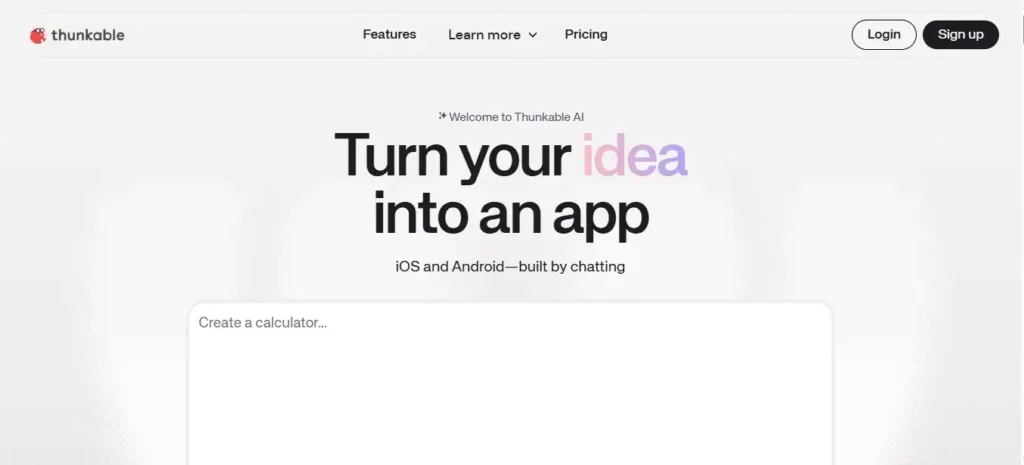
    • Thunkable AI – Allows drag-and-drop mobile app building with AI-generated suggestions.
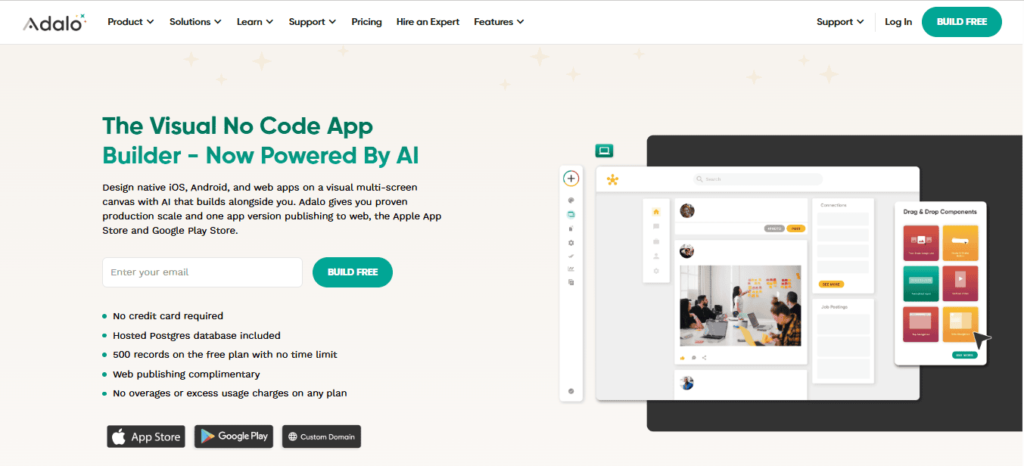
    • Adalo + AI integration – Simplifies app creation with AI-driven design enhancements.
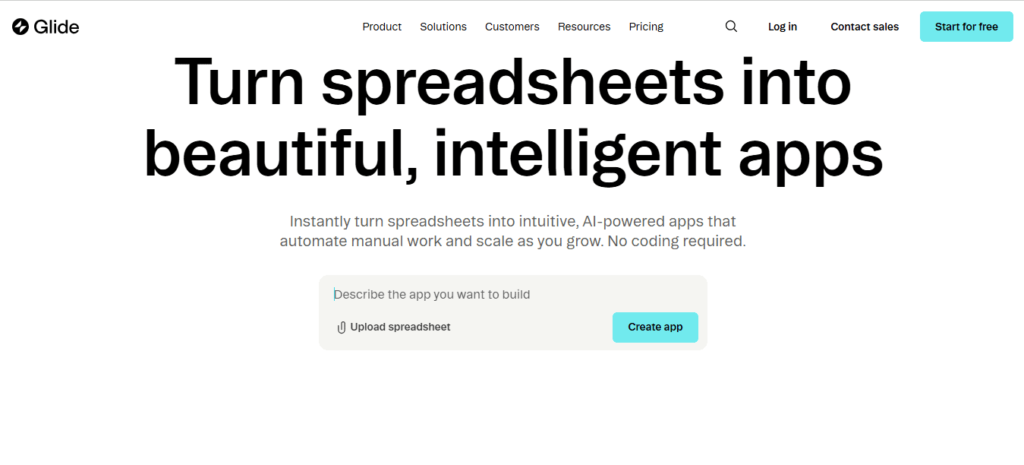
    • Glide AI – Turns spreadsheets into functional apps automatically.

    Each platform has unique advantages, but the common theme is AI-driven acceleration, simplicity, and cost reduction.

    Overcoming Challenges in AI-Powered App Development

    While AI no-code platforms are game-changing, they’re not without challenges:

    • Limited Customization: Some platforms may not allow deep customization for highly complex apps.
    • Platform Dependency: Apps built on proprietary platforms may face vendor lock-in.
    • Learning Curve: Although coding is eliminated, users still need to understand app logic and user experience principles.

    These challenges are manageable. Choosing the right platform, starting small, and leveraging AI recommendations can ensure success.

    Future Trends: Where AI No-Code App Development is Heading

    The future of app development is bright. AI is expected to:

    • Automate end-to-end development from idea to deployment.
    • Predict user behavior and dynamically adjust apps for better engagement.
    • Integrate with AI-generated content to create personalized experiences.
    • Enable voice and gesture-controlled apps without coding expertise.

    The line between app users and developers is blurring, empowering anyone to create innovative solutions.
    Turn Your Website into a Native Mobile App in a Flash

    Imagine transforming your website into a fully functional native mobile app without writing a single line of code.

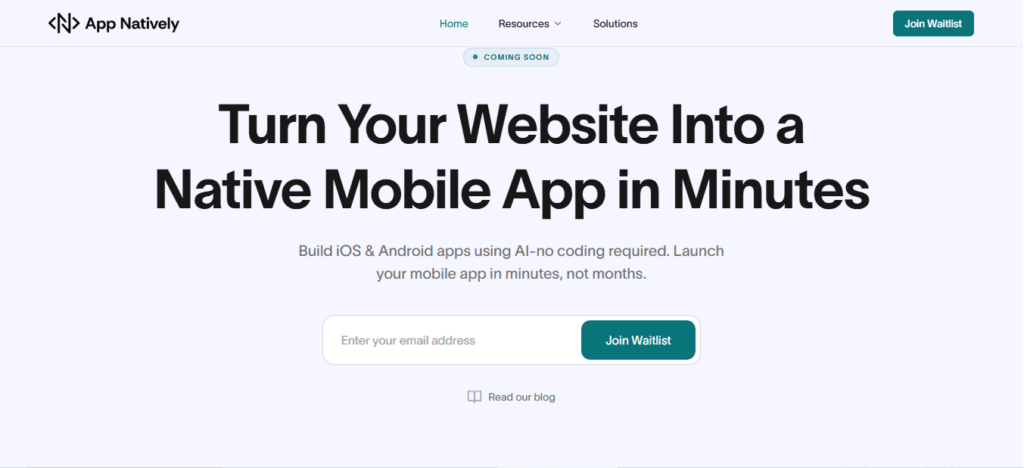
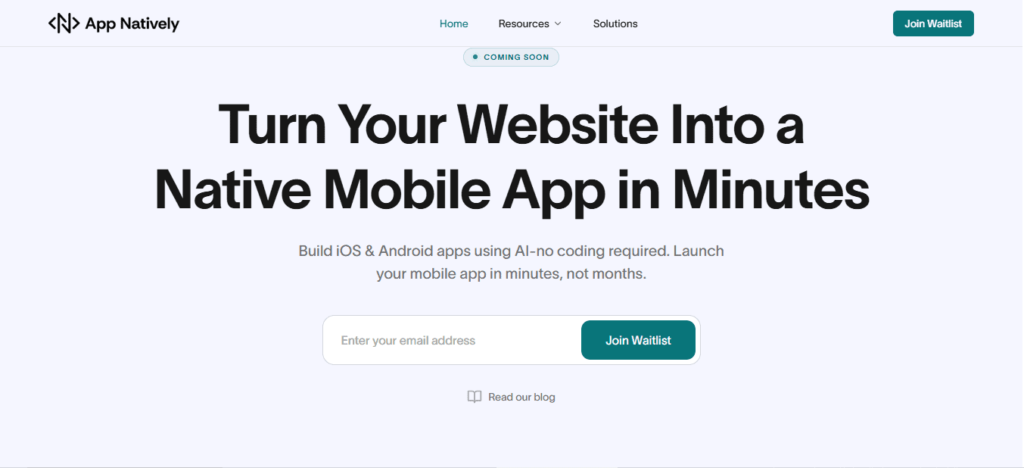
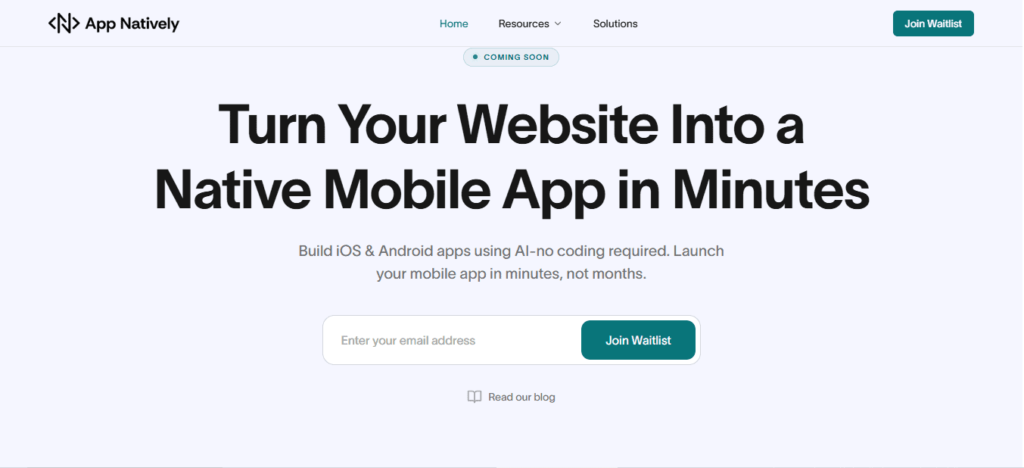
    That’s exactly what AppNatively enables. Currently under development, this AI-powered no-code platform is designed to take your online presence and instantly convert it into an app that runs seamlessly on both iOS and Android.

    By joining the exclusive waitlist today, you’ll be among the first to experience features like automated app conversion, smart workflow optimization, and effortless integrations with your favorite tools.

    No coding, no delays—just a fast, reliable path from website to app.

    Don’t wait for months of traditional app development. Reserve your spot on the AppNatively waitlist now and be ready to launch your app in a flash.

    Conclusion: How AI Is Revolutionizing App Development Without Coding

    AI is democratizing app creation. Entrepreneurs, marketers, and businesses no longer need technical expertise or massive budgets to bring ideas to life.

    With AI-powered no-code platforms, apps can be conceptualized, designed, and launched faster than ever before.

    By embracing AI, you not only save time and money but also gain the flexibility to innovate continuously.

    Whether you’re a startup founder or a marketer looking to engage your audience, AI is your secret weapon for app development without coding.

    Start your AI-powered app journey today and turn ideas into fully functional apps faster than ever.

    FAQs: Frequently Asked Questions

    1. Can I really build an app without coding?

    Yes. AI no-code platforms allow users to create fully functional apps without any coding experience. AI handles design, workflows, and backend setup.

    2. How fast can I launch my app using AI?

    Depending on complexity, apps can be launched in days or weeks instead of months. AI accelerates prototyping, testing, and deployment.

    3. Are AI-built apps scalable?

    Absolutely. Modern AI no-code platforms support scaling features, integrations, and cross-platform deployment.

    4. Do I need a technical background to use the AI app builders?

    No. AI handles technical complexity. Users only need a clear idea and some understanding of user experience.

    5. What types of apps can I build?

    From e-commerce, healthcare, and SaaS apps to travel, education, and service booking apps, AI can support a wide range of app types.

  • 15 Essential Hotel Booking App Features That Drive More Bookings in 2026

    15 Essential Hotel Booking App Features That Drive More Bookings in 2026

    Finding the perfect hotel should be easy, but many booking apps still make it frustrating. Slow loading times, confusing interfaces, and a lack of trust signals often push users to abandon bookings before completion. This directly impacts revenue and user retention.

    The truth is, users expect more than just listings. They want speed, personalization, transparency, and security in one seamless experience. Without the right features, even a well-designed app can fail to convert.

    That’s why understanding the essential hotel booking app features is critical.

    In this blog post, you’ll discover the 15 must-have features that improve user experience, increase conversions, and help your app stand out in a competitive travel market.

    Why Hotel Booking App Features Matter More Than Ever

    The modern traveler is mobile-first and decision-driven. A hotel booking app isn’t just a tool, but it’s a complete experience that influences whether a user books instantly or leaves for a competitor.

    Apps that prioritize usability, speed, and trust see significantly higher conversion rates.

    On the other hand, missing even a single critical feature like real-time availability or secure payment can result in lost bookings.

    Building a high-performing app means combining functionality with user psychology.

    15 Essential Hotel Booking App Features That Drive More Bookings

    1. User interface that feels effortless

    The design of your app should feel natural from the first tap. Users should not need instructions to navigate. Every element should have a clear purpose and a clear place.

    A clean interface reduces cognitive load. When users do not have to think about where to go next, they focus entirely on choosing the right hotel.

    That simplicity builds confidence and keeps them engaged throughout the process.

    2. Advanced search that saves time

    Search functionality is the backbone of any hotel booking app. Users come with specific needs, and they expect fast results.

    An effective search system allows filtering by price, location, amenities, ratings, and more. It should respond instantly and refine results as users interact with it.

    The faster users find relevant options, the closer they move toward booking.

    3. Real-time availability that builds trust

    Nothing breaks trust faster than outdated information. When users select a hotel only to find it unavailable, the entire experience feels unreliable.

    Real-time availability ensures that listings are accurate and up to date. It removes uncertainty and allows users to book with confidence. This feature directly impacts both trust and conversion rates.

    4. Transparent pricing that reduces drop off

    Hidden costs are one of the biggest reasons users abandon bookings. If the final price is different from what was initially shown, users feel misled.

    Clear pricing that includes taxes and fees upfront creates transparency. When users know exactly what they are paying, they are more likely to complete the transaction without hesitation.

    5. Secure payment system that builds confidence

    The payment stage is where users make a final decision. Any sign of risk can cause them to leave immediately.

    A secure payment system with multiple options gives users flexibility and peace of mind.

    Clear security indicators and a smooth checkout process reassure users that their information is protected.

    6. High-quality images that influence decisions

    Visual content plays a major role in hotel selection. Users want to see what they are paying for before making a commitment.

    High-quality images help users imagine their stay. When visuals are clear and detailed, users feel more confident in their choice, which increases the likelihood of booking.

    7. Reviews that provide social proof

    Users rely heavily on the experiences of others. Reviews help them understand what to expect beyond the photos and descriptions.

    Authentic feedback creates trust. When users see real opinions, both positive and negative, the platform feels more credible.

    This credibility encourages them to move forward with their decision.

    8. Booking management for flexibility

    Plans can change, and users value flexibility. An app should allow easy modification or cancellation of bookings.

    When users know they can adjust their plans if needed, they feel safer making a booking.

    This sense of control increases overall satisfaction and reduces hesitation.

    9. Personalized recommendations that feel relevant

    Personalization transforms a generic experience into a tailored one. By analyzing user behavior, the app can suggest hotels that match preferences.

    Relevant recommendations save time and make users feel understood. This emotional connection increases engagement and encourages repeat bookings.

    10. Map integration for better decision making

    Location plays a crucial role in hotel selection. Users want to understand where a property is in relation to attractions, transport, and key areas.

    Map integration provides a visual context that helps users make informed decisions. It adds clarity and reduces uncertainty, especially for unfamiliar destinations.

    11. Multi-language and currency support

    Travel is global, and your app should reflect that. Supporting multiple languages and currencies makes the platform accessible to a wider audience.

    When users can interact with the app in their preferred language and currency, the experience feels more comfortable and trustworthy.

    12. Wishlist feature that encourages return visits

    Not every user books instantly. Many prefer to explore options and decide later.

    A wishlist feature allows users to save hotels for future consideration.

    This keeps them connected to your app and increases the chances of them returning to complete a booking.

    13. Push notifications that drive engagement

    Timely communication keeps users engaged even when they are not actively using the app.

    Notifications about price drops, special offers, or booking reminders create opportunities for conversions. When used thoughtfully, they bring users back at the right moment.

    14. Loyalty programs that build retention

    Acquiring users is important, but retaining them is even more valuable.

    Loyalty programs reward users for repeat bookings and create long-term relationships.

    When users feel appreciated, they are more likely to choose your app again instead of exploring alternatives.

    15. Fast performance that keeps users engaged

    Speed is not just a technical factor. It is a user experience factor. A slow app creates frustration and increases bounce rates.

    Optimized performance ensures that pages load quickly and interactions feel smooth.

    When users can move through the app without delays, they are more likely to complete bookings.

    Final Thoughts

    A successful hotel booking app is built on understanding user expectations and delivering a seamless experience at every step. Each feature plays a role in shaping how users feel and how they act.

    When your app removes friction, builds trust, and guides decisions naturally, bookings become the outcome rather than the goal. By focusing on these 15 essential hotel booking app features, you position your platform for long-term success in an increasingly competitive travel market.

    Frequently Asked Questions (FAQs)

    What are the most important features of a hotel booking app

    The most important features include advanced search, real-time availability, secure payments, user reviews, and a smooth user interface.

    These elements work together to create a reliable and efficient booking experience.

    How does real-time availability improve bookings?

    Real-time availability ensures that users see accurate room options and pricing. This reduces confusion and builds trust, which increases the likelihood of completing a booking.

    Why is user experience important in hotel booking apps

    User experience determines how easily users can search, compare, and book hotels.

    A smooth experience reduces frustration and encourages users to complete their bookings without leaving the app.

    How do reviews influence booking decisions?

    Reviews provide insights from other travelers. They help users evaluate the quality of a hotel and make informed decisions, which increases confidence and conversions.

    What role does personalization play in booking apps

    Personalization helps users discover relevant hotels based on their preferences. It saves time and creates a more engaging experience, leading to higher booking rates.

    Why is mobile optimization essential for hotel apps

    Most users book hotels through mobile devices. A well-optimized mobile app ensures smooth navigation, fast loading, and better usability, which directly impacts conversions.

    What payment options should a hotel booking app include

    A hotel booking app should support multiple payment methods, such as cards and digital wallets. Offering flexibility makes it easier for users to complete transactions.

    How can a hotel booking app increase user retention

    Features like loyalty programs, personalized recommendations, and seamless booking management encourage users to return and book again.

    What makes a hotel booking app stand out from competitors

    An app stands out when it combines speed, simplicity, trust, and personalization. These elements create a superior experience that users prefer over alternatives.

    How does app performance affect bookings?

    Faster performance reduces waiting time and frustration. When users can navigate quickly and smoothly, they are more likely to complete their bookings.

  • Mobile App Security: The Ultimate Guide to Protecting Apps from Cyber Threats in 2026

    Mobile App Security: The Ultimate Guide to Protecting Apps from Cyber Threats in 2026

    Mobile app security refers to the set of practices, tools, and technologies used to protect mobile applications from cyber threats, data breaches, and unauthorized access.

    It includes securing app code, backend systems, APIs, and user data across platforms like Android and iOS.

    With the rapid growth of mobile usage, cybercriminals increasingly target apps to exploit vulnerabilities such as weak authentication, insecure data storage, and unprotected APIs.

    Implementing strong mobile app security ensures data privacy, builds user trust, and prevents financial and reputational damage.

    What is Mobile App Security?

    Mobile app security is the process of protecting applications from external threats such as hacking, malware, reverse engineering, and data leaks. It covers the entire lifecycle of an app from development and deployment to ongoing updates and maintenance.

    It involves:

    • Securing source code
    • Protecting APIs
    • Encrypting data
    • Implementing authentication systems
    • Monitoring suspicious activities

    Why Mobile App Security Matters

    Mobile app security is no longer optional. It’s a critical pillar of digital trust, business continuity, and user safety.

    With billions of users relying on smartphones for banking, shopping, communication, and work, mobile apps have become prime targets for cyberattacks.

    A single vulnerability can expose sensitive data, damage brand reputation, and lead to severe financial losses.

    1. The rise of mobile-first digital behavior

    The global shift toward mobile-first usage means apps now handle everything from personal messages to financial transactions.

    Whether it’s mobile banking, eCommerce, or enterprise apps, users expect seamless and secure experiences.

    As mobile usage grows, so does the attack surface, making security a top priority for developers and businesses alike.

    2. Sensitive data is always at risk

    Mobile apps often store or process highly sensitive information—passwords, credit card details, personal identities, and location data.

    Without proper safeguards like encryption, secure APIs, and authentication protocols, this data becomes vulnerable to breaches.

    Cybercriminals actively exploit weak points such as insecure storage, poor session handling, and outdated libraries.

    3. Increasing sophistication of cyber threats

    Modern attackers use advanced techniques like reverse engineering, malware injection, phishing overlays, and man-in-the-middle attacks.

    Even legitimate apps can be repackaged with malicious code and redistributed.

    Without strong mobile app security measures like code obfuscation, runtime protection, and secure communication channels, apps remain exposed.

    4. Financial and legal consequences

    Security breaches are expensive. Businesses may face regulatory penalties (such as GDPR fines), lawsuits, and compensation claims.

    Beyond direct financial loss, the cost of recovering from an attack, including incident response, downtime, and rebuilding trust, can be devastating.

    5. Brand reputation and user trust

    Trust is fragile in the digital ecosystem. Users are quick to abandon apps that fail to protect their data.

    A single security incident can lead to negative publicity, loss of customers, and long-term damage to brand credibility.

    On the other hand, strong security practices can become a competitive advantage.

    6. Compliance and industry standards

    Regulations and standards increasingly require robust security practices.

    From GDPR in Europe to PCI-DSS for payment processing, businesses must ensure their mobile apps meet strict compliance requirements. Failing to do so can result in heavy fines and restrictions.

    7. The growth of BYOD and remote work

    With the rise of remote work and Bring Your Own Device (BYOD) policies, employees often access corporate systems through personal mobile devices.

    This creates additional security challenges, as unsecured apps can become entry points for broader organizational breaches.

    8. Preventing revenue loss and downtime

    Security vulnerabilities can disrupt app functionality, leading to downtime and lost revenue.

    For subscription-based or transaction-driven apps, even a few hours of disruption can result in significant financial impact.

    9. Competitive advantage through security

    Investing in mobile app security isn’t just about defense. Instead, it’s about differentiation. Apps that prioritize user privacy and security are more likely to gain trust, improve retention, and stand out in crowded marketplaces.

    Common Mobile App Security Threats

    Mobile apps operate in a highly exposed environment, running on user-controlled devices, connected to public networks, and constantly exchanging data.

    This makes them a prime target for attackers using a wide range of techniques. Understanding the most common mobile app security threats is the first step toward building secure, resilient applications.

    i. Insecure data storage

    One of the most frequent vulnerabilities is storing sensitive data, like passwords, tokens, or personal information, directly on the device without proper protection.

    If data is stored in plain text or weakly encrypted formats, attackers can easily extract it through device theft, malware, or reverse engineering.

    Secure storage mechanisms such as encrypted databases and OS-level keychains are essential.

    ii. Weak authentication and authorization

    Poor authentication mechanisms, such as weak passwords or missing multi-factor authentication (MFA), make it easy for attackers to gain unauthorized access.

    Inadequate session management and improper authorization checks can also allow users to access data or features they shouldn’t. Strong authentication protocols and role-based access control are critical defenses.

    iii. Insecure communication (Man-in-the-Middle Attacks)

    When mobile apps transmit data over unsecured or improperly configured networks, attackers can intercept the communication.

    These man-in-the-middle (MITM) attacks allow hackers to steal login credentials, session tokens, and sensitive data.

    Using HTTPS, SSL/TLS encryption, and certificate pinning helps prevent these threats.

    iv. Reverse engineering and code tampering

    Attackers often decompile mobile apps to understand their logic, extract sensitive information (like API keys), or modify the code.

    This can lead to app cloning, piracy, or the injection of malicious code. Techniques such as code obfuscation, anti-tampering checks, and runtime application self-protection (RASP) help mitigate this risk.

    v. Malware and malicious code injection

    Mobile devices can be infected with malware that targets apps directly.

    Attackers may inject malicious code into legitimate apps or distribute fake versions of apps containing spyware or trojans. These can steal user data, track activity, or gain control over the device.

    vi. Insecure APIs

    Mobile apps rely heavily on APIs to communicate with backend servers. If these APIs are poorly secured, lacking authentication, rate limiting, or input validation, they become easy entry points for attackers.

    API vulnerabilities can expose large volumes of data and compromise entire systems.

    vii. Improper session handling

    Weak session management, such as long session timeouts, predictable session IDs, or failure to invalidate sessions after logout, can allow attackers to hijack user sessions.

    Session hijacking enables unauthorized access without needing login credentials.

    viii. Lack of binary protections

    Without protections like code obfuscation, encryption, or integrity checks, attackers can easily analyze and manipulate the app binary.

    This increases the risk of intellectual property theft and exploitation of vulnerabilities.

    ix. Phishing and overlay attacks

    Attackers can trick users into entering sensitive information through fake login screens or overlay attacks.

    These often mimic legitimate app interfaces, making them difficult for users to detect. Educating users and implementing secure UI practices can reduce this risk.

    x. Jailbroken and rooted devices

    Apps running on jailbroken (iOS) or rooted (Android) devices are more vulnerable because built-in OS security controls are bypassed.

    Attackers can exploit these devices to access restricted app data or manipulate app behavior. Detecting and restricting such devices is a common security measure.

    xi. Third-party library vulnerabilities

    Most apps rely on third-party SDKs and libraries for functionality. If these components have vulnerabilities or are not regularly updated, they can introduce security risks into the app.

    Regular dependency audits and updates are essential.

    xii. Insufficient cryptography

    Using outdated or weak encryption algorithms can expose sensitive data to attackers.

    Poor key management practices further increase the risk. Strong, modern cryptographic standards must be implemented correctly.

    Key Pillars of Mobile App Security

    1. Data encryption

    Data encryption is the backbone of mobile app security. Sensitive information, such as user credentials, financial details, and personal data, must be protected both at rest (stored on the device or server) and in transit (while being transmitted over networks).

    Strong encryption standards like AES-256 for storage and SSL/TLS for communication ensure that even if data is intercepted, it remains unreadable. Proper key management is equally critical to prevent unauthorized access.

    2. Authentication & authorization

    Authentication verifies who the user is, while authorization determines what they can access.

    A secure mobile app should implement multiple layers of identity verification, including Multi-Factor Authentication (MFA), biometric logins such as fingerprint or face recognition, and secure frameworks like OAuth 2.0.

    Additionally, role-based access control (RBAC) ensures users only interact with data and features relevant to their permissions, minimizing the risk of misuse.

    3. Secure code development

    Security must be embedded from the ground up. Writing clean, well-structured, and secure code reduces vulnerabilities such as injection attacks, buffer overflows, and insecure data handling.

    Developers should follow secure coding practices, validate inputs, avoid hardcoding sensitive information, and conduct regular code reviews.

    Integrating security into the development lifecycle (DevSecOps) helps detect and fix issues early.

    4. API security

    APIs are the bridge between mobile apps and backend systems, making them a critical attack surface.

    To secure APIs, developers should implement token-based authentication, enforce rate limiting to prevent abuse, and use API gateways for centralized control and monitoring.

    Input validation, encryption, and proper error handling further reduce the risk of data leaks and unauthorized access.

    5. Secure backend

    A mobile app is only as secure as its backend infrastructure. Servers, databases, and cloud services must be protected using firewalls, intrusion detection systems, and continuous monitoring tools.

    Regular security patches, access controls, and database encryption help safeguard stored data.

    Additionally, logging and real-time threat detection enable quick responses to suspicious activities.

    Mobile App Security Testing Methods

    1. Static application security testing (SAST)

    Static Application Security Testing (SAST) analyzes an app’s source code, bytecode, or binaries without executing the program.

    This method helps developers detect vulnerabilities early in the development lifecycle, such as insecure coding patterns, hardcoded credentials, and injection flaws.

    Because SAST is performed before deployment, it’s highly effective for fixing issues at a lower cost and preventing them from reaching production.

    2. Dynamic application security testing (DAST)

    Dynamic Application Security Testing (DAST) evaluates the application while it is running.

    It simulates real-world attack scenarios by interacting with the app from the outside, identifying issues like authentication flaws, insecure APIs, and server misconfigurations.

    Unlike SAST, DAST does not require access to source code, making it ideal for testing live environments and deployed applications.

    3. Penetration testing

    Penetration testing, often called ethical hacking, involves security experts actively attempting to exploit vulnerabilities in the app.

    This method replicates real-world cyberattacks to uncover hidden weaknesses that automated tools might miss.

    It provides deep insights into how an attacker could compromise the system and helps organizations strengthen their defenses accordingly.

    4. Vulnerability scanning

    Vulnerability scanning uses automated tools to detect known security issues, such as outdated libraries, misconfigurations, and common weaknesses (e.g., OWASP Top 10 vulnerabilities).

    It’s a fast and efficient way to continuously monitor applications and infrastructure for risks. While it doesn’t go as deep as penetration testing, it’s essential for regular security maintenance.

    5. Runtime application self-protection (RASP)

    Runtime Application Self-Protection (RASP) operates inside the application during execution, monitoring behavior in real time.

    It can detect and block threats such as code injection, unauthorized access attempts, and anomalous activity in real time.

    RASP adds an extra layer of defense by providing immediate protection, even if a vulnerability exists.

    Tools for Mobile App Security

    Choosing the right tools is essential for building, testing, and maintaining a secure mobile application.

    These widely used solutions help identify vulnerabilities, simulate attacks, and ensure your app meets modern security standards.

    1. OWASP ZAP – Open-Source Security Testing Tool

    OWASP ZAP (Zed Attack Proxy) is a powerful open-source tool designed for finding vulnerabilities in web and mobile applications.

    It’s especially popular among developers and security beginners due to its user-friendly interface and automation capabilities.

    ZAP can detect issues such as SQL injection, cross-site scripting (XSS), and insecure configurations, making it a strong starting point for continuous security testing.

    2. Burp Suite – Advanced Penetration Testing

    Burp Suite is one of the most trusted tools for manual and automated penetration testing.

    It allows security professionals to intercept and analyze network traffic, manipulate requests, and uncover deep vulnerabilities.

    With features like Intruder, Repeater, and Scanner, it’s ideal for advanced testing scenarios and real-world attack simulations.

    3. MobSF (Mobile Security Framework) – Automated Mobile App Testing

    MobSF is specifically built for mobile app security analysis. It supports both Android and iOS apps and provides static and dynamic analysis on one platform.

    Developers can quickly scan apps for vulnerabilities such as insecure storage, weak encryption, and exposed APIs. Its automation makes it perfect for integrating into CI/CD pipelines.

    4. Appknox – Mobile Security Testing Platform

    Appknox is a cloud-based mobile app security platform that offers automated vulnerability assessments along with manual penetration testing support.

    It provides detailed reports, risk scoring, and compliance checks, helping businesses secure their apps before deployment.

    It’s widely used by enterprises that need scalable and continuous security testing.

    Final Thoughts

    Mobile app security is not just a technical requirement, but it’s a business necessity.

    As cyber threats evolve, developers must stay proactive by implementing robust security measures at every stage of development.

    By following best practices, conducting regular testing, and staying updated with the latest trends, you can build secure, trustworthy, and scalable mobile applications that users can rely on.

    Frequently Asked Questions (FAQs)

    1. What are the biggest security risks in mobile applications today?

    The biggest mobile app security risks include insecure APIs, weak authentication systems, data leakage, reverse engineering, and malware attacks.

    These vulnerabilities allow attackers to access sensitive data, manipulate app behavior, or compromise backend systems, making them critical issues for developers to address during development and maintenance.

    2. How do hackers exploit mobile app vulnerabilities?

    Hackers exploit mobile app vulnerabilities using techniques like reverse engineering, code injection, phishing, and man-in-the-middle attacks.

    They analyze app code, intercept data transmissions, or trick users into revealing credentials. These methods allow unauthorized access to sensitive data and systems if proper security measures are not implemented.

    3. What is the difference between mobile app security and mobile device security?

    Mobile app security focuses on protecting the application, including its code, data, and APIs.

    In contrast, mobile device security protects the entire device, including the operating system like Android or iOS, hardware, and installed applications from threats and unauthorized access.

    4. How does encryption protect mobile applications?

    Encryption protects mobile applications by converting sensitive data into unreadable code that can only be accessed with a decryption key.

    This ensures that even if data is intercepted during transmission or accessed from storage, it remains secure and unusable to unauthorized users or attackers.

    5. What is API security in mobile apps and why is it important?

    API security protects the communication between a mobile app and its backend servers.

    Without proper security measures like authentication, encryption, and rate limiting, attackers can intercept or manipulate data. Strong API security ensures safe data exchange and prevents unauthorized access to critical systems.

    6. Can mobile apps be hacked even if they are on official app stores?

    Yes, mobile apps can still be hacked even if they are published on official app stores. While stores perform security checks, they cannot guarantee complete protection.

    Vulnerabilities in code, outdated libraries, or insecure APIs can still be exploited by attackers after the app is downloaded.

    7. What role does authentication play in mobile app security?

    Authentication plays a critical role by ensuring that only verified users can access an app.

    Methods like passwords, multi-factor authentication, and biometrics help prevent unauthorized access. Strong authentication reduces the risk of account breaches and protects sensitive user data from being compromised.

    8. What is secure coding in mobile app development?

    Secure coding involves writing application code in a way that prevents vulnerabilities and security flaws. This includes avoiding hardcoded credentials, validating user inputs, and following best practices for data handling.

    It helps developers build resilient apps that are less susceptible to attacks and exploitation.

    9. How does biometric authentication improve app security?

    Biometric authentication improves security by using unique physical characteristics like fingerprints or facial recognition to verify users.

    Unlike passwords, biometrics are difficult to replicate or steal, making them a more secure authentication method. This significantly reduces the chances of unauthorized access to mobile applications.

    10. What is the importance of HTTPS in mobile apps?

    HTTPS encrypts data transmitted between the mobile app and the server, preventing attackers from intercepting sensitive information. It ensures secure communication by using SSL/TLS protocols.

    Without HTTPS, data such as login credentials and payment details can be exposed to man-in-the-middle attacks.

    11. What is mobile app security testing and why is it necessary?

    Mobile app security testing identifies vulnerabilities and weaknesses within an application before attackers can exploit them.

    Techniques like penetration testing, static analysis, and dynamic testing help detect security flaws. Regular testing ensures that apps remain secure and compliant with evolving security standards.

    12. How can businesses ensure their mobile apps are secure?

    Businesses can ensure mobile app security by implementing strong encryption, secure APIs, regular updates, and continuous security testing.

    Following secure coding practices and monitoring app performance for suspicious activities also helps. A proactive approach to security reduces risks and protects both user data and business reputation.

    13. What is code obfuscation, and how does it help?

    Code obfuscation transforms readable code into a complex format that is difficult for humans to understand.

    This prevents attackers from reverse engineering the app to discover vulnerabilities or sensitive logic. It adds an extra layer of protection, especially for intellectual property and critical application functions.

    14. Are hybrid apps less secure than native apps?

    Hybrid apps are not inherently less secure than native apps, but they can introduce additional risks if third-party frameworks are not properly managed.

    Security depends on implementation, coding practices, and maintenance. With proper precautions, hybrid apps can achieve a high level of security comparable to native apps.

    15. What is the role of backend security in mobile apps?

    Backend security protects servers, databases, and APIs that support mobile applications. It ensures that sensitive data is stored securely and access is properly controlled.

    Without strong backend security, even a well-protected app can be compromised through server-side vulnerabilities and data breaches.

    16. How does session management impact mobile app security?

    Session management controls how user sessions are created, maintained, and terminated.

    Poor session handling can allow attackers to hijack sessions and gain unauthorized access. Secure session practices, such as timeouts and token validation, help protect user accounts and sensitive data.

    17. What is the zero-trust model in mobile security?

    The zero-trust model assumes that no user or device should be trusted by default, even inside the network. Every access request must be verified continuously.

    This approach reduces the risk of insider threats and unauthorized access by enforcing strict authentication and authorization policies.

    18. How can users improve their mobile app security?

    Users can improve mobile app security by downloading apps only from trusted sources, updating apps regularly, and avoiding unsecured public Wi-Fi networks.

    Using strong passwords and enabling multi-factor authentication also helps protect personal data from unauthorized access and potential cyber threats.

    19. What are the best tools for mobile app security testing?

    Popular mobile app security testing tools include OWASP ZAP, Burp Suite, and MobSF. These tools help identify vulnerabilities such as insecure APIs, data leaks, and weak authentication.

    Using a combination of automated and manual testing tools ensures comprehensive security coverage for mobile applications.

    20. What future trends will shape mobile app security?

    Future trends in mobile app security include AI-powered threat detection, biometric authentication advancements, zero-trust architecture, and blockchain-based security solutions.
    As cyber threats evolve, these technologies will help developers build more secure, intelligent, and resilient mobile applications for the future.

  • 7 Best AI App Builders in 2026: From Idea to Working App in Hours (No Code Required)

    7 Best AI App Builders in 2026: From Idea to Working App in Hours (No Code Required)

    AI app builders are transforming how apps are built, turning simple ideas into working products in hours rather than months.

    By combining artificial intelligence with no-code and low-code technology, these tools can generate interfaces, databases, and even business logic from a single prompt.

    But not all AI app builders are created equal.

    Some tools generate only the visual layer, while others can build fully functional applications with payments, workflows, and automation.

    In this blog post, we break down the best AI app builders in 2026 based on real performance—not marketing claims—so you can choose the right platform to build faster and smarter.

    The New Reality: AI Is Replacing Traditional App Development

    Just a few years ago, building an app required:

    • A developer team
    • Months of development
    • Tens of thousands of dollars

    Now, AI has fundamentally changed the equation.

    Today’s AI app builders can:

    • Generate entire app structures instantly
    • Automate backend workflows
    • Reduce development time by over 80%

    This shift isn’t just about convenience, but it’s about who gets to build software.

    Founders, marketers, and creators can now launch products without technical teams.

    Not All AI App Builders Are Equal (Critical Insight)

    Here’s the biggest mistake people make:

    They assume all AI builders create “real apps.”

    In reality, there are three categories:

    1. UI Generators

    Tools that create beautiful designs but lack functionality.

    2. Assisted Builders

    Platforms that help you build faster, but still require manual setup.

    3. Full-Stack AI Builders

    Tools that generate both frontend and backend automatically.

    Understanding this difference is the key to choosing the right platform.

    Ultimate Comparison: Best AI App Builders in 2026

    PlatformBest ForFull App (Frontend + Backend)Ease of UseSpeedKey Strength
    AppNativelyFull app creation✅ Yes⭐⭐⭐⭐⭐⚡ Very FastEnd-to-end AI app generation
    ReplitDevelopers✅ Yes⭐⭐⭐⚡ FastReal code + scalability
    LovableUI prototypes❌ Partial⭐⭐⭐⭐⭐⚡ Very FastStunning design output
    Base44Iteration❌ Partial⭐⭐⭐⭐⚡ FastAI-driven refinement
    BubbleComplex apps✅ (Manual)⭐⭐⏳ MediumAdvanced workflows
    Figma App BuilderDesign❌ No⭐⭐⭐⭐⭐⚡ Very FastHigh-quality UI
    GlideData apps❌ Partial⭐⭐⭐⭐⚡ FastSpreadsheet-based apps

    The Top AI App Builders in 2026 (Ranked by Real Capability)

    Instead of listing tools at random, we’ve ranked them based on what matters most: output quality, real usability, and speed to launch.

    1. AppNatively — The Next Evolution of AI App Building (Join the Waitlist)

    While testing all these AI app builders, one pattern became impossible to ignore:

    You’re always forced to compromise.

    Some tools are easy but limited.
    Some are powerful but painfully complex.
    Others look great but break when real functionality is needed.

    AppNatively is being built to remove that compromise entirely.

    Best AI App Builders

    A New Direction: Power Without Complexity

    AppNatively isn’t trying to be “another AI builder.”
    It’s being developed with a clear philosophy:

    Building apps should feel as simple as describing an idea without sacrificing real functionality.

    Instead of forcing you to learn systems, configure workflows, or connect endless integrations, the goal is to create an experience where everything flows naturally from idea → app.

    What Makes AppNatively Worth Paying Attention To

    • Designed for Zero Learning Curve

    Most platforms still require time to understand interfaces, logic builders, or workflows. AppNatively is being built so that even non-technical users can move from idea to app without friction.

    • Advanced Capabilities, Simplified

    Features like payments, automation, integrations, and user management shouldn’t feel like “advanced work.” The vision here is simple: powerful features should just work without complexity.

    • Affordability at Its Core

    A major issue with current tools is pricing that scales quickly as you grow. AppNatively is being developed with a strong focus on making powerful app creation accessible without breaking budgets.

    • Built for Real Apps, Not Just Demos

    Many platforms stop at prototypes. AppNatively is being shaped to support real, usable applications—not just UI mockups.

    Why Early Access Matters

    AppNatively is still under development, which makes this the best time to get in early.

    Joining the waitlist means:

    • You get early access before the public launch
    • You can explore features before the crowd
    • You may unlock early-user pricing advantages
    • You get a chance to influence the product direction

    If You’ve Been Waiting for Simpler App Building…

    If you’ve tried tools that felt:

    • Too technical
    • Too limited
    • Too expensive

    Then AppNatively is worth keeping on your radar.

    👉 Join the waitlist now to be among the first to experience a simpler, more powerful way to build apps.

    The next generation of AI app builders won’t just be smarter.
    They’ll remove friction completely.

    AppNatively is being built for exactly that future.

    2. Replit — Where AI Meets Real Development Power

    Replit takes a completely different approach.

    best AI app builders

    Instead of hiding the code, it generates real, editable applications.

    What You Get

    • Full codebase generation
    • Live testing on real devices
    • Deployment-ready apps

    Why It’s Powerful

    You’re not locked into a system—you own the product.

    Trade-Off

    It’s not beginner-friendly.
    You’ll need some technical understanding.

    Best For

    Developers and startups planning to scale.

    3. Lovable — The Fastest Way to Visualize an App Idea

    Lovable focuses on one thing: making your app look real instantly.

    best AI app builders

    Strength

    • Clean UI
    • Smooth navigation
    • Professional layouts

    Limitation

    It doesn’t automatically build backend functionality.

    Why It Still Matters

    Speed of visualization = faster decision-making.

    Best For

    Validating ideas before development.

    4. Base44 — AI That Improves Your App Over Time

    Base44 is less about generation and more about refinement.

    best AI app builders

    Unique Advantage

    You can continuously improve your app using simple instructions:

    • “Make it more user-friendly.”
    • “Improve layout”

    What Makes It Different

    It edits multiple parts of your app simultaneously.

    Best For

    Teams focused on user experience and iteration.

    5. Bubble — The Powerhouse for Complex Applications

    Bubble isn’t new, but its AI layer adds speed to an already powerful platform.

    best AI app builders

    Where It Excels

    • Complex workflows
    • Custom logic
    • Database relationships

    Where It Struggles

    • Steep learning curve
    • Overwhelming interface

    While tools like Bubble offer powerful customization, many users struggle with its steep learning curve. If you’re looking for a simpler and faster solution, exploring Bubble alternatives can help you launch apps without the complexity.

    Best For

    Building SaaS platforms and marketplaces.

    6. Figma App Builder — Design Comes First

    Figma’s approach is simple: design before functionality.

    best AI app builders

    What It Does Best

    • High-quality UI generation
    • Clean design systems
    • Rapid prototyping

    Limitation

    It’s not meant for full app deployment.

    Best For

    Designers and product teams.

    7. Glide — Turning Data Into Apps Instantly

    Glide is perfect if your app starts with data.

    best AI app builders

    Key Advantage

    • Converts spreadsheets into apps
    • Real-time data updates

    Limitation

    Advanced logic requires manual setup.

    Best For

    Internal tools and dashboards.

    If you’re deciding between spreadsheet-based tools and full AI app builders, this detailed comparison of Glide vs AppNatively breaks down which platform is better for real-world app development.

    Performance Comparison (In a Flash)

    MetricAppNativelyReplitLovableBubbleFigmaGlide
    Prototype Speed2–5 min5–10 min2–4 min30–60 min1–3 min3–7 min
    Working App10–30 min30–90 min❌ Not completeDays–Weeks❌ Prototype onlyHours–Days
    UI QualityHighMediumVery HighHighVery HighHigh
    Backend CompletenessVery HighHighLowHighNoneLow

    The Biggest Gap in the AI App Builder Market

    Here’s the insight most people miss:

    👉 The hardest part of an app isn’t design

    👉 It’s the logic behind it

    Things like:

    • Payment systems
    • Scheduling rules
    • Notifications
    • Admin controls

    This is where most AI builders fail.

    Reality Check

    • 80% of tools = UI only
    • 20% = functional apps

    Hidden Costs Nobody Talks About

    Most app builders mention pricing, but not the real cost.

    Here’s what you need to know:

    • Credit-based systems can get expensive
    • Backend features often require upgrades
    • Scaling increases costs significantly

    The cheapest tool upfront is not always the cheapest long-term.

    Where AI App Builders Are Headed

    We’re entering a new phase of development.

    Soon, AI will:

    • Build apps autonomously
    • Manage updates
    • Optimize user experience in real-time

    The future isn’t just no-code—it’s no-build.

    Frequently Asked Questions (FAQs)

    1. What is an AI app builder?

    An AI app builder is a platform that uses artificial intelligence to help users create applications without coding.

    By describing your app idea in natural language, the tool automatically generates UI, workflows, and sometimes backend logic, making app development faster, easier, and accessible to non-technical users.

    2. What is the best AI app builder in 2026?

    The best AI app builder in 2026 depends on your needs. AppNatively is ideal for fast, full app creation, while Replit suits developers needing scalability.

    Bubble remains strong for complex workflows, making it important to choose a platform based on speed, flexibility, and technical expertise.

    3. Can AI build a full app without coding?

    Yes, AI can build a full app without coding using advanced app builders. These platforms generate user interfaces, databases, and backend logic from simple prompts.

    However, the completeness of the app depends on the tool, with some focusing only on design and others delivering full functionality.

    4. Which AI app builder is best for beginners?

    The best AI app builders for beginners are those with intuitive interfaces and natural language input.

    Tools like AppNatively and Lovable allow users to create apps by simply describing their ideas, eliminating the need for technical skills and significantly reducing the learning curve.

    5. Are AI-built apps production-ready?

    AI-built apps can be production-ready depending on the platform used. Some tools generate fully functional apps with backend logic, while others focus on prototypes.

    For real-world deployment, it’s important to choose an AI app builder that supports databases, authentication, and integrations.

    6. How long does it take to build an app using AI?

    Building an app with AI can take anywhere from a few minutes to a few hours.

    Simple apps can be generated almost instantly, while more complex applications with custom workflows and integrations may require additional time for refinement and testing.

    7. Do AI app builders support mobile apps?

    Yes, many AI app builders support mobile app creation. They either generate native apps for iOS and Android or create responsive web apps that function like mobile applications, allowing users to launch apps across multiple devices with minimal effort.

    8. Can I monetize apps built with AI app builders?

    Yes, you can monetize apps built with AI app builders through various methods such as subscriptions, in-app purchases, ads, and payment integrations.

    Many platforms support tools like Stripe, making it easy to generate revenue from your application.

    9. What are the limitations of AI app builders?

    AI app builders may have limitations such as restricted customization, limited code access, and dependency on platform features.

    While they simplify development, advanced use cases may require manual adjustments or integration with traditional coding tools to achieve full flexibility.

    10. Is AppNatively better than no-code tools like Bubble?

    AppNatively focuses on speed and automation, enabling users to build apps quickly using AI prompts.

    In contrast, Bubble offers deeper customization and control but requires more manual effort. The better choice depends on whether you prioritize speed or advanced functionality.

    11. What is the difference between AI app builders and no-code platforms?

    AI app builders automate app creation using artificial intelligence and natural language prompts, while no-code platforms rely on manual drag-and-drop interfaces.

    AI tools significantly reduce development time, whereas no-code platforms provide more control over customization and logic building.

    12. Can developers benefit from AI app builders?

    Yes, developers can benefit from AI app builders by accelerating development, automating repetitive tasks, and quickly prototyping ideas.

    These tools enhance productivity, allowing developers to focus on complex logic and optimization instead of building everything from scratch.

    13. Which AI app builder is best for startups?

    Startups benefit from AI app builders that offer speed and scalability. AppNatively is ideal for rapid MVP launches, while Replit supports long-term scalability with real code.

    Choosing the right platform depends on your startup’s technical resources and growth goals.

    14. Are AI app builders secure?

    Most AI app builders include standard security features such as authentication, data encryption, and secure hosting.

    However, security levels vary by platform, so it’s important to evaluate each tool’s infrastructure, compliance standards, and data protection policies before launching an app.

    15. Can I export code from AI app builders?

    Some AI app builders allow code export, giving users full ownership and flexibility. Others operate within closed ecosystems, limiting access to the underlying code. If long-term control is important, choosing a platform with export capabilities is essential.

    16. Do AI app builders replace developers?

    AI app builders do not replace developers but instead enhance their efficiency.

    They automate basic tasks and simplify development, allowing developers to focus on complex features, performance optimization, and scaling applications effectively.

    17. What kind of apps can I build with AI app builders?

    AI app builders can create a wide range of applications, including SaaS platforms, marketplaces, booking systems, dashboards, and eCommerce apps.

    The type of app you can build depends on the platform’s capabilities and available integrations.

    18. Is it possible to scale an AI-built app?

    Yes, AI-built apps can scale depending on the platform’s architecture.

    Tools that provide backend logic, database management, and integration options are better suited for scaling, while simpler builders may be limited to smaller projects or prototypes.

    19. Are AI app builders worth it in 2026?

    AI app builders are highly valuable in 2026 because they reduce development time, cost, and technical barriers.

    They enable individuals and businesses to quickly turn ideas into functional applications, making them an essential tool for modern app development.

    20. How do I choose the right AI app builder?

    To choose the right AI app builder, consider your goals, technical skills, and project complexity.

    Look for platforms that balance ease of use, scalability, and features such as backend support, integrations, and customization options to match your needs.

    Final Thoughts

    AI app builders are no longer experimental. Instead, they’re becoming the default way to build software.

    But the real advantage isn’t just using AI.

    It’s choosing the right type of AI builder for your goal.

    Because in 2026, the fastest builders don’t win—
    The smartest builders do.

  • Bubble vs Glide vs AppNatively: Complete No-Code App Builder Comparison

    Bubble vs Glide vs AppNatively: Complete No-Code App Builder Comparison

    Choosing the right no-code app builder can determine whether your startup launches an app in weeks or struggles with months of development.

    Platforms like Bubble and Glide have made it possible for entrepreneurs to build software products without writing traditional code.

    However, the no-code industry is evolving rapidly, with new platforms emerging to address limitations that earlier tools could not fully address.

    One of the most promising newcomers is AppNatively, a platform that makes native mobile app development affordable and accessible for startups.

    Each of these platforms approaches app development differently. Bubble is designed for building complex web applications with deep customization, Glide focuses on rapid app creation using spreadsheet-based logic, and AppNatively aims to simplify native mobile app development with faster and more affordable workflows.

    In this complete guide on Bubble vs Glide vs AppNatively, we will explore their features, customization capabilities, scalability, pricing models, performance, and ideal use cases.

    By the end of this article, you will clearly understand which platform is best suited for entrepreneurs, startups, and businesses building apps in 2026.

    The Rise of No-Code App Builders

    Over the past decade, the no-code movement has completely transformed how software is created.

    Previously, launching an app required hiring developers, building infrastructure, and spending thousands of dollars on development.

    Today, no-code platforms allow founders to build applications using visual interfaces, drag-and-drop tools, and automation workflows. This shift has dramatically reduced the time and cost required to launch new products.

    Platforms like Bubble and Glide helped pioneer this movement, making it possible for entrepreneurs to validate startup ideas quickly.

    However, many founders still struggle with challenges such as complex learning curves, scalability concerns, and limited native mobile functionality.

    As the demand for faster and more accessible development grows, the next generation of tools, including AppNatively, aims to simplify the entire process while delivering better performance and lower costs.

    What Is Bubble?

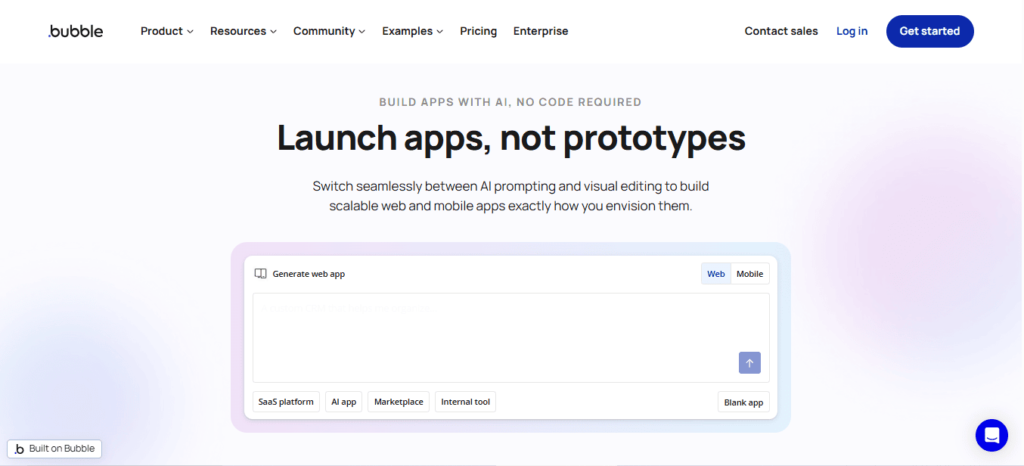
    Bubble is one of the most powerful no-code development platforms available today. It allows users to build fully functional web applications without writing code by using visual programming tools.

    Bubble vs Glide vs AppNatively

    Bubble includes a wide range of advanced capabilities such as database management, workflow automation, API integrations, and UI customization.

    Because of this flexibility, the platform is often used to build SaaS platforms, marketplaces, internal tools, and complex web applications.

    One of the biggest strengths of Bubble is its ability to replicate many features of traditional software development. Developers can create custom workflows, manage user authentication, and build complex logic within the platform.

    However, this power also creates a steeper learning curve. Many beginners find it challenging to master Bubble quickly. Additionally, building true native mobile apps often requires additional tools or wrappers.

    Despite these challenges, Bubble remains one of the most capable platforms for startups that want to build scalable web applications without hiring a full development team.

    What Is Glide?

    Glide is a no-code platform designed to make app development extremely simple. It allows users to create apps directly from spreadsheets such as Google Sheets or Airtable.

    Bubble vs Glide vs AppNatively

    The platform transforms spreadsheet data into interactive applications using drag-and-drop components. This approach makes Glide particularly attractive for users who want to build apps quickly without learning complex workflows.

    Glide is commonly used for internal business tools, directories, event apps, dashboards, and lightweight mobile applications. Because the platform is easy to use, many entrepreneurs choose it for rapid prototyping and MVP validation.

    However, Glide has limitations when it comes to customization and complex application logic. Large-scale applications or advanced workflows may require more powerful platforms.

    Still, Glide remains one of the most beginner-friendly solutions for anyone looking to build an app quickly using a simple and intuitive interface.

    What Is AppNatively?

    AppNatively is a modern no-code platform designed to simplify the creation of native mobile applications.

    Bubble vs Glide vs AppNatively

    While many no-code tools focus primarily on web applications or progressive web apps, AppNatively aims to deliver true mobile experiences with native performance and usability.

    The platform is being developed with startups and entrepreneurs in mind. Its core goal is to eliminate the complexity and high costs traditionally associated with mobile app development.

    Instead of requiring users to learn complicated workflows or technical processes, AppNatively focuses on streamlined development, fast deployment, and affordable pricing.

    At the moment, the platform is preparing for launch and inviting users to join an exclusive early access waitlist. This allows early adopters to test the platform and build apps before the public release.

    For startups looking for a cost-effective way to launch mobile apps, AppNatively could become one of the most exciting new tools in the no-code ecosystem.

    Bubble vs Glide vs AppNatively: Feature Comparison

    Understanding the key differences between these platforms is essential when choosing the right tool for your project.

    1. Ease of use

    Glide is widely considered the easiest platform to learn. Its spreadsheet-driven system allows users to build apps quickly with minimal technical knowledge.

    Bubble offers far more flexibility, but the platform requires time to master. New users often need tutorials and practice before building complex applications.

    AppNatively aims to strike a balance between simplicity and capability. The platform focuses on providing powerful mobile app features while keeping the development process simple.

    2. Customization and flexibility

    Bubble stands out in terms of customization. Users can build complex workflows, advanced logic systems, and detailed interfaces that rival traditional coding environments.

    Glide offers fewer customization options because its structure relies heavily on spreadsheet data models.

    AppNatively focuses on delivering essential customization features while maintaining ease of use. Its design prioritizes mobile performance and usability rather than complex backend workflows.

    3. Performance and scalability

    Bubble applications can scale effectively for web apps, but performance optimization becomes important as the application grows.

    Glide works well for small to medium applications but may struggle with extremely complex logic or heavy data processing.

    AppNatively focuses on native mobile architecture, which allows apps to run faster and provide a smoother user experience compared to web-based apps.

    4. Pricing and affordability

    Pricing plays a major role in choosing a no-code platform.

    Bubble can become expensive as applications scale because pricing is tied to server usage and workload.

    Glide offers predictable pricing plans, but many advanced features are restricted to premium tiers.

    AppNatively is being developed with affordability as a core priority. Its goal is to enable startups to launch mobile apps without spending thousands of dollars on development.

    Feature Comparison Table

    FeatureBubbleGlideAppNatively
    Platform TypeWeb App BuilderSpreadsheet App BuilderNative Mobile App Builder
    Ease of UseModerateVery EasyEasy
    CustomizationVery HighLimitedModerate
    Best ForSaaS PlatformsInternal ToolsMobile Startups
    Native AppsRequires WrappersLimitedYes
    Learning CurveHighVery LowLow
    Startup FriendlyModerateGoodExcellent

    Which Platform Is Best for Startups?

    The best platform depends on the type of product you want to build.

    Startups developing complex SaaS platforms or marketplaces may find Bubble to be the most suitable solution due to its advanced customization.

    Entrepreneurs who want to quickly build simple business apps or internal tools may prefer Glide because of its simplicity.

    However, founders planning to launch mobile-first startups may find AppNatively more appealing due to its focus on native performance and affordable development.

    Ultimately, the best platform is the one that allows founders to launch quickly, validate ideas, and scale efficiently.

    The Future of No-Code App Development

    The no-code ecosystem continues to evolve as more entrepreneurs embrace faster ways to build software.

    Modern tools are increasingly focused on reducing technical barriers and enabling founders to bring ideas to market quickly.

    Several major trends are shaping the future of the industry:

    AI-assisted app development is making it easier to generate workflows and automate complex tasks.

    Mobile-first development is becoming more important as smartphone usage continues to dominate global internet traffic.

    Affordable development platforms are emerging to help startups launch products without large budgets.

    Platforms like Bubble and Glide have already revolutionized the no-code landscape, while emerging tools such as AppNatively are pushing the industry toward faster and more accessible mobile app development.

    Why AppNatively Could Become a Game-Changer

    Many founders struggle to build mobile apps because traditional development requires significant technical expertise and large budgets.

    AppNatively aims to solve these challenges by providing a platform designed specifically for fast and affordable mobile app creation.

    Instead of spending months working with developers, entrepreneurs can use the platform to design, build, and launch their applications much faster.

    Because the platform focuses on native mobile performance, it can provide a smoother user experience compared to many web-based solutions.
    For founders who want to validate startup ideas quickly, this type of platform could dramatically reduce development costs and accelerate product launches.

    Join the AppNatively Early Access Waitlist

    As the next generation of no-code platforms continues to evolve, AppNatively is positioning itself as a powerful tool for founders who want to build mobile apps without coding.

    The platform is currently preparing for launch and inviting early adopters to join its exclusive waitlist.

    Joining the waitlist allows entrepreneurs to gain early access to the platform, explore its features before the public release, and start building apps ahead of competitors.

    For startups looking for a faster and more affordable way to launch mobile applications, getting early access could provide a significant advantage.

    Frequently Asked Questions (FAQs)

    What is the difference between Bubble, Glide, and AppNatively?

    The main difference is the type of applications they focus on. Bubble is best for building complex web applications and SaaS platforms, Glide is ideal for creating simple apps from spreadsheets, and AppNatively focuses on building native mobile apps quickly and affordably.

    Which platform is better for building a startup MVP?

    For startup MVPs, the best platform depends on the product type. Bubble works well for complex web-based MVPs, Glide is great for quick prototypes and internal tools, while AppNatively is promising for founders who want to launch a mobile-first MVP.

    Can I build a SaaS product using Bubble?

    Yes, Bubble is widely used to build SaaS platforms because it supports custom workflows, databases, user authentication, and API integrations.
    Is Glide suitable for building customer-facing mobile apps?

    Glide can build mobile-friendly apps, but they function more like progressive web apps rather than fully native mobile apps.

    Is AppNatively good for non-technical founders?

    Yes, AppNatively is designed to help non-technical founders create mobile apps without coding by simplifying the entire development process.

    Which no-code platform is best for mobile apps?

    Platforms focused on mobile development typically perform better for mobile-first startups. AppNatively aims to provide a more optimized experience for building native mobile apps.

    Can I scale a startup using Bubble?

    Many startups have successfully scaled using Bubble. However, large applications may require performance optimization and infrastructure adjustments as they grow.

    What are the limitations of Glide?

    Glide is excellent for simple applications but may have limitations when building complex workflows, advanced logic systems, or large-scale apps.

    Is Bubble harder to learn than Glide?

    Yes, Bubble has a steeper learning curve because it includes advanced features such as workflow automation, database structures, and API integrations.

    Do no-code platforms replace traditional developers?

    No-code platforms do not fully replace developers, but they allow founders to build MVPs, validate ideas, and launch products without hiring large engineering teams.

    What types of apps can be built with Glide?

    Glide is commonly used for directories, dashboards, event apps, internal business tools, and data-driven applications.

    Is AppNatively cheaper than traditional app development?

    Traditional mobile app development can cost thousands of dollars. AppNatively aims to reduce those costs by enabling entrepreneurs to build apps using no-code tools.

    Can I build marketplace apps with Bubble?

    Yes, Bubble is often used to build marketplace platforms because it supports advanced workflows, payment integrations, and user management systems.

    Which platform is best for beginners?

    Glide is usually the easiest platform for beginners because its spreadsheet-based system is simple and intuitive.

    Can I integrate APIs with Bubble?

    Yes, Bubble supports API integrations, allowing developers to connect their applications with third-party tools and services.

    What is the fastest way to build an app without coding?

    Using a no-code platform like Glide, Bubble, or AppNatively is currently one of the fastest ways to build applications without coding.

    Are no-code apps secure?

    Most modern no-code platforms include built-in security features such as authentication systems, data protection, and secure infrastructure.

    Can I publish apps built with no-code tools on app stores?

    Yes, some platforms allow apps to be deployed to app stores. Platforms focused on native development, such as AppNatively, are designed to support this process.

    What are the best alternatives to Glide?

    Some alternatives include Bubble and newer platforms like AppNatively that aim to provide different approaches to app development.

    Which no-code platform is best for startups in 2026?

    The best platform depends on the startup’s goals. Bubble is powerful for web applications, Glide is excellent for simple apps, and AppNatively is emerging as a strong option for mobile-first startups.

    Is Bubble better than Glide for building scalable apps?

    For scalability and complex functionality, Bubble is generally more powerful than Glide. Bubble allows developers to create advanced workflows, database relationships, and integrations that support larger and more complex applications.

    However, Glide can still work well for lightweight apps or internal tools where simplicity and speed are more important than deep customization.

    Can no-code platforms build real startup products?

    Yes, many successful startups have launched products using no-code tools.

    Platforms like Bubble allow founders to build SaaS products, marketplaces, and internal platforms, while newer tools such as AppNatively aim to make native mobile app development accessible to early-stage startups.

    What is the fastest way to launch an MVP without coding?

    The fastest way to launch an MVP is by using a no-code platform that allows rapid prototyping.

    Glide is often used for quick internal apps, while Bubble enables more advanced product development. Mobile-focused platforms like AppNatively are emerging as a faster way to launch mobile-first MVPs.

    Are no-code apps good enough for production?

    Modern no-code platforms are capable of supporting production-level applications.

    Many businesses run fully operational products built on platforms like Bubble. The key is choosing the right platform based on your scalability and performance needs.

    Which no-code platform is best for mobile-first startups?

    Mobile-first startups often need platforms optimized for mobile performance.

    While Bubble and Glide can support mobile-friendly apps, tools focused on native mobile development, such as AppNatively aim to deliver a more optimized mobile experience.

    Can I build an app like Uber or Airbnb using no-code tools?

    Building a large platform like Uber or Airbnb entirely with no-code tools can be challenging, but it is possible to build MVP versions using platforms like Bubble.

    Many founders start with no-code to validate their idea before moving to custom development later.

    Do no-code platforms support integrations with third-party tools?

    Yes, most modern no-code platforms support integrations with APIs and external services.

    Bubble is particularly strong in this area because it allows developers to connect applications with many third-party tools and services.

    Are no-code platforms suitable for long-term business growth?

    Yes, many startups use no-code platforms for long-term growth. However, choosing a platform with strong scalability and performance capabilities is essential as the business expands.

    How much money can startups save using no-code platforms?

    Traditional app development can cost anywhere from $10,000 to $100,000, depending on complexity. No-code platforms dramatically reduce these costs by allowing founders to build apps without hiring large development teams.

    What should founders consider before choosing a no-code platform?

    Founders should evaluate several factors, including ease of use, customization options, scalability, pricing, and the type of app they want to build.

    Comparing platforms like Bubble, Glide, and AppNatively can help determine which tool best matches the project’s goals.

  • Best App Builders With Free Plans in 2026 (Build Apps Without Coding)

    Best App Builders With Free Plans in 2026 (Build Apps Without Coding)

    The app builders with free plans allow entrepreneurs, startups, and creators to build mobile or web apps without writing code or spending thousands on development.

    These platforms provide drag-and-drop interfaces, prebuilt templates, and powerful integrations so users can launch applications quickly.

    Many modern no-code app builders now offer free tiers that help users design, test, and validate their ideas before upgrading to paid plans.

    And, this makes them ideal for startups building MVPs, small businesses launching digital products, or individuals experimenting with app ideas.

    In this guide, we review the best app builders with free plans in 2026, comparing their features, flexibility, and scalability.

    Whether you want to build a native mobile app, a web app, or a startup MVP, these tools make the process significantly easier and more affordable.

    Why Free App Builders Are Becoming Popular

    1. Startups need faster MVP development

    Launching a startup used to require large development budgets and months of engineering work. Today, no-code app builders allow founders to build and launch MVPs in days instead of months.

    This rapid development cycle helps entrepreneurs test product ideas, gather feedback, and iterate quickly without risking huge financial investments.

    2. Lower development costs

    Hiring developers to build a mobile app can cost anywhere from $5,000 to $100,000 depending on complexity.

    Free app builders remove this barrier by allowing users to start building applications without upfront costs.

    Many founders now use free plans to create prototypes before upgrading when their apps gain traction.

    3. Perfect for beginners and non-technical founders

    The biggest advantage of modern app builders is accessibility. Even people with zero coding knowledge can create functional applications using visual interfaces.

    This shift has democratized app development and opened the door for more creators to build digital products.

    Key Features to Look for in a Free App Builder

    Drag and drop interface

    A visual builder is one of the most important features for beginners. Drag-and-drop interfaces allow users to design app screens, workflows, and features without writing code.

    This dramatically reduces the learning curve for new users.

    Native mobile app publishing

    Some app builders create real Android and iOS apps, while others generate progressive web apps. If publishing to app stores is important, this feature should be a priority.

    Prebuilt templates and components

    Templates help users launch apps quickly. Instead of designing everything from scratch, users can customize existing layouts for marketplaces, communities, booking systems, and more.

    Scalability

    The best app builders allow users to start with free plans and gradually scale their apps as their user base grows.

    Best App Builders With Free Plans in 2026

    1. AppNatively – Best Affordable Platform for Real Mobile Apps

    AppNatively is quickly emerging as one of the most promising app builders for startups and entrepreneurs who want to launch native mobile applications without expensive development.

    Unlike many no-code tools that only generate web apps, AppNatively focuses on building real mobile applications while maintaining an extremely affordable pricing model.

    Why AppNatively Stands Out

    One of the biggest challenges with traditional app builders is the cost of publishing real mobile apps.

    AppNatively solves this problem by providing a streamlined workflow that allows creators to transform their projects into mobile applications quickly.

    For founders who want to launch mobile apps without hiring developers, this platform provides an accessible entry point.

    Key Features

    AppNatively offers a visual app building process designed for simplicity and speed. Users can build applications without technical knowledge and prepare them for mobile distribution.

    Its affordability and ease of use make it particularly appealing for startups and creators launching their first mobile products.

    Best For

    This platform is ideal for startups, entrepreneurs, creators, and small businesses that want to launch mobile apps quickly while keeping development costs low.

    Currently in Development – Join the Waitlist

    At the moment, AppNatively is under active development, and early adopters can join the waitlist to get early access once the platform launches publicly.

    Joining the waitlist allows entrepreneurs, creators, and businesses to stay updated on the platform’s progress and potentially gain early access to features as they become available.

    Early access users are often the first to explore new capabilities, provide feedback to the development team, and take advantage of special launch offers.

    Who Should Join the Waitlist

    The waitlist is ideal for startup founders, product creators, indie makers, and small businesses who want to build mobile apps but prefer an affordable and user-friendly solution.

    It is also useful for entrepreneurs planning to launch digital products in the near future and looking for tools that can accelerate development.

    As the demand for no-code tools continues to grow, platforms like AppNatively represent the next step in making mobile app development faster, simpler, and more accessible for everyone.

    2. Glide – Best for Spreadsheet-Based Apps

    Glide is widely known for turning spreadsheets into fully functional apps.

    It allows users to connect Google Sheets or databases and instantly generate mobile or web applications.

    The platform is particularly useful for internal tools, dashboards, and lightweight business applications.

    However, while Glide is excellent for quick prototypes, it may not always offer the same level of flexibility required for complex mobile apps.

    3. Adalo – Best for Custom No-Code Mobile Apps

    Adalo is one of the most well-known no-code platforms for building mobile applications with drag-and-drop interfaces.

    Users can design screens, add databases, and create workflows visually.

    The platform also supports app publishing to app stores, making it suitable for startups testing new products.

    4. FlutterFlow – Best Visual Builder for Developers

    FlutterFlow combines visual development with the power of Flutter. It is popular among developers who want more control over their apps while still benefiting from visual tools.

    This platform offers deeper customization compared to many no-code builders.

    5. Softr – Best for Building Web Apps Quickly

    Softr focuses primarily on web applications and portals built on top of data sources like Airtable.

    It is particularly useful for creating membership portals, internal tools, and lightweight SaaS products without coding.

    Comparison of the Best Free App Builders

    App BuilderBest ForFree PlanMobile App Support
    AppNativelyAffordable native mobile appsYesYes
    GlideSpreadsheet appsYesLimited
    AdaloCustom mobile appsYesYes
    FlutterFlowAdvanced visual developmentYesYes
    SoftrWeb apps and portalsYesNo

    Are Free App Builders Worth It?

    Free app builders are an excellent starting point for testing ideas and building MVPs.

    They allow users to experiment with minimal financial risk and validate their concepts before investing heavily.

    However, most free plans come with limitations such as branding, feature restrictions, or publishing constraints.

    As apps grow, users often upgrade to paid plans for advanced capabilities.

    Future of No-Code App Development (2026–2030)

    The next few years are expected to be transformative for the no-code ecosystem.

    Between 2026 and 2030, no-code and low-code platforms will likely become the primary way many startups and small businesses build digital products.

    What began as simple drag-and-drop tools is rapidly evolving into sophisticated development environments capable of creating complex applications.

    1. AI-powered app development

    Artificial intelligence is already beginning to reshape how apps are built.

    Future no-code platforms will likely integrate AI assistants that help generate app layouts, automate workflows, and even build entire applications from simple prompts.

    Instead of manually designing every screen, users will be able to describe the app they want, and the builder will generate a working prototype instantly.

    This shift will dramatically reduce development time and allow founders to move from idea to MVP faster than ever.

    2. Rise of native app builders

    Historically, many no-code tools focused on web apps or progressive web apps. However, the demand for real mobile applications continues to grow because users prefer native experiences from app stores.

    Over the next few years, more platforms will prioritize native mobile development capabilities.

    Tools like AppNatively are part of this new wave, focusing on making native mobile app creation affordable and accessible for founders who do not have engineering teams.

    3. No-code becoming the startup standard

    Startups are increasingly using no-code tools during the early stages of product development.

    Instead of investing large budgets into engineering teams, founders build MVPs using visual development platforms.

    This approach allows startups to validate ideas quickly, test market demand, and iterate faster.

    By the time they scale, they already have a working product and user feedback guiding further development.

    4. Enterprise adoption of no-code platforms

    Large organizations are also beginning to adopt no-code tools to accelerate internal development.

    Teams can build internal dashboards, workflow automation systems, and customer portals without waiting months for development resources.

    This trend suggests that no-code development will not only empower entrepreneurs but will also reshape how enterprises build internal software.

    Overall, the future of no-code development looks extremely strong, and by 2030 it may become the dominant way digital products are built and launched.

    How Startups Launch Apps Under $500

    One of the biggest advantages of modern app builders is the ability to launch applications at extremely low costs.

    Just a few years ago, building a mobile app required thousands of dollars in development expenses.

    Today, startups can launch fully functional applications for less than $500 by leveraging no-code platforms and smart development strategies.

    Step 1: Start with a simple MVP

    Successful startups rarely launch complex products immediately. Instead, they begin with a Minimum Viable Product (MVP) that focuses only on the core functionality needed to test the idea.

    For example, a marketplace startup might launch with just basic listing functionality and messaging features rather than building dozens of advanced tools.

    By limiting the scope of the first version, founders can significantly reduce development costs.

    Step 2: Use no-code app builders

    No-code tools are the primary reason startups can build apps so cheaply today. Platforms like AppNatively and other visual builders allow founders to create functional applications without hiring developers.

    Instead of spending thousands on custom development, founders can use templates, prebuilt components, and visual editors to design their apps quickly.

    This dramatically reduces both cost and development time.

    Step 3: Launch quickly and collect feedback

    Launching early is critical for startup success. Once the MVP is ready, founders should release it to a small group of users and collect feedback.

    This approach helps identify what users actually need before investing further resources into development.

    Step 4: Iterate based on real data

    Many startups fail because they build products based on assumptions rather than user feedback. The advantage of no-code platforms is that they allow rapid iteration.

    Founders can quickly modify app features, adjust workflows, and improve the user experience without rebuilding the entire product.

    Step 5: Scale only after validation

    Once the idea is validated and users begin adopting the product, startups can start investing more resources into scaling the app.

    At this stage, founders may upgrade their app builder plan, integrate advanced tools, or eventually transition to a fully custom development team if necessary.

    Final Thoughts

    The rise of no-code app builders has completely transformed how digital products are created. Entrepreneurs and startups no longer need massive budgets or engineering teams to launch their ideas.

    Tools like AppNatively, Glide, Adalo, FlutterFlow, and Softr make it possible to design, test, and launch applications quickly.

    For founders looking for an affordable way to build mobile apps, these platforms provide a powerful starting point.

    Choosing the right app builder ultimately depends on your goals, the type of application you want to build, and how quickly you plan to scale.

    Frequently Asked Questions

    What is the best app builder with a free plan?

    Some of the best app builders with free plans include AppNatively, Glide, Adalo, FlutterFlow, and Softr. Each platform offers different features depending on whether you want to build mobile apps, web apps, or internal tools.

    Can I build a mobile app for free?

    Yes, many no-code platforms offer free plans that allow users to build and test apps without paying. However, publishing to app stores or unlocking advanced features may require a paid plan.

    Are no-code app builders good for startups?

    Yes. Many startups use no-code tools to launch MVPs quickly, validate ideas, and reduce development costs before investing in full-scale engineering teams.

    Do free app builders allow app store publishing?

    Some platforms support app store publishing, but many require upgrading to a paid plan before releasing apps on Google Play or the Apple App Store.

  • 7 Best Glide Alternatives for More Customization in 2026

    7 Best Glide Alternatives for More Customization in 2026

    No-code development has transformed how entrepreneurs, startups, and creators build digital products.

    Platforms like Glide made it incredibly easy to turn spreadsheets into functional apps without writing code. For quick internal tools or simple MVPs, Glide works well.

    However, as applications grow, many builders begin to face limitations. Users often need more control over UI design, deeper workflow logic, advanced integrations, and scalable infrastructure. These limitations lead many developers to search for Glide alternatives that provide stronger customization and flexibility.

    Fortunately, the no-code ecosystem has evolved rapidly. Modern platforms such as Bubble, FlutterFlow, and Adalo offer powerful visual builders capable of creating complex apps without traditional programming.

    In this guide, we will explore the best Glide alternatives for more customization, helping you choose the right platform to build scalable web and mobile applications.

    Why Many Builders Search for Glide Alternatives

    Although Glide is beginner-friendly, several factors push users to explore other options.

    1. Limited UI customization

    Glide offers pre-built components that make development simple. However, these components also limit the design flexibility available to developers.

    Brands that want highly customized interfaces or unique user experiences may struggle with these limitations.

    2. Spreadsheet dependency

    Glide apps rely heavily on spreadsheet-style databases. While this approach works well for simple projects, it becomes difficult to manage when applications require complex relational data.

    3. Workflow restrictions

    Advanced applications require conditional logic, automation triggers, and workflow branching.

    Some Glide users eventually move to platforms with stronger workflow engines.

    4. Scalability challenges

    As apps grow in traffic and complexity, many founders prefer platforms with stronger infrastructure and backend flexibility.

    Because of these limitations, the demand for Glide alternatives continues to grow in the no-code ecosystem.

    Key Features to Look for in a Glide Alternative

    Choosing the right platform requires understanding the capabilities that matter most.

    Advanced UI customization

    The best no-code platforms allow complete control over layout, styling, typography, and branding.

    This enables developers to create unique user experiences that match their product vision.

    Flexible databases

    Apps with complex data relationships require structured databases rather than spreadsheet-based storage.

    Platforms that support relational databases allow more powerful data modeling.

    Workflow automation

    Advanced automation features enable creators to build conditional logic, triggers, and automated workflows that make apps dynamic and interactive.

    Native mobile app support

    Some builders generate real Android and iOS apps rather than simply converting web pages into mobile interfaces.

    Integrations and APIs

    A strong integration ecosystem allows connections with payment gateways, automation tools, analytics platforms, and third-party services.

    AppNatively — The Most Affordable Glide Alternative (Join the Early Access Waitlist)

    AppNatively is an upcoming no-code platform designed to help founders, creators, and startups build fully functional mobile apps without expensive development costs.

    Best Glide Alternatives for More Customization

    While many no-code builders charge high monthly subscriptions, AppNatively is being built with a different vision: making powerful mobile app development affordable and accessible to everyone.

    The platform is currently under development and is accepting early users through a waitlist, giving founders a chance to get early access before the official launch.

    The Founder Story Behind AppNatively

    Every great product starts with a problem that someone experienced personally.

    The idea behind AppNatively came from a simple frustration shared by many founders and creators.

    Building a mobile app often requires hiring developers, managing long development cycles, and spending thousands of dollars before even launching a minimum viable product.

    Many entrepreneurs tried no-code platforms like Glide to simplify the process. While these tools helped launch simple apps quickly, creators often discovered limitations once their ideas started growing.

    Customization options could feel restrictive, pricing could increase as projects scaled, and building fully featured mobile apps sometimes required switching platforms.

    The founders of AppNatively believed there should be a better way.

    Instead of forcing creators to choose between simplicity and power, they envisioned a platform that could combine ease of use, flexibility, and affordability in a single app builder.

    The goal was simple: make mobile app development accessible to anyone with an idea, not just developers or well-funded startups.

    That vision is what led to the creation of AppNatively.

    Why We’re Building AppNatively

    The mission behind AppNatively is rooted in one belief: great ideas shouldn’t be limited by technical barriers or high development costs.

    Today, launching a mobile app can still be expensive and complicated for many founders. Even with the rise of no-code tools, creators often face trade-offs between affordability, customization, and scalability.

    Some platforms are easy to use but lack flexibility. Others are powerful but require steep learning curves or expensive subscriptions.

    AppNatively is being built to bridge that gap.

    The vision is to create a platform where creators can design mobile apps visually, customize their products freely, and launch applications without needing a large development budget.

    Instead of targeting only developers or enterprise teams, AppNatively focuses on empowering entrepreneurs, indie makers, startups, and small businesses.

    By prioritizing affordability and accessibility, the platform aims to help more people turn ideas into real products.

    That’s why the team is currently inviting early adopters to join the waitlist and become part of the journey before the official launch.

    For creators who believe the future of software should be faster, more accessible, and more affordable, AppNatively represents an exciting step forward.

    Best Glide Alternatives for More Customization

    1. Bubble

    Bubble is widely considered one of the most powerful no-code platforms available today.

    Unlike Glide, Bubble allows users to build complete web applications with custom databases, advanced workflows, and complex integrations.

    This flexibility makes it a popular choice among startups building SaaS platforms, marketplaces, and social apps.

    Best Glide Alternatives for More Customization

    Bubble’s visual programming interface allows developers to define logic, triggers, and workflows without writing code.

    However, the platform does have a steeper learning curve compared to beginner-focused tools.

    For builders willing to invest time learning the platform, Bubble provides nearly unlimited customization.

    2. FlutterFlow

    The rise of platforms like FlutterFlow shows how no-code tools are evolving to support production-grade mobile apps.

    Compared to Glide, FlutterFlow offers far greater control over UI design, layout customization, and app functionality.

    Developers can create sophisticated mobile experiences that feel similar to traditionally coded applications.

    Best Glide Alternatives for More Customization

    Another major advantage is code export. Users can export the Flutter code generated by the platform, allowing developers to continue development outside the tool if needed.

    This flexibility makes FlutterFlow one of the best Glide alternatives for startups building scalable mobile apps.

    3. Adalo

    Adalo is a popular mobile app builder that focuses on ease of use while still offering customization features.

    Adalo allows users to design mobile interfaces visually, connect databases, and integrate third-party services.

    Its drag-and-drop interface makes it accessible for beginners while still supporting more advanced features.

    Best Glide Alternatives for More Customization

    Many founders use Adalo to launch MVP mobile apps quickly before scaling to more complex platforms.

    4. Softr

    Softr is commonly used for building web apps, marketplaces, and membership portals powered by external databases like Airtable.

    Compared to Glide, Softr offers more flexible UI blocks and stronger integration capabilities.

    Businesses often use it to create directories, internal tools, and client portals.

    Best Glide Alternatives for More Customization

    For teams building web-based platforms rather than mobile apps, Softr is a powerful Glide alternative.

    5. Draftbit

    Draftbit focuses on building mobile apps using React Native.

    Draftbit provides strong design customization and allows developers to export code.

    Best Glide Alternatives for More Customization

    This makes it suitable for teams that want to transition from no-code to traditional development later.

    6. Thunkable

    Thunkable allows users to create mobile apps using a visual block-based interface.

    The platform supports both Android and iOS development and offers integration options for APIs and third-party services.

    Best Glide Alternatives for More Customization

    While simpler than some advanced builders, Thunkable still provides more customization flexibility than Glide.

    Glide vs Glide Alternatives: Detailed Comparison

    FeatureGlideAlternatives
    Custom UILimitedAdvanced
    Workflow LogicBasicAdvanced
    DatabaseSpreadsheetStructured Database
    Native AppsLimitedSupported
    ScalabilityModerateHigh

    This comparison highlights why many developers eventually transition to more powerful platforms.

    Best Glide Alternatives for Startups

    Startups often prioritize speed, affordability, and scalability.

    Platforms like AppNatively and FlutterFlow are popular choices because they allow founders to build complex products while maintaining flexibility for future growth.

    Adalo is also commonly used for building MVP mobile apps before scaling.

    When You Should Switch from Glide

    You should consider switching platforms if your project requires:

    • advanced automation workflows
    • relational databases
    • custom UI design
    • scalable infrastructure
    • advanced integrations

    At this stage, a more powerful app builder will provide the flexibility needed to grow your product.

    Future of No-Code App Development

    The no-code ecosystem is evolving rapidly.

    Platforms are no longer limited to simple website builders. They now support the development of complex products such as SaaS platforms, marketplaces, AI tools, and scalable mobile applications.

    As these technologies continue to improve, the gap between traditional coding and no-code development will continue to shrink.

    This evolution will make it easier for entrepreneurs and creators to launch powerful digital products without large engineering teams.

    Final Thoughts

    Glide remains one of the easiest platforms for building simple apps quickly. However, many founders eventually require more advanced customization, scalability, and workflow flexibility.

    Platforms like AppNatively, Bubble, FlutterFlow, Adalo, and Softr provide powerful alternatives that enable developers to build more sophisticated applications without coding.

    By choosing the right tool for your project, you can create scalable apps that grow alongside your business.

    Frequently Asked Questions ( FAQs)

    Best Glide Alternatives for Mobile Apps

    For developers building mobile-first applications, tools that generate native apps are usually the best choice.

    AppNatively, FlutterFlow and Draftbit stand out because they provide advanced UI customization and strong performance.

    Best Glide Alternatives for Internal Tools

    Businesses building internal dashboards, directories, or team tools often prefer Softr because of its integration with Airtable and easy UI customization.

    Which Glide alternative offers the most customization?

    AppNatively, Bubble and FlutterFlow are widely considered the most customizable platforms in the no-code ecosystem.

    Are Glide alternatives beginner friendly?

    Yes. Platforms like AppNatively, Adalo and Softr are designed for beginners while still offering greater flexibility than Glide.

    Can no-code platforms build real mobile apps?

    Yes. Platforms such as AppNatively, FlutterFlow, Draftbit, and Thunkable allow users to build real Android and iOS apps without coding.

    Are no-code platforms suitable for startups?

    Yes. Many startups launch MVPs using no-code platforms before transitioning to traditional development.

  • App Builder vs Traditional Coding: Which Is Better for App Development in 2026?

    App Builder vs Traditional Coding: Which Is Better for App Development in 2026?

    The debate between app builder vs traditional coding has become increasingly important as businesses look for faster and more cost-effective ways to build applications.

    App builders allow users to create mobile or web apps using visual interfaces, drag-and-drop components, and minimal coding knowledge.

    Traditional coding, however, requires developers to write custom code using programming languages such as JavaScript, Swift, or Kotlin.

    Both approaches have distinct advantages. No-code and low-code app builders help startups launch apps faster and reduce development costs, while traditional coding offers full customization, scalability, and control over the application architecture.

    The right choice depends on your budget, project complexity, development timeline, and technical expertise.

    Understanding the pros and cons of app builders vs traditional coding can help businesses choose the best approach for building scalable and efficient applications.

    What Is an App Builder in Modern App Development?

    An app builder is a platform that allows users to build apps without coding by using visual development tools.

    These platforms typically include drag-and-drop interfaces, pre-built templates, database integrations, and automation features.

    The rise of no code app development tools has made it possible for entrepreneurs, marketers, and small businesses to build applications without hiring large development teams.

    By simplifying the technical process, app builders help companies launch products faster and experiment with ideas more efficiently.

    Modern no-code app development platforms can even generate native mobile apps for Android and iOS, making them a powerful alternative to traditional development.

    What Is Traditional Coding in App Development?

    Traditional coding refers to building applications by writing code manually using programming languages and development frameworks.

    Developers create both the frontend and backend of the application using tools such as React, Flutter, Swift, Kotlin, and Node.js.

    This approach allows for custom app development, where every element of the application can be designed according to specific requirements.

    Businesses that need unique workflows, high performance, or advanced integrations often rely on traditional coding to achieve complete control over the product.

    Although this method offers maximum flexibility, it usually requires experienced developers and longer development cycles.

    App Builder vs Traditional Coding: Key Differences

    FeatureApp BuilderTraditional Coding
    Development SpeedVery fastSlower
    Technical SkillsMinimalAdvanced programming required
    CostLowerHigher
    CustomizationLimited to platform featuresFully customizable
    ScalabilityModerateHigh
    OwnershipPlatform dependentFull ownership

    This comparison highlights why no code vs traditional development has become a major discussion in the app development industry.

    Pros of App Builders

    i. Faster Time to Market

    One of the biggest app builder advantages is the ability to launch applications quickly. Instead of building everything from scratch, users can assemble apps using ready-made components and integrations.

    This allows startups to test ideas quickly and release products in weeks instead of months.

    ii. Lower Development Costs

    App builders significantly reduce development expenses. Businesses can build apps without hiring large development teams, which makes app development without coding accessible to smaller organizations.

    Many platforms offer affordable monthly plans that replace expensive development contracts.

    iii. Accessibility for Non-Developers

    With visual development tools, even non-technical founders can create functional applications.

    This democratization of technology has helped many startups build digital products without relying heavily on engineers.

    Cons of App Builders

    i. Limited Flexibility

    Although modern app builders offer many features, they may not support extremely complex workflows or unique product requirements.

    Companies that require specialized functionality may eventually need custom development.

    ii. Platform Dependency

    Using an app builder often means relying on the platform’s infrastructure, which can limit portability and control over the application.

    Pros of Traditional Coding

    1. Complete customization

    One of the biggest traditional coding benefits is the ability to build applications exactly as required.

    Developers can create custom features, unique user experiences, and specialized integrations.

    2. High Scalability

    Applications built through traditional coding can scale more efficiently because developers control the architecture and infrastructure.

    This is particularly important for large SaaS platforms or enterprise-level software.

    Cons of Traditional Coding

    Higher Costs

    Custom development requires skilled engineers, designers, and infrastructure resources. This makes traditional coding significantly more expensive than no-code development.

    Longer Development Timeline

    Building an app from scratch takes time. Development, testing, debugging, and deployment can take several months before the product becomes market ready.

    App Builder vs Traditional Coding: Real Cost Breakdown (2026)

    One of the biggest factors when choosing between app builders and traditional coding is development cost.

    Businesses and startups often struggle to estimate how much it actually costs to build an app using different development methods.

    Understanding the true cost difference between no-code app builders and traditional development can help companies choose the most practical solution for their project.

    Cost of building an app with an App Builder

    Modern no-code app builders dramatically reduce development costs because they eliminate the need for large engineering teams.

    Instead of building infrastructure and code from scratch, users assemble apps using pre-built components and visual interfaces.

    For most startups, the cost of using an app builder typically ranges between $20 and $200 per month, depending on the platform and features included.

    Because development happens much faster, businesses can launch apps in weeks instead of months. This also reduces opportunity cost and allows teams to test their ideas earlier.

    Cost of traditional App development

    Traditional coding is significantly more expensive because it involves hiring developers, designers, testers, and sometimes DevOps engineers.

    The total cost can vary depending on app complexity, platform requirements, and development timeline.

    A basic mobile application built through traditional coding can cost anywhere between $20,000 and $80,000.

    More complex apps with advanced integrations, custom backend systems, and scalability requirements can easily exceed $150,000 or more.

    Additionally, companies must consider ongoing costs such as server infrastructure, maintenance, updates, and security management.

    App Builder vs Traditional Coding Cost Comparison

    FactorApp BuilderTraditional Coding
    Initial CostVery LowHigh
    Development TimeWeeksMonths
    MaintenanceMostly handled by platformManaged by development team
    InfrastructureIncluded in platformRequires custom setup
    Scaling CostPredictable subscriptionIncreasing engineering cost

    This comparison shows why many startups now prefer no-code app development platforms for launching MVPs and early-stage products.

    Which Option Is More Cost-Effective?

    For early-stage startups and entrepreneurs, app builders are usually the most cost-effective option. They allow businesses to launch products quickly, validate ideas, and avoid large upfront investments.

    However, companies building highly customized platforms or enterprise-grade software may eventually require traditional coding to achieve deeper flexibility and advanced scalability.

    In many cases, successful companies start with no-code app builders to validate their product and later transition to custom development as their business grows.

    When Should You Choose an App Builder?

    App builders are ideal for startups, entrepreneurs, and businesses that want to launch apps quickly with limited budgets.

    They are particularly useful for:

    • MVP development
    • business tools
    • marketplace apps
    • booking systems
    • content apps

    If speed and affordability are top priorities, no code app development can be the best option.

    When Should You Choose Traditional Coding?

    Traditional coding is best suited for complex products that require advanced features, high scalability, and full control over the application infrastructure.

    Large SaaS platforms, enterprise software, and advanced mobile applications typically rely on traditional development.

    The Future of No-Code vs Traditional Development

    The rise of native app builder platforms is changing how businesses approach software development.

    Many modern tools now allow users to build fully functional mobile apps without extensive coding.

    However, traditional coding will continue to play an important role in building highly customized and performance-driven applications.

    The future of app development will likely involve a hybrid approach that combines visual app development platforms with custom coding capabilities.

    The Benefits of Modern App Development

    Here are the aspects of modern app development that you, as a smart user, should know about.

    1. Developer productivity and workflow

    One major advantage of modern app development platforms is improved developer productivity.

    Visual development environments reduce repetitive coding tasks, allowing teams to focus on building product features instead of writing boilerplate code.

    Traditional coding still provides more control, but it often requires managing complex development environments, frameworks, and dependencies.

    2. Maintenance and long-term updates

    Maintenance is another critical factor when choosing between no-code app development and traditional coding. App builders often handle updates, security patches, and infrastructure management automatically.

    With traditional development, companies must maintain servers, update frameworks, and manage security vulnerabilities themselves.

    3. Integration ecosystems

    Modern businesses rely heavily on integrations with CRM systems, payment gateways, analytics tools, and marketing platforms.

    Many modern app builders and native app builder platforms provide pre-built integrations that simplify connecting with external services.

    Traditional coding can achieve the same results but usually requires building custom APIs and integrations manually.

    4. Speed of experimentation

    Startups often need to test multiple ideas quickly. App builders enable rapid experimentation by allowing teams to launch prototypes or MVPs without investing months into development.

    This makes no-code development particularly valuable for early-stage startups and product validation.

    Why Modern Startups Prefer AI-Powered App Builders Like AppNatively

    As the demand for faster product launches continues to grow, many startups are turning toward AI-powered app builders that combine simplicity with powerful development capabilities.

    Instead of spending months building apps through traditional coding, founders can now design and launch mobile applications using intelligent visual tools that automate much of the development process.

    Modern platforms are evolving beyond basic no-code builders. With the help of AI, these tools can now assist with layout creation, workflow automation, and feature configuration, making it possible to generate fully functional native mobile apps with minimal technical effort.

    One example of this next generation of tools is AppNatively. It is an AI-powered no-code native app builder currently under development, designed to help entrepreneurs, startups, and creators build professional mobile apps without writing code.

    App Builder vs Traditional Coding

    Instead of requiring deep programming knowledge, users can visually design their apps while AI helps streamline the development process.

    For early-stage startups and founders, this approach offers several key advantages.

    1. Faster product launches

    Speed is critical for startups. With AI-assisted no-code development, founders can design and launch mobile apps significantly faster than traditional coding cycles that often take months.

    This allows teams to validate ideas quickly and reach users earlier.

    2. Lower development costs

    Traditional app development often requires hiring multiple developers, designers, and infrastructure specialists.

    With AI-powered no-code platforms, startups can dramatically reduce development costs and invest more resources into marketing, growth, and product improvement.

    3. Accessible app development

    AI-driven visual builders make app creation accessible to entrepreneurs, creators, and small businesses.

    Instead of depending entirely on engineering teams, founders can build and iterate on their apps themselves.

    4. Built for native mobile apps

    Unlike many traditional no-code tools that create web apps or hybrid apps, platforms like AppNatively focus on generating real native mobile apps, giving users better performance and user experience.

    5. Built for affordability

    One of the key goals behind AppNatively is affordability. The platform aims to offer one of the most accessible pricing models in the no-code app builder market, including a free version so that creators and startups can start building without financial barriers.

    Join the AppNatively Waitlist

    AppNatively is currently under development, and early users now have the opportunity to join the exclusive waitlist.

    By joining the waitlist, you can:

    • Get early access to the platform
    • Try the free version when it launches
    • Be among the first to build AI-powered native mobile apps without coding

    If you’re a startup founder, entrepreneur, or creator looking to build your own app faster and more affordably, joining the AppNatively waitlist is the best way to stay ahead of the next wave of app development.

    Conclusion

    Choosing between app builder vs traditional coding depends on your project goals, technical requirements, and available resources.

    App builders offer speed, affordability, and accessibility, making them perfect for startups and rapid product launches.

    Traditional coding, on the other hand, provides full flexibility and scalability for complex applications.

    By understanding the strengths of both approaches, businesses can choose the development strategy that best supports their growth and innovation.

    Frequently Asked Questions (FAQs)

    Is no-code better than traditional coding?

    No-code platforms are better for speed, affordability, and accessibility. Traditional coding is better for complex and highly customized applications.

    Can you build professional apps without coding?

    Yes. Many modern app builders allow users to create professional mobile and web applications without writing code.

    Are no-code apps scalable?

    No-code apps can scale for many use cases, but extremely complex or high-traffic applications may require custom development.

    Do companies use no-code platforms?

    Yes. Many startups and businesses use no-code tools to build MVPs, internal tools, and customer-facing applications.

    Why startups prefer no-code app builders?

    Many startups prefer no-code app builders because they significantly reduce development time and cost.

    Instead of hiring large engineering teams, founders can build MVPs quickly, test their ideas, and launch products faster using visual development platforms.

    How long does it take to build an app?

    The time required to build an app depends on the development method. Using an app builder, a basic application can be created in a few days or weeks.

    With traditional coding, development may take several months due to custom programming, testing, and deployment.

  • Best No-Code App Builders for Beginners (Complete Guide)

    Best No-Code App Builders for Beginners (Complete Guide)

    Building an app once required coding knowledge, development teams, and months of work. Today, no-code app builders have completely transformed that process.

    With visual interfaces, drag-and-drop components, and ready-made templates, beginners can now turn ideas into real applications without writing a single line of code.

    This shift has opened the door for entrepreneurs, creators, startups, and small businesses to build apps faster and at a fraction of the traditional cost.

    Whether you want to create a startup MVP, a business tool, or a simple mobile app, the right no-code platform can help you launch quickly.

    In this blog post, we’ll explore the best no-code app builders for beginners that make app development simple, affordable, and accessible, even if you have zero technical experience.

    What Is a No-Code App Builder?

    A no-code app builder is a platform that allows users to create applications using visual development tools instead of traditional programming.

    Instead of writing complex code, users can:

    • Drag and drop UI components
    • Configure workflows visually
    • Connect databases and integrations
    • Publish apps directly to web or mobile platforms

    These platforms handle the technical backend while allowing users to focus on design, logic, and functionality.

    No-code tools are especially popular for:

    • Startup MVPs
    • Internal business tools
    • Mobile apps
    • Marketplaces
    • SaaS products

    Why Beginners Should Use No-Code App Builders

    Instead of spending months on development, beginners can build functional apps within days and start testing their ideas with real users.

    This makes no-code platforms especially valuable for validating business ideas, building MVPs, and launching projects without technical expertise.

    1. No programming skills required

    The biggest advantage of no-code tools is that they eliminate the need for coding knowledge.

    Beginners can build apps using visual components, workflows, and templates, making the entire development process much easier to understand.

    2. Faster development time

    No-code platforms significantly speed up the app development process. What once took months can now be accomplished in a matter of days or weeks, allowing creators to launch and iterate quickly.

    3. Cost-effective solution

    Hiring developers or agencies can be expensive, especially for startups or individuals. No-code tools reduce those costs by providing affordable platforms that allow users to build apps themselves.

    4. Ideal for MVPs and startups

    For startups, launching a Minimum Viable Product (MVP) quickly is critical.

    No-code tools allow founders to test their ideas in the market without heavy investment, making it easier to validate concepts before scaling.

    5. Easy to update and improve

    Since everything is managed visually, making updates or improvements to an app becomes simple.

    Beginners can quickly modify features, adjust layouts, or add new functionality without rebuilding the entire app.

    Key Features to Look for in a Beginner-Friendly No-Code App Builder

    Not all no-code platforms are beginner friendly. When choosing a tool, look for these important features.

    Drag-and-drop interface

    A visual builder makes it easier for beginners to design apps without technical complexity.

    Ready-made templates

    Templates help users launch apps faster without starting from scratch.

    Native mobile app support

    Some tools create real native mobile apps, while others generate web apps. Native apps usually provide better performance.

    Integrations

    Good platforms connect with tools like APIs, payment systems, databases, and third-party services.

    Scalability

    Choose a platform that can grow with your app as your user base expands.

    Affordable pricing

    Pricing is critical for beginners and startups, so look for platforms that provide strong value for money.

    5+ Best No-Code App Builders for Beginners

    Here are some of the best platforms that make app creation simple and accessible for beginners.

    1. AppNatively: AI-Powered Native App Builder for Beginners

    AppNatively is an upcoming drag-and-drop native app builder designed to make mobile app development simple, powerful, and affordable for everyone.

    Best No-Code App Builders for Beginners

    While many no-code platforms generate web apps, AppNatively focuses on building real native mobile applications while keeping the entire development process beginner-friendly.

    The platform is currently under development and aims to provide a highly accessible solution for entrepreneurs, creators, and startups who want to build mobile apps without the complexity of traditional development.

    Key Features

    • Visual drag-and-drop app builder
    • Real native mobile apps
    • Beginner-friendly development workflow
    • Powerful integrations and automation
    • Extremely affordable pricing model

    Why It Stands Out

    One of the biggest challenges with existing no-code platforms is pricing. Many tools become expensive as your app grows.

    AppNatively aims to solve that problem by offering powerful app-building capabilities at a significantly more accessible price point.

    The goal is to make native mobile app development available to everyone, not just large companies or funded startups.

    Availability

    AppNatively is currently in development. Early users can join the waitlist to get early access, exclusive launch benefits, and updates on the platform’s release.

    2. Glide

    Glide is one of the most popular no-code platforms for beginners. It allows users to build applications using spreadsheets as the database, making it extremely easy to get started.

    Best No-Code App Builders for Beginners

    With Glide, users can quickly create internal tools, community apps, and simple mobile applications.

    Key Features

    • Spreadsheet-powered apps
    • Clean drag-and-drop builder
    • Fast deployment
    • Built-in templates
    • Integrations with Google Sheets and Airtable

    Best For

    Beginners who want to build simple apps quickly without managing complex databases.

    3. Adalo

    Adalo is a well-known no-code platform that allows users to build both web and mobile apps using a visual interface.

    Best No-Code App Builders for Beginners

    It provides a simple development experience and supports publishing apps to the App Store and Google Play.

    Key Features

    • Drag-and-drop app builder
    • Custom database management
    • Native mobile app publishing
    • Reusable components
    • Third-party integrations

    Best For

    Entrepreneurs and beginners who want to build and publish mobile apps without writing code.

    4. Bubble

    Bubble is one of the most powerful no-code development platforms available today. It allows users to build complex web applications using a visual programming approach.

    Best No-Code App Builders for Beginners

    Although Bubble has a slightly steeper learning curve than other tools, it provides far greater flexibility.

    Key Features

    • Advanced visual programming
    • Powerful workflow automation
    • Plugin marketplace
    • Custom database management
    • API integrations

    Best For

    Startups and creators who want to build more advanced web applications.

    If you’re evaluating platforms similar to Bubble, check out this Bubble alternative guide to compare features and pricing.

    5. FlutterFlow

    FlutterFlow is a modern visual builder that uses the Flutter framework to create high-performance mobile applications.

    Best No-Code App Builders for Beginners

    It combines no-code simplicity with the ability to export real code, making it attractive for teams that want flexibility.

    Key Features

    • Drag-and-drop UI builder
    • Firebase integration
    • Native mobile apps
    • Code export capability
    • Real-time preview

    Best For

    Developers and creators who want a hybrid approach between no-code and traditional development.

    6. Softr

    Softr is a no-code platform designed primarily for building web apps and internal business tools.

    Best No-Code App Builders for Beginners

    It integrates deeply with Airtable, making it easy to manage data without complex backend systems.

    Key Features

    • Airtable integration
    • Simple web app builder
    • Pre-built templates
    • User authentication
    • Membership features

    Best For

    Businesses that want to create portals, directories, or internal tools quickly.

    Final Thoughts

    No-code platforms have made app development more accessible than ever before. Beginners can now turn ideas into real products without needing programming skills or large development budgets.

    Whether you want to build a startup MVP, a business tool, or your first mobile application, the platforms listed above provide powerful solutions to help you get started.

    If you’re looking for a next-generation AI-powered native app builder focused on affordability and simplicity, keeping an eye on AppNatively could be a smart move.

    Early adopters who join the waitlist may gain access to exclusive launch benefits and early platform features.

    The future of app development is becoming more accessible, and with no-code tools, anyone can start building today.

    Frequently Asked Questions (FAQs)

    Are no-code app builders free to use?

    Many platforms offer free plans with limited features, but advanced capabilities such as custom domains, higher storage, or app store publishing usually require paid subscriptions.

    Can beginners build mobile apps without coding?

    Yes. No-code platforms allow beginners to build iOS and Android apps using visual tools, making app development accessible without programming knowledge.

    What types of apps can you build with no-code tools?

    You can build many types of apps, including:

    • Business apps
    • Booking and scheduling apps
    • Marketplaces
    • Customer portals
    • Internal tools
    • MVP startup apps

    How long does it take to build an app with a no-code builder?

    Simple apps can be built within a few hours or days, while more advanced apps with integrations or custom workflows may take several weeks.

    Are no-code platforms suitable for startups?

    Yes. Many startups use no-code tools to create minimum viable products (MVPs) quickly and test ideas before investing in full development.

    Do no-code app builders support app store publishing?

    Some platforms like AppNatively allow direct publishing to the Apple App Store and Google Play Store, making it easy for beginners to launch mobile apps.

    What is the difference between no-code and low-code platforms?

    • No-code platforms require no programming at all.
    • Low-code platforms allow visual development but may require some coding for advanced customization.

    Are no-code apps scalable for large businesses?

    No-code tools are great for small to medium projects, but very large or complex applications may eventually require custom development for scalability and performance.

    Can you build a SaaS product using no-code?

    Yes. Platforms like Bubble allow users to build complete SaaS applications with user accounts, payments, and databases.

    Do no-code platforms support integrations?

    Most no-code tools integrate with popular services such as:

    • Google Sheets
    • Airtable
    • Zapier
    • Payment gateways and APIs

    Is it possible to monetize apps built with no-code?

    Yes. You can monetize apps through subscriptions, advertisements, marketplace fees, or paid downloads depending on the platform.

    Do no-code builders require hosting?

    Most platforms provide built-in hosting and databases, so users don’t need to manage servers separately.

    Can no-code apps handle user authentication?

    Yes. Many builders provide built-in features for user sign-ups, logins, and account management.

    Are no-code platforms secure?

    Reputable no-code platforms implement security features such as encryption, authentication systems, and secure hosting to protect user data.

    What skills do beginners need to use no-code app builders?

    Beginners typically need:

    • Basic computer skills
    • Understanding of app structure
    • Simple logic and workflows
    • UI/UX design basics

    Can I convert a spreadsheet into an app?

    Yes. Tools like AppNatively and Glide allow users to turn spreadsheets into functional apps quickly.

  • 7 Best Bubble Alternatives for No-Code App Developers in 2026 (Reviewed)

    7 Best Bubble Alternatives for No-Code App Developers in 2026 (Reviewed)

    No-code development has transformed the way startups, entrepreneurs, and creators build software. Instead of spending months writing code or hiring expensive development teams, modern builders can now launch web and mobile applications using visual platforms and drag-and-drop tools.

    One of the most well-known platforms in this space is Bubble, which has helped thousands of founders build SaaS products, marketplaces, and internal tools without coding.

    However, while Bubble is powerful, it is not always the perfect solution for every project. Many no-code developers begin searching for alternatives as their needs grow or change. Some want stronger native mobile capabilities, others want simpler workflows, and many are looking for tools with more flexible pricing or better scalability.

    Fortunately, the no-code ecosystem has evolved rapidly over the past few years. Today, there are several powerful platforms that allow developers to build applications faster, launch mobile apps more easily, and maintain greater flexibility when scaling their products.

    In this blog post, we will explore the best Bubble alternatives for no-code app developers, compare their strengths and weaknesses, and help you choose the right platform for your next project.

    Why No-Code Developers Look for Bubble Alternatives

    Bubble remains one of the most advanced no-code platforms available, but it does come with certain limitations that lead some developers to explore other options.

    Understanding these limitations can help you decide whether switching platforms makes sense for your project.

    Limited native mobile support

    One of the most common reasons developers search for Bubble alternatives is mobile app development.

    Bubble is primarily designed for building web applications, which means creating native iOS and Android apps often requires third-party tools or wrappers.

    For developers who want to launch mobile apps quickly, platforms designed specifically for mobile development may provide a better experience.

    Complex learning curve

    Bubble offers extensive customization and workflow capabilities. While this power is useful, it can also make the platform difficult for beginners to learn.

    Many no-code developers prefer tools with simpler interfaces and faster onboarding.

    Pricing concerns

    As applications grow and attract more users, Bubble’s pricing structure can become more expensive. For startups operating on tight budgets, finding a platform with more predictable pricing is often important.

    Performance and scalability

    Large applications built on Bubble sometimes experience performance issues as complexity increases.

    Developers building scalable products or client projects may want platforms that provide better optimization and infrastructure flexibility.

    What to Look for in a Bubble Alternative

    Before choosing a new platform, it is important to understand which features matter most for your project.

    Not every no-code builder is designed for the same use cases.

    Here are the key factors to consider.

    Ease of use

    A good no-code platform should allow developers to design, build, and launch applications without extensive training. Visual builders, drag-and-drop components, and clear workflows make development much faster.

    Mobile app capabilities

    If your goal is to build mobile apps, look for platforms that support native mobile development or easy deployment to both iOS and Android.

    Integrations and APIs

    Modern applications depend on integrations with other tools such as payment processors, databases, and automation platforms. The best no-code tools support strong API integrations.

    Scalability

    A platform should allow your application to grow as your user base increases. Reliable infrastructure and flexible backend options are essential for long-term success.

    Pricing structure

    Startups and indie developers should consider platforms that offer flexible plans and predictable costs as projects grow.

    A Smarter Alternative Is Coming: AppNatively

    Before exploring the best Bubble alternatives available today, it is worth mentioning a new platform that aims to completely redefine how no-code app development works.

    AppNatively is an upcoming AI no-code platform currently under development that is being designed to simplify and improve the entire app-building experience.

    Best No-Code App Builders for Beginners

    The goal is to give creators, startups, and agencies a single platform where they can build powerful web and mobile applications without the complexity, limitations, or high costs often associated with existing tools.

    Many no-code developers today rely on multiple platforms to design interfaces, manage workflows, connect databases, and deploy applications. This fragmented process can slow down development and increase costs as projects grow.

    AppNatively is being built to eliminate that complexity by offering a streamlined ecosystem that brings everything together in one place.

    Another major focus of the platform is affordability. While many popular no-code tools become expensive as applications scale, AppNatively aims to provide one of the most affordable solutions for building scalable applications, making it especially attractive for startups, indie builders, and agencies working with limited budgets.

    Although the platform is still under construction, early access is already being offered to builders who want to be among the first to experience it.

    👉 Join the AppNatively waitlist to get early access when the platform launches.

    Best Bubble Alternatives for No-Code App Developers

    The following platforms are some of the strongest alternatives for building apps without writing complex code.

    1. FlutterFlow

    FlutterFlow is one of the fastest growing no-code platforms for building mobile applications.

    Best Bubble Alternatives for No-Code App Developers

    Built on Google’s Flutter framework, it allows developers to design fully functional mobile apps with a visual builder.

    Key Features

    • Drag-and-drop mobile UI builder
    • Native mobile app support
    • Integration with Firebase
    • Custom API integrations
    • Option to export Flutter code

    Best For

    FlutterFlow is ideal for developers who want to create high-performance mobile apps with the flexibility to extend their projects using real code if necessary.

    Pros

    • Native mobile performance
    • Clean interface and visual builder
    • Code export capability
    • Strong developer community

    Cons

    • Less focused on web applications compared to Bubble
    • Requires some understanding of mobile app structure

    2. Glide

    Glide is a popular no-code platform that allows users to build applications directly from spreadsheets or databases.

    Best Bubble Alternatives for No-Code App Developers

    It focuses on simplicity and speed, making it one of the easiest platforms for beginners.

    Key Features

    • Spreadsheet-based app development
    • Beautiful pre-built UI components
    • Fast deployment
    • Strong integrations with databases

    Best For

    Glide works well for internal tools, small apps, and business dashboards.

    Pros

    • Extremely easy to learn
    • Fast development process
    • Great for internal business applications

    Cons

    • Limited customization compared to Bubble
    • Not ideal for highly complex applications

    3. Adalo

    Adalo is another popular no-code platform designed specifically for building mobile applications.

    Best Bubble Alternatives for No-Code App Developers

    It allows developers to design mobile interfaces visually while also managing databases and workflows.

    Key Features

    • Drag-and-drop mobile app builder
    • Built-in database system
    • Integration with APIs
    • One-click publishing for mobile apps

    Best For

    Adalo is a great option for beginners who want to build mobile apps without coding.

    Pros

    • Simple and beginner friendly
    • Native mobile app support
    • Visual design tools

    Cons

    • Limited scalability for large applications
    • Some performance limitations

    4. Draftbit

    Draftbit is a powerful platform that focuses on building mobile applications using React Native.

    Best Bubble Alternatives for No-Code App Developers

    Unlike many no-code tools, Draftbit gives developers more control and flexibility.

    Key Features

    • Visual mobile app builder
    • React Native foundation
    • Full code export capability
    • API integrations

    Best For

    Draftbit is ideal for developers and agencies who want both no-code convenience and code flexibility.

    Pros

    • Code export for full control
    • Professional mobile app development
    • Strong customization capabilities

    Cons

    • Slightly steeper learning curve than beginner platforms

    5. Softr

    Softr focuses on building web applications and portals using Airtable or external data sources.

    Best Bubble Alternatives for No-Code App Developers

    It is widely used for building marketplaces, membership sites, and client portals.

    Key Features

    • Pre-built templates
    • Airtable integration
    • Membership and user management
    • Custom web apps without coding

    Best For

    Softr works well for marketplaces, directories, and internal portals.

    Pros

    • Fast setup
    • Great for data-driven applications
    • Strong integration with Airtable

    Cons

    • Less flexible than full development platforms

    6. Thunkable

    Thunkable is another no-code platform designed for cross-platform mobile app development.

    Best Bubble Alternatives for No-Code App Developers

    It allows developers to build apps that run on both Android and iOS using a visual builder.

    Key Features

    • Drag-and-drop interface
    • Cross-platform mobile development
    • Built-in components
    • API integrations

    Best For

    Thunkable is ideal for developers who want to create simple mobile apps quickly.

    Pros

    • Cross-platform deployment
    • Beginner friendly interface
    • Good for prototypes and MVPs

    Cons

    • Limited advanced customization options

    Comparison of Top Bubble Alternatives

    PlatformBest ForMobile AppsCode ExportDifficulty
    FlutterFlowNative mobile appsYesYesMedium
    GlideInternal toolsLimitedNoEasy
    AdaloBeginner mobile appsYesNoEasy
    DraftbitDevelopers and agenciesYesYesMedium
    SoftrWeb portals and marketplacesNoNoEasy
    ThunkableSimple mobile appsYesNoEasy

    Best Platforms for Startups vs Agencies

    Different types of builders have different needs. Choosing the right platform depends heavily on your goals.

    Best platforms for startup founders

    Startup founders usually prioritize speed and cost efficiency. Their main goal is to launch a minimum viable product quickly.

    Best options include:

    • Glide
    • Adalo

    These platforms allow founders to build functional apps quickly without deep technical knowledge.

    Best platforms for agencies

    Agencies often build applications for multiple clients. They require platforms that offer scalability, customization, and professional development flexibility.

    Best options include:

    • Draftbit
    • FlutterFlow

    These platforms allow developers to export code or customize applications more deeply.

    However, AppNatively is built with one goal in mind — to be the most affordable drag-and-drop AI native app builder for startups and agencies that want powerful results without the high development cost.

    Conclusion

    Bubble remains one of the most powerful no-code development platforms available, but it is not always the best fit for every project. Developers who need stronger mobile support, simpler workflows, or more flexible pricing may benefit from exploring other options.

    Platforms like AppNatively, FlutterFlow, Glide, Adalo, Draftbit, Softr, and Thunkable each offer unique advantages depending on your goals.

    The best approach is to evaluate your project requirements, test a few platforms, and choose the one that aligns with your development workflow.

    With the rapid growth of no-code technology, builders today have more opportunities than ever to turn ideas into real applications without writing complex code.

    Frequently Asked Questions (FAQs)

    What is the best Bubble alternative for mobile apps?

    AppNatively, FlutterFlow and Draftbit are among the best alternatives for building high-performance mobile applications.

    However, AppNatively is the most affordable option suitable both for startups and agencies.

    Are there free no-code app builders like Bubble?

    Yes, many platforms such as AppNatively, Glide and Adalo offer free plans for building basic applications.

    Can no-code platforms build scalable applications?

    Yes. Many modern no-code tools are capable of supporting large applications when designed correctly.

    Which no-code platform allows code export?

    Platforms like FlutterFlow and Draftbit allow developers to export source code for further customization.