Category: Miscellaneous

  • The Customer Retention Strategy Most Online Stores Ignore

    The Customer Retention Strategy Most Online Stores Ignore

    Most online stores invest their time and budget into attracting new customers. While acquiring buyers is important, relying on new sales alone can limit long-term growth and increase marketing costs.

    The real opportunity lies in keeping existing customers coming back. Repeat buyers tend to spend more, purchase more often, and are more likely to recommend your brand, making customer retention one of the most profitable growth strategies.

    Yet many businesses overlook the simple tactics that build lasting customer loyalty.

    In this article, you’ll discover the customer retention strategy most online stores ignore and learn how it can help increase repeat sales and strengthen your business.

    Turn your online store into native app with AppNatively

    Why Customer Retention Is the Real Growth Engine

    Many businesses focus heavily on acquiring new customers. While bringing in new buyers is important, sustainable growth comes from keeping the customers you already have.
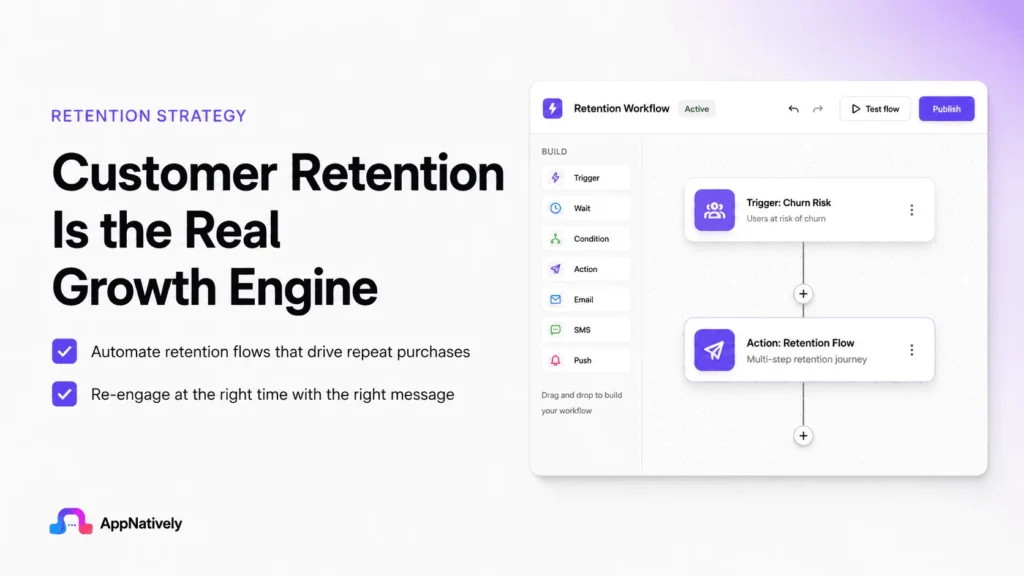
    Customer retention is often the difference between businesses that grow steadily and those that constantly struggle to replace lost customers.

    1. Retention costs less than acquisition

    Acquiring a new customer typically requires significant spending on advertising, sales, promotions, and marketing campaigns.

    Retaining an existing customer, on the other hand, usually costs much less. Loyal customers already know your brand, trust your products, and require less convincing to make another purchase.

    By investing in customer satisfaction, personalized communication, and excellent support, businesses can generate more revenue without continuously increasing their marketing budgets.

    2. Loyal customers spend more

    Returning customers are more likely to purchase additional products, upgrade to premium services, and buy more frequently. As trust grows, so does their willingness to spend.

    Over time, the lifetime value of a loyal customer often exceeds the value of several one-time buyers, making retention one of the most profitable business strategies.

    3. Happy customers become brand advocates

    Satisfied customers naturally recommend brands they enjoy to friends, family, and colleagues. These referrals are especially valuable because people tend to trust personal recommendations more than advertisements.

    Word-of-mouth marketing not only reduces customer acquisition costs but also attracts higher-quality leads that are more likely to convert into long-term customers.

    4. Better customer insights

    Long-term customers provide valuable feedback that helps businesses improve products, services, and the overall customer experience. Their purchasing behavior also reveals trends that can guide product development and marketing decisions.

    Businesses that listen to their loyal customers are better equipped to adapt to changing market demands.

    5. Increased revenue stability

    A strong base of repeat customers creates predictable revenue, making it easier to forecast sales and plan future investments.

    During economic uncertainty or seasonal slowdowns, retained customers often continue buying, providing stability that businesses relying solely on new customer acquisition may lack.

    6. Stronger competitive advantage

    Products and prices can often be copied, but exceptional customer relationships are much harder for competitors to replicate.

    Businesses that consistently deliver excellent experiences build emotional connections with customers, increasing loyalty and reducing the likelihood of customers switching to competitors.

    The Customer Retention Strategy Most Online Stores Ignore

    For many online stores, growth is measured by traffic, clicks, and new customer acquisitions.

    Marketing budgets are poured into paid ads, influencer campaigns, and search engine optimization, all to attract first-time buyers.

    While these efforts are important, they often overshadow one of the most effective growth strategies: retaining existing customers.

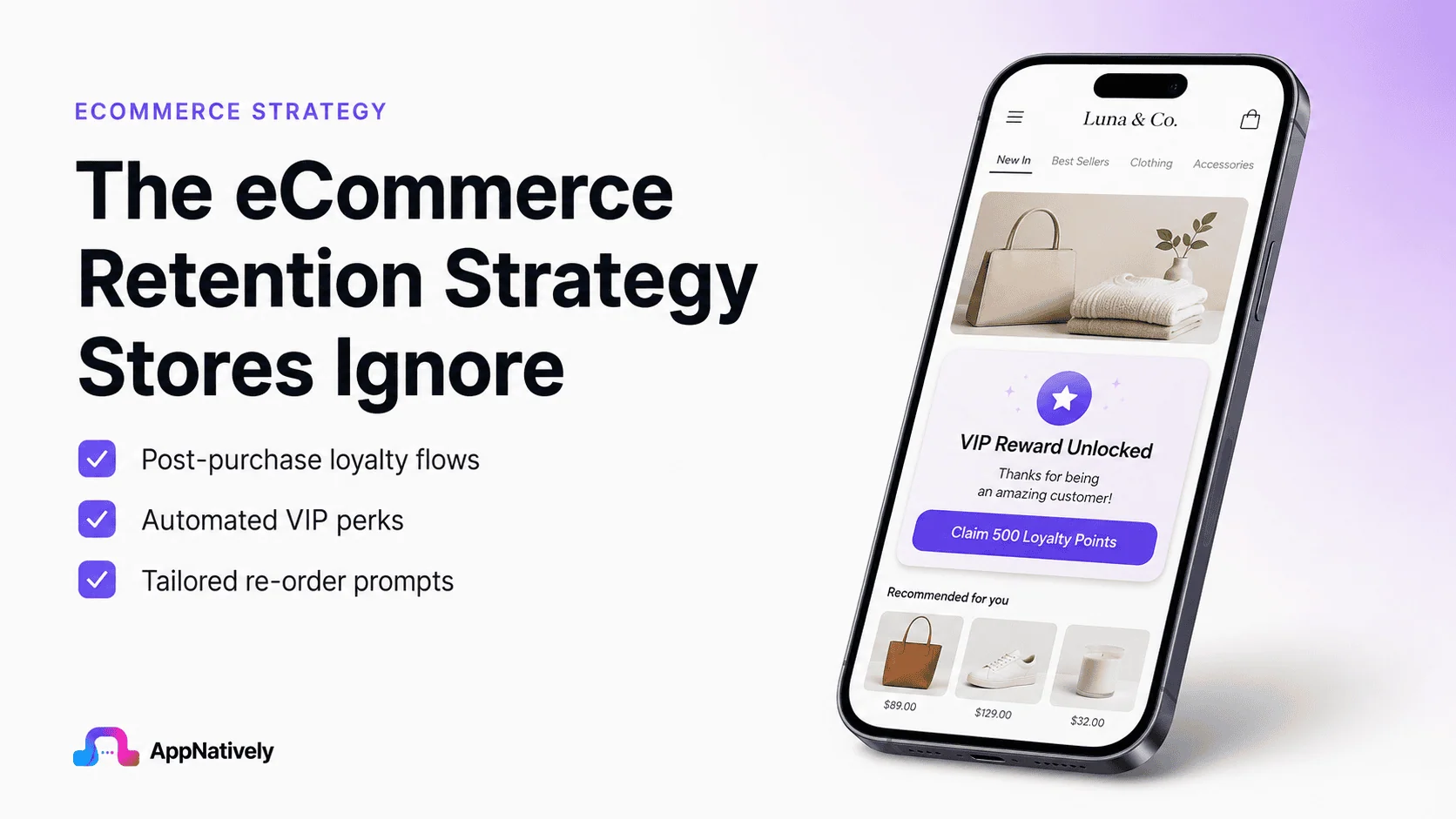
    Surprisingly, the most overlooked retention strategy isn’t a flashy loyalty program or a major discount campaign. It’s creating a meaningful post-purchase experience.

    i. The sale isn’t the finish line

    Many businesses treat the purchase as the end of the customer journey. Once an order is placed, communication becomes limited to shipping updates and delivery confirmations.

    After that, customers are often forgotten until the next promotional email.

    This approach misses a valuable opportunity to build trust and encourage repeat purchases. The period immediately after a customer receives their order is when they’re most engaged with your brand.

    A thoughtful follow-up can strengthen the relationship and leave a lasting impression.

    ii. Focus on the customer experience

    Retention starts with making customers feel valued beyond the transaction. A simple thank-you email, personalized product recommendations, or helpful usage tips can turn a one-time buyer into a loyal customer.

    For example, if someone purchases skincare products, sending instructions on how to use them effectively or suggesting complementary items provides genuine value instead of simply pushing another sale.

    Customers remember brands that help them succeed with their purchases.

    iii. Solve problems before they become complaints

    One of the easiest ways to improve retention is proactive customer support. Rather than waiting for customers to report issues, check in after delivery to ensure everything arrived as expected.

    A short message asking whether they’re satisfied with their purchase shows that the business cares about their experience.

    It also creates an opportunity to resolve small problems before they lead to negative reviews or lost customers.

    iv. Reward loyalty beyond discounts

    Many online stores rely heavily on discount codes to bring customers back. While promotions can be effective, they shouldn’t be the only retention strategy.

    Exclusive product launches, early access to new collections, personalized rewards, educational content, and recognition for loyal customers often create stronger long-term relationships than constant price reductions.

    Customers appreciate feeling valued, not just incentivized.

    v. Collect feedback and act on it

    Customer feedback is one of the most valuable resources an online business has. Asking customers about their experience demonstrates that their opinions matter.

    More importantly, acting on that feedback builds trust. Whether it’s improving product quality, simplifying the checkout process, or enhancing shipping, customers notice when businesses make meaningful changes based on their suggestions.

    vi. Personalization makes a difference

    Generic marketing emails rarely inspire repeat purchases. Personalized communication based on browsing history, previous purchases, or customer preferences creates a more relevant shopping experience.

    Recommendations that genuinely match a customer’s interests are more helpful and effective than sending the same promotion to everyone.

    vii. Build relationships, not just transactions

    The most successful online stores understand that retention is built through relationships. Every interaction, from the first purchase to ongoing support, contributes to customer loyalty.

    When customers consistently receive value, responsive service, and personalized experiences, they have fewer reasons to shop elsewhere.

    Why Most Online Stores Lose Customers Without Realizing It

    Every online store celebrates new orders, growing traffic, and successful marketing campaigns. But behind those encouraging numbers, many businesses are quietly losing customers without realizing it.
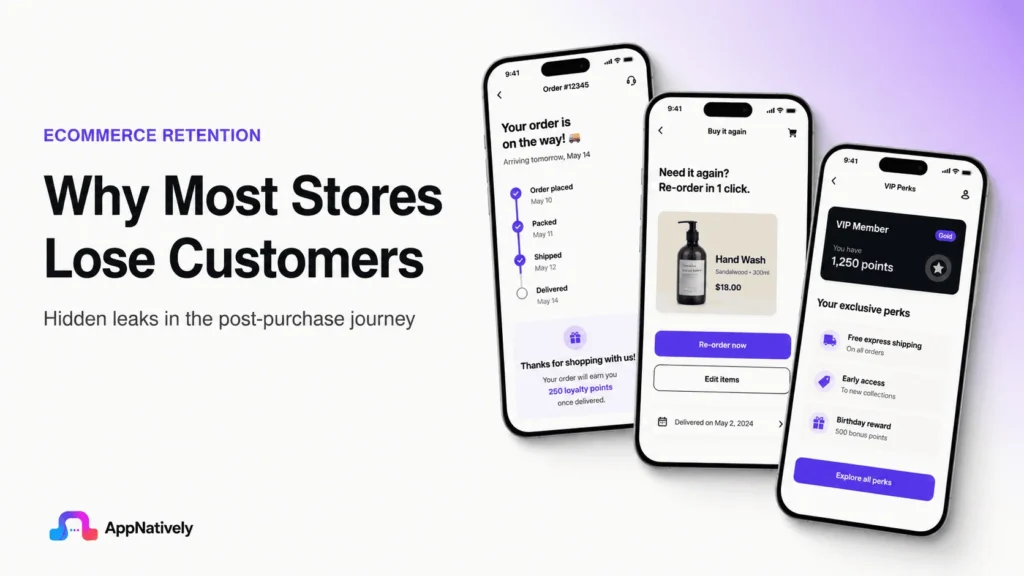
    The problem isn’t always product quality or pricing. More often, it’s the customer experience after the initial purchase.

    Customer churn rarely happens overnight. It usually results from a series of small frustrations that make shoppers choose a competitor the next time they need a similar product.

    1. They focus too much on new customers

    Many online stores invest heavily in attracting first-time buyers through paid ads, social media campaigns, and promotional offers. While customer acquisition is essential, it often comes at the expense of nurturing existing customers.

    When loyal customers feel overlooked, they’re less likely to return. A balanced strategy that values both acquisition and retention leads to more sustainable growth.

    2. The post-purchase experience is an afterthought

    For many businesses, communication ends once the order has been delivered. Customers receive shipping updates and maybe a receipt, but little else.

    The post-purchase stage is an opportunity to strengthen trust. Following up with a thank-you message, helpful product tips, or a request for feedback shows customers that the relationship doesn’t end after the sale.

    3. Poor customer support drives customers away

    Even the best products can’t compensate for slow or unhelpful customer service.

    When shoppers encounter delayed responses, unresolved issues, or confusing return policies, they’re unlikely to make another purchase.

    Fast, empathetic, and effective support can turn a disappointing experience into one that builds long-term loyalty.

    4. Generic communication feels impersonal

    Customers expect brands to understand their preferences. Sending the same promotional emails to everyone often leads to low engagement and unsubscribes.

    Personalized recommendations, relevant offers, and content based on previous purchases make customers feel recognized and increase the likelihood of repeat business.

    5. They ignore customer feedback

    Reviews, surveys, and support conversations provide valuable insights into what customers want and where the shopping experience falls short.

    Businesses that collect feedback but never act on it miss opportunities to improve. Customers notice when their suggestions lead to meaningful changes, and that responsiveness builds trust.

    6. Loyalty is rewarded too late

    Many stores only try to win customers back after they’ve stopped buying. By then, the customer may have already found a competitor.

    Recognizing loyal customers early with exclusive offers, early access to new products, or personalized rewards helps strengthen relationships before they begin to fade.

    7. Small frictions add up

    Customers don’t always leave because of one major issue. More often, they drift away because of repeated inconveniences such as:

    • A complicated checkout process.
    • Unexpected shipping costs.
    • Slow delivery times.
    • Difficult returns or exchanges.
    • Inconsistent product information.
    • Too many irrelevant marketing emails.

    Each issue may seem minor on its own, but together they create enough friction for customers to look elsewhere.

    8. Measure more than sales

    A store may appear to be growing while quietly losing repeat customers.

    Looking beyond sales figures to metrics like repeat purchase rate, customer lifetime value, churn rate, and customer satisfaction provides a clearer picture of long-term business health.

    These metrics often reveal problems before they become significant revenue losses.

    How AppNatively Helps You Improve Customer Retention

    One of the most effective ways to keep customers coming back is to provide a seamless, engaging shopping experience.

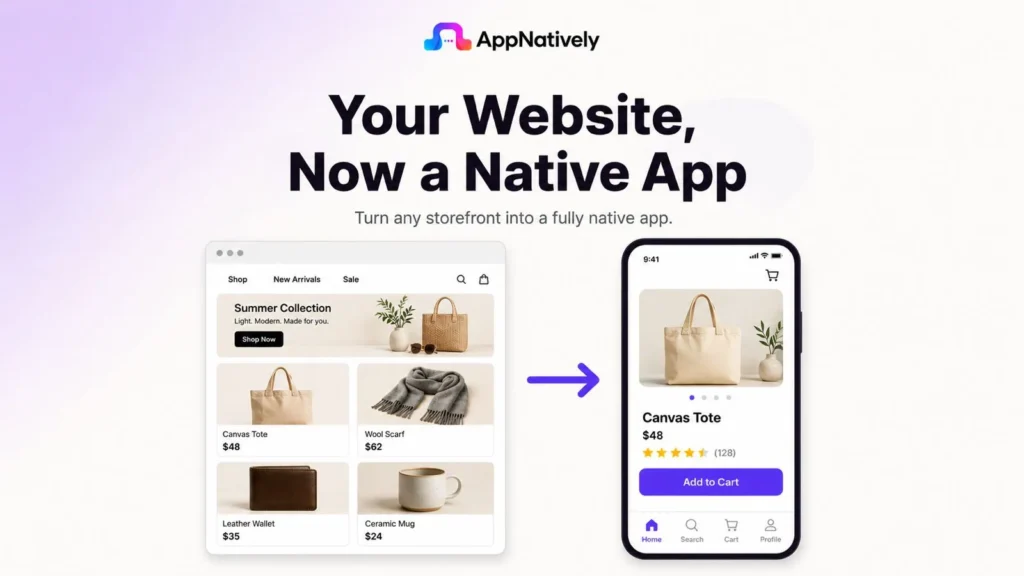
    As a drag-and-drop native app builder, AppNatively enables online stores to launch fully native mobile apps without the complexity of traditional app development.
    The Customer Retention Strategy Most Online Stores Ignore

    With a dedicated mobile app, businesses can stay connected to customers through features like push notifications, personalized shopping experiences, faster checkout, and easier access to products.

    These touchpoints encourage repeat purchases, increase customer engagement, and keep your brand top of mind long after the first order.

    Instead of relying solely on email campaigns or paid ads to re-engage shoppers, AppNatively helps merchants create a direct channel to their customers.

    The result is stronger customer relationships, higher retention rates, and more opportunities for long-term growth, all through a native app built with a simple drag-and-drop interface.

    Conclusion

    Customer retention isn’t built through endless discounts or aggressive marketing. It’s built by consistently delivering value after the sale.

    The most successful online stores understand that every order is the beginning of a long-term relationship, not the end of a transaction.

    By investing in a thoughtful post-purchase experience, personalized communication, proactive customer support, and genuine customer care, businesses can turn one-time buyers into loyal advocates.
  • Everything You Need to Know About OTA Updates

    Everything You Need to Know About OTA Updates

    Smartphones, smart TVs, connected cars, wearable devices, and even industrial equipment receive updates without ever being connected to a computer. This convenience is powered by OTA updates.

    But what exactly are OTA updates, and why have they become so important in today’s connected world?

    In this blog post, we’ll explore how OTA updates work, their benefits, challenges, and why they are essential for modern software-driven devices.

    What Are OTA Updates?

    OTA stands for Over-the-Air. An OTA update is a method of delivering software, firmware, or operating system updates to devices wirelessly through the internet.

    Instead of requiring users to manually download files or connect devices via USB, manufacturers can send updates directly to devices remotely.

    For example:

    • Your smartphone receives the latest Android or iOS update.
    • A smart TV downloads new features overnight.
    • A connected car can receive performance improvements without a visit to a service center.
    • An IoT device automatically receives security patches.

    All of these are examples of OTA updates in action.

    Types of OTA Updates

    Not all OTA updates are the same. Different update strategies serve different purposes.

    i. Firmware OTA (FOTA)

    Firmware Over-the-Air updates modify low-level software that controls hardware functionality.

    Common examples include:

    • Smart home devices
    • Routers
    • Automotive control units
    • Wearable devices

    ii. Software OTA (SOTA)

    Software Over-the-Air updates focus on applications and operating systems.

    Examples include:

    • Mobile app updates
    • Operating system upgrades
    • Feature releases

    iii. Configuration OTA

    These updates adjust settings, configurations, or parameters without replacing the entire software package.

    How OTA Updates Work

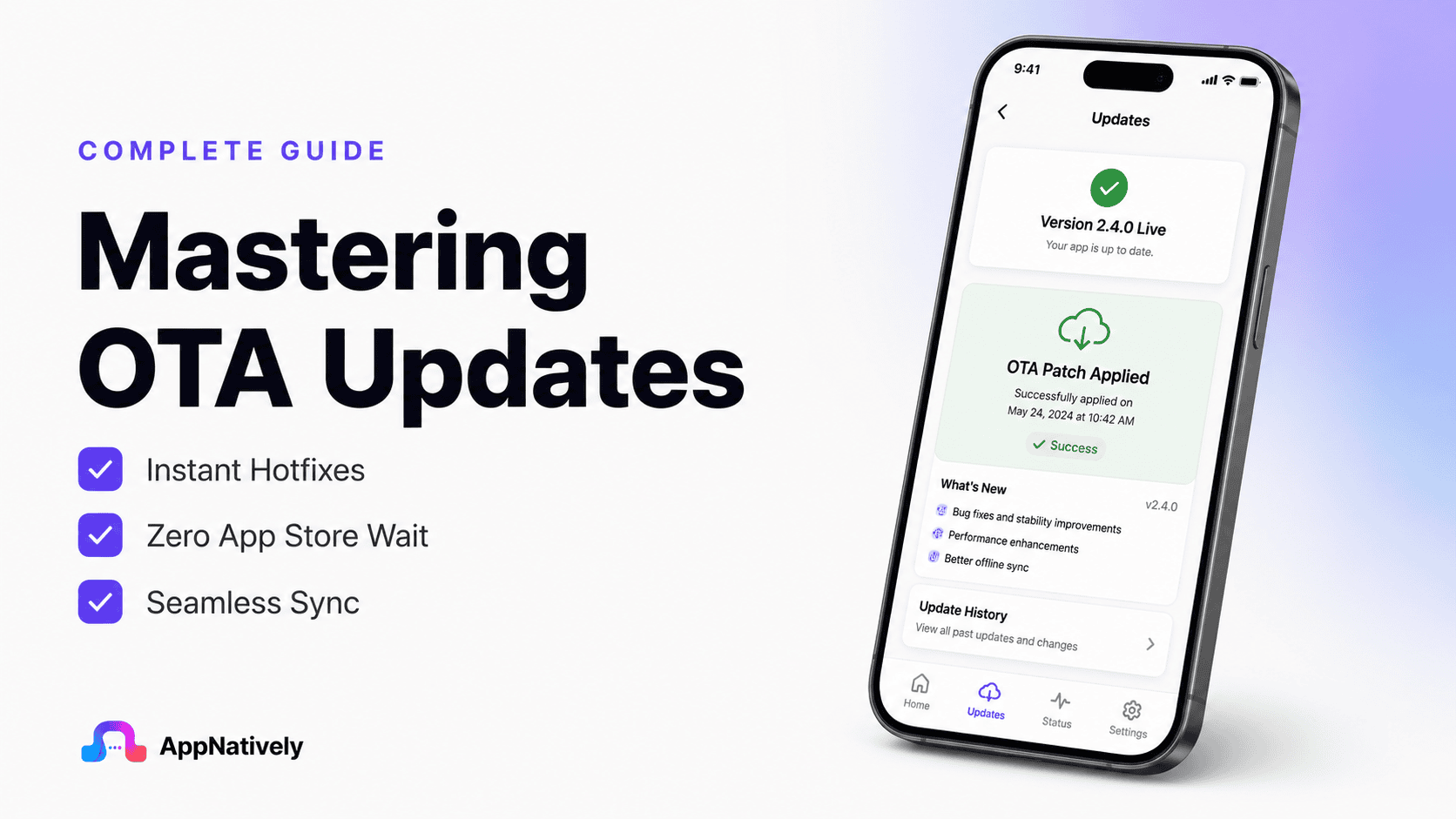
    Over-the-Air (OTA) updates let you update parts of a mobile app without requiring users to download a new version from the App Store or Google Play.

    Instead of reinstalling the app, it fetches updated content or code from a remote server while keeping the installed app intact.

    Here’s how the process works:

    Developer

    │ Publish update

    OTA Server (stores update package)


    Mobile App checks for updates

    ├── New update available?
    │ │
    │ ├── No → Continue running current version
    │ │
    │ └── Yes

    Download update package

    Verify integrity & compatibility

    Apply update

    Restart app (if needed)

    User sees latest version

    Step 1: Developer creates an update

    Instead of rebuilding and resubmitting the entire app to the app stores, the developer creates an OTA update package. This package typically contains:

    • Updated JavaScript (for React Native apps)
    • UI changes
    • Images and assets
    • Configuration files
    • Bug fixes

    The update is uploaded to an OTA server.

    Step 2: App checks for updates

    Whenever the app launches, resumes from the background, or at scheduled intervals, it contacts the OTA server and sends information such as:

    • Current app version
    • Build number
    • Platform (Android/iOS)
    • Device information

    The server determines whether a newer compatible update exists.

    Step 3: Download

    If an update is available, the app downloads only the changed files instead of the entire application, making updates much smaller and faster.

    Step 4: Verification

    Before applying the update, the app verifies:

    • File integrity
    • Digital signature (if used)
    • Compatibility with the installed native version

    If verification fails, the update is discarded.

    Step 5: Apply the update

    The downloaded bundle replaces the previous OTA bundle stored locally on the device.

    Depending on the OTA solution, the update is applied:

    • Immediately
    • On next app restart
    • After the user confirms

    Step 6: User gets the new version

    The next time the app starts (or immediately, depending on configuration), users see:

    • Bug fixes
    • UI improvements
    • New content
    • Minor feature enhancements

    without ever visiting the App Store or Google Play.

    What OTA Updates Can Change

    OTA updates are ideal for changes such as:

    • UI improvements
    • Theme updates
    • Bug fixes
    • Text changes
    • API endpoint updates
    • Images and icons
    • Business logic (when supported by the framework)

    What OTA Updates Cannot Change

    OTA updates cannot modify the app’s native binaries. Changes that still require an app store release include:

    • Native Android or iOS code
    • New native SDKs
    • Changes to permissions
    • Changes to app icons or splash screens
    • Changes requiring new operating system capabilities

    Example

    Imagine your shopping app has a typo on the checkout screen.

    Without OTA

    1. Fix the code.
    2. Build a new app.
    3. Submit to App Store and Play Store.
    4. Wait for review.
    5. Users update manually.

    This process may take several days.

    With OTA

    1. Fix the typo.
    2. Publish the OTA update.
    3. The app downloads the update automatically.
    4. Users see the fix within minutes.

    Common OTA Technologies

    Popular platforms that support OTA updates include:

    • React Native CodePush (community-maintained successors after Microsoft’s service retirement)
    • Expo Updates
    • Flutter solutions using remote configuration or custom update systems
    • Proprietary OTA systems built into app builder platforms

    Key Benefits of OTA Updates

    Mobile apps need continuous improvement to stay competitive, but traditional update processes can slow down development and frustrate users.

    OTA (Over-the-Air) updates solve this challenge by allowing businesses to deliver faster improvements without requiring users to install a new app version.

    Here are the top five benefits of OTA updates:

    1. Faster bug fixes without waiting for App Store approval

    Traditional mobile app updates often require developers to fix a bug, rebuild the application, submit it to the App Store or Google Play, and wait for approval before users can access the solution. This process can take hours or even days, especially for urgent issues.

    With OTA updates, developers can quickly deliver eligible fixes directly to users. Whether it’s a UI issue, broken workflow, or small functionality problem, updates can be pushed instantly without forcing users to download a completely new app version.

    2. Seamless user experience

    One of the biggest advantages of OTA updates is that users don’t need to manually update the app every time there is a small improvement. Updates can happen automatically in the background or during the next app launch.

    This removes friction from the user journey. Customers always get the latest improvements without visiting the app store, checking for updates, or waiting for large downloads, creating a smoother and more reliable app experience.

    3. Faster feature rollouts

    OTA updates allow businesses to release improvements and test new ideas much faster.

    Instead of waiting for a complete app release cycle, teams can deliver smaller changes continuously and respond quickly to user feedback.

    For businesses, this means faster experimentation and innovation. New UI changes, content updates, campaigns, and improvements can reach users quickly, helping companies stay competitive in a fast-moving mobile market.

    4. Reduced development and maintenance costs

    Every app store release requires development time, testing, submission processes, and ongoing management. For frequent small changes, this can consume significant resources and slow down product growth.

    OTA updates reduce unnecessary release cycles by allowing teams to manage smaller updates remotely.

    Developers can focus more on building new features instead of spending time preparing every minor update for app store submission.

    5. Easy rollbacks and better app stability

    Sometimes an update may introduce unexpected issues after release. With traditional app updates, fixing the problem requires another complete release process, which can delay the solution.

    OTA systems often allow developers to quickly roll back problematic updates and restore a stable version.

    This helps maintain app reliability, reduces user frustration, and gives development teams more confidence when releasing frequent improvements.

    OTA Updates in Different Industries

    OTA updates are transforming how businesses maintain and improve their mobile applications.

    From ecommerce and healthcare to travel and education, industries are using OTA technology to deliver faster improvements, reduce maintenance efforts, and create better user experiences.

    Here are some industries where OTA updates provide significant value:

    1. Ecommerce and Retail

    Ecommerce apps need constant updates to improve shopping experiences, promote new offers, and adapt to changing customer behavior.

    OTA updates allow businesses to quickly update product banners, promotional campaigns, UI elements, and checkout improvements without requiring users to download a new app version.

    For online stores, faster updates mean businesses can launch seasonal campaigns, fix purchase-related issues, and optimize conversion-focused features quickly. This helps brands stay competitive and deliver a smoother shopping experience.

    2. Food delivery and restaurants

    Food delivery apps depend on real-time information and frequent improvements. OTA updates allow restaurants and delivery platforms to update menus, offers, images, and customer-facing features instantly.

    Businesses can quickly fix issues related to ordering, payments, or user navigation without waiting for app store approval. This ensures customers always have access to accurate information and a reliable ordering experience.

    3. Travel and hospitality

    Travel apps need frequent changes due to pricing updates, booking improvements, location-based features, and seasonal promotions.

    OTA updates help travel companies make quick adjustments without interrupting users.

    Hotels, airlines, and booking platforms can improve their apps continuously by updating interfaces, adding new content, and fixing minor issues faster.

    This creates a smoother booking journey and improves customer satisfaction.

    4. Education and e-Learning

    Education apps often need regular updates for course content, learning materials, and user engagement features.

    OTA updates allow educational platforms to refresh content and improve app functionality without requiring students to manually update the app.

    This helps schools, training platforms, and online learning businesses deliver new resources faster while maintaining a consistent learning experience for users.

    5. Real estate and property platforms

    Real estate apps frequently update property listings, images, search features, and communication tools.

    OTA updates allow companies to improve these features quickly and keep the app aligned with market demands.

    Agents and customers benefit from faster updates, better search experiences, and improved performance without waiting for traditional app releases.

    6. Banking and fintech

    Financial apps require continuous improvements to security, performance, and user experience. OTA updates help fintech companies deliver eligible improvements faster while maintaining app stability.

    Although major security and native changes still require official app store releases, OTA updates can help improve interfaces, fix minor issues, and enhance user interactions quickly.

    7. Healthcare

    Healthcare applications need reliable performance because users depend on them for appointments, health tracking, and communication.

    OTA updates allow healthcare providers to improve usability, update information, and fix minor issues without disrupting users.

    Faster updates help healthcare apps remain accessible, efficient, and user-friendly while supporting continuous improvement.

    8. SaaS and business applications

    Business applications often evolve based on customer feedback and changing workflows.

    OTA updates allow SaaS companies to release interface improvements, workflow updates, and productivity enhancements faster.

    This enables companies to continuously improve their products while reducing friction for customers who rely on these applications daily.

    Conclusion

    OTA updates have changed the way modern mobile apps are maintained by making it possible to deliver eligible improvements faster, more efficiently, and with less friction for users.

    Instead of relying on lengthy app store release cycles for every minor change, businesses can quickly roll out bug fixes, UI enhancements, content updates, and performance improvements while keeping the user experience smooth and uninterrupted.

    As mobile apps continue to evolve, OTA updates are becoming an essential part of every development strategy. While they don’t replace traditional app store releases for native code changes, they significantly reduce the time it takes to deliver many everyday improvements.

    Whether you’re building an ecommerce app, a booking platform, an educational app, or a business solution, leveraging OTA updates can help you iterate faster, improve customer satisfaction, and keep your app competitive in an increasingly fast-paced digital landscape.

  • API Versioning Strategies That Actually Work

    API Versioning Strategies That Actually Work

    APIs are designed to evolve. New features are added, data models improve, security requirements change, and old functionality eventually becomes obsolete.

    The challenge isn’t making those changes. The challenge is making them without breaking the applications that already depend on your API.

    This is why API versioning is one of the most important architectural decisions you’ll make. A well-planned versioning strategy allows your API to grow while maintaining backward compatibility and a great developer experience.

    A poor strategy can leave you maintaining multiple outdated versions, frustrating developers, and slowing product development.

    In this blog post, we’ll explore the API versioning strategies that actually work, their pros and cons, and how leading technology companies handle API evolution.

    What Is API Versioning?

    API versioning is the process of managing changes to an API while ensuring existing applications continue to function correctly.

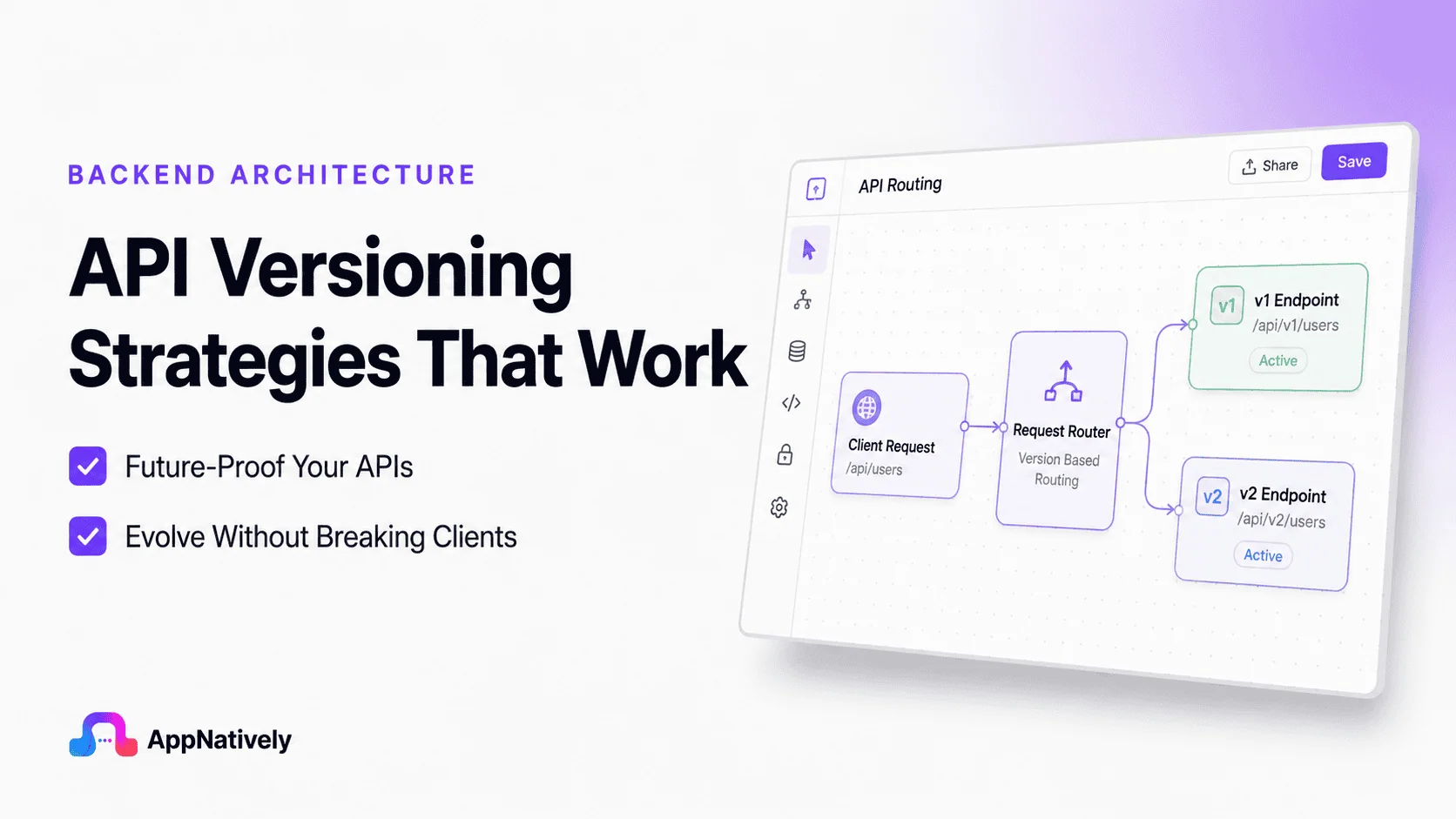
    Instead of replacing an API every time a breaking change is introduced, developers release a new version. Existing clients can continue using the previous version while new applications adopt the latest one.

    Breaking changes may include:

    • Renaming response fields
    • Removing endpoints
    • Changing request parameters
    • Modifying authentication methods
    • Altering response formats

    Without versioning, even a small update could break thousands of applications overnight.

    Why API Versioning Matters

    Imagine an eCommerce API that returns this response:

    {
      "name": "Wireless Mouse",
      "price": 49.99
    }

    Thousands of mobile apps depend on the price field.

    Months later, the backend team decides to support multiple currencies.

    The response becomes:

    {
      "name": "Wireless Mouse",
      "pricing": {
          "amount": 49.99,
          "currency": "USD"
      }
    }

    While this improves the API, every application expecting price immediately fails.

    Proper versioning prevents these situations by allowing old and new formats to coexist.

    Common API Versioning Strategies

    1. URL versioning

    Example:

    /api/v1/products
    /api/v2/products

    This is by far the most common strategy.

    Advantages

    • Extremely easy to understand
    • Easy to document
    • Browser friendly
    • Works well with caching
    • Supported by every API framework

    Disadvantages

    • URLs change frequently
    • Multiple endpoints require maintenance
    • Can lead to duplicated routing logic

    Best use cases

    • Public REST APIs
    • SaaS products
    • APIs with large developer communities

    Many companies use this approach because it’s intuitive and predictable.

    2. Header versioning

    Instead of changing the URL:

    GET /products

    The client specifies:

    API-Version: 2

    or

    Accept-Version: v2

    Advantages

    • Clean URLs
    • Better separation between resources and versions
    • Easier URL management

    Disadvantages

    • Harder to test in browsers
    • Less obvious for new developers
    • Documentation becomes slightly more complex

    Best use cases

    • Internal APIs
    • Enterprise systems
    • Microservices

    3. Media type versioning

    Clients specify the desired version using the Accept header.

    Example:

    Accept:
    application/vnd.company.v2+json

    Advantages

    • RESTful
    • Keeps URLs stable
    • Supports multiple representations

    Disadvantages

    • Difficult for beginners
    • More complex tooling
    • Harder to debug

    This approach is popular among organizations with mature API ecosystems.

    4. Query parameter versioning

    Example:

    /products?version=2

    Advantages

    • Very easy to implement
    • Quick for testing
    • Requires minimal routing changes

    Disadvantages

    • Easy to forget
    • Poor caching behavior
    • Generally discouraged for public APIs

    It’s usually suitable only for prototypes or internal tools.

    5. Date-based versioning

    Instead of version numbers, APIs use release dates.

    Example:

    Stripe-Version:
    2025-06-15

    This allows clients to lock into a specific API behavior.

    Advantages

    • Continuous evolution
    • Smaller incremental changes
    • Encourages gradual upgrades

    Disadvantages

    • Less intuitive
    • Requires excellent documentation
    • More planning

    Stripe popularized this strategy with great success.

    Which Versioning Strategy Is Best?

    There isn’t a universal winner.

    Your decision depends on your API’s audience and lifecycle.

    StrategyBest ForDifficulty
    URLPublic APIsEasy
    HeaderEnterprise APIsMedium
    Media TypeAdvanced REST APIsHigh
    Query ParameterInternal ToolsEasy
    Date-BasedLarge SaaS PlatformsHigh

    For most startups and SaaS products, URL versioning offers the best balance between simplicity and maintainability.

    When Should You Create a New Version?

    Not every change requires a new API version.

    Minor improvements are usually backward compatible.

    Examples include:

    • Adding optional fields
    • Adding new endpoints
    • Improving performance
    • Fixing bugs
    • Expanding response data

    New versions should generally be created only for breaking changes.

    Examples include:

    • Removing fields
    • Renaming properties
    • Changing authentication
    • Altering endpoint behavior
    • Modifying request formats

    A good rule of thumb is simple:

    If existing clients stop working, release a new version.

    API Versioning Best Practices

    API versioning is the practice of managing changes to an API without unexpectedly breaking existing clients.

    A good versioning strategy lets you add features, fix issues, and evolve your API while giving consumers time to migrate.

    Here are the most widely accepted best practices.

    1. Version only when necessary

    Don’t create a new API version for every change.

    Changes that usually don’t require a new version:

    • Adding optional request parameters
    • Adding new endpoints
    • Adding new response fields (if clients ignore unknown fields)
    • Performance improvements
    • Bug fixes that don’t change behavior

    Changes that do require a new version:

    • Removing fields
    • Renaming fields
    • Changing data types
    • Changing response structure
    • Changing endpoint semantics
    • Changing authentication mechanisms

    2. Choose a consistent versioning strategy

    Common approaches include:

    MethodExampleProsCons
    URL Path/api/v1/usersEasy to understand and cacheVersion becomes part of URL
    HeaderAPI-Version: 2Cleaner URLsLess visible
    Accept HeaderAccept: application/vnd.company.v2+jsonRESTfulMore complex
    Query Parameter/users?version=2SimpleGenerally discouraged

    For most public APIs, URL path versioning (/v1/) is the simplest and most widely adopted.

    3. Maintain backward compatibility

    Whenever possible:

    • Only add new fields
    • Never remove existing fields
    • Keep response formats stable
    • Keep existing endpoints working

    Example:

    Version 1:

    {
      "id": 12,
      "name": "Alice"
    }

    Backward-compatible addition:

    {
      "id": 12,
      "name": "Alice",
      "email": "[email protected]"
    }

    Clients that don’t use email continue working.

    4. Prefer additive changes

    Good changes:

    • New endpoints
    • New optional parameters
    • New response fields
    • New resource types

    Avoid:

    • Renaming properties
    • Removing endpoints
    • Changing HTTP status behavior
    • Changing validation rules unexpectedly

    5. Support multiple versions during migration

    Avoid forcing all clients to upgrade immediately.

    Example:

    /api/v1/...
    /api/v2/...

    Run both versions in parallel until users have migrated.

    6. Deprecate before removing

    A typical lifecycle is:

    v1 Released
          ↓
    v2 Released
          ↓
    v1 Deprecated
          ↓
    Migration Period
          ↓
    v1 Removed

    Communicate:

    • Deprecation date
    • End-of-support date
    • Removal date
    • Migration guide

    7. Document breaking changes clearly

    For each new version, explain:

    • What changed
    • Why it changed
    • Breaking changes
    • Migration examples
    • Deprecated endpoints
    • New features

    A changelog can look like:

    v2.0
    - Added pagination metadata
    - Renamed fullName → name
    - Removed legacy login endpoint
    
    v1.5
    - Added search endpoint
    - Added email field

    8. Keep version numbers simple

    Use clear major versions:

    v1
    v2
    v3

    Avoid exposing patch versions in URLs:

    /v1.0.7/users
    /v1.2.5/orders

    Patch and minor versions are typically handled internally.

    9. Use semantic versioning internally

    Even if clients only see v1 and v2, track releases internally using Semantic Versioning:

    1.0.0
    1.1.0
    1.2.0
    2.0.0

    Where:

    • Major: Breaking changes
    • Minor: New backward-compatible features
    • Patch: Bug fixes

    10. Provide migration guides

    When releasing a new version, show side-by-side examples.

    v1

    GET /v1/users/123

    Response:

    {
      "name": "Alice"
    }

    v2

    GET /v2/users/123

    Response:

    {
      "id": 123,
      "name": "Alice",
      "email": "[email protected]"
    }

    This helps consumers stay up to date with minimal effort.

    11. Version your API contract, not your implementation

    The version should reflect changes to the API that clients consume, not internal refactoring.

    Changes such as switching databases, optimizing queries, or moving to microservices should not require a new API version if the external contract remains unchanged.

    12. Test all supported versions

    Maintain automated tests for every supported version to ensure bug fixes or new features do not inadvertently break older clients.

    13. Define a version support policy

    Clearly state:

    • Which versions are currently supported
    • How long each version will receive updates
    • Your deprecation timeline
    • How clients will be notified of upcoming changes

    This helps consumers plan upgrades with confidence.

    Example directory structure

    api/
    ├── v1/
    │   ├── users
    │   ├── orders
    │   └── products
    ├── v2/
    │   ├── users
    │   ├── orders
    │   └── products

    Alternatively, share common business logic and keep version-specific request/response mappings separate to avoid code duplication.

    Summary

    A robust API versioning strategy focuses on stability and predictable evolution:

    • Use clear major versions (e.g., /v1, /v2).
    • Make additive, backward-compatible changes whenever possible.
    • Introduce new versions only for breaking changes.
    • Support multiple versions during client migration.
    • Announce deprecations well in advance and provide migration guides.
    • Keep versioning tied to the public API contract, not internal implementation details.
    • Document changes thoroughly and test every supported version.

    Real-World API Versioning Examples

    1. Stripe

    Stripe uses date-based versioning, allowing each account to remain on a specific API release date until the developer chooses to upgrade. This minimizes unexpected breaking changes while enabling continuous API improvements.

    2. GitHub

    GitHub combines REST API versioning with clear deprecation policies and extensive migration guides. Developers receive advance notice before major changes take effect.

    3. Microsoft

    Microsoft Graph uses versioned endpoints such as /v1.0 for stable APIs and /beta for preview features. This lets developers experiment with new capabilities without affecting production applications.

    4. Google

    Many Google APIs expose versioned endpoints like v1, v2, and v3, making upgrades straightforward while maintaining long-term compatibility for existing integrations.

    Common API Versioning Mistakes

    Even experienced teams make mistakes when evolving APIs. Here are some of the most common pitfalls:

    Versioning too early. Creating a new version for every minor improvement quickly becomes difficult to maintain.

    Breaking clients without warning. Removing fields or changing response formats without a migration plan damages developer trust.

    Supporting too many versions. Maintaining five or six active versions increases development, testing, and infrastructure costs.

    Poor communication. Developers should never discover a breaking change only after their applications stop working.

    Inconsistent behavior across versions. Each version should have clear, predictable behavior and complete documentation.

    Avoiding these mistakes helps keep your API reliable and easier to maintain over time.

    Turn Your WordPress Website into a High-Performance Native App with AppNatively

    Building a great API is only one part of delivering an exceptional mobile experience. If you already have a website or web application, AppNatively lets you transform it into fully native Android and iOS apps without writing complex mobile code.

    Unlike traditional app builders that rely on web views, AppNatively creates true native apps with smooth performance, native UI components, push notifications, offline capabilities, and extensive customization options.

    Whether you’re running an eCommerce store, directory, booking platform, LMS, or any other web-based business, you can launch production-ready mobile apps in a fraction of the time and cost of traditional development.

    Ready to bring your website to mobile? Build fast, scalable, and fully native mobile apps with AppNatively and deliver the experience your users expect.

    Final Thoughts

    API versioning is about much more than naming endpoints. It’s a long-term strategy for helping your API evolve without disrupting the developers who rely on it.

    For most public REST APIs, URL versioning remains the simplest and most practical approach. Larger platforms with mature ecosystems may benefit from header-based or date-based versioning, but the best strategy is always the one that balances stability, maintainability, and developer experience.

    As your API grows, prioritize backward compatibility, communicate breaking changes early, maintain comprehensive documentation, and give developers enough time to migrate.

    By treating versioning as part of your API design rather than an afterthought, you’ll build a platform that can adapt to future requirements while earning the trust of the developers who use it every day.

  • API Explained Without the Technical Jargon

    API Explained Without the Technical Jargon

    APIs power almost every app and website we use, yet they’re often explained with confusing technical terms that make them seem far more complicated than they really are.

    This leaves many beginners, business owners, and non-technical professionals feeling like APIs are only for programmers.

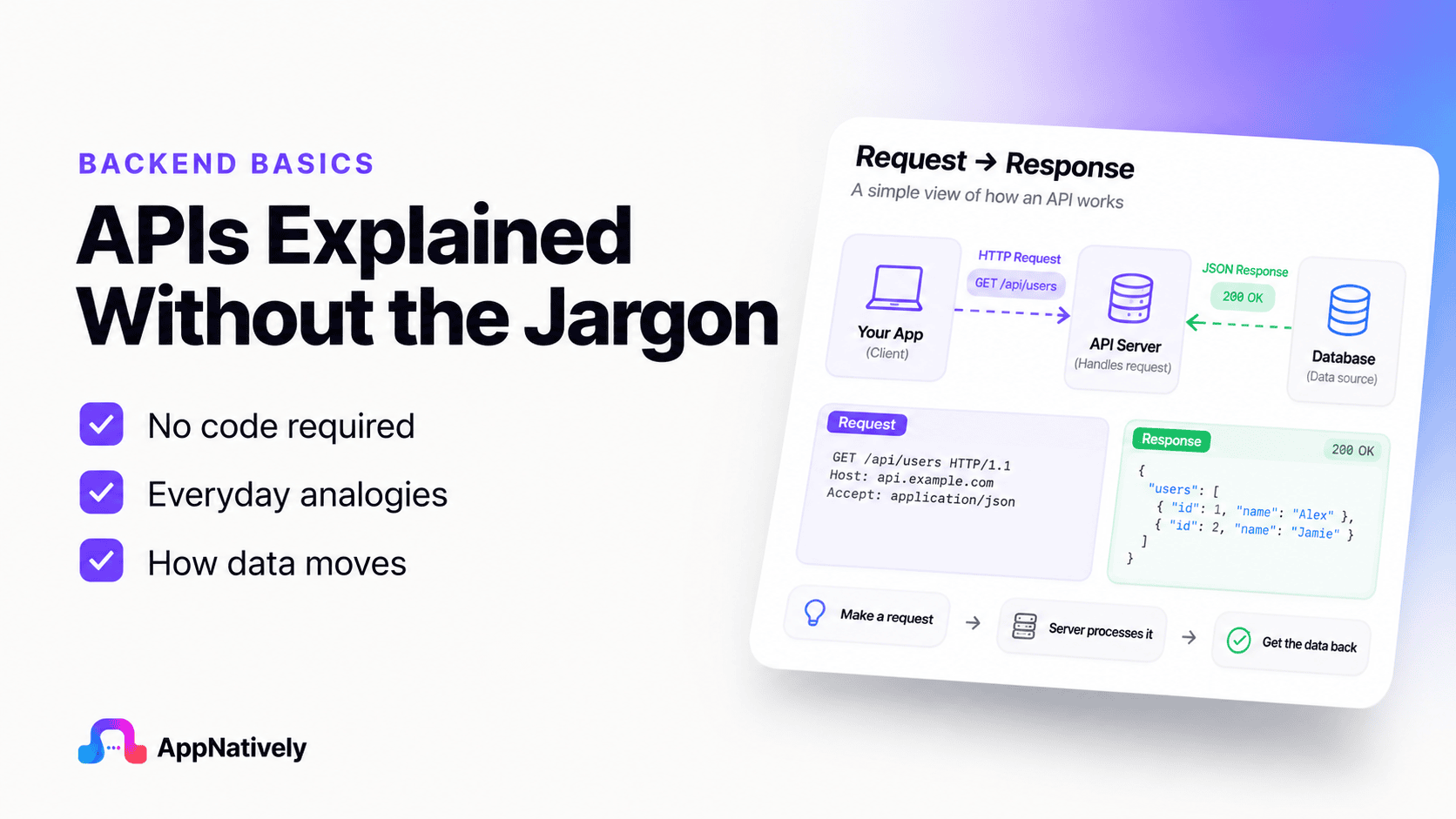
    The reality is much simpler. An API is simply a messenger that allows different applications to communicate and share information.

    In this blog post, you’ll discover what an API is, how it works, and why it matters, all through simple, real-world examples without the technical jargon.

    What Is an API?

    An API, short for Application Programming Interface, is a tool that allows two or more software applications to communicate with each other. While the name may sound complicated, the idea behind it is surprisingly simple.

    Think about how people communicate. If you want to ask someone a question, you don’t need to understand how their brain processes information.

    You simply ask the question, and they respond with an answer. An API works in a similar way. It helps one application ask another application for information or request that it performs a specific task.

    For example, imagine you open a weather app on your phone to check today’s forecast. The weather app doesn’t measure the temperature itself. Instead, it asks a weather service for the latest weather information.

    The API acts as the messenger that delivers the request and brings back the answer. Within seconds, the app displays the temperature, humidity, wind speed, and forecast on your screen.

    The same thing happens when you:

    • Sign in to a website using your Google or Facebook account.
    • Pay for an online purchase using a payment service.
    • Book a ride through a ride-sharing app.
    • View a location on a digital map.
    • Track a package from an online store.

    In each of these situations, different applications need to exchange information. Rather than building everything from scratch, they rely on APIs to communicate quickly, securely, and accurately.

    One of the biggest misconceptions about APIs is that they’re only useful for software developers. In reality, APIs affect almost everyone who uses the internet.

    Whether you’re shopping online, streaming music, ordering food, or checking sports scores, APIs are working behind the scenes to make those experiences smooth and convenient.

    The best part is that you don’t need to know how the underlying systems work to understand the purpose of an API. Just remember this simple definition:

    An API is a messenger that allows different applications to communicate and share information without exposing their internal workings.

    A Real-Life Analogy

    One of the easiest ways to understand an API is to compare it to a waiter in a restaurant.

    Let’s assume, you visit your favorite restaurant. You sit down, look at the menu, and decide what you’d like to eat. Instead of walking into the kitchen and telling the chef directly, you place your order with the waiter.

    The waiter takes your order to the kitchen, where the chefs prepare your meal. Once it’s ready, the waiter brings the food back to your table.

    Notice what happened here:

    • You never entered the kitchen.
    • You didn’t need to know how the food was cooked.
    • The chefs didn’t need to speak directly with you.
    • The waiter handled all the communication between both sides.

    An API performs exactly the same role in software.

    • Instead of a customer, you have an application making a request.
    • Instead of a waiter, you have an API carrying that request.
    • Instead of a kitchen, you have another application or service that processes the request.

    Finally, the API returns the result to the original application.

    This process happens in seconds, often so quickly that you never notice it. Every time you search for a location, check your bank balance, stream a video, or log in with another account, an API is quietly handling the communication in the background.

    Thinking of an API as a waiter is one of the simplest and most accurate ways to understand its purpose. It doesn’t create the information itself. Instead, it connects the right people, or in this case, the right applications, so they can exchange information efficiently.

    How an API Works (Without the Technical Terms)

    Now that you understand what an API is, let’s see how it works in everyday situations.

    At its core, an API follows a simple four-step process. You don’t need to memorize any technical terms to understand it.

    Step 1: You make a request

    Everything starts with an action.

    You might tap a button in an app, search for a product, check today’s weather, or log in to a website. From your perspective, you’re simply asking the app to do something.

    Step 2: The API delivers the request

    The app doesn’t always have the information you need. Instead, it sends your request through an API.

    Think of the API as a trusted messenger. Its job is to carry your request to the right service and ask for the information or action you requested.

    Step 3: The service does the work

    The receiving service processes the request.

    For example:

    • A weather service looks up the latest forecast.
    • A payment service checks whether your payment is approved.
    • A map service finds the fastest route to your destination.
    • A shopping service checks whether a product is in stock.

    This is where the actual work happens. The API simply connects both sides.

    Step 4: The API returns the response

    Once the service has finished processing your request, it sends the result back through the API.

    The app then displays the information in a way that’s easy for you to understand.

    For example, instead of showing complicated data, your weather app simply displays:

    • Temperature: 28°C
    • Condition: Sunny
    • Chance of Rain: 10%

    All of this happens within a few seconds.

    A Simple Example

    Let’s consider, you’re using a food delivery app.

    1. You search for “pizza.”
    2. The app sends your search through an API.
    3. The restaurant service finds nearby pizza restaurants.
    4. The API brings the results back.
    5. The app displays a list of restaurants, menus, prices, and delivery times.

    You never see the communication happening in the background. It feels like the app already knows the answer, but in reality, the API is working behind the scenes to retrieve the latest information.

    Why this process matters

    Without APIs, every application would have to build every feature on its own.

    A shopping app would have to create its own payment system, map service, email service, weather service, and much more. That would take an enormous amount of time, money, and effort.

    Instead, developers can connect existing services through APIs. This saves time, reduces costs, and allows businesses to focus on creating better products instead of reinventing tools that already exist.

    For users, the benefit is simple: everything works together more smoothly. You can log in with one account, pay securely, track deliveries, view maps, and receive real-time updates, all without thinking about the technology making it possible.

    Everyday Examples of APIs

    You may not realize it, but APIs are part of your daily routine. Almost every modern app relies on them to deliver fast, accurate, and connected experiences.

    Here are some common examples.

    i. Logging In with Google or Facebook

    Instead of creating a new username and password for every website, many people choose “Continue with Google” or “Continue with Facebook.”

    When you click one of these buttons, the website uses an API to verify your identity. Once you’re confirmed, you’re signed in within seconds.

    ii. Online payments

    When you buy something online, the store usually doesn’t process your payment itself.

    Instead, it sends your payment information securely to a trusted payment provider through an API. The payment provider checks the transaction and returns the result almost instantly.

    That’s why you receive a confirmation message just moments after completing your purchase.

    iii. Weather apps

    Most weather apps don’t collect weather data themselves.

    They request the latest forecast from professional weather services through APIs. This allows the app to display current temperatures, forecasts, and weather alerts in real time.

    iv. Maps and navigation

    When you search for a location or request directions, your map app communicates with mapping services through APIs.

    These services calculate routes, estimate travel times, and provide live traffic updates before sending the information back to your phone.

    v. Food delivery apps

    Food delivery platforms use APIs to connect with restaurants, payment providers, delivery drivers, and location services.

    Because of these connections, you can browse menus, place an order, pay online, and track your delivery, all from a single app.

    vi. Social media sharing

    Many websites let you share articles or videos directly to social media.

    When you click the Share button, APIs help transfer the content to your chosen platform without requiring you to copy and paste links manually.

    vii. Travel Booking Websites

    Travel websites combine information from airlines, hotels, and car rental companies.

    Instead of maintaining all that information themselves, they use APIs to collect real-time prices, availability, and booking details from multiple providers, making it easy to compare your options in one place.

    These examples show that APIs aren’t just a tool for developers. They’re a core part of the digital experiences millions of people rely on every day, often without even realizing it.

    Why APIs Are Important

    By now, you’ve seen that APIs are everywhere. But why are they so important?

    The answer is simple: APIs make modern software possible. Instead of every application trying to do everything on its own, APIs allow different services to work together. This saves time, reduces costs, and creates a better experience for users.

    Here are some of the biggest reasons APIs matter.

    1. They connect different applications

    Most apps don’t work alone. They rely on other services to provide features like payments, maps, notifications, and user authentication.

    APIs act as the bridge that allows these services to communicate. Without them, many of the digital experiences we enjoy today wouldn’t be possible.

    2. They save time

    Imagine a company building a new shopping app.

    Instead of creating its own payment system, mapping service, and email platform from scratch, the company can use APIs from trusted providers.

    This allows developers to focus on improving the shopping experience rather than rebuilding tools that already exist.

    3. They improve user experience

    Users expect apps to be fast, convenient, and connected.

    Thanks to APIs, you can sign in with one account, receive instant notifications, track deliveries in real time, and make secure online payments without switching between multiple apps.

    Everything feels seamless because APIs handle the communication behind the scenes.

    4. They keep information up to date

    Many applications depend on live information.

    A weather app needs the latest forecast. A stock market app needs current prices. A navigation app needs real-time traffic updates.

    APIs make it possible to fetch the latest information whenever it’s needed, ensuring users always see the most current data.

    Common API Myths

    Because APIs are often discussed in technical circles, several misconceptions have developed around them. Let’s clear up a few of the most common ones.

    Myth 1: APIs are only for developers

    While developers build and use APIs, their impact goes far beyond programming.

    Business owners use API-powered tools to automate workflows. Marketers connect different platforms to streamline campaigns. Customer support teams integrate help desk software with communication tools.

    Even if you’ve never written a line of code, you’ve almost certainly benefited from APIs.

    Myth 2: APIs are difficult to understand

    The terminology can make APIs seem intimidating, but the core idea is simple.

    Remember the restaurant example. One side makes a request, the API carries it to the right place, and the response comes back. That’s the basic concept behind almost every API.

    Myth 3: APIs replace applications

    An API isn’t an application by itself.

    Instead, it helps applications communicate with one another. Think of it as a bridge rather than a destination. The apps still perform the work, while the API helps them exchange information.

    Myth 4: APIs are only used by large companies

    It’s true that companies like Google, Amazon, and Microsoft rely heavily on APIs, but they’re just as valuable for small businesses and startups.

    Many small companies use APIs to add payment processing, email notifications, customer support, analytics, and many other features without building them from scratch.

    Simple Benefits of APIs

    Whether you’re a developer, business owner, student, or everyday internet user, APIs offer several practical benefits.

    Faster development

    Developers don’t have to reinvent the wheel every time they build an application. They can use existing services through APIs, allowing them to launch products more quickly.

    Better integration

    Businesses often use multiple software tools for accounting, marketing, customer support, and sales.

    APIs help these tools work together, reducing manual work and improving productivity.

    Increased reliability

    Many API providers specialize in a single service, such as payments, maps, or messaging.

    Because these providers continuously improve and maintain their systems, applications that use their APIs can offer reliable features without managing the underlying infrastructure.

    More innovation

    APIs encourage creativity.

    Developers can combine different services in new ways to build unique applications.

    A fitness app might connect with a map service to track running routes, a weather service to recommend the best time to exercise, and a music platform to create workout playlists.

    Without APIs, creating these connected experiences would be much more difficult.

    Ready to Build Your Own App?

    Now that you understand how APIs help apps communicate and unlock powerful features, imagine building your own app without writing complex code.

    With AppNatively, you can create high-performance native mobile apps using an intuitive drag-and-drop builder. Easily connect your app with APIs, customize features, and launch faster without the traditional development headaches.

    Whether you’re an entrepreneur, small business owner, or creator, AppNatively makes app development simple, flexible, and accessible.

    Start building your native app with AppNatively today and turn your ideas into reality, no coding expertise required.

    Final Thoughts: API Explained Without the Technical Jargon

    Although the term API may sound technical, the concept is surprisingly straightforward.

    An API is simply a messenger that allows different applications to communicate and share information. It helps software exchange data, perform tasks, and deliver the seamless digital experiences we’ve come to expect.

    Every time you log in with Google, check the weather, pay online, use a map, stream music, or order food, APIs are quietly working behind the scenes to make everything happen.

    You don’t need to be a programmer to understand or appreciate APIs. Knowing the basic idea can help you better understand how modern technology works and why so many apps feel connected.