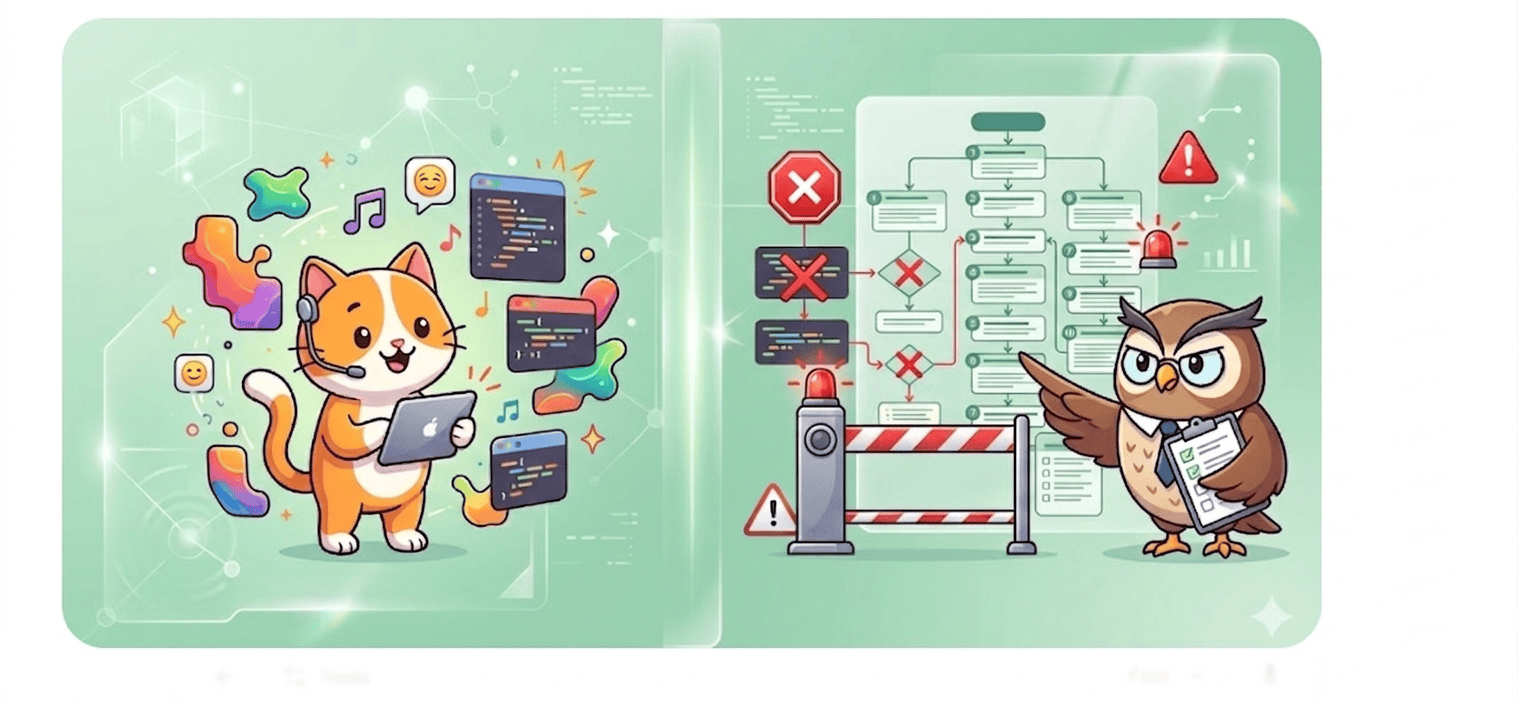
“Vibe coding” — building apps fast using AI, no-code tools, or rapid prototyping — is exploding in 2026.
But here’s the problem: most of these apps fail App Store approval, not because they don’t work, but because they ignore strict platform guidelines.
Apple and Google reject up to 25% of app submissions, often for avoidable reasons such as incomplete functionality, privacy violations, or spam-like duplication.
If your app feels “done” but keeps getting rejected, the issue isn’t your idea. It’s the gap between the vibe of coding speed and the reality of App Store compliance.
Build fast. Get approved. Join App Natively waitlist
What Is Vibe Coding (And Why It’s Dangerous for Approval)
Vibe coding is all about speed. You build apps using AI tools and templates without deep attention to technical or compliance details.
It prioritizes:
- Speed over structure
- Features over polish
- Launch over compliance
And that’s exactly why apps fail review.
Moreover, Vibe Coding prioritizes experience feel over edge-case handling. Apple prioritizes reliability over novelty.
Here’s where they clash:
| Vibe Coding Artifact | Apple Guideline Violated | Typical Rejection Reason |
|---|---|---|
| Single-screen MVP with no navigation | 4.2.0 (Minimum Functionality) | “Your app appears to be a web view or demo.” |
| AI-generated placeholder icons | 4.0 (Design – Spam) | “Binary does not match screenshots.” |
| Missing privacy manifests | 5.1.1 (Data Collection) | “No App Privacy Response.” |
| Hardcoded API keys | 2.5.1 (Performance) | “Crash on launch due to network failure.” |
| No offline state handling | 2.4.1 (Hardware Compatibility) | “App fails on airplane mode.” |
Hidden mistake #1: Vibe Coding tools (Cursor, Replit, v0.dev) rarely enforce Apple’s human interface guidelines. You get “vibes” but not a UINavigationController hierarchy.
The Core Problem: Speed vs Compliance
Vibe coding creates apps fast.
App Store guidelines expect apps to be:
- Fully tested
- Policy-compliant
- User-safe
- Production-ready
This mismatch is where most developers fail.
👉 Over 40% of rejections come from incomplete or broken apps alone.
Vibe Coding vs App Store Guidelines: Side-by-Side Compliance Map
| Requirement | Vibe Coding Default | App Store Expectation | Fix |
|---|---|---|---|
| Minimum functionality | One interactive view | Multi-screen + settings | Add tab bar + UserDefaults |
| Privacy labels | None | Full disclosure | Add PrivacyInfo.xcprivacy |
| Performance | Assumes perfect network | Graceful degradation | Add offline alerts + retry |
| UI consistency | AI hallucinated colors | HIG compliance | Run uicheck or manual audit |
| App icon | Placeholder emoji | Distinct, non-spam | Custom asset + proper sizes |
Hidden mistake #0 (the killer): Vibe-coded apps often include unused permissions. Apple sees NSCameraUsageDescription but no camera button → automatic rejection (Guideline 2.3.1).
10 Hidden Mistakes Killing Your App Approval
Getting your app approved isn’t just about building it, but it’s about meeting strict, often overlooked standards that most developers miss.
Before you hit submit, make sure you’re not making these hidden mistakes that silently kill your chances of approval.
1. Incomplete App (The #1 Killer)
Apps with:
- “Coming Soon” features
- Broken buttons
- Placeholder content
…get instantly rejected under Guideline 2.1.
Apple expects a fully functional product, not a prototype.
2. Copycat or “Spammy” apps
If your app looks like:
- Another AI-generated clone
- A template-based duplicate
You’ll hit Guideline 4.3 (Spam).
👉 This is extremely common in vibe coding.
3. Missing or weak privacy policy
Apps without:
- Clear data usage
- Privacy links
Get rejected under Guideline 5.1.
Privacy violations are among the top rejection reasons.
4. Broken login or demo access
If reviewers can’t log in, your app = rejected.
You must provide:
- Working credentials
- Full access to features
5. Poor UI/UX (Even if it works)
Ugly or confusing design = rejection.
Apple expects:
- Smooth navigation
- Native feel
- Clean layout
6. Misleading screenshots & metadata
If your listing shows features not in the app:
Instant rejection (Guideline 2.3)
7. Payment rule violations
Trying to:
- Bypass in-app purchases
- Use external payments
= Rejection under Guideline 3.1
8. Excessive permissions
Requesting:
- Camera
- Location
- Contacts
Without a clear reason = rejection.
9. Crashes & performance issues
Even one crash during review = rejection.
This is one of the most common real-world failures
10. No real value (Minimum Functionality)
Apps that feel like:
- Simple wrappers
- Basic templates
- Thin AI tools
…get rejected for lacking usefulness.
Vibe Coding vs App Store Reality (Comparison Chart)
| Factor | Vibe Coding Approach | App Store Expectation |
|---|---|---|
| Development Speed | Fast | Irrelevant |
| App Completeness | Often partial | Must be complete |
| UI/UX | Template-based | High-quality native |
| Privacy | Often ignored | Mandatory |
| Testing | Minimal | Extensive |
| Approval Chances | Low | High (if compliant) |
How to Submit a Vibe-Coded App Successfully (Checklist)
Use this pre-submission checklist:
- Navigation: Can the user reach at least two different logical sections?
- Persistence: Does the app restore state after force-close?
- Offline behavior: Does it show a friendly message when offline?
- Privacy manifest: Included and accurate?
- Hardcoded secrets: None in binary (use environment variables or cloud config)
- Screenshots vs binary: 100% match (no fake UI)
- Minimum iOS version: Realistic (vibe tools often set too high or too low)
- Review notes: Explain any AI-generated UI choices (e.g., “custom slider mimics physical dial”)
Recommended Tools for Vibe-Coded App Approval
| Tool | Purpose |
|---|---|
SwiftLint | Enforce code quality |
XCPrivacyGen | Generate privacy manifests |
Snapshot Snitch | Compare screenshots vs real UI |
ReviewMate (GPT prompt) | Simulate Apple reviewer questions |
Launch Faster Without Rejections (App Natively)
Most developers fail not because of coding, but because they don’t understand App Store expectations.
That’s where App Natively changes the game.
Instead of guessing what Apple wants, you:
- Build fully compliant apps
- Avoid rejection loops
- Launch faster with confidence
👉 If you’re currently building with AI or no-code, joining the waitlist now gives you an unfair advantage before launch.
Frequently Asked Questions (FAQs)
Q1: Is Vibe Coding allowed for App Store apps?
Yes, but Apple does not review your process—only the binary. Vibe-coded apps are allowed if they meet all guidelines.
However, AI-generated code often skips edge cases, so manual validation is mandatory.
Q2: Why does Apple reject “minimum functionality” apps so often?
Guideline 4.2 exists to prevent “shell apps” that could be PWAs or web views.
Apple requires native-grade utility, navigation, and persistence. A vibe-coded single-screen quote generator will be rejected.
Q3: Can I use AI to generate my App Store description and metadata?
Yes, but you must ensure it’s accurate. Many AI-generated descriptions promise features (e.g., “cloud backup”) that don’t exist in the binary. That’s a Guideline 2.3 rejection.
Q4: What’s the most common hidden rejection for vibe-coded apps?
Missing UIApplicationDelegate Methods for background tasks. Vibe coders rarely implement background fetch or audio handling, causing crashes when the app is suspended.
Q5: How do I test a vibe-coded app like Apple’s review team?
Use TestFlight with “Review Mode” enabled. Disable Wi-Fi. Force-close the app. Tap push notifications. Open from a universal link. If any step fails, you’ll get rejected.
Q6: Does Apple scan for AI-generated code?
No. But they scan for guideline violations. AI-generated code is not penalized—low-quality code is.
The hidden mistake is assuming AI will handle Apple’s unique runtime expectations.