
Populating your directory app with listings means adding relevant, high-quality entries that make your platform useful from day one. The fastest way to do this is by combining manual data sourcing, automated imports, and user-generated submissions.
An empty directory kills trust and conversions instantly. No matter how powerful your features are, users won’t engage without content. That’s why the success of your directory app depends heavily on how quickly and effectively you can fill it with valuable listings.
In this blog post, you’ll learn proven, scalable strategies to populate your directory app with listings, attract contributors, and build momentum so your platform grows faster than competitors.
Step-by-Step Action Plan to Populate Your Directory App with Listings
Building a successful directory app is not about just launching a platform; it is about filling it with valuable listings that users actually trust and engage with.
Without a smart population strategy, even the most beautifully designed directory will stay invisible.
Step 1: Define your listing strategy niche first, scale later
Start by focusing on a clear niche instead of trying to cover everything at once. A focused directory grows faster, ranks better, and attracts the right audience from the beginning.
Choose one strong direction, such as local businesses, services, real estate, or professionals, and build around it with clarity.
At this stage, decide what your listings will represent and what core information each one must include.
Keep it consistent so every listing feels part of a structured system. This foundation makes your directory easier to scale and far more professional.
Step 2: Reverse engineer competitors
Before adding your own listings, study successful directories in your space. Observe how they structure categories, what details they include, and how they present information to users. This gives you a blueprint of what already works in the market.
Then identify what they are missing. Many directories fail with outdated data, weak descriptions, or poor user experience. Your opportunity is to outperform them by offering cleaner, richer, and more accurate listings that feel premium.
Step 3: Seed your platform with foundational listings
A new directory feels empty without initial content, so you need to manually build your base. Start by adding your first set of listings that give your platform credibility and visual completeness.
Gather information from public sources such as business websites, maps, and social platforms. Focus on quality over speed, making sure each listing has strong descriptions, correct categories, and useful visuals. These early listings set the tone for everything that follows.
Step 4: Scale using bulk import and automation
Once your foundation is ready, move away from manual work and focus on scaling. Bulk import tools and automation allow you to grow your listings quickly without losing structure or consistency.
You can use CSV uploads or APIs depending on your platform. If you are using tools like Directorist GeoDirectory, HivePress, and other directory solutions, this becomes even easier with built-in import features and custom field mapping. This step is where your directory starts to grow seriously.
Step 5: Enable user-generated listings
To make your directory self-growing, allow users to submit their own listings. This reduces your workload and brings real-time content directly from business owners and users.
You can also let users claim listings and update their information. This increases accuracy while giving them a sense of ownership, which keeps your directory fresh and active over time.
Step 6: Create strong incentives for submissions
Just allowing submissions is not enough; you need to motivate users to participate. Offer benefits like free exposure, better visibility, or access to targeted audiences that actually matter.
You can also introduce premium placement options for featured listings. This not only encourages more submissions but also creates a monetization path for your directory.
Step 7: Optimize every listing for SEO
Each listing should act like a mini landing page designed to rank on search engines. Use strong titles, keyword-rich descriptions, and clean URLs to improve visibility.
Make sure the content is unique and not duplicated. Add FAQs, detailed descriptions, and structured information to improve both SEO and user experience. Over time, this turns your directory into a powerful organic traffic engine.
Step 8: Build trust with reviews and ratings
Trust is what turns visitors into users. Adding a review and rating system makes your directory more interactive and credible. People rely heavily on social proof when choosing services.
Encourage users to leave reviews by making the process simple and rewarding engagement where possible. Even a small number of authentic reviews can significantly improve conversion and trust.
Step 9: Promote your directory aggressively
Once you have solid listings, shift focus to promotion. Share listings across social media, run campaigns, and collaborate with local businesses to bring traffic to your platform.
Promotion also drives new submissions, creating a cycle of growth. The more visibility you gain, the faster your directory fills up naturally.
Step 10: Continuously improve and expand
A directory is never truly finished. Keep updating listings, removing outdated data, and improving categories based on user behavior and analytics.
As you grow, expand into new niches or locations to scale your reach. Continuous improvement is what turns a simple directory into a long-term business asset.
Build a High-Converting Directory App with App Natively
Your directory app should do more than display listings; it should actively convert visitors into users, contributors, and paying customers.
With App Natively, you can transform your idea into a powerful, revenue-ready platform without the usual development complexity.
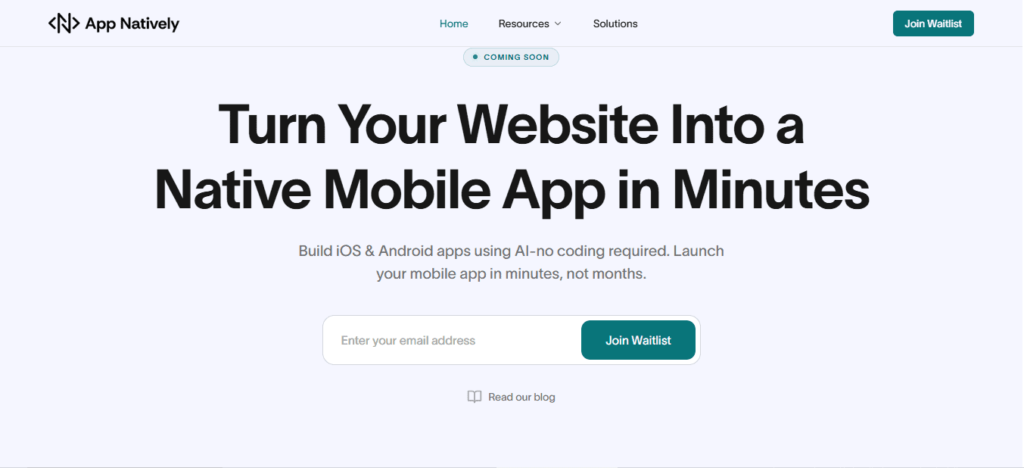
Unlike traditional app builders, App Natively is built for speed, flexibility, and real-world scalability.
Whether you are creating a business directory, job board, or niche marketplace, it helps you launch quickly and grow efficiently with built-in tools for listings, user engagement, and monetization
What makes App Natively truly conversion-focused is how it removes friction from every step of the user journey.
From seamless listing submissions to clean mobile-first design, every interaction is optimized to keep users engaged and encourage meaningful actions such as adding listings, claiming profiles, or upgrading for premium visibility
If your goal is to build a directory that not only exists but actively grows, App Natively gives you the foundation to launch faster, attract more listings, and scale into a profitable digital ecosystem
Convert your directory website into an iOS & Android app in minutes with App Natively (Join waitlist)
Frequently Asked Questions (FAQs)
How do I get the first 1000 listings for my directory app?
Use a combination of public APIs (Google Places, Yelp Fusion, Foursquare), CSV imports from government open data, and incentivized user submissions (e.g., “submit 5 listings to unlock premium features”).
Can I legally scrape listings from competitors?
Generally, no – that violates Terms of Service and may lead to legal action. Instead, use official APIs or partner with data providers like Data Axle or SafeGraph.
What is the best way to automate listing population?
Build a crawler that targets public sources (e.g., Chamber of Commerce websites, local business registries) using Python + Scrapy. Schedule it to run weekly.
How do I avoid duplicate listings?
Implement a matching algorithm based on business name + address + phone number (Levenshtein distance). Use a unique ID from an external source (e.g., Google Place ID).
Will empty categories hurt my directory’s SEO?
Yes. Noindex empty category pages or auto-populate them with placeholder data and a “Be the first to add a listing” CTA.
Leave a Reply