Category: Apps

  • Best No-Code App Builders for Startups in 2026

    Best No-Code App Builders for Startups in 2026

    Startups need to move fast, but building an app from scratch is expensive and time-consuming.

    No-code app builders let founders create fully functional apps without writing a single line of code.

    They speed up product launches, reduce development costs, and make it easier to test ideas in the market.

    In this blog post, we’ll cover the best no-code app builders for startups, comparing features, pricing, and usability, so you can pick the right platform to launch your app quickly and efficiently.

    3 Best No-Code App Builders for Startups

    Turning your startup idea into a real app doesn’t have to take months or a team of developers.

    With the right no-code platform, you can launch faster, smarter, and without breaking the bank.

    1. App Natively—The Future-Ready No-Code App Builder for Startups

    Startups often struggle to turn ideas into reality quickly without a technical team.

    App Natively is designed specifically for founders like you: a no-code, AI-assisted platform that lets you build web and mobile apps without writing a single line of code.

    Unlike other tools, App Natively combines simplicity, flexibility, and advanced features—all at a price point designed for startups.

    Best No-Code App Builders for Startups

    With App Natively, you can create fully functional apps complete with login systems, databases, user dashboards, and custom workflows.

    What sets us apart is not just ease of use but also exclusive features like built-in analytics, real-time updates, and seamless integrations with popular tools, features often found only in expensive enterprise platforms.

    Even though we are in the final stages of development, you can join our waitlist today to secure early access.

    As a lead on our waitlist, you’ll get priority onboarding, early-bird pricing, and sneak peeks of new features.

    Our mission is simple: empower startups to launch faster, smarter, and cheaper than ever before.

    Why join the waitlist now?

    • Get access to our full-featured platform before official release.
    • Lock in our affordable pricing, significantly lower than competitors with similar capabilities.
    • Be part of a founder community shaping the platform with feedback and ideas.

    This isn’t just another no-code tool. Instead, it’s your startup’s launchpad, combining power, simplicity, and value.

    2. Adalo – Visual Mobile App Builder

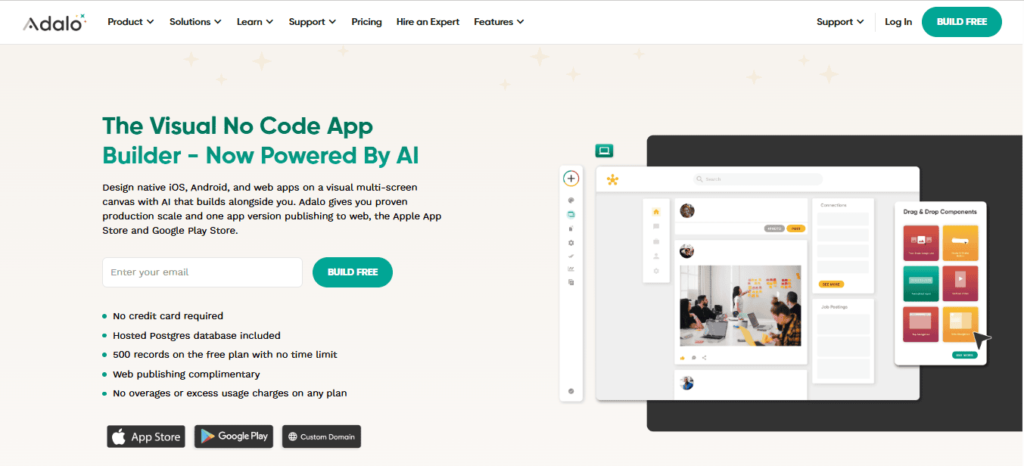
    If your startup needs a mobile-first solution, Adalo remains a strong contender.

    Adalo enables you to design and deploy native iOS and Android apps using an intuitive drag-and-drop interface.

    Best No-Code App Builders for Startups

    You can connect databases, set up workflows, and even publish directly to app stores without relying on a developer.

    It’s perfect for MVPs, internal tools, or consumer-facing apps, especially if you want visual feedback while building.

    Its built-in database and workflows let startups rapidly prototype and iterate, which is essential for early-stage product testing.

    While Adalo offers convenience, App Natively is designed to offer all of these features and more, at a fraction of the cost, plus with some exclusive early-access features we’re preparing for launch.

    3. Bubble—Powerful Web & SaaS App Builder

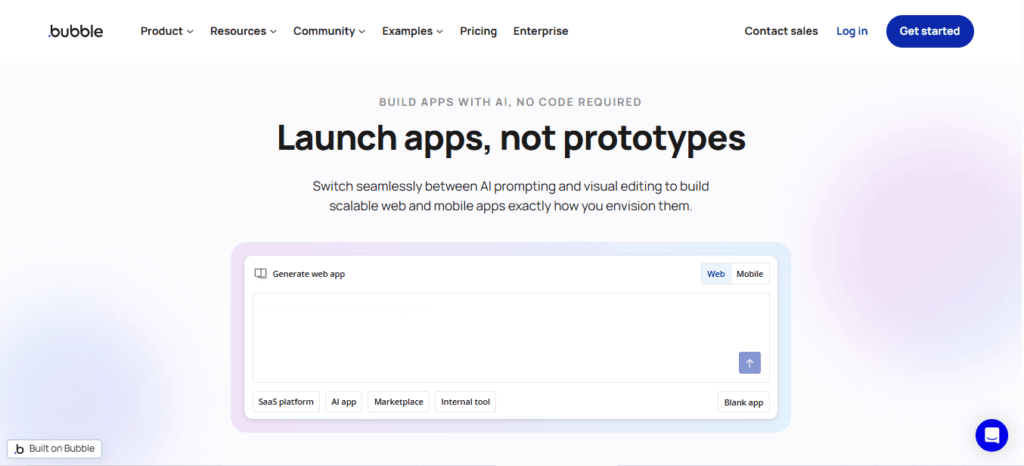
    For startups aiming to build complex web applications or SaaS platforms, Bubble is unmatched in flexibility.

    It allows you to create sophisticated web apps with custom workflows, multi-user functionality, integrations, and scalable databases, all without coding.

    Best No-Code App Builders for Startups

    Bubble is ideal for founders who need full control over app logic, but it comes with a steeper learning curve and higher cost for startups just getting started.

    Why App Natively is the Smart Choice for Startups

    Building an app doesn’t have to drain your budget or require months of coding. App Natively gives you:

    • Full no-code app creation for mobile and web.
    • Exclusive startup-focused features not available in mainstream tools.
    • Affordable pricing that makes enterprise-level capabilities accessible.
    • Early access and waitlist perks, including priority support and feature previews.

    Startups that join our waitlist today will not only launch faster but also save significantly compared to competitors, all while getting access to features others charge extra for.

    Don’t wait to turn your idea into reality. Join the App Natively waitlist today and be among the first to experience the next generation of no-code app building.

  • Free App Idea Validation Checklist

    Free App Idea Validation Checklist

    Before you spend time building an app, make sure it’s worth building.

    Most apps fail not because of bad design or coding, but because there’s no real demand.

    An app idea validation checklist helps you test your concept early, confirm there’s a real problem to solve, and ensure people actually want your solution.

    In this article, we’ll provide a free app idea validation checklist to help you test your concept, confirm real user demand, and avoid building something people don’t need.

    By validating first, you can save time, reduce risk, and move forward with confidence.

    What Is App Idea Validation?

    App idea validation is the process of testing whether your app solves a genuine problem and whether people actually want your solution.

    Instead of guessing, you collect evidence.

    Validation helps you answer questions like

    • Does this problem really exist?
    • Do enough people care about it?
    • Are users already paying for alternatives?
    • Will people use my app?

    Think of it as running small experiments before making big investments.

    You’re not building the full product yet; you’re testing assumptions.

    The Free App Idea Validation Checklist

    Before you invest time, money, or energy into building your app, use this simple checklist to validate your idea.

    Each step helps you confirm there’s a real problem, real users, and real demand so you can build with confidence instead of guesswork.

    Step 1: Clearly define the problem

    Every successful app starts with a problem, not a feature.

    Instead of saying:
    “I want to build a fitness tracking app.”

    Say:
    “Busy students struggle to stay consistent with workouts because they don’t have quick, guided routines.”

    The second example is specific and actionable.

    Ask yourself:

    • What problem am I solving?
    • Who has this problem?
    • How often does it happen?
    • Why is it frustrating?

    If you can’t clearly explain the problem in one sentence, your idea isn’t ready yet.

    Tip: Talk to at least 5–10 people who experience the problem. Listen more than you talk.

    Step 2: Identify your target audience

    Not everyone is your user.

    Trying to build for “everyone” usually means appealing to no one.

    Be specific.

    Define:

    • Age range
    • Interests
    • Behaviors
    • Goals
    • Pain points

    For example:

    Instead of:
    “People who want to learn languages”

    Try:
    “High school students who want quick daily vocabulary practice”

    The clearer your audience, the easier everything becomes —marketing,design, features, and messaging.

    Step 3: Research the market and competitors

    If similar apps already exist, that’s actually good news.

    Competition proves demand.

    Search app stores and platforms like Product Hunt to see what’s already out there.

    Ask:

    • What apps solve this problem now?
    • What do users love about them?
    • What do users complain about?
    • What’s missing?

    Read reviews carefully. They’re goldmines of insights.

    Negative reviews often reveal exactly what you should build better.

    Don’t copy competitors. Improve on them.

    Step 4: Validate demand with real people

    Now it’s time to test whether people truly care.

    Run surveys

    Use tools like Google Forms, Typeform, or SurveyMonkey to ask questions.

    Examples:

    • How do you currently solve this problem?
    • How frustrating is it (1–10)?
    • Would you try an app that solves this?
    • Would you pay for it?

    Conduct interviews

    Talk directly to users. This is even better than surveys.

    You’ll uncover hidden insights that numbers can’t show.

    Check search interest

    Use Google Trends to see if people actively search for your idea.

    More searches = more demand.

    If nobody seems interested, don’t force it. Consider pivoting.

    Step 5: Create a simple prototype or mockup

    Before building a real app, show people what it might look like.

    You don’t need code yet.

    Use tools like Figma or Canva to create:

    • Screens
    • Wireframes
    • User flows

    Then ask:

    • Does this make sense?
    • Would you use this?
    • What’s confusing?

    A rough design is enough. The goal is feedback, not perfection.

    Step 6: Build a landing page

    A landing page is one of the fastest ways to validate demand.

    Explain:

    • The problem
    • Your solution
    • Benefits
    • Call-to-action (Join waitlist / Sign up)

    Then drive traffic and see if people sign up.

    If nobody joins, your idea or messaging needs work.

    If lots of people sign up, that’s strong validation.

    Collect emails. These early supporters can become your first users.

    Step 7: Build a simple MVP

    Now and only now should you start building.

    But don’t build everything.

    Create an MVP (Minimum Viable Product).

    That means:

    • Only core features
    • No extras
    • Quick launch

    For example:

    If your idea has 10 features, build only the top 2 or 3.

    The goal is learning, not perfection.

    Launch fast. Test fast. Improve fast.

    Step 8: Track real usage

    After launch, watch what users actually do.

    Use analytics to measure:

    • Sign-ups
    • Daily users
    • Retention
    • Feature usage
    • Drop-offs

    Data tells the truth.

    If users aren’t coming back, something needs fixing.

    Listen to behavior more than opinions.

    Step 9: Gather feedback and iterate

    Your first version won’t be perfect. That’s normal.

    Ask users:

    • What do you like most?
    • What’s confusing?
    • What would you improve?
    • Would you recommend it?

    Then improve step-by-step.

    Great apps evolve through constant feedback.

    Final Thoughts

    Building an app without validating your idea first is a gamble, and most gambles don’t pay off.

    The smartest way to launch successfully isn’t by adding more features or rushing into development, but by confirming there’s a real problem and real users who actually want your solution.

    This free app idea validation checklist gives you a clear, practical path to test your concept before you invest serious time or money.

    By defining the problem, understanding your audience, researching competitors, gathering feedback, and starting with a simple MVP, you dramatically reduce risk and increase your chances of success.

  • Push Notifications for Online Stores

    Push Notifications for Online Stores

    Running an online store is exciting, but keeping customers engaged after they leave your website is a constant struggle.

    Shoppers browse, add products to their carts, and then disappear without completing their purchase.

    Emails go unopened, social media posts get lost in crowded feeds, and your promotions fail to reach the right audience at the right time.

    Push notifications solve this problem by delivering instant, personalized messages directly to your customers’ devices.

    Whether it’s a flash sale alert, back in stock update, or abandoned cart reminder, push notifications help you reconnect with shoppers in real time.

    They cut through the noise and bring customers back to your store with a single click.

    For online stores looking to increase conversions, boost repeat purchases, and build stronger customer relationships, push notifications are no longer optional.

    They are a powerful, direct communication channel that keeps your brand visible, relevant, and ready to convert whenever your customers are.

    What Are Push Notifications?

    Push notifications are short, clickable messages sent directly to a user’s device either through a mobile app or a web browser.

    Unlike email or social media posts, they appear instantly on the user’s screen, even when the user is not actively browsing your store.

    There are three primary types:

    • Mobile app push notifications
    • Web push notifications (browser-based)
    • Desktop push notifications

    Their biggest advantage lies in visibility and immediacy. They don’t compete with inbox clutter the way email does, and they don’t rely on algorithmic feeds like social platforms.

    Types of Push Notification Channels for eCommerce

    Choosing the right push notification channel is not just a technical decision; rather, it directly impacts reach, engagement, and revenue.

    Different channels serve different stages of the customer journey, and successful online stores often combine multiple channels for maximum impact.

    Below are the primary push notification channels used in ecommerce.

    1. Mobile app push notifications

    Mobile app push notifications are messages sent directly to users who have installed your e-commerce app. These appear on the lock screen, in the notification center, or as banners inside the app.

    This channel offers the highest level of personalization and engagement because users have already demonstrated strong intent by downloading the app.

    Brands can send behavioral triggers like cart abandonment alerts, price drops, loyalty rewards, and flash sales.

    Since mobile app users are often repeat customers, this channel typically delivers higher conversion rates and customer lifetime value.

    Best for:
    High-intent shoppers, loyalty members, repeat buyers, and personalized offers.

    2. Web push notifications (Browser-Based)

    Web push notifications are sent through browsers like Chrome, Firefox, Edge, or Safari after users grant permission.

    Unlike app notifications, users do not need to install a mobile application.

    This makes web push ideal for ecommerce brands that do not have a mobile app or want broader reach.

    These notifications can be sent to both desktop and mobile browser users, bringing shoppers back even when they are not actively browsing the website.

    Web push is especially powerful for flash sales, back-in-stock alerts, and limited-time promotions.

    Because subscription is quick and frictionless, opt-in rates can be higher compared to app installs.

    Best for:
    Stores without apps, quick promotional alerts, and re-engaging website visitors.

    3. Desktop push notifications

    Desktop push notifications are a subset of web push but specifically target users on laptops and desktop computers.

    These appear in the system notification area, even when the browser is minimized.

    For B2B ecommerce or stores targeting office-hour shoppers, desktop notifications can be highly effective.

    They are particularly useful for time-sensitive offers, webinar invites, or product launches aimed at professionals.

    Since desktop usage often correlates with research-oriented buying behavior, these notifications can help move users from consideration to conversion.

    Best for:
    Work-hour promotions, B2B ecommerce, high-ticket product launches.

    4. Progressive Web App (PWA) push notifications

    Progressive Web Apps combine the accessibility of web push with an app-like experience.

    Users can install the website on their device home screen without downloading from an app store.

    PWA push notifications offer deeper engagement than traditional web push because they mimic native app functionality.

    For ecommerce brands that want app-level interaction without the cost of full native development, this channel provides a powerful middle ground.

    Best for:
    Mid-sized ecommerce brands seeking app-like engagement without building a native app.

    5. In-app push notifications

    In-app notifications appear while users are actively using the app. Unlike traditional push notifications, these do not show on the lock screen but instead appear inside the application interface.

    These are highly effective for guiding users through promotions, recommending products, announcing loyalty milestones, or encouraging upsells during browsing sessions.

    Because they engage customers during active sessions, in-app notifications help increase average order value and improve the shopping experience.

    Best for:
    Upselling, cross-selling, onboarding flows, loyalty engagement.

    6. Wearable device push notifications

    With the rise of smartwatches and connected devices, ecommerce brands can now reach users through wearable push notifications.

    These appear on devices like smartwatches and are designed for quick-glance engagement.

    Although limited in text length, wearable notifications are effective for flash sales, delivery alerts, and limited-time deals where immediacy is crucial.

    Best for:
    Urgent offers, delivery updates, and highly time-sensitive promotions.

    Why Push Notifications Matter for Online Retail

    In online retail, attention is currency. Customers are constantly exposed to ads, emails, and social content competing for the same limited focus.

    Push notifications cut through that noise by delivering real-time, direct messages to a customer’s device without relying on algorithms or inbox placement.

    When used strategically, push notifications become one of the most powerful growth tools for ecommerce brands.

    They influence buying decisions, recover lost revenue, and increase long-term customer value.

    They capture immediate attention

    Unlike email campaigns that may sit unread for hours, push notifications appear instantly on a user’s screen.

    Whether it’s a flash sale or a restock alert, the immediacy creates urgency and drives quick action.

    For online retail, timing often determines revenue. A notification sent at the right moment can turn browsing intent into a completed purchase within minutes.

    They reduce cart abandonment

    Cart abandonment is one of the biggest revenue leaks in ecommerce.

    Many shoppers add items to their cart but leave before completing checkout. Push notifications allow retailers to bring those customers back with timely reminders.

    A simple message like “Your items are almost gone” or “Complete your purchase and get 10% off” can significantly recover otherwise lost sales.

    Because the message is behavior-triggered, it feels relevant rather than promotional.

    They increase repeat purchases

    Customer retention is more profitable than customer acquisition. Push notifications help maintain consistent communication with existing buyers through:

    Reorder reminders
    New arrival alerts
    Exclusive loyalty offers
    Personalized product suggestions

    By staying visible without being intrusive, brands increase repeat purchases and customer lifetime value.

    They drive higher engagement than many channels

    Push notifications typically generate faster engagement compared to email because they appear directly on the device screen.

    They require minimal effort from the user — just a tap.

    This frictionless interaction shortens the buying cycle and improves conversion rates, especially during limited-time campaigns.

    They enable hyper-personalization

    Modern ecommerce platforms allow segmentation based on browsing history, purchase behavior, location, and engagement patterns.

    Push notifications can be tailored to individual preferences, increasing relevance and click-through rates.

    For example, a fashion retailer can notify a customer when their preferred size is back in stock.

    That level of personalization builds trust and improves conversion probability.

    They support omnichannel retail strategies

    Push notifications complement email and SMS marketing. While email works well for detailed storytelling and SMS for urgent alerts, push notifications balance immediacy and convenience.

    Together, these channels create a seamless customer journey across devices and touchpoints.

    They are cost-effective and scalable

    Compared to paid advertising, push notifications require no cost per click.

    Once users opt in, retailers can send automated, behavior-driven messages at scale without increasing marketing spend.

    This makes push notifications one of the highest ROI tools in an ecommerce growth strategy.

    Building a High-Performing Push Notification Strategy for Online Stores

    A push notification strategy is not about sending more alerts. It is about sending smarter, data-driven messages that increase engagement without overwhelming customers.

    For online stores, a high-performing push strategy blends segmentation, timing, personalization, and continuous optimization into a structured growth system.

    Below is a step-by-step framework to build a push notification engine that drives consistent retail revenue.

    i. Start with clear revenue goals

    Before launching campaigns, define what success looks like. Are you trying to reduce cart abandonment, increase repeat purchases, promote flash sales, or improve retention?

    Each objective requires a different type of message. For example, abandoned cart recovery needs urgency and incentives, while retention campaigns focus on loyalty and product discovery.

    Clear goals prevent random messaging and align notifications with measurable outcomes.

    ii. Segment your audience intelligently

    Sending the same notification to all subscribers reduces effectiveness and increases opt-outs. Segmentation ensures relevance.

    You can segment users based on:

    • Purchase history
    • Browsing behavior
    • Product categories viewed
    • Location
    • Device type
    • Engagement frequency

    For instance, high-value customers can receive early access to sales, while first-time visitors may receive onboarding offers.

    The more relevant the message, the higher the conversion rate.

    iii. Use behavioral triggers instead of manual blasts

    The highest-performing push notifications are automated and behavior-based. These include:

    • Cart abandonment reminders
    • Browse abandonment alerts
    • Back-in-stock updates
    • Price drop alerts
    • Replenishment reminders

    Triggered notifications reach customers at the exact moment their intent is strongest.

    This increases engagement while reducing the need for constant manual campaigns.

    iv. Optimize timing and frequency

    Even the best message fails if delivered at the wrong time. Analyze customer activity patterns to determine peak engagement windows.

    Avoid notification fatigue by limiting frequency. Too many alerts lead to opt-outs.

    A balanced strategy maintains visibility without becoming intrusive. Testing different send times helps identify optimal engagement periods.

    v. Craft clear, action-oriented copy

    Push notifications are short by nature, so clarity is critical. High-converting notifications typically include:

    • A strong value proposition
    • Urgency or scarcity
    • Personalization when possible
    • A direct call to action

    Instead of saying “New Collection Available,” a stronger message would be “Your Favorite Jackets Are Back — 15% Off Today Only.”

    Every word must justify its place.

    vi. Personalize using customer data

    Personalization significantly increases performance. Use data such as past purchases, product views, or category preferences to tailor messages.

    For example, instead of promoting general footwear, notify a user about running shoes if they previously browsed athletic gear. Relevance increases trust and improves click-through rates.

    vii. Incorporate rich media where possible

    Adding product images or emojis can improve visibility and engagement.

    Visual cues help notifications stand out on crowded screens and reinforce the message instantly.

    However, visuals should enhance clarity, not distract from the offer.

    viii. Implement lifecycle-based campaigns

    A structured push notification strategy follows the customer journey:

    • Welcome notifications for new subscribers
    • Cart recovery sequences
    • Post-purchase upsell suggestions
    • Replenishment reminders
    • Loyalty reward notifications
    • Win-back campaigns for inactive users

    Lifecycle automation ensures continuous engagement without excessive manual intervention.

    ix. Continuously test and optimize

    A high-performing strategy is built on experimentation. Test different:

    • Headlines
    • Offers
    • Send times
    • Personalization levels
    • Frequency caps

    Track metrics such as click-through rate, conversion rate, revenue per subscriber, and opt-out rate. Small improvements compound over time.

    x. Maintain Permission and Trust

    Always prioritize user consent and transparency. Make opt-in prompts clear about the value customers will receive. Provide simple opt-out options to maintain brand trust.

    Respecting user preferences improves long-term retention and reduces churn.

    xi. Integrate with Your Omnichannel Marketing

    Push notifications work best when integrated with email, SMS, and retargeting ads. For example:

    • Send a push reminder first
    • Follow up with email if unopened
    • Use retargeting ads for high-intent visitors

    This layered approach strengthens message reinforcement across channels.

    Measuring Push Notification Performance

    Sending push notifications without tracking performance is like running paid ads without analytics.

    If you don’t measure impact, you can’t optimize revenue. For online stores, performance measurement ensures that push notifications drive growth rather than fatigue or unsubscribes.

    A structured measurement framework turns push notifications from simple alerts into a predictable revenue channel.

    1. Track the core engagement metrics

    The first layer of measurement focuses on engagement. These metrics reveal how users interact with your notifications.

    Click-through rate (CTR)

    CTR measures the percentage of users who clicked the notification after receiving it. This is the primary indicator of message relevance and strength.

    A low CTR may signal weak copy, poor timing, or lack of personalization.

    A high CTR indicates strong alignment between message and audience intent.

    Delivery rate

    Delivery rate shows how many notifications were successfully delivered versus failed attempts.

    Technical issues, expired tokens, or disabled permissions can reduce delivery rates.

    Monitoring this metric ensures your push infrastructure is functioning properly.

    Opt-in rate

    Opt-in rate measures how many visitors subscribe to push notifications.

    If this rate is low, your permission prompt may lack a compelling value proposition.

    Improving opt-in messaging directly expands your reachable audience.

    2. Measure revenue-driven metrics

    Engagement alone is not enough. For ecommerce brands, performance must connect to revenue.

    Conversion rate

    Conversion rate tracks how many users completed a purchase after clicking the notification.

    This metric shows how effective the landing page and offer are.

    A strong CTR but weak conversion rate may indicate friction in checkout or mismatched expectations.

    Revenue per subscriber

    Revenue per subscriber calculates how much income each push subscriber generates over time.

    This helps measure long-term ROI and compare push against other channels like email or SMS.

    Cart recovery rate

    For behavioral campaigns, measure how many abandoned carts were recovered after a push reminder. This directly quantifies recovered revenue.

    3. Monitor retention and churn signals

    Push notifications should increase loyalty, not cause fatigue.

    Opt-out rate

    If opt-outs spike after campaigns, it signals over-sending or irrelevant messaging. Monitoring opt-out trends protects long-term audience health.

    Customer retention impact

    Track whether push subscribers return more frequently or purchase more often than non-subscribers. This reveals the true lifetime value impact.

    4. Analyze timing and frequency performance

    Performance often depends on when notifications are sent. Compare:

    • Morning vs evening campaigns
    • Weekday vs weekend results
    • High-frequency vs limited-frequency strategies

    Over time, patterns emerge that help optimize scheduling.

    5. Use A/B testing for continuous improvement

    Testing is essential for growth. You can experiment with:

    • Different headlines
    • Personalization vs generic copy
    • Discount vs no discount
    • Emoji usage
    • Urgency wording
    • Send time variations

    Even small improvements in CTR or conversion rate can significantly increase revenue at scale.

    6. Implement proper attribution

    Push notifications often assist conversions rather than close them instantly.

    For example, a customer may click a notification but purchase later through another channel.

    Use attribution models to understand assisted conversions and cross-channel influence.

    This prevents undervaluing push as a marketing driver.

    7. Build a push performance dashboard

    A centralized dashboard should track:

    • CTR
    • Conversion rate
    • Revenue generated
    • Opt-out rate
    • Subscriber growth
    • Campaign comparisons

    Having all data in one place simplifies decision-making and reveals long-term trends.

    8. Focus on revenue, not just clicks

    High clicks mean attention. High conversions mean impact. High revenue per subscriber means sustainable growth.

    The goal of measuring push notification performance is not vanity metrics. It is identifying which strategies produce measurable retail growth.

    Push Notifications vs Email & SMS: A Strategic Comparison

    In modern digital marketing, the real question isn’t which channel is best. Instead, it’s which channel is best for a specific objective.

    Push notifications, email, and SMS each serve different stages of the customer journey.

    When used strategically, they complement rather than compete with one another.

    1. Push Notifications

    Push notifications are short, real-time messages sent to users via apps or web browsers.

    Tools like OneSignal and Firebase enable businesses to automate and personalize these alerts based on user behavior.

    Strengths

    Push notifications are immediate and highly visible. They appear directly on lock screens or browsers, which makes them effective for flash sales, abandoned cart reminders, and time-sensitive updates.

    Because users must opt in, the audience is often more engaged compared to traditional email lists.

    Limitations

    Push messages are brief and can be easily disabled if overused. They require precise timing and strong personalization to avoid notification fatigue.

    2. Email Marketing

    Email remains one of the highest ROI channels in digital marketing. Platforms such as Mailchimp and Klaviyo allow deep segmentation, automation workflows, and rich content delivery.

    Strengths

    Email supports detailed storytelling, product showcases, educational sequences, and long-form promotional campaigns.

    It works exceptionally well for nurturing leads, onboarding users, and building long-term brand relationships.

    Limitations

    Inbox competition is intense. Open rates depend on subject lines, sender reputation, and timing.

    Engagement may not be immediate, as users check emails at their convenience.

    3. SMS Marketing

    SMS marketing delivers text messages directly to a user’s phone number.

    Services like Twilio and Attentive help brands automate and scale SMS communication.

    Strengths

    SMS has extremely high open rates and fast response times. It is ideal for urgent notifications, limited-time offers, delivery updates, and two-factor authentication codes.

    Limitations

    SMS can feel intrusive if misused. It has strict character limits, higher per-message costs, and requires careful compliance with opt-in regulations.

    Direct Strategic Comparison

    Speed and attention

    SMS and push notifications dominate in immediacy. Both appear directly on the user’s device, making them ideal for urgent or time-sensitive messaging.

    Email is slower but better suited for thoughtful engagement.

    Content depth

    Email provides the most flexibility in design and messaging. Push and SMS are concise and action-oriented, best for driving quick clicks rather than detailed communication.

    Cost efficiency

    Push notifications are generally the most cost-effective at scale, especially for app-based businesses.

    Email is affordable and scalable. SMS typically carries higher direct costs but delivers strong short-term ROI when used strategically.

    Personalization potential

    All three channels support personalization. However, email offers deeper segmentation capabilities, while push notifications excel at real-time behavioral triggers.

    Future Trends in Push Notifications for Ecommerce

    Push notifications are evolving from simple alerts into intelligent, revenue-driving engagement engines for ecommerce brands.

    As technology, privacy standards, and customer expectations shift, the future of push messaging is becoming smarter, more personalized, and more strategic.

    1. Smarter personalization through AI and predictive signals

    One of the biggest shifts will be the use of AI to drive predictive personalization rather than reactive segmentation.

    Today’s push messaging is often based on static segments (e.g., “users who clicked product X”).

    Tomorrow’s push will leverage machine learning to predict future behavior, such as the likelihood to purchase, churn risk, or optimal engagement windows and automatically tailor pushes based on predicted intent.

    For example, instead of sending a generic sale alert, AI could craft a push that targets users predicted to be on the verge of purchase with personalized incentives or urgency framing.

    Impact on ecommerce: Higher conversion rates, fewer opt-outs, lower fatigue.

    2. Contextual automation (Beyond Basic Triggers)

    Ecommerce push triggers today are primarily event-based (abandoned carts, browse abandonment).

    The next wave is contextual triggers that account for a wider range of behavioral and environmental signals, including:

    • Device type and app usage patterns
    • Local time of day and timezone behavior
    • Weather or seasonality
    • Inventory levels and price volatility
    • Cross-channel engagement history

    This means push notifications will become not just reactive but context-aware, increasing relevance and timeliness.

    Impact on ecommerce: More personalized journeys, higher engagement efficiency.

    3. Deep integration with conversational AI and chat interfaces

    Push notifications will increasingly serve as entry points into conversational experiences.

    Instead of a single CTA like “View Cart,” users might engage with an AI chatbot embedded in the app or within web UI that replies contextually based on user queries.

    For example:

    User taps push → chatbot asks “Would you like 10% off now or reminders later?”

    These experiences blend push with two-way conversational flows and guided assistance.

    Impact on ecommerce: Better user experience, upsell opportunities, conversational commerce.

    4. Richer push modalities (Interactive & Visual Push)

    Static text push messages will evolve into richer, interactive push formats, including:

    • Carousel pushes (multiple images or products)
    • Action buttons beyond a single CTA
    • Embedded short videos or animation
    • Dynamic pricing information

    These will make push more analogous to mini-ads but delivered to opted-in users.

    Impact on ecommerce: Higher click-through, better product discovery.

    5. Cross-channel orchestration platforms

    Rather than managing push in isolation, brands will adopt unified orchestration platforms that sync push with email, SMS, web personalization, AND advertising channels.

    These platforms will ensure consistent frequency capping, unified user profiles, and engagement optimization.

    So instead of siloed campaigns like “Push Blast at 3 PM,” the system will decide dynamically:

    “User gets either an email, push, or SMS based on context and expected lift.”

    Impact on ecommerce: Lower oversaturation, higher ROI per contact.

    6. Privacy-first targeting and on-device intelligence

    As privacy regulations tighten and users demand more control, push strategies will shift from server-side profile tracking to device-level intelligence. Push campaigns may rely more on:

    • Local on-device segmentation
    • Machine-learning classifiers stored locally
    • Differential privacy approaches

    This reduces dependency on third-party cookies and intrusive tracking.

    Impact on ecommerce: Better compliance with regulations and improved user trust.

    7. Predictive engagement scoring for optimal delivery

    Rather than sending pushes on preset schedules, future ecommerce platforms will use predictive scoring to determine when a specific user is most likely to engage.

    This could adjust delivery timing dynamically on a per-user basis.

    For example, if the model predicts User A engages most at 7:42 PM on weekdays and User B at 8:15 AM, pushes will automatically align.

    Impact on ecommerce: Reduced noise, higher CTR, improved retention.

    8. Loyalty-driven push campaigns

    Push will become a primary channel in loyalty and rewards ecosystems. Users will get tailored pushes about:

    • Rewards earned
    • Tier promotions
    • Personalized offers based on loyalty status
    • Gamification prompts

    This transforms push from promotional messaging to relationship reinforcement.

    Impact on ecommerce: Longer lifetime value (LTV), stronger emotional brand connection.

    9. Voice-responsive push and IoT connectivity

    With voice assistants (e.g., smart speakers, wearables), push notifications may evolve into multi-modal alerts that integrate audio and IoT cues.

    For example, a smartwatch push paired with a voice prompt:

    “Your favorite shoes are back in stock — say ‘View’ to see them online.”

    This expands push beyond screens.

    Impact on ecommerce: More accessible engagement, broader reach.

    10. Ethical messaging and frequency intelligence

    Future push platforms will include frequency optimization to prevent fatigue and respect user preferences.

    Combined with sentiment analysis, these systems will:

    • Detect when users find pushes annoying
    • Automatically reduce frequency
    • Shift messaging tone based on past responses

    This leads to more ethical, user-centric communication.

    Impact on ecommerce: Higher long-term retention and lower opt-out rates.

    Conclusion

    Push notifications for online stores are most effective when treated as a precision tool rather than a broadcast channel.

    The true power of push lies in personalization, timing, and behavioral relevance.

    Brands that rely on generic blasts risk fatigue and opt-outs, while those that invest in intelligent triggers and contextual messaging unlock measurable increases in conversion and customer lifetime value.

    As ecommerce continues shifting toward real-time, app-driven experiences, push notifications will play an even more central role in revenue strategy.

    The future belongs to online stores that balance urgency with relevance, automation with empathy, and frequency with value.

    When executed thoughtfully, push notifications become more than alerts and they become a competitive advantage.

  • App Development Cost Breakdown: DIY vs Agency vs Platforms

    App Development Cost Breakdown: DIY vs Agency vs Platforms

    Building an app is exciting, but it’s also a serious investment, not just of money, but of time, energy, and vision.

    Whether you’re an aspiring entrepreneur, a startup founder, or an independent creator, one question always comes first: how much will this app cost to build?

    The reality is that app development costs vary dramatically depending on the approach you choose.

    You could do it yourself, hire a professional agency, or leverage modern no-code or low-code platforms.

    Each option comes with its own trade-offs in terms of cost, time, flexibility, and long-term scalability. Understanding these options is critical for making informed decisions and avoiding costly mistakes.

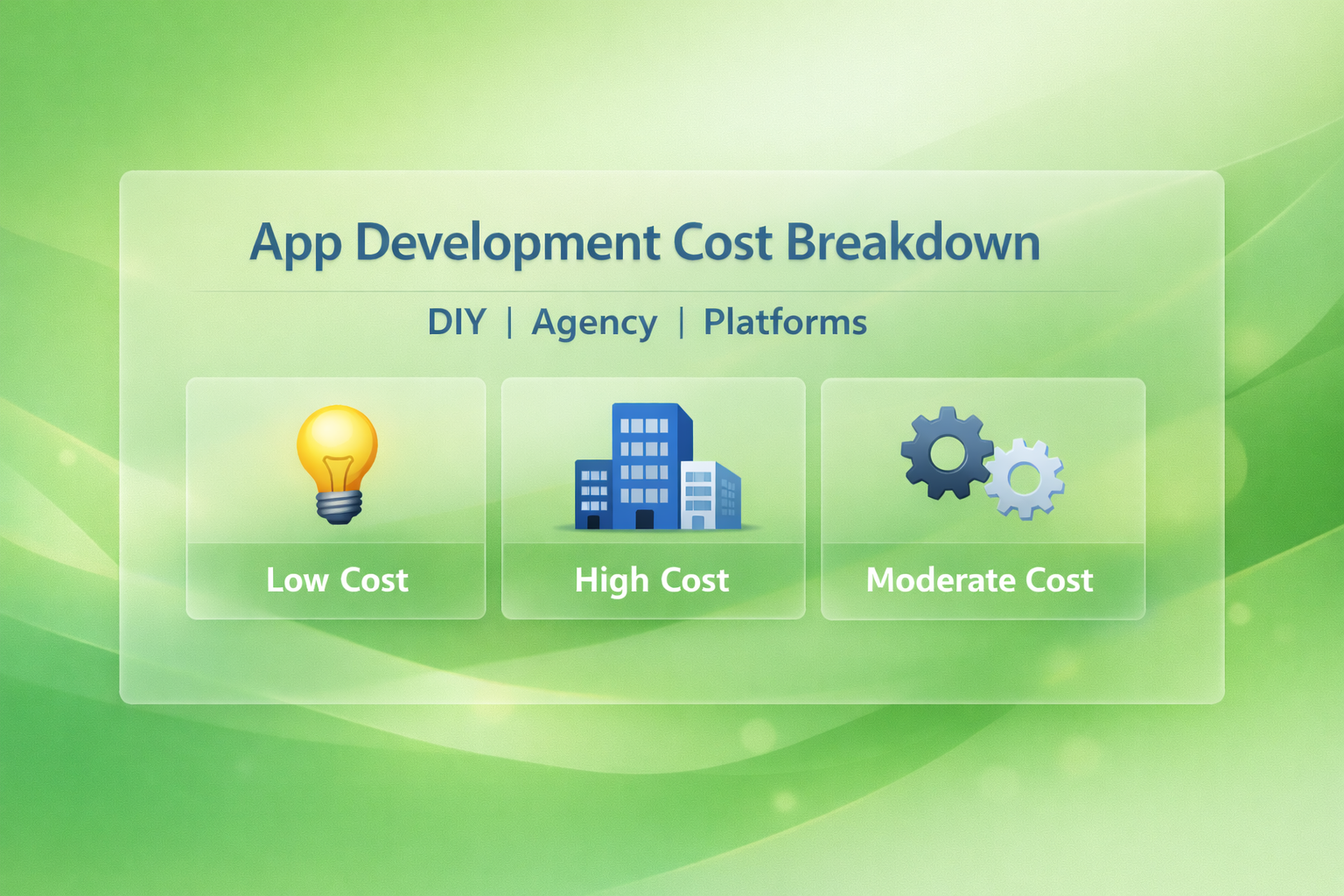
    In this article, we’ll break down the costs of app development across three main approaches: DIY, agencies, and platforms, and explore the pros, cons, and hidden expenses associated with each.

    By the end, you’ll have a clear roadmap for choosing the right approach based on your skills, budget, and goals.

    Let’s dig deeper.

    Key Factors That Influence App Development Costs

    App development costs can vary dramatically depending on your vision, technical requirements, and long-term goals.

    Understanding what truly drives those costs helps you plan smarter, avoid surprises, and allocate your budget strategically.

    1. App complexity and core features

    The more complex your app idea, the higher the development cost. A simple MVP with login, profile creation, and basic functionality costs far less than a feature-rich platform with real-time chat, AI recommendations, or advanced dashboards.

    Every additional feature increases design time, development hours, testing scope, and maintenance requirements.

    For example, adding payment systems, GPS tracking, booking engines, or live streaming significantly increases backend logic and security implementation, directly impacting your total budget.

    2. Platform choice (iOS, Android, or Cross-Platform)

    Choosing between native development and cross-platform frameworks plays a major role in cost.

    Building separate apps for both iOS and Android means two codebases, which doubles development effort.

    Native apps generally deliver better performance but come with higher costs.

    Cross-platform solutions using frameworks like Flutter or React Native reduce duplication and can lower costs, especially for startups testing the market.

    However, complex features may still require platform-specific customization.

    3. UI/UX design requirements

    Design is not just about visuals, but it impacts user engagement and retention.

    Custom animations, micro-interactions, advanced transitions, and branded design systems require more design hours and front-end effort.

    A minimal, template-based interface costs significantly less than a fully customized UI with interactive elements and dynamic transitions.

    High-end UX strategy and usability testing also add to the overall cost.

    4. Backend infrastructure and i ntegrations

    Apps that rely on real-time data, cloud storage, or third-party APIs require strong backend architecture.

    The cost depends on whether you’re building a custom backend or using platforms like Firebase or AWS.

    Integrations such as payment gateways, CRM systems, maps, social logins, or analytics tools increase development time.

    The more integrations your app requires, the more testing and optimization it needs.

    5. Development team location and expertise

    Rates vary significantly based on geography. Developers in North America or Western Europe typically charge more than teams in South Asia or Eastern Europe.

    However, experience level, portfolio quality, and technical expertise also influence pricing.

    Hiring a freelance developer may cost less initially, but agencies often provide structured processes, project management, QA testing, and long-term support, which can justify higher costs.

    6. Maintenance, updates, and scalability

    App development doesn’t end at launch. Ongoing maintenance, server costs, performance optimization, bug fixes, and OS updates require continuous investment.

    If your app is expected to scale to thousands or millions of users, you’ll need scalable infrastructure and performance optimization from the start, which increases upfront costs but reduces long-term technical debt.

    7. Security and compliance requirements

    Apps handling sensitive user data, financial transactions, or healthcare information require advanced security protocols.

    Encryption, secure authentication, GDPR compliance, and data protection standards add complexity and cost.

    Industries like fintech and healthcare typically face higher development costs due to strict regulatory requirements and security implementation standards.

    i. DIY App Development (Do-It-Yourself)

    What DIY Development Means

    DIY app development involves building the app yourself or with a small in-house team.

    This approach often appeals to students, hobbyists, and early-stage startups with tight budgets.

    You might write the code manually using programming languages like Swift for iOS or Kotlin/Java for Android, or combine it with open-source frameworks like React Native or Flutter for cross-platform development.

    Typical Costs of DIY

    • Learning Resources: Courses, tutorials, and books can cost anywhere from $50 to $500 depending on the platform.
    • Development Tools: Free tools exist, but premium IDEs, plugins, and libraries can cost $100–$500 per year.
    • Hosting & Infrastructure: Servers, cloud storage, and backend services can range from $20–$200/month.
    • Your Time: While free in monetary terms, your personal time is valuable. A DIY app often takes months or even years to complete.

    Pros of DIY

    • Low upfront cost: You don’t pay for developers or agencies.
    • Full control: You can experiment and pivot freely.
    • Skill development: Learning coding and app-building skills can be a long-term asset.

    Cons of DIY

    • Steep learning curve: Developing a functional app requires technical skills.
    • Higher risk of errors: Without experience, bugs, crashes, or poor design are common.
    • Limited scalability: DIY apps may struggle to handle growth without professional intervention.

    Best For

    • Hobby projects
    • Student portfolios
    • Small, experimental MVPs (minimum viable products)

    Example: A college student creating a simple habit tracker app might spend under $500 using free tutorials, open-source libraries, and a basic backend.

    ii. Agency-Based App Development

    What Agencies Provide

    Agencies offer professional app development services with teams of designers, developers, testers, and project managers.

    They can handle everything from ideation and prototyping to development, deployment, and ongoing support.

    Typical Costs of Hiring an Agency

    • Simple apps: $10,000–$30,000
    • Mid-level apps: $30,000–$80,000
    • Complex apps: $80,000–$250,000+
    • Ongoing maintenance: 10–20% of development costs annually

    The costs vary based on location (agencies in North America or Europe typically charge more than those in Asia), experience, and app complexity.

    Pros of Using an Agency

    • High-quality output: Experienced teams deliver polished apps with fewer bugs.
    • Faster development: Agencies have the resources to meet tight deadlines.
    • Expert guidance: Agencies advise on technology, design, and scalability.
    • Scalability: Agencies build apps that can grow as your user base grows.

    Cons of Using an Agency

    • High cost: Agencies are the most expensive option upfront.
    • Less direct control: You may not be able to influence every detail.
    • Potential communication issues: Misalignment between your vision and the agency’s execution is possible.

    Best For

    • Businesses and startups seeking a high-quality, market-ready product
    • Apps requiring complex features, integrations, and scalable architecture
    • Projects with a higher budget and faster timeline

    Example: A startup wanting a full-featured social networking app with chat, video, and in-app payments might invest $100,000 with a professional agency to ensure a polished launch.

    iii. No-Code/Low-Code Platforms

    What Platforms Offer

    No-code and low-code platforms allow users to build apps through drag-and-drop interfaces without writing extensive code.

    Platforms like App Natively let you create apps visually, often with pre-built templates and integrations.

    Typical Costs of Platforms

    • Subscription plans: $20–$200/month depending on features and user base
    • Add-ons: Payment gateways, analytics, and premium integrations can/can’t cost extra
    • Hosting & storage: Often included in platform plans.

    Pros of Using Platforms

    • Fastest time to market: You can launch a functional app in weeks.
    • Lower cost than agencies: Monthly fees are predictable and manageable.
    • No technical skills required: Ideal for entrepreneurs and small teams.

    Cons of Using Platforms

    • Limited customization: Complex or unique features may not be possible.
    • Platform dependency: Your app’s functionality and pricing depend on the platform.

    Best For

    • MVPs and prototypes
    • Internal business tools
    • Small business apps that need basic functionality quickly

    Example: A small business owner could launch an online booking app using a no-code platform for $50/month instead of spending tens of thousands on custom development.

    Cost Comparison Table

    FactorDIYAgencyPlatform / No-Code
    Upfront CostLow ($0–$1,000)High ($10k–$250k+)Medium ($50–$500/month)
    Time to LaunchLong (months–years)Medium (3–6 months)Short (weeks)
    Skill RequiredHigh (coding skills)Low (managed by team)Low (drag-and-drop)
    Flexibility/ControlHighMediumMedium
    ScalabilityLimitedHighMedium
    Ongoing CostsLow–MediumMediumLow

    Hidden & Ongoing Costs to Consider

    Regardless of the approach, there are additional costs often overlooked:

    1. Maintenance & Updates
      • OS updates, bug fixes, and security patches are ongoing expenses.
    2. Security & Compliance
      • Apps storing user data must comply with GDPR, CCPA, or HIPAA, adding costs for encryption, audits, or certifications.
    3. Hosting & Server Costs
      • Cloud servers, databases, and content delivery networks can cost $20–$500/month depending on traffic.
    4. Third-Party Integrations
      • APIs for payments, analytics, maps, and notifications often charge usage fees.
    5. Marketing & User Acquisition
      • Building the app is just the first step. Advertising, app store optimization, and campaigns require separate budgets.

    How to Choose the Right Option

    Choosing between building your app yourself, hiring an agency, or using no-code platforms isn’t just a financial decision rather it’s a strategic one.

    The “best” option depends entirely on your goals, resources, timeline, and the complexity of the product you want to build.

    Instead of asking which method is cheapest, it’s smarter to ask which method gives me the best return for my situation.

    Think of it like building a house. You could construct it yourself, hire professional builders, or use a modular prefab system.

    Each works but not for the same needs or budgets. App development follows the same logic.

    Let’s walk through the key decision factors that will help you choose wisely.

    Start with your budget reality

    Your available budget is usually the biggest constraint, so begin here.

    If you have very limited funds, spending tens of thousands on an agency simply isn’t practical.

    In that case, DIY or no-code tools make more sense. Learning to code or using platforms like App Natively allows you to launch without a large upfront investment.

    On the other hand, if you’ve secured funding or have a business budget, investing in professional development can save time, reduce risk, and produce a higher-quality product that’s easier to scale.

    A simple rule of thumb:

    • Under $1,000 → DIY or no-code
    • $1,000–$15,000 → advanced no-code or small freelance team
    • $15,000+ → agency or professional development

    Evaluate your technical skills honestly

    Be realistic about your abilities.

    DIY development sounds affordable, but it requires real technical knowledge.

    If you’re comfortable with programming, debugging, and learning new tools, building yourself might be empowering and cost-effective.

    But if you’ve never written code, DIY often becomes frustrating and slow. What looks like a “free” option can turn into months of stalled progress.

    In that case, no-code platforms or agencies are better choices. They remove the technical barrier so you can focus on business strategy instead of syntax errors.

    Ask yourself:

    • Can I build and maintain this app alone?
    • Do I want to spend months learning development?
    • Or would my time be better spent on marketing and growth?

    Your time has value — don’t ignore that cost.

    Consider your timeline

    Speed matters more than many founders expect.

    If you need to launch quickly to validate an idea or beat competitors to market, DIY development might be too slow.

    Agencies and platforms can deliver much faster.

    • Platforms: days or weeks
    • Agencies: 2–6 months
    • DIY: months to a year (or longer)

    For MVPs and testing ideas, speed usually wins. A basic app launched quickly is often more valuable than a perfect app launched late.

    If rapid validation is your goal, start with no-code. You can always rebuild later.

    Match the method to App aomplexity

    Complexity dramatically changes what’s realistic.

    Simple apps like booking systems, task managers, or basic marketplaces can be built with platforms or DIY tools.

    But once you need:

    • real-time messaging
    • advanced databases
    • AI features
    • heavy integrations
    • thousands of users
    • high security

    you’ll likely outgrow DIY.

    Complex products often require professional architecture, which agencies specialize in.

    Trying to force a complicated idea into a simple platform can create technical debt and headaches later.

    If your app idea sounds similar to popular large-scale apps, an agency is usually the safer route.

    Think long-term, not just launch day

    Many people only focus on getting the app built. That’s a mistake.

    The real costs come after launch:

    • updates
    • bug fixes
    • scaling servers
    • adding features
    • security patches

    DIY apps may become difficult to maintain. No-code apps might hit platform limits. Agencies often provide long-term support and scalability planning.

    So ask:

    • Where do I want this app in 2–3 years?
    • Will this solution still work when I have 10,000 users?

    Choosing the cheapest option today may cost more later if you need to rebuild everything.

    Assess your risk tolerance

    Every approach carries risk:

    DIY risk → mistakes, delays, poor quality
    Platform risk → limitations and vendor lock-in
    Agency risk → high financial investment

    If losing $50/month isn’t a big deal, platforms are low risk.
    If spending $50,000 feels risky, avoid agencies until validated.

    Match the approach to how much uncertainty you’re comfortable with.

    Start small, validate, then scale up.

    A practical decision framework

    Here’s a simple way to decide:

    Choose DIY if:

    • You enjoy coding
    • Budget is extremely tight
    • Timeline is flexible
    • App is simple
    • You want to learn

    Choose Platforms if:

    • You want fast results
    • You don’t code
    • You’re building an MVP or small tool
    • You need low to medium cost
    • Features are standard

    Choose an Agency if:

    • You need a polished, professional product
    • The app is complex
    • You have funding
    • Speed and reliability matter
    • You plan to scale aggressively

    The smart hybrid approach

    Here’s something many successful startups do: they don’t pick just one path.

    They start with a no-code MVP to test the market cheaply. If users respond well, they reinvest profits or funding into an agency-built custom app.

    This hybrid strategy reduces risk while still enabling growth.

    Validate first. Invest later.

    Conclusion: App Development Cost Breakdown

    Building an app is ultimately a balance between ambition, resources, and practicality.

    While it is tempting to focus only on development costs, the smarter approach is to evaluate the full picture including time, effort, scalability, and long term maintenance.

    A cheaper option today can become expensive tomorrow if it slows growth or requires rebuilding from scratch.

    That is why understanding the true trade offs between doing it yourself, hiring professionals, or using simplified tools is essential before making any commitment.

    Each path offers distinct advantages. Doing it yourself gives you control and minimizes spending but demands significant time and technical skill.

    Professional teams deliver quality, speed, and reliability but require a larger investment.

    Simplified platforms help you launch quickly and affordably but may limit customization as your needs grow.

    The right choice depends on your goals, budget, and how complex your app needs to be both now and in the future.

  • How Amazon Drives Most Purchases Via App

    How Amazon Drives Most Purchases Via App

    If you watch how people shop today, something subtle has changed.

    They aren’t opening laptops anymore. They’re opening their phones.

    A quick tap while waiting in line. A reorder during a commute. A late-night scroll that somehow turns into a $47 purchase.

    More often than not, that tap leads to one place: Amazon.

    And increasingly, it’s not the website doing the selling.

    It’s the app.

    Amazon’s mobile app isn’t just a smaller version of its website. It’s something far more powerful: a carefully engineered buying environment designed to reduce friction, trigger habits, and quietly increase how often and how much — people purchase.

    This isn’t accidental. It’s strategic.

    Let’s break down exactly how Amazon uses its app to drive the majority of purchases and why it works so well.

    The Shift to Mobile-First Shopping

    Mobile commerce didn’t just grow. It won.

    Today, most online browsing time happens on smartphones, not desktops.

    Phones are always within reach, always logged in, and always connected to payment methods. That makes them perfect for impulse purchases.

    Apps amplify this effect even further.

    Compared to mobile websites, apps:

    • Load faster
    • Stay logged in
    • Store payment and shipping info
    • Send push notifications
    • Use device features like biometrics and cameras

    In short: apps remove effort.

    And in ecommerce, less effort equals more purchases.

    Amazon understood this earlier than most retailers. Instead of treating mobile like a companion experience, it made the app the primary storefront.

    Frictionless Checkout: Making Buying Effortless

    One of the biggest drivers of conversions is how easy it is to finish a purchase.

    Every extra step creates drop-off.

    Enter Amazon’s famous “Buy Now” experience.

    Inside the app:

    • Payment methods are saved
    • Addresses are prefilled
    • Shipping preferences are remembered
    • Biometrics approve purchases instantly

    What used to take multiple screens on desktop can now happen in seconds.

    You see something. You tap once. It’s ordered.

    There’s almost no time to reconsider.

    This reduction in “thinking time” is crucial. When checkout feels automatic, shoppers behave more impulsively.

    Small purchases that might feel unnecessary with more friction suddenly feel trivial.

    That convenience compounds across millions of users daily.

    Personalization Engine: Making the Store Feel Custom-Built

    A modern personalization engine transforms a generic storefront into a tailored shopping experience that feels custom-built for each visitor.

    It uses data from shopper interactions to understand preferences and deliver the most relevant content at the right moment.

    A. Home feed customization

    The first impression matters, and a personalized home feed helps each visitor see products that resonate with them immediately. This is powered by insights from the customer’s:

    • Browsing behavior — what pages and products they looked at
    • Purchases — past buys signal strong preferences
    • Search history — keywords and categories they’ve actively explored

    By combining these signals, the engine highlights relevant categories, featured products, and promotional banners that are most likely to engage that specific shopper.

    B. Smart recommendation blocks

    Across the store, dynamic recommendation blocks guide users toward products they’re likely to want next. Some common blocks include:

    • “Buy it again” — suggests items a returning customer has purchased before and might need to reorder
    • “Inspired by your history” — based on past browsing and buying patterns, suggesting similar or complementary products
    • “Frequently bought together” — pairs products that have high joint purchase rates
    • “Customers also bought” — shows items that other shoppers who viewed the same product also ended up purchasing

    These blocks enhance discovery while increasing average order value and engagement.

    C. Predictive suggestions before intent is explicit

    Personalization goes beyond reacting to clicks — it can predict what a shopper might want even before they express clear intent. For example:

    • Surfacing related products after partial browsing signals
    • Suggesting seasonal essentials before a user searches for them
    • Anticipating refill needs for consumable goods

    This predictive layer reduces friction by proactively offering relevant choices.

    D. Seasonal and contextual personalization

    Personalization isn’t static but it adapts to time, trends, and context. The engine can adjust recommendations based on:

    • Seasonal demand (e.g., school supplies in August, holiday gifts in December)
    • Local events or weather patterns
    • Inventory or promotional cycles

    By aligning with real-world timing, the store feels more intuitive and responsive to shoppers’ needs.

    Technology behind it

    These personalization features rely on several advanced technologies working together:

    i. Machine learning

    Algorithms learn patterns from massive amounts of interaction data. Over time, they refine recommendations, predict preferences, and uncover hidden associations between products and users.

    ii. Behavioral modeling

    This involves mapping out how different users behave in the store — what they click, ignore, search, and purchase. The personalization engine builds profiles that anticipate likely next moves based on these patterns.

    iii. Collaborative filtering

    This technique identifies similarities among users or products. For instance:

    • If User A and User B have similar past behavior, items bought by one may be recommended to the other
    • Products frequently purchased together appear as linked suggestions

    Collaborative filtering helps the system expand recommendations beyond a user’s direct history by leveraging the collective behavior of many shoppers.

    Push Notifications: Turning Attention Into Revenue

    Push notifications extend the store experience beyond the website or app, creating direct, real-time touchpoints that bring shoppers back at the exact moment they’re most likely to convert. When used thoughtfully, they transform passive attention into measurable revenue by delivering timely, relevant, and personalized messages.

    1. Real-time engagement

    Push notifications create instant visibility on a customer’s device, cutting through inbox clutter and social noise. This makes them ideal for:

    • Flash sales and limited-time offers
    • Back-in-stock alerts
    • Price drops
    • Order and delivery updates

    Because they’re immediate, they prompt faster action compared to email or traditional ads.

    2. Behavioral triggers

    Rather than sending generic blasts, modern systems trigger notifications based on customer behavior. Examples include:

    • Abandoned cart reminders
    • Browsed-but-not-purchased product nudges
    • Wishlist item discounts
    • Refill or replenishment reminders

    These triggers feel helpful instead of intrusive because they match an already demonstrated intent.

    3. Personalized messaging

    Like the storefront itself, push notifications can be tailored to each shopper. Messages may include:

    • Product recommendations based on browsing or purchases
    • Location-specific promotions
    • Category preferences
    • Loyalty status or rewards

    For example: “Your favorite running shoes are 20% off today” is far more effective than “Big sale happening now.”

    4. Lifecycle communication

    Push works best when aligned with the customer journey:

    • New users: onboarding tips and welcome offers
    • Active shoppers: product discovery and deals
    • Dormant users: re-engagement incentives
    • Loyal customers: VIP perks and early access

    This lifecycle approach keeps communication relevant and prevents notification fatigue.

    5. Timing and context optimization

    Smart systems determine not just what to send, but when to send it. Notifications can adapt to:

    • Time of day usage patterns
    • Time zones
    • Recent activity
    • Seasonal or event-based campaigns

    Sending a reminder when a user typically shops dramatically increases open and conversion rates.

    The Power of Amazon Prime Inside the App

    Within the Amazon app, Amazon Prime isn’t just a membership but a core part of the shopping experience.

    It creates a faster, more trusted, and more rewarding journey that consistently increases conversions and long term loyalty.

    Prime badges that instantly build trust

    Across the app, Prime eligibility appears on search results, listings, and product pages as a clear visual cue.

    These badges immediately signal fast, free delivery and easy returns, helping shoppers feel confident about buying without overthinking logistics.

    This trust reduces hesitation and speeds up decisions, leading many customers to default to Prime items first.

    Faster checkout with less friction

    Prime eliminates common barriers like shipping calculations and surprise fees.

    With streamlined checkout and guaranteed delivery windows, purchases feel simple and low effort.

    Less friction means more impulse buys and higher repeat purchase rates.

    App exclusive deals and early access

    Members see offers that non members do not, including early access to limited time deals, exclusive discounts, and special promotions. These perks create urgency and give shoppers a reason to open the app frequently.

    Over time, this turns browsing into a daily habit.

    An ecosystem of built in benefits

    Prime extends beyond shopping into a broader digital bundle, including
    • Prime Video for entertainment
    • Amazon Music for music
    • Prime Gaming for extra perks

    This added value makes the membership feel indispensable and increases retention.

    Personalized prime first discovery

    The app prioritizes Prime eligible products in recommendations and curated feeds. Shoppers encounter sections like Prime only deals, faster delivery first sorting, and reorder suggestions for essentials.

    By showing what can arrive quickest and cheapest, the app naturally nudges users toward faster purchases.

    Behavior reinforcement through speed and reliability

    Consistent, dependable delivery builds trust and habit. When customers know they will get items quickly without complications, the app becomes their default starting point for everyday needs.

    Convenience compounds over time into loyalty.

    Technology behind the experience

    Behind the scenes, the experience is powered by machine learning, behavioral modeling, and logistics optimization.

    These systems personalize offers, predict demand, and ensure delivery promises are met, making Prime feel seamless, proactive, and uniquely valuable to each shopper.

    App UX That Encourages Browsing (and Impulse Buying)

    The Amazon app is designed to make browsing feel effortless while subtly nudging users toward unplanned purchases.

    Every screen, swipe, and tap is optimized to encourage discovery, turning casual exploration into impulse buying without feeling pushy.

    1. Intuitive navigation and search

    Amazon’s app organizes categories, brands, and deals in a way that feels natural to the shopper.

    Its search bar offers autocomplete suggestions, personalized results, and robust filtering options, making it easy to find exactly what a user wants or stumble upon new products.

    This seamless navigation keeps users engaged longer and increases the likelihood of discovering items they weren’t initially looking for.

    2. Visually engaging product displays

    High-quality images, quick product previews, and clean layouts keep users scrolling. Features like swipeable product cards, carousels for “Trending” or “Deals,” and the prominent Prime badge draw attention to products that are both relevant and appealing.

    Strong visuals make browsing feel rewarding and increase the chance of spontaneous purchases.

    3. Smart recommendation placement

    Amazon’s app places recommendations strategically throughout the shopping journey:
    • “Inspired by your history” for personalized suggestions
    • “Frequently bought together” to encourage complementary purchases
    • “Customers also bought” for discovery beyond the user’s usual preferences

    These recommendations are contextually placed, so users encounter them at the right moment often before they even know they want something.

    4. Seamless add-to-cart and checkout

    With one-tap add-to-cart buttons, persistent mini-carts, and streamlined checkout, the Amazon app makes acting on impulse nearly effortless.

    The faster a shopper can purchase, the higher the likelihood of conversion.

    5. Gamification and limited-time prompts

    Countdown timers for lightning deals, “Only X left in stock” alerts, and seasonal promotions create urgency and excitement. These subtle cues encourage immediate engagement rather than delayed decisions.

    6. Personalized and contextual feeds

    Amazon’s home feed dynamically updates based on browsing history, past purchases, and seasonal trends.

    Curated product collections, trending items, and Prime-focused deals keep the content relevant and make scrolling addictive, driving deeper engagement and unplanned buys.

    7. Behavioral insights behind the UX

    The app relies on machine learning, behavioral modeling, and collaborative filtering to predict what users want before they search.

    By analyzing clicks, dwell time, and purchase patterns, Amazon surfaces the most compelling items at exactly the right time, keeping users engaged and increasing conversion.

    Trust Infrastructure That Lowers Buying Anxiety

    The Amazon app doesn’t just focus on convenience and discovery — it actively builds trust at every touchpoint to reduce hesitation and make purchasing decisions feel safe and confident.

    By lowering buying anxiety, Amazon increases conversion rates, repeat purchases, and customer loyalty.

    Clear product information and transparency

    Every product page provides detailed descriptions, specifications, and high-quality images, so shoppers know exactly what they’re getting.

    Prime eligibility, shipping times, return policies, and stock availability are prominently displayed, leaving little uncertainty about delivery or costs.

    This transparency reassures users and reduces friction in the decision-making process.

    Customer reviews and ratings

    Amazon’s extensive review system allows shoppers to see honest feedback from other buyers.

    Star ratings, verified purchase badges, and written reviews help users gauge quality, suitability, and reliability.

    By leveraging social proof, the app turns potential doubt into confidence, making it easier for shoppers to commit.

    Seller and fulfillment trust signals

    The app distinguishes between Amazon-fulfilled items, third-party sellers, and Prime eligibility.

    Amazon-fulfilled products carry guarantees for fast shipping and easy returns, while seller ratings provide a clear indicator of reliability.

    These signals reduce risk perception and make buying from unknown sellers less intimidating.

    Hassle-free returns and refund policies

    Explicitly communicated return windows, easy-to-initiate refunds, and clear instructions for replacements give shoppers peace of mind.

    Knowing that problems can be resolved quickly encourages users to complete purchases without second-guessing.

    Secure payments and account protection

    Amazon’s app emphasizes secure payment options, including saved payment methods, one-click checkout, and encrypted transactions.

    Features like two-factor authentication and purchase protection further reinforce security.

    Confidence in payment safety is critical for impulse purchases and higher-value items.

    Behavioral and predictive trust reinforcements

    Machine learning and behavioral modeling personalize trust signals. For example:
    • Highlighting top-rated items for a shopper’s category of interest
    • Prioritizing Prime-eligible products with guaranteed delivery
    • Alerting users to stock levels or limited-time offers

    These subtle cues reduce cognitive load and make decisions feel safer and faster.

    Cross-Selling & Basket Expansion Tactics

    The Amazon app uses advanced cross-selling strategies to increase order value by guiding shoppers toward complementary, relevant, and frequently paired products.

    By intelligently suggesting items during browsing and at checkout, Amazon turns routine purchases into larger baskets without feeling pushy.

    1. Frequently bought together suggestions

    When viewing a product, the app highlights other items commonly purchased alongside it. For example, a customer buying a camera might see lenses, memory cards, or carrying cases.

    These recommendations leverage historical purchase patterns, encouraging users to add items they might not have considered initially.

    2. “Customers also bought” and “inspired by your history”

    Amazon surfaces products purchased by similar users or suggested based on a shopper’s past browsing and buying behavior.

    This creates a highly personalized shopping experience and exposes users to items aligned with their interests.

    Personalized cross-sells feel relevant and increase the likelihood of spontaneous additions to the cart.

    3. Bundling and combo deals

    The app often presents bundled offers or discounted sets of related products.

    By framing complementary items as a value deal, customers perceive additional purchases as savings rather than extra spending.

    This tactic works particularly well for consumables, electronics accessories, or seasonal items.

    4. Checkout & cart recommendations

    Even after an item is added to the cart, Amazon continues to suggest complementary products.

    Pop-ups, mini-carts, and recommendation panels highlight items frequently bought together or trending in the same category, prompting last-minute additions before checkout.

    5. Smart email and push triggers

    Cross-sell strategies extend beyond the app interface. Abandoned cart reminders, post-purchase follow-ups, and push notifications suggest related products, encouraging repeat visits and expanding basket size over time.

    6. Data-driven personalization

    Machine learning, collaborative filtering, and behavioral modeling analyze customer interactions to ensure cross-sells are relevant.

    By understanding purchase history, browsing patterns, and product relationships, Amazon delivers recommendations that feel helpful instead of intrusive.

    Ecosystem Lock-In Strategy

    The Amazon app leverages its broad ecosystem of products and services to create a seamless, interconnected experience that keeps shoppers coming back.

    By embedding multiple touchpoints from shopping to entertainment to digital services, Amazon turns convenience and value into loyalty, making it harder for users to switch to competitors.

    Integration of prime across services

    Amazon Prime is more than free shipping. Within the app, it provides access to:
    • Prime Video for movies and TV shows
    • Amazon Music for music
    • Prime Gaming for digital rewards

    By bundling shopping benefits with entertainment and lifestyle services, Amazon increases the perceived value of staying within its ecosystem.

    Seamless account and payment integration

    Saved payment methods, one-click checkout, and linked accounts across devices simplify the purchasing process.

    Shoppers can move effortlessly between product discovery, checkout, and service subscriptions without friction.

    The convenience of a unified account discourages switching to other platforms.

    Personalized recommendations across touchpoints

    Behavioral modeling and machine learning allow the app to surface relevant products, media, and offers tailored to each user.

    Recommendations are consistent across devices and services, reinforcing engagement across Amazon’s ecosystem.

    This cross-service personalization encourages users to rely on Amazon for multiple needs, not just shopping.

    Loyalty programs and incentives

    Rewards, points, and exclusive member deals further incentivize continued use.

    Users who frequently engage with Prime or other services accumulate benefits that are difficult to replicate elsewhere, strengthening retention.

    Habit formation through daily utility

    The app positions itself as a daily utility by combining:

    • Shopping essentials with fast delivery
    • Entertainment and media consumption
    • Gaming perks and digital rewards

    This constant presence in users’ daily routines builds behavioral lock-in, making Amazon the default choice for multiple needs.

    Data-driven retention

    Amazon leverages collaborative filtering and predictive analytics to anticipate user needs, proactively offering products, services, or deals before users even search for them.

    This proactive approach reinforces the value of staying within the ecosystem.

    A Day in the Life: Example User Journey

    To understand how the Amazon app drives engagement, consider a typical day for a Prime member navigating the ecosystem.

    Each interaction demonstrates how personalization, convenience, and trust work together to create seamless shopping experiences and encourage additional purchases.

    i. Morning: Discovery and inspiration

    The user opens the Amazon app on their smartphone while having breakfast. The home feed is personalized with:

    • “Prime deals for you” highlighting relevant discounts
    • Trending or seasonal collections
    • Recommendations based on past browsing

    This early exposure sparks inspiration, prompting the user to explore new products and ideas without actively searching.

    ii. Midday: Intent and browsing

    During a coffee break, the user searches for a specific item, such as a new set of headphones. Smart recommendations appear:

    • “Frequently bought together” accessories like cases or cables
    • “Customers also bought” similar models
    • Items marked with the Prime badge for fast delivery

    These suggestions expand the basket and encourage discovery of complementary products.

    iii. Afternoon: Consideration and decision

    The user reviews product details, reads ratings and verified reviews, and compares options. The app provides:

    • Clear product specifications and return policies
    • Seller ratings and fulfillment details
    • Price alerts or limited-time deal notifications

    Trust signals reduce buying anxiety, making it easier for the user to finalize their choice.

    iv. Evening: Checkout and cross-sell

    After selecting their preferred headphones, the user proceeds to checkout. The app offers:

    • Add-ons and bundles relevant to the purchase
    • One-tap add-to-cart buttons for complementary items
    • Easy, seamless Prime checkout

    These cross-sell tactics increase average order value while maintaining a frictionless experience.

    v. Night: Post-purchase engagement

    Later in the evening, the app sends a push notification:

    • “Your order has shipped” with tracking information
    • Recommendations for similar or related products
    • Personalized content from Prime Video or Prime Music

    This keeps the user engaged with the Amazon ecosystem, encouraging repeat visits and strengthening loyalty.

    Why Amazon Outperforms Typical Retail Apps

    While many retail apps focus only on transactions, the Amazon app is engineered as a complete shopping ecosystem.

    It blends personalization, trust, convenience, and subscription benefits into a single seamless experience, allowing it to outperform typical retail apps in both engagement and revenue.

    Personalization at scale

    Most retail apps show the same homepage to everyone. Amazon dynamically customizes nearly every screen based on browsing history, purchases, searches, and behavioral patterns.

    This ensures shoppers consistently see relevant products first, increasing click-through rates, discovery, and conversions.

    Frictionless purchase flow

    Traditional apps often require multiple steps to check out or calculate shipping.

    Amazon simplifies this with saved payments, one-tap checkout, and fast, predictable delivery.

    By removing friction, the path from interest to purchase is shorter, which directly increases impulse buying and repeat orders.

    Built-in trust infrastructure

    Amazon reduces buying anxiety through reviews, ratings, clear return policies, fulfillment guarantees, and Prime delivery promises.

    When shoppers feel confident that items will arrive quickly and can be easily returned, they purchase more frequently and with less hesitation.

    Smarter recommendations and cross-Selling

    Typical retail apps rely on static suggestions. Amazon continuously updates “Frequently bought together,” “Customers also bought,” and personalized recommendations using machine learning and collaborative filtering.

    These placements turn single-item purchases into larger baskets and improve average order value.

    Ecosystem lock-in

    Unlike standalone retailers, Amazon connects shopping with Amazon Prime benefits such as Prime Video and Amazon Music.

    This bundling creates daily utility beyond commerce, keeping users engaged even when they are not actively shopping and making the app harder to replace.

    Continuous engagement beyond the app

    Push notifications, delivery updates, replenishment reminders, and personalized offers keep Amazon top of mind throughout the day.

    Instead of waiting for users to return, the app proactively brings them back, increasing frequency and lifetime value.

    Data-driven optimization

    Amazon treats the app as a constantly evolving system. Machine learning, behavioral modeling, and large-scale experimentation refine layouts, recommendations, and timing in real time.

    This relentless optimization allows Amazon to improve faster than typical retail apps that rely on periodic updates.

    The success of the Amazon app isn’t just about scale or brand recognition.

    It comes from deliberate product, UX, and growth decisions that systematically remove friction, build trust, and increase customer lifetime value.

    For founders and marketers, these principles are highly transferable, even without Amazon’s resources.

    Design for habits, not just transactions

    Most retail apps are built to complete purchases. Amazon is built to create daily usage.

    Deals, recommendations, deliveries, and entertainment give users reasons to open the app regularly, even when they are not actively shopping.

    Focus on becoming part of a customer’s routine, not just their checkout flow.

    Personalize from day one

    Generic experiences underperform. Even simple personalization based on browsing history, purchases, or location can dramatically improve relevance.

    Show users what matters to them first. Relevance drives both engagement and revenue.

    Remove every bit of friction

    Every extra step reduces conversions. Simplify search, reduce checkout steps, save payment methods, and make delivery expectations clear.

    Small UX improvements compound into meaningful revenue gains.

    Build trust before you sell

    Customers buy faster when they feel safe. Reviews, ratings, clear policies, and guarantees reduce hesitation and increase basket size.

    Trust infrastructure often converts better than aggressive discounts.

    Use smart recommendations to grow AOV

    Instead of pushing more ads, guide discovery with contextual suggestions like complementary products, bundles, or frequently paired items.

    Helpful cross-sells feel like service, not selling, and naturally increase average order value.

    Create an ecosystem, not a feature

    Amazon Prime shows the power of bundling multiple benefits into one offering.

    The more value customers receive across different use cases, the harder it is for them to leave.

    Think beyond a single product and explore how services, content, or loyalty perks can reinforce each other.

    Invest in data and experimentation

    Machine learning, behavioral modeling, and constant testing allow Amazon to continuously refine its experience.

    You do not need massive infrastructure to start. Even basic analytics and A B testing can reveal quick wins.

    Treat your app as a living system that evolves based on user behavior.

    Optimize for lifetime value, not one-time sales

    Short-term promotions can spike sales, but sustainable growth comes from retention.

    Focus on repeat purchases, subscriptions, and re-engagement flows that keep customers coming back.

    Long-term loyalty consistently outperforms one-off acquisition wins.

    Future of App-Driven Commerce

    Mobile apps are no longer just smaller versions of websites. They are becoming intelligent, always-on commerce environments that anticipate needs, personalize experiences in real time, and blur the line between shopping, content, and services.

    The trajectory set by leaders like Amazon shows that the future of commerce belongs to apps that feel less like stores and more like smart assistants embedded in everyday life.

    1. Hyper-personalized storefronts

    Static homepages will disappear. Every user will see a dynamically generated feed based on behavior, preferences, timing, and context.

    Products, offers, and content will adapt continuously, making each app session feel uniquely curated rather than one-size-fits-all.

    2. Predictive and proactive shopping

    Apps will move from reacting to searches to predicting needs before intent is explicit.

    Replenishment reminders, subscription suggestions, and timely product prompts will surface automatically.

    Instead of asking “What do you want to buy?”, apps will increasingly say “Here’s what you likely need next.”

    3. Seamless one-tap commerce

    Checkout will become nearly invisible. Saved payments, instant approvals, and faster delivery promises will compress the gap between discovery and purchase to seconds.

    As friction approaches zero, impulse purchases and micro-transactions will rise significantly.

    4. Integrated ecosystems over standalone stores

    Standalone retail apps will struggle. The winners will bundle multiple services into one ecosystem, similar to how Amazon Prime combines shipping, entertainment, and digital benefits.

    When shopping, content, and utilities live in one place, users have fewer reasons to leave the app.

    5. Conversational and voice interfaces

    Search bars will increasingly be replaced or supplemented by conversational input.

    Voice assistants and chat-style interfaces will help users find products, compare options, and complete purchases naturally.

    This lowers cognitive effort and speeds up decision-making.

    6. Real-time context awareness

    Apps will personalize based not just on history but on the present moment.

    Location, time of day, weather, and current activity will shape what users see.

    For example, an app might highlight umbrellas during local rain or promote dinner deals in the evening.

    7. Smarter automation and AI

    Machine learning and behavioral modeling will power everything from pricing to recommendations to messaging frequency.

    Apps will automatically test, learn, and optimize without manual intervention.

    This constant improvement will make experiences feel increasingly intuitive and “just right.”

    8. Trust and transparency as differentiators

    As personalization deepens, customers will expect clearer privacy controls and transparent data usage.

    Apps that balance intelligence with trust will win long-term loyalty.

    Confidence in security and fairness will become as important as convenience.

    Final Thoughts: How Amazon Drives Most Purchases Via App

    The Amazon app succeeds because it does not behave like a traditional retail channel. It is not just a place to complete transactions but a personalized, trusted, and habit forming environment that shoppers return to multiple times a day.

    Every layer of the experience is intentionally designed to reduce friction, increase confidence, and surface the right product at the right moment.

    Personalized feeds make discovery effortless. Smart recommendations and cross sells expand baskets naturally. Prime benefits remove delivery anxiety.

    One tap checkout eliminates hesitation. Push notifications and ecosystem perks keep users coming back even when they are not actively shopping.

    Together, these elements create a loop of convenience and habit that continuously drives repeat purchases.

    That is the core advantage. Amazon does not wait for buying intent. It shapes it.

    By combining data, design, and trust at scale, the app becomes the default starting point for everyday needs, which is why most purchases happen there first and often without customers even considering alternatives.
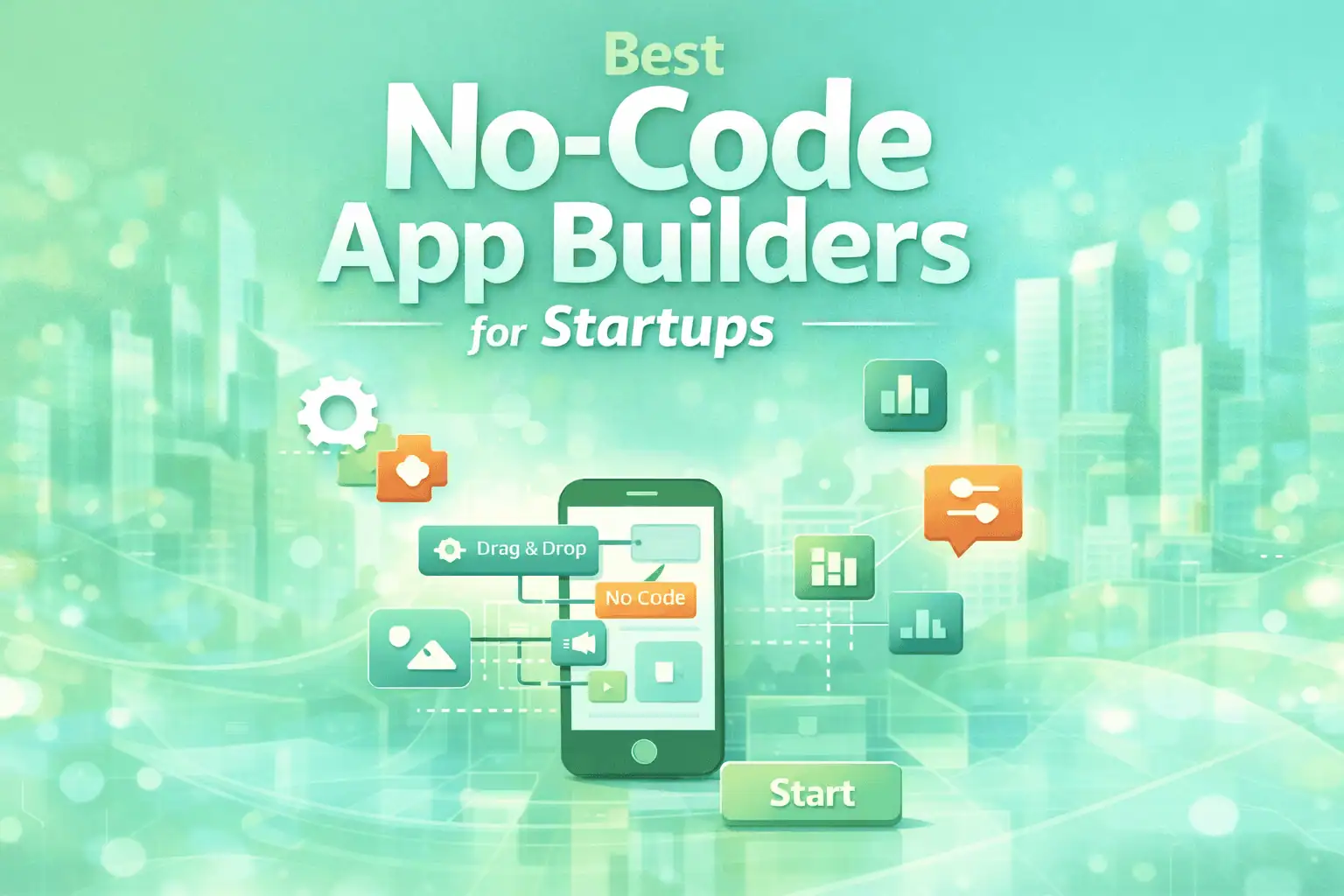
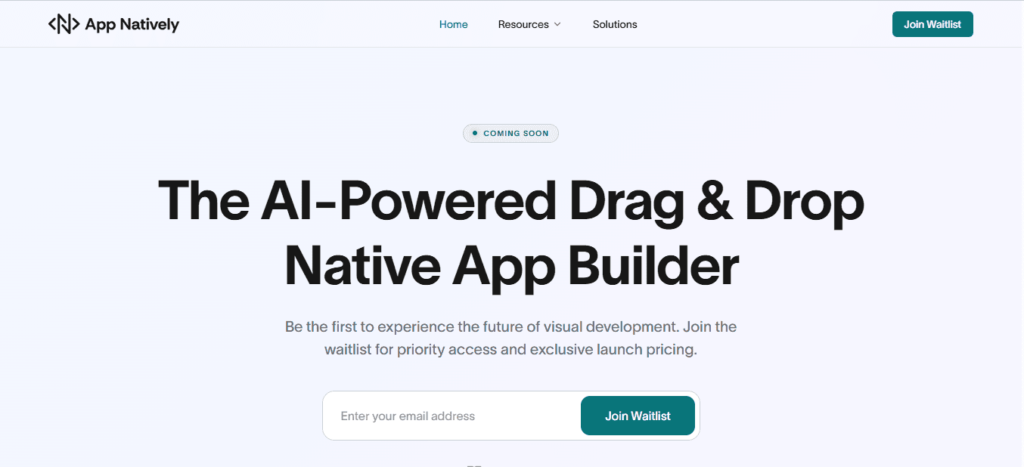
  • 6 Months vs 6 Days for App Launch

    6 Months vs 6 Days for App Launch

    Most startups don’t fail because their app idea is bad. They fail because they launch too late. Founders get stuck in months of traditional mobile app development, polishing features and chasing perfection while competitors ship faster, capture users, and take the market. By the time the app goes live, the opportunity has already passed.

    That slow path drains time, budget, and momentum. Without real user feedback or early MVP validation, teams end up guessing what customers want, and guessing is expensive in today’s fast moving startup ecosystem where speed to market and agile development decide who wins.

    The smarter move is simple. Launch lean, launch fast, and iterate. In this article, we’ll compare 6 days vs 6 months for an app launch and show how rapid MVP development, no code tools, and continuous improvement help startups validate faster, reduce costs, and grow sooner.

    Why Most App Launches Take Six Months

    For years, the default way to build an app looked something like this: months of planning, months of development, and then a big “perfect” launch. On paper, it sounds responsible. In reality, it’s slow, expensive, and risky.

    Traditional mobile app development usually follows a long cycle:

    1. Strategy and research: Weeks spent on business plans, market analysis, and requirement documents.
    2. Design mockups: Multiple iterations of UI/UX design, often with no real user input.
    3. Backend development: Building databases, servers, and APIs.
    4. Frontend coding: Connecting the design to the backend system.
    5. Testing and QA: Multiple rounds of debugging, bug fixing, and performance testing.
    6. Revisions and approval cycles: Internal approvals, stakeholders’ inputs, last-minute design changes.
    7. Final launch: Submitting to Apple App Store and Google Play Store.

    By the time your app reaches users, the market has already shifted, competitors have moved, and users may have adopted other solutions.

    And most of the decisions made during these months are based on assumptions, not actual feedback from real users.

    The Hidden Costs of a Six-Month Build

    A six-month development cycle feels “safe,” but it quietly stacks up risks that can sink a startup before it even launches:

    • High burn rate: Every extra month adds salaries, contractor fees, and tool subscriptions without any revenue generation.
    • Delayed feedback: Teams don’t get real insights from users until the app is live, making most decisions guesswork.
    • Missed market opportunities: Trends shift, competitors adapt, and first-mover advantage is lost.
    • Feature bloat: Teams overbuild for perfection. Features that seem essential in theory often go unused.
    • Low flexibility: Making significant changes after months of development is costly and slow.

    Six months of building often turns into six months of guessing, and in today’s fast-moving startup economy, guessing is expensive.

    What a 6-Day App Launch Actually Looks Like

    Now, let’s flip the script. Imagine launching an app in 6 days. It sounds impossible, but with the right tools and mindset, it’s entirely achievable.

    The key is speed over perfection, validation over assumption, and learning from real users from day one.

    1. MVP-First Approach

    The Minimum Viable Product (MVP) strategy is the foundation. You include only the core features necessary to solve the main problem for your target users. Everything else comes later, guided by real-world feedback.

    This approach dramatically reduces development time, allows early testing, and minimizes wasted resources. Rather than building everything and hoping it works, you build just enough to see if people actually want it.

    2. App Natively: Your No-Code Solution

    Tools like App Natively make fast app launches possible for anyone like solo founders, small teams, or early-stage startups:

    • Build fully functional mobile apps without writing a single line of code.
    • Use prebuilt templates and drag-and-drop components for quick assembly.
    • Integrate analytics, feedback, and notifications immediately.
    • Launch on both iOS and Android simultaneously.
    • Reduce development costs and time dramatically compared to traditional coding.

    With App Natively, a six-day MVP launch isn’t just possible; rather, it’s practical. You can develop the app free of cost.

    3. Agile Workflows in Action

    Rapid launches rely on iterative development cycles. Instead of planning for months:

    1. Ship core functionality fast.
    2. Collect user feedback immediately.
    3. Improve and iterate weekly.

    This approach creates a feedback-driven growth loop, helping startups adapt quickly and deliver the features users actually want.

    6 Days vs 6 Months Side-by-Side Comparison

    Here’s a clear side-by-side comparison:

    Factor6-Month Launch6-Day Launch
    Time to marketSlowFast
    CostHighLow
    RiskHigh (assumptions)Data-driven
    FeedbackLateImmediate
    FlexibilityLowHigh
    GrowthDelayedAccelerated

    This table highlights why startups that embrace speed often win early adopters, capture market share, and iterate efficiently.

    Real-World Example

    Consider a startup with an idea for a local fitness app. Following the six-month traditional route, they spend months designing features like social challenges, in-app payments, and advanced analytics before launch.

    By the time it hits the App Store and Google Play, competitors offering simpler but functional solutions have already captured the audience.

    Another team uses App Natively. In six days, they launch a simple app with booking, tracking, and notifications.

    Early users provide feedback immediately, and within weeks, the app evolves based on actual usage.

    The result? Faster adoption, lower costs, and clear product-market fit.

    Why Speed to Market Wins Today

    In today’s startup ecosystem, momentum often beats perfection:

    • First-mover advantage: Early launches capture users before competitors.
    • Faster product-market fit: Real user feedback informs development.
    • Lower costs: Lean MVPs avoid wasted resources.
    • Continuous improvement: Rapid iterations keep your app relevant.
    • Data-driven decisions: Users tell you what works, not assumptions.

    The faster you validate, the faster you grow and the lower your risk.

    When 6 Months Might Still Make Sense

    There are situations where a longer launch is justified:

    • Apps for enterprise solutions with complex integrations.
    • Heavy security or compliance requirements.
    • Highly customized infrastructure needs.

    Even in these cases, App Natively can still accelerate prototyping and early testing, reducing overall risk.

    How to Launch Your App in 6 Days

    Here’s a practical roadmap for a six-day launch:

    1. Define the core problem: Identify the one problem your app solves.
    2. Cut features to essentials: Include only the minimum to validate your idea.
    3. Build with App Natively: Drag-and-drop your MVP, integrating analytics and feedback tools.
    4. Launch to users: Deploy on iOS and Android marketplaces quickly.
    5. Collect feedback: Track user behavior, ratings, and engagement.
    6. Iterate fast: Improve features and expand functionality based on real data.

    Even small teams can achieve this timeline, avoiding the pitfalls of traditional long development cycles.

    Final Thoughts

    Six months builds software. Six days builds traction. In today’s app economy, the apps that succeed are the ones that launch first, learn faster, and iterate continuously. Using App Natively, founders can create functional, market-ready apps in days, test ideas immediately, and grow smarter.

    Don’t wait to perfect validation, launch, and adaptation. Early users, real feedback, and momentum are far more valuable than months spent polishing code that may never matter.

    Frequently Asked Questions (FAQs)

    Q: How fast can you realistically launch an app?
    With App Natively, a lean MVP can go live in as little as six days.

    Q: What is an MVP in app development?
    A minimum viable product includes only the core features needed to solve the main user problem.

    Q: Are no-code apps scalable?
    Yes. App Natively allows you to expand features and scale as your user base grows.

    Q: How much does a fast app launch cost?
    No-code MVP launches drastically reduce costs compared to traditional development, saving thousands of dollars in coding and testing.

  • Mobile Commerce Stats 2026: Revenue Shift from Web to App

    Mobile Commerce Stats 2026: Revenue Shift from Web to App

    In 2026, the center of digital shopping has quietly moved from the browser to the palm of the hand.

    Mobile traffic may still begin on the web, but revenue increasingly ends inside apps, where speed, simplicity, and personalization feel effortless.

    What once served as a supporting channel has now become the main stage for modern commerce.

    The shift is driven by experience. Native apps powered by ecosystems from Apple and Google and perfected by retail leaders like Amazon offer one-tap checkouts, smart recommendations, and instant engagement that mobile websites struggle to match.

    Shoppers stay longer, browse deeper, and buy faster, turning convenience into conversions.

    For businesses, this isn’t just a trend; it’s a revenue realignment. Understanding the mobile commerce statistics behind the web-to-app migration reveals where customers truly spend and where growth now lives.

    In an app-first world, the brands that adapt quickly are the ones that capture the future of mCommerce.

    Mobile Commerce Market Overview

    Mobile commerce (m-commerce) refers to online buying, selling, and payment activities conducted through smartphones and tablets.

    It has evolved from being a subset of traditional e-commerce into a primary digital retail channel, driven by widespread smartphone adoption, faster mobile internet, and seamless payment technologies.

    Today, many consumers prefer completing purchases directly from mobile apps rather than desktop websites, making mobile the dominant touchpoint across retail, travel, entertainment, and financial services.

    i. Market size and growth

    Current market position

    Mobile commerce now accounts for more than half of global e-commerce transactions.

    Retailers report that the majority of traffic and a growing share of conversions come from mobile devices.

    Increased app usage, improved user experience, and integrated payment systems have accelerated this shift.

    Growth outlook

    The market is expanding at a strong double-digit compound annual growth rate.

    Industry forecasts expect total transaction value to reach multiple trillions of dollars within the next decade.

    Growth is particularly strong in emerging markets where mobile phones are often the primary way people access the internet.

    ii. Key growth drivers

    Smartphone and Internet Penetration

    Affordable smartphones and broader 4G/5G coverage allow consumers to shop from anywhere at any time. In many regions, mobile devices are the first and only digital access point, which naturally supports m-commerce adoption.

    Digital payments and wallets

    Secure, one-tap payment solutions have reduced checkout friction and increased trust.

    Platforms such as Apple Pay, Google Pay, and Paytm make transactions fast and convenient, encouraging more frequent purchases.

    Changing consumer behavior

    Consumers increasingly expect instant, app-based experiences. Mobile shopping fits daily habits such as browsing on social media, watching videos, or commuting, leading to more impulse and on-the-go purchases.

    Technology advancements

    Artificial intelligence, personalization engines, and augmented reality tools help users discover products, visualize items, and receive tailored recommendations, improving conversion rates.

    iii. Major Market Trends

    App-first shopping

    Retailers prioritize dedicated mobile apps because they offer better performance, higher engagement, and stronger customer loyalty compared to mobile browsers.

    Social and in-app commerce

    Shopping features are embedded directly within social and messaging platforms, allowing users to browse and purchase without leaving the app. This shortens the buying journey and increases impulse sales.

    Wallet and QR payments

    Contactless payments and QR code transactions are becoming standard, especially in Asia-Pacific markets where mobile wallets dominate everyday purchases.

    Personalization

    Data analytics and AI provide customized offers, product suggestions, and dynamic pricing, creating more relevant shopping experiences.

    iv. Challenges

    User experience constraints

    Small screens and varying device types make it harder to design intuitive interfaces. Poor navigation or slow loading times often lead to cart abandonment.

    Security and Privacy

    As mobile transactions increase, so do concerns about fraud, data breaches, and payment security. Businesses must invest heavily in encryption and authentication technologies.

    Competition and Customer Retention

    With many apps competing for attention, maintaining engagement and loyalty requires continuous innovation and strong customer experiences.

    v. Regional insights

    Asia-Pacific

    This region leads global adoption due to strong digital payment ecosystems and super-app platforms that combine shopping, banking, and services within a single app.

    North America and Europe

    These markets show steady growth supported by established retail brands, high smartphone penetration, and advanced logistics networks.

    Emerging Markets

    Regions in Latin America, Africa, and Southeast Asia are experiencing rapid expansion as mobile devices enable first-time online shoppers.

    Traffic vs Revenue: The Growing Gap

    The traffic–revenue gap in mobile commerce is not just a device issue; it reflects a broader shift in how consumers discover, evaluate, and purchase products across digital channels.

    Mobile has become the primary gateway to shopping, but revenue realization still depends on multiple factors such as user intent, experience quality, trust, and purchasing context.

    In simple terms, mobile dominates attention, while revenue still concentrates where buying feels easiest.

    Holistic Comparison of Traffic and Revenue

    Role in the customer journey

    StageMobile’s RoleDesktop’s Role
    DiscoverySocial media, ads, browsingLimited
    ResearchReviews, comparisons, searchModerate
    EvaluationShort sessions, multitaskingFocused sessions
    CheckoutOften abandoned or delayedFrequently completed
    Order valueSmaller, impulse buysLarger, planned purchases

    This shows that mobile often starts the journey, while desktop often finishes it.

    Behavioral differences

    Mobile behavior

    Mobile shopping tends to be quick and fragmented. Users browse during commutes, breaks, or while multitasking.

    Sessions are shorter, attention is divided, and purchases are often impulsive or postponed.

    Mobile is strongly linked with discovery through platforms like Instagram and TikTok.

    Desktop behavior

    Desktop sessions are more intentional. Users sit down with time to compare options, enter details comfortably, and complete higher-value purchases. This leads to stronger conversion rates and larger cart sizes.

    Economic impact comparison

    Traffic metrics

    Mobile generates the majority of impressions, clicks, and sessions. Marketing campaigns therefore appear highly successful on mobile in terms of reach and engagement.

    Revenue metrics

    Desktop often delivers:

    • Higher conversion rates
    • Higher average order values
    • Lower abandonment rates

    This creates a situation where fewer visitors generate more money.

    Cost implications

    Because brands pay for traffic acquisition (ads, promotions, SEO), high mobile traffic with low conversion can increase customer acquisition cost and reduce profitability.

    Experience factors behind the gap

    Interface constraints

    Small screens, typing difficulty, and complex navigation create friction on mobile that does not exist on desktop.

    Payment friction

    Although solutions such as Apple Pay and Google Pay simplify checkout, not all users adopt them, leading to manual entry and drop-offs.

    Trust and perceived risk

    Consumers often feel more secure making expensive purchases on larger devices.

    Context of use

    Mobile is used everywhere; desktop is used in more stable, focused environments. Focus directly affects purchase completion.

    Strategic interpretation

    From a broader business perspective:

    • Mobile = reach, awareness, engagement
    • Desktop = efficiency, conversions, revenue

    So mobile drives the top of the funnel, while desktop strengthens the bottom of the funnel.

    Organizations that treat mobile only as a smaller version of desktop often struggle.

    Instead, mobile must be optimized for speed, simplicity, and instant checkout to capture revenue at the same moment as intent.

    Revenue Shift from Web to App (Core Statistics)

    The mobile commerce landscape is no longer just about “mobile vs desktop.” A more important shift is happening within mobile itself: revenue is steadily moving from mobile web browsers to dedicated mobile apps.

    While mobile web still brings large volumes of visitors, apps are increasingly responsible for most mobile purchases, higher conversion rates, and stronger customer lifetime value.

    In broader terms, the browser drives reach, but the app drives money.

    Mobile’s share of E-commerce

    Mobile devices now account for roughly 55–60% of total global e-commerce sales, meaning more than half of online purchases start and finish on smartphones.

    App vs mobile web

    Within mobile commerce:

    • Around 50–60% of mobile revenue comes from apps
    • Around 40–50% comes from mobile browsers

    This indicates that apps already generate more revenue than mobile web, even when they attract fewer users.

    Core performance comparison

    Traffic vs revenue vs conversion

    PlatformTraffic ShareRevenue ShareConversion Strength
    Mobile WebHighestLowestWeak
    Mobile AppModerateHighestStrongest
    DesktopModerateHighStrong

    What this shows

    Mobile web dominates visits, but apps dominate sales efficiency. Desktop remains strong for high-value purchases, but apps are closing that gap quickly.

    Key statistics that explain the shift

    Conversion rates

    Mobile apps convert 2–4× higher than mobile websites.
    If a mobile website converts about 1–2% of visitors, an app often converts 5–6% or more.

    This single factor has the biggest impact on revenue growth.

    Average order value

    Orders placed in apps are typically 10–30% larger than those on mobile web.
    Saved addresses, stored cards, and personalized offers encourage customers to buy more per transaction.

    Engagement time

    Users spend most of their mobile time inside apps, not browsers. More time spent means:

    • more product discovery
    • more repeat visits
    • more purchase opportunities

    Customer retention

    Apps enable:

    • push notifications
    • loyalty rewards
    • saved preferences
    • faster reordering

    These features increase repeat purchases and lifetime value, which mobile web struggles to match.

    Why Apps Outperform Mobile Web

    Frictionless checkout

    Apps often support one-tap payments through services like Apple Pay and Google Pay. Eliminating manual typing significantly reduces cart abandonment.

    Personalization

    Apps remember behavior and preferences, enabling tailored recommendations and offers that increase conversion probability.

    Speed and stability

    Apps load faster and feel smoother than mobile websites, reducing drop-offs caused by slow pages.

    Direct communication

    Push notifications re-engage users instantly, bringing them back to complete purchases or respond to promotions.

    Challenges of Mobile Web in 2026

    Mobile web has evolved significantly, but in 2026 it still faces structural and behavioral challenges that limit its effectiveness compared to native or modern app-based experiences.

    As user expectations rise and performance standards tighten, even small friction points can drastically affect engagement, retention, and conversions.

    Below are the most pressing challenges shaping the mobile web landscape this year.

    Performance limitations in real-world conditions

    Even with improved 5G coverage, mobile web performance is still inconsistent across regions and devices.

    Network throttling, low-end smartphones, heavy JavaScript frameworks, and third-party scripts often result in slower load times and delayed interactivity.

    Core Web Vitals remain critical, yet many websites struggle with Largest Contentful Paint (LCP) and Interaction to Next Paint (INP).

    In competitive markets, a delay of even one second can significantly increase bounce rates.

    Limited access to device capabilities

    Mobile browsers still cannot fully leverage device-level features the way native apps can.

    Access to advanced sensors, background processes, deep hardware integrations, and certain APIs remains restricted or inconsistent across browsers.

    While Progressive Web Apps (PWAs) have narrowed the gap, browser fragmentation and platform restrictions, especially between iOS and Android ecosystems—continue to limit full parity with native functionality.

    Weaker user retention and engagement

    Unlike apps that live on a user’s home screen, mobile websites rely heavily on repeat discovery through search, ads, or direct URL entry.

    There is no guaranteed presence or persistent notification channel unless users opt in.

    Push notifications via browsers exist but adoption and permission rates remain lower compared to native apps. This makes lifecycle marketing and long-term engagement more challenging for mobile-first businesses.

    UX friction and conversion drop-offs

    Mobile web still struggles with micro-frictions: autofill inconsistencies, payment redirects, session timeouts, pop-up interference, and form fatigue.

    Checkout processes are often longer and less optimized than in-app experiences.

    Additionally, mobile browsers handle complex flows like onboarding, authentication, and multi-step purchases with more risk of abandonment due to tab switching and memory limitations.

    Browser and platform fragmentation

    Developers must optimize for multiple browsers such as Google Chrome, Safari, Mozilla Firefox, and Samsung Internet, each with different rendering engines and API support.

    In 2026, cross-browser compatibility is still not perfect. Certain PWA features, storage limits, background sync capabilities, and push notification behaviors vary significantly, especially on iOS devices.

    Security and privacy constraints

    Stricter privacy regulations and browser-level tracking prevention systems reduce marketers’ ability to track user behavior effectively.

    Third-party cookie deprecation and enhanced privacy controls make attribution modeling more complex.

    While this shift is positive for user privacy, it forces businesses to rethink personalization, retargeting, and performance measurement strategies on mobile web platforms.

    Monetization and app-like competition

    The biggest strategic challenge is competition from modern app solutions.

    Super apps, lightweight native apps, and hybrid solutions offer smoother experiences, faster load times, and better personalization.

    Mobile users increasingly expect app-level performance everywhere. When a mobile website fails to deliver instant responsiveness and seamless navigation, users are quick to switch to competitors offering app-first experiences.

    Business Strategy: Moving to App-First Commerce

    In 2026, app-first commerce is no longer just a tech upgrade rather it’s a strategic shift in how businesses acquire, engage, and retain customers.

    As consumer behavior increasingly favors app-based interactions, brands are restructuring their digital ecosystems around mobile applications rather than traditional websites.

    Here’s how modern businesses are building and executing an app-first strategy.

    1. Understanding the shift in consumer behavior

    Consumers now expect instant loading, seamless navigation, and personalized experiences.

    Native and hybrid apps outperform mobile web in speed, offline capabilities, and frictionless checkout flows.

    Platforms like Amazon and Shein have trained users to expect AI-driven recommendations, one-click purchasing, and persistent shopping carts.

    This behavioral shift is pushing mid-size and even small businesses to rethink their digital foundation.

    2. Building owned distribution channels

    App-first commerce reduces dependence on third-party platforms and volatile ad algorithms.

    Instead of constantly reacquiring traffic, brands focus on building a retained user base with home-screen presence.

    Push notifications, in-app messaging, and loyalty integrations allow businesses to control communication directly.

    Unlike email or social media, app notifications achieve significantly higher engagement rates when used strategically.

    3. Designing frictionless in-app conversion flows

    One of the strongest advantages of app-first commerce is reduced checkout friction. Saved payment details, biometric authentication, and persistent sessions streamline purchasing.

    Technologies such as Apple Pay and Google Pay enable secure one-tap transactions, dramatically lowering cart abandonment compared to mobile web redirects.

    Leveraging data for deeper personalization

    Apps generate richer behavioral data than mobile websites. Session tracking, browsing patterns, repeat purchase cycles, and engagement frequency can be analyzed in real time.

    With proper analytics infrastructure, businesses can create hyper-personalized recommendations, time-sensitive offers, and behavior-triggered campaigns.

    This transforms the app from a simple shopping tool into a growth engine.

    Strengthening retention through loyalty ecosystems

    App-first brands embed loyalty programs directly into the user experience.

    Points, rewards, exclusive access, and gamified engagement are seamlessly integrated into the app interface.

    Companies like Starbucks demonstrate how loyalty-driven apps can significantly increase purchase frequency and customer lifetime value through rewards automation and personalized promotions.

    Operational considerations and infrastructure

    Moving to app-first commerce requires backend readiness. Businesses must align inventory management, CRM systems, payment gateways, and customer support tools to support real-time synchronization.

    Cloud-based solutions, API-driven architecture, and scalable microservices make it easier to maintain performance as user demand grows.

    Without this infrastructure alignment, even the best-designed app will struggle under traffic spikes.

    Balancing web and app ecosystems

    App-first does not mean web abandonment. Instead, the website becomes an acquisition and discovery channel, while the app becomes the primary engagement and conversion hub.

    Search engines still drive awareness. However, smart brands encourage users to transition from mobile web to app environments through incentives, exclusive features, and improved user experience.

    Future Outlook (2027 and Beyond

    As we move beyond 2026, digital commerce and mobile experiences are entering a phase where speed, intelligence, and ecosystem integration define success.

    The competition will no longer be between web and app alone. It will be between static platforms and adaptive, AI driven ecosystems.

    Here is what 2027 and the years ahead are likely to reshape.

    AI native app experiences become standard

    Artificial intelligence will shift from being a feature to becoming the foundation of user experience.

    Apps will predict intent, pre load relevant content, and personalize interfaces dynamically based on behavior patterns.

    Companies like Amazon are already leveraging predictive recommendations, but future systems will go further by adjusting pricing, offers, and navigation layouts in real time. Personalization will feel invisible yet deeply intuitive.

    Rise of super apps and ecosystem consolidation

    Inspired by platforms such as WeChat and Grab, more regions will move toward super app ecosystems.

    Instead of downloading multiple apps, users will rely on multifunctional platforms that combine shopping, payments, messaging, and services.

    This will force businesses to choose between building standalone brand apps or integrating into dominant ecosystems for visibility and scale.

    Seamless voice and conversational commerce

    Voice assistants and conversational interfaces will mature significantly.

    Platforms like Google Assistant and Siri are expected to integrate deeper into commerce workflows.

    Search, product discovery, and reordering may increasingly happen through natural language commands rather than typed queries.

    Businesses will need to optimize for voice intent and conversational UX, not just visual interfaces.

    Augmented reality and immersive shopping

    AR shopping experiences will become lighter, faster, and more accessible.

    Trying products virtually from furniture to cosmetics will shift from novelty to expectation.

    Retail innovators such as IKEA have already experimented with AR visualization.

    By 2027 and beyond, immersive previews may become a default feature for high consideration purchases.

    Hyper personalized loyalty ecosystems

    Future commerce will focus less on transactions and more on lifecycle ecosystems.

    Apps will integrate subscription models, community features, gamification, and AI driven rewards.

    Brands that successfully create emotional and habitual engagement similar to how Starbucks built loyalty through app rewards will outperform those relying purely on discounts.

    Privacy first infrastructure and first party data

    As privacy regulations strengthen globally, businesses will rely more on consent driven, first party data ecosystems.

    Apps will become central data hubs, replacing traditional cookie based tracking systems.

    Transparent value exchange where users clearly understand what data is collected and why will become a competitive advantage rather than just a compliance obligation.

    The narrowing gap between native, hybrid, and web

    Technological advancements will blur the boundaries between native apps, hybrid frameworks, and advanced Progressive Web Apps.

    Performance differences will shrink, but strategic differences in retention, distribution, and ecosystem control will remain.

    The winners in 2027 and beyond will not be those who simply build an app. They will be those who build intelligent, adaptive, and scalable digital ecosystems.

    The future of commerce is not platform specific. It is experience specific.

    Businesses that prioritize speed, personalization, ecosystem thinking, and long term user relationships will define the next generation of digital growth.

    Conclusion: Mobile Commerce Stats

    In 2026, the real shift in mobile commerce is not happening on screens. It is happening in habits. Consumers are no longer browsing their way to purchases. They are returning to ecosystems that already know them, remember them, and anticipate them.

    The revenue movement from web to app is not a trend spike. It is a behavioral realignment.

    The mobile web opened the door to digital shopping. Apps are now building the house.

    With faster journeys, smarter recommendations, and frictionless payments, apps have become the natural destination for high intent buyers.

    Businesses that still treat apps as optional are competing for traffic. Brands that embrace app first thinking are building relationships.

    The numbers of 2026 tell a clear story. Revenue follows convenience. Loyalty follows experience.

    And the future of mobile commerce belongs to platforms that live in the palm of the customer, not just in the search results.

  • Traditional App Development vs Modern Solutions

    Traditional App Development vs Modern Solutions

    Traditional app development has long been the standard approach for building software, but it often involves heavy coding, complex infrastructure, and lengthy development cycles.

    Even simple applications can take significant time and resources to complete, making the process slow and demanding for both developers and businesses.

    As user expectations continue to grow, these challenges become more noticeable. Delays in updates, high maintenance costs, and difficulty scaling systems can limit innovation and reduce competitiveness.

    Relying solely on traditional methods can make it harder for organizations to adapt to change.

    Modern solutions offer a more flexible and efficient way forward. With cloud-based tools, low-code platforms, and automated workflows, teams can build and deploy applications faster while focusing on solving real problems.

    This shift helps businesses stay agile, productive, and ready for the future.

    Overview of Traditional App Development

    Traditional App Development vs Modern Solutions

    Traditional app development is the process of building applications specifically for a particular platform, such as Android, iOS, or Windows, using that platform’s native programming languages and tools.

    Each app is created to run directly on the operating system it is designed for, ensuring better compatibility and performance.

    In this approach, developers usually create separate codebases for different platforms. For example, one version of the app is built for Android and another for iOS. This allows the app to fully follow platform guidelines and access device features like the camera, GPS, and sensors more efficiently.

    Although traditional development provides high speed, reliability, and a smooth user experience, it requires more time, cost, and maintenance because multiple versions must be developed and updated separately.

    It is best suited for apps that need strong performance and deep system integration.

    Limitations of Traditional App Development

    Traditional App Development vs Modern Solutions

    1. Platform fragmentation

    Traditional app development often requires separate applications for different ecosystems such as iOS and Android.

    Because companies like Apple and Google use different programming languages, development tools, and design standards, code cannot easily be shared across platforms.

    This leads to multiple codebases and increases complexity for development teams.

    2. Higher development cost

    Creating and maintaining separate versions of the same application increases expenses. Teams must invest more in specialized developers, testing processes, and ongoing support.

    Even small updates or changes can require repeating the same work, which adds to the overall budget.

    3. Slower time to market

    Each feature must be designed, built, and tested independently for every platform.

    This slows down the release cycle and makes it harder for businesses to respond quickly to market trends or customer feedback.

    4. Maintenance overhead

    Maintaining multiple versions of an application over time can be challenging.

    Bug fixes, security patches, and system updates need to be implemented separately for each platform, increasing workload and the risk of inconsistencies between versions.

    Modern App Development Solutions

    Traditional App Development vs Modern Solutions

    Modern app development is no longer just about building software but it’s about creating scalable, high-performance digital experiences across devices and platforms.

    Businesses today must choose the right development approach to balance speed, cost, user experience, and long-term growth.

    i. Native app development

    Native app development focuses on building applications specifically for platforms like iOS and Android using platform-specific languages and tools.

    For iOS, developers typically use Swift, while Android apps are built with Kotlin or Java, React, or Node.js. Because native apps are designed for a single ecosystem, they offer superior performance, smoother animations, and seamless integration with device features like GPS, camera, and biometric authentication.

    This approach is ideal for businesses that prioritize speed, reliability, and high-end user experience. While development and maintenance costs may be higher due to separate codebases, the payoff often comes in performance optimization and deeper platform compatibility.

    ii. Cross-platform app development

    Cross-platform development allows developers to write one codebase and deploy it across multiple platforms. Frameworks like Flutter and React Native make this possible by bridging native components with shared code.

    This significantly reduces development time and cost while maintaining near-native performance.

    For startups and growing businesses, cross-platform solutions provide a strategic advantage. You can launch faster, test your market efficiently, and iterate without maintaining two entirely separate teams.

    Although there can be slight performance trade-offs compared to fully native apps, modern frameworks have minimized these gaps substantially.

    iii. Progressive web apps (PWAs)

    Progressive Web Apps combine the reach of the web with the functionality of mobile apps. Built using standard web technologies, PWAs can be installed on a device, work offline, and send push notifications without requiring traditional app store distribution.

    PWAs are cost-effective and highly scalable, making them attractive for businesses focused on accessibility and global reach.

    While they may not access every advanced hardware feature like native apps, they deliver impressive performance and user experience for content-driven platforms and ecommerce solutions.

    iv. Hybrid app development

    Hybrid app development combines elements of both native and web applications. These apps are essentially web applications wrapped in a native container, enabling them to be distributed through app stores while using web technologies like HTML, CSS, and JavaScript.

    Hybrid solutions are practical for businesses seeking affordability and faster deployment. However, performance can vary depending on the complexity of the application and how intensively it uses device features.

    For simpler applications and MVP launches, hybrid development remains a viable and strategic option.

    v. Cloud-based and backend-as-a-service (BaaS) solutions

    Modern app development increasingly relies on cloud infrastructure and Backend-as-a-Service platforms.

    Solutions like Firebase allow developers to integrate authentication, real-time databases, analytics, and push notifications without managing physical servers.

    Cloud-based architecture ensures scalability, security, and global performance optimization. It enables businesses to focus on user experience and feature innovation while infrastructure management remains automated and flexible.

    This approach is especially beneficial for startups, SaaS platforms, and rapidly scaling applications.

    Advantages of Modern Solutions

    Modern development solutions are designed to meet the demands of speed, scalability, and evolving user expectations.

    Businesses adopting these solutions gain both technical flexibility and long-term competitive advantages.

    Faster time to market

    Modern frameworks and development methodologies significantly reduce the time required to build and launch applications.

    With reusable components, cloud services, and cross-platform tools, teams can streamline workflows and accelerate production cycles.

    This speed enables businesses to test ideas quickly, gather user feedback, and iterate efficiently.

    In competitive markets, faster time to market often determines whether a product leads or follows.

    Scalability and flexibility

    Modern solutions are built with scalability in mind, often leveraging cloud platforms and microservices architecture.

    Services like Firebase allow applications to handle increasing traffic without performance degradation.

    This flexibility ensures that as your user base grows, your system can adapt without requiring a complete rebuild.

    Businesses can scale resources dynamically, optimizing both performance and cost efficiency.

    Improved user experience

    Modern development frameworks focus heavily on performance optimization and UI consistency.

    Technologies such as Flutter and React Native help deliver smooth animations, responsive layouts, and native-like interactions.

    A better user experience leads to higher engagement, improved retention rates, and stronger brand loyalty.

    Performance and design quality directly influence user perception and satisfaction.

    Cost efficiency

    Cross-platform and cloud-based solutions reduce the need for separate development teams and infrastructure investments.

    By maintaining a single codebase for multiple platforms, businesses can significantly lower development and maintenance costs.

    Additionally, cloud infrastructure minimizes hardware expenses and operational overhead.

    This cost efficiency allows companies to allocate more resources toward innovation and marketing.

    Enhanced security and maintenance

    Modern solutions integrate advanced security protocols, automatic updates, and managed backend services.

    Regular patches and cloud monitoring tools help protect applications against vulnerabilities and data breaches.

    Maintenance also becomes more streamlined, as updates can be deployed centrally without disrupting user experience.

    This ensures long-term stability, reliability, and trust in your digital product.

    A Comparison: Traditional App Development vs Modern Solutions

    Digital transformation has reshaped how applications are built, deployed, and maintained.

    Understanding the direct differences between traditional and modern development approaches helps businesses choose the right strategy for growth and innovation.

    1. Development approach

    Traditional development typically follows the Waterfall model, where planning, design, development, testing, and deployment occur in strict sequential phases.

    Changes late in the process can be costly and time-consuming, making flexibility limited once the project is underway.

    Modern development embraces Agile and DevOps methodologies. Instead of long release cycles, teams work in short sprints with continuous integration and deployment.

    This enables faster iteration, real-time feedback, and quicker product improvements.

    2. Infrastructure and hosting

    Traditional systems often rely on on-premise servers and manual infrastructure management.

    Businesses must invest heavily in hardware, maintenance, and IT teams to ensure uptime and security.

    Modern solutions leverage cloud-based infrastructure such as Amazon Web Services and Microsoft Azure.

    These platforms provide scalable, pay-as-you-go resources that grow with demand, reducing upfront investment and operational complexity.

    3. Performance and user experience

    Traditional applications often prioritize functionality over design and responsiveness.

    User interfaces may feel outdated, and performance can decline as systems age without optimization.

    Modern applications are built with user experience at the core. Frameworks like Flutter and React Native help deliver smooth animations, responsive layouts, and consistent cross-device performance, resulting in higher engagement and satisfaction.

    4. Scalability and maintenance

    Traditional systems can struggle with scalability, often requiring significant restructuring to handle increased traffic or new features.

    Maintenance typically involves manual updates, downtime, and higher operational risk.

    Modern architectures use microservices, automation, and cloud scaling to handle growth dynamically.

    Updates can be rolled out seamlessly, minimizing disruption and ensuring long-term system stability.

    5. Cost structure

    Traditional development often requires large upfront capital investments in hardware, licenses, and dedicated teams.

    Long development cycles also increase labor costs and delay revenue generation.

    Modern solutions typically follow a subscription or usage-based model.

    Cloud services, cross-platform frameworks, and managed backends reduce infrastructure costs and improve return on investment by accelerating time to market and optimizing ongoing expenses.

    Future Trends in App Development

    Traditional App Development vs Modern Solutions

    The future of app development is being shaped by rapid technological innovation, evolving user behavior, and the demand for faster, smarter digital experiences.

    Businesses that adapt to these emerging trends will gain a significant competitive advantage in performance, scalability, and user engagement.

    AI-powered applications

    Artificial Intelligence is becoming a core component of modern applications.

    From personalized recommendations to smart chatbots and predictive analytics, AI enhances automation and decision-making within apps.

    Technologies like TensorFlow enable developers to integrate machine learning capabilities directly into mobile and web applications.

    In the future, AI-driven apps will deliver hyper-personalized user experiences, automate workflows, and improve customer engagement at scale.

    5G-enabled experiences

    With the global rollout of 5G networks, app performance and connectivity will reach new levels.

    Faster speeds and lower latency will allow developers to create more immersive applications, including AR, VR, and real-time cloud gaming.

    5G will reduce buffering, enhance video quality, and improve real-time communication features.

    This advancement will open doors to data-intensive experiences that were previously limited by network constraints.

    Super apps and ecosystem integration

    Super apps combine multiple services into a single platform, offering users convenience and seamless integration.

    A strong example is WeChat, which integrates messaging, payments, social networking, and more within one ecosystem.

    This trend encourages businesses to build interconnected platforms rather than standalone apps.

    Future development will focus on creating unified digital ecosystems that centralize user needs in one application.

    Low-code and no-code development

    Low-code and no-code platforms are transforming how applications are built.

    These solutions allow businesses to create functional apps using visual builders with minimal manual coding.

    Platforms like OutSystems empower teams to accelerate development cycles and reduce reliance on extensive engineering resources.

    This democratization of development will continue to grow, enabling faster innovation and experimentation.

    Enhanced app security and privacy

    As cyber threats evolve, app security will remain a top priority. Future applications will incorporate stronger encryption, biometric authentication, and zero-trust security frameworks.

    Privacy-focused development will also increase, with stricter data regulations shaping how apps collect and store user information.

    Businesses that prioritize transparent data practices and robust security measures will build stronger trust with their users and maintain regulatory compliance.

    Conclusion

    Traditional app development often presents a significant financial barrier due to high upfront costs, longer development cycles, separate platform teams, and ongoing infrastructure maintenance.

    These rigid models can slow innovation and tie up valuable capital, making it difficult for startups and growing businesses to compete in fast-moving digital markets.

    Modern solutions, on the other hand, reduce this cost pressure through cloud infrastructure, cross-platform frameworks, and scalable backend services.

    By lowering initial investment, accelerating time to market, and enabling flexible scaling, modern development approaches transform app creation from a heavy financial burden into a strategic growth opportunity.

  • Small Business App Gap: Why 92% Don’t Have Mobile Apps in 2026

    Small Business App Gap: Why 92% Don’t Have Mobile Apps in 2026

    In 2026, mobile apps drive how customers shop, book services, and connect with brands.

    From ordering food to managing appointments and making payments, most daily interactions now happen inside apps rather than websites.

    For businesses, a mobile presence is no longer optional but a key part of staying visible and competitive.

    Yet despite this shift, nearly 92 percent of small businesses still do not have a dedicated mobile app.

    Many rely only on websites or social media, missing out on tools like push notifications, loyalty features, and personalized experiences that apps make possible.

    This disconnect has created what experts call the Small Business App Gap.

    High development costs, limited technical skills, and uncertainty about return on investment continue to hold small businesses back.

    As customers increasingly expect fast and seamless mobile experiences, closing this gap has become essential for growth, customer retention, and long-term success.

    In this blog post, we’ll explore why so many small businesses lack mobile apps, the challenges they face, and the opportunities they can grab by embracing mobile-first strategies.

    The Rise of the Mobile-First Economy

    Smartphones now connect most of the world’s population to the internet, with over 5.78 billion people using a smartphone in 2026, representing more than 70% global penetration of all people on Earth. This growth builds on rapid expansion of 5G and mobile infrastructure, making mobile devices central to everyday digital life.

    People spend a large amount of their digital time inside apps rather than on mobile browsers. Recent industry data shows that users spend around 4.5 to 5 hours per day inside mobile apps, and roughly 88% of mobile time is spent in apps not web browsers, illustrating how dominant apps are for consuming content, shopping, messaging, entertainment, and services.

    Mobile commerce and app usage have also grown strongly. For example, e-commerce apps are used by 75% of consumers globally each month, and mobile commerce is projected to account for a majority of online retail sales.

    This data shows that apps are not just tools for socializing or entertainment rather they are where users increasingly make purchases, find services, and interact with businesses.

    Because of these shifts in behavior and technology, mobile apps have become the preferred way for people to access digital services, and companies that prioritize strong mobile experiences tend to engage users more effectively.

    For small businesses especially, ignoring this mobile first trend risks missing out on how customers now search, shop, buy, and stay loyal.

    What Is the Small Business App Gap

    The small business app gap refers to the large disparity between consumer expectations for mobile engagement and the actual mobile presence of small businesses.

    Despite the rise of mobile commerce, surveys show that about 92% of small businesses globally still do not have a dedicated mobile app in 2026.

    This means that the vast majority of small enterprises rely solely on websites or social media platforms to reach customers, missing out on app-driven features like push notifications, loyalty programs, and faster, personalized user experiences.

    The gap is particularly striking when compared with larger companies. While enterprises invest heavily in mobile apps, customer analytics, and app marketing, most small businesses have limited resources, technical expertise, or confidence in the return on investment from a mobile app.

    This creates a competitive disadvantage, as apps increasingly become the primary channel for discovery, transactions, and customer engagement.

    Research also shows that small businesses without apps tend to have lower customer retention rates and miss opportunities to leverage mobile commerce trends.

    With mobile e-commerce projected to account for over 60% of online sales by 2026, the small business app gap highlights not just a technological lag but a critical strategic challenge for small enterprises in today’s mobile-first economy.

    Why Most Small Businesses Do Not Have Mobile Apps

    Small businesses face growing pressure to adopt mobile technology as consumers increasingly prefer app-based interactions.

    Yet despite the clear benefits, most small businesses struggle to launch or maintain a dedicated mobile app.

    1. High development and maintenance costs

    Developing a mobile app requires significant investment, including design, coding, testing, and ongoing updates. For small businesses with limited budgets, these costs can feel overwhelming.

    Many small business owners prioritize immediate operational expenses over long-term technology projects. As a result, app development is often postponed or abandoned entirely.

    Even after an app is launched, maintenance, bug fixes, and platform updates add recurring costs. These ongoing financial demands can discourage small businesses from pursuing a mobile presence.

    2. Limited technical skills

    Building and managing a mobile app requires technical expertise that many small businesses do not have. Without IT staff or developer support, app development can seem intimidating or unmanageable.

    Owners may also struggle to choose the right platform, features, or integration options for their business, leading to uncertainty about the app’s functionality and value.

    This lack of technical confidence often causes businesses to rely solely on websites or social media instead of creating a dedicated mobile experience.

    3. Time constraints and operational priorities

    Running a small business involves juggling multiple responsibilities, from managing staff and inventory to handling marketing and customer service.

    Adding app development to an already full schedule can feel impossible, even if the potential benefits are clear.

    As a result, many owners delay or avoid mobile app projects, focusing instead on day-to-day operations and immediate revenue-generating activities.

    4. Uncertain return on investment

    Small businesses may hesitate to invest in a mobile app because the financial payoff is unclear.

    Without experience or data on customer behavior, the benefits of an app, such as higher engagement or repeat sales, can seem speculative.

    This uncertainty makes it difficult for owners to justify the time, effort, and money required to launch and maintain a mobile app.

    5. Belief that websites or social media are enough

    Many small businesses assume that a website or social media presence is sufficient to reach their customers.

    They often underestimate how apps offer faster, personalized, and more convenient interactions that drive engagement and loyalty.

    Relying solely on traditional digital channels can leave businesses behind competitors that provide app-based experiences.

    What Small Businesses Are Missing Without an App

    Even without an app, small businesses continue to operate, but they miss significant opportunities to engage and retain customers. A dedicated mobile app can offer features and convenience that websites or social media alone cannot provide.

    Enhanced customer engagement

    Mobile apps allow businesses to communicate directly with customers through push notifications, personalized offers, and reminders.

    Without an app, businesses rely on email or social media, which may not reach users instantly or get the same level of attention.

    This limited engagement can reduce brand loyalty and make it harder to keep customers returning for repeat purchases.

    Faster and smoother user experience

    Apps provide streamlined interfaces and faster performance compared to mobile websites.

    Customers can browse products, book services, or make payments with fewer steps, improving satisfaction and reducing friction.

    Without an app, businesses risk losing customers to competitors who provide a more convenient and efficient mobile experience.

    Improved customer retention and loyalty

    Apps often include loyalty programs, rewards, and personalized recommendations that encourage repeat purchases.

    Without these tools, small businesses miss opportunities to strengthen relationships with existing customers.

    This can result in lower repeat sales, reduced lifetime customer value, and weaker competitive positioning.

    Access to mobile commerce

    Mobile apps are increasingly the primary channel for shopping, ordering, and transactions.

    Businesses without apps may struggle to capture sales from customers who prefer in-app purchasing or mobile payments.

    By not having a presence on mobile devices, small businesses risk missing a growing share of revenue in a mobile-first economy.

    Competitive disadvantage

    Competitors with apps can offer faster, personalized, and more engaging experiences.

    Customers are more likely to favor businesses that make interactions easy and convenient through mobile apps.

    Without an app, small businesses risk falling behind in visibility, loyalty, and long-term growth.

    New Solution Lowering the Barrier to Entry

    Traditional app development can be expensive, time-consuming, and technically complex.

    No-code native app builders are changing the landscape, making mobile apps accessible to small businesses without coding expertise.

    1. No-code native app builders simplify development

    No-code app platforms allow small business owners to create fully functional mobile apps using visual editors and drag-and-drop tools.

    Users can design interfaces, add features, and configure workflows without writing a single line of code.

    This makes app development faster, more affordable, and accessible to anyone, even without technical experience.

    2. Affordable and scalable solutions

    No-code native app builders often use subscription-based pricing, which eliminates the need for large upfront investments.

    Small businesses can start with basic features and scale their apps as their needs grow, adding new functionality over time.

    This flexibility allows owners to experiment with mobile apps without risking excessive costs or long-term commitments.

    3. Quick deployment and easy maintenance

    Apps built on no-code platforms can be launched quickly to both iOS and Android stores, reducing the time it takes to reach customers.

    Ongoing updates and maintenance are simplified through platform dashboards, which often automate updates and bug fixes.

    This reduces the technical burden on small business owners and ensures apps remain functional and up to date with minimal effort.

    How Small Businesses Can Get Started

    Launching a mobile app may seem intimidating for small businesses, but breaking the process into clear steps can make it manageable. With the rise of no-code app builders, even businesses without technical expertise can create and deploy apps efficiently.

    Assess business needs and goals

    Before creating an app, owners should identify the main objectives, such as increasing sales, improving customer engagement, or offering loyalty programs.

    Understanding what features are most valuable helps prioritize functionality and avoid overcomplicating the app.

    A clear plan ensures the app aligns with business goals and maximizes the return on time and investment.

    Choose the right platform and tools

    Small businesses should select a platform that matches their technical skills and target audience, often using no-code native app builders for simplicity.

    These platforms allow apps to be published on both iOS and Android, reaching the largest possible customer base.

    Selecting the right tools also ensures scalability, so features can be added or updated as the business grows.

    Plan, launch, and optimize

    Even with a simple app, businesses should plan for testing, launch, and post-launch improvements.

    Gathering customer feedback after launch helps identify usability issues, bugs, or features that could increase engagement.

    Ongoing optimization ensures the app remains relevant, functional, and continues to support growth and customer satisfaction.

    Conclusion

    While mobile apps have become central to customer engagement, loyalty, and commerce, the majority of small enterprises still lack a dedicated app. High costs, limited technical skills, and uncertainty about returns continue to slow adoption.

    Yet the gap also presents a clear opportunity. No-code native app builders and simplified development tools make it easier than ever for small businesses to launch mobile apps quickly and affordably.

    By embracing mobile first strategies, businesses can improve customer experience, increase retention, and compete more effectively in an app driven market.


  • The Mobile-First Reality: 85% of Consumers Prefer Apps Over Mobile Websites

    The Mobile-First Reality: 85% of Consumers Prefer Apps Over Mobile Websites

    Mobile has taken over and apps are leading the charge.

    Today, 85% of consumers prefer mobile apps over websites, choosing faster load times, smoother navigation, and more reliable performance over clunky browser experiences.

    Apps deliver what users actually want: instant access, personalized content, offline functionality, and a frictionless journey that keeps them coming back.

    The result? Higher engagement, stronger loyalty, and more conversions.

    If your business is still betting on mobile web alone, it’s time to rethink your strategy. Build app-first because that’s where your customers already are.

    In this article, we break down the mobile-first reality transforming digital experiences, where apps, not websites, dominate consumer preference.

    Let’s dig deeper.

    The Rise of a Mobile-First World

    Mobile has become the default screen

    Smartphones are no longer just a convenience. They are now the primary gateway to the internet for billions of users. More than half of global web traffic comes from mobile devices, and for many people, their phone is the first and often only screen they use to browse, shop, and interact with brands.

    Desktop usage continues to decline as everyday digital tasks move to handheld devices.

    Consumer expectations have accelerated

    With constant connectivity comes higher expectations. Users want pages to load instantly, navigation to feel effortless, and transactions to be completed in seconds.

    Studies show that even a one second delay in load time can significantly increase bounce rates, meaning slow or clunky experiences quickly cost businesses potential customers. Convenience has become the baseline rather than a bonus.

    Behavior is shifting toward apps

    As mobile usage grows, preferences are clearly leaning toward apps. Around 85 percent of consumers say they prefer mobile apps over mobile websites because apps feel faster, smoother, and more reliable. Features like personalization, saved preferences, and offline access make apps easier for repeat use and daily interactions.

    Why businesses must adapt

    For businesses, this shift changes the rules entirely. Mobile can no longer be treated as an afterthought or a scaled-down version of desktop.

    Brands that prioritize mobile first and increasingly app first experiences are better positioned to capture attention, strengthen loyalty, and stay competitive in a market where speed and simplicity define success.

    Why Consumer Behavior Now Favors Apps Over Browsers

    Faster and smoother user experiences

    Apps are built to run directly on a device’s operating system, which allows them to load faster and operate more smoothly than most mobile websites. They can cache data, pre-load content, and reduce server round trips.

    As a result, interactions feel instant and fluid. Since modern consumers have very little tolerance for delays, even small improvements in speed make apps more appealing than browser-based experiences.

    Deeper personalization and smarter recommendations

    Apps collect behavioral data over time, allowing them to understand user preferences in detail. This enables personalized home screens, curated recommendations, and adaptive content feeds.

    While browsers can store cookies and session data, they do not typically offer the same level of persistent personalization across interactions. Consumers increasingly expect experiences that feel tailored, and apps are better positioned to deliver that.

    Stronger engagement through push notifications

    Push notifications play a major role in why consumers favor apps. Apps can send real-time alerts about updates, messages, offers, and reminders directly to a user’s device. These notifications appear prominently and encourage immediate action.

    Although browsers can send notifications, they are more limited and less impactful. Apps maintain continuous engagement even when they are not actively open.

    Offline access and reliability

    Many apps allow users to access saved content and essential features without an active internet connection. This makes them more reliable in areas with weak connectivity.

    Browsers typically depend on consistent internet access, which can create friction. The ability to function offline increases trust and convenience, especially for media consumption, productivity tools, and travel services.

    Seamless integration with device features

    Apps integrate deeply with smartphone capabilities such as camera, GPS, biometric authentication, and background processing. This allows richer functionality, including navigation services, secure payments, health tracking, and real-time messaging.

    Browsers have limited access to hardware features and cannot match the same level of system integration.

    Habit formation and ecosystem loyalty

    Once consumers download an app and invest time in setting preferences, saving information, and building usage history, they are more likely to return.

    Opening an app becomes a habitual action that requires less effort than searching through a browser. Over time, users develop loyalty to app ecosystems, reinforcing repeat engagement.

    Monetization and exclusive incentives

    Apps often provide exclusive discounts, loyalty rewards, subscription perks, and in-app purchase options. These incentives encourage users to install and continue using the app rather than accessing services through a browser.

    Businesses also design app experiences to streamline conversions, making transactions faster and simpler.

    Evolving consumer expectations

    Today’s consumers expect speed, personalization, convenience, and seamless digital experiences. Apps align closely with these expectations by offering integrated, responsive, and engaging environments.

    As mobile usage continues to dominate digital interactions, consumer behavior naturally gravitates toward platforms that minimize friction and maximize convenience, which is why apps increasingly outperform browsers in many industries.

    The Built-In Advantages That Make Apps Faster and Smoother

    Apps perform better when they fully leverage the device’s hardware and operating system.
    Native features, optimized libraries, and smart resource management all contribute to a faster, more responsive experience.

    Optimized operating system integration

    Apps built with platform-specific tools can directly use system resources such as memory, CPU, and GPU.
    This tight integration allows apps to run smoothly and reduces the chance of lag during heavy operations.

    By taking full advantage of OS-level features like background processing and system optimizations, apps can provide faster load times and better responsiveness.
    Users experience fewer crashes and smoother navigation because the app works harmoniously with the device.

    Hardware acceleration

    Built-in APIs allow apps to offload graphics, animations, and video rendering to the GPU.
    This reduces the strain on the CPU and ensures that visual transitions remain smooth.

    Animations, scrolling, and touch interactions feel more fluid because the device’s hardware is fully utilized.
    Hardware acceleration also improves battery efficiency by handling intensive tasks more intelligently.

    Pre-loaded libraries and frameworks

    Modern platforms come with optimized libraries for common tasks like networking, image handling, and data storage.
    Using these pre-built tools reduces the need for custom code, making apps lighter and faster.

    These libraries are tested and optimized for performance, helping developers avoid inefficiencies.
    As a result, apps can perform complex operations without slowing down or consuming excessive resources.

    Caching and memory management

    Apps can store frequently accessed data locally or in memory to allow instant retrieval.
    This minimizes waiting time and keeps the interface responsive even under heavy use.

    Smart memory management prevents the app from consuming too much RAM, which reduces crashes.
    Efficient caching also allows repeated tasks or views to load instantly, improving the user experience.

    Asynchronous processing

    Background tasks such as fetching data or updating content can run without interrupting the interface.
    Users can continue interacting with the app while these processes happen silently.

    This approach prevents freezing or lag during heavy operations and keeps the app responsive.
    It also allows apps to update content in real-time without disrupting the user’s flow.

    Touch and gesture optimization

    Native frameworks handle gestures like scrolling, swiping, and pinch-to-zoom more efficiently.
    This makes interactions feel natural and reduces input lag.

    By using optimized touch handling, apps respond quickly to user actions.
    Animations and transitions feel fluid, creating a smoother and more enjoyable experience.

    Smarter updates and resource management

    Apps load only the resources they need and can manage memory and battery usage efficiently.
    This prevents slowdowns and keeps the app running optimally over time.

    Automatic optimization during updates ensures that performance improvements reach users seamlessly.
    Overall, this makes the app faster, smoother, and more reliable on all devices.

    How Apps Drive Higher Engagement, Loyalty, and Conversions

    1. Driving higher engagement

    Apps excel at keeping users active because they are always accessible, personal, and interactive. Key mechanisms include:

    • Push Notifications & Alerts
      Timely, personalized messages remind users to return. Example: a fitness app sending a daily workout reminder.
    • Personalized Experiences
      Apps track user behavior and preferences to deliver relevant content, offers, or recommendations. Example: Spotify curating playlists based on listening habits.
    • Gamification
      Features like points, badges, and challenges increase user interaction. Example: Duolingo motivating daily practice with streaks.
    • Frictionless Access
      Apps open faster than mobile websites, and offline functionality allows users to engage anywhere.

    2. Building loyalty

    Loyalty comes from consistent value and emotional connection:

    • Rewards and Loyalty Programs
      Apps integrate point systems, discounts, or exclusive access. Example: Starbucks Rewards app.
    • Personal Connection
      Tailored content, reminders, and personalized messaging create a sense of recognition.
    • Regular Updates & Value
      Apps that continuously add features or content keep users invested.
    • Community Features
      Social interaction or user communities within apps increase attachment. Example: Strava or Reddit communities.

    3. Increasing conversions

    Apps convert engagement into tangible business results more effectively than websites:

    • Simplified Purchase Flows
      Stored payment info, one-tap checkout, and cart reminders reduce friction.
    • Targeted Offers
      Data-driven recommendations increase the likelihood of purchase. Example: Amazon suggesting products based on browsing history.
    • Behavioral Triggers
      Push notifications for abandoned carts or personalized promotions prompt conversions.
    • Exclusive App-Only Benefits
      Special discounts or early access incentivize users to act via the app.

    Deciding Between Mobile Web, Native Apps, and Hybrid Solutions

    A strategic mobile decision requires more than understanding definitions. You need to compare performance, cost, scalability, user experience, and long-term business impact side by side. Below is a clear, practical comparison designed to help you choose with confidence.

    1. Mobile web

    Mobile web applications run inside a browser and are accessed through a URL. They are built with standard web technologies and adapt responsively across devices.

    Mobile web offers maximum accessibility. Users do not need to install anything, which reduces friction in the acquisition stage. Updates are instant, SEO is fully supported, and development costs are typically lower because you maintain a single codebase.

    However, performance depends on browser capabilities. Access to advanced device hardware is limited, offline functionality is restricted compared to apps, and user retention tools like push notifications are not as powerful as in native apps.

    Mobile web works best for content platforms, SaaS dashboards, blogs, ecommerce stores focused on traffic acquisition, and businesses prioritizing discoverability.

    2. Native apps

    Native applications are built specifically for iOS or Android using platform-specific programming languages.

    They provide the highest performance because they interact directly with the operating system. Animations are smoother, load times are faster, and access to hardware features like GPS, camera, sensors, and background processing is seamless. Native apps also support powerful engagement tools such as push notifications and deep system integrations.

    The trade-off is cost and complexity. Separate development cycles are often required for each platform, maintenance demands more resources, and app store approvals can slow deployment.

    Native is ideal for fintech, ride-sharing, social media, gaming, health tracking, and any product where speed, security, and performance define user experience.

    3. Hybrid solutions

    Hybrid apps use a shared codebase that runs across multiple platforms. Frameworks like React Native and Flutter bridge web technologies with native components.

    They strike a balance between cost and capability. Development is faster than fully native builds, and much of the code can be reused across iOS and Android. Modern hybrid frameworks offer near-native performance for most business use cases.

    While performance has improved significantly, hybrid apps may still face limitations in highly complex graphics processing or advanced hardware interactions. Custom native modules are sometimes required.

    Hybrid is well suited for startups, MVP launches, ecommerce brands expanding to app stores, and businesses seeking efficiency without sacrificing app presence.

    Side-By-Side Comparison

    Development cost

    Mobile web is generally the most affordable because one codebase serves all users.
    Hybrid sits in the middle, offering shared code across platforms.
    Native is the most expensive due to separate development paths.

    Performance

    Native delivers the highest performance and smoothest user experience.
    Hybrid performs very well for most business applications.
    Mobile web depends on browser optimization and network speed.

    User acquisition

    Mobile web has the strongest SEO advantage and instant access via links.
    Hybrid and native rely on app store discovery and downloads.

    Access to device features

    Native provides full hardware integration.
    Hybrid offers broad access but may need plugins for advanced features.
    Mobile web has limited device capability access.

    Maintenance

    Mobile web and hybrid simplify maintenance with shared codebases.
    Native requires separate updates for each platform.

    Key Steps to Building a Successful App-First Experience

    An app-first experience is not simply about launching a mobile application. It means designing your product, workflows, and growth strategy around mobile behavior from the very beginning. In a world where users expect speed, personalization, and seamless interaction, building app-first requires clarity, discipline, and long-term thinking.

    Below are the essential steps to building a high-performing app-first ecosystem.

    Start with mobile-native user behavior

    An app-first strategy begins with understanding how users behave inside apps compared to browsers. App users expect instant load times, intuitive gestures, offline access, and minimal friction. They are less patient and more action-oriented.

    Design journeys around thumb-friendly navigation, simplified flows, and contextual interactions. Remove unnecessary steps. Every tap should move users closer to value. When your product mirrors natural mobile behavior, engagement rises significantly.

    Define a clear core value proposition

    Successful apps focus on one primary promise. Whether it is convenience, speed, savings, or community, the core benefit must be immediately clear upon first launch.

    Avoid overloading your initial version with too many features. Instead, prioritize one powerful use case and perfect it. A focused app delivers clarity, while a cluttered one creates confusion and drop-offs.

    Strong app-first products solve one main problem exceptionally well before expanding.

    Prioritize performance and speed

    Performance defines perception. Even minor delays can increase churn. App-first platforms must optimize load times, animation smoothness, and backend response speed.

    Use lightweight assets, reduce unnecessary background processes, and ensure stable API performance. Offline support, where possible, adds a significant advantage because users do not always operate on perfect networks.

    In mobile environments, speed equals trust.

    Design for retention, not just downloads

    Downloads are vanity metrics. Retention drives revenue.

    Integrate onboarding that demonstrates value within the first session. Use push notifications thoughtfully to re-engage users without overwhelming them. Personalization based on behavior makes interactions more relevant and meaningful.

    Loyal users form habits when your app consistently solves their problem with minimal friction.

    Build seamless cross-channel integration

    Even in an app-first strategy, your ecosystem should remain connected. Users may discover you via web, social media, email, or ads before installing the app.

    Ensure smooth transitions between web and app environments. Deep linking, universal links, and consistent branding across channels reduce friction and increase conversions. The experience should feel unified rather than fragmented.

    An app-first model works best when every touchpoint supports the mobile journey.

    Focus on scalable architecture

    Long-term success depends on scalability. Choose technologies that support growth in user base, feature expansion, and data processing needs.

    Plan backend infrastructure carefully. Ensure your system can handle increased traffic without performance degradation. Modular development allows you to expand features without rebuilding the entire app.

    App-first success is not about launch day. It is about sustained growth.

    Measure, iterate, and optimize continuously

    An app-first approach requires data-driven refinement. Track session duration, retention rate, churn rate, feature usage, and conversion metrics.

    Use analytics to identify friction points. A small UX improvement can dramatically impact engagement. Regular updates signal reliability and keep the experience fresh.

    Iteration is not optional. It is the foundation of mobile success.

    Final Thoughts: The Mobile-First Reality

    The fact that 85% of consumers prefer apps over mobile websites highlights the undeniable shift toward a mobile-first reality. Users increasingly value speed, convenience, and personalized experiences, qualities that apps deliver far more effectively than traditional mobile sites.

    This trend signals that businesses cannot rely solely on mobile websites to engage customers; a well-designed app has become a critical channel for interaction, retention, and satisfaction.

    To remain competitive in this landscape, companies must embrace an app-centric strategy that prioritizes user experience, seamless functionality, and consistent updates.