Category: Apps

  • 7 Secrets to Building a Successful App Without Writing Code (2026 Guide for Beginners & Founders)

    7 Secrets to Building a Successful App Without Writing Code (2026 Guide for Beginners & Founders)

    Building an app without coding is no longer a dream. It’s a proven path used by startups and solo founders worldwide.

    But while no-code tools make development easier, most apps still fail due to poor strategy, lack of validation, and weak user experience.

    So, how do you actually build a successful app without writing code?

    The secret lies in combining the right no-code tools with smart validation, user-focused design, and scalable growth tactics.

    In this blog post, you’ll discover step-by-step strategies to launch, grow, and monetize your app without touching a single line of code.

    What Does It Mean to Build an App Without Coding?

    No-code app development allows you to create web or mobile apps using visual builders, drag-and-drop interfaces, and AI-powered automation without programming skills.

    Instead of writing code, you:

    • Design interfaces visually
    • Connect workflows with logic builders
    • Use APIs and integrations
    • Launch apps faster and cheaper

    Result: Faster time-to-market + lower development cost

    🚀 Want to build your app in minutes instead of weeks?

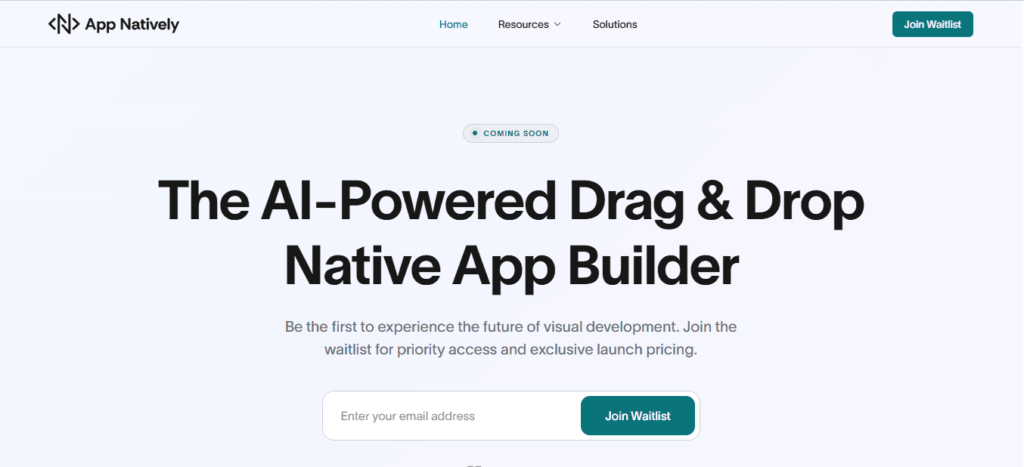
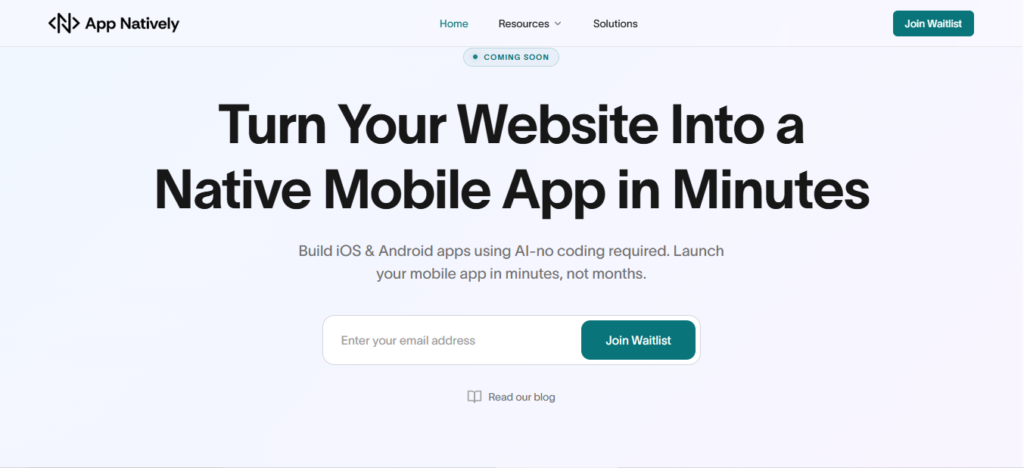
    Join the early access of App Natively — the AI-powered platform that turns your ideas (or even websites) into real mobile apps without coding.

    👉 Join the waitlist now before public launch

    7 Secrets to Building a Successful App Without Writing Code

    Building an app no longer requires coding skills, just the right strategy and mindset.
    Here are 7 powerful secrets founders and beginners can use to build a successful app without writing code.

    1. Start with a painful, high-value problem

    Founders often fail not because their app is bad, but because the problem isn’t important enough.

    As a beginner, your biggest advantage is focusing on a specific, painful problem that people actively want solved.

    Look for frustrations in everyday workflows, school tasks, small business operations, or online communities.

    If people are already using messy solutions like spreadsheets, notes, or multiple apps, that’s a strong opportunity.

    When your app removes friction and saves time, users immediately recognize its value, and adoption becomes much easier.

    2. Validate demand before you build anything

    Beginners often spend weeks building features no one ends up using. Smart founders validate first.

    Talk to potential users, describe your idea, and pay attention to their reactions. If they ask when it will be ready or request specific features, that’s a strong sign of interest.

    Validation helps you understand whether your idea solves a real need. This step also helps you refine your concept, making your first version more focused and impactful.

    3. No-code tools let beginners move like startups

    No-code platforms give founders and beginners the ability to build quickly without technical skills.

    Instead of spending months learning programming, you can focus on solving problems and improving your product.

    These tools allow you to test multiple ideas, pivot quickly, and launch faster than traditional development.

    For beginners, this means lower risk and faster learning. For founders, it means validating business ideas before investing heavily in development.

    4. Build a focused MVP that solves one core problem

    Beginners often try to build too many features at once, which leads to delays and confusion.

    A focused MVP helps you launch quickly and gather real feedback. Identify the core feature that delivers the most value and build around it.

    This approach reduces complexity and helps users understand your app immediately.

    Once users start using your app, you can expand gradually based on their needs instead of guessing.

    5. Prioritize user experience from day one

    Founders sometimes underestimate how important user experience is, especially for beginners.

    If users struggle to understand your app, they won’t stay long enough to see its value.

    Keep your design clean, your navigation simple, and your actions clear. A beginner-friendly app builds trust and encourages repeated use.

    When users enjoy using your app, they naturally recommend it to others, helping you grow organically.

    6. Start building an audience early

    Successful founders don’t wait until launch day to find users. As a beginner, building an audience early gives you valuable feedback and momentum.

    Share your progress, talk about the problem you’re solving, and involve potential users in your journey.

    This builds trust and excitement. When your app launches, you already have interested users ready to try it and provide feedback.

    7. Launch early, learn fast, and improve continuously

    Many beginners delay launching because they want everything to be perfect.

    Successful founders understand that improvement comes from real users. Launch early, collect feedback, and refine your app step by step.

    Each improvement makes your app stronger and more valuable. Over time, consistent updates and learning create a successful product that evolves with user needs.

    How to Monetize Your App With Ease

    Turning your app into a revenue-generating product doesn’t have to be complicated.
    Here are simple and proven monetization strategies that founders and beginners can implement with ease.

    1. Start with freemium to attract more users

    The freemium model is one of the easiest ways to monetize an app. Offer your core features for free while keeping advanced features behind a paid upgrade.

    This lowers the barrier for new users and helps you grow quickly. Once users see value in your app, many will naturally upgrade to unlock premium features.

    This strategy works especially well for beginners because it builds trust before asking users to pay.

    2. Use subscription for consistent revenue

    Subscriptions create a predictable monthly or yearly income. Instead of charging once, users pay regularly to keep using premium features.

    This model works best for apps that provide ongoing value, like productivity tools, learning apps, or community platforms.

    Even a small monthly fee can grow into steady revenue as your user base expands.

    3. Offer one-time premium upgrades

    Some users prefer paying once instead of subscribing. Offering a one-time upgrade unlocks additional features or removes limitations.

    This approach is simple to implement and easy for beginners to manage. It also gives users flexibility while still allowing you to generate revenue.

    4. Add in-app purchases for extra features

    In-app purchases allow users to buy additional features, tools, or content inside your app.

    This works especially well if your app has customizable options, templates, or extra functionality.

    Users only pay for what they need, which makes this strategy user-friendly and effective.

    5. Use ads carefully without hurting the experience

    Advertising can be an easy way to monetize, especially if your app is free. However, too many ads can push users away.

    The key is to keep ads minimal and place them where they don’t disrupt the experience.

    You can also offer an ad-free premium version for users who prefer a cleaner experience.

    6. Offer paid features for power users

    Not all users need advanced features, but power users often do. You can create premium tools, analytics, customization, or automation features specifically for these users.

    This allows you to monetize without affecting casual users while delivering extra value to those who need it most.

    7. Start simple and optimize over time

    You don’t need a perfect monetization strategy from day one. Start with one simple method and improve based on user behavior.

    Pay attention to what users are willing to pay for and adjust your pricing accordingly. Over time, small improvements can significantly increase your revenue.

    A successful app doesn’t just gain users — it builds sustainable income.
    Start simple, focus on value, and let your monetization grow with your app.

    Turn Your Website into a Native Mobile App in Minutes

    One of the smartest shortcuts today is transforming your existing website into a mobile app without coding.

    With modern AI-powered app builders (like upcoming tools such as App Natively), you can:

    • Convert your website into Android & iOS apps instantly
    • Skip traditional development
    • Launch faster with minimal effort
    • Reach mobile users effortlessly

    If you’re building a SaaS, directory, or content platform—this is one of the fastest ways to scale.

    Conclusion

    Building a successful app without coding isn’t about tools. It’s about strategy, validation, and execution.

    If you:

    • Validate your idea
    • Launch fast with MVP
    • Focus on users
    • Market early

    You can build, grow, and monetize an app without ever hiring a developer.

    Frequently Asked Questions (FAQs)

    1. Can I really build an app without coding?

    Yes. No-code and AI tools allow anyone to create fully functional apps using visual interfaces and automation.

    2. What is the best no-code platform for beginners?

    It depends on your needs. Glide is great for simple apps, while Bubble offers more advanced customization.

    3. How long does it take to build a no-code app?

    You can build a basic MVP in a few days to a few weeks, depending on complexity.

    4. Can no-code apps make money?

    Absolutely. Many successful startups generate revenue through no-code apps, including subscriptions and premium features.

    5. Is no-code app development scalable?

    Yes, but you must choose the right platform and optimize performance as you grow.

    6. Do I need technical skills to use no-code tools?

    No. Most tools are beginner-friendly, though a basic understanding of logic helps.

    7. What are the biggest mistakes in no-code app building?

    • Skipping validation
    • Overbuilding features
    • Ignoring UX
    • Not marketing early

    8. Can I convert my website into a mobile app without coding?

    Yes, modern AI tools allow instant conversion of websites into mobile apps.

  • How AI Is Revolutionizing App Development Without Coding: Build Apps Faster Than Ever

    How AI Is Revolutionizing App Development Without Coding: Build Apps Faster Than Ever

    Building an app from scratch can take months, cost thousands of dollars, and require technical expertise you may not have.

    Every day that passes without launching your app is a missed opportunity. Your competitors might already be capturing your target audience, while your idea sits on a notepad, waiting.

    AI is changing the game. AI-driven no-code platforms let anyone, from entrepreneurs to marketers, build functional, sleek apps in a fraction of the time.

    With AI, app creation is no longer limited by coding skills, making innovation accessible and fast.

    How AI-Powered No-Code Platforms Are Changing App Development

    AI no-code platforms are not just a trend. They’re a revolution. These tools combine the intelligence of artificial intelligence with intuitive drag-and-drop interfaces to streamline the app creation process.

    Traditional coding requires writing thousands of lines of complex code.

    In contrast, AI-driven platforms can analyze your idea, suggest workflows, generate app screens, and even automate backend integrations—all without writing a single line of code.

    This means businesses can launch apps faster, iterate quickly, and respond to market demands in real-time.

    Some leading AI app builders offer features like:

    • Automated app design suggestions based on your business type.
    • Pre-built AI modules for authentication, payments, or analytics.
    • Smart workflows that adapt to user interactions.
    • Integration with popular services like Stripe, PayPal, Google Maps, and more.

    The result? Faster development, lower costs, and apps that are ready for launch in days, not months.

    Benefits of Building Apps Without Coding Using AI

    1. Speed and efficiency

    AI no-code platforms dramatically reduce development time. What used to take weeks or months can now be done in days.

    Entrepreneurs no longer have to wait for developers to code each feature.

    Instead, AI accelerates everything from UI design to backend setup, allowing for rapid prototyping and testing.

    2. Cost-effective development

    Hiring developers is expensive. Freelancers and agencies charge thousands for a single app.

    AI-driven no-code platforms remove this barrier by offering affordable subscriptions with all features included.

    You get high-quality apps at a fraction of the traditional cost.

    3. Accessibility for non-technical users

    You don’t need coding experience to build an app anymore. With AI, users can input their requirements, and the platform translates them into fully functional apps.

    Entrepreneurs, marketers, and small business owners can now turn ideas into reality independently.

    4. Smart AI suggestions and automation

    AI doesn’t just build apps; it improves them. By analyzing user behavior, AI can suggest workflow optimizations, recommend design improvements, and automate repetitive tasks.

    This results in apps that are more user-friendly and effective in achieving business goals.

    5. Easy iteration and scaling

    One of the biggest advantages of AI no-code platforms is adaptability. You can test features, gather user feedback, and iterate instantly.

    Whether adding new modules, expanding to new platforms, or integrating additional APIs, AI makes scaling painless.

    Key Features of AI No-Code App Builders

    To truly understand the revolution, it’s essential to know what these platforms offer. Here’s what sets AI no-code app builders apart:

    • Drag-and-Drop Interface: Build your app visually without touching code.
    • AI-Powered Screen Generation: Type your app idea, and AI generates screens, layouts, and flows.
    • Prebuilt Templates: Launch apps quickly using predesigned templates for e-commerce, SaaS, healthcare, travel, and more.
    • Automated Testing: AI can simulate user interactions to detect issues before launch.
    • Seamless Integrations: Connect with payment gateways, analytics tools, CRMs, and social platforms.
    • Cross-Platform Deployment: Publish on iOS, Android, and the web simultaneously without separate development.

    These features eliminate the technical bottleneck, enabling entrepreneurs to focus on strategy, marketing, and customer experience instead of code.

    Real-World Applications: Who Benefits the Most?

    AI no-code app builders are versatile. Here’s who benefits most:

    Startups: Launch MVPs faster to test ideas without massive investment.

    Marketers: Build apps for campaigns, lead generation, or customer engagement without hiring developers.

    Small Businesses: Create apps for e-commerce, appointments, or loyalty programs efficiently.

    Freelancers & Agencies: Deliver apps to clients in days instead of months, improving client satisfaction and profitability.

    Top AI-Powered No-Code Platforms to Explore

    Some of the most powerful AI no-code platforms include:

    • Base44 – Known for intuitive AI app creation and smart backend automation.
    • Thunkable AI – Allows drag-and-drop mobile app building with AI-generated suggestions.
    • Adalo + AI integration – Simplifies app creation with AI-driven design enhancements.
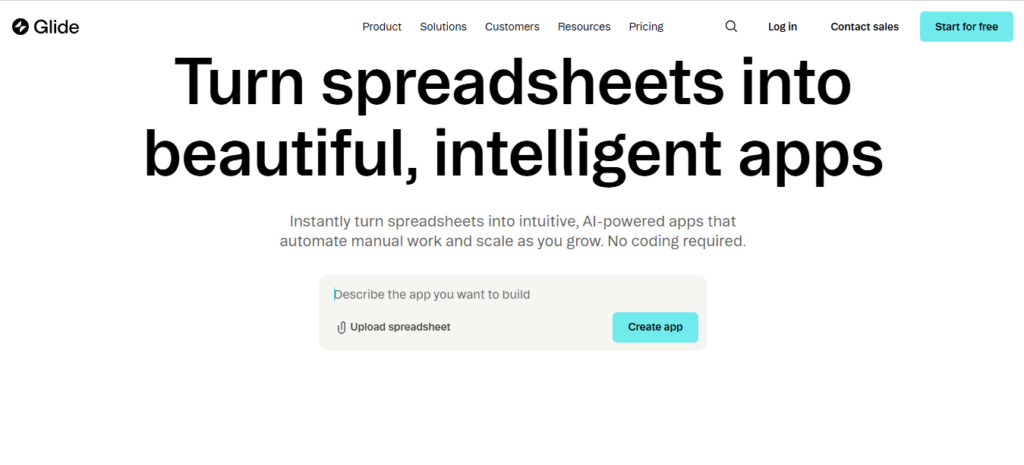
    • Glide AI – Turns spreadsheets into functional apps automatically.

    Each platform has unique advantages, but the common theme is AI-driven acceleration, simplicity, and cost reduction.

    Overcoming Challenges in AI-Powered App Development

    While AI no-code platforms are game-changing, they’re not without challenges:

    • Limited Customization: Some platforms may not allow deep customization for highly complex apps.
    • Platform Dependency: Apps built on proprietary platforms may face vendor lock-in.
    • Learning Curve: Although coding is eliminated, users still need to understand app logic and user experience principles.

    These challenges are manageable. Choosing the right platform, starting small, and leveraging AI recommendations can ensure success.

    Future Trends: Where AI No-Code App Development is Heading

    The future of app development is bright. AI is expected to:

    • Automate end-to-end development from idea to deployment.
    • Predict user behavior and dynamically adjust apps for better engagement.
    • Integrate with AI-generated content to create personalized experiences.
    • Enable voice and gesture-controlled apps without coding expertise.

    The line between app users and developers is blurring, empowering anyone to create innovative solutions.

    Turn Your Website into a Native Mobile App in a Flash

    Imagine transforming your website into a fully functional native mobile app without writing a single line of code.

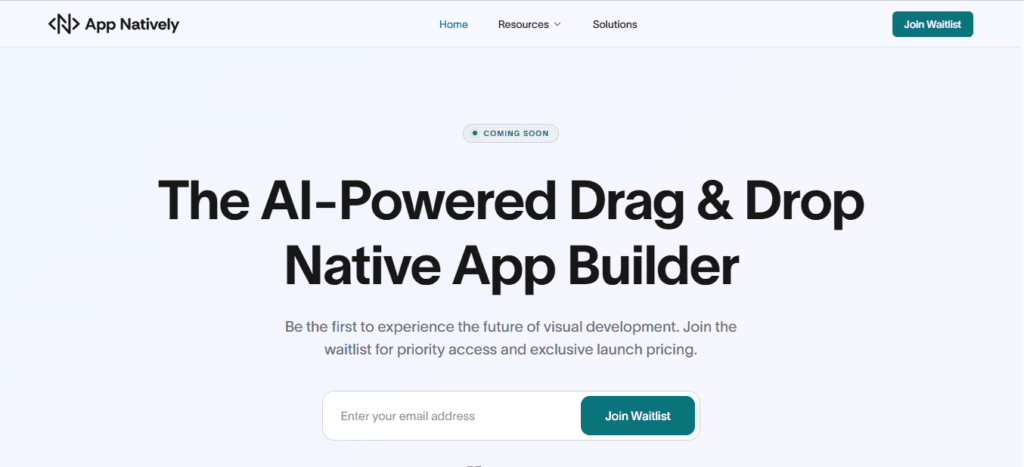
    That’s exactly what App Natively enables. Currently under development, this AI-powered no-code platform is designed to take your online presence and instantly convert it into an app that runs seamlessly on both iOS and Android.

    By joining the exclusive waitlist today, you’ll be among the first to experience features like automated app conversion, smart workflow optimization, and effortless integrations with your favorite tools.

    No coding, no delays—just a fast, reliable path from website to app.

    Don’t wait for months of traditional app development. Reserve your spot on the App Natively waitlist now and be ready to launch your app in a flash.

    Conclusion: How AI Is Revolutionizing App Development Without Coding

    AI is democratizing app creation. Entrepreneurs, marketers, and businesses no longer need technical expertise or massive budgets to bring ideas to life.

    With AI-powered no-code platforms, apps can be conceptualized, designed, and launched faster than ever before.

    By embracing AI, you not only save time and money but also gain the flexibility to innovate continuously.

    Whether you’re a startup founder or a marketer looking to engage your audience, AI is your secret weapon for app development without coding.

    Start your AI-powered app journey today and turn ideas into fully functional apps faster than ever.

    FAQs: Frequently Asked Questions

    1. Can I really build an app without coding?

    Yes. AI no-code platforms allow users to create fully functional apps without any coding experience. AI handles design, workflows, and backend setup.

    2. How fast can I launch my app using AI?

    Depending on complexity, apps can be launched in days or weeks instead of months. AI accelerates prototyping, testing, and deployment.

    3. Are AI-built apps scalable?

    Absolutely. Modern AI no-code platforms support scaling features, integrations, and cross-platform deployment.

    4. Do I need a technical background to use the AI app builders?

    No. AI handles technical complexity. Users only need a clear idea and some understanding of user experience.

    5. What types of apps can I build?

    From e-commerce, healthcare, and SaaS apps to travel, education, and service booking apps, AI can support a wide range of app types.

  • 15 Essential Hotel Booking App Features That Drive More Bookings in 2026

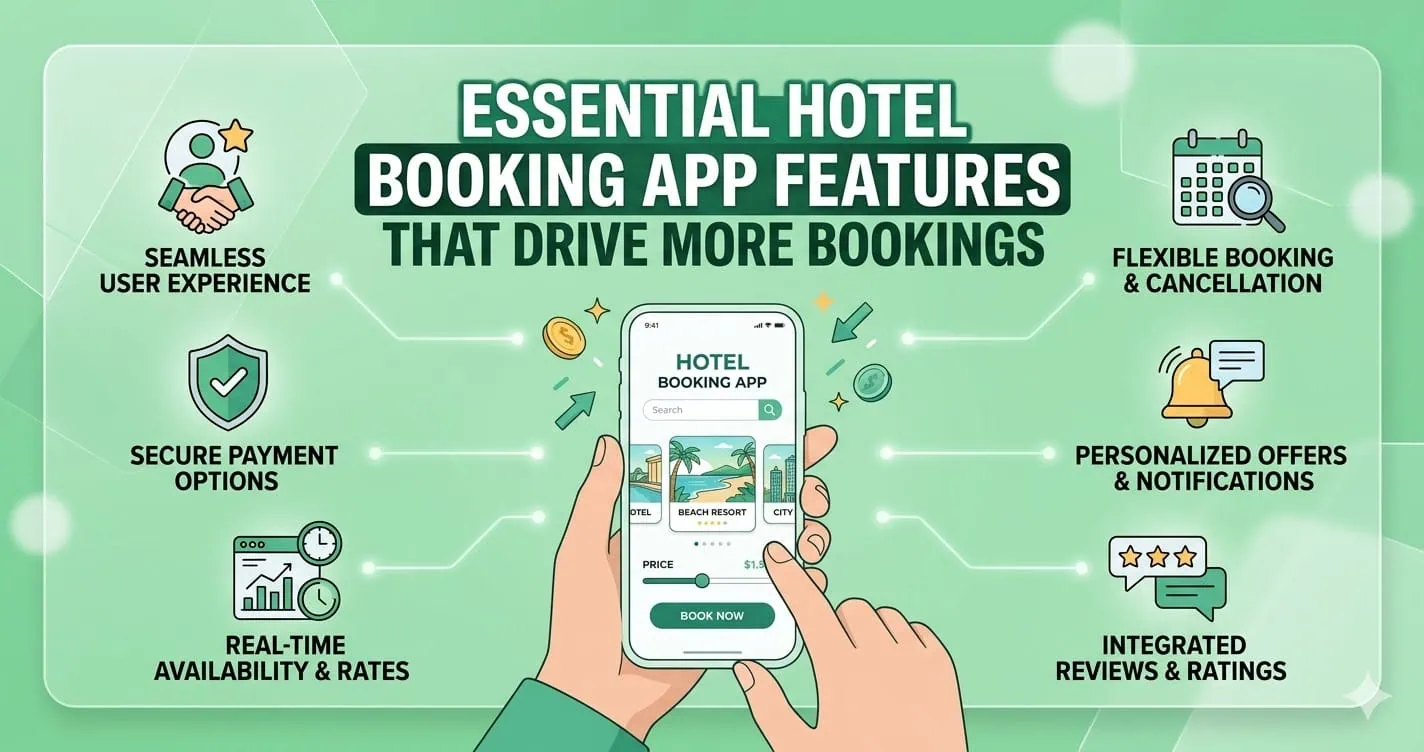
    15 Essential Hotel Booking App Features That Drive More Bookings in 2026

    Finding the perfect hotel should be easy, but many booking apps still make it frustrating. Slow loading times, confusing interfaces, and a lack of trust signals often push users to abandon bookings before completion. This directly impacts revenue and user retention.

    The truth is, users expect more than just listings. They want speed, personalization, transparency, and security in one seamless experience. Without the right features, even a well-designed app can fail to convert.

    That’s why understanding the essential hotel booking app features is critical.

    In this blog post, you’ll discover the 15 must-have features that improve user experience, increase conversions, and help your app stand out in a competitive travel market.

    Why Hotel Booking App Features Matter More Than Ever

    The modern traveler is mobile-first and decision-driven. A hotel booking app isn’t just a tool, but it’s a complete experience that influences whether a user books instantly or leaves for a competitor.

    Apps that prioritize usability, speed, and trust see significantly higher conversion rates.

    On the other hand, missing even a single critical feature like real-time availability or secure payment can result in lost bookings.

    Building a high-performing app means combining functionality with user psychology.

    15 Essential Hotel Booking App Features That Drive More Bookings

    1. User interface that feels effortless

    The design of your app should feel natural from the first tap. Users should not need instructions to navigate. Every element should have a clear purpose and a clear place.

    A clean interface reduces cognitive load. When users do not have to think about where to go next, they focus entirely on choosing the right hotel.

    That simplicity builds confidence and keeps them engaged throughout the process.

    2. Advanced search that saves time

    Search functionality is the backbone of any hotel booking app. Users come with specific needs, and they expect fast results.

    An effective search system allows filtering by price, location, amenities, ratings, and more. It should respond instantly and refine results as users interact with it.

    The faster users find relevant options, the closer they move toward booking.

    3. Real-time availability that builds trust

    Nothing breaks trust faster than outdated information. When users select a hotel only to find it unavailable, the entire experience feels unreliable.

    Real-time availability ensures that listings are accurate and up to date. It removes uncertainty and allows users to book with confidence. This feature directly impacts both trust and conversion rates.

    4. Transparent pricing that reduces drop off

    Hidden costs are one of the biggest reasons users abandon bookings. If the final price is different from what was initially shown, users feel misled.

    Clear pricing that includes taxes and fees upfront creates transparency. When users know exactly what they are paying, they are more likely to complete the transaction without hesitation.

    5. Secure payment system that builds confidence

    The payment stage is where users make a final decision. Any sign of risk can cause them to leave immediately.

    A secure payment system with multiple options gives users flexibility and peace of mind.

    Clear security indicators and a smooth checkout process reassure users that their information is protected.

    6. High-quality images that influence decisions

    Visual content plays a major role in hotel selection. Users want to see what they are paying for before making a commitment.

    High-quality images help users imagine their stay. When visuals are clear and detailed, users feel more confident in their choice, which increases the likelihood of booking.

    7. Reviews that provide social proof

    Users rely heavily on the experiences of others. Reviews help them understand what to expect beyond the photos and descriptions.

    Authentic feedback creates trust. When users see real opinions, both positive and negative, the platform feels more credible.

    This credibility encourages them to move forward with their decision.

    8. Booking management for flexibility

    Plans can change, and users value flexibility. An app should allow easy modification or cancellation of bookings.

    When users know they can adjust their plans if needed, they feel safer making a booking.

    This sense of control increases overall satisfaction and reduces hesitation.

    9. Personalized recommendations that feel relevant

    Personalization transforms a generic experience into a tailored one. By analyzing user behavior, the app can suggest hotels that match preferences.

    Relevant recommendations save time and make users feel understood. This emotional connection increases engagement and encourages repeat bookings.

    10. Map integration for better decision making

    Location plays a crucial role in hotel selection. Users want to understand where a property is in relation to attractions, transport, and key areas.

    Map integration provides a visual context that helps users make informed decisions. It adds clarity and reduces uncertainty, especially for unfamiliar destinations.

    11. Multi-language and currency support

    Travel is global, and your app should reflect that. Supporting multiple languages and currencies makes the platform accessible to a wider audience.

    When users can interact with the app in their preferred language and currency, the experience feels more comfortable and trustworthy.

    12. Wishlist feature that encourages return visits

    Not every user books instantly. Many prefer to explore options and decide later.

    A wishlist feature allows users to save hotels for future consideration.

    This keeps them connected to your app and increases the chances of them returning to complete a booking.

    13. Push notifications that drive engagement

    Timely communication keeps users engaged even when they are not actively using the app.

    Notifications about price drops, special offers, or booking reminders create opportunities for conversions. When used thoughtfully, they bring users back at the right moment.

    14. Loyalty programs that build retention

    Acquiring users is important, but retaining them is even more valuable.

    Loyalty programs reward users for repeat bookings and create long-term relationships.

    When users feel appreciated, they are more likely to choose your app again instead of exploring alternatives.

    15. Fast performance that keeps users engaged

    Speed is not just a technical factor. It is a user experience factor. A slow app creates frustration and increases bounce rates.

    Optimized performance ensures that pages load quickly and interactions feel smooth.

    When users can move through the app without delays, they are more likely to complete bookings.

    Final Thoughts

    A successful hotel booking app is built on understanding user expectations and delivering a seamless experience at every step. Each feature plays a role in shaping how users feel and how they act.

    When your app removes friction, builds trust, and guides decisions naturally, bookings become the outcome rather than the goal. By focusing on these 15 essential hotel booking app features, you position your platform for long-term success in an increasingly competitive travel market.

    Frequently Asked Questions (FAQs)

    What are the most important features of a hotel booking app

    The most important features include advanced search, real-time availability, secure payments, user reviews, and a smooth user interface.

    These elements work together to create a reliable and efficient booking experience.

    How does real-time availability improve bookings?

    Real-time availability ensures that users see accurate room options and pricing. This reduces confusion and builds trust, which increases the likelihood of completing a booking.

    Why is user experience important in hotel booking apps

    User experience determines how easily users can search, compare, and book hotels.

    A smooth experience reduces frustration and encourages users to complete their bookings without leaving the app.

    How do reviews influence booking decisions?

    Reviews provide insights from other travelers. They help users evaluate the quality of a hotel and make informed decisions, which increases confidence and conversions.

    What role does personalization play in booking apps

    Personalization helps users discover relevant hotels based on their preferences. It saves time and creates a more engaging experience, leading to higher booking rates.

    Why is mobile optimization essential for hotel apps

    Most users book hotels through mobile devices. A well-optimized mobile app ensures smooth navigation, fast loading, and better usability, which directly impacts conversions.

    What payment options should a hotel booking app include

    A hotel booking app should support multiple payment methods, such as cards and digital wallets. Offering flexibility makes it easier for users to complete transactions.

    How can a hotel booking app increase user retention

    Features like loyalty programs, personalized recommendations, and seamless booking management encourage users to return and book again.

    What makes a hotel booking app stand out from competitors

    An app stands out when it combines speed, simplicity, trust, and personalization. These elements create a superior experience that users prefer over alternatives.

    How does app performance affect bookings?

    Faster performance reduces waiting time and frustration. When users can navigate quickly and smoothly, they are more likely to complete their bookings.

  • Mobile App Security: The Ultimate Guide to Protecting Apps from Cyber Threats in 2026

    Mobile App Security: The Ultimate Guide to Protecting Apps from Cyber Threats in 2026

    Mobile app security refers to the set of practices, tools, and technologies used to protect mobile applications from cyber threats, data breaches, and unauthorized access.

    It includes securing app code, backend systems, APIs, and user data across platforms like Android and iOS.

    With the rapid growth of mobile usage, cybercriminals increasingly target apps to exploit vulnerabilities such as weak authentication, insecure data storage, and unprotected APIs.

    Implementing strong mobile app security ensures data privacy, builds user trust, and prevents financial and reputational damage.

    What is Mobile App Security?

    Mobile app security is the process of protecting applications from external threats such as hacking, malware, reverse engineering, and data leaks. It covers the entire lifecycle of an app from development and deployment to ongoing updates and maintenance.

    It involves:

    • Securing source code
    • Protecting APIs
    • Encrypting data
    • Implementing authentication systems
    • Monitoring suspicious activities

    Why Mobile App Security Matters

    Mobile app security is no longer optional. It’s a critical pillar of digital trust, business continuity, and user safety.

    With billions of users relying on smartphones for banking, shopping, communication, and work, mobile apps have become prime targets for cyberattacks.

    A single vulnerability can expose sensitive data, damage brand reputation, and lead to severe financial losses.

    1. The rise of mobile-first digital behavior

    The global shift toward mobile-first usage means apps now handle everything from personal messages to financial transactions.

    Whether it’s mobile banking, eCommerce, or enterprise apps, users expect seamless and secure experiences.

    As mobile usage grows, so does the attack surface, making security a top priority for developers and businesses alike.

    2. Sensitive data is always at risk

    Mobile apps often store or process highly sensitive information—passwords, credit card details, personal identities, and location data.

    Without proper safeguards like encryption, secure APIs, and authentication protocols, this data becomes vulnerable to breaches.

    Cybercriminals actively exploit weak points such as insecure storage, poor session handling, and outdated libraries.

    3. Increasing sophistication of cyber threats

    Modern attackers use advanced techniques like reverse engineering, malware injection, phishing overlays, and man-in-the-middle attacks.

    Even legitimate apps can be repackaged with malicious code and redistributed.

    Without strong mobile app security measures like code obfuscation, runtime protection, and secure communication channels, apps remain exposed.

    4. Financial and legal consequences

    Security breaches are expensive. Businesses may face regulatory penalties (such as GDPR fines), lawsuits, and compensation claims.

    Beyond direct financial loss, the cost of recovering from an attack, including incident response, downtime, and rebuilding trust, can be devastating.

    5. Brand reputation and user trust

    Trust is fragile in the digital ecosystem. Users are quick to abandon apps that fail to protect their data.

    A single security incident can lead to negative publicity, loss of customers, and long-term damage to brand credibility.

    On the other hand, strong security practices can become a competitive advantage.

    6. Compliance and industry standards

    Regulations and standards increasingly require robust security practices.

    From GDPR in Europe to PCI-DSS for payment processing, businesses must ensure their mobile apps meet strict compliance requirements. Failing to do so can result in heavy fines and restrictions.

    7. The growth of BYOD and remote work

    With the rise of remote work and Bring Your Own Device (BYOD) policies, employees often access corporate systems through personal mobile devices.

    This creates additional security challenges, as unsecured apps can become entry points for broader organizational breaches.

    8. Preventing revenue loss and downtime

    Security vulnerabilities can disrupt app functionality, leading to downtime and lost revenue.

    For subscription-based or transaction-driven apps, even a few hours of disruption can result in significant financial impact.

    9. Competitive advantage through security

    Investing in mobile app security isn’t just about defense. Instead, it’s about differentiation. Apps that prioritize user privacy and security are more likely to gain trust, improve retention, and stand out in crowded marketplaces.

    Common Mobile App Security Threats

    Mobile apps operate in a highly exposed environment, running on user-controlled devices, connected to public networks, and constantly exchanging data.

    This makes them a prime target for attackers using a wide range of techniques. Understanding the most common mobile app security threats is the first step toward building secure, resilient applications.

    i. Insecure data storage

    One of the most frequent vulnerabilities is storing sensitive data, like passwords, tokens, or personal information, directly on the device without proper protection.

    If data is stored in plain text or weakly encrypted formats, attackers can easily extract it through device theft, malware, or reverse engineering.

    Secure storage mechanisms such as encrypted databases and OS-level keychains are essential.

    ii. Weak authentication and authorization

    Poor authentication mechanisms, such as weak passwords or missing multi-factor authentication (MFA), make it easy for attackers to gain unauthorized access.

    Inadequate session management and improper authorization checks can also allow users to access data or features they shouldn’t. Strong authentication protocols and role-based access control are critical defenses.

    iii. Insecure communication (Man-in-the-Middle Attacks)

    When mobile apps transmit data over unsecured or improperly configured networks, attackers can intercept the communication.

    These man-in-the-middle (MITM) attacks allow hackers to steal login credentials, session tokens, and sensitive data.

    Using HTTPS, SSL/TLS encryption, and certificate pinning helps prevent these threats.

    iv. Reverse engineering and code tampering

    Attackers often decompile mobile apps to understand their logic, extract sensitive information (like API keys), or modify the code.

    This can lead to app cloning, piracy, or the injection of malicious code. Techniques such as code obfuscation, anti-tampering checks, and runtime application self-protection (RASP) help mitigate this risk.

    v. Malware and malicious code injection

    Mobile devices can be infected with malware that targets apps directly.

    Attackers may inject malicious code into legitimate apps or distribute fake versions of apps containing spyware or trojans. These can steal user data, track activity, or gain control over the device.

    vi. Insecure APIs

    Mobile apps rely heavily on APIs to communicate with backend servers. If these APIs are poorly secured, lacking authentication, rate limiting, or input validation, they become easy entry points for attackers.

    API vulnerabilities can expose large volumes of data and compromise entire systems.

    vii. Improper session handling

    Weak session management, such as long session timeouts, predictable session IDs, or failure to invalidate sessions after logout, can allow attackers to hijack user sessions.

    Session hijacking enables unauthorized access without needing login credentials.

    viii. Lack of binary protections

    Without protections like code obfuscation, encryption, or integrity checks, attackers can easily analyze and manipulate the app binary.

    This increases the risk of intellectual property theft and exploitation of vulnerabilities.

    ix. Phishing and overlay attacks

    Attackers can trick users into entering sensitive information through fake login screens or overlay attacks.

    These often mimic legitimate app interfaces, making them difficult for users to detect. Educating users and implementing secure UI practices can reduce this risk.

    x. Jailbroken and rooted devices

    Apps running on jailbroken (iOS) or rooted (Android) devices are more vulnerable because built-in OS security controls are bypassed.

    Attackers can exploit these devices to access restricted app data or manipulate app behavior. Detecting and restricting such devices is a common security measure.

    xi. Third-party library vulnerabilities

    Most apps rely on third-party SDKs and libraries for functionality. If these components have vulnerabilities or are not regularly updated, they can introduce security risks into the app.

    Regular dependency audits and updates are essential.

    xii. Insufficient cryptography

    Using outdated or weak encryption algorithms can expose sensitive data to attackers.

    Poor key management practices further increase the risk. Strong, modern cryptographic standards must be implemented correctly.

    Key Pillars of Mobile App Security

    1. Data encryption

    Data encryption is the backbone of mobile app security. Sensitive information, such as user credentials, financial details, and personal data, must be protected both at rest (stored on the device or server) and in transit (while being transmitted over networks).

    Strong encryption standards like AES-256 for storage and SSL/TLS for communication ensure that even if data is intercepted, it remains unreadable. Proper key management is equally critical to prevent unauthorized access.

    2. Authentication & authorization

    Authentication verifies who the user is, while authorization determines what they can access.

    A secure mobile app should implement multiple layers of identity verification, including Multi-Factor Authentication (MFA), biometric logins such as fingerprint or face recognition, and secure frameworks like OAuth 2.0.

    Additionally, role-based access control (RBAC) ensures users only interact with data and features relevant to their permissions, minimizing the risk of misuse.

    3. Secure code development

    Security must be embedded from the ground up. Writing clean, well-structured, and secure code reduces vulnerabilities such as injection attacks, buffer overflows, and insecure data handling.

    Developers should follow secure coding practices, validate inputs, avoid hardcoding sensitive information, and conduct regular code reviews.

    Integrating security into the development lifecycle (DevSecOps) helps detect and fix issues early.

    4. API security

    APIs are the bridge between mobile apps and backend systems, making them a critical attack surface.

    To secure APIs, developers should implement token-based authentication, enforce rate limiting to prevent abuse, and use API gateways for centralized control and monitoring.

    Input validation, encryption, and proper error handling further reduce the risk of data leaks and unauthorized access.

    5. Secure backend

    A mobile app is only as secure as its backend infrastructure. Servers, databases, and cloud services must be protected using firewalls, intrusion detection systems, and continuous monitoring tools.

    Regular security patches, access controls, and database encryption help safeguard stored data.

    Additionally, logging and real-time threat detection enable quick responses to suspicious activities.

    Mobile App Security Testing Methods

    1. Static application security testing (SAST)

    Static Application Security Testing (SAST) analyzes an app’s source code, bytecode, or binaries without executing the program.

    This method helps developers detect vulnerabilities early in the development lifecycle, such as insecure coding patterns, hardcoded credentials, and injection flaws.

    Because SAST is performed before deployment, it’s highly effective for fixing issues at a lower cost and preventing them from reaching production.

    2. Dynamic application security testing (DAST)

    Dynamic Application Security Testing (DAST) evaluates the application while it is running.

    It simulates real-world attack scenarios by interacting with the app from the outside, identifying issues like authentication flaws, insecure APIs, and server misconfigurations.

    Unlike SAST, DAST does not require access to source code, making it ideal for testing live environments and deployed applications.

    3. Penetration testing

    Penetration testing, often called ethical hacking, involves security experts actively attempting to exploit vulnerabilities in the app.

    This method replicates real-world cyberattacks to uncover hidden weaknesses that automated tools might miss.

    It provides deep insights into how an attacker could compromise the system and helps organizations strengthen their defenses accordingly.

    4. Vulnerability scanning

    Vulnerability scanning uses automated tools to detect known security issues, such as outdated libraries, misconfigurations, and common weaknesses (e.g., OWASP Top 10 vulnerabilities).

    It’s a fast and efficient way to continuously monitor applications and infrastructure for risks. While it doesn’t go as deep as penetration testing, it’s essential for regular security maintenance.

    5. Runtime application self-protection (RASP)

    Runtime Application Self-Protection (RASP) operates inside the application during execution, monitoring behavior in real time.

    It can detect and block threats such as code injection, unauthorized access attempts, and anomalous activity in real time.

    RASP adds an extra layer of defense by providing immediate protection, even if a vulnerability exists.

    Tools for Mobile App Security

    Choosing the right tools is essential for building, testing, and maintaining a secure mobile application.

    These widely used solutions help identify vulnerabilities, simulate attacks, and ensure your app meets modern security standards.

    1. OWASP ZAP – Open-Source Security Testing Tool

    OWASP ZAP (Zed Attack Proxy) is a powerful open-source tool designed for finding vulnerabilities in web and mobile applications.

    It’s especially popular among developers and security beginners due to its user-friendly interface and automation capabilities.

    ZAP can detect issues such as SQL injection, cross-site scripting (XSS), and insecure configurations, making it a strong starting point for continuous security testing.

    2. Burp Suite – Advanced Penetration Testing

    Burp Suite is one of the most trusted tools for manual and automated penetration testing.

    It allows security professionals to intercept and analyze network traffic, manipulate requests, and uncover deep vulnerabilities.

    With features like Intruder, Repeater, and Scanner, it’s ideal for advanced testing scenarios and real-world attack simulations.

    3. MobSF (Mobile Security Framework) – Automated Mobile App Testing

    MobSF is specifically built for mobile app security analysis. It supports both Android and iOS apps and provides static and dynamic analysis on one platform.

    Developers can quickly scan apps for vulnerabilities such as insecure storage, weak encryption, and exposed APIs. Its automation makes it perfect for integrating into CI/CD pipelines.

    4. Appknox – Mobile Security Testing Platform

    Appknox is a cloud-based mobile app security platform that offers automated vulnerability assessments along with manual penetration testing support.

    It provides detailed reports, risk scoring, and compliance checks, helping businesses secure their apps before deployment.

    It’s widely used by enterprises that need scalable and continuous security testing.

    Final Thoughts

    Mobile app security is not just a technical requirement, but it’s a business necessity.

    As cyber threats evolve, developers must stay proactive by implementing robust security measures at every stage of development.

    By following best practices, conducting regular testing, and staying updated with the latest trends, you can build secure, trustworthy, and scalable mobile applications that users can rely on.

    Frequently Asked Questions (FAQs)

    1. What are the biggest security risks in mobile applications today?

    The biggest mobile app security risks include insecure APIs, weak authentication systems, data leakage, reverse engineering, and malware attacks.

    These vulnerabilities allow attackers to access sensitive data, manipulate app behavior, or compromise backend systems, making them critical issues for developers to address during development and maintenance.

    2. How do hackers exploit mobile app vulnerabilities?

    Hackers exploit mobile app vulnerabilities using techniques like reverse engineering, code injection, phishing, and man-in-the-middle attacks.

    They analyze app code, intercept data transmissions, or trick users into revealing credentials. These methods allow unauthorized access to sensitive data and systems if proper security measures are not implemented.

    3. What is the difference between mobile app security and mobile device security?

    Mobile app security focuses on protecting the application, including its code, data, and APIs.

    In contrast, mobile device security protects the entire device, including the operating system like Android or iOS, hardware, and installed applications from threats and unauthorized access.

    4. How does encryption protect mobile applications?

    Encryption protects mobile applications by converting sensitive data into unreadable code that can only be accessed with a decryption key.

    This ensures that even if data is intercepted during transmission or accessed from storage, it remains secure and unusable to unauthorized users or attackers.

    5. What is API security in mobile apps and why is it important?

    API security protects the communication between a mobile app and its backend servers.

    Without proper security measures like authentication, encryption, and rate limiting, attackers can intercept or manipulate data. Strong API security ensures safe data exchange and prevents unauthorized access to critical systems.

    6. Can mobile apps be hacked even if they are on official app stores?

    Yes, mobile apps can still be hacked even if they are published on official app stores. While stores perform security checks, they cannot guarantee complete protection.

    Vulnerabilities in code, outdated libraries, or insecure APIs can still be exploited by attackers after the app is downloaded.

    7. What role does authentication play in mobile app security?

    Authentication plays a critical role by ensuring that only verified users can access an app.

    Methods like passwords, multi-factor authentication, and biometrics help prevent unauthorized access. Strong authentication reduces the risk of account breaches and protects sensitive user data from being compromised.

    8. What is secure coding in mobile app development?

    Secure coding involves writing application code in a way that prevents vulnerabilities and security flaws. This includes avoiding hardcoded credentials, validating user inputs, and following best practices for data handling.

    It helps developers build resilient apps that are less susceptible to attacks and exploitation.

    9. How does biometric authentication improve app security?

    Biometric authentication improves security by using unique physical characteristics like fingerprints or facial recognition to verify users.

    Unlike passwords, biometrics are difficult to replicate or steal, making them a more secure authentication method. This significantly reduces the chances of unauthorized access to mobile applications.

    10. What is the importance of HTTPS in mobile apps?

    HTTPS encrypts data transmitted between the mobile app and the server, preventing attackers from intercepting sensitive information. It ensures secure communication by using SSL/TLS protocols.

    Without HTTPS, data such as login credentials and payment details can be exposed to man-in-the-middle attacks.

    11. What is mobile app security testing and why is it necessary?

    Mobile app security testing identifies vulnerabilities and weaknesses within an application before attackers can exploit them.

    Techniques like penetration testing, static analysis, and dynamic testing help detect security flaws. Regular testing ensures that apps remain secure and compliant with evolving security standards.

    12. How can businesses ensure their mobile apps are secure?

    Businesses can ensure mobile app security by implementing strong encryption, secure APIs, regular updates, and continuous security testing.

    Following secure coding practices and monitoring app performance for suspicious activities also helps. A proactive approach to security reduces risks and protects both user data and business reputation.

    13. What is code obfuscation, and how does it help?

    Code obfuscation transforms readable code into a complex format that is difficult for humans to understand.

    This prevents attackers from reverse engineering the app to discover vulnerabilities or sensitive logic. It adds an extra layer of protection, especially for intellectual property and critical application functions.

    14. Are hybrid apps less secure than native apps?

    Hybrid apps are not inherently less secure than native apps, but they can introduce additional risks if third-party frameworks are not properly managed.

    Security depends on implementation, coding practices, and maintenance. With proper precautions, hybrid apps can achieve a high level of security comparable to native apps.

    15. What is the role of backend security in mobile apps?

    Backend security protects servers, databases, and APIs that support mobile applications. It ensures that sensitive data is stored securely and access is properly controlled.

    Without strong backend security, even a well-protected app can be compromised through server-side vulnerabilities and data breaches.

    16. How does session management impact mobile app security?

    Session management controls how user sessions are created, maintained, and terminated.

    Poor session handling can allow attackers to hijack sessions and gain unauthorized access. Secure session practices, such as timeouts and token validation, help protect user accounts and sensitive data.

    17. What is the zero-trust model in mobile security?

    The zero-trust model assumes that no user or device should be trusted by default, even inside the network. Every access request must be verified continuously.

    This approach reduces the risk of insider threats and unauthorized access by enforcing strict authentication and authorization policies.

    18. How can users improve their mobile app security?

    Users can improve mobile app security by downloading apps only from trusted sources, updating apps regularly, and avoiding unsecured public Wi-Fi networks.

    Using strong passwords and enabling multi-factor authentication also helps protect personal data from unauthorized access and potential cyber threats.

    19. What are the best tools for mobile app security testing?

    Popular mobile app security testing tools include OWASP ZAP, Burp Suite, and MobSF. These tools help identify vulnerabilities such as insecure APIs, data leaks, and weak authentication.

    Using a combination of automated and manual testing tools ensures comprehensive security coverage for mobile applications.

    20. What future trends will shape mobile app security?

    Future trends in mobile app security include AI-powered threat detection, biometric authentication advancements, zero-trust architecture, and blockchain-based security solutions.

    As cyber threats evolve, these technologies will help developers build more secure, intelligent, and resilient mobile applications for the future.
  • 7 Best AI App Builders in 2026: From Idea to Working App in Hours (No Code Required)

    7 Best AI App Builders in 2026: From Idea to Working App in Hours (No Code Required)

    AI app builders are transforming how apps are built, turning simple ideas into working products in hours rather than months.

    By combining artificial intelligence with no-code and low-code technology, these tools can generate interfaces, databases, and even business logic from a single prompt.

    But not all AI app builders are created equal.

    Some tools generate only the visual layer, while others can build fully functional applications with payments, workflows, and automation.

    In this blog post, we break down the best AI app builders in 2026 based on real performance—not marketing claims—so you can choose the right platform to build faster and smarter.

    The New Reality: AI Is Replacing Traditional App Development

    Just a few years ago, building an app required:

    • A developer team
    • Months of development
    • Tens of thousands of dollars

    Now, AI has fundamentally changed the equation.

    Today’s AI app builders can:

    • Generate entire app structures instantly
    • Automate backend workflows
    • Reduce development time by over 80%

    This shift isn’t just about convenience, but it’s about who gets to build software.

    Founders, marketers, and creators can now launch products without technical teams.

    Not All AI App Builders Are Equal (Critical Insight)

    Here’s the biggest mistake people make:

    They assume all AI builders create “real apps.”

    In reality, there are three categories:

    1. UI Generators

    Tools that create beautiful designs but lack functionality.

    2. Assisted Builders

    Platforms that help you build faster, but still require manual setup.

    3. Full-Stack AI Builders

    Tools that generate both frontend and backend automatically.

    Understanding this difference is the key to choosing the right platform.

    Ultimate Comparison: Best AI App Builders in 2026

    PlatformBest ForFull App (Frontend + Backend)Ease of UseSpeedKey Strength
    App NativelyFull app creation✅ Yes⭐⭐⭐⭐⭐⚡ Very FastEnd-to-end AI app generation
    ReplitDevelopers✅ Yes⭐⭐⭐⚡ FastReal code + scalability
    LovableUI prototypes❌ Partial⭐⭐⭐⭐⭐⚡ Very FastStunning design output
    Base44Iteration❌ Partial⭐⭐⭐⭐⚡ FastAI-driven refinement
    BubbleComplex apps✅ (Manual)⭐⭐⏳ MediumAdvanced workflows
    Figma App BuilderDesign❌ No⭐⭐⭐⭐⭐⚡ Very FastHigh-quality UI
    GlideData apps❌ Partial⭐⭐⭐⭐⚡ FastSpreadsheet-based apps

    The Top AI App Builders in 2026 (Ranked by Real Capability)

    Instead of listing tools at random, we’ve ranked them based on what matters most: output quality, real usability, and speed to launch.

    1. App Natively — The Next Evolution of AI App Building (Join the Waitlist)

    While testing all these AI app builders, one pattern became impossible to ignore:

    You’re always forced to compromise.

    Some tools are easy but limited.
    Some are powerful but painfully complex.
    Others look great but break when real functionality is needed.

    App Natively is being built to remove that compromise entirely.

    Best AI App Builders

    A New Direction: Power Without Complexity

    App Natively isn’t trying to be “another AI builder.”
    It’s being developed with a clear philosophy:

    Building apps should feel as simple as describing an idea without sacrificing real functionality.

    Instead of forcing you to learn systems, configure workflows, or connect endless integrations, the goal is to create an experience where everything flows naturally from idea → app.

    What Makes App Natively Worth Paying Attention To

    • Designed for Zero Learning Curve

    Most platforms still require time to understand interfaces, logic builders, or workflows. App Natively is being built so that even non-technical users can move from idea to app without friction.

    • Advanced Capabilities, Simplified

    Features like payments, automation, integrations, and user management shouldn’t feel like “advanced work.” The vision here is simple: powerful features should just work without complexity.

    • Affordability at Its Core

    A major issue with current tools is pricing that scales quickly as you grow. App Natively is being developed with a strong focus on making powerful app creation accessible without breaking budgets.

    • Built for Real Apps, Not Just Demos

    Many platforms stop at prototypes. App Natively is being shaped to support real, usable applications—not just UI mockups.

    Why Early Access Matters

    App Natively is still under development, which makes this the best time to get in early.

    Joining the waitlist means:

    • You get early access before the public launch
    • You can explore features before the crowd
    • You may unlock early-user pricing advantages
    • You get a chance to influence the product direction

    If You’ve Been Waiting for Simpler App Building…

    If you’ve tried tools that felt:

    • Too technical
    • Too limited
    • Too expensive

    Then App Natively is worth keeping on your radar.

    👉 Join the waitlist now to be among the first to experience a simpler, more powerful way to build apps.

    The next generation of AI app builders won’t just be smarter.
    They’ll remove friction completely.

    App Natively is being built for exactly that future.
    2. Replit — Where AI Meets Real Development Power

    Replit takes a completely different approach.

    best AI app builders

    Instead of hiding the code, it generates real, editable applications.

    What You Get

    • Full codebase generation
    • Live testing on real devices
    • Deployment-ready apps

    Why It’s Powerful

    You’re not locked into a system—you own the product.

    Trade-Off

    It’s not beginner-friendly.
    You’ll need some technical understanding.

    Best For

    Developers and startups planning to scale.

    3. Lovable — The Fastest Way to Visualize an App Idea

    Lovable focuses on one thing: making your app look real instantly.

    best AI app builders

    Strength

    • Clean UI
    • Smooth navigation
    • Professional layouts

    Limitation

    It doesn’t automatically build backend functionality.

    Why It Still Matters

    Speed of visualization = faster decision-making.

    Best For

    Validating ideas before development.

    4. Base44 — AI That Improves Your App Over Time

    Base44 is less about generation and more about refinement.

    best AI app builders

    Unique Advantage

    You can continuously improve your app using simple instructions:

    • “Make it more user-friendly.”
    • “Improve layout”

    What Makes It Different

    It edits multiple parts of your app simultaneously.

    Best For

    Teams focused on user experience and iteration.

    5. Bubble — The Powerhouse for Complex Applications

    Bubble isn’t new, but its AI layer adds speed to an already powerful platform.

    best AI app builders

    Where It Excels

    • Complex workflows
    • Custom logic
    • Database relationships

    Where It Struggles

    • Steep learning curve
    • Overwhelming interface

    While tools like Bubble offer powerful customization, many users struggle with its steep learning curve. If you’re looking for a simpler and faster solution, exploring Bubble alternatives can help you launch apps without the complexity.

    Best For

    Building SaaS platforms and marketplaces.

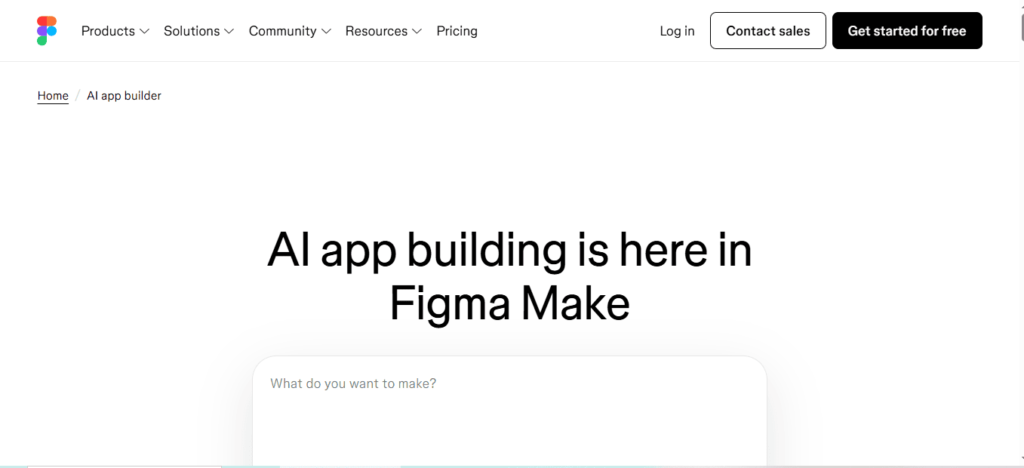
    6. Figma App Builder — Design Comes First

    Figma’s approach is simple: design before functionality.

    best AI app builders

    What It Does Best

    • High-quality UI generation
    • Clean design systems
    • Rapid prototyping

    Limitation

    It’s not meant for full app deployment.

    Best For

    Designers and product teams.

    7. Glide — Turning Data Into Apps Instantly

    Glide is perfect if your app starts with data.

    best AI app builders

    Key Advantage

    • Converts spreadsheets into apps
    • Real-time data updates

    Limitation

    Advanced logic requires manual setup.

    Best For

    Internal tools and dashboards.

    If you’re deciding between spreadsheet-based tools and full AI app builders, this detailed comparison of Glide vs App Natively breaks down which platform is better for real-world app development.

    Performance Comparison (In a Flash)

    MetricApp NativelyReplitLovableBubbleFigmaGlide
    Prototype Speed2–5 min5–10 min2–4 min30–60 min1–3 min3–7 min
    Working App10–30 min30–90 min❌ Not completeDays–Weeks❌ Prototype onlyHours–Days
    UI QualityHighMediumVery HighHighVery HighHigh
    Backend CompletenessVery HighHighLowHighNoneLow

    The Biggest Gap in the AI App Builder Market

    Here’s the insight most people miss:

    👉 The hardest part of an app isn’t design

    👉 It’s the logic behind it

    Things like:

    • Payment systems
    • Scheduling rules
    • Notifications
    • Admin controls

    This is where most AI builders fail.

    Reality Check

    • 80% of tools = UI only
    • 20% = functional apps

    Hidden Costs Nobody Talks About

    Most app builders mention pricing, but not the real cost.

    Here’s what you need to know:

    • Credit-based systems can get expensive
    • Backend features often require upgrades
    • Scaling increases costs significantly

    The cheapest tool upfront is not always the cheapest long-term.

    Where AI App Builders Are Headed

    We’re entering a new phase of development.

    Soon, AI will:

    • Build apps autonomously
    • Manage updates
    • Optimize user experience in real-time

    The future isn’t just no-code—it’s no-build.

    Frequently Asked Questions (FAQs)

    1. What is an AI app builder?

    An AI app builder is a platform that uses artificial intelligence to help users create applications without coding.

    By describing your app idea in natural language, the tool automatically generates UI, workflows, and sometimes backend logic, making app development faster, easier, and accessible to non-technical users.

    2. What is the best AI app builder in 2026?

    The best AI app builder in 2026 depends on your needs. App Natively is ideal for fast, full app creation, while Replit suits developers needing scalability.

    Bubble remains strong for complex workflows, making it important to choose a platform based on speed, flexibility, and technical expertise.

    3. Can AI build a full app without coding?

    Yes, AI can build a full app without coding using advanced app builders. These platforms generate user interfaces, databases, and backend logic from simple prompts.

    However, the completeness of the app depends on the tool, with some focusing only on design and others delivering full functionality.

    4. Which AI app builder is best for beginners?

    The best AI app builders for beginners are those with intuitive interfaces and natural language input.

    Tools like App Natively and Lovable allow users to create apps by simply describing their ideas, eliminating the need for technical skills and significantly reducing the learning curve.

    5. Are AI-built apps production-ready?

    AI-built apps can be production-ready depending on the platform used. Some tools generate fully functional apps with backend logic, while others focus on prototypes.

    For real-world deployment, it’s important to choose an AI app builder that supports databases, authentication, and integrations.

    6. How long does it take to build an app using AI?

    Building an app with AI can take anywhere from a few minutes to a few hours.

    Simple apps can be generated almost instantly, while more complex applications with custom workflows and integrations may require additional time for refinement and testing.

    7. Do AI app builders support mobile apps?

    Yes, many AI app builders support mobile app creation. They either generate native apps for iOS and Android or create responsive web apps that function like mobile applications, allowing users to launch apps across multiple devices with minimal effort.

    8. Can I monetize apps built with AI app builders?

    Yes, you can monetize apps built with AI app builders through various methods such as subscriptions, in-app purchases, ads, and payment integrations.

    Many platforms support tools like Stripe, making it easy to generate revenue from your application.

    9. What are the limitations of AI app builders?

    AI app builders may have limitations such as restricted customization, limited code access, and dependency on platform features.

    While they simplify development, advanced use cases may require manual adjustments or integration with traditional coding tools to achieve full flexibility.

    10. Is App Natively better than no-code tools like Bubble?

    App Natively focuses on speed and automation, enabling users to build apps quickly using AI prompts.

    In contrast, Bubble offers deeper customization and control but requires more manual effort. The better choice depends on whether you prioritize speed or advanced functionality.

    11. What is the difference between AI app builders and no-code platforms?

    AI app builders automate app creation using artificial intelligence and natural language prompts, while no-code platforms rely on manual drag-and-drop interfaces.

    AI tools significantly reduce development time, whereas no-code platforms provide more control over customization and logic building.

    12. Can developers benefit from AI app builders?

    Yes, developers can benefit from AI app builders by accelerating development, automating repetitive tasks, and quickly prototyping ideas.

    These tools enhance productivity, allowing developers to focus on complex logic and optimization instead of building everything from scratch.

    13. Which AI app builder is best for startups?

    Startups benefit from AI app builders that offer speed and scalability. App Natively is ideal for rapid MVP launches, while Replit supports long-term scalability with real code.

    Choosing the right platform depends on your startup’s technical resources and growth goals.

    14. Are AI app builders secure?

    Most AI app builders include standard security features such as authentication, data encryption, and secure hosting.

    However, security levels vary by platform, so it’s important to evaluate each tool’s infrastructure, compliance standards, and data protection policies before launching an app.

    15. Can I export code from AI app builders?

    Some AI app builders allow code export, giving users full ownership and flexibility. Others operate within closed ecosystems, limiting access to the underlying code. If long-term control is important, choosing a platform with export capabilities is essential.

    16. Do AI app builders replace developers?

    AI app builders do not replace developers but instead enhance their efficiency.

    They automate basic tasks and simplify development, allowing developers to focus on complex features, performance optimization, and scaling applications effectively.

    17. What kind of apps can I build with AI app builders?

    AI app builders can create a wide range of applications, including SaaS platforms, marketplaces, booking systems, dashboards, and eCommerce apps.

    The type of app you can build depends on the platform’s capabilities and available integrations.

    18. Is it possible to scale an AI-built app?

    Yes, AI-built apps can scale depending on the platform’s architecture.
    Tools that provide backend logic, database management, and integration options are better suited for scaling, while simpler builders may be limited to smaller projects or prototypes.

    19. Are AI app builders worth it in 2026?

    AI app builders are highly valuable in 2026 because they reduce development time, cost, and technical barriers.

    They enable individuals and businesses to quickly turn ideas into functional applications, making them an essential tool for modern app development.

    20. How do I choose the right AI app builder?

    To choose the right AI app builder, consider your goals, technical skills, and project complexity.

    Look for platforms that balance ease of use, scalability, and features such as backend support, integrations, and customization options to match your needs.

    Final Thoughts

    AI app builders are no longer experimental. Instead, they’re becoming the default way to build software.

    But the real advantage isn’t just using AI.

    It’s choosing the right type of AI builder for your goal.

    Because in 2026, the fastest builders don’t win—
    The smartest builders do.

  • Bubble vs Glide vs App Natively: Complete No-Code App Builder Comparison

    Bubble vs Glide vs App Natively: Complete No-Code App Builder Comparison

    Choosing the right no-code app builder can determine whether your startup launches an app in weeks or struggles with months of development.

    Platforms like Bubble and Glide have made it possible for entrepreneurs to build software products without writing traditional code.

    However, the no-code industry is evolving rapidly, with new platforms emerging to address limitations that earlier tools could not fully address.

    One of the most promising newcomers is App Natively, a platform that makes native mobile app development affordable and accessible for startups.

    Each of these platforms approaches app development differently. Bubble is designed for building complex web applications with deep customization, Glide focuses on rapid app creation using spreadsheet-based logic, and App Natively aims to simplify native mobile app development with faster and more affordable workflows.

    In this complete guide on Bubble vs Glide vs App Natively, we will explore their features, customization capabilities, scalability, pricing models, performance, and ideal use cases.

    By the end of this article, you will clearly understand which platform is best suited for entrepreneurs, startups, and businesses building apps in 2026.

    The Rise of No-Code App Builders

    Over the past decade, the no-code movement has completely transformed how software is created.

    Previously, launching an app required hiring developers, building infrastructure, and spending thousands of dollars on development.

    Today, no-code platforms allow founders to build applications using visual interfaces, drag-and-drop tools, and automation workflows. This shift has dramatically reduced the time and cost required to launch new products.

    Platforms like Bubble and Glide helped pioneer this movement, making it possible for entrepreneurs to validate startup ideas quickly.

    However, many founders still struggle with challenges such as complex learning curves, scalability concerns, and limited native mobile functionality.

    As the demand for faster and more accessible development grows, the next generation of tools, including App Natively, aims to simplify the entire process while delivering better performance and lower costs.

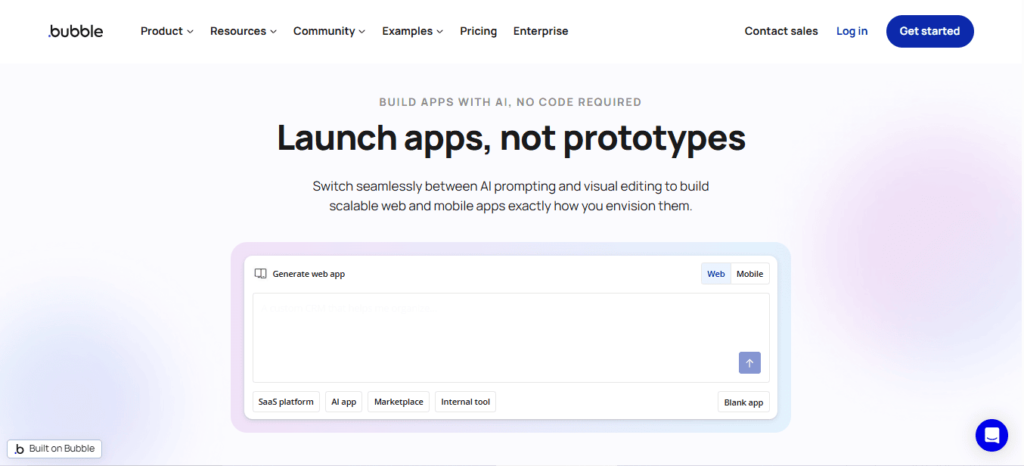
    What Is Bubble?

    Bubble is one of the most powerful no-code development platforms available today. It allows users to build fully functional web applications without writing code by using visual programming tools.

    Bubble vs Glide vs App Natively

    Bubble includes a wide range of advanced capabilities such as database management, workflow automation, API integrations, and UI customization.

    Because of this flexibility, the platform is often used to build SaaS platforms, marketplaces, internal tools, and complex web applications.

    One of the biggest strengths of Bubble is its ability to replicate many features of traditional software development. Developers can create custom workflows, manage user authentication, and build complex logic within the platform.

    However, this power also creates a steeper learning curve. Many beginners find it challenging to master Bubble quickly. Additionally, building true native mobile apps often requires additional tools or wrappers.

    Despite these challenges, Bubble remains one of the most capable platforms for startups that want to build scalable web applications without hiring a full development team.

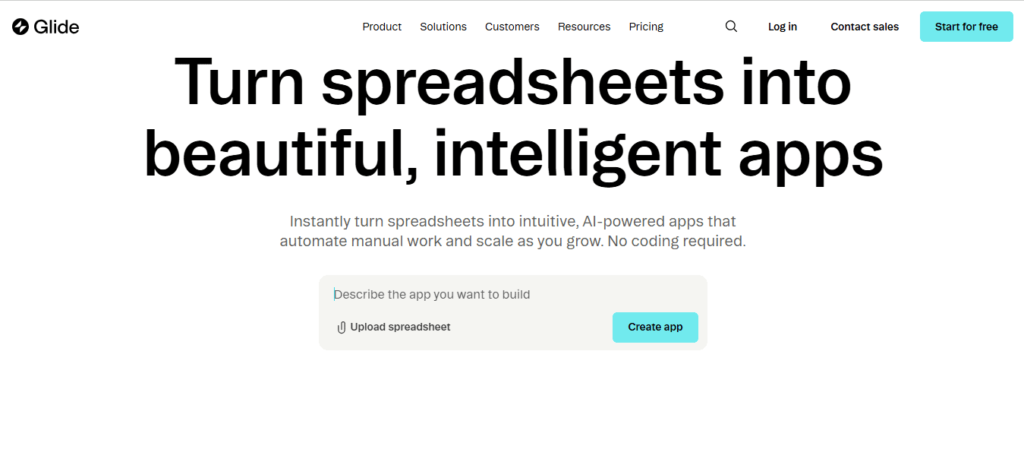
    What Is Glide?

    Glide is a no-code platform designed to make app development extremely simple. It allows users to create apps directly from spreadsheets such as Google Sheets or Airtable.

    Bubble vs Glide vs App Natively

    The platform transforms spreadsheet data into interactive applications using drag-and-drop components. This approach makes Glide particularly attractive for users who want to build apps quickly without learning complex workflows.

    Glide is commonly used for internal business tools, directories, event apps, dashboards, and lightweight mobile applications. Because the platform is easy to use, many entrepreneurs choose it for rapid prototyping and MVP validation.

    However, Glide has limitations when it comes to customization and complex application logic. Large-scale applications or advanced workflows may require more powerful platforms.

    Still, Glide remains one of the most beginner-friendly solutions for anyone looking to build an app quickly using a simple and intuitive interface.

    What Is App Natively?

    App Natively is a modern no-code platform designed to simplify the creation of native mobile applications.

    Bubble vs Glide vs App Natively

    While many no-code tools focus primarily on web applications or progressive web apps, App Natively aims to deliver true mobile experiences with native performance and usability.

    The platform is being developed with startups and entrepreneurs in mind. Its core goal is to eliminate the complexity and high costs traditionally associated with mobile app development.

    Instead of requiring users to learn complicated workflows or technical processes, App Natively focuses on streamlined development, fast deployment, and affordable pricing.

    At the moment, the platform is preparing for launch and inviting users to join an exclusive early access waitlist. This allows early adopters to test the platform and build apps before the public release.

    For startups looking for a cost-effective way to launch mobile apps, App Natively could become one of the most exciting new tools in the no-code ecosystem.

    Bubble vs Glide vs App Natively: Feature Comparison

    Understanding the key differences between these platforms is essential when choosing the right tool for your project.

    1. Ease of use

    Glide is widely considered the easiest platform to learn. Its spreadsheet-driven system allows users to build apps quickly with minimal technical knowledge.

    Bubble offers far more flexibility, but the platform requires time to master. New users often need tutorials and practice before building complex applications.

    App Natively aims to strike a balance between simplicity and capability. The platform focuses on providing powerful mobile app features while keeping the development process simple.

    2. Customization and flexibility

    Bubble stands out in terms of customization. Users can build complex workflows, advanced logic systems, and detailed interfaces that rival traditional coding environments.

    Glide offers fewer customization options because its structure relies heavily on spreadsheet data models.

    App Natively focuses on delivering essential customization features while maintaining ease of use. Its design prioritizes mobile performance and usability rather than complex backend workflows.

    3. Performance and scalability

    Bubble applications can scale effectively for web apps, but performance optimization becomes important as the application grows.

    Glide works well for small to medium applications but may struggle with extremely complex logic or heavy data processing.

    App Natively focuses on native mobile architecture, which allows apps to run faster and provide a smoother user experience compared to web-based apps.

    4. Pricing and affordability

    Pricing plays a major role in choosing a no-code platform.

    Bubble can become expensive as applications scale because pricing is tied to server usage and workload.

    Glide offers predictable pricing plans, but many advanced features are restricted to premium tiers.

    App Natively is being developed with affordability as a core priority. Its goal is to enable startups to launch mobile apps without spending thousands of dollars on development.

    Feature Comparison Table

    FeatureBubbleGlideApp Natively
    Platform TypeWeb App BuilderSpreadsheet App BuilderNative Mobile App Builder
    Ease of UseModerateVery EasyEasy
    CustomizationVery HighLimitedModerate
    Best ForSaaS PlatformsInternal ToolsMobile Startups
    Native AppsRequires WrappersLimitedYes
    Learning CurveHighVery LowLow
    Startup FriendlyModerateGoodExcellent

    Which Platform Is Best for Startups?

    The best platform depends on the type of product you want to build.

    Startups developing complex SaaS platforms or marketplaces may find Bubble to be the most suitable solution due to its advanced customization.

    Entrepreneurs who want to quickly build simple business apps or internal tools may prefer Glide because of its simplicity.

    However, founders planning to launch mobile-first startups may find App Natively more appealing due to its focus on native performance and affordable development.

    Ultimately, the best platform is the one that allows founders to launch quickly, validate ideas, and scale efficiently.

    The Future of No-Code App Development

    The no-code ecosystem continues to evolve as more entrepreneurs embrace faster ways to build software.

    Modern tools are increasingly focused on reducing technical barriers and enabling founders to bring ideas to market quickly.

    Several major trends are shaping the future of the industry:

    AI-assisted app development is making it easier to generate workflows and automate complex tasks.

    Mobile-first development is becoming more important as smartphone usage continues to dominate global internet traffic.

    Affordable development platforms are emerging to help startups launch products without large budgets.

    Platforms like Bubble and Glide have already revolutionized the no-code landscape, while emerging tools such as App Natively are pushing the industry toward faster and more accessible mobile app development.

    Why App Natively Could Become a Game-Changer

    Many founders struggle to build mobile apps because traditional development requires significant technical expertise and large budgets.

    App Natively aims to solve these challenges by providing a platform designed specifically for fast and affordable mobile app creation.

    Instead of spending months working with developers, entrepreneurs can use the platform to design, build, and launch their applications much faster.

    Because the platform focuses on native mobile performance, it can provide a smoother user experience compared to many web-based solutions.

    For founders who want to validate startup ideas quickly, this type of platform could dramatically reduce development costs and accelerate product launches.

    Join the App Natively Early Access Waitlist

    As the next generation of no-code platforms continues to evolve, App Natively is positioning itself as a powerful tool for founders who want to build mobile apps without coding.

    The platform is currently preparing for launch and inviting early adopters to join its exclusive waitlist.

    Joining the waitlist allows entrepreneurs to gain early access to the platform, explore its features before the public release, and start building apps ahead of competitors.

    For startups looking for a faster and more affordable way to launch mobile applications, getting early access could provide a significant advantage.

    Frequently Asked Questions (FAQs)

    What is the difference between Bubble, Glide, and App Natively?

    The main difference is the type of applications they focus on. Bubble is best for building complex web applications and SaaS platforms, Glide is ideal for creating simple apps from spreadsheets, and App Natively focuses on building native mobile apps quickly and affordably.

    Which platform is better for building a startup MVP?

    For startup MVPs, the best platform depends on the product type. Bubble works well for complex web-based MVPs, Glide is great for quick prototypes and internal tools, while App Natively is promising for founders who want to launch a mobile-first MVP.

    Can I build a SaaS product using Bubble?

    Yes, Bubble is widely used to build SaaS platforms because it supports custom workflows, databases, user authentication, and API integrations.

    Is Glide suitable for building customer-facing mobile apps?

    Glide can build mobile-friendly apps, but they function more like progressive web apps rather than fully native mobile apps.

    Is App Natively good for non-technical founders?

    Yes, App Natively is designed to help non-technical founders create mobile apps without coding by simplifying the entire development process.

    Which no-code platform is best for mobile apps?

    Platforms focused on mobile development typically perform better for mobile-first startups. App Natively aims to provide a more optimized experience for building native mobile apps.

    Can I scale a startup using Bubble?

    Many startups have successfully scaled using Bubble. However, large applications may require performance optimization and infrastructure adjustments as they grow.

    What are the limitations of Glide?

    Glide is excellent for simple applications but may have limitations when building complex workflows, advanced logic systems, or large-scale apps.

    Is Bubble harder to learn than Glide?

    Yes, Bubble has a steeper learning curve because it includes advanced features such as workflow automation, database structures, and API integrations.

    Do no-code platforms replace traditional developers?

    No-code platforms do not fully replace developers, but they allow founders to build MVPs, validate ideas, and launch products without hiring large engineering teams.

    What types of apps can be built with Glide?

    Glide is commonly used for directories, dashboards, event apps, internal business tools, and data-driven applications.

    Is App Natively cheaper than traditional app development?

    Traditional mobile app development can cost thousands of dollars. App Natively aims to reduce those costs by enabling entrepreneurs to build apps using no-code tools.

    Can I build marketplace apps with Bubble?

    Yes, Bubble is often used to build marketplace platforms because it supports advanced workflows, payment integrations, and user management systems.

    Which platform is best for beginners?

    Glide is usually the easiest platform for beginners because its spreadsheet-based system is simple and intuitive.

    Can I integrate APIs with Bubble?

    Yes, Bubble supports API integrations, allowing developers to connect their applications with third-party tools and services.

    What is the fastest way to build an app without coding?

    Using a no-code platform like Glide, Bubble, or App Natively is currently one of the fastest ways to build applications without coding.

    Are no-code apps secure?

    Most modern no-code platforms include built-in security features such as authentication systems, data protection, and secure infrastructure.
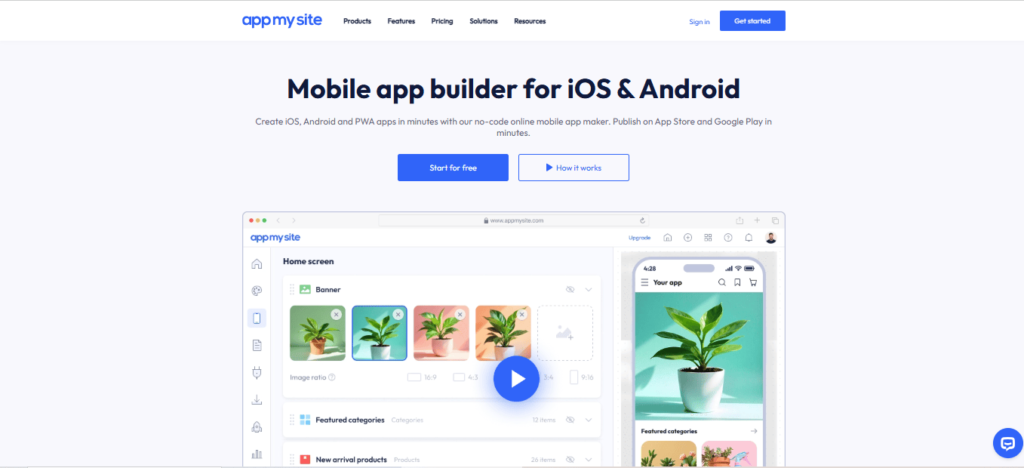
    Can I publish apps built with no-code tools on app stores?

    Yes, some platforms allow apps to be deployed to app stores. Platforms focused on native development, such as App Natively, are designed to support this process.

    What are the best alternatives to Glide?

    Some alternatives include Bubble and newer platforms like App Natively that aim to provide different approaches to app development.

    Which no-code platform is best for startups in 2026?

    The best platform depends on the startup’s goals. Bubble is powerful for web applications, Glide is excellent for simple apps, and App Natively is emerging as a strong option for mobile-first startups.

    Is Bubble better than Glide for building scalable apps?

    For scalability and complex functionality, Bubble is generally more powerful than Glide. Bubble allows developers to create advanced workflows, database relationships, and integrations that support larger and more complex applications.

    However, Glide can still work well for lightweight apps or internal tools where simplicity and speed are more important than deep customization.

    Can no-code platforms build real startup products?

    Yes, many successful startups have launched products using no-code tools.

    Platforms like Bubble allow founders to build SaaS products, marketplaces, and internal platforms, while newer tools such as App Natively aim to make native mobile app development accessible to early-stage startups.

    What is the fastest way to launch an MVP without coding?

    The fastest way to launch an MVP is by using a no-code platform that allows rapid prototyping.

    Glide is often used for quick internal apps, while Bubble enables more advanced product development. Mobile-focused platforms like App Natively are emerging as a faster way to launch mobile-first MVPs.

    Are no-code apps good enough for production?

    Modern no-code platforms are capable of supporting production-level applications.

    Many businesses run fully operational products built on platforms like Bubble. The key is choosing the right platform based on your scalability and performance needs.

    Which no-code platform is best for mobile-first startups?

    Mobile-first startups often need platforms optimized for mobile performance.

    While Bubble and Glide can support mobile-friendly apps, tools focused on native mobile development, such as App Natively aim to deliver a more optimized mobile experience.

    Can I build an app like Uber or Airbnb using no-code tools?

    Building a large platform like Uber or Airbnb entirely with no-code tools can be challenging, but it is possible to build MVP versions using platforms like Bubble.

    Many founders start with no-code to validate their idea before moving to custom development later.

    Do no-code platforms support integrations with third-party tools?

    Yes, most modern no-code platforms support integrations with APIs and external services.

    Bubble is particularly strong in this area because it allows developers to connect applications with many third-party tools and services.

    Are no-code platforms suitable for long-term business growth?

    Yes, many startups use no-code platforms for long-term growth. However, choosing a platform with strong scalability and performance capabilities is essential as the business expands.

    How much money can startups save using no-code platforms?

    Traditional app development can cost anywhere from $10,000 to $100,000, depending on complexity. No-code platforms dramatically reduce these costs by allowing founders to build apps without hiring large development teams.

    What should founders consider before choosing a no-code platform?

    Founders should evaluate several factors, including ease of use, customization options, scalability, pricing, and the type of app they want to build.

    Comparing platforms like Bubble, Glide, and App Natively can help determine which tool best matches the project’s goals.

  • Best App Builders With Free Plans in 2026 (Build Apps Without Coding)

    Best App Builders With Free Plans in 2026 (Build Apps Without Coding)

    The app builders with free plans allow entrepreneurs, startups, and creators to build mobile or web apps without writing code or spending thousands on development.

    These platforms provide drag-and-drop interfaces, prebuilt templates, and powerful integrations so users can launch applications quickly.

    Many modern no-code app builders now offer free tiers that help users design, test, and validate their ideas before upgrading to paid plans.

    And, this makes them ideal for startups building MVPs, small businesses launching digital products, or individuals experimenting with app ideas.

    In this guide, we review the best app builders with free plans in 2026, comparing their features, flexibility, and scalability.

    Whether you want to build a native mobile app, a web app, or a startup MVP, these tools make the process significantly easier and more affordable.

    Why Free App Builders Are Becoming Popular

    1. Startups need faster MVP development

    Launching a startup used to require large development budgets and months of engineering work. Today, no-code app builders allow founders to build and launch MVPs in days instead of months.

    This rapid development cycle helps entrepreneurs test product ideas, gather feedback, and iterate quickly without risking huge financial investments.

    2. Lower development costs

    Hiring developers to build a mobile app can cost anywhere from $5,000 to $100,000 depending on complexity.

    Free app builders remove this barrier by allowing users to start building applications without upfront costs.

    Many founders now use free plans to create prototypes before upgrading when their apps gain traction.

    3. Perfect for beginners and non-technical founders

    The biggest advantage of modern app builders is accessibility. Even people with zero coding knowledge can create functional applications using visual interfaces.

    This shift has democratized app development and opened the door for more creators to build digital products.

    Key Features to Look for in a Free App Builder

    Drag and drop interface

    A visual builder is one of the most important features for beginners. Drag-and-drop interfaces allow users to design app screens, workflows, and features without writing code.

    This dramatically reduces the learning curve for new users.

    Native mobile app publishing

    Some app builders create real Android and iOS apps, while others generate progressive web apps. If publishing to app stores is important, this feature should be a priority.

    Prebuilt templates and components

    Templates help users launch apps quickly. Instead of designing everything from scratch, users can customize existing layouts for marketplaces, communities, booking systems, and more.
    Scalability

    The best app builders allow users to start with free plans and gradually scale their apps as their user base grows.

    Best App Builders With Free Plans in 2026

    1. App Natively – Best Affordable Platform for Real Mobile Apps

    App Natively is quickly emerging as one of the most promising app builders for startups and entrepreneurs who want to launch native mobile applications without expensive development.

    Unlike many no-code tools that only generate web apps, App Natively focuses on building real mobile applications while maintaining an extremely affordable pricing model.

    Why App Natively Stands Out

    One of the biggest challenges with traditional app builders is the cost of publishing real mobile apps.

    App Natively solves this problem by providing a streamlined workflow that allows creators to transform their projects into mobile applications quickly.

    For founders who want to launch mobile apps without hiring developers, this platform provides an accessible entry point.

    Key Features

    App Natively offers a visual app building process designed for simplicity and speed. Users can build applications without technical knowledge and prepare them for mobile distribution.

    Its affordability and ease of use make it particularly appealing for startups and creators launching their first mobile products.

    Best For

    This platform is ideal for startups, entrepreneurs, creators, and small businesses that want to launch mobile apps quickly while keeping development costs low.

    Currently in Development – Join the Waitlist

    At the moment, App Natively is under active development, and early adopters can join the waitlist to get early access once the platform launches publicly.

    Joining the waitlist allows entrepreneurs, creators, and businesses to stay updated on the platform’s progress and potentially gain early access to features as they become available.

    Early access users are often the first to explore new capabilities, provide feedback to the development team, and take advantage of special launch offers.

    Who Should Join the Waitlist

    The waitlist is ideal for startup founders, product creators, indie makers, and small businesses who want to build mobile apps but prefer an affordable and user-friendly solution.

    It is also useful for entrepreneurs planning to launch digital products in the near future and looking for tools that can accelerate development.

    As the demand for no-code tools continues to grow, platforms like App Natively represent the next step in making mobile app development faster, simpler, and more accessible for everyone.

    2. Glide – Best for Spreadsheet-Based Apps

    Glide is widely known for turning spreadsheets into fully functional apps.

    It allows users to connect Google Sheets or databases and instantly generate mobile or web applications.

    The platform is particularly useful for internal tools, dashboards, and lightweight business applications.

    However, while Glide is excellent for quick prototypes, it may not always offer the same level of flexibility required for complex mobile apps.

    3. Adalo – Best for Custom No-Code Mobile Apps

    Adalo is one of the most well-known no-code platforms for building mobile applications with drag-and-drop interfaces.

    Users can design screens, add databases, and create workflows visually.

    The platform also supports app publishing to app stores, making it suitable for startups testing new products.

    4. FlutterFlow – Best Visual Builder for Developers

    FlutterFlow combines visual development with the power of Flutter. It is popular among developers who want more control over their apps while still benefiting from visual tools.

    This platform offers deeper customization compared to many no-code builders.

    5. Softr – Best for Building Web Apps Quickly

    Softr focuses primarily on web applications and portals built on top of data sources like Airtable.

    It is particularly useful for creating membership portals, internal tools, and lightweight SaaS products without coding.

    Comparison of the Best Free App Builders

    App BuilderBest ForFree PlanMobile App Support
    App NativelyAffordable native mobile appsYesYes
    GlideSpreadsheet appsYesLimited
    AdaloCustom mobile appsYesYes
    FlutterFlowAdvanced visual developmentYesYes
    SoftrWeb apps and portalsYesNo

    Are Free App Builders Worth It?

    Free app builders are an excellent starting point for testing ideas and building MVPs.

    They allow users to experiment with minimal financial risk and validate their concepts before investing heavily.

    However, most free plans come with limitations such as branding, feature restrictions, or publishing constraints.

    As apps grow, users often upgrade to paid plans for advanced capabilities.

    Future of No-Code App Development (2026–2030)

    The next few years are expected to be transformative for the no-code ecosystem.

    Between 2026 and 2030, no-code and low-code platforms will likely become the primary way many startups and small businesses build digital products.

    What began as simple drag-and-drop tools is rapidly evolving into sophisticated development environments capable of creating complex applications.

    1. AI-powered app development

    Artificial intelligence is already beginning to reshape how apps are built.

    Future no-code platforms will likely integrate AI assistants that help generate app layouts, automate workflows, and even build entire applications from simple prompts.

    Instead of manually designing every screen, users will be able to describe the app they want, and the builder will generate a working prototype instantly.

    This shift will dramatically reduce development time and allow founders to move from idea to MVP faster than ever.

    2. Rise of native app builders

    Historically, many no-code tools focused on web apps or progressive web apps. However, the demand for real mobile applications continues to grow because users prefer native experiences from app stores.

    Over the next few years, more platforms will prioritize native mobile development capabilities.

    Tools like App Natively are part of this new wave, focusing on making native mobile app creation affordable and accessible for founders who do not have engineering teams.

    3. No-code becoming the startup standard

    Startups are increasingly using no-code tools during the early stages of product development.

    Instead of investing large budgets into engineering teams, founders build MVPs using visual development platforms.

    This approach allows startups to validate ideas quickly, test market demand, and iterate faster.

    By the time they scale, they already have a working product and user feedback guiding further development.

    4. Enterprise adoption of no-code platforms

    Large organizations are also beginning to adopt no-code tools to accelerate internal development.

    Teams can build internal dashboards, workflow automation systems, and customer portals without waiting months for development resources.

    This trend suggests that no-code development will not only empower entrepreneurs but will also reshape how enterprises build internal software.

    Overall, the future of no-code development looks extremely strong, and by 2030 it may become the dominant way digital products are built and launched.

    How Startups Launch Apps Under $500

    One of the biggest advantages of modern app builders is the ability to launch applications at extremely low costs.

    Just a few years ago, building a mobile app required thousands of dollars in development expenses.

    Today, startups can launch fully functional applications for less than $500 by leveraging no-code platforms and smart development strategies.

    Step 1: Start with a simple MVP

    Successful startups rarely launch complex products immediately. Instead, they begin with a Minimum Viable Product (MVP) that focuses only on the core functionality needed to test the idea.

    For example, a marketplace startup might launch with just basic listing functionality and messaging features rather than building dozens of advanced tools.

    By limiting the scope of the first version, founders can significantly reduce development costs.

    Step 2: Use no-code app builders

    No-code tools are the primary reason startups can build apps so cheaply today. Platforms like App Natively and other visual builders allow founders to create functional applications without hiring developers.

    Instead of spending thousands on custom development, founders can use templates, prebuilt components, and visual editors to design their apps quickly.

    This dramatically reduces both cost and development time.

    Step 3: Launch quickly and collect feedback

    Launching early is critical for startup success. Once the MVP is ready, founders should release it to a small group of users and collect feedback.

    This approach helps identify what users actually need before investing further resources into development.

    Step 4: Iterate based on real data

    Many startups fail because they build products based on assumptions rather than user feedback. The advantage of no-code platforms is that they allow rapid iteration.

    Founders can quickly modify app features, adjust workflows, and improve the user experience without rebuilding the entire product.

    Step 5: Scale only after validation

    Once the idea is validated and users begin adopting the product, startups can start investing more resources into scaling the app.

    At this stage, founders may upgrade their app builder plan, integrate advanced tools, or eventually transition to a fully custom development team if necessary.

    Final Thoughts

    The rise of no-code app builders has completely transformed how digital products are created. Entrepreneurs and startups no longer need massive budgets or engineering teams to launch their ideas.

    Tools like App Natively, Glide, Adalo, FlutterFlow, and Softr make it possible to design, test, and launch applications quickly.

    For founders looking for an affordable way to build mobile apps, these platforms provide a powerful starting point.

    Choosing the right app builder ultimately depends on your goals, the type of application you want to build, and how quickly you plan to scale.

    Frequently Asked Questions

    What is the best app builder with a free plan?

    Some of the best app builders with free plans include App Natively, Glide, Adalo, FlutterFlow, and Softr. Each platform offers different features depending on whether you want to build mobile apps, web apps, or internal tools.

    Can I build a mobile app for free?

    Yes, many no-code platforms offer free plans that allow users to build and test apps without paying. However, publishing to app stores or unlocking advanced features may require a paid plan.

    Are no-code app builders good for startups?

    Yes. Many startups use no-code tools to launch MVPs quickly, validate ideas, and reduce development costs before investing in full-scale engineering teams.

    Do free app builders allow app store publishing?

    Some platforms support app store publishing, but many require upgrading to a paid plan before releasing apps on Google Play or the Apple App Store.

  • Best No-Code App Builders for Beginners (Complete Guide)

    Best No-Code App Builders for Beginners (Complete Guide)

    Building an app once required coding knowledge, development teams, and months of work. Today, no-code app builders have completely transformed that process.

    With visual interfaces, drag-and-drop components, and ready-made templates, beginners can now turn ideas into real applications without writing a single line of code.

    This shift has opened the door for entrepreneurs, creators, startups, and small businesses to build apps faster and at a fraction of the traditional cost.

    Whether you want to create a startup MVP, a business tool, or a simple mobile app, the right no-code platform can help you launch quickly.

    In this blog post, we’ll explore the best no-code app builders for beginners that make app development simple, affordable, and accessible, even if you have zero technical experience.

    What Is a No-Code App Builder?

    A no-code app builder is a platform that allows users to create applications using visual development tools instead of traditional programming.

    Instead of writing complex code, users can:

    • Drag and drop UI components
    • Configure workflows visually
    • Connect databases and integrations
    • Publish apps directly to web or mobile platforms

    These platforms handle the technical backend while allowing users to focus on design, logic, and functionality.

    No-code tools are especially popular for:

    • Startup MVPs
    • Internal business tools
    • Mobile apps
    • Marketplaces
    • SaaS products

    Why Beginners Should Use No-Code App Builders

    Instead of spending months on development, beginners can build functional apps within days and start testing their ideas with real users.

    This makes no-code platforms especially valuable for validating business ideas, building MVPs, and launching projects without technical expertise.

    1. No programming skills required

    The biggest advantage of no-code tools is that they eliminate the need for coding knowledge.

    Beginners can build apps using visual components, workflows, and templates, making the entire development process much easier to understand.

    2. Faster development time

    No-code platforms significantly speed up the app development process. What once took months can now be accomplished in a matter of days or weeks, allowing creators to launch and iterate quickly.

    3. Cost-effective solution

    Hiring developers or agencies can be expensive, especially for startups or individuals. No-code tools reduce those costs by providing affordable platforms that allow users to build apps themselves.

    4. Ideal for MVPs and startups

    For startups, launching a Minimum Viable Product (MVP) quickly is critical.

    No-code tools allow founders to test their ideas in the market without heavy investment, making it easier to validate concepts before scaling.

    5. Easy to update and improve

    Since everything is managed visually, making updates or improvements to an app becomes simple.

    Beginners can quickly modify features, adjust layouts, or add new functionality without rebuilding the entire app.

    Key Features to Look for in a Beginner-Friendly No-Code App Builder

    Not all no-code platforms are beginner friendly. When choosing a tool, look for these important features.

    Drag-and-drop interface

    A visual builder makes it easier for beginners to design apps without technical complexity.

    Ready-made templates

    Templates help users launch apps faster without starting from scratch.

    Native mobile app support

    Some tools create real native mobile apps, while others generate web apps. Native apps usually provide better performance.

    Integrations

    Good platforms connect with tools like APIs, payment systems, databases, and third-party services.

    Scalability

    Choose a platform that can grow with your app as your user base expands.

    Affordable pricing

    Pricing is critical for beginners and startups, so look for platforms that provide strong value for money.

    5+ Best No-Code App Builders for Beginners

    Here are some of the best platforms that make app creation simple and accessible for beginners.

    1. App Natively: AI-Powered Native App Builder for Beginners

    App Natively is an upcoming drag-and-drop native app builder designed to make mobile app development simple, powerful, and affordable for everyone.

    Best No-Code App Builders for Beginners

    While many no-code platforms generate web apps, App Natively focuses on building real native mobile applications while keeping the entire development process beginner-friendly.

    The platform is currently under development and aims to provide a highly accessible solution for entrepreneurs, creators, and startups who want to build mobile apps without the complexity of traditional development.

    Key Features

    • Visual drag-and-drop app builder
    • Real native mobile apps
    • Beginner-friendly development workflow
    • Powerful integrations and automation
    • Extremely affordable pricing model

    Why It Stands Out

    One of the biggest challenges with existing no-code platforms is pricing. Many tools become expensive as your app grows.

    App Natively aims to solve that problem by offering powerful app-building capabilities at a significantly more accessible price point.

    The goal is to make native mobile app development available to everyone, not just large companies or funded startups.

    Availability

    App Natively is currently in development. Early users can join the waitlist to get early access, exclusive launch benefits, and updates on the platform’s release.

    2. Glide

    Glide is one of the most popular no-code platforms for beginners. It allows users to build applications using spreadsheets as the database, making it extremely easy to get started.

    Best No-Code App Builders for Beginners

    With Glide, users can quickly create internal tools, community apps, and simple mobile applications.

    Key Features

    • Spreadsheet-powered apps
    • Clean drag-and-drop builder
    • Fast deployment
    • Built-in templates
    • Integrations with Google Sheets and Airtable

    Best For

    Beginners who want to build simple apps quickly without managing complex databases.

    3. Adalo

    Adalo is a well-known no-code platform that allows users to build both web and mobile apps using a visual interface.

    Best No-Code App Builders for Beginners

    It provides a simple development experience and supports publishing apps to the App Store and Google Play.

    Key Features

    • Drag-and-drop app builder
    • Custom database management
    • Native mobile app publishing
    • Reusable components
    • Third-party integrations

    Best For

    Entrepreneurs and beginners who want to build and publish mobile apps without writing code.

    4. Bubble

    Bubble is one of the most powerful no-code development platforms available today. It allows users to build complex web applications using a visual programming approach.

    Best No-Code App Builders for Beginners

    Although Bubble has a slightly steeper learning curve than other tools, it provides far greater flexibility.

    Key Features

    • Advanced visual programming
    • Powerful workflow automation
    • Plugin marketplace
    • Custom database management
    • API integrations

    Best For

    Startups and creators who want to build more advanced web applications.

    If you’re evaluating platforms similar to Bubble, check out this Bubble alternative guide to compare features and pricing.

    5. FlutterFlow

    FlutterFlow is a modern visual builder that uses the Flutter framework to create high-performance mobile applications.

    Best No-Code App Builders for Beginners

    It combines no-code simplicity with the ability to export real code, making it attractive for teams that want flexibility.

    Key Features

    • Drag-and-drop UI builder
    • Firebase integration
    • Native mobile apps
    • Code export capability
    • Real-time preview

    Best For

    Developers and creators who want a hybrid approach between no-code and traditional development.

    6. Softr

    Softr is a no-code platform designed primarily for building web apps and internal business tools.

    Best No-Code App Builders for Beginners

    It integrates deeply with Airtable, making it easy to manage data without complex backend systems.

    Key Features

    • Airtable integration
    • Simple web app builder
    • Pre-built templates
    • User authentication
    • Membership features

    Best For

    Businesses that want to create portals, directories, or internal tools quickly.

    Final Thoughts

    No-code platforms have made app development more accessible than ever before. Beginners can now turn ideas into real products without needing programming skills or large development budgets.

    Whether you want to build a startup MVP, a business tool, or your first mobile application, the platforms listed above provide powerful solutions to help you get started.

    If you’re looking for a next-generation AI-powered native app builder focused on affordability and simplicity, keeping an eye on App Natively could be a smart move.

    Early adopters who join the waitlist may gain access to exclusive launch benefits and early platform features.

    The future of app development is becoming more accessible, and with no-code tools, anyone can start building today.

    Frequently Asked Questions (FAQs)

    Are no-code app builders free to use?

    Many platforms offer free plans with limited features, but advanced capabilities such as custom domains, higher storage, or app store publishing usually require paid subscriptions.

    Can beginners build mobile apps without coding?

    Yes. No-code platforms allow beginners to build iOS and Android apps using visual tools, making app development accessible without programming knowledge.

    What types of apps can you build with no-code tools?

    You can build many types of apps, including:

    • Business apps
    • Booking and scheduling apps
    • Marketplaces
    • Customer portals
    • Internal tools
    • MVP startup apps

    How long does it take to build an app with a no-code builder?

    Simple apps can be built within a few hours or days, while more advanced apps with integrations or custom workflows may take several weeks.

    Are no-code platforms suitable for startups?

    Yes. Many startups use no-code tools to create minimum viable products (MVPs) quickly and test ideas before investing in full development.

    Do no-code app builders support app store publishing?

    Some platforms like App Natively allow direct publishing to the Apple App Store and Google Play Store, making it easy for beginners to launch mobile apps.

    What is the difference between no-code and low-code platforms?

    • No-code platforms require no programming at all.
    • Low-code platforms allow visual development but may require some coding for advanced customization.

    Are no-code apps scalable for large businesses?

    No-code tools are great for small to medium projects, but very large or complex applications may eventually require custom development for scalability and performance.

    Can you build a SaaS product using no-code?

    Yes. Platforms like Bubble allow users to build complete SaaS applications with user accounts, payments, and databases.

    Do no-code platforms support integrations?

    Most no-code tools integrate with popular services such as:

    • Google Sheets
    • Airtable
    • Zapier
    • Payment gateways and APIs

    Is it possible to monetize apps built with no-code?

    Yes. You can monetize apps through subscriptions, advertisements, marketplace fees, or paid downloads depending on the platform.

    Do no-code builders require hosting?

    Most platforms provide built-in hosting and databases, so users don’t need to manage servers separately.

    Can no-code apps handle user authentication?

    Yes. Many builders provide built-in features for user sign-ups, logins, and account management.

    Are no-code platforms secure?

    Reputable no-code platforms implement security features such as encryption, authentication systems, and secure hosting to protect user data.

    What skills do beginners need to use no-code app builders?

    Beginners typically need:

    • Basic computer skills
    • Understanding of app structure
    • Simple logic and workflows
    • UI/UX design basics

    Can I convert a spreadsheet into an app?

    Yes. Tools like App Natively and Glide allow users to turn spreadsheets into functional apps quickly.

  • Top Tools to Build Apps Under $500

    Top Tools to Build Apps Under $500

    Building an app used to require thousands or even tens of thousands of dollars. You needed a development team, designers, backend engineers, and months of development time. Today, that reality has changed dramatically.

    With the rise of no-code, low-code, and cloud platforms and AI development tools, it’s now possible for founders, students, and creators to launch real applications with a budget under $500.

    In this blog post, we’ll explore the top tools to build apps under $500, helping you launch an MVP or real product without overspending.

    Why Building Apps Is Cheaper Than Ever

    Several major trends have reduced the cost of building software:

    1. No-code and low-code platforms

    These tools allow you to build complex apps with drag-and-drop interfaces instead of writing thousands of lines of code.

    2. Generous free tiers from cloud platforms

    Modern hosting platforms offer free or low-cost infrastructure.

    3. AI-powered coding assistants

    AI tools help developers generate code, debug problems, and build features faster.

    4. Open-source backends and APIs

    Developers can reuse powerful tools instead of building everything from scratch.

    Because of these innovations, you can build a functional MVP using tools that cost $0–$50 per month.

    What You Actually Need to Build an App

    Most apps are made up of the same core components.

    1. Frontend (User Interface)

    This is what users interact with—screens, buttons, dashboards, etc.

    2. Backend

    Handles business logic, databases, and APIs.

    3. Authentication

    Allows users to sign up and log in.

    4. Hosting

    Servers that run your application.

    5. Payment Integration

    Optional but needed for SaaS or paid apps.

    6. Analytics

    Helps track user behavior and performance.

    The tools below help you build all these components at a low cost.

    3 Best No-Code Tools to Build Apps Cheaply

    No-code platforms have made it possible to build fully functional apps without writing a single line of code.

    Whether you’re launching an MVP, a startup idea, or a business app, these tools can help you create apps quickly and affordably.

    Below are some of the best no-code platforms that make app development accessible even with a limited budget.

    1. App Natively (Join the Early Access Waitlist)

    If you want to build real native mobile apps without spending thousands on development, App Natively is a platform you should definitely keep an eye on.

    Top Tools to Build Apps Under $500

    App Natively is an upcoming no-code app builder designed to make native app development affordable and accessible for everyone—from indie founders and startups to small businesses and creators.

    Unlike many platforms that only generate web apps or limited mobile wrappers, App Natively focuses on helping users build true native iOS and Android apps with powerful functionality, while keeping the process simple and beginner-friendly.

    Why App Natively is Different

    App Natively is being built with one goal in mind: make professional app development possible under a small budget.

    Key features include

    • Build native iOS and Android apps
    • Intuitive drag-and-drop app builder
    • Designed for speed and simplicity
    • Powerful features for startups and MVPs
    • Extremely affordable pricing model

    The platform is currently under construction, and the team is preparing for an early launch.

    Get Early Access Before Public Launch

    Right now, a limited number of users can join the early access waitlist.

    Joining the waitlist means you’ll:

    • Get early access before public release
    • Receive exclusive launch updates
    • Be among the first creators building apps with App Natively
    • Potentially get special early-user pricing

    If you’re planning to build an app soon, joining the waitlist is a smart move so you can secure early access once the platform goes live.

    👉 Join the App Natively Waitlist Today

    2. AppMySite

    AppMySite is a popular no-code platform that allows users to convert websites into mobile apps quickly.

    Top Tools to Build Apps Under $500

    It is widely used by businesses that already have a website and want to launch a mobile app version without hiring developers.

    Key features:

    • Convert WordPress websites into apps
    • Real-time app preview
    • Push notifications
    • Google Play and App Store publishing support

    Pricing typically starts with affordable monthly plans, making it a practical option for small businesses and content creators.

    3. Glide

    Glide is another well-known no-code platform that allows users to build apps using spreadsheets as the backend.

    Top Tools to Build Apps Under $500

    It’s especially popular for quickly creating internal tools, dashboards, and simple mobile apps.

    Key features include

    • Build apps from Google Sheets or Airtable
    • Drag-and-drop interface
    • Fast deployment
    • Built-in integrations

    Glide is ideal for entrepreneurs who want to launch simple apps or prototypes quickly without complex development.

    Pro Tip:
    If you’re planning to launch a mobile startup or MVP on a tight budget, combining no-code tools with early user feedback is often the fastest way to validate your idea before investing heavily in development.

    Cheap Backend Tools (Under $50/month)

    Backend services handle your database, user authentication, and APIs.

    Firebase

    Firebase provides a complete backend-as-a-service platform.

    Features include:

    • authentication
    • real-time database
    • hosting
    • analytics
    • push notifications

    Cost:
    Free tier available with pay-as-you-go pricing.

    Supabase

    Supabase is an open-source alternative to Firebase built on PostgreSQL.

    Key features:

    • PostgreSQL database
    • built-in authentication
    • file storage
    • automatic APIs

    Cost:
    A free tier is available, then about $25 per month.

    Cheap Hosting Platforms

    Hosting is where your app lives on the internet.

    1. Vercel

    Vercel is extremely popular for deploying modern web apps.

    Key benefits:

    • simple deployment
    • fast performance
    • free hosting for small projects

    Cost:
    Free → $20 per month.

    2. Render

    Render is another easy hosting platform for web services and backends.

    Key features:

    • auto deployment
    • easy backend hosting
    • simple scaling

    Cost:
    Free tier available, then about $19 per month.

    AI Tools That Make Development Faster

    AI tools significantly reduce development time.

    i. GitHub Copilot

    GitHub Copilot acts like an AI pair programmer.

    It can:

    • generate code
    • suggest solutions
    • speed up development

    Cost:
    $10 per month.

    ii. ChatGPT

    ChatGPT helps with:

    • writing code
    • debugging issues
    • explaining technical concepts
    • generating UI ideas

    Cost:
    Free version available, paid plans around $20 per month.

    Final Thoughts

    The barrier to building apps has never been lower.

    With the right stack of no-code platforms, cloud tools, and AI assistants, anyone can launch an app for under $500.

    Instead of spending months developing complex systems, creators can focus on validating ideas, attracting users, and growing their product.

    If you have an idea for an app, there has never been a better time to start building.

    Frequently Asked Questions (FAQs)

    Can I really build an app for under $500?

    Yes. Many founders launch MVPs using free tiers and low-cost platforms.

    With the right tools, you can build and test your idea without large development costs.

    What is the cheapest way to build an app?

    Using no-code tools combined with free hosting and backend services is usually the cheapest approach.

    Do I need coding skills to build an app?

    Not necessarily. Platforms like App Natively, Glide, and Adalo allow beginners to build apps without programming knowledge.

    Are no-code apps scalable?

    Some are. Platforms like FlutterFlow and Bubble can scale reasonably well, but large applications may eventually require custom development.

    How long does it take to build an MVP?

    With modern tools, a simple MVP can be built in 1–4 weeks, depending on complexity.

  • Best Free Mobile App Builders in 2026 (Create an App Without Coding)

    Best Free Mobile App Builders in 2026 (Create an App Without Coding)

    Building a mobile app no longer requires coding skills or a big budget.

    Today, powerful free mobile app builders allow anyone to create professional Android and iOS apps using simple drag-and-drop no-code platforms.

    Whether you’re a startup founder, small business owner, or creator, these tools make app development fast, affordable, and beginner-friendly.

    In this post, we’ll explore the best free no-code app builders that help you design, customize, and launch your mobile app without writing a single line of code.

    So, without further ado, let’s dig deeper.

    Why No-Code Mobile App Builders Are Booming, Nowadays

    No-code mobile app builders are growing rapidly because they make app development faster, cheaper, and accessible to everyone.

    Instead of writing complex code, users can build apps using visual tools like drag-and-drop interfaces and ready-made templates, making development much easier for beginners.

    1. No coding skills required

    One of the biggest reasons for the rise of no-code platforms is accessibility.

    Entrepreneurs, marketers, and small business owners can create apps without learning programming languages, lowering the barrier to entry in app development.

    2. Faster app development

    Traditional mobile app development can take months, but no-code tools allow developers to build and launch apps much faster.

    Some platforms can reduce development time by up to 90%, enabling quick prototyping and faster product launches.

    3. Lower development costs

    Hiring developers and maintaining custom code can be expensive. No-code platforms significantly reduce costs because businesses can build and manage apps without large development teams.

    4. Cross-platform development

    Many no-code builders allow you to create apps that run on both Android and iOS from a single project.

    This saves time and resources compared to building separate apps for each platform.

    5. Rapid testing and innovation

    Startups and businesses can quickly build MVPs (Minimum Viable Products), test them with users, and improve features based on feedback.

    This flexibility helps companies innovate faster and reduce risk.

    What to Look for in a Free Mobile App Builder

    Choosing the right free mobile app builder is important if you want to create a functional app without coding.

    The best platforms provide essential tools that make app development simple, flexible, and scalable.

    Easy drag-and-drop interface

    A good no-code app builder should have an intuitive visual editor that allows you to design your app using drag-and-drop components.

    This makes it easy to add buttons, images, forms, and layouts without writing code.

    Cross-platform support

    Look for a platform that lets you build apps for both Android and iOS from a single project.

    This saves time and ensures your app reaches a wider audience without building separate versions.

    Templates and customization

    The best app builders provide pre-designed templates and customizable components so you can quickly design professional apps while still tailoring them to your brand or idea.

    Integrations and data connections

    A strong no-code platform should allow integrations with tools like Google Sheets, databases, payment systems, and other apps, helping your mobile app handle real-world tasks and data.

    App publishing options

    Check if the builder allows you to publish apps to major app stores like Google Play or the Apple App Store.

    This feature is crucial if you want your app to reach a larger audience.

    Scalability and Upgrade Options

    Free plans are great for testing ideas or building an MVP, but you should choose a platform that offers upgrade options when your app grows.

    3 Best Free Mobile App Builders (No Coding Needed)

    If you want to build a mobile app without coding, choosing the right platform can save you time, money, and frustration.

    Many business owners struggle with expensive developers, complex tools, or app builders that limit features behind expensive plans.

    Below are three powerful mobile app builders with free trials that help you turn your idea into a real app faster.

    1. App Natively—The Upcoming Powerful Native App Builder (Join the Waitlist)

    Many app builders promise simplicity but quickly become expensive, complicated, or limited when you try to launch a real app.

    This is the problem App Natively is designed to solve.

    Best Free Mobile App Builders

    App Natively is an upcoming no-code mobile app builder that will allow users to create fully native Android and iOS apps without writing a single line of code.

    Unlike many platforms that rely on basic web-view apps, App Natively focuses on true native performance, better user experience, and deeper mobile capabilities.

    The goal is simple:

    Give entrepreneurs, startups, creators, and businesses the power to build high-performance mobile apps at a much lower cost.

    Key highlights (coming soon):

    • Build native Android and iOS apps
    • Beginner-friendly no-code builder
    • Powerful customization and integrations
    • Much lower pricing compared to most app builders ( Free version available)
    • Designed for speed, performance, and scalability
    • And many more.

    N.B. App Natively is currently under development, but it’s being built to solve the biggest pain points people face with existing app builders.

    👉 Join the waitlist now to get early access when it launches.

    2. AppMySite—Fast Web-View App Builder for Websites

    AppMySite is a popular option for people who already have a website (especially WordPress) and want to quickly convert it into a mobile app.

    Best Free Mobile App Builders

    Instead of building an app from scratch, AppMySite typically creates web-view apps, meaning the mobile app mainly displays the content of your website inside the app interface.

    This approach works well if your goal is simply to turn your website into an app quickly.

    Key features include:

    • Convert websites into Android and iOS apps
    • WordPress and WooCommerce integrations
    • Simple app customization tools
    • Free trial to test the platform

    However, web-view apps may have performance and flexibility limitations compared to fully native apps, especially when building more advanced mobile experiences.

    3. GoodBarber – Native App Builder with Advanced Features

    GoodBarber is a well-known no-code app builder that offers tools for creating native mobile apps for Android and iOS.

    Best Free Mobile App Builders

    It provides a variety of design options and modules, making it suitable for content apps, e-commerce apps, and business apps.

    Key features include:

    • Native app development for Android and iOS
    • Advanced design customization
    • Built-in CMS and plugins
    • Monetization features and integrations
    • Free trial available

    While GoodBarber offers powerful features, some users find the pricing structure and learning curve challenging, especially for small businesses or creators just starting out.

    Quick Summary

    • App Natively—Upcoming powerful native app builder at affordable pricing (Join the waitlist)
    • AppMySite—Best for turning websites into web-view apps quickly
    • GoodBarber—Native app builder with usable features

    Final Thoughts

    Building a mobile app no longer requires a large budget or advanced coding skills.

    With modern no-code mobile app builders, entrepreneurs, creators, and businesses can turn their ideas into real apps faster than ever before.

    The key is choosing a platform that fits your goals, budget, and the type of app experience you want to deliver.

    Tools like AppMySite and GoodBarber offer solid solutions for quickly launching apps, whether through web-view conversions or native app development.

    However, many users still face common challenges such as high pricing, limited flexibility, or complex setups.

    This is exactly where App Natively aims to make a difference. Currently under development, it’s being built to provide a powerful yet affordable way to create true native Android and iOS apps without coding.

    The goal is simple: make professional mobile app development more accessible, faster, and cost-effective for everyone.

    🚀 If you want early access and updates when it launches, joining the waitlist for App Natively could give you a head start in building your next mobile app.

    Frequently Asked Questions (FAQs)

    Can I build a mobile app for free?

    Yes! In 2026, it’s entirely possible to build a mobile app for free using no-code app builders.

    Many platforms offer free plans or trials that let you design, customize, and even test your app without paying a dime.

    However, it’s important to know the limitations:

    • Feature restrictions: Some advanced integrations, monetization tools, or native capabilities may only be available in paid plans.
    • Publishing limits: Free plans often limit publishing to app stores or include platform branding in your app.
    • Storage and performance caps: Free apps may have limited storage, API calls, or users compared to paid versions.

    For example:

    • AppMySite lets you quickly turn a website into a web-view app with a free trial.
    • GoodBarber provides native app features, but full functionality requires upgrading.
    • App Natively (coming soon) promises fully native Android and iOS apps at much lower costs, addressing the main pain points of existing platforms.

    Do no-code apps get approved on app stores?

    Yes! No-code apps can absolutely be approved on both Google Play and the Apple App Store, as long as they meet the platform guidelines.

    App stores don’t care whether an app was built with code or no-code tools—they focus on quality, functionality, and compliance.

    Here’s what matters:

    1. Native vs Web-View Apps
      • Apps built with native capabilities (like Android and iOS features) tend to get approved more easily.
      • Web-view apps (apps that mainly display a website inside an app) can be approved, but sometimes face stricter review if the app doesn’t offer additional value beyond the website.
    2. Content and Functionality
      • Your app must be functional, easy to navigate, and free of bugs.
      • Apps with incomplete features, placeholder content, or repeated errors may get rejected.
    3. Compliance with Store Guidelines
      • Follow rules about privacy policies, in-app purchases, ads, and user data.
      • Apple and Google both provide detailed developer guidelines to ensure your app is store-ready.

    Why App Natively makes this easier:

    Unlike some web-view app builders, App Natively will let you build fully native Android and iOS apps, improving performance, usability, and the chance of approval.

    You’ll avoid common pitfalls like slow web views, limited features, or app rejection due to lack of native functionality.

    Which free app builder is best for beginners?

    For beginners who want to build a mobile app without coding, the best free app builder is one that’s easy to use, beginner‑friendly, and lets you see real results quickly.

    Here’s how the three options stack up:

    App Natively — Best Future Native App Builder for Beginners

    Why it’s great:

    • Designed to be simple and intuitive even if you’ve never built an app before
    • Lets you build fully native Android and iOS apps — meaning better performance and user experience
    • Focused on beginner‑friendly workflows and clear visual tools
    • Planned to be lower cost than most competitors

    👉 App Natively is currently under development and growing with feedback from early users.

    You can join the waitlist to be one of the first to use it — perfect if you want a powerful app builder that’s easy to learn.

    Can I make money with a no-code mobile app?

    Yes! No-code apps can earn money through ads, in-app purchases, subscriptions, or e-commerce.

    Using a native app builder like App Natively gives you better performance and user experience than web-view apps, making it easier to retain users and monetize effectively.