Author: Tyler Bennett

  • Top Features Every Shopify Native App Builder Should Include

    Top Features Every Shopify Native App Builder Should Include

    A Shopify native app builder is essential for creating powerful, scalable, and merchant-friendly eCommerce solutions inside the Shopify ecosystem.

    As online stores continue to demand better automation, seamless integrations, faster performance, and personalized customer experiences, developers must focus on building feature-rich native apps that solve real business challenges.

    The best Shopify native app builders are designed to integrate deeply with Shopify APIs, improve operational efficiency, simplify store management, and enhance customer engagement.

    From advanced analytics and mobile responsiveness to automation tools and secure payment systems, modern Shopify apps must provide a seamless experience for both merchants and customers.

    In this article, you’ll discover the top features every Shopify native app builder should include to stay competitive, improve app performance, increase merchant adoption, and drive long-term success in the Shopify App Store.

    Build your Shopify app instantly with drag & drop

    Why Shopify Native Apps Matter

    Native Shopify apps are specifically built to work within the Shopify ecosystem. Unlike third-party standalone tools, native apps provide better performance, smoother integration, and enhanced user experience.

    Benefits of Shopify native apps include:

    • Faster loading speeds
    • Better compatibility with Shopify themes
    • Improved store management
    • Real-time data synchronization
    • Enhanced customer experience
    • Easier scalability for growing businesses

    Top Features Every Shopify Native App Builder Should Include

    As Shopify continues expanding globally, merchants increasingly prefer native applications that operate reliably without complicated configurations.

    1. Seamless Shopify API integration

    A powerful Shopify native app builder must include deep integration with Shopify APIs. APIs allow apps to communicate directly with Shopify stores for inventory updates, customer management, orders, shipping, and analytics.

    Key API integrations include:

    • Admin API
    • Storefront API
    • Checkout API
    • Webhooks
    • GraphQL API

    Strong API connectivity ensures real-time synchronization and smooth store operations.

    2. User-friendly dashboard

    Merchants prefer apps that are simple to navigate. A clean and intuitive dashboard improves usability and reduces the learning curve.

    Important dashboard elements include:

    • Easy navigation
    • Real-time reporting
    • Drag-and-drop functionality
    • Mobile-friendly design
    • Custom settings panel

    A well-designed interface increases user retention and improves customer satisfaction.

    3. Mobile responsiveness

    Modern Shopify merchants manage stores from smartphones and tablets. Every Shopify native app builder should prioritize mobile optimization.

    Benefits of mobile responsiveness include:

    • Better accessibility
    • Improved merchant productivity
    • Faster store management
    • Enhanced user experience across devices

    Responsive apps also perform better in search rankings due to mobile-first indexing.

    4. Advanced analytics and reporting

    Data-driven decision-making is essential for eCommerce growth. Shopify app builders should include built-in analytics and reporting features.

    Important analytics features:

    • Sales tracking
    • Customer behavior analysis
    • Revenue insights
    • Conversion rate monitoring
    • Product performance reports

    Advanced analytics help merchants optimize marketing campaigns and improve store profitability.

    5. Automation features

    Automation saves merchants time and reduces manual work. A modern Shopify native app builder should support workflow automation.

    Popular automation capabilities include:

    • Automated inventory updates
    • Email notifications
    • Order management automation
    • Customer segmentation
    • Marketing automation

    Automation improves operational efficiency and reduces human error.

    6. Secure payment and data protection

    Security is one of the most critical aspects of Shopify app development. Merchants need apps that protect customer data and comply with security standards.

    Essential security features include:

    • SSL encryption
    • Secure API authentication
    • GDPR compliance
    • Two-factor authentication
    • Role-based access control

    Strong security builds trust and prevents data breaches.

    7. Fast performance optimization

    Store speed directly affects conversion rates and SEO rankings. A Shopify native app builder must focus on lightweight coding and performance optimization.

    Performance optimization techniques include:

    • Lazy loading
    • Efficient API requests
    • Optimized database queries
    • Image compression
    • CDN integration

    Fast apps improve both merchant experience and customer satisfaction.

    8. Third-party integration support

    Merchants often use multiple tools for email marketing, CRM, shipping, and accounting. Shopify native apps should support integrations with external platforms.

    Popular integrations include:

    • Mailchimp
    • Klaviyo
    • Google Analytics
    • QuickBooks
    • HubSpot
    • Stripe

    Flexible integrations increase app functionality and market demand.

    9. Customization options

    Every Shopify store has unique business requirements. Native app builders should provide customization flexibility.

    Customization features may include:

    • Custom workflows
    • Personalized dashboards
    • Theme compatibility
    • Configurable settings
    • White-label capabilities

    Customization helps merchants adapt apps to their specific operational needs.

    10. Multi-language and multi-currency support

    Global eCommerce growth requires apps that support international markets.

    Important localization features:

    • Multi-language interface
    • Currency conversion
    • Regional tax support
    • Local payment gateways
    • International shipping integration

    These features help Shopify merchants scale globally.

    11. AI-powered features

    Artificial intelligence is transforming Shopify app development. Modern native app builders increasingly include AI-driven capabilities.

    Examples include:

    • Product recommendations
    • AI chatbots
    • Predictive analytics
    • Smart inventory forecasting
    • Automated customer support

    AI enhances personalization and improves sales performance.

    12. Easy App Store Compliance

    To publish successfully on Shopify App Store, developers must follow Shopify guidelines. A quality Shopify native app builder should simplify compliance requirements.

    Compliance support should include:

    • Shopify Polaris design standards
    • API usage best practices
    • Performance benchmarks
    • Security requirements
    • Accessibility standards

    Compliance improves approval chances and app credibility.

    Conclusion

    A successful Shopify native app builder must combine performance, scalability, security, automation, and user-friendly design to meet the growing demands of modern eCommerce businesses.

    From seamless Shopify API integration and mobile responsiveness to AI-powered features and advanced analytics, these essential capabilities help developers create high-performing apps that merchants truly value.

    As competition within the Shopify ecosystem continues to grow, focusing on merchant experience, speed optimization, and flexible customization will become even more important.

    By implementing the top features discussed in this guide, developers can build powerful Shopify native apps that improve store operations, increase customer engagement, and achieve long-term success in the Shopify App Store.

    Frequently Asked Questions (FAQs)

    What is a Shopify native app builder?

    A Shopify native app builder is a development framework or platform used to create apps that integrate directly with Shopify stores using Shopify APIs and native functionalities.

    Why are native Shopify apps better than third-party apps?

    Native Shopify apps offer better performance, smoother integration, enhanced security, and improved compatibility with Shopify themes and features.

    Which APIs are essential for Shopify app development?

    Important Shopify APIs include the Admin API, Storefront API, Checkout API, GraphQL API, and Webhooks.

    How can Shopify apps improve store performance?

    Shopify apps improve store performance through automation, analytics, inventory management, customer engagement tools, and personalized shopping experiences.

    What security features should Shopify apps include?

    Essential security features include SSL encryption, secure authentication, GDPR compliance, role-based permissions, and two-factor authentication.

    Are AI features important in Shopify native apps?

    Yes. AI-powered features like predictive analytics, smart recommendations, and automated support improve customer experience and increase conversions.

  • AI in eCommerce Apps: How Personalization Drives Sales, Conversions, and Customer Loyalty in 2026

    AI in eCommerce Apps: How Personalization Drives Sales, Conversions, and Customer Loyalty in 2026

    Online shoppers today are surrounded by too many choices, yet most of them still struggle to find what truly fits their needs. Generic recommendations and one-size-fits-all experiences often lead to frustration, abandoned carts, and lost sales.

    As competition in eCommerce continues to rise, this gap between customer expectations and actual shopping experiences is becoming harder for brands to ignore.

    Interestingly, Artificial intelligence is closing this gap by turning raw user data into meaningful personalization. It understands behavior, predicts intent, and delivers products, offers, and experiences that feel uniquely tailored to each shopper.

    Honestly, this shift transforms browsing into guided discovery, making it easier for customers to decide and buy with confidence.

    As a result, AI-driven personalization is becoming the strongest force behind higher conversions, increased sales, and lasting customer loyalty.

    Let’s break down how AI-driven personalization works inside eCommerce apps and how it helps businesses convert more visitors into loyal customers.

    What is AI in eCommerce Apps?

    AI in eCommerce apps is the use of Artificial Intelligence technologies to make online shopping platforms smarter, more efficient, and more personalized.

    It helps apps understand customer behavior, preferences, and buying patterns to improve the overall shopping experience.

    With AI, eCommerce apps can recommend products, improve search accuracy, automate customer support through chatbots, and optimize pricing and inventory management.

    This allows businesses to serve customers more effectively while saving time and reducing manual work.

    In simple terms, AI in eCommerce apps acts as a smart system that learns from users and makes better decisions to increase sales, improve user experience, and help businesses grow faster.

    Build your eCommerce app instantly with drag & drop: Join App Natively Waitlist

    How AI Personalization Works

    AI personalization is about tailoring digital experiences what you see, hear, or interact with—based on your behavior, preferences, and context. It’s what makes your feed feel “just for you.”

    1. Data Collection (What AI learns about you)

    AI systems gather different kinds of data, such as:

    • Explicit data: what you directly tell it (likes, follows, ratings)
    • Behavioral data: what you click, watch, search, or ignore
    • Contextual data: time, location, device, etc.

    For example, apps like TikTok or YouTube track what videos you watch and for how long.

    2. User Profiling (Building your “digital taste”)

    The system creates a profile—a kind of evolving model of your interests.
    This might include:

    • Topics you like (sports, tech, etc.)
    • Content formats you prefer (short videos vs long)
    • Interaction patterns (liking, sharing, skipping)

    3. Algorithms & Models (The brain behind it)

    AI uses techniques from Machine Learning to find patterns. Common methods include:

    • Collaborative filtering: “People like you also liked this”
    • Content-based filtering: “You liked this, so here’s similar content.”
    • Deep learning: more advanced models that detect complex patterns

    4. Real-Time Adaptation

    Personalization isn’t static—it updates constantly.
    If you suddenly start watching cooking videos, your feed will shift within hours or even minutes.

    5. Recommendation Output (What you see)

    Finally, AI ranks and delivers content:

    • Social media feeds
    • Product recommendations
    • Music playlists (like on Spotify)
    • Ads and search results

    6. Feedback Loop

    Every action you take feeds back into the system:

    • Watch longer → show more similar content
    • Skip quickly → reduce similar content

    This loop continuously refines your experience.

    Types of AI Personalization in eCommerce Apps

    AI personalization is transforming how users interact with online stores, making experiences more relevant and engaging.

    By leveraging data and intelligent algorithms, eCommerce apps can adapt to individual preferences in real time.

    1. Product recommendations

    This is the backbone of most eCommerce personalization systems. AI analyzes browsing history, purchase patterns, cart activity, and even dwell time on product pages to predict what a user is likely to buy next.

    Techniques like collaborative filtering (“people like you also bought…”) and content-based filtering (“similar to what you viewed…”) are often combined with deep learning models for higher accuracy.

    Recommendations can appear across the app—homepage, product pages, checkout, and even post-purchase emails, maximizing both discovery and upselling opportunities.

    2. Dynamic pricing

    AI-driven pricing systems adjust product prices in real time based on variables such as demand, inventory, competitor pricing, and user behavior.

    For instance, loyal customers might receive personalized discounts, while trending products may see price increases.

    These systems use predictive analytics to find a balance between maximizing conversions and maintaining profit margins, but they must be implemented carefully to avoid negative perceptions around fairness.

    3. Personalized search results

    Instead of showing identical results to every user, AI re-ranks search outputs based on individual preferences, browsing patterns, and intent signals.

    Natural language processing also helps interpret vague or conversational queries, improving accuracy.

    As users interact with results, the system continuously learns and refines rankings—one of the key trends in ecommerce app development that enhances relevance and reduces friction in product discovery.

    4. Customized marketing messages

    AI personalizes communication across emails, push notifications, and ads by analyzing engagement patterns and customer lifecycle stages.

    It determines not just what message to send, but also the best timing and channel. For example, a cart abandonment reminder might include a limited-time discount, while repeat customers could receive early access to new products.

    This level of precision helps increase engagement without overwhelming users.

    5. Visual & voice personalization

    With the rise of computer vision and voice recognition, eCommerce apps now offer more intuitive ways to shop.

    Visual search allows users to upload images and find similar items, while voice assistants enable conversational product discovery.

    AI refines these experiences by learning individual style preferences and past interactions, making the process faster and more personalized.

    6. Behavioral segmentation

    AI creates dynamic user segments based on behavior, preferences, and predicted value rather than static demographics.

    These segments—such as frequent buyers, deal seekers, or inactive users—are constantly updated as behavior changes.

    This enables eCommerce apps to deliver highly targeted experiences at scale, from exclusive offers to re-engagement campaigns, ultimately improving retention and customer lifetime value.

    Convert your eCommerce website into an iOS & Android app in minutes (Join waitlist)

    How Personalization Drives Sales

    Personalization in eCommerce plays a crucial role in shaping how customers interact with products and make purchase decisions.

    By aligning the shopping journey with individual preferences, it creates a smoother and more engaging experience.

    Higher conversion rates

    When users are shown products that match their interests, they are much more likely to complete a purchase.

    Personalized recommendations help narrow down choices and make decision-making easier, which leads to more conversions.

    Increased average order value (AOV)

    AI-powered suggestions, such as complementary products or premium alternatives, encourage customers to spend more in a single transaction.

    These recommendations feel more relevant because they are based on actual browsing and buying behavior.

    Improved customer retention

    When shoppers consistently receive relevant content and offers, they are more likely to return.

    Personalization builds familiarity and trust, which strengthens long-term relationships with customers.

    Reduced cart abandonment

    Targeted reminders and incentives can bring users back to complete their purchases.

    For example, personalized emails or notifications with discounts or product highlights can re-engage users who left items in their cart.

    Better customer experience

    A personalized interface makes it easier for users to find what they need without unnecessary effort.

    This convenience leads to higher satisfaction, which often translates into repeat purchases and positive word of mouth.

    More Effective Marketing Spend

    Personalization ensures that marketing efforts reach the right audience with the right message. This improves engagement rates and reduces wasted spending on broad, less relevant campaigns.

    Best Practices for Implementing AI in eCommerce Apps

    Implementing AI in eCommerce apps works best when the focus stays on strategy, data quality, and user trust rather than just the technology itself.

    i. Define clear use cases and business goals

    AI should solve specific problems, not exist as a vague enhancement. Start by identifying where it can create a measurable impact, such as improving product discovery, reducing cart abandonment, or increasing repeat purchases.

    Clear use cases help in selecting the right models and also make it easier to track performance through metrics like conversion rate (CRO), customer lifetime value, or engagement.

    Without this clarity, AI initiatives often become expensive experiments with unclear returns.

    ii. Build and maintain high-quality data pipelines

    Data is the foundation of any AI system, so investing in clean, structured, and up-to-date data is critical. This includes user behavior data, product catalogs, transaction history, and even real-time interaction signals.

    It is equally important to remove duplicates, handle missing values, and ensure consistency across systems.

    A strong data pipeline allows AI models to learn accurately and adapt quickly, while poor data quality can lead to irrelevant recommendations and loss of user trust.

    iii. Start small and scale strategically

    Instead of trying to implement AI across the entire app at once, begin with one or two high-impact features such as recommendation engines or personalized search.

    This approach allows teams to test performance, gather feedback, and fine-tune models before expanding to other areas.

    Gradual scaling also reduces risk and helps in understanding how AI fits into existing workflows and user journeys.

    iv. Continuously monitor, test, and improve

    AI systems are not “set and forget.” User behavior changes over time, and models need to evolve accordingly.

    Regular monitoring using A/B testing, performance tracking, and feedback loops ensures that the system stays effective.

    For example, testing different recommendation strategies or pricing models can reveal what drives better engagement and sales, allowing for ongoing optimization.

    v. Prioritize transparency and user trust

    Users are becoming more aware of how their data is used, so transparency is essential. Clearly communicate data usage policies, offer privacy controls, and avoid overly intrusive personalization.

    When users feel in control and understand the value they receive, they are more likely to engage positively with AI-driven features, which ultimately improves long-term retention.

    vi. Design for a seamless user experience

    AI should enhance the shopping journey, not complicate it. Personalization must feel natural, relevant, and helpful at every touchpoint, from product discovery to checkout and post-purchase interactions.

    Poorly implemented AI can overwhelm users with too many suggestions or irrelevant content, while well-designed systems quietly guide users toward better decisions and smoother experiences.

    Final Thoughts

    As eCommerce evolves in 2026 & beyond, AI has become the core driver of meaningful personalization across the entire shopping journey. It analyzes user behavior, intent, and preferences to deliver highly relevant product experiences in real time.

    This shift is making online shopping faster, smoother, and more aligned with individual customer needs.

    Beyond immediate conversions, AI is shaping stronger long-term customer relationships built on relevance and trust.

    When shoppers consistently receive personalized experiences, they are more likely to return and engage with the brand again.

    Over time, this leads to higher retention, loyalty, and sustainable business growth.

    Frequently Asked Questions (FAQs)

    How does AI increase sales in eCommerce apps?

    AI increases sales in eCommerce apps by delivering personalized product recommendations, dynamic pricing strategies, predictive inventory management, and automated marketing campaigns.

    By showing customers the right products at the right time, AI improves purchase decisions and increases average order value.

    Can AI improve eCommerce conversion rates?

    Yes, AI can significantly improve eCommerce conversion rates by analyzing user behavior and optimizing every stage of the buyer journey.

    AI-powered features such as personalized recommendations, smart search, abandoned cart recovery, and targeted promotions help turn visitors into paying customers more efficiently.

    How does AI reduce cart abandonment in eCommerce apps?

    AI reduces cart abandonment by identifying shopping behaviors that indicate purchase hesitation.

    It can trigger personalized discounts, product reminders, push notifications, retargeting campaigns, and chatbot assistance to encourage customers to complete their purchases.

    What AI features should modern eCommerce apps have in 2026?

    Modern eCommerce apps in 2026 and beyond should include AI-powered product recommendations, visual search, voice search, predictive analytics, dynamic pricing, personalized push notifications, chatbot support, customer segmentation, inventory forecasting, and automated marketing tools.

    How does AI improve customer loyalty in eCommerce apps?

    AI improves customer loyalty by creating personalized shopping experiences that make customers feel understood.

    Through tailored product recommendations, loyalty rewards, customized offers, proactive support, and predictive engagement, AI helps build stronger long-term relationships with customers.

    Can small businesses use AI in eCommerce apps?

    Yes, small businesses can use AI in eCommerce apps through affordable SaaS platforms, automation tools, and no-code app builders.

    AI is no longer limited to enterprise brands, making it accessible for startups and growing online stores looking to improve personalization and customer engagement.

    How does AI product recommendation increase conversions?

    AI product recommendation engines analyze customer preferences, browsing patterns, and purchase history to suggest relevant products.

    These personalized recommendations increase product discovery, cross-selling opportunities, and purchase intent, leading to higher conversion rates.

    What role does machine learning play in eCommerce personalization?

    Machine learning enables eCommerce apps to continuously learn from customer interactions and improve personalization over time.

    It helps predict customer preferences, buying behavior, churn risks, and product demand, allowing businesses to deliver more accurate recommendations and marketing campaigns.

    How does AI improve customer experience in mobile eCommerce apps?

    AI improves customer experience in mobile eCommerce apps by offering faster product search, personalized recommendations, voice shopping, chatbot support, predictive suggestions, and frictionless checkout experiences. This creates a smoother and more engaging mobile shopping journey.

    Is AI-powered personalization worth investing in for eCommerce?

    Yes, AI-powered personalization is one of the most valuable investments for eCommerce businesses in 2026.

    It improves customer satisfaction, increases repeat purchases, boosts average order value, reduces acquisition costs, and creates a competitive advantage in crowded markets.

    How can AI help eCommerce brands retain customers?

    AI helps eCommerce brands retain customers by predicting customer behavior, identifying churn risks, delivering personalized offers, automating loyalty campaigns, and creating highly relevant post-purchase experiences that encourage repeat purchases.

    What is the future of AI in eCommerce apps?

    The future of AI in eCommerce apps includes hyper-personalization, autonomous shopping assistants, predictive commerce, conversational AI, visual commerce, augmented reality shopping, and real-time customer behavior analysis.

    AI will continue to redefine how customers discover, evaluate, and purchase products online.

  • 7 Best Tapcart Alternatives (2026): Affordable & Powerful Shopify App Builders Compared

    7 Best Tapcart Alternatives (2026): Affordable & Powerful Shopify App Builders Compared

    A Tapcart alternative is a platform that allows Shopify store owners to convert their online store into a mobile app without coding, often at a lower cost or with more advanced customization options.

    While Tapcart is popular, many businesses seek alternatives due to high pricing, limited flexibility, or lack of advanced features.

    In this blog post, you’ll discover the best Tapcart alternatives in 2026, including affordable solutions, feature-rich platforms, and scalable app builders designed for serious eCommerce growth.

    What to Look for in a Tapcart Alternative

    Pricing that scales with you

    A good alternative should offer transparent pricing without forcing you into expensive tiers as your business grows. Flexible pricing is especially important for startups and mid-sized brands.

    No-code + customization balance

    The best tools combine drag-and-drop simplicity with advanced customization. This allows beginners to launch quickly while giving developers room to scale.

    Performance & speed

    Mobile apps must load instantly. Look for platforms optimized for speed, as performance directly impacts conversions and retention.

    Native features

    Push notifications, offline support, real-time sync, and deep linking are must-have features for a competitive mobile app experience.

    Integration ecosystem

    Your app builder should seamlessly integrate with Shopify apps, payment gateways, analytics tools, and marketing platforms.

    7 Best Tapcart Alternatives (Detailed Comparison)

    1. App Natively – The Rising High-Value Alternative

    App Natively is quickly becoming a go-to solution for Shopify store owners who want powerful mobile apps without the heavy pricing burden.

    Best Tapcart Alternatives

    It focuses on delivering premium features at a significantly lower cost compared to Tapcart.

    What makes it stand out is its balance between affordability and advanced functionality. Unlike many competitors, it doesn’t compromise on performance or scalability.

    You get real-time sync, native app experience, and deep customization options—all designed for growth.

    Another major advantage is its early-access model, allowing businesses to join a waitlist and gain competitive pricing before full rollout.

    For brands looking to scale aggressively, this creates a strong first-mover advantage.

    Why It Converts Better

    App Natively positions itself as a cost-effective yet powerful solution, which directly appeals to businesses frustrated with Tapcart’s pricing structure.

    The value-to-price ratio is one of the strongest in the market.

    2. Vajro – Best for Beginners

    Vajro is ideal for beginners who want to launch quickly without technical knowledge. Its drag-and-drop builder and intuitive interface make app creation straightforward.

    Best Tapcart Alternatives

    It also offers strong onboarding support, helping new users go from store to app in hours rather than days.

    However, as businesses grow, customization limitations may become noticeable.

    3. Shopney – Best for Design Flexibility

    Shopney focuses heavily on UI/UX, offering visually appealing app templates. It’s perfect for brands that prioritize aesthetics and branding.

    Best Tapcart Alternatives

    The platform provides good customization options and smooth integrations with Shopify, but pricing can increase as you scale.

    4. Plobal Apps – Best for Enterprise Features

    Plobal Apps is designed for larger businesses that need advanced analytics, AI-driven personalization, and enterprise-level integrations.

    While powerful, it may be overkill for small stores due to its complexity and pricing structure.

    5. MageNative – Budget-Friendly Option

    MageNative is one of the most affordable Tapcart alternatives. It supports both Android and iOS app creation with decent customization.

    Best Tapcart Alternatives

    However, performance and UI polish may not match premium competitors, making it better suited for budget-conscious startups.

    6. OneMobile – Strong Omnichannel Experience

    OneMobile focuses on creating a seamless omnichannel experience by integrating mobile apps with web and other sales channels.

    Best Tapcart Alternatives

    It offers solid performance and features, though it may require more setup compared to simpler tools.

    7. JMango360 – Best for Custom Development

    JMango360 is ideal for businesses that want complete control over their mobile app. It offers advanced customization and developer-friendly tools.

    Best Tapcart Alternatives

    However, it’s more suited for teams with technical expertise rather than beginners.

    Tapcart vs Alternatives: Key Differences

    i. Pricing comparison

    Tapcart is known for premium pricing, which can quickly increase with additional features.

    Alternatives like App Natively and MageNative provide similar or better features at a fraction of the cost, making them more sustainable for growing businesses.

    ii. Flexibility

    Most alternatives outperform Tapcart in customization. This is crucial for brands that want unique app experiences rather than template-based designs.

    iii. Performance & Innovation

    Newer platforms are often more optimized and innovative, offering faster updates, better integrations, and improved user experiences.

    Frequently Asked Questions (FAQs)

    What is the best Tapcart alternative in 2026?

    The best Tapcart alternative depends on your needs, but App Natively is emerging as a top choice due to its affordability, advanced features, and scalability.

    Why are people switching from Tapcart?

    Most users switch due to high pricing, limited customization, and better value offered by newer platforms.

    Are Tapcart alternatives cheaper?

    Yes, many alternatives provide similar or better features at significantly lower costs, making them ideal for startups and scaling businesses.

    Can I build a Shopify mobile app without coding?

    Absolutely. Most Tapcart alternatives offer no-code builders that allow you to create apps using drag-and-drop interfaces.

    Which Tapcart alternative is best for beginners?

    App Natively is one of the best beginner-friendly options due to its simplicity and onboarding support.

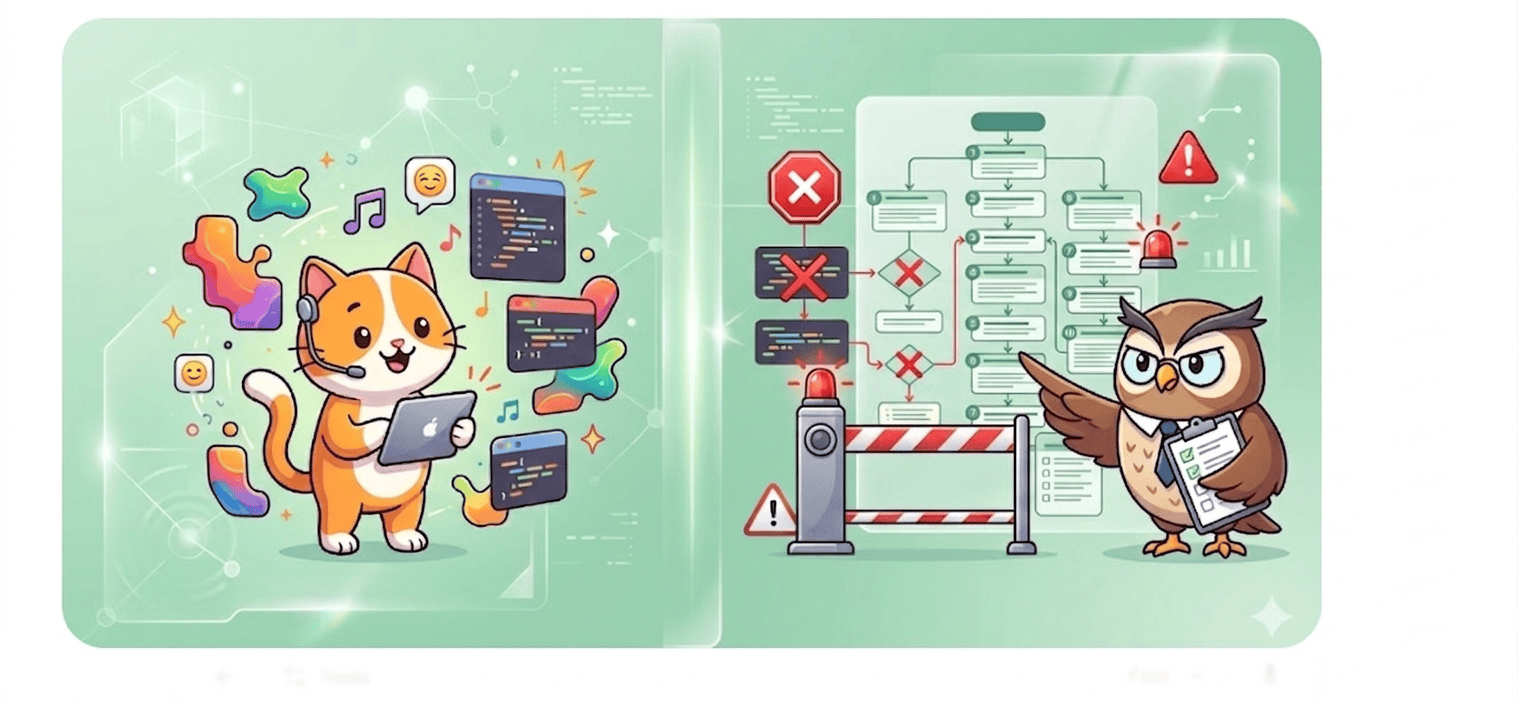
  • Vibe Coding vs App Store Guidelines: The Hidden Mistakes Killing Your App Approval

    Vibe Coding vs App Store Guidelines: The Hidden Mistakes Killing Your App Approval

    “Vibe coding” — building apps fast using AI, no-code tools, or rapid prototyping — is exploding in 2026.

    But here’s the problem: most of these apps fail App Store approval, not because they don’t work, but because they ignore strict platform guidelines.

    Apple and Google reject up to 25% of app submissions, often for avoidable reasons such as incomplete functionality, privacy violations, or spam-like duplication.

    If your app feels “done” but keeps getting rejected, the issue isn’t your idea. It’s the gap between the vibe of coding speed and the reality of App Store compliance.

    Build fast. Get approved. Join App Natively waitlist

    What Is Vibe Coding (And Why It’s Dangerous for Approval)

    Vibe coding is all about speed. You build apps using AI tools and templates without deep attention to technical or compliance details.

    It prioritizes:

    • Speed over structure
    • Features over polish
    • Launch over compliance

    And that’s exactly why apps fail review.

    Moreover, Vibe Coding prioritizes experience feel over edge-case handling. Apple prioritizes reliability over novelty.

    Here’s where they clash:

    Vibe Coding ArtifactApple Guideline ViolatedTypical Rejection Reason
    Single-screen MVP with no navigation4.2.0 (Minimum Functionality)“Your app appears to be a web view or demo.”
    AI-generated placeholder icons4.0 (Design – Spam)“Binary does not match screenshots.”
    Missing privacy manifests5.1.1 (Data Collection)“No App Privacy Response.”
    Hardcoded API keys2.5.1 (Performance)“Crash on launch due to network failure.”
    No offline state handling2.4.1 (Hardware Compatibility)“App fails on airplane mode.”

    Hidden mistake #1: Vibe Coding tools (Cursor, Replit, v0.dev) rarely enforce Apple’s human interface guidelines. You get “vibes” but not a UINavigationController hierarchy.

    The Core Problem: Speed vs Compliance

    Vibe coding creates apps fast.

    App Store guidelines expect apps to be:

    • Fully tested
    • Policy-compliant
    • User-safe
    • Production-ready

    This mismatch is where most developers fail.

    👉 Over 40% of rejections come from incomplete or broken apps alone.

    Vibe Coding vs App Store Guidelines: Side-by-Side Compliance Map

    RequirementVibe Coding DefaultApp Store ExpectationFix
    Minimum functionalityOne interactive viewMulti-screen + settingsAdd tab bar + UserDefaults
    Privacy labelsNoneFull disclosureAdd PrivacyInfo.xcprivacy
    PerformanceAssumes perfect networkGraceful degradationAdd offline alerts + retry
    UI consistencyAI hallucinated colorsHIG complianceRun uicheck or manual audit
    App iconPlaceholder emojiDistinct, non-spamCustom asset + proper sizes

    Hidden mistake #0 (the killer): Vibe-coded apps often include unused permissions. Apple sees NSCameraUsageDescription but no camera button → automatic rejection (Guideline 2.3.1).

    10 Hidden Mistakes Killing Your App Approval

    Getting your app approved isn’t just about building it, but it’s about meeting strict, often overlooked standards that most developers miss.
    Before you hit submit, make sure you’re not making these hidden mistakes that silently kill your chances of approval.

    1. Incomplete App (The #1 Killer)

    Apps with:

    • “Coming Soon” features
    • Broken buttons
    • Placeholder content

    …get instantly rejected under Guideline 2.1.

    Apple expects a fully functional product, not a prototype.

    2. Copycat or “Spammy” apps

    If your app looks like:

    • Another AI-generated clone
    • A template-based duplicate

    You’ll hit Guideline 4.3 (Spam).

    👉 This is extremely common in vibe coding.

    3. Missing or weak privacy policy

    Apps without:

    • Clear data usage
    • Privacy links

    Get rejected under Guideline 5.1.

    Privacy violations are among the top rejection reasons.

    4. Broken login or demo access

    If reviewers can’t log in, your app = rejected.

    You must provide:

    • Working credentials
    • Full access to features

    5. Poor UI/UX (Even if it works)

    Ugly or confusing design = rejection.

    Apple expects:

    • Smooth navigation
    • Native feel
    • Clean layout

    6. Misleading screenshots & metadata

    If your listing shows features not in the app:

    Instant rejection (Guideline 2.3)

    7. Payment rule violations

    Trying to:

    • Bypass in-app purchases
    • Use external payments

    = Rejection under Guideline 3.1

    8. Excessive permissions

    Requesting:

    • Camera
    • Location
    • Contacts

    Without a clear reason = rejection.

    9. Crashes & performance issues

    Even one crash during review = rejection.

    This is one of the most common real-world failures

    10. No real value (Minimum Functionality)

    Apps that feel like:

    • Simple wrappers
    • Basic templates
    • Thin AI tools

    …get rejected for lacking usefulness.

    Vibe Coding vs App Store Reality (Comparison Chart)

    FactorVibe Coding ApproachApp Store Expectation
    Development SpeedFastIrrelevant
    App CompletenessOften partialMust be complete
    UI/UXTemplate-basedHigh-quality native
    PrivacyOften ignoredMandatory
    TestingMinimalExtensive
    Approval ChancesLowHigh (if compliant)

    How to Submit a Vibe-Coded App Successfully (Checklist)

    Use this pre-submission checklist:

    • Navigation: Can the user reach at least two different logical sections?
    • Persistence: Does the app restore state after force-close?
    • Offline behavior: Does it show a friendly message when offline?
    • Privacy manifest: Included and accurate?
    • Hardcoded secrets: None in binary (use environment variables or cloud config)
    • Screenshots vs binary: 100% match (no fake UI)
    • Minimum iOS version: Realistic (vibe tools often set too high or too low)
    • Review notes: Explain any AI-generated UI choices (e.g., “custom slider mimics physical dial”)

    Recommended Tools for Vibe-Coded App Approval

    ToolPurpose
    SwiftLintEnforce code quality
    XCPrivacyGenGenerate privacy manifests
    Snapshot SnitchCompare screenshots vs real UI
    ReviewMate (GPT prompt)Simulate Apple reviewer questions

    Launch Faster Without Rejections (App Natively)

    Most developers fail not because of coding, but because they don’t understand App Store expectations.

    That’s where App Natively changes the game.

    Vibe Coding vs App Store Guidelines

    Instead of guessing what Apple wants, you:

    • Build fully compliant apps
    • Avoid rejection loops
    • Launch faster with confidence

    👉 If you’re currently building with AI or no-code, joining the waitlist now gives you an unfair advantage before launch.

    Frequently Asked Questions (FAQs)

    Q1: Is Vibe Coding allowed for App Store apps?

    Yes, but Apple does not review your process—only the binary. Vibe-coded apps are allowed if they meet all guidelines.

    However, AI-generated code often skips edge cases, so manual validation is mandatory.

    Q2: Why does Apple reject “minimum functionality” apps so often?

    Guideline 4.2 exists to prevent “shell apps” that could be PWAs or web views.

    Apple requires native-grade utility, navigation, and persistence. A vibe-coded single-screen quote generator will be rejected.

    Q3: Can I use AI to generate my App Store description and metadata?

    Yes, but you must ensure it’s accurate. Many AI-generated descriptions promise features (e.g., “cloud backup”) that don’t exist in the binary. That’s a Guideline 2.3 rejection.

    Q4: What’s the most common hidden rejection for vibe-coded apps?

    Missing UIApplicationDelegate Methods for background tasks. Vibe coders rarely implement background fetch or audio handling, causing crashes when the app is suspended.

    Q5: How do I test a vibe-coded app like Apple’s review team?

    Use TestFlight with “Review Mode” enabled. Disable Wi-Fi. Force-close the app. Tap push notifications. Open from a universal link. If any step fails, you’ll get rejected.

    Q6: Does Apple scan for AI-generated code?

    No. But they scan for guideline violations. AI-generated code is not penalized—low-quality code is.

    The hidden mistake is assuming AI will handle Apple’s unique runtime expectations.

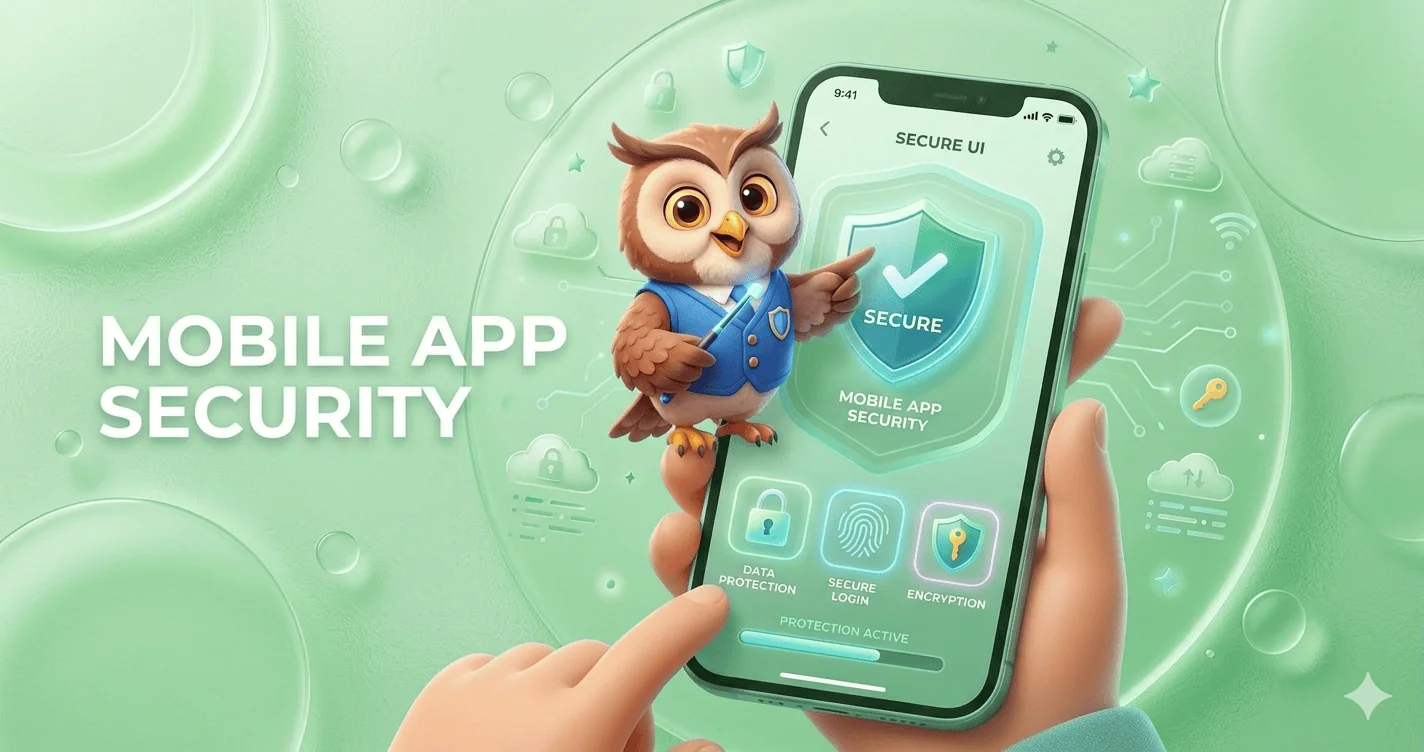
  • Mobile App Security: The Ultimate Guide to Protecting Apps from Cyber Threats in 2026

    Mobile App Security: The Ultimate Guide to Protecting Apps from Cyber Threats in 2026

    Mobile app security refers to the set of practices, tools, and technologies used to protect mobile applications from cyber threats, data breaches, and unauthorized access.

    It includes securing app code, backend systems, APIs, and user data across platforms like Android and iOS.

    With the rapid growth of mobile usage, cybercriminals increasingly target apps to exploit vulnerabilities such as weak authentication, insecure data storage, and unprotected APIs.

    Implementing strong mobile app security ensures data privacy, builds user trust, and prevents financial and reputational damage.

    What is Mobile App Security?

    Mobile app security is the process of protecting applications from external threats such as hacking, malware, reverse engineering, and data leaks. It covers the entire lifecycle of an app from development and deployment to ongoing updates and maintenance.

    It involves:

    • Securing source code
    • Protecting APIs
    • Encrypting data
    • Implementing authentication systems
    • Monitoring suspicious activities

    Why Mobile App Security Matters

    Mobile app security is no longer optional. It’s a critical pillar of digital trust, business continuity, and user safety.

    With billions of users relying on smartphones for banking, shopping, communication, and work, mobile apps have become prime targets for cyberattacks.

    A single vulnerability can expose sensitive data, damage brand reputation, and lead to severe financial losses.

    1. The rise of mobile-first digital behavior

    The global shift toward mobile-first usage means apps now handle everything from personal messages to financial transactions.

    Whether it’s mobile banking, eCommerce, or enterprise apps, users expect seamless and secure experiences.

    As mobile usage grows, so does the attack surface, making security a top priority for developers and businesses alike.

    2. Sensitive data is always at risk

    Mobile apps often store or process highly sensitive information—passwords, credit card details, personal identities, and location data.

    Without proper safeguards like encryption, secure APIs, and authentication protocols, this data becomes vulnerable to breaches.

    Cybercriminals actively exploit weak points such as insecure storage, poor session handling, and outdated libraries.

    3. Increasing sophistication of cyber threats

    Modern attackers use advanced techniques like reverse engineering, malware injection, phishing overlays, and man-in-the-middle attacks.

    Even legitimate apps can be repackaged with malicious code and redistributed.

    Without strong mobile app security measures like code obfuscation, runtime protection, and secure communication channels, apps remain exposed.

    4. Financial and legal consequences

    Security breaches are expensive. Businesses may face regulatory penalties (such as GDPR fines), lawsuits, and compensation claims.

    Beyond direct financial loss, the cost of recovering from an attack, including incident response, downtime, and rebuilding trust, can be devastating.

    5. Brand reputation and user trust

    Trust is fragile in the digital ecosystem. Users are quick to abandon apps that fail to protect their data.

    A single security incident can lead to negative publicity, loss of customers, and long-term damage to brand credibility.

    On the other hand, strong security practices can become a competitive advantage.

    6. Compliance and industry standards

    Regulations and standards increasingly require robust security practices.

    From GDPR in Europe to PCI-DSS for payment processing, businesses must ensure their mobile apps meet strict compliance requirements. Failing to do so can result in heavy fines and restrictions.

    7. The growth of BYOD and remote work

    With the rise of remote work and Bring Your Own Device (BYOD) policies, employees often access corporate systems through personal mobile devices.

    This creates additional security challenges, as unsecured apps can become entry points for broader organizational breaches.

    8. Preventing revenue loss and downtime

    Security vulnerabilities can disrupt app functionality, leading to downtime and lost revenue.

    For subscription-based or transaction-driven apps, even a few hours of disruption can result in significant financial impact.

    9. Competitive advantage through security

    Investing in mobile app security isn’t just about defense. Instead, it’s about differentiation. Apps that prioritize user privacy and security are more likely to gain trust, improve retention, and stand out in crowded marketplaces.

    Common Mobile App Security Threats

    Mobile apps operate in a highly exposed environment, running on user-controlled devices, connected to public networks, and constantly exchanging data.

    This makes them a prime target for attackers using a wide range of techniques. Understanding the most common mobile app security threats is the first step toward building secure, resilient applications.

    i. Insecure data storage

    One of the most frequent vulnerabilities is storing sensitive data, like passwords, tokens, or personal information, directly on the device without proper protection.

    If data is stored in plain text or weakly encrypted formats, attackers can easily extract it through device theft, malware, or reverse engineering.

    Secure storage mechanisms such as encrypted databases and OS-level keychains are essential.

    ii. Weak authentication and authorization

    Poor authentication mechanisms, such as weak passwords or missing multi-factor authentication (MFA), make it easy for attackers to gain unauthorized access.

    Inadequate session management and improper authorization checks can also allow users to access data or features they shouldn’t. Strong authentication protocols and role-based access control are critical defenses.

    iii. Insecure communication (Man-in-the-Middle Attacks)

    When mobile apps transmit data over unsecured or improperly configured networks, attackers can intercept the communication.

    These man-in-the-middle (MITM) attacks allow hackers to steal login credentials, session tokens, and sensitive data.

    Using HTTPS, SSL/TLS encryption, and certificate pinning helps prevent these threats.

    iv. Reverse engineering and code tampering

    Attackers often decompile mobile apps to understand their logic, extract sensitive information (like API keys), or modify the code.

    This can lead to app cloning, piracy, or the injection of malicious code. Techniques such as code obfuscation, anti-tampering checks, and runtime application self-protection (RASP) help mitigate this risk.

    v. Malware and malicious code injection

    Mobile devices can be infected with malware that targets apps directly.

    Attackers may inject malicious code into legitimate apps or distribute fake versions of apps containing spyware or trojans. These can steal user data, track activity, or gain control over the device.

    vi. Insecure APIs

    Mobile apps rely heavily on APIs to communicate with backend servers. If these APIs are poorly secured, lacking authentication, rate limiting, or input validation, they become easy entry points for attackers.

    API vulnerabilities can expose large volumes of data and compromise entire systems.

    vii. Improper session handling

    Weak session management, such as long session timeouts, predictable session IDs, or failure to invalidate sessions after logout, can allow attackers to hijack user sessions.

    Session hijacking enables unauthorized access without needing login credentials.

    viii. Lack of binary protections

    Without protections like code obfuscation, encryption, or integrity checks, attackers can easily analyze and manipulate the app binary.

    This increases the risk of intellectual property theft and exploitation of vulnerabilities.

    ix. Phishing and overlay attacks

    Attackers can trick users into entering sensitive information through fake login screens or overlay attacks.

    These often mimic legitimate app interfaces, making them difficult for users to detect. Educating users and implementing secure UI practices can reduce this risk.

    x. Jailbroken and rooted devices

    Apps running on jailbroken (iOS) or rooted (Android) devices are more vulnerable because built-in OS security controls are bypassed.

    Attackers can exploit these devices to access restricted app data or manipulate app behavior. Detecting and restricting such devices is a common security measure.

    xi. Third-party library vulnerabilities

    Most apps rely on third-party SDKs and libraries for functionality. If these components have vulnerabilities or are not regularly updated, they can introduce security risks into the app.

    Regular dependency audits and updates are essential.

    xii. Insufficient cryptography

    Using outdated or weak encryption algorithms can expose sensitive data to attackers.

    Poor key management practices further increase the risk. Strong, modern cryptographic standards must be implemented correctly.

    Key Pillars of Mobile App Security

    1. Data encryption

    Data encryption is the backbone of mobile app security. Sensitive information, such as user credentials, financial details, and personal data, must be protected both at rest (stored on the device or server) and in transit (while being transmitted over networks).

    Strong encryption standards like AES-256 for storage and SSL/TLS for communication ensure that even if data is intercepted, it remains unreadable. Proper key management is equally critical to prevent unauthorized access.

    2. Authentication & authorization

    Authentication verifies who the user is, while authorization determines what they can access.

    A secure mobile app should implement multiple layers of identity verification, including Multi-Factor Authentication (MFA), biometric logins such as fingerprint or face recognition, and secure frameworks like OAuth 2.0.

    Additionally, role-based access control (RBAC) ensures users only interact with data and features relevant to their permissions, minimizing the risk of misuse.

    3. Secure code development

    Security must be embedded from the ground up. Writing clean, well-structured, and secure code reduces vulnerabilities such as injection attacks, buffer overflows, and insecure data handling.

    Developers should follow secure coding practices, validate inputs, avoid hardcoding sensitive information, and conduct regular code reviews.

    Integrating security into the development lifecycle (DevSecOps) helps detect and fix issues early.

    4. API security

    APIs are the bridge between mobile apps and backend systems, making them a critical attack surface.

    To secure APIs, developers should implement token-based authentication, enforce rate limiting to prevent abuse, and use API gateways for centralized control and monitoring.

    Input validation, encryption, and proper error handling further reduce the risk of data leaks and unauthorized access.

    5. Secure backend

    A mobile app is only as secure as its backend infrastructure. Servers, databases, and cloud services must be protected using firewalls, intrusion detection systems, and continuous monitoring tools.

    Regular security patches, access controls, and database encryption help safeguard stored data.

    Additionally, logging and real-time threat detection enable quick responses to suspicious activities.

    Mobile App Security Testing Methods

    1. Static application security testing (SAST)

    Static Application Security Testing (SAST) analyzes an app’s source code, bytecode, or binaries without executing the program.

    This method helps developers detect vulnerabilities early in the development lifecycle, such as insecure coding patterns, hardcoded credentials, and injection flaws.

    Because SAST is performed before deployment, it’s highly effective for fixing issues at a lower cost and preventing them from reaching production.

    2. Dynamic application security testing (DAST)

    Dynamic Application Security Testing (DAST) evaluates the application while it is running.

    It simulates real-world attack scenarios by interacting with the app from the outside, identifying issues like authentication flaws, insecure APIs, and server misconfigurations.

    Unlike SAST, DAST does not require access to source code, making it ideal for testing live environments and deployed applications.

    3. Penetration testing

    Penetration testing, often called ethical hacking, involves security experts actively attempting to exploit vulnerabilities in the app.

    This method replicates real-world cyberattacks to uncover hidden weaknesses that automated tools might miss.

    It provides deep insights into how an attacker could compromise the system and helps organizations strengthen their defenses accordingly.

    4. Vulnerability scanning

    Vulnerability scanning uses automated tools to detect known security issues, such as outdated libraries, misconfigurations, and common weaknesses (e.g., OWASP Top 10 vulnerabilities).

    It’s a fast and efficient way to continuously monitor applications and infrastructure for risks. While it doesn’t go as deep as penetration testing, it’s essential for regular security maintenance.

    5. Runtime application self-protection (RASP)

    Runtime Application Self-Protection (RASP) operates inside the application during execution, monitoring behavior in real time.

    It can detect and block threats such as code injection, unauthorized access attempts, and anomalous activity in real time.

    RASP adds an extra layer of defense by providing immediate protection, even if a vulnerability exists.

    Tools for Mobile App Security

    Choosing the right tools is essential for building, testing, and maintaining a secure mobile application.

    These widely used solutions help identify vulnerabilities, simulate attacks, and ensure your app meets modern security standards.

    1. OWASP ZAP – Open-Source Security Testing Tool

    OWASP ZAP (Zed Attack Proxy) is a powerful open-source tool designed for finding vulnerabilities in web and mobile applications.

    It’s especially popular among developers and security beginners due to its user-friendly interface and automation capabilities.

    ZAP can detect issues such as SQL injection, cross-site scripting (XSS), and insecure configurations, making it a strong starting point for continuous security testing.

    2. Burp Suite – Advanced Penetration Testing

    Burp Suite is one of the most trusted tools for manual and automated penetration testing.

    It allows security professionals to intercept and analyze network traffic, manipulate requests, and uncover deep vulnerabilities.

    With features like Intruder, Repeater, and Scanner, it’s ideal for advanced testing scenarios and real-world attack simulations.

    3. MobSF (Mobile Security Framework) – Automated Mobile App Testing

    MobSF is specifically built for mobile app security analysis. It supports both Android and iOS apps and provides static and dynamic analysis on one platform.

    Developers can quickly scan apps for vulnerabilities such as insecure storage, weak encryption, and exposed APIs. Its automation makes it perfect for integrating into CI/CD pipelines.

    4. Appknox – Mobile Security Testing Platform

    Appknox is a cloud-based mobile app security platform that offers automated vulnerability assessments along with manual penetration testing support.

    It provides detailed reports, risk scoring, and compliance checks, helping businesses secure their apps before deployment.

    It’s widely used by enterprises that need scalable and continuous security testing.

    Final Thoughts

    Mobile app security is not just a technical requirement, but it’s a business necessity.

    As cyber threats evolve, developers must stay proactive by implementing robust security measures at every stage of development.

    By following best practices, conducting regular testing, and staying updated with the latest trends, you can build secure, trustworthy, and scalable mobile applications that users can rely on.

    Frequently Asked Questions (FAQs)

    1. What are the biggest security risks in mobile applications today?

    The biggest mobile app security risks include insecure APIs, weak authentication systems, data leakage, reverse engineering, and malware attacks.

    These vulnerabilities allow attackers to access sensitive data, manipulate app behavior, or compromise backend systems, making them critical issues for developers to address during development and maintenance.

    2. How do hackers exploit mobile app vulnerabilities?

    Hackers exploit mobile app vulnerabilities using techniques like reverse engineering, code injection, phishing, and man-in-the-middle attacks.

    They analyze app code, intercept data transmissions, or trick users into revealing credentials. These methods allow unauthorized access to sensitive data and systems if proper security measures are not implemented.

    3. What is the difference between mobile app security and mobile device security?

    Mobile app security focuses on protecting the application, including its code, data, and APIs.

    In contrast, mobile device security protects the entire device, including the operating system like Android or iOS, hardware, and installed applications from threats and unauthorized access.

    4. How does encryption protect mobile applications?

    Encryption protects mobile applications by converting sensitive data into unreadable code that can only be accessed with a decryption key.

    This ensures that even if data is intercepted during transmission or accessed from storage, it remains secure and unusable to unauthorized users or attackers.

    5. What is API security in mobile apps and why is it important?

    API security protects the communication between a mobile app and its backend servers.

    Without proper security measures like authentication, encryption, and rate limiting, attackers can intercept or manipulate data. Strong API security ensures safe data exchange and prevents unauthorized access to critical systems.

    6. Can mobile apps be hacked even if they are on official app stores?

    Yes, mobile apps can still be hacked even if they are published on official app stores. While stores perform security checks, they cannot guarantee complete protection.

    Vulnerabilities in code, outdated libraries, or insecure APIs can still be exploited by attackers after the app is downloaded.

    7. What role does authentication play in mobile app security?

    Authentication plays a critical role by ensuring that only verified users can access an app.

    Methods like passwords, multi-factor authentication, and biometrics help prevent unauthorized access. Strong authentication reduces the risk of account breaches and protects sensitive user data from being compromised.

    8. What is secure coding in mobile app development?

    Secure coding involves writing application code in a way that prevents vulnerabilities and security flaws. This includes avoiding hardcoded credentials, validating user inputs, and following best practices for data handling.

    It helps developers build resilient apps that are less susceptible to attacks and exploitation.

    9. How does biometric authentication improve app security?

    Biometric authentication improves security by using unique physical characteristics like fingerprints or facial recognition to verify users.

    Unlike passwords, biometrics are difficult to replicate or steal, making them a more secure authentication method. This significantly reduces the chances of unauthorized access to mobile applications.

    10. What is the importance of HTTPS in mobile apps?

    HTTPS encrypts data transmitted between the mobile app and the server, preventing attackers from intercepting sensitive information. It ensures secure communication by using SSL/TLS protocols.

    Without HTTPS, data such as login credentials and payment details can be exposed to man-in-the-middle attacks.

    11. What is mobile app security testing and why is it necessary?

    Mobile app security testing identifies vulnerabilities and weaknesses within an application before attackers can exploit them.

    Techniques like penetration testing, static analysis, and dynamic testing help detect security flaws. Regular testing ensures that apps remain secure and compliant with evolving security standards.

    12. How can businesses ensure their mobile apps are secure?

    Businesses can ensure mobile app security by implementing strong encryption, secure APIs, regular updates, and continuous security testing.

    Following secure coding practices and monitoring app performance for suspicious activities also helps. A proactive approach to security reduces risks and protects both user data and business reputation.

    13. What is code obfuscation, and how does it help?

    Code obfuscation transforms readable code into a complex format that is difficult for humans to understand.

    This prevents attackers from reverse engineering the app to discover vulnerabilities or sensitive logic. It adds an extra layer of protection, especially for intellectual property and critical application functions.

    14. Are hybrid apps less secure than native apps?

    Hybrid apps are not inherently less secure than native apps, but they can introduce additional risks if third-party frameworks are not properly managed.

    Security depends on implementation, coding practices, and maintenance. With proper precautions, hybrid apps can achieve a high level of security comparable to native apps.

    15. What is the role of backend security in mobile apps?

    Backend security protects servers, databases, and APIs that support mobile applications. It ensures that sensitive data is stored securely and access is properly controlled.

    Without strong backend security, even a well-protected app can be compromised through server-side vulnerabilities and data breaches.

    16. How does session management impact mobile app security?

    Session management controls how user sessions are created, maintained, and terminated.

    Poor session handling can allow attackers to hijack sessions and gain unauthorized access. Secure session practices, such as timeouts and token validation, help protect user accounts and sensitive data.

    17. What is the zero-trust model in mobile security?

    The zero-trust model assumes that no user or device should be trusted by default, even inside the network. Every access request must be verified continuously.

    This approach reduces the risk of insider threats and unauthorized access by enforcing strict authentication and authorization policies.

    18. How can users improve their mobile app security?

    Users can improve mobile app security by downloading apps only from trusted sources, updating apps regularly, and avoiding unsecured public Wi-Fi networks.

    Using strong passwords and enabling multi-factor authentication also helps protect personal data from unauthorized access and potential cyber threats.

    19. What are the best tools for mobile app security testing?

    Popular mobile app security testing tools include OWASP ZAP, Burp Suite, and MobSF. These tools help identify vulnerabilities such as insecure APIs, data leaks, and weak authentication.

    Using a combination of automated and manual testing tools ensures comprehensive security coverage for mobile applications.

    20. What future trends will shape mobile app security?

    Future trends in mobile app security include AI-powered threat detection, biometric authentication advancements, zero-trust architecture, and blockchain-based security solutions.

    As cyber threats evolve, these technologies will help developers build more secure, intelligent, and resilient mobile applications for the future.

  • Best No-Code App Builders for Beginners (Complete Guide)

    Best No-Code App Builders for Beginners (Complete Guide)

    Building an app once required coding knowledge, development teams, and months of work. Today, no-code app builders have completely transformed that process.

    With visual interfaces, drag-and-drop components, and ready-made templates, beginners can now turn ideas into real applications without writing a single line of code.

    This shift has opened the door for entrepreneurs, creators, startups, and small businesses to build apps faster and at a fraction of the traditional cost.

    Whether you want to create a startup MVP, a business tool, or a simple mobile app, the right no-code platform can help you launch quickly.

    In this blog post, we’ll explore the best no-code app builders for beginners that make app development simple, affordable, and accessible, even if you have zero technical experience.

    What Is a No-Code App Builder?

    A no-code app builder is a platform that allows users to create applications using visual development tools instead of traditional programming.

    Instead of writing complex code, users can:

    • Drag and drop UI components
    • Configure workflows visually
    • Connect databases and integrations
    • Publish apps directly to web or mobile platforms

    These platforms handle the technical backend while allowing users to focus on design, logic, and functionality.

    No-code tools are especially popular for:

    • Startup MVPs
    • Internal business tools
    • Mobile apps
    • Marketplaces
    • SaaS products

    Why Beginners Should Use No-Code App Builders

    Instead of spending months on development, beginners can build functional apps within days and start testing their ideas with real users.

    This makes no-code platforms especially valuable for validating business ideas, building MVPs, and launching projects without technical expertise.

    1. No programming skills required

    The biggest advantage of no-code tools is that they eliminate the need for coding knowledge.

    Beginners can build apps using visual components, workflows, and templates, making the entire development process much easier to understand.

    2. Faster development time

    No-code platforms significantly speed up the app development process. What once took months can now be accomplished in a matter of days or weeks, allowing creators to launch and iterate quickly.

    3. Cost-effective solution

    Hiring developers or agencies can be expensive, especially for startups or individuals. No-code tools reduce those costs by providing affordable platforms that allow users to build apps themselves.

    4. Ideal for MVPs and startups

    For startups, launching a Minimum Viable Product (MVP) quickly is critical.

    No-code tools allow founders to test their ideas in the market without heavy investment, making it easier to validate concepts before scaling.

    5. Easy to update and improve

    Since everything is managed visually, making updates or improvements to an app becomes simple.

    Beginners can quickly modify features, adjust layouts, or add new functionality without rebuilding the entire app.

    Key Features to Look for in a Beginner-Friendly No-Code App Builder

    Not all no-code platforms are beginner friendly. When choosing a tool, look for these important features.

    Drag-and-drop interface

    A visual builder makes it easier for beginners to design apps without technical complexity.

    Ready-made templates

    Templates help users launch apps faster without starting from scratch.

    Native mobile app support

    Some tools create real native mobile apps, while others generate web apps. Native apps usually provide better performance.

    Integrations

    Good platforms connect with tools like APIs, payment systems, databases, and third-party services.

    Scalability

    Choose a platform that can grow with your app as your user base expands.

    Affordable pricing

    Pricing is critical for beginners and startups, so look for platforms that provide strong value for money.

    5+ Best No-Code App Builders for Beginners

    Here are some of the best platforms that make app creation simple and accessible for beginners.

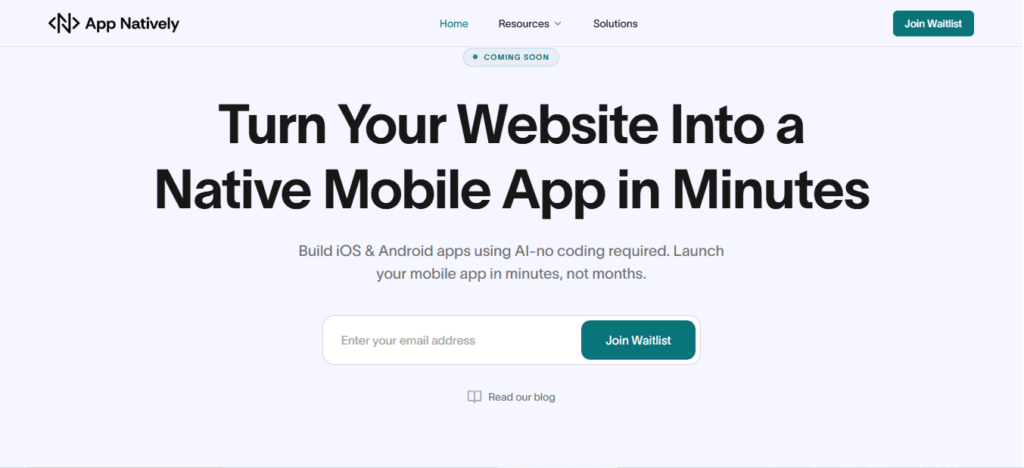
    1. App Natively: AI-Powered Native App Builder for Beginners

    App Natively is an upcoming drag-and-drop native app builder designed to make mobile app development simple, powerful, and affordable for everyone.

    Best No-Code App Builders for Beginners

    While many no-code platforms generate web apps, App Natively focuses on building real native mobile applications while keeping the entire development process beginner-friendly.

    The platform is currently under development and aims to provide a highly accessible solution for entrepreneurs, creators, and startups who want to build mobile apps without the complexity of traditional development.

    Key Features

    • Visual drag-and-drop app builder
    • Real native mobile apps
    • Beginner-friendly development workflow
    • Powerful integrations and automation
    • Extremely affordable pricing model

    Why It Stands Out

    One of the biggest challenges with existing no-code platforms is pricing. Many tools become expensive as your app grows.

    App Natively aims to solve that problem by offering powerful app-building capabilities at a significantly more accessible price point.

    The goal is to make native mobile app development available to everyone, not just large companies or funded startups.

    Availability

    App Natively is currently in development. Early users can join the waitlist to get early access, exclusive launch benefits, and updates on the platform’s release.

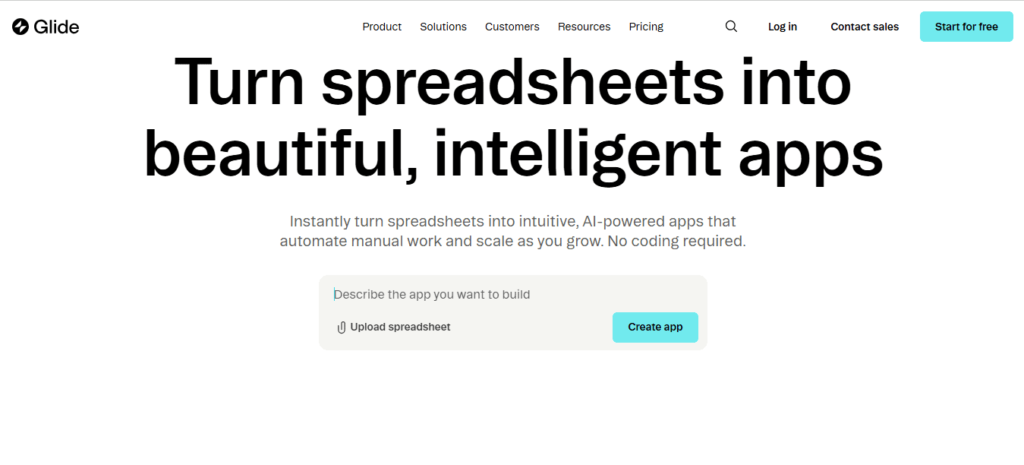
    2. Glide

    Glide is one of the most popular no-code platforms for beginners. It allows users to build applications using spreadsheets as the database, making it extremely easy to get started.

    Best No-Code App Builders for Beginners

    With Glide, users can quickly create internal tools, community apps, and simple mobile applications.

    Key Features

    • Spreadsheet-powered apps
    • Clean drag-and-drop builder
    • Fast deployment
    • Built-in templates
    • Integrations with Google Sheets and Airtable

    Best For

    Beginners who want to build simple apps quickly without managing complex databases.

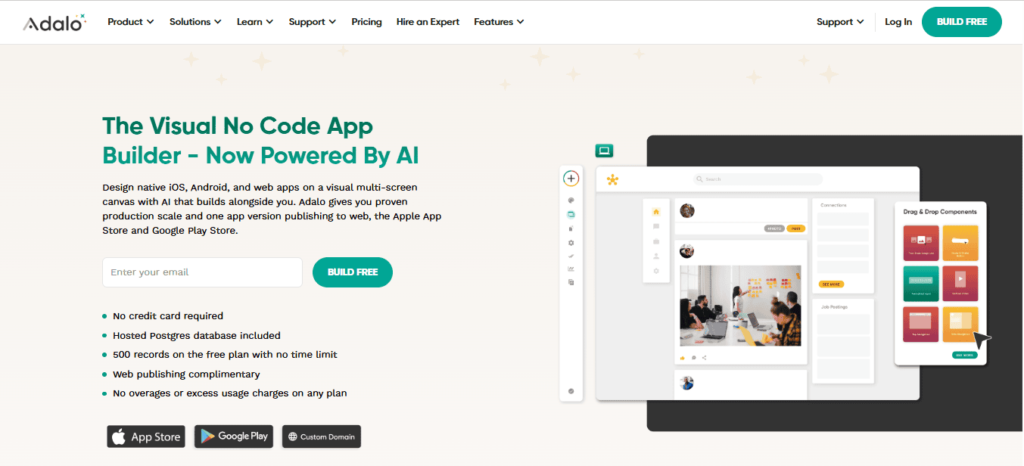
    3. Adalo

    Adalo is a well-known no-code platform that allows users to build both web and mobile apps using a visual interface.

    Best No-Code App Builders for Beginners

    It provides a simple development experience and supports publishing apps to the App Store and Google Play.

    Key Features

    • Drag-and-drop app builder
    • Custom database management
    • Native mobile app publishing
    • Reusable components
    • Third-party integrations

    Best For

    Entrepreneurs and beginners who want to build and publish mobile apps without writing code.

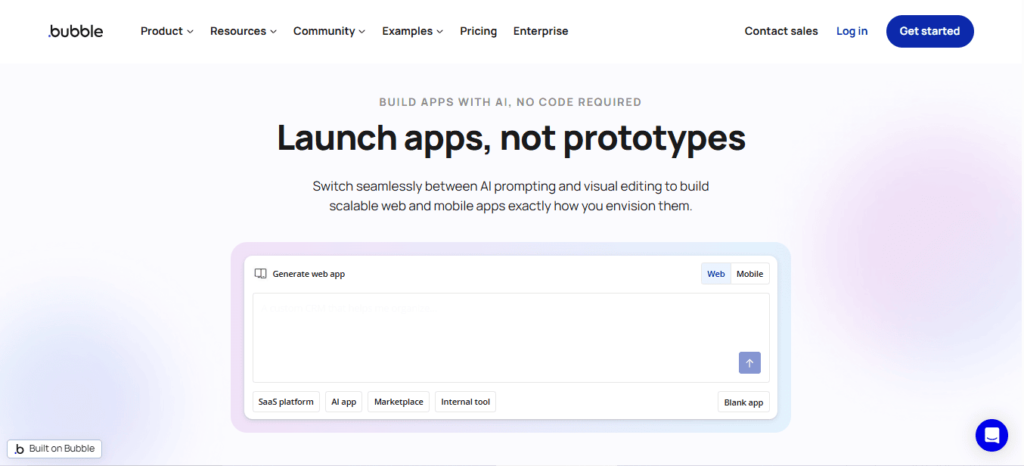
    4. Bubble

    Bubble is one of the most powerful no-code development platforms available today. It allows users to build complex web applications using a visual programming approach.

    Best No-Code App Builders for Beginners

    Although Bubble has a slightly steeper learning curve than other tools, it provides far greater flexibility.

    Key Features

    • Advanced visual programming
    • Powerful workflow automation
    • Plugin marketplace
    • Custom database management
    • API integrations

    Best For

    Startups and creators who want to build more advanced web applications.

    If you’re evaluating platforms similar to Bubble, check out this Bubble alternative guide to compare features and pricing.

    5. FlutterFlow

    FlutterFlow is a modern visual builder that uses the Flutter framework to create high-performance mobile applications.

    Best No-Code App Builders for Beginners

    It combines no-code simplicity with the ability to export real code, making it attractive for teams that want flexibility.

    Key Features

    • Drag-and-drop UI builder
    • Firebase integration
    • Native mobile apps
    • Code export capability
    • Real-time preview

    Best For

    Developers and creators who want a hybrid approach between no-code and traditional development.

    6. Softr

    Softr is a no-code platform designed primarily for building web apps and internal business tools.

    Best No-Code App Builders for Beginners

    It integrates deeply with Airtable, making it easy to manage data without complex backend systems.

    Key Features

    • Airtable integration
    • Simple web app builder
    • Pre-built templates
    • User authentication
    • Membership features

    Best For

    Businesses that want to create portals, directories, or internal tools quickly.

    Final Thoughts

    No-code platforms have made app development more accessible than ever before. Beginners can now turn ideas into real products without needing programming skills or large development budgets.

    Whether you want to build a startup MVP, a business tool, or your first mobile application, the platforms listed above provide powerful solutions to help you get started.

    If you’re looking for a next-generation AI-powered native app builder focused on affordability and simplicity, keeping an eye on App Natively could be a smart move.

    Early adopters who join the waitlist may gain access to exclusive launch benefits and early platform features.

    The future of app development is becoming more accessible, and with no-code tools, anyone can start building today.

    Frequently Asked Questions (FAQs)

    Are no-code app builders free to use?

    Many platforms offer free plans with limited features, but advanced capabilities such as custom domains, higher storage, or app store publishing usually require paid subscriptions.

    Can beginners build mobile apps without coding?

    Yes. No-code platforms allow beginners to build iOS and Android apps using visual tools, making app development accessible without programming knowledge.

    What types of apps can you build with no-code tools?

    You can build many types of apps, including:

    • Business apps
    • Booking and scheduling apps
    • Marketplaces
    • Customer portals
    • Internal tools
    • MVP startup apps

    How long does it take to build an app with a no-code builder?

    Simple apps can be built within a few hours or days, while more advanced apps with integrations or custom workflows may take several weeks.

    Are no-code platforms suitable for startups?

    Yes. Many startups use no-code tools to create minimum viable products (MVPs) quickly and test ideas before investing in full development.

    Do no-code app builders support app store publishing?

    Some platforms like App Natively allow direct publishing to the Apple App Store and Google Play Store, making it easy for beginners to launch mobile apps.

    What is the difference between no-code and low-code platforms?

    • No-code platforms require no programming at all.
    • Low-code platforms allow visual development but may require some coding for advanced customization.

    Are no-code apps scalable for large businesses?

    No-code tools are great for small to medium projects, but very large or complex applications may eventually require custom development for scalability and performance.

    Can you build a SaaS product using no-code?

    Yes. Platforms like Bubble allow users to build complete SaaS applications with user accounts, payments, and databases.

    Do no-code platforms support integrations?

    Most no-code tools integrate with popular services such as:

    • Google Sheets
    • Airtable
    • Zapier
    • Payment gateways and APIs

    Is it possible to monetize apps built with no-code?

    Yes. You can monetize apps through subscriptions, advertisements, marketplace fees, or paid downloads depending on the platform.

    Do no-code builders require hosting?

    Most platforms provide built-in hosting and databases, so users don’t need to manage servers separately.

    Can no-code apps handle user authentication?

    Yes. Many builders provide built-in features for user sign-ups, logins, and account management.

    Are no-code platforms secure?

    Reputable no-code platforms implement security features such as encryption, authentication systems, and secure hosting to protect user data.

    What skills do beginners need to use no-code app builders?

    Beginners typically need:

    • Basic computer skills
    • Understanding of app structure
    • Simple logic and workflows
    • UI/UX design basics

    Can I convert a spreadsheet into an app?

    Yes. Tools like App Natively and Glide allow users to turn spreadsheets into functional apps quickly.