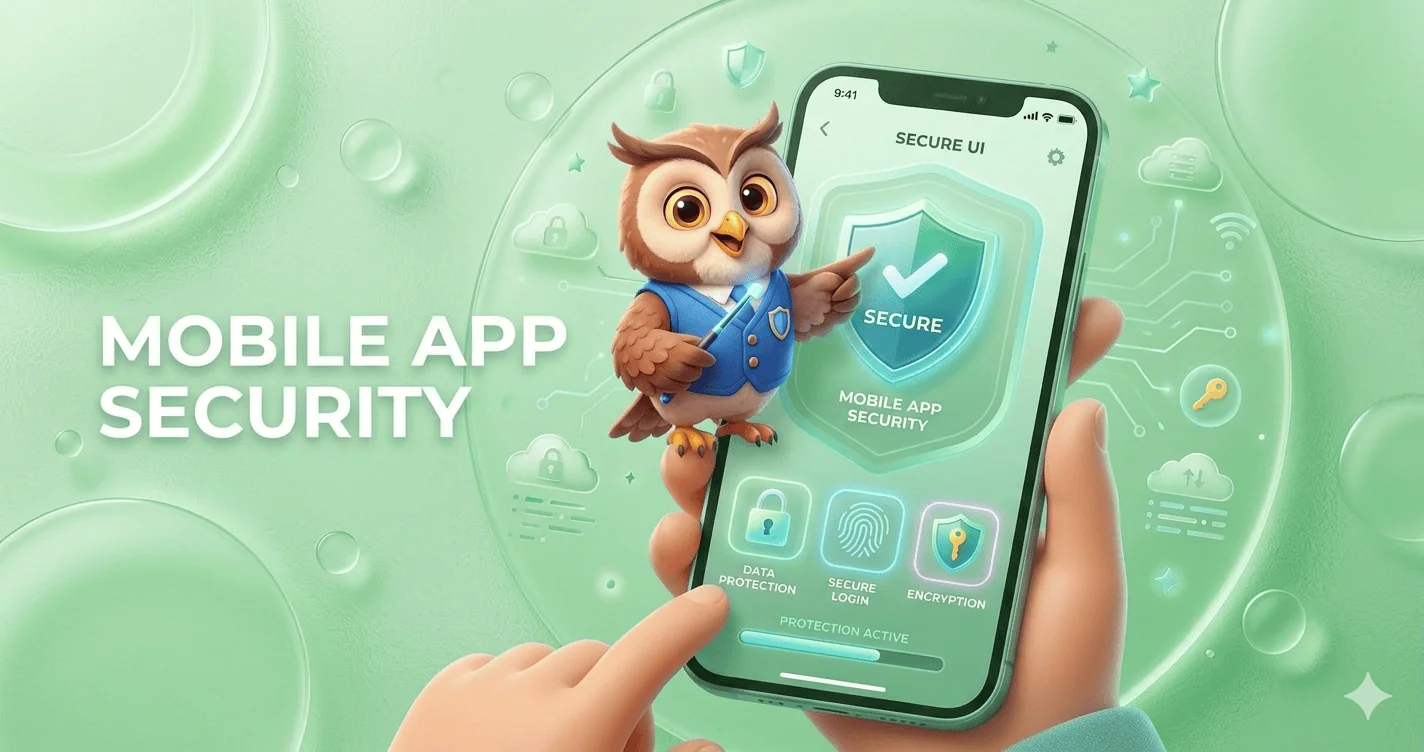
Mobile app security refers to the set of practices, tools, and technologies used to protect mobile applications from cyber threats, data breaches, and unauthorized access.
It includes securing app code, backend systems, APIs, and user data across platforms like Android and iOS.
With the rapid growth of mobile usage, cybercriminals increasingly target apps to exploit vulnerabilities such as weak authentication, insecure data storage, and unprotected APIs.
Implementing strong mobile app security ensures data privacy, builds user trust, and prevents financial and reputational damage.
What is Mobile App Security?
Mobile app security is the process of protecting applications from external threats such as hacking, malware, reverse engineering, and data leaks. It covers the entire lifecycle of an app from development and deployment to ongoing updates and maintenance.
It involves:
- Securing source code
- Protecting APIs
- Encrypting data
- Implementing authentication systems
- Monitoring suspicious activities
Why Mobile App Security Matters
Mobile app security is no longer optional. It’s a critical pillar of digital trust, business continuity, and user safety.
With billions of users relying on smartphones for banking, shopping, communication, and work, mobile apps have become prime targets for cyberattacks.
A single vulnerability can expose sensitive data, damage brand reputation, and lead to severe financial losses.
1. The rise of mobile-first digital behavior
The global shift toward mobile-first usage means apps now handle everything from personal messages to financial transactions.
Whether it’s mobile banking, eCommerce, or enterprise apps, users expect seamless and secure experiences.
As mobile usage grows, so does the attack surface, making security a top priority for developers and businesses alike.
2. Sensitive data is always at risk
Mobile apps often store or process highly sensitive information—passwords, credit card details, personal identities, and location data.
Without proper safeguards like encryption, secure APIs, and authentication protocols, this data becomes vulnerable to breaches.
Cybercriminals actively exploit weak points such as insecure storage, poor session handling, and outdated libraries.
3. Increasing sophistication of cyber threats
Modern attackers use advanced techniques like reverse engineering, malware injection, phishing overlays, and man-in-the-middle attacks.
Even legitimate apps can be repackaged with malicious code and redistributed.
Without strong mobile app security measures like code obfuscation, runtime protection, and secure communication channels, apps remain exposed.
4. Financial and legal consequences
Security breaches are expensive. Businesses may face regulatory penalties (such as GDPR fines), lawsuits, and compensation claims.
Beyond direct financial loss, the cost of recovering from an attack, including incident response, downtime, and rebuilding trust, can be devastating.
5. Brand reputation and user trust
Trust is fragile in the digital ecosystem. Users are quick to abandon apps that fail to protect their data.
A single security incident can lead to negative publicity, loss of customers, and long-term damage to brand credibility.
On the other hand, strong security practices can become a competitive advantage.
6. Compliance and industry standards
Regulations and standards increasingly require robust security practices.
From GDPR in Europe to PCI-DSS for payment processing, businesses must ensure their mobile apps meet strict compliance requirements. Failing to do so can result in heavy fines and restrictions.
7. The growth of BYOD and remote work
With the rise of remote work and Bring Your Own Device (BYOD) policies, employees often access corporate systems through personal mobile devices.
This creates additional security challenges, as unsecured apps can become entry points for broader organizational breaches.
8. Preventing revenue loss and downtime
Security vulnerabilities can disrupt app functionality, leading to downtime and lost revenue.
For subscription-based or transaction-driven apps, even a few hours of disruption can result in significant financial impact.
9. Competitive advantage through security
Investing in mobile app security isn’t just about defense. Instead, it’s about differentiation. Apps that prioritize user privacy and security are more likely to gain trust, improve retention, and stand out in crowded marketplaces.
Common Mobile App Security Threats
Mobile apps operate in a highly exposed environment, running on user-controlled devices, connected to public networks, and constantly exchanging data.
This makes them a prime target for attackers using a wide range of techniques. Understanding the most common mobile app security threats is the first step toward building secure, resilient applications.
i. Insecure data storage
One of the most frequent vulnerabilities is storing sensitive data, like passwords, tokens, or personal information, directly on the device without proper protection.
If data is stored in plain text or weakly encrypted formats, attackers can easily extract it through device theft, malware, or reverse engineering.
Secure storage mechanisms such as encrypted databases and OS-level keychains are essential.
ii. Weak authentication and authorization
Poor authentication mechanisms, such as weak passwords or missing multi-factor authentication (MFA), make it easy for attackers to gain unauthorized access.
Inadequate session management and improper authorization checks can also allow users to access data or features they shouldn’t. Strong authentication protocols and role-based access control are critical defenses.
iii. Insecure communication (Man-in-the-Middle Attacks)
When mobile apps transmit data over unsecured or improperly configured networks, attackers can intercept the communication.
These man-in-the-middle (MITM) attacks allow hackers to steal login credentials, session tokens, and sensitive data.
Using HTTPS, SSL/TLS encryption, and certificate pinning helps prevent these threats.
iv. Reverse engineering and code tampering
Attackers often decompile mobile apps to understand their logic, extract sensitive information (like API keys), or modify the code.
This can lead to app cloning, piracy, or the injection of malicious code. Techniques such as code obfuscation, anti-tampering checks, and runtime application self-protection (RASP) help mitigate this risk.
v. Malware and malicious code injection
Mobile devices can be infected with malware that targets apps directly.
Attackers may inject malicious code into legitimate apps or distribute fake versions of apps containing spyware or trojans. These can steal user data, track activity, or gain control over the device.
vi. Insecure APIs
Mobile apps rely heavily on APIs to communicate with backend servers. If these APIs are poorly secured, lacking authentication, rate limiting, or input validation, they become easy entry points for attackers.
API vulnerabilities can expose large volumes of data and compromise entire systems.
vii. Improper session handling
Weak session management, such as long session timeouts, predictable session IDs, or failure to invalidate sessions after logout, can allow attackers to hijack user sessions.
Session hijacking enables unauthorized access without needing login credentials.
viii. Lack of binary protections
Without protections like code obfuscation, encryption, or integrity checks, attackers can easily analyze and manipulate the app binary.
This increases the risk of intellectual property theft and exploitation of vulnerabilities.
ix. Phishing and overlay attacks
Attackers can trick users into entering sensitive information through fake login screens or overlay attacks.
These often mimic legitimate app interfaces, making them difficult for users to detect. Educating users and implementing secure UI practices can reduce this risk.
x. Jailbroken and rooted devices
Apps running on jailbroken (iOS) or rooted (Android) devices are more vulnerable because built-in OS security controls are bypassed.
Attackers can exploit these devices to access restricted app data or manipulate app behavior. Detecting and restricting such devices is a common security measure.
xi. Third-party library vulnerabilities
Most apps rely on third-party SDKs and libraries for functionality. If these components have vulnerabilities or are not regularly updated, they can introduce security risks into the app.
Regular dependency audits and updates are essential.
xii. Insufficient cryptography
Using outdated or weak encryption algorithms can expose sensitive data to attackers.
Poor key management practices further increase the risk. Strong, modern cryptographic standards must be implemented correctly.
Key Pillars of Mobile App Security
1. Data encryption
Data encryption is the backbone of mobile app security. Sensitive information, such as user credentials, financial details, and personal data, must be protected both at rest (stored on the device or server) and in transit (while being transmitted over networks).
Strong encryption standards like AES-256 for storage and SSL/TLS for communication ensure that even if data is intercepted, it remains unreadable. Proper key management is equally critical to prevent unauthorized access.
2. Authentication & authorization
Authentication verifies who the user is, while authorization determines what they can access.
A secure mobile app should implement multiple layers of identity verification, including Multi-Factor Authentication (MFA), biometric logins such as fingerprint or face recognition, and secure frameworks like OAuth 2.0.
Additionally, role-based access control (RBAC) ensures users only interact with data and features relevant to their permissions, minimizing the risk of misuse.
3. Secure code development
Security must be embedded from the ground up. Writing clean, well-structured, and secure code reduces vulnerabilities such as injection attacks, buffer overflows, and insecure data handling.
Developers should follow secure coding practices, validate inputs, avoid hardcoding sensitive information, and conduct regular code reviews.
Integrating security into the development lifecycle (DevSecOps) helps detect and fix issues early.
4. API security
APIs are the bridge between mobile apps and backend systems, making them a critical attack surface.
To secure APIs, developers should implement token-based authentication, enforce rate limiting to prevent abuse, and use API gateways for centralized control and monitoring.
Input validation, encryption, and proper error handling further reduce the risk of data leaks and unauthorized access.
5. Secure backend
A mobile app is only as secure as its backend infrastructure. Servers, databases, and cloud services must be protected using firewalls, intrusion detection systems, and continuous monitoring tools.
Regular security patches, access controls, and database encryption help safeguard stored data.
Additionally, logging and real-time threat detection enable quick responses to suspicious activities.
Mobile App Security Testing Methods
1. Static application security testing (SAST)
Static Application Security Testing (SAST) analyzes an app’s source code, bytecode, or binaries without executing the program.
This method helps developers detect vulnerabilities early in the development lifecycle, such as insecure coding patterns, hardcoded credentials, and injection flaws.
Because SAST is performed before deployment, it’s highly effective for fixing issues at a lower cost and preventing them from reaching production.
2. Dynamic application security testing (DAST)
Dynamic Application Security Testing (DAST) evaluates the application while it is running.
It simulates real-world attack scenarios by interacting with the app from the outside, identifying issues like authentication flaws, insecure APIs, and server misconfigurations.
Unlike SAST, DAST does not require access to source code, making it ideal for testing live environments and deployed applications.
3. Penetration testing
Penetration testing, often called ethical hacking, involves security experts actively attempting to exploit vulnerabilities in the app.
This method replicates real-world cyberattacks to uncover hidden weaknesses that automated tools might miss.
It provides deep insights into how an attacker could compromise the system and helps organizations strengthen their defenses accordingly.
4. Vulnerability scanning
Vulnerability scanning uses automated tools to detect known security issues, such as outdated libraries, misconfigurations, and common weaknesses (e.g., OWASP Top 10 vulnerabilities).
It’s a fast and efficient way to continuously monitor applications and infrastructure for risks. While it doesn’t go as deep as penetration testing, it’s essential for regular security maintenance.
5. Runtime application self-protection (RASP)
Runtime Application Self-Protection (RASP) operates inside the application during execution, monitoring behavior in real time.
It can detect and block threats such as code injection, unauthorized access attempts, and anomalous activity in real time.
RASP adds an extra layer of defense by providing immediate protection, even if a vulnerability exists.
Tools for Mobile App Security
Choosing the right tools is essential for building, testing, and maintaining a secure mobile application.
These widely used solutions help identify vulnerabilities, simulate attacks, and ensure your app meets modern security standards.
1. OWASP ZAP – Open-Source Security Testing Tool
OWASP ZAP (Zed Attack Proxy) is a powerful open-source tool designed for finding vulnerabilities in web and mobile applications.
It’s especially popular among developers and security beginners due to its user-friendly interface and automation capabilities.
ZAP can detect issues such as SQL injection, cross-site scripting (XSS), and insecure configurations, making it a strong starting point for continuous security testing.
2. Burp Suite – Advanced Penetration Testing
Burp Suite is one of the most trusted tools for manual and automated penetration testing.
It allows security professionals to intercept and analyze network traffic, manipulate requests, and uncover deep vulnerabilities.
With features like Intruder, Repeater, and Scanner, it’s ideal for advanced testing scenarios and real-world attack simulations.
3. MobSF (Mobile Security Framework) – Automated Mobile App Testing
MobSF is specifically built for mobile app security analysis. It supports both Android and iOS apps and provides static and dynamic analysis on one platform.
Developers can quickly scan apps for vulnerabilities such as insecure storage, weak encryption, and exposed APIs. Its automation makes it perfect for integrating into CI/CD pipelines.
4. Appknox – Mobile Security Testing Platform
Appknox is a cloud-based mobile app security platform that offers automated vulnerability assessments along with manual penetration testing support.
It provides detailed reports, risk scoring, and compliance checks, helping businesses secure their apps before deployment.
It’s widely used by enterprises that need scalable and continuous security testing.
Final Thoughts
Mobile app security is not just a technical requirement, but it’s a business necessity.
As cyber threats evolve, developers must stay proactive by implementing robust security measures at every stage of development.
By following best practices, conducting regular testing, and staying updated with the latest trends, you can build secure, trustworthy, and scalable mobile applications that users can rely on.
Frequently Asked Questions (FAQs)
1. What are the biggest security risks in mobile applications today?
The biggest mobile app security risks include insecure APIs, weak authentication systems, data leakage, reverse engineering, and malware attacks.
These vulnerabilities allow attackers to access sensitive data, manipulate app behavior, or compromise backend systems, making them critical issues for developers to address during development and maintenance.
2. How do hackers exploit mobile app vulnerabilities?
Hackers exploit mobile app vulnerabilities using techniques like reverse engineering, code injection, phishing, and man-in-the-middle attacks.
They analyze app code, intercept data transmissions, or trick users into revealing credentials. These methods allow unauthorized access to sensitive data and systems if proper security measures are not implemented.
3. What is the difference between mobile app security and mobile device security?
Mobile app security focuses on protecting the application, including its code, data, and APIs.
In contrast, mobile device security protects the entire device, including the operating system like Android or iOS, hardware, and installed applications from threats and unauthorized access.
4. How does encryption protect mobile applications?
Encryption protects mobile applications by converting sensitive data into unreadable code that can only be accessed with a decryption key.
This ensures that even if data is intercepted during transmission or accessed from storage, it remains secure and unusable to unauthorized users or attackers.
5. What is API security in mobile apps and why is it important?
API security protects the communication between a mobile app and its backend servers.
Without proper security measures like authentication, encryption, and rate limiting, attackers can intercept or manipulate data. Strong API security ensures safe data exchange and prevents unauthorized access to critical systems.
6. Can mobile apps be hacked even if they are on official app stores?
Yes, mobile apps can still be hacked even if they are published on official app stores. While stores perform security checks, they cannot guarantee complete protection.
Vulnerabilities in code, outdated libraries, or insecure APIs can still be exploited by attackers after the app is downloaded.
7. What role does authentication play in mobile app security?
Authentication plays a critical role by ensuring that only verified users can access an app.
Methods like passwords, multi-factor authentication, and biometrics help prevent unauthorized access. Strong authentication reduces the risk of account breaches and protects sensitive user data from being compromised.
8. What is secure coding in mobile app development?
Secure coding involves writing application code in a way that prevents vulnerabilities and security flaws. This includes avoiding hardcoded credentials, validating user inputs, and following best practices for data handling.
It helps developers build resilient apps that are less susceptible to attacks and exploitation.
9. How does biometric authentication improve app security?
Biometric authentication improves security by using unique physical characteristics like fingerprints or facial recognition to verify users.
Unlike passwords, biometrics are difficult to replicate or steal, making them a more secure authentication method. This significantly reduces the chances of unauthorized access to mobile applications.
10. What is the importance of HTTPS in mobile apps?
HTTPS encrypts data transmitted between the mobile app and the server, preventing attackers from intercepting sensitive information. It ensures secure communication by using SSL/TLS protocols.
Without HTTPS, data such as login credentials and payment details can be exposed to man-in-the-middle attacks.
11. What is mobile app security testing and why is it necessary?
Mobile app security testing identifies vulnerabilities and weaknesses within an application before attackers can exploit them.
Techniques like penetration testing, static analysis, and dynamic testing help detect security flaws. Regular testing ensures that apps remain secure and compliant with evolving security standards.
12. How can businesses ensure their mobile apps are secure?
Businesses can ensure mobile app security by implementing strong encryption, secure APIs, regular updates, and continuous security testing.
Following secure coding practices and monitoring app performance for suspicious activities also helps. A proactive approach to security reduces risks and protects both user data and business reputation.
13. What is code obfuscation, and how does it help?
Code obfuscation transforms readable code into a complex format that is difficult for humans to understand.
This prevents attackers from reverse engineering the app to discover vulnerabilities or sensitive logic. It adds an extra layer of protection, especially for intellectual property and critical application functions.
14. Are hybrid apps less secure than native apps?
Hybrid apps are not inherently less secure than native apps, but they can introduce additional risks if third-party frameworks are not properly managed.
Security depends on implementation, coding practices, and maintenance. With proper precautions, hybrid apps can achieve a high level of security comparable to native apps.
15. What is the role of backend security in mobile apps?
Backend security protects servers, databases, and APIs that support mobile applications. It ensures that sensitive data is stored securely and access is properly controlled.
Without strong backend security, even a well-protected app can be compromised through server-side vulnerabilities and data breaches.
16. How does session management impact mobile app security?
Session management controls how user sessions are created, maintained, and terminated.
Poor session handling can allow attackers to hijack sessions and gain unauthorized access. Secure session practices, such as timeouts and token validation, help protect user accounts and sensitive data.
17. What is the zero-trust model in mobile security?
The zero-trust model assumes that no user or device should be trusted by default, even inside the network. Every access request must be verified continuously.
This approach reduces the risk of insider threats and unauthorized access by enforcing strict authentication and authorization policies.
18. How can users improve their mobile app security?
Users can improve mobile app security by downloading apps only from trusted sources, updating apps regularly, and avoiding unsecured public Wi-Fi networks.
Using strong passwords and enabling multi-factor authentication also helps protect personal data from unauthorized access and potential cyber threats.
19. What are the best tools for mobile app security testing?
Popular mobile app security testing tools include OWASP ZAP, Burp Suite, and MobSF. These tools help identify vulnerabilities such as insecure APIs, data leaks, and weak authentication.
Using a combination of automated and manual testing tools ensures comprehensive security coverage for mobile applications.
20. What future trends will shape mobile app security?
Future trends in mobile app security include AI-powered threat detection, biometric authentication advancements, zero-trust architecture, and blockchain-based security solutions.
As cyber threats evolve, these technologies will help developers build more secure, intelligent, and resilient mobile applications for the future.