Author: Rohan Kulkarni

  • Best No-Code E-commerce App  Builders in 2026

    Best No-Code E-commerce App Builders in 2026

    Launching an e-commerce app used to require hiring developers, managing complex code, and spending thousands of dollars before making a single sale.

    For many entrepreneurs, small businesses, and online store owners, these technical barriers made mobile commerce seem out of reach.

    The challenge is even greater in 2026. Mobile shopping continues to dominate online sales, customers expect fast and seamless app experiences, and competition is stronger than ever.

    Businesses that rely solely on websites risk losing valuable customers who prefer shopping through dedicated mobile apps. Yet building a custom e-commerce app from scratch remains expensive, time-consuming, and difficult to maintain.

    Fortunately, modern no-code e-commerce app builders have changed the game. These platforms allow anyone to create, customize, and launch professional shopping apps without writing a single line of code.

    In this blog post, we’ll explore the best no-code e-commerce app builders in 2026 & beyond. It’ll help you choose the right platform to turn your online store into a high-converting mobile shopping experience.

    What Is a No-Code E-commerce App Builder?

    A no-code e-commerce app builder is a software platform that allows users to create and manage online shopping applications without writing any programming code.

    It provides visual development tools, drag-and-drop interfaces, and prebuilt templates that make it easy for individuals and businesses to quickly design, customize, and launch e-commerce apps.

    These platforms typically include essential e-commerce features such as product catalogs, shopping carts, payment gateway integration, inventory management, and order tracking.

    By eliminating the need for coding skills, no-code e-commerce app builders help entrepreneurs and small businesses reduce development time and costs while making online selling more accessible.

    Who Should Use No-Code E-commerce Builders?

    No-code e-commerce builders are best for people who want to sell online without dealing with coding, servers, or complex technical setup.

    They’re designed to make launching and running an online store fast and manageable.

    Here’s who benefits most:

    1. First-time entrepreneurs

    If you’re starting your first online business, platforms like Shopify or WordPress let you launch quickly without hiring developers. You can focus on products and marketing instead of technical setup.

    2. Small business owners

    Local shops, home-based businesses, and small brands use no-code tools to expand online. It’s especially useful if you already sell offline and just want an online storefront without having to rebuild everything from scratch.

    3. Creators and freelancers

    Artists, designers, writers, and content creators can sell digital products, merchandise, or services directly. No-code tools handle payments, product pages, and delivery systems.

    4. Dropshippers and print-on-demand sellers

    These models rely on fast setup and easy scaling. No-code platforms integrate with suppliers, so you can launch products without holding inventory.

    5. Non-technical teams and startups

    Early-stage startups often use no-code builders to validate ideas quickly before investing in custom development.

    Best No-Code E-commerce App Builders in 2026 & Beyond

    No-code e-commerce app builders are transforming how brands launch mobile stores—faster, cheaper, and without technical barriers.

    Whether you’re a startup, Shopify seller, or WordPress store owner, these tools help you turn ideas into revenue-generating apps in record time.

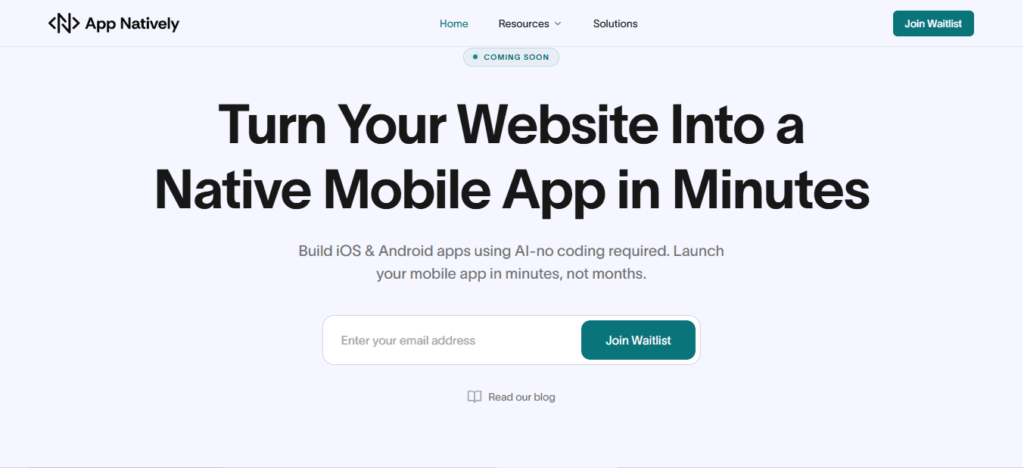
    1. App Natively Powered By AI

    Best for: Shopify + WordPress store owners who want next-gen mobile commerce apps

    App Natively is an upcoming powerhouse designed to bridge Shopify and WordPress ecosystems into fully native mobile apps. It focuses on making e-commerce app creation seamless, scalable, and conversion-driven.

    Why it stands out:

    • Built specifically for Shopify + WordPress integration
    • Designed for high-conversion mobile shopping experiences
    • No-code approach with future-ready flexibility
    • Focus on speed, simplicity, and monetization
    • Many more integrations like Firebase
    • Unlimited push notification

    Perfect for merchants who want a modern, app-first sales channel without technical complexity.

    2. FlutterFlow

    Best for: Highly customizable, production-level mobile apps

    FlutterFlow gives creators the power of Flutter without coding. It’s ideal for teams that want deeper control while still staying in the no-code/low-code space.

    Highlights:

    • Drag-and-drop UI builder
    • Firebase integration
    • Exportable production code
    • Strong for scalable e-commerce apps

    Ideal when you want design freedom + developer-grade output without full coding.

    3. Bubble

    Best for: Web-based e-commerce marketplaces and SaaS-style stores

    Bubble is one of the most powerful no-code platforms for building logic-heavy applications.

    Highlights:

    • Advanced workflow automation
    • Fully customizable database
    • Huge plugin ecosystem
    • Strong for marketplaces and custom checkout flows

    Best for entrepreneurs building complex, feature-rich e-commerce ecosystems.

    Get the best bubble alternatives at affordable price

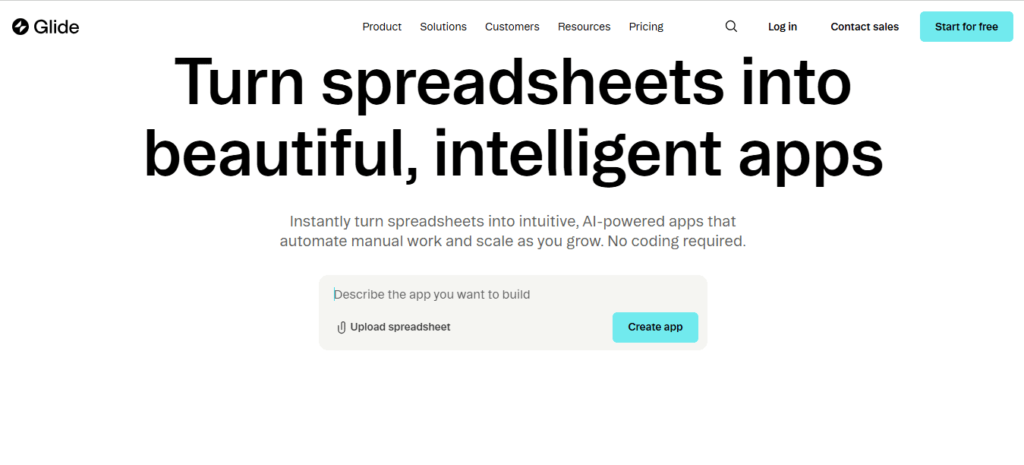
    4. Glide

    Best for: Simple, fast mobile apps from spreadsheets

    Glide turns data into apps instantly—perfect for lightweight e-commerce setups.

    Highlights:

    • Spreadsheet-powered backend
    • Extremely fast deployment
    • Clean mobile-first design
    • Great for MVP stores

    Ideal for quick launches and small product catalogs.

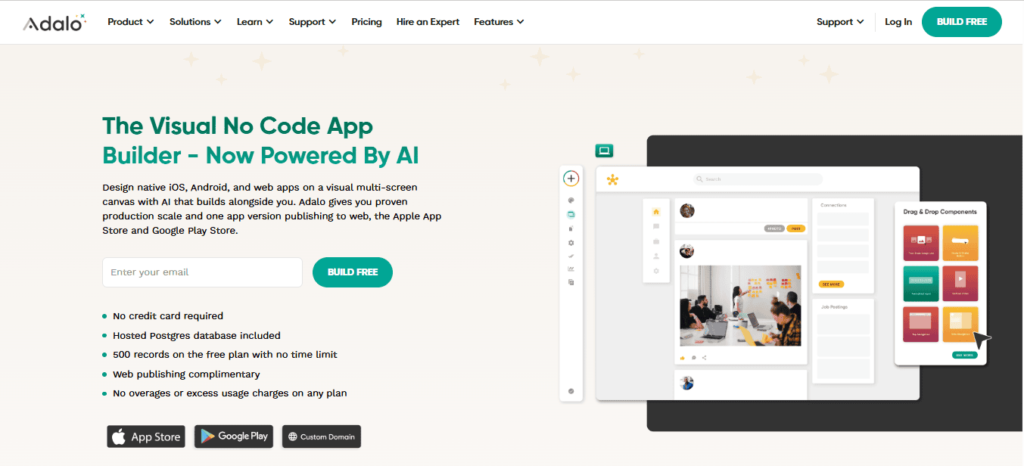
    5. Adalo

    Best for: Beginner-friendly mobile e-commerce apps

    Adalo makes app building feel effortless with its visual interface.

    Highlights:

    • Simple drag-and-drop builder
    • Built-in database
    • Native mobile publishing
    • Payment integrations available

    Perfect for first-time founders testing product ideas quickly.

    6. Softr

    Best for: Turning Airtable data into storefronts

    Softr is great for building lightweight e-commerce sites and portals.

    Highlights:

    • Airtable-powered backend
    • Membership + gated content support
    • Clean UI templates
    • Fast deployment

    Best for data-driven e-commerce or membership-based stores.

    7. Thunkable

    Best for: Cross-platform mobile apps (Android + iOS)

    Thunkable focuses on true mobile app development without coding.

    Highlights:

    • Native mobile app output
    • Visual logic builder
    • API integrations
    • Real-time testing

    Ideal for brands targeting both Android and iOS users equally.

    8. AppMySite

    Best for: Converting WordPress/WooCommerce stores into apps

    AppMySite is built for store owners who already have a website and want an app fast.

    Highlights:

    • WordPress & WooCommerce integration
    • One-click app conversion
    • Push notifications
    • Real-time sync with website

    Perfect for turning existing stores into mobile apps quickly.

    9. MobiLoud

    Best for: High-performance apps for established websites

    MobiLoud helps brands convert existing websites into premium mobile apps.

    Highlights:

    • Full website-to-app conversion
    • Strong performance optimization
    • Push notification support
    • Minimal maintenance required

    Best for established businesses scaling mobile sales.

    10. Tapcart

    Best for: Shopify-focused mobile commerce apps

    Tapcart is one of the most popular Shopify app builders in the market.

    Highlights:

    • Deep Shopify integration
    • High-converting mobile UX
    • Built-in push marketing tools
    • Designed for revenue growth

    Ideal for serious Shopify brands focused on mobile sales optimization.

    Quick Comparison Table

    PlatformBest ForEase of UseCustomizationShopify SupportWordPress SupportScalabilityKey Strength
    App Natively (Dev)Shopify + WordPress mobile apps5/54/55/55/55/5Future-ready commerce-focused apps
    FlutterFlowAdvanced custom mobile apps3/55/53/53/55/5High control + scalable apps
    BubbleComplex web apps & marketplaces2/55/54/54/55/5Powerful logic & workflows
    GlideSimple MVP apps5/52/52/53/53/5Fast spreadsheet-based apps
    AdaloBeginner mobile apps5/53/53/53/54/5Easy drag-and-drop builder
    SoftrAirtable-based apps5/53/52/54/53/5Quick Airtable integration
    ThunkableCross-platform apps4/54/53/53/54/5Android + iOS app support
    AppMySiteWordPress/WooCommerce apps4/53/54/55/54/5Website-to-app conversion
    MobiLoudWebsite-to-app conversion4/53/54/55/55/5Premium performance apps
    TapcartShopify mobile commerce4/53/55/52/55/5High-conversion Shopify apps

    Key Trends Shaping No-Code E-commerce in 2026

    No-code e-commerce in 2026 is moving from “startup shortcut” to a core operating model for modern commerce teams.

    The biggest shifts are being driven by AI, composability, and the push for faster experimentation without engineering bottlenecks.

    Here are the latest trends shaping the space right now:

    1. AI is becoming the “co-builder” of stores

    No-code platforms are no longer just drag-and-drop tools—they’re increasingly AI-assisted storefront generators.

    Instead of manually building pages, merchants now:

    • Describe a store or campaign in plain language
    • Let AI generate layouts, product pages, and copy
    • Continuously optimize based on conversion data

    AI is also powering:

    • Product descriptions and SEO content
    • Automated merchandising and bundling
    • Smart A/B testing and layout suggestions

    This shifts no-code from manual buildingAI-guided commerce creation.

    Check the article: AI in eCommerce Apps

    2. “Headless + no-code” is becoming the default stack

    A major trend is the merging of no-code tools with headless commerce architectures.

    This means:

    • Frontends (storefronts) are built visually with no-code tools
    • Backends (payments, inventory, CMS) stay modular and API-driven

    Why it matters:

    • Teams can redesign storefronts without touching backend systems
    • Faster experimentation across channels (web, mobile, social)
    • Less dependency on developer bottlenecks

    3. Non-technical teams are running full commerce operations

    In 2026, no-code is no longer just for “building pages”—it’s for running the entire commerce workflow.

    Marketers and operators now:

    • Launch landing pages and funnels
    • Manage catalogs and pricing rules
    • Trigger automated campaigns and workflows

    This is reducing reliance on engineering teams for day-to-day commerce changes

    4. Agentic commerce is reshaping storefront design

    A major structural shift: customers are increasingly shopping through AI agents rather than browsing manually.

    This means no-code platforms must support:

    • Structured product data (for AI discovery)
    • API-first catalogs
    • Machine-readable pricing, inventory, and attributes

    Instead of designing only for humans, stores must now be designed for:

    humans + AI agents acting on their behalf

    5. Hyper-personalization is now built-in, not optional

    No-code platforms are integrating real-time personalization engines:

    • Dynamic storefront layouts per user
    • AI-driven product recommendations
    • Adaptive pricing and content

    This is becoming standard because shoppers now expect “Netflix-level” personalization everywhere

    6. “Composable commerce” is replacing all-in-one builders

    Instead of single platforms doing everything, no-code e-commerce is shifting toward composable stacks:

    • Shopify / headless backend
    • No-code frontend builder
    • Plug-in AI tools for marketing, pricing, analytics

    This reduces lock-in and lets brands swap tools quickly as they scale.

    7. Faster experimentation is the main competitive advantage

    The biggest strategic change isn’t technical—it’s cultural:

    Winning brands now:

    • Launch and test in days, not months
    • Run continuous storefront experiments
    • Treat e-commerce like a “live product,” not a static site

    No-code is the infrastructure that enables this velocity.

    8. AI-driven automation of operations (not just design)

    Beyond storefronts, no-code platforms are expanding into:

    • Inventory forecasting
    • Dynamic pricing rules
    • Automated returns handling
    • Customer support workflows

    This is turning no-code tools into end-to-end commerce operating systems, not just website builders.

    Final Verdict

    No-code e-commerce builders have matured into full-scale commerce platforms, not just website creators. The best ones now combine ease of use, AI automation, and scalable infrastructure, allowing businesses to launch and grow without relying heavily on developers.

    What stands out across the top platforms is a clear shift toward AI-assisted building, integrated marketing tools, and flexible (often headless) architectures. This means users can design storefronts visually while still supporting advanced customization, automation, and multi-channel selling.

  • What is an eCommerce App and How Does It Work?

    What is an eCommerce App and How Does It Work?

    An eCommerce app is a mobile or web application that allows businesses to sell products or services online.

    It works by enabling users to browse products, add items to a cart, make secure payments, and track orders—all from their device.

    With the rapid growth of mobile shopping, eCommerce apps have become essential for businesses looking to increase sales, improve customer experience, and build brand loyalty.

    What is an eCommerce App?

    An eCommerce app is a digital platform designed to enable online buying and selling of goods or services. Unlike traditional websites, it is optimized for mobile-first experiences, faster navigation, and personalized shopping.

    These apps are used by:

    • Retail businesses
    • Marketplaces (like multi-vendor stores)
    • Direct-to-consumer (D2C) brands
    • Service-based companies

    Simple definition:

    An eCommerce app is a digital storefront in your pocket.

    How Does an eCommerce App Work?

    An eCommerce app works by connecting users, products, payments, and delivery into one smooth digital flow.

    When someone browses products, adds items to a cart, and completes checkout, the app processes the order, confirms payment, and triggers shipping almost instantly.

    Platforms like Shopify and WooCommerce follow a similar structure behind the scenes, even though the user experience feels simple.

    Product catalog and database

    Every eCommerce app relies on a database that stores product details such as images, descriptions, prices, and inventory levels. When a user browses the app, it is actually pulling this information in real time from the backend system.

    User interface and browsing

    The interface is what customers interact with directly. It includes product pages, categories, search options, and filters. A well designed interface makes it easy for users to find what they want quickly, which directly impacts conversions.

    Cart and checkout process

    When a customer adds a product to the cart, the app temporarily saves that selection. During checkout, it calculates the total cost, applies discounts or taxes, and prepares the final order summary before payment.

    Payment processing

    Secure payments are handled through gateways like Stripe or PayPal. These systems encrypt sensitive data and confirm transactions between the customer and the seller.

    Order management and fulfillment

    Once payment is successful, the app sends the order details to the backend. The seller then processes the order, packs the product, and ships it.

    Many apps integrate with delivery services to automate tracking and updates.

    Notifications and customer updates

    After placing an order, customers receive confirmations, shipping updates, and delivery notifications. This keeps users informed and builds trust throughout the buying journey.

    Why Are eCommerce Apps Important?

    eCommerce apps are important because they turn your business into a 24 hour sales machine that customers can access anytime, from anywhere.

    They remove physical limitations, streamline buying, and create a faster, more personalized shopping experience that drives more conversions.

    They give your business constant availability

    Unlike physical stores, an app never closes. Customers can browse and buy at their convenience, whether it is late at night or during a busy workday.

    Platforms like Shopify and WooCommerce are built around this always on model, helping businesses capture sales at any time.

    They improve customer experience

    eCommerce apps are designed for speed, simplicity, and personalization. Features like saved preferences, quick checkout, and product recommendations make shopping easier and more enjoyable, which increases the chances of repeat purchases.

    They boost sales and conversion rates

    Mobile apps reduce friction in the buying journey. With fewer steps to complete a purchase and faster loading times, customers are more likely to convert.

    Integrated payment solutions such as Stripe and PayPal make transactions quick and secure.

    They provide valuable customer insights

    Every interaction inside an app generates data. Businesses can track user behavior, popular products, and purchasing patterns to make smarter decisions and improve marketing strategies.

    They enable direct marketing and engagement

    With push notifications, in app messages, and exclusive offers, businesses can communicate directly with customers. This helps build stronger relationships and keeps users coming back.

    They support business growth and scalability

    As your business grows, an eCommerce app can scale with it. You can add new products, expand to new markets, and handle increased traffic without needing a physical expansion.

    What Are the Key Features of an eCommerce App?

    An eCommerce app succeeds when it makes browsing, buying, and managing orders feel effortless.

    The key features are designed to reduce friction, build trust, and guide users smoothly from discovery to checkout.

    1. User friendly interface

    A clean and intuitive interface helps users navigate products without confusion. Apps built on platforms like Shopify and WooCommerce focus heavily on simple layouts, fast loading, and mobile first design to keep users engaged.

    2. Advanced search and filtering

    Customers should be able to find products quickly using search bars, categories, and filters such as price, size, or ratings. This feature reduces frustration and shortens the buying journey.

    3. Product pages with rich details

    Each product needs high quality images, clear descriptions, pricing, availability, and customer reviews. Detailed product pages build confidence and help users make informed decisions.

    4. Shopping cart and smooth checkout

    A reliable cart system allows users to add, remove, or update items easily. The checkout process should be quick, with minimal steps and options like guest checkout to reduce drop offs.

    5. Secure payment integration

    Trust is critical in eCommerce. Integrating secure payment gateways such as Stripe and PayPal ensures safe and seamless transactions.

    6. Order tracking and management

    Users expect to track their orders in real time. This feature provides updates from purchase to delivery, improving transparency and customer satisfaction.

    7. Push notifications and alerts

    Notifications help re engage users by sharing order updates, promotions, and reminders. This keeps the brand top of mind and encourages repeat purchases.

    8. User accounts and personalization

    Allowing users to create accounts enables features like saved addresses, order history, and personalized recommendations based on browsing behavior.

    9. Reviews and ratings

    Customer feedback builds trust and influences buying decisions. A review system adds credibility and helps highlight popular products.

    10. Analytics and admin dashboard

    On the business side, an admin panel tracks sales, customer behavior, and inventory. This data helps optimize marketing strategies and improve overall performance.

    How Do eCommerce Apps Make Money?

    eCommerce apps make money by turning user activity into revenue through product sales, fees, and strategic monetization models.

    Whether it is a single brand app or a multi vendor marketplace, the goal is to capture value at different points in the buying journey.

    Direct product sales

    The most common model is simple. The app sells products directly to customers and earns profit from each sale.

    Businesses using platforms like Shopify or WooCommerce typically follow this approach, where revenue comes from the margin between cost and selling price.

    Commission based model

    Marketplace apps earn money by taking a percentage from each transaction made by third party sellers.

    This is how platforms like Amazon operate, earning commissions every time a product is sold through their ecosystem.

    Subscription fees

    Some eCommerce apps charge sellers a monthly or yearly fee to list and sell products on their platform.

    This creates a predictable recurring revenue stream, especially for apps offering advanced tools and analytics.

    Listing and featured product fees

    Sellers may pay to highlight their products or appear at the top of search results.

    These paid placements increase visibility and generate additional income for the app.

    Advertising revenue

    eCommerce apps can monetize traffic by displaying ads or sponsored products.

    Brands pay to promote their items within the app, especially in high visibility areas like homepages or search results.

    Transaction and payment fees

    Apps often charge a small fee for processing payments. Integrations with services like Stripe and PayPal may include transaction based earnings or service charges.

    Affiliate marketing

    Some apps promote third party products and earn a commission for every sale made through referral links. This model works well for niche or content driven eCommerce apps.

    Data driven upselling and cross selling

    By analyzing user behavior, apps recommend related or premium products. This increases average order value and overall revenue without needing more traffic.

    What Technologies Power eCommerce Apps?

    eCommerce apps are powered by a mix of frontend, backend, database, and integration technologies that work together to deliver fast, secure, and scalable shopping experiences.

    From what users see on screen to how payments and orders are processed, every layer relies on specific tools and systems.

    1. Frontend technologies for user experience

    The frontend is what users interact with directly. Technologies like React, Vue.js, and Angular are commonly used to build fast and responsive interfaces.

    For mobile apps, frameworks like Flutter and React Native help create smooth cross platform experiences.

    2. Backend technologies and server logic

    The backend handles business logic, authentication, and order processing. Popular backend technologies include Node.js, Django, and Laravel.

    These systems ensure that data flows correctly between users, databases, and external services.

    3. Databases for storing data

    eCommerce apps need reliable databases to store product details, user information, and transactions.

    Solutions like MySQL, PostgreSQL, and MongoDB are widely used depending on the app’s structure and scalability needs.

    4. Payment gateways and security

    Secure payment processing is essential. Technologies from providers like Stripe and PayPal handle transactions, encryption, and fraud prevention to ensure safe purchases.

    5. APIs and third party integrations

    APIs connect the app with external services such as shipping providers, payment systems, and analytics tools. This allows features like real time tracking, inventory sync, and automated notifications.

    6. Cloud hosting and infrastructure

    Most modern eCommerce apps run on cloud platforms like Amazon Web Services and Google Cloud. Cloud infrastructure ensures scalability, uptime, and performance even during high traffic periods.

    7. Analytics and AI tools

    Data driven tools help businesses understand user behavior and optimize sales. AI powered recommendations, search optimization, and customer insights play a big role in improving conversions.

    What Are the Challenges of eCommerce Apps?

    eCommerce apps are powerful for scaling online businesses, but they come with a set of challenges that can impact performance, user experience, and long-term growth.

    These challenges are not just technical but also strategic, affecting how businesses attract, convert, and retain customers in a highly competitive digital market.

    High competition and user acquisition costs

    One of the biggest challenges of eCommerce apps is intense competition. Thousands of brands are competing for the same audience, which makes it expensive to acquire new users through ads and marketing campaigns.

    Paid channels like Google Ads, Facebook Ads, and influencer marketing often drive up customer acquisition costs, especially in saturated niches.

    Even after attracting users, retaining them requires continuous engagement and value delivery, which adds further pressure on budgets and resources.

    Performance, speed, and technical complexity

    eCommerce apps must load quickly and function smoothly across different devices and network conditions. Even a delay of a few seconds can lead to abandoned carts and lost sales.

    Behind the scenes, these apps depend on complex systems like databases, payment gateways, APIs, and inventory management tools that must all work together without failure.

    Maintaining performance while scaling traffic during peak times such as sales events or holidays is a major technical challenge for development teams.

    Security risks and payment reliability

    Security is a critical concern in eCommerce apps because they handle sensitive customer data such as payment details, addresses, and personal information.

    Any breach can damage brand trust and lead to financial loss. Ensuring secure transactions, preventing fraud, and maintaining compliance with data protection standards requires constant monitoring and updates.

    At the same time, payment failures or unreliable gateways can directly affect conversions, making payment stability just as important as security itself.

    User experience and retention difficulties

    A smooth user experience is essential, but designing an intuitive and frictionless shopping journey is not easy. Users expect fast search results, personalized recommendations, easy navigation, and a seamless checkout process.

    If the app feels complicated or slow, users quickly abandon it and switch to competitors. Retaining users is even harder because customer loyalty in eCommerce is often low, and users frequently compare prices and offers across multiple platforms before making a purchase decision.

    Scalability and infrastructure limitations

    As an eCommerce app grows, it must handle increasing traffic, product listings, and transactions without slowing down or crashing.

    Many apps struggle when scaling from a small user base to a large audience. Infrastructure must be flexible enough to support sudden spikes in demand, especially during promotional campaigns.

    Without proper scalability planning, businesses may face downtime, poor performance, and revenue loss at critical moments.

    Logistics, inventory, and order management

    Beyond the app itself, eCommerce businesses face operational challenges like inventory tracking, order fulfillment, and delivery coordination.

    If inventory data is not updated in real time, it can lead to overselling or stockouts, which frustrate customers. Delays in shipping or poor logistics integration can also damage customer satisfaction.

    Managing these backend operations efficiently requires strong system integration and reliable third-party partnerships.

    What is the Future of eCommerce Apps?

    The future of eCommerce apps is moving toward a much more intelligent, personalized, and frictionless shopping experience where apps don’t just sell products but actively understand and predict customer needs.

    Instead of being simple digital storefronts, they are evolving into data-driven ecosystems powered by AI, automation, and real-time personalization.

    1. AI-driven personalization will dominate

    In the future, eCommerce apps will rely heavily on artificial intelligence to personalize every part of the shopping journey. From homepage product recommendations to dynamic pricing and personalized offers, everything will be tailored to individual user behavior.

    Apps will learn from browsing history, purchase patterns, and even micro-interactions like scroll speed or time spent on products to predict what a user is most likely to buy next.

    This level of personalization will significantly improve conversion rates and customer satisfaction.

    2. Voice and visual search will replace traditional search

    Typing will become less important as voice and visual search technologies become mainstream.

    Users will simply speak what they need or upload an image to find similar products instantly. This shift will make shopping faster and more intuitive, especially for mobile-first users.

    eCommerce apps will integrate more deeply with voice assistants and camera-based search tools, making discovery feel more natural and less keyword-dependent.

    3. Faster, app-less experiences through headless commerce

    The future will also move toward headless commerce, where the frontend experience is separated from the backend systems.

    This allows brands to deliver faster, more flexible shopping experiences across multiple platforms like mobile apps, websites, smart devices, and even AR/VR environments.

    Users may not even feel like they are “using an app” in the traditional sense because the experience will be seamless, lightweight, and highly responsive.

    4. AR, VR, and immersive shopping experiences

    Augmented reality and virtual reality will transform how users interact with products. Instead of just viewing images, customers will be able to try products virtually before buying.

    For example, they can see how furniture looks in their home or how clothes fit on a virtual avatar.

    This reduces uncertainty in buying decisions and lowers return rates, which is a major challenge in current eCommerce systems.

    5. Smarter checkout and one-tap purchasing

    Checkout processes will become almost invisible. With stored preferences, biometric authentication, and digital wallets, users will complete purchases in one tap or even automatically based on subscriptions and smart triggers.

    Cart abandonment will decrease as friction in payment flows is reduced. The entire buying process will become faster, safer, and more automated.

    6. Hyper-automation in operations and logistics

    Behind the scenes, eCommerce apps will increasingly depend on automation for inventory management, order fulfillment, and delivery tracking.

    AI will predict demand patterns, optimize stock levels, and even automate reordering.

    Logistics systems will become more efficient with real-time tracking and smarter routing, improving delivery speed and reducing operational costs.

    7. Stronger focus on privacy and trust

    As data usage increases, privacy and transparency will become major priorities. Future eCommerce apps will need to balance personalization with strict data protection.

    Users will expect more control over their data and clearer explanations of how it is being used. Trust will become a key differentiator between competing platforms.

    Build Your eCommerce App Faster with App Natively (Join the Waitlist)

    If you’re planning to launch an eCommerce app, App Natively is being built to help you do it faster, simpler, and without heavy development costs.

    eCommerce App

    Instead of spending months on coding, infrastructure, and testing, you’ll be able to create a fully functional app using a streamlined, product-first approach.

    App Natively is currently under development but you can already secure early access by joining the waitlist.

    Early users will get priority access, early feature updates, and a head start on building their app before public launch.

    Why join the waitlist?

    • Get early access before public release
    • Build your eCommerce app faster with a simplified workflow
    • Reduce dependency on expensive development teams
    • Stay ahead with mobile-first commerce tools
    • Receive exclusive launch updates and early feature previews

    Who is it for?

    • Founders launching a new eCommerce business
    • Shopify or WooCommerce store owners going mobile-first
    • Agencies building apps for clients
    • Non-technical entrepreneurs who want to launch quickly

    App Natively is designed to remove the technical barriers of app development so you can focus on what actually matters—your product, your customers, and your growth.

    👉 Join the waitlist today and be among the first to experience App Natively when it launches.

    Frequently Asked Questions (FAQs)

    1. What is an eCommerce app in simple terms?

    An eCommerce app is a mobile or web application that allows users to browse, purchase, and track products or services online. It acts as a digital store where everything from product discovery to payment happens in one place.

    2. How does an eCommerce app work step by step?

    An eCommerce app works by connecting four main systems: product listings, user interface, payment gateway, and delivery system. Users browse products, add items to a cart, make secure payments, and then track their orders until delivery.

    3. Why should a business use an eCommerce app instead of only a website?

    An eCommerce app provides faster performance, better user experience, and higher engagement through push notifications. It also helps businesses increase repeat purchases and customer loyalty compared to websites alone.

    4. What features are essential in an eCommerce app?

    Key features include product search, category filters, shopping cart, secure payment options, order tracking, user accounts, and push notifications. Advanced apps also include AI recommendations and personalized shopping experiences.

    5. How much does it cost to build an eCommerce app?

    The cost varies depending on complexity. A basic app can start from a few thousand dollars using no-code tools, while fully custom-built apps with advanced features can cost significantly more.

    6. Can I build an eCommerce app without coding skills?

    Yes, no-code and low-code platforms now allow users to build eCommerce apps without programming knowledge. Tools like App Natively (coming soon) aim to make this process even easier.

    7. How long does it take to launch an eCommerce app?

    With traditional development, it can take 3–6 months or more. With modern no-code solutions, it can be reduced to a few days or weeks depending on features and customization.

    8. How can App Natively help in building an eCommerce app?

    App Natively is being designed to simplify app creation by removing technical complexity. It will help users build and launch eCommerce apps faster with a streamlined, user-friendly system—no heavy coding required.

  • Directory App Business Model Explained (No Code Edition)

    Directory App Business Model Explained (No Code Edition)

    Most apps struggle to make real money. Downloads don’t equal revenue, and one-time purchases rarely sustain long-term growth.

    So you keep chasing users for more traffic, more installs, but the income stays unpredictable. Users leave, engagement drops, and your app feels like it’s working against you instead of for you.

    A directory-focused app business model flips the script. Instead of chasing users, you build a platform where businesses pay to be discovered.

    With listings, subscriptions, and featured placements, your app becomes a revenue-generating ecosystem—scalable, predictable, and built for long-term growth.

    Convert your website into an iOS & Android app in Minutes (Join waitlist)

    What is a Directory App Business Model?

    A directory app is an organized platform that lists businesses, professionals, or services in a specific niche or geographic area. Think of it as a digital Yellow Pages, but on your smartphone.

    The business model focuses on generating revenue by connecting users with the right services and offering value-added features to business owners.

    Key Components of a Directory App Business Model:

    1. User Base: Individuals searching for services or businesses.
    2. Listings: Businesses or service providers paying to be visible.
    3. Revenue Streams: Monetization methods such as subscription fees, featured listings, advertising, or affiliate partnerships.
    4. Platform: The mobile app or web app interface that connects users and businesses.

    Revenue Streams: 7 Proven Ways Directory Apps Make Money

    Directory apps are powerful platforms that connect users with businesses, services, or resources. But how do they actually make money?

    Here are 7 proven revenue streams used by successful directory apps.

    1. Featured listings

    Featured listings are one of the most popular revenue models. Businesses pay to appear at the top of search results or in highlighted positions.

    A directory can offer a free basic listing while charging for premium placement, badges, or highlighted profiles.

    Pricing usually ranges from $5 to $50 per month, depending on the niche and audience size.

    Businesses are willing to pay because better visibility often leads to more customers.

    2. Subscription plans

    Subscription plans create predictable recurring revenue. Businesses pay monthly or yearly to unlock premium features such as featured placement, analytics, additional images, contact visibility, and lead generation tools.

    Many directory apps offer a tiered model. A free basic plan attracts users, while premium plans such as Pro or Business provide additional benefits that encourage upgrades.

    3. Lead generation fees

    Lead generation is a performance-based revenue model. Businesses pay only when they receive actual leads.

    This could include contact form submissions, phone calls, booking requests, or messages.

    This approach is highly attractive to businesses because they only pay when potential customers show interest. It also helps build trust early in your platform’s growth.

    4. Ads and sponsored content

    Advertising becomes powerful once your directory gains traffic. You can sell banner ads, homepage promotions, sponsored listings, or sponsored articles.

    You can also integrate ad networks such as Google AdMob or other mobile advertising platforms.

    This revenue model works best for directories with high user engagement and regular visits.

    5. Commission on transactions

    If your directory supports bookings or payments, you can charge a commission on each transaction.

    For example, a service marketplace may charge 10 to 20 percent per booking, while a restaurant directory may take a smaller percentage.

    This model scales naturally as your platform grows, making it one of the most profitable long-term strategies.

    6. Paid memberships

    You can also charge users instead of businesses. Premium user memberships can include benefits such as unlimited searches, saved favorites, exclusive deals, an ad-free experience, or early access to listings.

    This works especially well for niche directories where users rely heavily on the platform.

    7. Data and insights

    Advanced directories monetize data by offering insights to businesses. This may include search trends, demand patterns, popular categories, and location-based analytics.

    Businesses value this information because it helps them make better marketing and expansion decisions.

    Step-by-Step Blueprint to Launch a Profitable Directory App

    Here is the step-by-step guide to launching a profitable directory app.

    Step 1: Choose a hyper-niche (Do Not Build a “General” Directory)

    General directories (e.g., Yellow Pages) die. Profitable niches:

    • Vegan restaurants in Berlin
    • Mobile dog groomers in Austin
    • Teledentistry providers
    • EV charging stations with real-time availability
    • Remote notary publics

    Step 2: Validate demand with minimum data product (MDP)

    Before coding, scrape or manually list 50 businesses in your niche. Create a simple Google Sheet + WhatsApp group. If 100 users join within 7 days (zero ads), proceed.

    Step 3: Select your tech stack

    LayerOptions
    FrontendFlutter (iOS/Android) + Next.js (web)
    BackendFirebase (MVP) or Supabase + PostgreSQL
    MapsMapbox or Google Places API ($200 free monthly credit)
    PaymentsStripe Connect (for split payments)
    ReviewsReviewWidget or custom React component

    Step 4: Seed the supply side (Businesses)

    Offer a lifetime free premium listing to the first 200 businesses. Use cold email + LinkedIn: “We’re launching [App Name] in your city. Get a free verified badge and 5 leads this month.”

    Step 5: Launch demand generation (Users)

    • Local SEO – create “best [service] in [city]” landing pages.
    • Google Maps Embeds – embed maps of listed businesses on your site.
    • Incentivized referrals – user gets a $5 credit for sharing; business gets a free highlight.

    Step 6: Monetize from Day 30

    After 500 active users and 100 businesses, introduce:

    • Pay-per-lead (starting at $2/lead)
    • Featured listings ($49/month)
    • Remove the “free forever” option for new businesses.

    SEO Strategy for Directory Apps

    SEO is one of the most powerful growth engines for directory apps. A strong SEO strategy helps your platform attract organic traffic, grow listings, and generate consistent leads without relying on paid ads.

    Here’s a complete SEO strategy specifically for directory apps.

    1. Target long tail keywords first

    Directory apps perform best when targeting long tail keywords. These keywords are less competitive and more specific, which makes it easier to rank.

    Examples include phrases like “best dentists in Madrid,” “plumbers near Barcelona,” or “freelance designers in Spain.” These keywords also attract users who are ready to take action.

    You can find keyword ideas using tools like Google Keyword Planner, Ubersuggest, or Ahrefs.

    2. Create SEO friendly category pages

    Category pages are essential for directory SEO. Each category should target a specific keyword and location.

    For example

    • Restaurants in Rome
    • Doctors in Venice
    • Electricians in Naples

    Make sure each category page includes a clear title, a helpful description, and structured listings. This helps search engines understand your content and rank it higher.

    3. Create location-based pages

    Location pages help capture local search traffic. You can create pages for cities, neighborhoods, or regions.

    Examples

    • Best hotels in Paris
    • Gyms in Lyon
    • Lawyers in Nice

    This strategy is used by major directory platforms like Yelp and TripAdvisor.

    4. Optimize listing pages

    Each listing should be optimized for SEO. A good listing page includes business name, description, location, category, images, and reviews.

    Encourage businesses to add detailed information. More content improves rankings and increases visibility in search results.

    Also, include keywords naturally in titles and descriptions.

    5. Use programmatic SEO

    Programmatic SEO is powerful for directory apps. It allows you to create thousands of SEO pages automatically.

    Examples include

    • Best restaurants in Kolkata
    • Best restaurants in Bengaluru
    • Best restaurants in Mumbai

    Large platforms like Airbnb and Zillow use this strategy.

    6. Add user-generated content

    User-generated content improves SEO naturally. Reviews, ratings, comments, and Q&A sections help create fresh content regularly.

    Search engines prefer pages that update frequently. Encourage users to leave reviews and feedback.

    This also builds trust and improves conversions.

    7. Optimize for mobile SEO

    Most users access directory apps on mobile devices. Make sure your platform loads fast and works smoothly on mobile.

    Focus on fast loading speed, clean layout, and easy navigation. Tools like Google PageSpeed Insights can help optimize performance.

    8. Build internal linking

    Internal linking helps search engines discover your pages. Link categories to listings, listings to locations, and blog content to relevant pages.

    For example, a blog post about “Best Restaurants in California” can link to your restaurant listings.

    This improves rankings and keeps users on your platform longer.

    9. Create blog content

    A blog helps attract additional traffic. You can publish guides, tips, and recommendations.

    Examples include

    • Best cafes in Lahore
    • Top gyms in Karachi
    • How to choose a good dentist

    Blog content helps you rank for more keywords and build authority.

    10. Get backlinks

    Backlinks are one of the strongest SEO ranking factors. You can get backlinks from blogs, local websites, and partnerships.

    Submit your directory to other directories, collaborate with bloggers, and publish guest posts.

    Search engines like Google view backlinks as trust signals.

    Directory App Revenue Models

    Understanding monetization is crucial to making your app profitable. Here are the most effective ways:

    1. Freemium Listings: Basic listings are free; premium features cost extra.
    2. Subscription Model: Businesses pay recurring fees for advanced features or visibility.
    3. Advertising: Sell ad space to local businesses targeting your app users.
    4. Commission-Based: Earn a percentage when users make bookings or purchases through your app.
    5. Affiliate Marketing: Promote relevant services and earn commissions.

    Financial Model & Unit Economics

    1. Startup Costs (First 12 months)

    ItemMVP CostScalable Version
    Development (outsourced)$8,000–$15,000$40,000–$80,000
    Hosting (AWS/Firebase)$50–$150/mo$500–$2,000/mo
    Maps API (10k requests/day)$200/mo$1,000/mo
    Legal (ToS, Privacy)$1,500$5,000
    Initial SEO content$2,000$15,000
    Total$12k–$19k$60k–$103k

    2. Unit Economics (Per Paying Business)

    • Average revenue per paying business (ARPB): $47/month
    • Average customer acquisition cost (CAC): $35 (via Google Ads) or $8 (via SEO)
    • Lifetime value (LTV): 24 months × $47 = $1,128
    • LTV/CAC ratio (SEO): 141x (excellent)
    • LTV/CAC ratio (paid): 32x (still viable)

    3 Break-Even Analysis

    With 500 paying businesses at $47/month → $23,500 MRR.
    Monthly costs: hosting $500 + 1 VA $2,000 + marketing $1,000 = $3,500.
    Breakeven at 75 paying businesses ($3,525 MRR).

    Most niche directories hit this in month 4–6.

    Competitor Failure Points (What to Avoid)

    1. The ghost town problem

    The directory dies because 90% of businesses have zero reviews. 

    Fix: Auto-remind users to leave reviews via push notification after a geofence trigger (e.g., “You visited Joe’s Diner – rate it”).

    2 Low-intent clicks

    Pay-per-lead fails when clicks come from bots or non-buyers. 

    Fix: Require users to verify their email or phone before contacting a business. Charge businesses only for verified leads.

    3 No mobile optimization

    Over 78% of directory searches happen on mobile. If your app’s web version loads over 2 seconds, Google demotes you. 

    Fix: Use Core Web Vitals (LCP < 2.5s).

    4 Ignoring schema markup

    Without ItemList and LocalBusiness schema, your listings never appear in rich results. 

    Fix: Use RankMath or Schema Pro to auto-generate.

    How to Launch a No-Code Directory App

    Launching a directory app without code involves several strategic steps:

    1. Choose your niche

    Focus on industries like restaurants, salons, local services, or professionals. A specialized niche increases value for both users and businesses.

    2. Select a no-code platform

    Popular options include:

    • Glide: Great for Google Sheet-driven apps.
    • Adalo: Drag-and-drop functionality with in-app payments.
    • Bubble: Highly customizable web apps.

    3. Design user experience

    Prioritize intuitive navigation:

    • Search filters
    • Categories and tags
    • Business profiles with images and reviews

    4. Integrate monetization

    Implement subscription plans, featured listings, or ad banners. Ensure easy payment processing with Stripe or PayPal.

    5. Market your app

    SEO-optimized landing pages, social media marketing, and local partnerships are key to user acquisition.

    App Natively (Coming Soon) — Join the Waitlist Before Public Launch

    App Natively is currently under development, and we’re building something powerful for entrepreneurs who want to launch profitable directory apps without coding.

    Directory App Business Model

    If you’re serious about getting early access, exclusive features, and launch-only perks, now is the time to join the waitlist.

    Why Join the App Natively Waitlist?

    Joining early gives you a competitive advantage before the platform opens to the public:

    Early Access — Be among the first to build your directory app
    Founding Member Benefits — Exclusive features only for early users
    Launch Pricing — Lock in discounted pricing before public release
    Priority Support — Get direct help during your app setup
    Feature Requests — Help shape the platform based on your needs

    Who Is App Natively For?

    App Natively is designed for:

    • Entrepreneurs launching any type of directory apps
    • Agencies building apps for clients
    • Local business owners creating niche directories
    • No-code creators looking for faster launches
    • Startup founders validating marketplace ideas

    What You’ll Be Able to Build

    With App Natively, you’ll soon be able to create:

    • Local Business Directory Apps
    • Service Marketplace Apps
    • Restaurant & Food Directory Apps
    • Professional Listings Platforms
    • Community-Based Directory Apps
    • Doctor directory apps
    • Lawyer directory apps
    • Real Estate directory apps
    • Classified listing apps
    • And many more

    Limited Early Access — Join Now

    We’re rolling out access in phases to ensure the best experience. That means waitlist spots are limited.

    Join the Waitlist Now

    Be the first to launch your directory app when App Natively goes live.

    No spam. Just early access, updates, and exclusive launch perks.

    Conclusion

    The directory app business model, especially in the no-code era, offers enormous opportunities for entrepreneurs to create profitable platforms without a technical background.

    By understanding monetization, focusing on a niche, optimizing for SEO, and using the right no-code tools, you can build a directory app that scales, attracts users, and generates sustainable revenue.

    Frequently Asked Questions (FAQs)

    Q1: What is the most profitable directory app business model?

    The pay-per-lead (PPL) model combined with premium subscriptions generates the highest margins (60–70%) for high-intent categories like legal, home repair, and medical.

    Example: Angi (formerly Angie’s List) charges pros $30–$100 per lead and retains 68% gross margin.

    Q2: How much does it cost to build a directory app like Yelp?

    An MVP directory app costs $12,000–$19,000 (outsourced dev + maps API + hosting).

    A full-featured Yelp clone with AI reviews and real-time analytics costs $80,000–$150,000.

    However, niche directories can launch for under $10,000 using no-code tools like Glide or Softr.

    Q3: How do directory apps make money without charging users?

    They monetize businesses via (1) pay-per-lead, (2) featured listings, (3) display ads, (4) transaction fees on bookings, and (5) data licensing.

    User-facing features remain free to maximize network growth.

    Q4: Can a single person run a profitable directory app?

    Yes. Many solo founders run niche directories (e.g., vegan restaurants, pet sitters), generating $5,000–$15,000/month.

    Key tasks: SEO content, outreach to businesses, and moderation. Automate review reminders and lead delivery.

    Q5: What is the best niche for a directory app in 2026 and beyond?

    Top niches: EV charging stations (real-time availability), remote notary publics, mobile IV therapy, short-term rental cleaners, and LGBTQ+-friendly healthcare providers.

    Avoid oversaturated niches (restaurants, general contractors).

    Q6: How do I get the first 100 businesses to list for free?

    Scrape Google Maps for email addresses, then send a personalized video Loom: “I see you have 3 reviews on Google.

    My directory app [name] will send you 10 extra leads per month – free for 6 months if you join today.” Conversion rates average 8–12%.

    Q7: Is the directory app business model still viable against Google?

    Yes, because Google Local Pack only shows 3 results. Directory apps offer filters (price, insurance, languages), user photos, and direct booking.

    Apps that integrate Google’s API but add unique data layers thrive. For example, Zocdoc (medical directory) grew 40% YoY despite Google Health.

  • 10 App Ideas Every Founder Can Build Without Coding (Start & Scale in 2026)

    10 App Ideas Every Founder Can Build Without Coding (Start & Scale in 2026)

    Want to build an app but don’t know how to code?

    You’re not alone. Most founders struggle with technical barriers, high development costs, and long timelines, often giving up before their idea even launches.

    The good news? You no longer need coding skills to build and scale an app.

    With modern no-code and AI-powered app builders, anyone can turn an idea into a working product in days.

    The real challenge now isn’t development. Instead, it’s choosing the right idea that actually works.

    In this blog post, you’ll discover 10 high-potential app ideas you can build without coding, each designed to validate quickly, attract users, and generate revenue.

    Why No-Code App Ideas Are Booming

    No-code development has transformed the startup ecosystem. Founders are no longer dependent on developers to launch MVPs or test ideas.

    Today, you can:

    • Build faster
    • Launch cheaper
    • Validate instantly
    • Scale without technical bottlenecks

    This shift has opened the door for non-technical founders to compete with traditional startups.

    10 App Ideas Every Founder Can Build Without Coding

    1. Niche job board for a specific audience

    A niche job board is one of the simplest and most reliable no-code businesses you can build.

    Instead of competing with massive platforms, you focus on a specific audience like remote jobs for students, AI jobs, internships in Bangladesh, or freelance work for beginners.

    When you narrow the audience, companies are often willing to pay more because they know they are reaching the right people.

    You can build this using Webflow for the front-end design, store job listings in Airtable, and turn everything into a working app using Softr. The entire process can take just a few days.

    This idea works well because companies constantly need talent, and job boards naturally generate recurring revenue through paid listings, featured posts, and subscriptions.

    Many founders have built profitable job boards without writing a single line of code.

    2. AI tool directory for a growing market

    AI tool directories are exploding in popularity because new tools are launching every day.

    You can create a curated platform that helps people discover useful AI tools for a specific purpose, such as students, designers, marketers, or small businesses.

    You could build this using Notion as your database, then convert it into a website using Super or build a mobile-friendly version with Glide.

    This setup is extremely beginner-friendly and can be launched within hours.

    This idea is powerful because it grows over time. As you add more tools, traffic increases, and monetization options like sponsorships, premium placements, and ads become available.

    Some AI directories built this way generate thousands per month.

    3. Local services marketplace

    A local marketplace connects people who need services with people who provide them.

    You could create a platform for tutors, freelancers, repair services, or even student services in your area.

    This idea works especially well in growing cities where people need trusted recommendations.

    Platforms like Bubble allow you to build full-featured marketplaces with profiles, messaging, and payments.

    Alternatively, Sharetribe lets you launch faster with built-in marketplace features.

    This type of app becomes more valuable as more users join. You can charge commissions, subscription fees, or listing fees, making it a scalable business with strong long-term potential.

    4. Habit tracker for students or professionals

    Habit tracking apps are always in demand because people want to improve productivity, fitness, and consistency.

    A simple habit tracker designed for a specific audience like students, gym beginners, or entrepreneurs can attract a loyal user base.

    You can build this using Glide or Adalo, both of which allow you to create mobile apps with login systems and progress tracking.

    This idea works well because it encourages daily engagement. Apps that people use daily have strong retention and monetization potential through premium features, themes, or coaching add-ons.

    5. Newsletter + community platform

    A newsletter combined with a community creates a powerful ecosystem. You can focus on topics like startups, tech, student opportunities, or AI tools.

    The newsletter brings traffic, while the community builds loyalty.

    You can start the newsletter using Substack or Beehiiv, then build a community using Circle.

    This idea is powerful because it builds an audience first, which makes launching future products much easier.

    Many founders use this model to build profitable media businesses.

    6. Micro SaaS for a specific problem

    Micro SaaS apps solve small but annoying problems. Examples include invoice generators, meeting note apps, or simple CRM tools for freelancers. These apps are small but valuable.

    You can build these using Bubble or Glide. These tools allow you to create login systems, dashboards, and subscription features.

    Micro SaaS apps often succeed because they focus on solving one problem very well. Users are willing to pay monthly for tools that save them time.

    7. Learning platform for a niche skill

    Online learning is growing fast, and you can create a platform focused on a specific skill like design, freelancing, coding basics, or productivity.

    You can build this using Gumroad, Podia, or Kajabi.

    This idea works because education is evergreen. Once you create content, it can generate revenue repeatedly without much maintenance.

    8. Digital product marketplace

    You can create a marketplace where creators sell templates, ebooks, prompts, or design assets.

    This idea works well because creators are always looking for platforms to sell their work.

    You can launch using Gumroad or build a custom marketplace with Bubble.

    This idea scales nicely because creators bring their own audiences, which helps grow your platform organically.

    9. Startup idea validation platform

    Many founders struggle to validate ideas. You can create a platform where users submit startup ideas, get feedback, and see trends.

    You can build this using Softr with Airtable as the backend.

    This idea becomes more valuable as more users participate. You can monetize through premium submissions or analytics tools.

    10. Personal finance tracker for students

    A simple personal finance tracker designed for students or beginners can be very useful. Users can track expenses, savings goals, and budgets.

    You can build this with Glide or Adalo.

    Finance apps work well because they provide continuous value, which encourages users to return regularly.

    This increases retention and monetization opportunities.

    “Convert your website into a native app in minutes.”
    👉 Join the App Natively waitlist.

    10 AI App Ideas You Can Build Right Now

    i. AI Study Assistant for Students

    An AI study assistant helps students summarize notes, generate quizzes, explain difficult topics, and create study schedules. You can target a specific audience like high school students, exam preparation, or language learners. The value comes from saving time and improving learning efficiency.

    You can build this using Bubble combined with OpenAI APIs. This idea works well because students constantly need help, and you can monetize with subscriptions or premium features.

    ii. AI Resume Builder

    An AI resume builder helps users create professional resumes in minutes. Users enter basic information, and the AI generates polished resumes, cover letters, and LinkedIn summaries.

    You can build this using Glide or Softr. This idea is powerful because job seekers are always looking for faster ways to stand out.

    iii. AI Content Idea Generator

    This app generates content ideas for creators, bloggers, and social media users. It can suggest video ideas, tweet ideas, blog titles, and posting schedules.

    Using Webflow and Zapier, you can build this quickly. Content creators are always searching for inspiration, making this idea highly valuable.

    iv. AI Business Name Generator

    Founders struggle to find good business names. Your app can generate brand names, domain suggestions, and logo ideas instantly.

    You can build this using Notion plus automation tools. This idea is simple but surprisingly popular.

    v. AI Email Writer

    This app helps users write professional emails for work, school, or business. Users describe their situation, and the AI generates polished emails.

    You can build this with Adalo. It’s useful for professionals and students alike.

    vi. AI social media post generator

    This app creates Instagram captions, LinkedIn posts, tweets, and content calendars automatically.

    Social media users constantly need content, which creates strong demand.

    Using Bubble, you can launch quickly and scale later.

    vii. AI homework helper

    Students upload questions, and the AI explains answers step-by-step. This idea is especially useful for math, science, and language learning.

    This can be built using Glide and AI APIs.

    viii. AI website builder for beginners

    Users describe their business, and your app generates a simple website layout and content automatically.

    You can build this using Webflow and automation tools.

    ix. AI personal coach

    This app helps users with productivity, goals, and habits. It provides suggestions and tracks progress.

    You can build this using Softr.

    x. AI meeting notes summarizer

    Users upload meeting recordings, and the AI summarizes key points and action items. This is extremely useful for teams and students.

    You can build this using Bubble.

    10 Startup Ideas You Can Start With $0

    1. Digital newsletter business

    A newsletter is one of the easiest businesses to start with zero money.

    You pick a niche like AI tools, student opportunities, productivity, or tech news, and send valuable content regularly.

    Over time, your audience grows, and you can monetize through sponsorships, paid subscriptions, or digital products.

    You can launch using Beehiiv or Substack without spending anything.

    Many founders start newsletters as side projects and eventually turn them into full-time businesses.

    2. No-code website building service

    Many small businesses still don’t have websites. You can offer to build simple websites using no-code tools and charge clients.

    This requires no upfront investment, only your time.

    You can build websites using Carrd or Webflow. Once you get your first client, you can reinvest profits into scaling.

    3. Social media management

    Small businesses often struggle with posting consistently. You can offer social media management by creating posts, scheduling content, and growing accounts.

    Use free tools like Canva to create graphics and grow accounts without spending money. This business works well because demand is very high.

    4. Digital product selling

    You can create simple digital products like study planners, templates, or guides. Once created, these products can sell repeatedly without extra work.

    You can sell through Gumroad or Payhip for free.

    5. Online tutoring

    If you’re good at a subject, you can offer tutoring online. Students constantly need help with school subjects, languages, or exam preparation.

    You can find clients through social media and host sessions using Google Meet.

    6. Freelance writing

    You can offer writing services such as blog posts, social media captions, or newsletters.

    Many companies need content but don’t want to hire full-time writers.

    Start by reaching out on social platforms and building your portfolio.

    7. Community building

    Create a community around a niche like students, startups, AI, or productivity.

    Once you grow your community, you can monetize through memberships.

    You can build communities using Discord.

    8. Affiliate marketing

    Promote tools and earn commissions. You create content reviewing products and share affiliate links.

    This works well with blogs, newsletters, or social media.

    9. Personal branding agency

    Help people build their online presence. Many professionals want to grow on social media but don’t know how.

    You can help with content ideas, posting, and growth strategies.

    10. Micro consulting

    If you know something well, offer consulting sessions. This could be productivity, studying, social media, or design.

    You only need knowledge and communication skills to get started.

    10 App Ideas for Students

    Study planner app

    A study planner helps students manage homework, exams, and deadlines. You can add reminders, goal tracking, and productivity tools.

    Apps like this work well because students use them daily, increasing engagement.

    Study group finder

    Students often want study partners. This app helps them find people studying the same subjects.

    You can add chat features and group creation.

    Note sharing platform

    Students upload and share notes with others. You can organize notes by subject, grade, and exam.

    This app grows naturally as more users upload content.

    Homework tracker

    Students track assignments and deadlines. This app helps reduce stress and improve organization.

    You can add reminders and progress tracking.

    Student marketplace

    Students buy and sell books, notes, and supplies. This works especially well in schools and universities.

    You can add ratings and messaging.

    Focus timer app

    Students use focus timers to study efficiently. You can add Pomodoro timers and productivity stats.

    This idea is simple but highly useful.

    Scholarship finder

    Students search for scholarships and opportunities. This app helps students discover funding options.

    You can add filters and notifications.

    Class schedule organizer

    Students organize their daily schedules. This app helps manage classes and deadlines.

    You can add reminders and calendar integration.

    Exam preparation app

    Students prepare for exams with quizzes and study materials. You can add practice tests.

    This idea has strong demand.

    Student social network

    A social network designed for students to connect and collaborate.

    You can add groups and study communities.

    10 Viral App Ideas You Can Try

    1. Anonymous confession app

    Users share anonymous thoughts and confessions. These apps often go viral in schools and colleges.

    Viral factor comes from curiosity and sharing.

    2. AI roast generator

    Users upload their bio, and AI roasts them humorously. This type of content spreads quickly.

    People love sharing funny results.

    3. Personality test app

    Users take fun personality quizzes and share results. These apps spread easily on social media.

    You can add shareable graphics.

    4. Challenge app

    Users participate in daily challenges and share results. This drives engagement and growth.

    Challenges encourage viral sharing.

    5. AI avatar generator

    Users generate AI avatars of themselves. These apps often go viral quickly.

    People love sharing profile pictures.

    6. Daily question app

    Users answer daily questions and compare responses.

    This builds daily engagement.

    7. Prediction app

    Users predict trends, events, or outcomes and compare them with others.

    This creates competition and engagement.

    8. Poll app

    Users create and share polls with friends.

    Polls are highly shareable.

    9. Trend discovery app

    Users discover trending topics and content.

    This encourages sharing and engagement.

    10. Social dare app

    Users send dares to friends and share results.

    This encourages viral growth.

    “Your website. Now, an app.”
    → Join The Waitlist.

    10 Billion-Dollar Startup Ideas

    i. AI personal assistant that runs your life

    Imagine an AI that manages your schedule, emails, tasks, reminders, travel planning, and even decision-making.

    Instead of switching between apps, users rely on one intelligent assistant that learns their habits over time. As AI improves, this becomes more valuable and deeply integrated into daily life.

    This could be built using APIs from OpenAI and automation tools like Zapier.

    The reason this could become a billion-dollar startup is that everyone from students to CEOs needs productivity help.

    ii. AI learning platform that replaces traditional education

    A personalized AI learning platform that adapts to each student’s pace could disrupt education.

    Students get custom lessons, quizzes, explanations, and progress tracking tailored to their strengths and weaknesses.

    Platforms like this could compete with traditional education by making learning faster and cheaper.

    With millions of students worldwide, the potential scale is massive.

    iii. Remote work operating system

    Remote work is still growing, but tools are fragmented. A platform that combines communication, project management, meetings, and documentation into one system could dominate the remote workspace.

    You could build something similar to Slack + Notion combined into one powerful platform.

    iv. AI healthcare assistant

    An AI that helps users understand symptoms, track health, manage medication, and book doctors could become extremely valuable.

    Healthcare is one of the biggest industries in the world, making this idea very high-potential.

    As AI improves, this could become a daily health companion used by millions.

    v. Creator economy super app

    Creators currently use many platforms to manage content, monetization, analytics, and audience.

    A single app that does everything for creators could become extremely powerful.

    Think of combining YouTube, Instagram, and monetization tools into one ecosystem.

    vi. AI business builder

    Users describe their business idea, and the platform generates branding, website, marketing, and automation automatically.

    This could drastically lower the barrier to starting businesses.

    You could integrate tools like Webflow and AI content generation to automate everything.

    vii. Future of social networking

    A new type of social network built around interests instead of followers could disrupt traditional platforms.

    Focus on meaningful connections rather than endless scrolling.

    Many billion-dollar companies started with new social networking concepts.

    viii. AI shopping assistant

    An AI that helps users find the best products, compare prices, and automate purchases could reshape e-commerce.

    This would save users time and money.

    With global e-commerce growing, the potential is huge.

    ix. Digital identity platform

    A secure digital identity that works across websites, apps, and services could become essential infrastructure.

    Users control their identity, data, and permissions.

    This could be used for login, payments, and verification.

    x. Micro-entrepreneur platform

    A platform that helps anyone start a small business in minutes. Users can launch services, sell products, and manage customers easily.

    This taps into the growing trend of independent creators and entrepreneurs.

    Build Native Apps Without Writing Code

    App Natively is the fastest way to turn your idea into a real mobile app without developers, complexity, or long timelines.

    App Ideas

    We’re building a platform where founders, creators, and startups can launch fully native apps in days, not months.

    Why App Natively?

    Most app builders create slow, limited apps.

    App Natively focuses on real native performance, beautiful UI, and fast launch — all without coding.

    What You’ll Be Able To Do

    • Turn your idea into a native app
    • Launch on iOS and Android
    • Customize design without developers
    • Integrate powerful features easily
    • Update your app anytime

    N.B: The price is super affordable compared to other solutions like Bubble, Glide, Adalo, etc.

    Built for Founders Who Move Fast

    Whether you’re building a startup, MVP, or side project, App Natively helps you go from idea to launch faster than ever.

    Currently Under Development

    We’re working hard to make App Natively powerful, simple, and fast.

    Be the first to experience it.

    Join the early access list and get priority access when we launch.

    Conclusion

    These app ideas show that you don’t need coding skills, a big team, or large funding to start building.

    With modern no-code tools like App Natively, founders can turn simple ideas into real products faster than ever before.

    The key is to start small, solve a real problem, and launch quickly. You can always improve and scale once you gain users and feedback.

    The best founders don’t wait for perfect conditions; rather, they start building. Choose one idea, take action, and bring your app to life without writing a single line of code.

    Frequently Asked Questions (FAQs)

    What is a no-code app?

    A no-code app is a software application built without programming, using visual builders and drag-and-drop tools.

    Can I really build an app without coding?

    Yes, modern no-code platforms allow you to design, develop, and launch fully functional apps without writing code.

    Which app idea is most profitable?

    Subscription-based apps, marketplaces, and micro SaaS tools tend to generate consistent and scalable revenue.

    How long does it take to build a no-code app?

    Most MVPs can be built within a few days to a few weeks, depending on complexity.

    Do no-code apps scale?

    Yes, many no-code apps scale successfully, especially when built with the right tools and validated ideas.

  • Best App Builders With Free Plans in 2026 (Build Apps Without Coding)

    Best App Builders With Free Plans in 2026 (Build Apps Without Coding)

    The app builders with free plans allow entrepreneurs, startups, and creators to build mobile or web apps without writing code or spending thousands on development.

    These platforms provide drag-and-drop interfaces, prebuilt templates, and powerful integrations so users can launch applications quickly.

    Many modern no-code app builders now offer free tiers that help users design, test, and validate their ideas before upgrading to paid plans.

    And, this makes them ideal for startups building MVPs, small businesses launching digital products, or individuals experimenting with app ideas.

    In this guide, we review the best app builders with free plans in 2026, comparing their features, flexibility, and scalability.

    Whether you want to build a native mobile app, a web app, or a startup MVP, these tools make the process significantly easier and more affordable.

    Why Free App Builders Are Becoming Popular

    1. Startups need faster MVP development

    Launching a startup used to require large development budgets and months of engineering work. Today, no-code app builders allow founders to build and launch MVPs in days instead of months.

    This rapid development cycle helps entrepreneurs test product ideas, gather feedback, and iterate quickly without risking huge financial investments.

    2. Lower development costs

    Hiring developers to build a mobile app can cost anywhere from $5,000 to $100,000 depending on complexity.

    Free app builders remove this barrier by allowing users to start building applications without upfront costs.

    Many founders now use free plans to create prototypes before upgrading when their apps gain traction.

    3. Perfect for beginners and non-technical founders

    The biggest advantage of modern app builders is accessibility. Even people with zero coding knowledge can create functional applications using visual interfaces.

    This shift has democratized app development and opened the door for more creators to build digital products.

    Key Features to Look for in a Free App Builder

    Drag and drop interface

    A visual builder is one of the most important features for beginners. Drag-and-drop interfaces allow users to design app screens, workflows, and features without writing code.

    This dramatically reduces the learning curve for new users.

    Native mobile app publishing

    Some app builders create real Android and iOS apps, while others generate progressive web apps. If publishing to app stores is important, this feature should be a priority.

    Prebuilt templates and components

    Templates help users launch apps quickly. Instead of designing everything from scratch, users can customize existing layouts for marketplaces, communities, booking systems, and more.

    Scalability

    The best app builders allow users to start with free plans and gradually scale their apps as their user base grows.

    Best App Builders With Free Plans in 2026

    1. App Natively – Best Affordable Platform for Real Mobile Apps

    App Natively is quickly emerging as one of the most promising app builders for startups and entrepreneurs who want to launch native mobile applications without expensive development.

    Unlike many no-code tools that only generate web apps, App Natively focuses on building real mobile applications while maintaining an extremely affordable pricing model.

    Why App Natively Stands Out

    One of the biggest challenges with traditional app builders is the cost of publishing real mobile apps.

    App Natively solves this problem by providing a streamlined workflow that allows creators to transform their projects into mobile applications quickly.

    For founders who want to launch mobile apps without hiring developers, this platform provides an accessible entry point.

    Key Features

    App Natively offers a visual app building process designed for simplicity and speed. Users can build applications without technical knowledge and prepare them for mobile distribution.

    Its affordability and ease of use make it particularly appealing for startups and creators launching their first mobile products.

    Best For

    This platform is ideal for startups, entrepreneurs, creators, and small businesses that want to launch mobile apps quickly while keeping development costs low.

    Currently in Development – Join the Waitlist

    At the moment, App Natively is under active development, and early adopters can join the waitlist to get early access once the platform launches publicly.

    Joining the waitlist allows entrepreneurs, creators, and businesses to stay updated on the platform’s progress and potentially gain early access to features as they become available.

    Early access users are often the first to explore new capabilities, provide feedback to the development team, and take advantage of special launch offers.

    Who Should Join the Waitlist

    The waitlist is ideal for startup founders, product creators, indie makers, and small businesses who want to build mobile apps but prefer an affordable and user-friendly solution.

    It is also useful for entrepreneurs planning to launch digital products in the near future and looking for tools that can accelerate development.

    As the demand for no-code tools continues to grow, platforms like App Natively represent the next step in making mobile app development faster, simpler, and more accessible for everyone.

    2. Glide – Best for Spreadsheet-Based Apps

    Glide is widely known for turning spreadsheets into fully functional apps.

    It allows users to connect Google Sheets or databases and instantly generate mobile or web applications.

    The platform is particularly useful for internal tools, dashboards, and lightweight business applications.

    However, while Glide is excellent for quick prototypes, it may not always offer the same level of flexibility required for complex mobile apps.

    3. Adalo – Best for Custom No-Code Mobile Apps

    Adalo is one of the most well-known no-code platforms for building mobile applications with drag-and-drop interfaces.

    Users can design screens, add databases, and create workflows visually.

    The platform also supports app publishing to app stores, making it suitable for startups testing new products.

    4. FlutterFlow – Best Visual Builder for Developers

    FlutterFlow combines visual development with the power of Flutter. It is popular among developers who want more control over their apps while still benefiting from visual tools.

    This platform offers deeper customization compared to many no-code builders.

    5. Softr – Best for Building Web Apps Quickly

    Softr focuses primarily on web applications and portals built on top of data sources like Airtable.

    It is particularly useful for creating membership portals, internal tools, and lightweight SaaS products without coding.

    Comparison of the Best Free App Builders

    App BuilderBest ForFree PlanMobile App Support
    App NativelyAffordable native mobile appsYesYes
    GlideSpreadsheet appsYesLimited
    AdaloCustom mobile appsYesYes
    FlutterFlowAdvanced visual developmentYesYes
    SoftrWeb apps and portalsYesNo

    Are Free App Builders Worth It?

    Free app builders are an excellent starting point for testing ideas and building MVPs.

    They allow users to experiment with minimal financial risk and validate their concepts before investing heavily.

    However, most free plans come with limitations such as branding, feature restrictions, or publishing constraints.

    As apps grow, users often upgrade to paid plans for advanced capabilities.

    Future of No-Code App Development (2026–2030)

    The next few years are expected to be transformative for the no-code ecosystem.

    Between 2026 and 2030, no-code and low-code platforms will likely become the primary way many startups and small businesses build digital products.

    What began as simple drag-and-drop tools is rapidly evolving into sophisticated development environments capable of creating complex applications.

    1. AI-powered app development

    Artificial intelligence is already beginning to reshape how apps are built.

    Future no-code platforms will likely integrate AI assistants that help generate app layouts, automate workflows, and even build entire applications from simple prompts.

    Instead of manually designing every screen, users will be able to describe the app they want, and the builder will generate a working prototype instantly.

    This shift will dramatically reduce development time and allow founders to move from idea to MVP faster than ever.

    2. Rise of native app builders

    Historically, many no-code tools focused on web apps or progressive web apps. However, the demand for real mobile applications continues to grow because users prefer native experiences from app stores.

    Over the next few years, more platforms will prioritize native mobile development capabilities.

    Tools like App Natively are part of this new wave, focusing on making native mobile app creation affordable and accessible for founders who do not have engineering teams.

    3. No-code becoming the startup standard

    Startups are increasingly using no-code tools during the early stages of product development.

    Instead of investing large budgets into engineering teams, founders build MVPs using visual development platforms.

    This approach allows startups to validate ideas quickly, test market demand, and iterate faster.

    By the time they scale, they already have a working product and user feedback guiding further development.

    4. Enterprise adoption of no-code platforms

    Large organizations are also beginning to adopt no-code tools to accelerate internal development.

    Teams can build internal dashboards, workflow automation systems, and customer portals without waiting months for development resources.

    This trend suggests that no-code development will not only empower entrepreneurs but will also reshape how enterprises build internal software.

    Overall, the future of no-code development looks extremely strong, and by 2030 it may become the dominant way digital products are built and launched.

    How Startups Launch Apps Under $500

    One of the biggest advantages of modern app builders is the ability to launch applications at extremely low costs.

    Just a few years ago, building a mobile app required thousands of dollars in development expenses.

    Today, startups can launch fully functional applications for less than $500 by leveraging no-code platforms and smart development strategies.

    Step 1: Start with a simple MVP

    Successful startups rarely launch complex products immediately. Instead, they begin with a Minimum Viable Product (MVP) that focuses only on the core functionality needed to test the idea.

    For example, a marketplace startup might launch with just basic listing functionality and messaging features rather than building dozens of advanced tools.

    By limiting the scope of the first version, founders can significantly reduce development costs.

    Step 2: Use no-code app builders

    No-code tools are the primary reason startups can build apps so cheaply today. Platforms like App Natively and other visual builders allow founders to create functional applications without hiring developers.

    Instead of spending thousands on custom development, founders can use templates, prebuilt components, and visual editors to design their apps quickly.

    This dramatically reduces both cost and development time.

    Step 3: Launch quickly and collect feedback

    Launching early is critical for startup success. Once the MVP is ready, founders should release it to a small group of users and collect feedback.

    This approach helps identify what users actually need before investing further resources into development.

    Step 4: Iterate based on real data

    Many startups fail because they build products based on assumptions rather than user feedback. The advantage of no-code platforms is that they allow rapid iteration.

    Founders can quickly modify app features, adjust workflows, and improve the user experience without rebuilding the entire product.

    Step 5: Scale only after validation

    Once the idea is validated and users begin adopting the product, startups can start investing more resources into scaling the app.

    At this stage, founders may upgrade their app builder plan, integrate advanced tools, or eventually transition to a fully custom development team if necessary.

    Final Thoughts

    The rise of no-code app builders has completely transformed how digital products are created. Entrepreneurs and startups no longer need massive budgets or engineering teams to launch their ideas.

    Tools like App Natively, Glide, Adalo, FlutterFlow, and Softr make it possible to design, test, and launch applications quickly.

    For founders looking for an affordable way to build mobile apps, these platforms provide a powerful starting point.

    Choosing the right app builder ultimately depends on your goals, the type of application you want to build, and how quickly you plan to scale.

    Frequently Asked Questions

    What is the best app builder with a free plan?

    Some of the best app builders with free plans include App Natively, Glide, Adalo, FlutterFlow, and Softr. Each platform offers different features depending on whether you want to build mobile apps, web apps, or internal tools.

    Can I build a mobile app for free?

    Yes, many no-code platforms offer free plans that allow users to build and test apps without paying. However, publishing to app stores or unlocking advanced features may require a paid plan.

    Are no-code app builders good for startups?

    Yes. Many startups use no-code tools to launch MVPs quickly, validate ideas, and reduce development costs before investing in full-scale engineering teams.

    Do free app builders allow app store publishing?

    Some platforms support app store publishing, but many require upgrading to a paid plan before releasing apps on Google Play or the Apple App Store.