APIs power almost every app and website we use, yet they’re often explained with confusing technical terms that make them seem far more complicated than they really are.
This leaves many beginners, business owners, and non-technical professionals feeling like APIs are only for programmers.
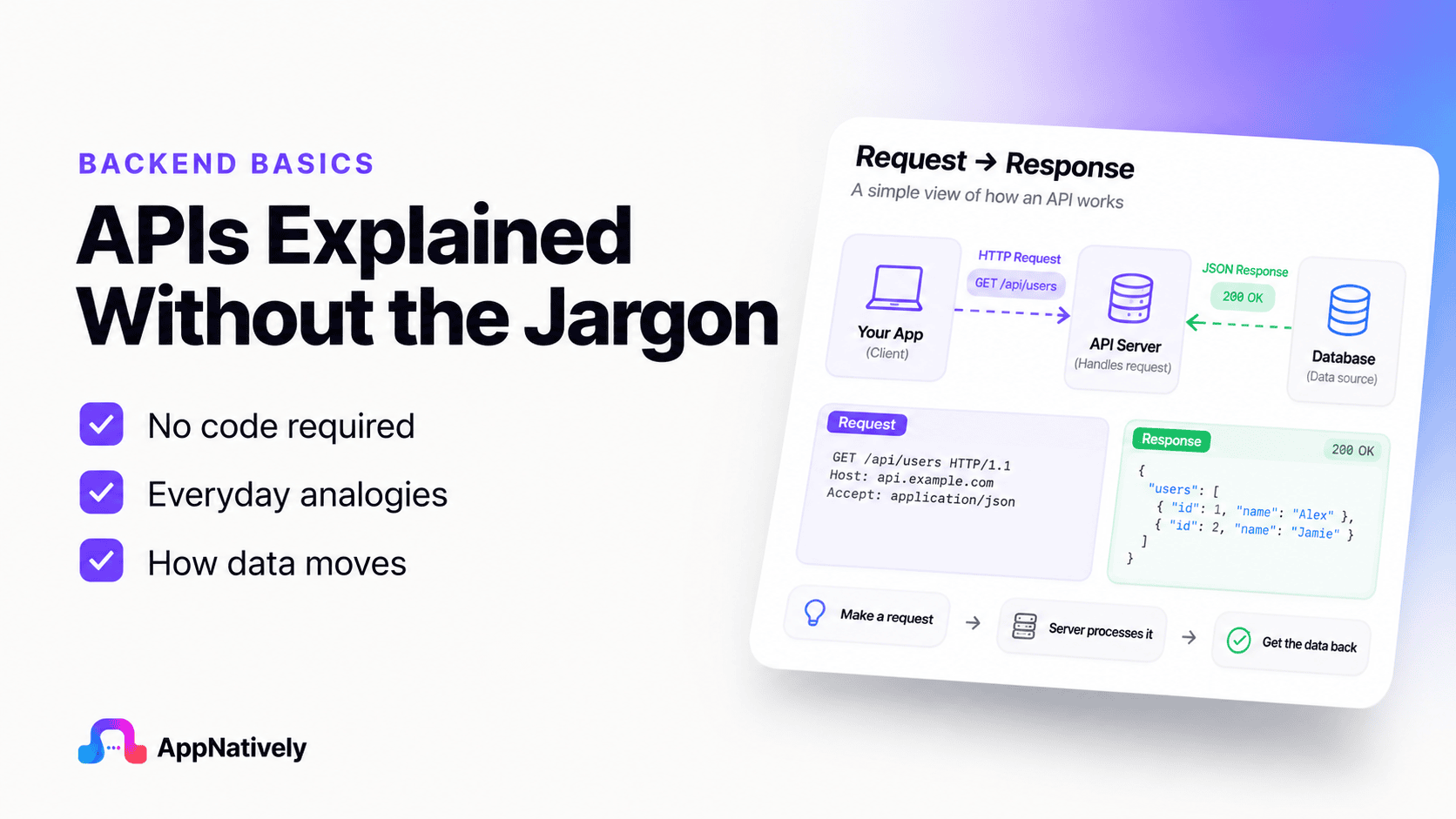
The reality is much simpler. An API is simply a messenger that allows different applications to communicate and share information.
In this blog post, you’ll discover what an API is, how it works, and why it matters, all through simple, real-world examples without the technical jargon.
What Is an API?
An API, short for Application Programming Interface, is a tool that allows two or more software applications to communicate with each other. While the name may sound complicated, the idea behind it is surprisingly simple.
Think about how people communicate. If you want to ask someone a question, you don’t need to understand how their brain processes information.
You simply ask the question, and they respond with an answer. An API works in a similar way. It helps one application ask another application for information or request that it performs a specific task.
For example, imagine you open a weather app on your phone to check today’s forecast. The weather app doesn’t measure the temperature itself. Instead, it asks a weather service for the latest weather information.
The API acts as the messenger that delivers the request and brings back the answer. Within seconds, the app displays the temperature, humidity, wind speed, and forecast on your screen.
The same thing happens when you:
Sign in to a website using your Google or Facebook account.
Pay for an online purchase using a payment service.
Book a ride through a ride-sharing app.
View a location on a digital map.
Track a package from an online store.
In each of these situations, different applications need to exchange information. Rather than building everything from scratch, they rely on APIs to communicate quickly, securely, and accurately.
One of the biggest misconceptions about APIs is that they’re only useful for software developers. In reality, APIs affect almost everyone who uses the internet.
Whether you’re shopping online, streaming music, ordering food, or checking sports scores, APIs are working behind the scenes to make those experiences smooth and convenient.
The best part is that you don’t need to know how the underlying systems work to understand the purpose of an API. Just remember this simple definition:
An API is a messenger that allows different applications to communicate and share information without exposing their internal workings.
A Real-Life Analogy
One of the easiest ways to understand an API is to compare it to a waiter in a restaurant.
Let’s assume, you visit your favorite restaurant. You sit down, look at the menu, and decide what you’d like to eat. Instead of walking into the kitchen and telling the chef directly, you place your order with the waiter.
The waiter takes your order to the kitchen, where the chefs prepare your meal. Once it’s ready, the waiter brings the food back to your table.
Notice what happened here:
You never entered the kitchen.
You didn’t need to know how the food was cooked.
The chefs didn’t need to speak directly with you.
The waiter handled all the communication between both sides.
An API performs exactly the same role in software.
Instead of a customer, you have an application making a request.
Instead of a waiter, you have an API carrying that request.
Instead of a kitchen, you have another application or service that processes the request.
Finally, the API returns the result to the original application.
This process happens in seconds, often so quickly that you never notice it. Every time you search for a location, check your bank balance, stream a video, or log in with another account, an API is quietly handling the communication in the background.
Thinking of an API as a waiter is one of the simplest and most accurate ways to understand its purpose. It doesn’t create the information itself. Instead, it connects the right people, or in this case, the right applications, so they can exchange information efficiently.
How an API Works (Without the Technical Terms)
Now that you understand what an API is, let’s see how it works in everyday situations.
At its core, an API follows a simple four-step process. You don’t need to memorize any technical terms to understand it.
Step 1: You make a request
Everything starts with an action.
You might tap a button in an app, search for a product, check today’s weather, or log in to a website. From your perspective, you’re simply asking the app to do something.
Step 2: The API delivers the request
The app doesn’t always have the information you need. Instead, it sends your request through an API.
Think of the API as a trusted messenger. Its job is to carry your request to the right service and ask for the information or action you requested.
Step 3: The service does the work
The receiving service processes the request.
For example:
A weather service looks up the latest forecast.
A payment service checks whether your payment is approved.
A map service finds the fastest route to your destination.
A shopping service checks whether a product is in stock.
This is where the actual work happens. The API simply connects both sides.
Step 4: The API returns the response
Once the service has finished processing your request, it sends the result back through the API.
The app then displays the information in a way that’s easy for you to understand.
For example, instead of showing complicated data, your weather app simply displays:
Temperature: 28°C
Condition: Sunny
Chance of Rain: 10%
All of this happens within a few seconds.
A Simple Example
Let’s consider, you’re using a food delivery app.
You search for “pizza.”
The app sends your search through an API.
The restaurant service finds nearby pizza restaurants.
The API brings the results back.
The app displays a list of restaurants, menus, prices, and delivery times.
You never see the communication happening in the background. It feels like the app already knows the answer, but in reality, the API is working behind the scenes to retrieve the latest information.
Why this process matters
Without APIs, every application would have to build every feature on its own.
A shopping app would have to create its own payment system, map service, email service, weather service, and much more. That would take an enormous amount of time, money, and effort.
Instead, developers can connect existing services through APIs. This saves time, reduces costs, and allows businesses to focus on creating better products instead of reinventing tools that already exist.
For users, the benefit is simple: everything works together more smoothly. You can log in with one account, pay securely, track deliveries, view maps, and receive real-time updates, all without thinking about the technology making it possible.
Everyday Examples of APIs
You may not realize it, but APIs are part of your daily routine. Almost every modern app relies on them to deliver fast, accurate, and connected experiences.
Here are some common examples.
i. Logging In with Google or Facebook
Instead of creating a new username and password for every website, many people choose “Continue with Google” or “Continue with Facebook.”
When you click one of these buttons, the website uses an API to verify your identity. Once you’re confirmed, you’re signed in within seconds.
ii. Online payments
When you buy something online, the store usually doesn’t process your payment itself.
Instead, it sends your payment information securely to a trusted payment provider through an API. The payment provider checks the transaction and returns the result almost instantly.
That’s why you receive a confirmation message just moments after completing your purchase.
iii. Weather apps
Most weather apps don’t collect weather data themselves.
They request the latest forecast from professional weather services through APIs. This allows the app to display current temperatures, forecasts, and weather alerts in real time.
iv. Maps and navigation
When you search for a location or request directions, your map app communicates with mapping services through APIs.
These services calculate routes, estimate travel times, and provide live traffic updates before sending the information back to your phone.
v. Food delivery apps
Food delivery platforms use APIs to connect with restaurants, payment providers, delivery drivers, and location services.
Because of these connections, you can browse menus, place an order, pay online, and track your delivery, all from a single app.
vi. Social media sharing
Many websites let you share articles or videos directly to social media.
When you click the Share button, APIs help transfer the content to your chosen platform without requiring you to copy and paste links manually.
vii. Travel Booking Websites
Travel websites combine information from airlines, hotels, and car rental companies.
Instead of maintaining all that information themselves, they use APIs to collect real-time prices, availability, and booking details from multiple providers, making it easy to compare your options in one place.
These examples show that APIs aren’t just a tool for developers. They’re a core part of the digital experiences millions of people rely on every day, often without even realizing it.
Why APIs Are Important
By now, you’ve seen that APIs are everywhere. But why are they so important?
The answer is simple: APIs make modern software possible. Instead of every application trying to do everything on its own, APIs allow different services to work together. This saves time, reduces costs, and creates a better experience for users.
Here are some of the biggest reasons APIs matter.
1. They connect different applications
Most apps don’t work alone. They rely on other services to provide features like payments, maps, notifications, and user authentication.
APIs act as the bridge that allows these services to communicate. Without them, many of the digital experiences we enjoy today wouldn’t be possible.
2. They save time
Imagine a company building a new shopping app.
Instead of creating its own payment system, mapping service, and email platform from scratch, the company can use APIs from trusted providers.
This allows developers to focus on improving the shopping experience rather than rebuilding tools that already exist.
3. They improve user experience
Users expect apps to be fast, convenient, and connected.
Thanks to APIs, you can sign in with one account, receive instant notifications, track deliveries in real time, and make secure online payments without switching between multiple apps.
Everything feels seamless because APIs handle the communication behind the scenes.
4. They keep information up to date
Many applications depend on live information.
A weather app needs the latest forecast. A stock market app needs current prices. A navigation app needs real-time traffic updates.
APIs make it possible to fetch the latest information whenever it’s needed, ensuring users always see the most current data.
Common API Myths
Because APIs are often discussed in technical circles, several misconceptions have developed around them. Let’s clear up a few of the most common ones.
Myth 1: APIs are only for developers
While developers build and use APIs, their impact goes far beyond programming.
Business owners use API-powered tools to automate workflows. Marketers connect different platforms to streamline campaigns. Customer support teams integrate help desk software with communication tools.
Even if you’ve never written a line of code, you’ve almost certainly benefited from APIs.
Myth 2: APIs are difficult to understand
The terminology can make APIs seem intimidating, but the core idea is simple.
Remember the restaurant example. One side makes a request, the API carries it to the right place, and the response comes back. That’s the basic concept behind almost every API.
Myth 3: APIs replace applications
An API isn’t an application by itself.
Instead, it helps applications communicate with one another. Think of it as a bridge rather than a destination. The apps still perform the work, while the API helps them exchange information.
Myth 4: APIs are only used by large companies
It’s true that companies like Google, Amazon, and Microsoft rely heavily on APIs, but they’re just as valuable for small businesses and startups.
Many small companies use APIs to add payment processing, email notifications, customer support, analytics, and many other features without building them from scratch.
Simple Benefits of APIs
Whether you’re a developer, business owner, student, or everyday internet user, APIs offer several practical benefits.
Faster development
Developers don’t have to reinvent the wheel every time they build an application. They can use existing services through APIs, allowing them to launch products more quickly.
Better integration
Businesses often use multiple software tools for accounting, marketing, customer support, and sales.
APIs help these tools work together, reducing manual work and improving productivity.
Increased reliability
Many API providers specialize in a single service, such as payments, maps, or messaging.
Because these providers continuously improve and maintain their systems, applications that use their APIs can offer reliable features without managing the underlying infrastructure.
More innovation
APIs encourage creativity.
Developers can combine different services in new ways to build unique applications.
A fitness app might connect with a map service to track running routes, a weather service to recommend the best time to exercise, and a music platform to create workout playlists.
Without APIs, creating these connected experiences would be much more difficult.
Ready to Build Your Own App?
Now that you understand how APIs help apps communicate and unlock powerful features, imagine building your own app without writing complex code.
With AppNatively, you can create high-performance native mobile apps using an intuitive drag-and-drop builder. Easily connect your app with APIs, customize features, and launch faster without the traditional development headaches.
Whether you’re an entrepreneur, small business owner, or creator, AppNatively makes app development simple, flexible, and accessible.
Start building your native app with AppNatively today and turn your ideas into reality, no coding expertise required.
Final Thoughts: API Explained Without the Technical Jargon
Although the term API may sound technical, the concept is surprisingly straightforward.
An API is simply a messenger that allows different applications to communicate and share information. It helps software exchange data, perform tasks, and deliver the seamless digital experiences we’ve come to expect.
Every time you log in with Google, check the weather, pay online, use a map, stream music, or order food, APIs are quietly working behind the scenes to make everything happen.
You don’t need to be a programmer to understand or appreciate APIs. Knowing the basic idea can help you better understand how modern technology works and why so many apps feel connected.
Mobile apps commonly fail to publish because of policy violations, incomplete store listings, privacy issues, crashes, broken functionality, misleading metadata, or security concerns.
Both Google Play and Apple App Store enforce strict review guidelines, and even minor mistakes can result in rejection, delays, or suspension. Fortunately, most publishing issues can be identified and fixed before resubmission.
Publishing an app is often considered the final step in the development process, but for many developers, it becomes an unexpected obstacle.
After investing months in design, coding, testing, and marketing preparation, receiving a rejection notice from the app store can be frustrating and costly.
Whether you’re launching your first application or managing a portfolio of mobile products, understanding why apps fail during the review process is critical.
In this blog post, we’ll explain the most common reasons mobile apps get rejected and provide actionable solutions to help you achieve approval faster.
Publish Native Apps to the App Store & Google Play
Stop dealing with complex submissions and rejections. With AppNatively, you can publish fully native iOS and Android apps directly to the Apple App Store and Google Play—faster and easier.
Launch your app with confidence and reach real users sooner.
👉 Join the Waitlist for AppNatively Today
Mobile App Review Process
Before discussing reasons for rejection, it’s important to understand how app stores evaluate submissions.
Both Google Play and Apple App Store review apps based on:
User safety
Privacy compliance
Security standards
Performance quality
Content policies
Metadata accuracy
User experience
If your application fails to meet any of these requirements, it may be rejected, suspended, or removed from the review queue.
Why Your Mobile App Fails to Publish: Reasons & Fix Guides
1. Policy Violations
Policy violations are among the most common reasons apps fail to publish.
Examples include:
Misleading functionality
Prohibited content
Unauthorized data collection
Spam behavior
Copyright infringement
Deceptive advertising
How to Fix It
Carefully review current platform policies.
Audit all app features.
Remove prohibited content.
Ensure compliance with privacy and advertising regulations.
2. Missing Privacy Policy
Privacy compliance has become a major focus for app stores.
If your app collects:
Email addresses
Phone numbers
Location data
Device information
Payment information
You generally need a clear privacy policy.
How to Fix It
Create a comprehensive privacy policy.
Host it on a secure website.
Include the policy URL in your app listing.
Clearly explain how user data is collected and used.
3. App Crashes During Review
Reviewers test your app on real devices.
If your app crashes during launch or while navigating features, approval is unlikely.
Common Causes
Memory leaks
API failures
Device compatibility issues
Missing configurations
Backend connection errors
How to Fix It
Perform extensive QA testing.
Test on multiple devices.
Monitor crash logs.
Use beta testing programs before submission.
4. Incomplete App Store Listing
Many developers focus entirely on development and overlook store optimization requirements.
Common missing elements include:
Screenshots
App descriptions
Privacy disclosures
Feature graphics
Promotional content
How to Fix It
Create a complete submission checklist before publishing.
Include:
App icon
Screenshots
Description
Keywords
Contact information
Privacy policy URL
5. Misleading App Metadata
Your store listing must accurately represent your application.
Examples of violations:
Fake screenshots
Keyword stuffing
False feature claims
Misleading descriptions
How to Fix It
Ensure that every screenshot and description accurately reflects the app’s functionality.
6. Poor User Experience
Even technically functional apps can be rejected if they provide a poor user experience.
Common UX issues:
Broken navigation
Non-responsive buttons
Excessive ads
Confusing interfaces
Incomplete onboarding
How to Fix It
Conduct usability testing before submission.
Gather feedback from:
Beta users
Internal testers
QA teams
7. Excessive Permissions
Requesting unnecessary permissions raises red flags during review.
Examples:
Camera access without camera features
Location tracking without clear purpose
Contact access for unrelated functionality
How to Fix It
Only request permissions essential to app functionality.
Explain permission usage clearly to users.
8. Security Vulnerabilities
Apps handling user information must meet modern security standards.
Common problems:
Unencrypted communications
Weak authentication
Exposed APIs
Insecure data storage
How to Fix It
Implement:
HTTPS encryption
Secure authentication
Token management
Data encryption
9. Broken Login Systems
Many apps fail review because reviewers cannot access core functionality.
Common issues:
Invalid demo credentials
Login loops
Authentication failures
Expired test accounts
How to Fix It
Provide:
Working reviewer accounts
Test credentials
Access instructions
Verify everything before submission.
10. Copyright and Trademark Violations
Using copyrighted materials without permission can lead to immediate rejection.
Examples include:
Unauthorized images
Brand logos
Music files
Trademarked names
How to Fix It
Use:
Licensed assets
Original content
Proper permissions
Keep documentation available if requested.
11. Spam or Duplicate Apps
App stores actively combat low-quality and duplicate content.
Examples:
Multiple similar apps
Template-based clones
Minimal functionality apps
How to Fix It
Focus on creating unique value.
Differentiate your application through:
Features
Design
Content
User experience
12. Performance Problems
Slow apps create poor user experiences and often fail review.
Symptoms include:
Long loading times
Freezing screens
High battery usage
Excessive resource consumption
How to Fix It
Optimize:
API calls
Images
Database queries
Background processes
13. In-App Purchase Violations
Incorrect payment implementations frequently cause rejections.
Common issues:
Bypassing required payment systems
Missing purchase disclosures
Broken subscription flows
How to Fix It
Follow official payment guidelines and thoroughly test all purchase scenarios.
14. Insufficient Testing
Many rejections occur because developers submit apps too early.
Recommended Testing Areas
Functional testing
UI testing
Device testing
Security testing
Performance testing
Accessibility testing
15. Failure to Follow Platform-Specific Guidelines
Google Play and Apple App Store have different review requirements.
A feature acceptable on one platform may violate policies on another.
How to Fix It
Review platform-specific requirements before every submission.
Store policies change frequently, making regular compliance reviews essential.
Mobile App Publishing Checklist
Before submitting your app, verify:
No crashes
Privacy policy included
Accurate screenshots
Functional login credentials
No policy violations
Secure data handling
Responsive UI
Optimized performance
Proper permissions
Complete metadata
How Long Does App Approval Take?
Approval times vary depending on:
Platform
App category
Reviewer workload
Compliance status
Apps with complete documentation and strong compliance typically experience faster reviews than apps requiring multiple revisions.
Conclusion
Mobile app publishing failures are rarely caused by a single major issue. More often, they result from overlooked details such as privacy disclosures, metadata inaccuracies, crashes, permission misuse, or policy violations. Understanding the review process and following a structured pre-launch checklist dramatically increases your chances of approval.
The most successful developers treat app publishing as part of the product development cycle rather than a final administrative step.
By prioritizing compliance, security, performance, and user experience from the beginning, you can reduce rejection risks and launch your app successfully on both Google Play and the Apple App Store.
Frequently Asked Questions (FAQs)
Why was my mobile app rejected from Google Play?
Google Play may reject apps due to policy violations, privacy concerns, excessive permissions, crashes, misleading metadata, or security vulnerabilities.
How do I fix a rejected app submission?
Review the rejection notice carefully, identify the specific issue, make the necessary corrections, test thoroughly, and resubmit the application.
What is the most common reason apps fail to publish?
Policy violations, incomplete privacy disclosures, app crashes, and misleading store listings are among the most common reasons.
How long does app review take after resubmission?
Review times vary, but corrected submissions often move faster through the approval process than initial submissions.
Can an app be permanently banned from app stores?
Yes. Severe or repeated policy violations can lead to permanent developer account suspension and app removal.
Do all apps need a privacy policy?
Any app that collects, stores, or processes user data generally requires a privacy policy.
How can I increase my app approval rate?
Follow platform guidelines, test extensively, optimize performance, provide accurate metadata, and ensure compliance with privacy and security requirements.
Every Shopify store owner knows that mobile commerce is dominating online shopping. With the majority of customers browsing, comparing, and purchasing products from their smartphones, many brands believe that having a responsive mobile website is enough to stay competitive. Unfortunately, that’s where a costly mistake begins.
While mobile websites provide convenience, they often fail to deliver the speed, engagement, personalization, and customer retention that today’s shoppers expect.
As a result, countless Shopify stores unknowingly leave thousands or even hundreds of thousands of dollars in revenue on the table every year. From abandoned carts and lost repeat customers to missed opportunities for push notifications and loyalty-building experiences, relying solely on a mobile website can significantly limit growth.
The most successful eCommerce brands have discovered a critical advantage: mobile apps consistently outperform mobile websites when it comes to customer engagement, repeat purchases, and lifetime value.
In this article, we’ll uncover the $100,000 mistake many Shopify stores make. So, without further ado, let’s dig deeper.
Build your Shopify app instantly with drag & drop- Join Waitlist
Why Mobile Websites Are No Longer Enough
Consumer behavior has changed dramatically over the last decade. Mobile shoppers now expect instant experiences, personalized recommendations, and seamless purchasing journeys.
While responsive websites can provide accessibility, they often cannot match the convenience and engagement features available through mobile applications.
When customers close a browser tab, reconnecting with them becomes significantly more difficult.
A mobile app changes that equation.
The Real Cost of Relying Only on a Shopify Mobile Website
Imagine a Shopify store generating $500,000 annually.
If the business loses:
10% of potential repeat customers
5% in abandoned carts
8% in missed promotional opportunities
7% in reduced customer engagement
The combined revenue loss can easily exceed $100,000 annually.
Many merchants focus heavily on acquiring new customers while overlooking retention opportunities that already exist within their customer base.
Because acquiring a new customer often costs far more than retaining an existing one, every missed repeat purchase becomes increasingly expensive.
$100,000 Mistake Shopify Stores Make by Relying Only on Mobile Websites
The “$100,000 mistake” Shopify stores make by relying only on a mobile website usually comes down to one core issue: treating the mobile browser experience as the final product instead of just one channel.
Here’s what that really means in practical terms.
Many Shopify merchants assume that because their store is “mobile-optimized,” they’re fully covered. After all, most traffic is mobile.
But a mobile website (even a responsive one) still sits inside a browser environment, which has limits that directly affect conversions, retention, and repeat purchases.
The hidden cost shows up in a few ways:
1. Losing high-intent repeat customers
A mobile website requires users to:
open a browser
search or retype the URL
wait for the site to load
log in again (often)
That friction quietly kills repeat buying behavior. Apps, on the other hand, keep users logged in and one tap away from checkout.
2. Lower conversion rates from push traffic
With only a mobile website, you can’t effectively use:
push notifications
home screen presence
app-exclusive drops or reminders
So even if someone is interested, you lose easy re-engagement paths that drive impulse purchases.
3. Weaker brand “stickiness”
A website is temporary; an app icon on a phone is persistent. Stores relying only on mobile web often struggle with:
lower return frequency
weaker customer lifetime value (LTV)
higher dependence on paid ads
4. Higher customer acquisition costs over time
Because customers don’t come back as often, you keep paying to re-acquire them through ads. That’s where the “$100,000 mistake” framing comes from—lost repeat revenue compounds quickly at scale.
5. Missed personalization opportunities
Apps allow deeper personalization like:
behavior-based notifications
saved preferences
faster checkout flows
loyalty integration
Mobile web is more limited in how “sticky” and personalized it can become.
How Mobile Apps Increase Shopify Revenue
1. Higher Conversion Rates
Mobile apps remove many of the friction points associated with websites.
Customers can:
Stay logged in
Save payment methods
Browse faster
Checkout with fewer clicks
The result is a smoother shopping experience that often leads to higher conversion rates.
2. Push Notifications Drive Repeat Sales
One of the biggest advantages of a Shopify mobile app is push notifications.
Unlike email campaigns that may never be opened, push notifications appear directly on customers’ devices.
Store owners can instantly notify customers about:
Flash sales
New arrivals
Back-in-stock products
Exclusive discounts
Abandoned carts
This creates a direct communication channel that mobile websites simply cannot replicate effectively.
3. Improved Customer Retention
Retention is often the biggest growth lever in eCommerce.
When customers install a store’s mobile app, the brand gains a permanent place on their smartphone.
This visibility creates ongoing engagement opportunities and increases the likelihood of repeat purchases.
Customers who regularly interact with an app often become more loyal than website-only shoppers.
4. Faster User Experience
Speed matters.
Research consistently shows that even small delays in page loading can reduce conversions.
Mobile apps typically offer:
Faster navigation
Better performance
Reduced loading times
Offline browsing capabilities
These improvements create a more enjoyable shopping experience and encourage users to complete purchases.
5. Personalized Shopping Experiences
Modern consumers expect personalization.
Mobile apps can deliver:
Product recommendations
Personalized promotions
Purchase history tracking
Behavior-based offers
This level of customization helps increase customer satisfaction and average order value.
Shopify Mobile App vs Mobile Website: Which Performs Better?
For most growing eCommerce brands, the answer isn’t either/or—it’s both.
A mobile website is essential for attracting visitors through search engines, while a Shopify mobile app excels at retaining customers, increasing engagement, and driving repeat purchases.
The key difference is that a mobile website helps customers find your store, while a mobile app helps them keep coming back.
Performance Comparison
Feature
Shopify Mobile Website
Shopify Mobile App
SEO Visibility
Excellent
Limited
App Store Presence
No
Yes
Loading Speed
Good
Excellent
Push Notifications
No
Yes
Customer Retention
Moderate
High
Repeat Purchases
Moderate
High
Personalized Experience
Basic
Advanced
Offline Access
No
Limited
Cart Recovery
Limited
Strong
User Engagement
Moderate
Very High
Checkout Experience
Good
Excellent
Brand Visibility
Browser-Based
Always on Customer’s Device
Key Takeaway
A mobile website is your customer acquisition tool. It helps shoppers discover your products through Google and other search engines.
However, once a customer makes a purchase, a mobile app becomes significantly more powerful for building loyalty and encouraging repeat sales.
Mobile apps offer several advantages that websites cannot easily replicate:
Instant push notifications
Faster navigation and checkout
Personalized product recommendations
Higher customer retention
Better customer lifetime value
Increased repeat purchase rates
Which Option Should Shopify Stores Choose?
Business Goal
Best Solution
Increase Organic Traffic
Mobile Website
Improve Customer Retention
Mobile App
Reduce Cart Abandonment
Mobile App
Build Brand Loyalty
Mobile App
Rank on Google
Mobile Website
Drive Repeat Purchases
Mobile App
Maximize Revenue Growth
Both
Turn Your Website Into a Native Mobile App in Minutes with AppNatively
Signs Your Shopify Store Needs a Mobile App
Your store may benefit from a mobile app if:
You receive substantial mobile traffic.
Customer retention is lower than expected.
Cart abandonment rates remain high.
You run frequent promotions.
Repeat purchases drive a large percentage of revenue.
Customer acquisition costs continue increasing.
You want stronger customer loyalty.
The larger your customer base becomes, the greater the potential return from app-based engagement.
How to Transition Beyond a Mobile-Only Strategy
The most successful Shopify brands do not replace their websites.
Instead, they create a complete mobile commerce ecosystem:
Use SEO to attract organic traffic.
Convert visitors through a high-performing website.
Encourage customers to install the mobile app.
Use push notifications for retention.
Personalize offers based on customer behavior.
Increase lifetime value through repeat purchases.
This approach creates multiple growth channels instead of relying on a single customer touchpoint.
Build Shopify App at Reasonable Price: Join AppNatively Waitlist
Final Thoughts
The biggest mistake many Shopify merchants make is assuming a responsive website is the final step in mobile optimization.
In reality, a mobile website is only the beginning.
As competition increases and customer acquisition costs rise, retention becomes the true driver of long-term profitability. Mobile apps provide advantages that websites simply cannot match, including push notifications, deeper personalization, stronger engagement, and improved customer loyalty.
For many Shopify stores, continuing to rely solely on a mobile website can quietly cost tens of thousands or even hundreds of thousands—of dollars in missed revenue every year.
The brands that recognize this gap early are often the ones that achieve faster growth, stronger retention, and greater lifetime customer value.
Frequently Asked Questions (FAQs)
Is a mobile website enough for a Shopify store?
A mobile website is essential, but it may not be enough for stores seeking higher retention, engagement, and repeat purchases. Mobile apps provide additional advantages such as push notifications and personalized experiences.
Why do Shopify stores need a mobile app?
A mobile app helps increase customer retention, improve conversions, strengthen loyalty, and create direct communication channels through push notifications.
Do mobile apps convert better than mobile websites?
In many cases, yes. Mobile apps often provide faster experiences, simpler checkout processes, and personalized shopping journeys that encourage purchases.
How much revenue can a Shopify mobile app generate?
Results vary by store size and customer base. However, many merchants see improvements in repeat purchases, retention, and customer lifetime value after launching a mobile app.
What are the benefits of push notifications?
Push notifications help stores instantly communicate promotions, product launches, abandoned cart reminders, and personalized offers directly to customers’ devices.
Can small Shopify stores benefit from a mobile app?
Yes. While larger stores often see the biggest impact, smaller stores can also improve retention, customer engagement, and repeat sales through mobile apps.
The latest trends in eCommerce app development focus on AI-driven personalization, mobile-first design, augmented reality (AR), voice commerce, and headless architecture.
These innovations help businesses deliver faster, smarter, and more engaging shopping experiences, increasing conversions and customer retention.
As online shopping continues to evolve, modern eCommerce apps must go beyond basic functionality.
Today’s successful apps leverage automation, real-time data, and immersive technologies to meet rising user expectations and stay competitive in a rapidly changing digital landscape.
Latest Trends in eCommerce App Development
eCommerce app development is rapidly evolving as businesses shift toward smarter, faster, and more personalized digital shopping experiences.
Below are the latest trends shaping how modern eCommerce apps are built and used in 2026 and beyond.
1. AI-driven personalization
AI is now the core engine behind modern eCommerce apps. It helps apps understand user behavior and personalize the entire shopping experience.
For example, Amazon uses AI to recommend products based on browsing and purchase history.
Shopify apps also use AI tools like product recommendation engines to increase conversions by showing relevant items automatically.
Some newer apps go further by acting like shopping assistants. A user can say, “I need running shoes for flat feet,” and the app filters and suggests the best matches instantly.
Build your Shopify app instantly with drag & drop [Join AppNatively Waitlist]
2. Headless and composable commerce
Headless commerce separates the frontend from the backend, allowing more flexibility and speed in development.
For example, Nike uses a composable architecture to deliver consistent experiences across its mobile app, website, and in-store systems. This allows them to update the UI without touching backend logic.
Brands using platforms like BigCommerce or commercetools benefit from this flexibility when scaling globally.
3. Mobile first experience
Most eCommerce traffic now comes from mobile devices, so apps are designed for speed and simplicity.
For example, Alibaba’s mobile app is optimized for fast browsing with minimal clicks to purchase.
Similarly, Zara’s app focuses on clean design and fast product discovery to reduce friction.
Progressive Web Apps are also used by brands like Starbucks to deliver app-like experiences without requiring downloads.
4. Frictionless checkout
Modern apps focus heavily on reducing checkout steps.
For example, Apple Pay and Google Pay allow one-tap payments in apps like Shopify-powered stores.
Amazon’s “Buy Now” button is one of the most famous examples of frictionless checkout, allowing users to purchase instantly without going through cart pages.
5. Social commerce integration
Shopping is increasingly happening inside social platforms.
For example, TikTok Shop allows users to buy products directly from videos. Instagram Shopping lets brands tag products in posts so users can purchase without leaving the app.
Many fashion brands now generate significant sales directly from influencer-driven content.
6. Augmented reality shopping
AR helps users visualize products before buying.
For example, IKEA Place lets users see how furniture will look in their room using AR. Sephora’s app allows customers to try makeup virtually before purchasing.
This reduces uncertainty and improves buyer confidence.
7. Omnichannel integration
Customers expect seamless shopping across all platforms.
For example, Walmart allows users to buy online and pick up in-store with real-time inventory syncing.
Nike also syncs customer profiles across app, web, and physical stores for a unified experience.
8. No code and AI-assisted development
App development is becoming faster and more accessible.
For example, tools like FlutterFlow and Webflow allow startups to build eCommerce apps without heavy coding.
AI coding assistants like GitHub Copilot help developers generate UI and backend logic faster.
This significantly reduces time to launch.
9. Voice-based shopping
Voice commerce is growing as smart assistants improve.
For example, users can reorder products using Alexa by saying “reorder my shampoo.” Google Assistant also supports product searches and shopping lists through voice commands.
10. Predictive analytics
Apps now use data to predict what customers will want next.
For example, Amazon and Flipkart use recommendation systems that suggest products before users even search for them.
This improves retention and increases repeat purchases.
AI in eCommerce Apps: How Personalization Drives Sales
eCommerce apps are becoming more competitive, and personalization is now the key factor that separates average stores from high-converting brands. Artificial intelligence plays a central role in understanding users and turning browsing behavior into sales.
AI-powered product recommendations
AI analyzes user behavior such as clicks, search history, and purchases to suggest relevant products.
For example, Amazon’s recommendation system shows “Frequently bought together” and “Recommended for you” sections that significantly increase average order value.
Netflix-style recommendation engines are now widely used in eCommerce apps to keep users engaged and buying.
Personalized search results
Instead of showing the same results for everyone, AI customizes search outcomes based on user intent.
For example, if one user frequently buys premium products, a search for “headphones” will prioritize high-end brands.
Another user looking for budget options will see affordable listings first. Shopify-based stores use AI search tools like Algolia to achieve this level of personalization.
AI shopping assistants
Modern eCommerce apps now include chat-based shopping assistants that guide users through the buying process.
For example, Sephora’s chatbot helps customers choose skincare products based on skin type and preferences.
Some AI assistants can even complete the purchase process by adding items to the cart and suggesting bundles.
Dynamic pricing and offers
AI helps adjust prices and discounts based on demand, competition, and user behavior.
For example, airline apps and Uber already use dynamic pricing models.
In eCommerce, similar systems are used to offer personalized discounts to users who are likely to abandon their cart, increasing conversion rates.
Predictive customer behavior
AI can predict what a user is likely to buy next based on patterns.
For example, if a customer regularly buys skincare products every 30 days, the app can send reminders or auto-suggest a refill. Amazon uses this type of predictive modeling to increase repeat purchases.
Personalized email and push notifications
AI improves retention by sending targeted messages instead of generic promotions.
For example, instead of sending a “10 percent discount for everyone,” the app might send a personalized message like “Your favorite sneakers are back in stock.”
This type of communication significantly improves click-through and conversion rates.
Visual and voice personalization
AI is also enhancing how users interact with apps visually and through voice.
For example, Pinterest uses visual AI to recommend similar products based on images.
Voice assistants like Alexa allow users to reorder products using natural speech commands, making shopping faster and more intuitive.
Must-Have eCommerce App Features in 2026
Below are the must-have features every modern eCommerce app needs to stay competitive.
i. Smart and predictive search
Search is no longer keyword-based. AI understands intent and predicts what users want.
For example, when a user types “running shoes,” the app may prioritize brands based on budget, previous purchases, or location-based trends.
Platforms like Algolia and ElasticSearch power this intelligent search experience in many modern apps.
ii. One tap checkout and digital wallets
A slow checkout process is one of the biggest reasons for cart abandonment, so frictionless payment is essential.
For example, Apple Pay, Google Pay, and PayPal Express Checkout allow users to complete purchases with one tap. Amazon’s “Buy Now” feature is another benchmark for instant purchasing.
iii. Personalized user dashboard
Every user should see a customized home screen.
For example, fashion apps like Zalando show different product feeds based on user style preferences, browsing history, and past purchases. This makes the shopping experience feel unique for every customer.
iii. Social commerce integration
Shopping is heavily influenced by social content.
For example, TikTok Shop and Instagram Shopping allow users to buy products directly from videos and posts. Many brands now generate large revenue through influencer-driven storefronts and shoppable content.
iv. AI shopping assistant or chatbot
AI assistants help users discover products, compare options, and complete purchases.
For example, Sephora’s chatbot recommends skincare products based on user preferences.
Some advanced systems act like virtual shopping agents that guide users from discovery to checkout.
v. Order tracking and real-time notifications
Users expect complete visibility after purchase.
For example, apps like Amazon and Flipkart provide real-time tracking with delivery updates, estimated arrival times, and push notifications for each stage of the order journey.
vi. Augmented reality product preview
AR allows users to visualize products before buying.
For example, IKEA Place lets users see how furniture fits in their space, while beauty apps like Sephora Virtual Artist let users try makeup digitally. This reduces uncertainty and returns.
vii. Wishlist and smart cart
A modern wishlist is more than saving items.
For example, Zara and Nike apps notify users when wishlisted products go on discount or come back in stock.
Smart carts can also suggest bundles or complementary products before checkout.
viii. Secure authentication and trust features
Security is a core feature in modern apps.
For example, biometric login using fingerprint or face ID is now standard. Apps also use fraud detection systems and secure payment gateways to protect transactions.
ix. Analytics and seller dashboard
For marketplace apps, seller tools are essential.
For example, Amazon Seller Central provides insights on sales, inventory, and customer behavior.
This helps sellers optimize listings and improve performance.
x. Multi-language and multi-currency support
Global eCommerce requires localization.
For example, Shopify stores automatically adapt currency, language, and tax settings based on user location, helping brands scale internationally.
Mobile Commerce Trends: Why Mobile-First Apps Win
Mobile commerce now accounts for the majority of global eCommerce traffic, and mobile apps consistently outperform desktop in key performance metrics.
Apps typically show higher conversion rates due to faster navigation, simplified user flows, and optimized checkout experiences.
One tap payment systems like Apple Pay and Google Pay significantly reduce checkout time and improve purchase completion rates.
Mobile apps also generate higher user retention because of push notifications, saved preferences, and personalized feeds.
Compared to websites, apps tend to produce higher average order values driven by recommendation engines and in app upselling.
Cart abandonment is generally lower in apps because checkout processes are shorter and more streamlined.
Overall, mobile-first commerce leads in traffic share, engagement, conversion efficiency, and customer lifetime value compared to desktop and mobile web channels.
How AR is Transforming eCommerce Apps (With Examples)
Augmented Reality is changing eCommerce apps by reducing uncertainty in online shopping and making product experiences feel closer to real life. Instead of just viewing images, customers can now interact with products in their own environment before buying.
1. Virtual try before you buy
AR allows users to try products digitally before making a purchase, which reduces hesitation and returns.
For example, Sephora uses AR in its app to let customers try makeup shades on their face in real time.
Similarly, L’Oreal’s AR tools help users test lipstick and foundation colors instantly, improving purchase confidence.
2. Furniture placement in real spaces
One of the most popular uses of AR in eCommerce is interior visualization.
For example, IKEA Place lets users place virtual furniture in their homes using their smartphone camera. Customers can see how a sofa or table fits in terms of size, color, and style before buying.
This reduces one of the biggest problems in furniture shopping, which is the mismatch between expectation and reality.
3. Fashion and virtual fitting rooms
AR is also reshaping fashion shopping by allowing virtual try-ons.
For example, Zara and Nike apps use AR to help users visualize clothing and shoes on their body or feet.
Some advanced systems even simulate movement and fit to improve accuracy.
This helps reduce return rates, which is a major issue in online fashion retail.
4. Beauty and skincare visualization
Beauty brands are using AR to personalize product selection.
For example, Sephora Virtual Artist allows users to test different makeup looks, while Maybelline’s AR filters let customers see how products look under different lighting conditions.
This makes online beauty shopping more interactive and decision-friendly.
5. Interactive product demonstrations
AR is not just for try-ons; it is also used to explain product features.
For example, car brands like BMW use AR in apps to show internal car features, engine details, and customization options.
Users can explore the product in 3D instead of reading static descriptions.
6. Increased conversion rates
AR directly impacts sales performance by reducing uncertainty.
For example, Shopify reports that AR-enabled products can significantly increase conversion rates because customers feel more confident about what they are buying.
Brands using AR also see higher engagement time inside apps.
7. Lower return rates
One of the biggest benefits of AR in eCommerce is fewer returns.
For example, furniture and fashion brands using AR tools report fewer size and expectation mismatches because customers can visualize products before purchase.
This reduces operational costs for businesses.
8. More immersive shopping experience
AR turns shopping into an interactive experience rather than a passive one.
For example, Snapchat and Instagram AR filters allow users to explore branded products in a fun and engaging way, which increases brand awareness and purchase intent.
How Much Does It Cost to Build an eCommerce App?
The cost to build an eCommerce app in 2026 and beyond varies widely depending on features, complexity, and technology choices.
Most projects fall into different tiers based on business size and functionality.
Simple MVP or basic app
A basic eCommerce app with standard features like product listing, cart, user login, and payment integration usually costs between 10,000 and 40,000 US dollars. For example, a small startup app built with a template-based UI and limited features often stays in this range.
Medium complexity app
A more advanced app with personalization, push notifications, analytics, multiple payment options, and better UI/UX typically costs between 40,000 and 150,000 US dollars.
For example, Shopify-based custom apps or mid-level D2C brand apps fall into this category.
Advanced or enterprise-level app
Large-scale apps with AI recommendations, AR features, multi-vendor marketplace, real-time tracking, and headless architecture usually cost between 150,000 and 300,000 plus US dollars. For example, platforms similar to Amazon or Alibaba require large backend systems, multiple integrations, and ongoing infrastructure costs.
Key factors that affect cost
The final cost depends on several important factors:
Number and complexity of features
UI and UX design quality
Native app vs. cross-platform development
Backend infrastructure and scalability needs
AI, AR, or advanced integrations
Development team location and experience
For instance, adding AI product recommendations or AR try-on features can significantly increase both development time and budget.
Ongoing costs
Beyond development, there are continuous expenses:
Maintenance and updates
Server and hosting costs
API and third-party service fees
Security and compliance updates
Typically, businesses spend around 15 to 20 percent of the original development cost every year on maintenance.
Launch fully native apps in minutes without high development costs. Get early access to AppNatively.
Best Tech Stack for eCommerce App Development in 2026
The best tech stack for eCommerce apps in 2026 is focused on speed, scalability, AI integration, and seamless user experience.
Most successful apps now use a composable or headless architecture instead of monolithic systems.
1. Frontend (Mobile and Web UI)
Modern eCommerce apps prioritize fast, responsive, and app-like experiences.
Popular choices
React Native (mobile apps)
Flutter (cross-platform apps)
Next.js (web frontend with SEO support)
Why it is used
Single codebase for multiple platforms
High-performance UI
Better user experience and faster development
For example, many Shopify storefront apps and D2C brands use React Native for mobile apps and Next.js for web storefronts because of its SEO and speed benefits.
2. Backend (Core business logic)
The backend handles products, users, orders, payments, and APIs.
Popular choices
Node.js with Express or NestJS
Python with Django or FastAPI
Java Spring Boot for enterprise-scale systems
Why it is used
Node.js is widely used for real-time features like live tracking and notifications
Python is preferred for AI-driven eCommerce features like recommendations
Java is used in large enterprise marketplaces for stability
For example, Amazon-style systems rely heavily on distributed backend services for handling millions of transactions.
3. Database (Data storage layer)
Popular choices
PostgreSQL (structured relational data)
MongoDB (flexible product catalogs)
Redis (caching and performance optimization)
Firebase (real time apps and MVPs)
Why it is used
PostgreSQL ensures strong consistency for orders and payments
Jamstack architecture for static plus dynamic rendering
Why it is used
Faster page loading
Better SEO for product pages
Improved conversion rates
For example, many high-traffic e-commerce stores use Next.js to improve Google rankings and reduce page load time.
5. Payment and checkout systems
Popular choices
Stripe
PayPal
Apple Pay and Google Pay
Razorpay (popular in Asian markets)
Why it is used
One tap checkout increases conversion rates
Secure and PCI-compliant payment processing
Supports global transactions
For example, Amazon-style checkout flows inspired the “Buy Now” one-click experience used widely today.
6. Cloud and hosting infrastructure
Popular choices
AWS (most scalable)
Google Cloud Platform
Microsoft Azure
Vercel (for frontend hosting)
Docker and Kubernetes for containerization
Why it is used
Auto scaling for traffic spikes
High availability for global users
Easy deployment pipelines
For example, large marketplaces use AWS microservices architecture to handle global traffic loads.
7. AI and personalization layer
This is now a must-have in 2026 eCommerce apps.
Popular tools
OpenAI APIs for recommendation engines and chat assistants
TensorFlow or PyTorch for custom ML models
Vector databases like Pinecone for product search
Use cases
Personalized product recommendations
AI shopping assistants
Predictive search and dynamic pricing
For example, Amazon-style recommendation systems and Sephora-style AI assistants significantly increase conversions.
8. Real-time and engagement tools
Popular choices
WebSockets (real-time updates)
Firebase Cloud Messaging
Pusher or Socket.io
Use cases
Live order tracking
Push notifications
Cart abandonment reminders
Recommended modern stack (2026 standard)
A widely used high-performance stack looks like this:
Frontend: Next.js or React Native
Backend: Node.js (NestJS) or Python (FastAPI)
Database: PostgreSQL + Redis
Hosting: AWS or Vercel
Payments: Stripe or Apple Pay
AI layer: OpenAI APIs + vector database
PWA vs Native Apps: Which is Better for eCommerce?
Progressive Web Apps and Native apps both work well for eCommerce, but they solve slightly different problems.
The right choice depends on your budget, growth stage, and how advanced your shopping experience needs to be.
What is a PWA in eCommerce?
A Progressive Web App is a website that behaves like an app. It runs in the browser but can be installed on a device, work offline, and send push notifications.
For example, Starbucks uses a PWA to let users browse menus, customize orders, and use the app even with poor internet connectivity. Twitter Lite is another example of a fast, lightweight PWA experience.
What is a Native app in e-commerce?
A Native app is built specifically for mobile platforms like iOS and Android using technologies such as Swift or Kotlin.
For example, Amazon and Alibaba use native apps to deliver highly optimized performance, smooth animations, and advanced features like AR shopping and deep device integration.
Performance comparison
Native apps generally perform better because they are built directly for the operating system. They offer smoother animations, faster interactions, and better access to device hardware.
PWAs are improving quickly, but they still depend on the browser, which can limit performance in high-complexity apps like AR-based shopping or heavy animations.
User experience
Native apps provide a more polished and immersive experience. They support gestures, offline storage, background processes, and advanced UI components.
PWAs provide a simpler experience that works across all devices without installation barriers. Users can access them instantly through a browser.
Development cost and time
PWAs are significantly cheaper and faster to build.
For example, a single PWA can serve both desktop and mobile users, reducing development effort. Native apps require separate development for iOS and Android, increasing cost and time.
Maintenance and updates
PWAs are easier to maintain because updates are deployed instantly through the web.
Native apps require app store approvals for updates, which can slow down release cycles.
SEO and discoverability
PWAs have a strong advantage in SEO because they are web-based.
For example, product pages in a PWA can be indexed by Google, driving organic traffic. Native apps rely on app store optimization instead of search engine visibility.
Push notifications and engagement
Both support push notifications, but native apps have more reliable and advanced notification capabilities.
For example, Amazon uses native app notifications to send real-time order updates and personalized offers, which improves retention.
Advanced features like AR and AI
Native apps are better suited for advanced features.
For example, IKEA and Sephora use native apps for AR-based product visualization and real-time camera interactions.
These features are still limited in PWAs due to browser constraints.
When to choose PWA for eCommerce
Choose PWA if:
You are a startup or small business
You want low development cost
You need fast launch and easy maintenance
SEO and web traffic are important
For example, new D2C brands often start with PWAs to validate their product quickly.
When to choose Native apps for eCommerce
Choose Native if:
You are building a large marketplace
You need advanced features like AR or AI assistants
You want high performance and smooth UX
You already have strong user base and revenue
For example, Amazon, Walmart, and Zalando use native apps for scale and performance.
Factor
PWA (Progressive Web App)
Good, depends on the browser
Development Cost
Low, single codebase
High, separate iOS and Android builds
Development Time
Fast
Slower
Performance
Large marketplaces, high-performance apps
Excellent, highly optimized
User Experience
App like but browser based
Fully immersive, smooth, and native feel
Installation
No app store needed, instant access
Requires app store download
SEO Visibility
Strong, indexable by Google
None, not searchable on the web
Offline Support
Limited offline caching
Strong offline capabilities
Push Notifications
Supported but limited in some browsers
Fully supported and reliable
Device Features Access
Limited access to hardware
Full access to camera, GPS, AR, etc
AR and Advanced Features
Limited or experimental
Fully supported and optimized
Maintenance
Easy, instant updates
Requires app store approval
Scalability
Great for startups and mid-level apps
Best for large scale platforms
Security
Moderate, browser dependent
High, OS level security
User Retention
Moderate
High
Best For
Startups, D2C brands, fast MVP launch
Large marketplaces, high performance apps
How to Market Your eCommerce App (Proven Strategies)
Honestly, marketing an eCommerce app in 2026 is less about “launch and advertise” and more about building continuous acquisition loops across search, social, and retention channels.
The apps that win are the ones that combine strong positioning with data-driven growth systems.
1. App store optimization for organic installs
Your App Store and Google Play pages are often your first conversion point.
Focus on:
Keyword-rich title and description
High-quality screenshots showing real use cases
Short preview video demonstrating shopping flow
Strong ratings and early reviews
For example, apps like Amazon and Shopify stores invest heavily in ASO because even small ranking improvements lead to massive install growth.
2. Influencer and creator-driven marketing
Creators now drive more conversions than traditional ads in many eCommerce niches.
For example, TikTok creators often showcase products in real use, and users can directly install apps to purchase them.
Fashion and beauty apps especially benefit from influencer-led discovery because trust is already built through the creator.
3. Social commerce integration
Instead of sending users to your app, bring your app experience into social platforms.
For example:
Instagram product tagging
TikTok Shop integrations
Shoppable reels and videos
This reduces friction and turns content into direct sales channels.
4. Paid advertising with intent targeting
Paid ads still work, but targeting matters more than volume.
Best performing channels:
Google Search Ads for high-intent keywords like “buy running shoes app”
Meta Ads for interest-based targeting
TikTok Ads for impulse buying behavior
For example, many Shopify brands run conversion-focused campaigns with dynamic product ads instead of generic banners.
5. Referral and reward systems
Word of mouth remains one of the most powerful growth channels.
For example, apps like Meesho and Airbnb use referral rewards to encourage users to invite friends.
Offering discounts, credits, or cashback for referrals can significantly reduce customer acquisition cost.
6. Push notifications and retention marketing
Acquiring users is only half the job. Retaining them is where revenue is made.
For example:
Abandoned cart reminders
Price drop alerts
Back in stock notifications
Personalized offers based on browsing behavior
Amazon heavily uses this strategy to bring users back into the app repeatedly.
7. Email marketing automation
Email remains a high ROI channel when done correctly.
For example:
Welcome sequences for new users
Product recommendation emails
Re-engagement campaigns for inactive users
AI tools now personalize email content based on user behavior, making campaigns more effective.
8. Content marketing and SEO
Even mobile apps benefit from web visibility.
For example:
Blog posts targeting product-related searches
Landing pages for specific categories
Comparison content like “best running shoes app.”
This drives organic traffic that converts into app installs over time.
9. App onboarding optimization
First impressions determine retention.
For example:
Simple signup process
Personalized onboarding questions
Guided product discovery
Apps like Spotify and Netflix show how personalization during onboarding increases long-term engagement.
10. Loyalty programs and gamification
Reward systems increase repeat purchases.
For example:
Points for every purchase
Tier-based membership benefits
Badges or achievement systems
This is widely used by brands like Starbucks to increase customer lifetime value.
11. Data-driven growth optimization
Successful apps constantly test and improve.
For example:
A/B testing product pages
Analyzing drop-off points in checkout
Optimizing push notification timing
Apps like Amazon continuously refine user journeys based on real-time data.
Build Native Apps Without Code Using AppNatively
Creating powerful mobile applications no longer requires complex coding or expensive development teams.
With AppNatively, you can design, build, and launch fully functional native apps using a simple drag-and-drop experience, making app development faster, more accessible, and scalable for everyone.
Whether you’re building an eCommerce app, a booking platform, or a content-based mobile experience, AppNatively helps you turn ideas into production-ready apps without technical barriers.
This eCommerce app builder is designed for creators, startups, and businesses who want to move fast while maintaining performance, flexibility, and a native mobile experience.
Frequently Asked Questions (FAQs)
What is a no-code drag-and-drop native app builder?
A no-code drag-and-drop native app builder is a platform that allows users to create fully functional mobile applications without writing code.
Users can design interfaces visually using drag-and-drop tools while the platform handles backend logic, databases, and native app compilation.
Can I build a real native mobile app without coding?
Yes, modern no-code platforms allow you to build real native apps for iOS and Android without coding.
These apps can include features like push notifications, payments, user authentication, and API integrations.
Are no-code apps scalable for business use?
Yes, many no-code apps are scalable for startups and SMEs. However, scalability depends on the platform’s architecture, backend capabilities, and integration support.
Some platforms also offer hybrid or enterprise-grade solutions for higher performance needs.
What types of apps can I build using a no-code app builder?
You can build a wide range of apps, including:
eCommerce apps
Booking and appointment apps
Marketplace apps
SaaS products
Social networking apps
Internal business tools
What are the advantages of drag-and-drop app builders?
The main advantages include faster development, lower cost, ease of use, and no need for technical skills.
They also allow rapid prototyping and quick deployment to app stores.
How much does it cost to build an app using no-code tools?
Costs vary depending on the platform and features. Most no-code app builders offer subscription plans ranging from free tiers to enterprise pricing.
Overall, they are significantly cheaper than traditional custom app development.
Are no-code apps secure?
Yes, most reputable no-code platforms implement strong security measures such as encryption, secure authentication, and compliance with standards like GDPR.
However, security also depends on how the app is configured and maintained.
What is the difference between native and hybrid apps in no-code platforms?
Native apps are built specifically for iOS or Android, offering better performance and user experience.
Hybrid apps run on multiple platforms using a shared codebase but may have slightly lower performance compared to native apps.
Do no-code app builders support integrations with APIs?
Yes, most modern no-code platforms support API integrations, allowing you to connect third-party services like payment gateways, CRMs, analytics tools, and more.
Will no-code app builders replace developers?
No-code tools are not replacing developers but reducing dependency on them for simple to medium-complexity applications.
Developers are still needed for complex systems, custom backend logic, and large-scale enterprise solutions.
The best Shopify app builders allow you to convert your Shopify store into a fully functional Android and iOS mobile app without coding.
These no-code Shopify app builders help merchants increase conversions, boost customer retention, and improve mobile shopping experiences using push notifications, automation, and native app performance.
In 2026, mobile commerce continues to dominate eCommerce, with over 70% of Shopify traffic coming from mobile devices. While mobile websites are helpful, native mobile apps convert 3x higher and drive more repeat purchases.
That’s why Shopify store owners are turning to no-code Shopify mobile app builders. These tools allow you to:
Convert your Shopify store into Android & iOS apps
Send push notifications to customers
Improve conversion rates
Boost repeat purchases
Build brand loyalty
Launch apps without developers
In this blog post, we’ll explore the best Shopify app builders (No-Code Edition for Android & iOS) and help you choose the right one for your business.
Why You Need a Shopify Mobile App Builder
Here’s why Shopify merchants are launching mobile apps:
Higher conversion rates
Faster loading speed
Better user experience
Push notifications for sales
Increased customer loyalty
Reduced cart abandonment
Mobile apps create a direct connection between your brand and customers without relying on ads or social media algorithms.
5 Best Shopify App Builders (No-Code for Android & iOS)
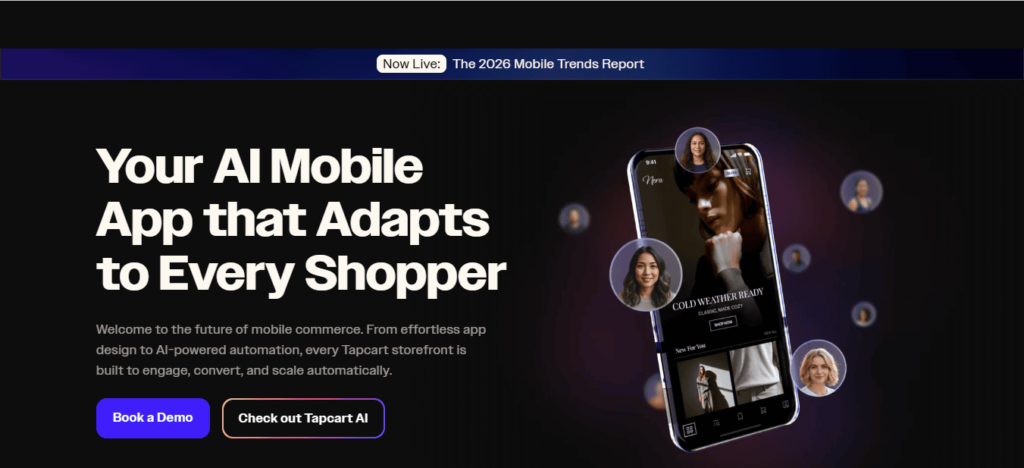
1. Tapcart — Best Overall for Scaling Brands
Tapcart is one of the most popular no-code Shopify app builders, especially for high-growth stores.
AppNatively — The Future of Shopify Mobile Apps Starts Here
Let’s be honest—most Shopify mobile app builders feel like a trade-off. You either pay $150–$500+ per month for advanced features… or settle for a limited tool that barely moves the needle.
This isn’t just another no-code solution. It’s a new-generation Shopify app builder designed for brands that want premium performance, full control, and aggressive pricing—all in one place.
A New Standard for No-Code Mobile Apps
AppNatively focuses on one core idea:
You shouldn’t have to overpay to build a powerful mobile shopping experience.
Instead of bloated pricing tiers and feature restrictions, it delivers a streamlined platform where you can turn your Shopify store into fully native Android and iOS apps without touching code, hiring developers, or sacrificing quality.
The result?
A fast, smooth, and conversion-focused mobile experience that feels like a top-tier eCommerce app, not a basic wrapper.
Built for performance, not just appearance
Many tools focus heavily on design but fall short when it comes to performance and growth.
AppNatively takes a different route. It’s engineered to help brands actually sell more, not just “look good” on mobile.
Here’s where it shines:
Real-time Shopify synchronization ensures your inventory, products, and orders are always up to date
Native-level speed creates a seamless browsing and checkout experience
Smart UI components are optimized for conversions, not just aesthetics
Built-in push notifications help you bring customers back and increase repeat purchases
This combination makes it more than a builder. It becomes a mobile growth engine for your store.
The Pricing Disruption Everyone’s Talking About
Here’s the real kicker.
While competitors charge premium monthly fees just to unlock core features, AppNatively is entering the market with unbeatable pricing, positioning itself as one of the most cost-efficient solutions available.
And it’s not doing this by cutting features.
It’s doing it by rethinking the entire pricing model, making advanced functionality accessible to:
Small Shopify stores trying to scale
Mid-sized brands optimizing conversions
Fast-growing DTC businesses tired of overpaying
In short, you’re getting enterprise-level capability without enterprise-level pricing.
Turn your Shopify store into a fully functional mobile app in minutes with AppNatively.
Frequently Asked Questions (FAQs)
1. What is a Shopify mobile app builder?
A Shopify mobile app builder is a no-code platform that converts your Shopify store into a fully functional iOS and Android app.
It syncs your products, orders, and customers in real time so you can manage everything from one place.
2. Do I need coding skills to build a Shopify mobile app?
No. Most modern Shopify app builders use drag-and-drop editors, allowing you to design and launch your app without writing a single line of code.
3. How long does it take to build a Shopify app using no-code tools?
Depending on the platform, you can launch a basic version in a few hours to a few days. Some builders even claim setup in under 30 minutes to a few days.
4. Will my Shopify store data sync automatically with the mobile app?
Yes. Most builders use Shopify’s API to sync products, inventory, pricing, and orders in real time, ensuring your app always stays updated.
5. What features do Shopify app builders usually offer?
Common features include:
Push notifications for sales & updates
Abandoned cart recovery
In-app chat support
Product catalog sync
Loyalty and rewards integrations
6. Are no-code Shopify app builders good for scaling businesses?
Yes, they are ideal for startups and growing brands. However, very large enterprises may eventually switch to custom-built apps for deeper customization and advanced performance needs.
7. How much does a Shopify mobile app builder cost?
Pricing varies widely:
Entry-level tools: ~$19/month
Mid-range platforms: $99–$250/month
Advanced solutions: $400+/month depending on features and support
8. Can I publish my app on both Android and iOS stores?
Yes. Most Shopify app builders allow you to publish directly to both the Google Play Store and the Apple App Store with built-in deployment support.
9. What are the benefits of having a Shopify mobile app?
A mobile app helps you:
Increase customer retention
Boost repeat purchases
Send push notifications instantly
Improve mobile shopping experience
10. Which Shopify app builder is best for beginners?
Beginner-friendly platforms usually include drag-and-drop editors, pre-built templates, and guided setup. Tools like AppNatively, Shopney, Tapcart, and other no-code builders are commonly recommended.
No-code directory app builders are platforms that allow you to create fully functional mobile apps for directory websites without writing any code.
These tools provide drag-and-drop interfaces, integrations with directory plugins, and features like push notifications, monetization, and real-time syncing.
The best no-code directory app builders include solutions that support WordPress directories, marketplace apps, and scalable business listings with minimal effort and cost.
What is a No-Code Directory App Builder? (Deep Dive)
A no-code directory app builder is a platform designed to transform structured data (like listings, categories, locations, and user profiles) into a fully functional mobile application without requiring programming knowledge.
But to truly understand their power, you need to look beyond the surface definition.
The core architecture behind no-code builders
At their core, these platforms operate on three essential layers:
1. Data layer
This is where your directory content lives—listings, user data, categories, reviews, and more. Most builders either:
Connect directly to your existing website database (e.g., WordPress) Provide a built-in database
Sync with external data sources like APIs or spreadsheets
2. Logic layer
This defines how your app behaves:
User authentication
Search and filtering logic
Booking or messaging systems
Payment and monetization workflows
3. Presentation layer
This is what users interact with:
UI design
Navigation structure
Listing pages
User dashboards
No-code builders give you visual control over all three layers—something that previously required multiple developers and tools.
Convert your website into an iOS & Android app in 60 seconds (Join waitlist)
Why You Should Use a No-Code App Builder for Directory Apps
i. Faster time to market
Traditional app development can take months. No-code tools reduce this to days or even hours, allowing you to launch quickly and validate your idea.
ii. Cost efficiency
Hiring developers is expensive. No-code platforms eliminate development costs while still offering professional-grade results.
iii. Scalability
Modern no-code tools are built for growth. You can handle thousands of listings, users, and transactions without performance issues.
iv. Easy customization
You can customize layouts, colors, features, and user experience without needing technical skills.
v. Seamless integration
Most builders integrate with popular directory plugins, enabling smooth data synchronization between your website and mobile app.
Best No-Code Directory App Builders (Latest Edition)
Here are some of the best no-code directory app builders right now — each with different strengths depending on whether you’re building a startup directory, business listing app, or marketplace.
1. Softr
Softr is one of the easiest ways to build a directory app quickly. It connects directly to data sources like Airtable, Google Sheets, and Notion, then turns that data into a polished web app with search, filters, categories, and user accounts.
The interface is block-based, so you can drag components like listing grids, profiles, maps, and forms onto your page without touching code.
What makes Softr especially strong for directories is how fast you can go from spreadsheet to working product.
You can also add paid listings, memberships, and gated content, which makes it useful if you’re planning to monetize your directory later.
Many founders use Softr to launch startup directories, SaaS directories, and niche community directories within a day or two. ✨
2. Glide
Glide is particularly strong if you want your directory to feel like a mobile app. It builds clean, fast interfaces automatically and syncs with Google Sheets, Airtable, or Glide’s built-in database.
The UI components are very polished, and adding filters, search, and categories is straightforward.
Glide works really well for local directories, community listings, school directories, and internal company directories.
It’s also beginner-friendly, so if you’re new to no-code tools, Glide is one of the easiest places to start.
The downside is that deep customization is more limited compared to more advanced platforms, but for most directory apps, it’s more than enough.
3. Bubble
Bubble is the most powerful option if you’re planning something more complex.
Instead of just building a directory, you can build a full platform with user dashboards, payments, messaging, and advanced filtering. Bubble uses a visual programming system that lets you create workflows and logic without writing code.
This makes Bubble ideal for marketplace directories, paid listing platforms, or startup directories that may evolve into full products.
The learning curve is steeper than Softr or Glide, but the flexibility is unmatched. If you’re thinking long-term and want full control, Bubble is often the best choice.
4. Adalo
Adalo is designed for building real mobile apps without code. If your directory needs to be published on the App Store or Google Play, Adalo is a strong option.
You can create listings, categories, profiles, and user accounts, all with drag-and-drop components.
Adalo is commonly used for local business directories, service marketplaces, and community apps.
It’s not as powerful as Bubble, but it’s easier to learn and better suited for mobile-first directories.
AppNatively — The Premium Choice for Native Directory Apps (Join Waitlist)
AppNatively sits in a category of its own. Unlike most no-code builders that create web apps or hybrid apps, AppNatively focuses on true native mobile apps, meaning your directory feels faster, smoother, and more professional right out of the box.
This makes it especially appealing if you’re building something premium, such as an exclusive startup directory, luxury business directory, or private membership directory.
What makes AppNatively stand out is its performance-first approach. You’re not just creating listings, but you’re building a real mobile experience with native navigation, push notifications, offline support, and smooth UI interactions.
This is particularly valuable if your directory relies on user engagement, repeat visits, or a curated community.
AppNatively also works well for founders who want to position their directory as high-end or invite-only.
The platform supports gated access, user authentication, and custom onboarding flows, which allows you to create that “exclusive club” feel rather than just another public listing website.
If you’re building something that needs to feel exclusive, polished, and mobile-native at an affordable price, AppNatively becomes one of the most compelling choices in the market.
Frequently Asked Questions (FAQs)
What is the best no-code directory app builder in 2026?
AppNatively is one of the best options for converting directory websites into mobile apps, while Adalo and Bubble are good ones.
Can I convert my WordPress directory into an app?
Yes, tools like AppNatively allow seamless conversion with real-time syncing.
How long does it take to build a directory app?
With no-code tools, you can launch within days instead of months.
Is no-code scalable for large directories?
Yes, modern platforms support thousands of listings and users.
How do directory apps make money?
Through subscriptions, featured listings, ads, and lead generation.
Building an app from scratch can take months, cost thousands of dollars, and require technical expertise you may not have.
Every day that passes without launching your app is a missed opportunity. Your competitors might already be capturing your target audience, while your idea sits on a notepad, waiting.
AI is changing the game. AI-driven no-code platforms let anyone, from entrepreneurs to marketers, build functional, sleek apps in a fraction of the time.
With AI, app creation is no longer limited by coding skills, making innovation accessible and fast.
How AI-Powered No-Code Platforms Are Changing App Development
AI no-code platforms are not just a trend. They’re a revolution. These tools combine the intelligence of artificial intelligence with intuitive drag-and-drop interfaces to streamline the app creation process.
Traditional coding requires writing thousands of lines of complex code.
In contrast, AI-driven platforms can analyze your idea, suggest workflows, generate app screens, and even automate backend integrations—all without writing a single line of code.
This means businesses can launch apps faster, iterate quickly, and respond to market demands in real-time.
Automated app design suggestions based on your business type.
Pre-built AI modules for authentication, payments, or analytics.
Smart workflows that adapt to user interactions.
Integration with popular services like Stripe, PayPal, Google Maps, and more.
The result? Faster development, lower costs, and apps that are ready for launch in days, not months.
Benefits of Building Apps Without Coding Using AI
1. Speed and efficiency
AI no-code platforms dramatically reduce development time. What used to take weeks or months can now be done in days.
Entrepreneurs no longer have to wait for developers to code each feature.
Instead, AI accelerates everything from UI design to backend setup, allowing for rapid prototyping and testing.
2. Cost-effective development
Hiring developers is expensive. Freelancers and agencies charge thousands for a single app.
AI-driven no-code platforms remove this barrier by offering affordable subscriptions with all features included.
You get high-quality apps at a fraction of the traditional cost.
3. Accessibility for non-technical users
You don’t need coding experience to build an app anymore. With AI, users can input their requirements, and the platform translates them into fully functional apps.
Entrepreneurs, marketers, and small business owners can now turn ideas into reality independently.
4. Smart AI suggestions and automation
AI doesn’t just build apps; it improves them. By analyzing user behavior, AI can suggest workflow optimizations, recommend design improvements, and automate repetitive tasks.
This results in apps that are more user-friendly and effective in achieving business goals.
5. Easy iteration and scaling
One of the biggest advantages of AI no-code platforms is adaptability. You can test features, gather user feedback, and iterate instantly.
Whether adding new modules, expanding to new platforms, or integrating additional APIs, AI makes scaling painless.
Key Features of AI No-Code App Builders
To truly understand the revolution, it’s essential to know what these platforms offer. Here’s what sets AI no-code app builders apart:
Drag-and-Drop Interface: Build your app visually without touching code.
AI-Powered Screen Generation: Type your app idea, and AI generates screens, layouts, and flows.
Prebuilt Templates: Launch apps quickly using predesigned templates for e-commerce, SaaS, healthcare, travel, and more.
Automated Testing: AI can simulate user interactions to detect issues before launch.
Seamless Integrations: Connect with payment gateways, analytics tools, CRMs, and social platforms.
Cross-Platform Deployment: Publish on iOS, Android, and the web simultaneously without separate development.
These features eliminate the technical bottleneck, enabling entrepreneurs to focus on strategy, marketing, and customer experience instead of code.
Real-World Applications: Who Benefits the Most?
AI no-code app builders are versatile. Here’s who benefits most:
Startups: Launch MVPs faster to test ideas without massive investment.
Marketers: Build apps for campaigns, lead generation, or customer engagement without hiring developers.
Small Businesses: Create apps for e-commerce, appointments, or loyalty programs efficiently.
Freelancers & Agencies: Deliver apps to clients in days instead of months, improving client satisfaction and profitability.
Top AI-Powered No-Code Platforms to Explore
Some of the most powerful AI no-code platforms include:
Base44 – Known for intuitive AI app creation and smart backend automation.
Thunkable AI – Allows drag-and-drop mobile app building with AI-generated suggestions.
Adalo + AI integration – Simplifies app creation with AI-driven design enhancements.
Glide AI – Turns spreadsheets into functional apps automatically.
Each platform has unique advantages, but the common theme is AI-driven acceleration, simplicity, and cost reduction.
Overcoming Challenges in AI-Powered App Development
While AI no-code platforms are game-changing, they’re not without challenges:
Limited Customization: Some platforms may not allow deep customization for highly complex apps.
Platform Dependency: Apps built on proprietary platforms may face vendor lock-in.
Learning Curve: Although coding is eliminated, users still need to understand app logic and user experience principles.
These challenges are manageable. Choosing the right platform, starting small, and leveraging AI recommendations can ensure success.
Future Trends: Where AI No-Code App Development is Heading
The future of app development is bright. AI is expected to:
Automate end-to-end development from idea to deployment.
Predict user behavior and dynamically adjust apps for better engagement.
Integrate with AI-generated content to create personalized experiences.
Enable voice and gesture-controlled apps without coding expertise.
The line between app users and developers is blurring, empowering anyone to create innovative solutions.
Turn Your Website into a Native Mobile App in a Flash
Imagine transforming your website into a fully functional native mobile app without writing a single line of code.
That’s exactly what AppNatively enables. Currently under development, this AI-powered no-code platform is designed to take your online presence and instantly convert it into an app that runs seamlessly on both iOS and Android.
By joining the exclusive waitlist today, you’ll be among the first to experience features like automated app conversion, smart workflow optimization, and effortless integrations with your favorite tools.
No coding, no delays—just a fast, reliable path from website to app.
Don’t wait for months of traditional app development. Reserve your spot on the AppNatively waitlist now and be ready to launch your app in a flash.
Conclusion: How AI Is Revolutionizing App Development Without Coding
AI is democratizing app creation. Entrepreneurs, marketers, and businesses no longer need technical expertise or massive budgets to bring ideas to life.
With AI-powered no-code platforms, apps can be conceptualized, designed, and launched faster than ever before.
By embracing AI, you not only save time and money but also gain the flexibility to innovate continuously.
Whether you’re a startup founder or a marketer looking to engage your audience, AI is your secret weapon for app development without coding.
Start your AI-powered app journey today and turn ideas into fully functional apps faster than ever.
FAQs: Frequently Asked Questions
1. Can I really build an app without coding?
Yes. AI no-code platforms allow users to create fully functional apps without any coding experience. AI handles design, workflows, and backend setup.
2. How fast can I launch my app using AI?
Depending on complexity, apps can be launched in days or weeks instead of months. AI accelerates prototyping, testing, and deployment.
3. Are AI-built apps scalable?
Absolutely. Modern AI no-code platforms support scaling features, integrations, and cross-platform deployment.
4. Do I need a technical background to use the AI app builders?
No. AI handles technical complexity. Users only need a clear idea and some understanding of user experience.
5. What types of apps can I build?
From e-commerce, healthcare, and SaaS apps to travel, education, and service booking apps, AI can support a wide range of app types.
Choosing the right no-code app builder can determine whether your startup launches an app in weeks or struggles with months of development.
Platforms like Bubble and Glide have made it possible for entrepreneurs to build software products without writing traditional code.
However, the no-code industry is evolving rapidly, with new platforms emerging to address limitations that earlier tools could not fully address.
One of the most promising newcomers is AppNatively, a platform that makes native mobile app development affordable and accessible for startups.
Each of these platforms approaches app development differently. Bubble is designed for building complex web applications with deep customization, Glide focuses on rapid app creation using spreadsheet-based logic, and AppNatively aims to simplify native mobile app development with faster and more affordable workflows.
In this complete guide on Bubble vs Glide vs AppNatively, we will explore their features, customization capabilities, scalability, pricing models, performance, and ideal use cases.
By the end of this article, you will clearly understand which platform is best suited for entrepreneurs, startups, and businesses building apps in 2026.
The Rise of No-Code App Builders
Over the past decade, the no-code movement has completely transformed how software is created.
Previously, launching an app required hiring developers, building infrastructure, and spending thousands of dollars on development.
Today, no-code platforms allow founders to build applications using visual interfaces, drag-and-drop tools, and automation workflows. This shift has dramatically reduced the time and cost required to launch new products.
Platforms like Bubble and Glide helped pioneer this movement, making it possible for entrepreneurs to validate startup ideas quickly.
However, many founders still struggle with challenges such as complex learning curves, scalability concerns, and limited native mobile functionality.
As the demand for faster and more accessible development grows, the next generation of tools, including AppNatively, aims to simplify the entire process while delivering better performance and lower costs.
What Is Bubble?
Bubble is one of the most powerful no-code development platforms available today. It allows users to build fully functional web applications without writing code by using visual programming tools.
Bubble includes a wide range of advanced capabilities such as database management, workflow automation, API integrations, and UI customization.
Because of this flexibility, the platform is often used to build SaaS platforms, marketplaces, internal tools, and complex web applications.
One of the biggest strengths of Bubble is its ability to replicate many features of traditional software development. Developers can create custom workflows, manage user authentication, and build complex logic within the platform.
However, this power also creates a steeper learning curve. Many beginners find it challenging to master Bubble quickly. Additionally, building true native mobile apps often requires additional tools or wrappers.
Despite these challenges, Bubble remains one of the most capable platforms for startups that want to build scalable web applications without hiring a full development team.
What Is Glide?
Glide is a no-code platform designed to make app development extremely simple. It allows users to create apps directly from spreadsheets such as Google Sheets or Airtable.
The platform transforms spreadsheet data into interactive applications using drag-and-drop components. This approach makes Glide particularly attractive for users who want to build apps quickly without learning complex workflows.
Glide is commonly used for internal business tools, directories, event apps, dashboards, and lightweight mobile applications. Because the platform is easy to use, many entrepreneurs choose it for rapid prototyping and MVP validation.
However, Glide has limitations when it comes to customization and complex application logic. Large-scale applications or advanced workflows may require more powerful platforms.
Still, Glide remains one of the most beginner-friendly solutions for anyone looking to build an app quickly using a simple and intuitive interface.
What Is AppNatively?
AppNatively is a modern no-code platform designed to simplify the creation of native mobile applications.
While many no-code tools focus primarily on web applications or progressive web apps, AppNatively aims to deliver true mobile experiences with native performance and usability.
The platform is being developed with startups and entrepreneurs in mind. Its core goal is to eliminate the complexity and high costs traditionally associated with mobile app development.
Instead of requiring users to learn complicated workflows or technical processes, AppNatively focuses on streamlined development, fast deployment, and affordable pricing.
At the moment, the platform is preparing for launch and inviting users to join an exclusive early access waitlist. This allows early adopters to test the platform and build apps before the public release.
For startups looking for a cost-effective way to launch mobile apps, AppNatively could become one of the most exciting new tools in the no-code ecosystem.
Bubble vs Glide vs AppNatively: Feature Comparison
Understanding the key differences between these platforms is essential when choosing the right tool for your project.
1. Ease of use
Glide is widely considered the easiest platform to learn. Its spreadsheet-driven system allows users to build apps quickly with minimal technical knowledge.
Bubble offers far more flexibility, but the platform requires time to master. New users often need tutorials and practice before building complex applications.
AppNatively aims to strike a balance between simplicity and capability. The platform focuses on providing powerful mobile app features while keeping the development process simple.
2. Customization and flexibility
Bubble stands out in terms of customization. Users can build complex workflows, advanced logic systems, and detailed interfaces that rival traditional coding environments.
Glide offers fewer customization options because its structure relies heavily on spreadsheet data models.
AppNatively focuses on delivering essential customization features while maintaining ease of use. Its design prioritizes mobile performance and usability rather than complex backend workflows.
3. Performance and scalability
Bubble applications can scale effectively for web apps, but performance optimization becomes important as the application grows.
Glide works well for small to medium applications but may struggle with extremely complex logic or heavy data processing.
AppNatively focuses on native mobile architecture, which allows apps to run faster and provide a smoother user experience compared to web-based apps.
4. Pricing and affordability
Pricing plays a major role in choosing a no-code platform.
Bubble can become expensive as applications scale because pricing is tied to server usage and workload.
Glide offers predictable pricing plans, but many advanced features are restricted to premium tiers.
AppNatively is being developed with affordability as a core priority. Its goal is to enable startups to launch mobile apps without spending thousands of dollars on development.
Feature Comparison Table
Feature
Bubble
Glide
AppNatively
Platform Type
Web App Builder
Spreadsheet App Builder
Native Mobile App Builder
Ease of Use
Moderate
Very Easy
Easy
Customization
Very High
Limited
Moderate
Best For
SaaS Platforms
Internal Tools
Mobile Startups
Native Apps
Requires Wrappers
Limited
Yes
Learning Curve
High
Very Low
Low
Startup Friendly
Moderate
Good
Excellent
Which Platform Is Best for Startups?
The best platform depends on the type of product you want to build.
Startups developing complex SaaS platforms or marketplaces may find Bubble to be the most suitable solution due to its advanced customization.
Entrepreneurs who want to quickly build simple business apps or internal tools may prefer Glide because of its simplicity.
However, founders planning to launch mobile-first startups may find AppNatively more appealing due to its focus on native performance and affordable development.
Ultimately, the best platform is the one that allows founders to launch quickly, validate ideas, and scale efficiently.
The Future of No-Code App Development
The no-code ecosystem continues to evolve as more entrepreneurs embrace faster ways to build software.
Modern tools are increasingly focused on reducing technical barriers and enabling founders to bring ideas to market quickly.
Several major trends are shaping the future of the industry:
AI-assisted app development is making it easier to generate workflows and automate complex tasks.
Mobile-first development is becoming more important as smartphone usage continues to dominate global internet traffic.
Affordable development platforms are emerging to help startups launch products without large budgets.
Platforms like Bubble and Glide have already revolutionized the no-code landscape, while emerging tools such as AppNatively are pushing the industry toward faster and more accessible mobile app development.
Why AppNatively Could Become a Game-Changer
Many founders struggle to build mobile apps because traditional development requires significant technical expertise and large budgets.
AppNatively aims to solve these challenges by providing a platform designed specifically for fast and affordable mobile app creation.
Instead of spending months working with developers, entrepreneurs can use the platform to design, build, and launch their applications much faster.
Because the platform focuses on native mobile performance, it can provide a smoother user experience compared to many web-based solutions.
For founders who want to validate startup ideas quickly, this type of platform could dramatically reduce development costs and accelerate product launches.
Join the AppNatively Early Access Waitlist
As the next generation of no-code platforms continues to evolve, AppNatively is positioning itself as a powerful tool for founders who want to build mobile apps without coding.
The platform is currently preparing for launch and inviting early adopters to join its exclusive waitlist.
Joining the waitlist allows entrepreneurs to gain early access to the platform, explore its features before the public release, and start building apps ahead of competitors.
For startups looking for a faster and more affordable way to launch mobile applications, getting early access could provide a significant advantage.
Frequently Asked Questions (FAQs)
What is the difference between Bubble, Glide, and AppNatively?
The main difference is the type of applications they focus on. Bubble is best for building complex web applications and SaaS platforms, Glide is ideal for creating simple apps from spreadsheets, and AppNatively focuses on building native mobile apps quickly and affordably.
Which platform is better for building a startup MVP?
For startup MVPs, the best platform depends on the product type. Bubble works well for complex web-based MVPs, Glide is great for quick prototypes and internal tools, while AppNatively is promising for founders who want to launch a mobile-first MVP.
Can I build a SaaS product using Bubble?
Yes, Bubble is widely used to build SaaS platforms because it supports custom workflows, databases, user authentication, and API integrations.
Is Glide suitable for building customer-facing mobile apps?
Glide can build mobile-friendly apps, but they function more like progressive web apps rather than fully native mobile apps.
Is AppNatively good for non-technical founders?
Yes, AppNatively is designed to help non-technical founders create mobile apps without coding by simplifying the entire development process.
Which no-code platform is best for mobile apps?
Platforms focused on mobile development typically perform better for mobile-first startups. AppNatively aims to provide a more optimized experience for building native mobile apps.
Can I scale a startup using Bubble?
Many startups have successfully scaled using Bubble. However, large applications may require performance optimization and infrastructure adjustments as they grow.
What are the limitations of Glide?
Glide is excellent for simple applications but may have limitations when building complex workflows, advanced logic systems, or large-scale apps.
Is Bubble harder to learn than Glide?
Yes, Bubble has a steeper learning curve because it includes advanced features such as workflow automation, database structures, and API integrations.
Do no-code platforms replace traditional developers?
No-code platforms do not fully replace developers, but they allow founders to build MVPs, validate ideas, and launch products without hiring large engineering teams.
What types of apps can be built with Glide?
Glide is commonly used for directories, dashboards, event apps, internal business tools, and data-driven applications.
Is AppNatively cheaper than traditional app development?
Traditional mobile app development can cost thousands of dollars. AppNatively aims to reduce those costs by enabling entrepreneurs to build apps using no-code tools.
Can I build marketplace apps with Bubble?
Yes, Bubble is often used to build marketplace platforms because it supports advanced workflows, payment integrations, and user management systems.
Which platform is best for beginners?
Glide is usually the easiest platform for beginners because its spreadsheet-based system is simple and intuitive.
Can I integrate APIs with Bubble?
Yes, Bubble supports API integrations, allowing developers to connect their applications with third-party tools and services.
What is the fastest way to build an app without coding?
Using a no-code platform like Glide, Bubble, or AppNatively is currently one of the fastest ways to build applications without coding.
Are no-code apps secure?
Most modern no-code platforms include built-in security features such as authentication systems, data protection, and secure infrastructure.
Can I publish apps built with no-code tools on app stores?
Yes, some platforms allow apps to be deployed to app stores. Platforms focused on native development, such as AppNatively, are designed to support this process.
What are the best alternatives to Glide?
Some alternatives include Bubble and newer platforms like AppNatively that aim to provide different approaches to app development.
Which no-code platform is best for startups in 2026?
The best platform depends on the startup’s goals. Bubble is powerful for web applications, Glide is excellent for simple apps, and AppNatively is emerging as a strong option for mobile-first startups.
Is Bubble better than Glide for building scalable apps?
For scalability and complex functionality, Bubble is generally more powerful than Glide. Bubble allows developers to create advanced workflows, database relationships, and integrations that support larger and more complex applications.
However, Glide can still work well for lightweight apps or internal tools where simplicity and speed are more important than deep customization.
Can no-code platforms build real startup products?
Yes, many successful startups have launched products using no-code tools.
Platforms like Bubble allow founders to build SaaS products, marketplaces, and internal platforms, while newer tools such as AppNatively aim to make native mobile app development accessible to early-stage startups.
What is the fastest way to launch an MVP without coding?
The fastest way to launch an MVP is by using a no-code platform that allows rapid prototyping.
Glide is often used for quick internal apps, while Bubble enables more advanced product development. Mobile-focused platforms like AppNatively are emerging as a faster way to launch mobile-first MVPs.
Are no-code apps good enough for production?
Modern no-code platforms are capable of supporting production-level applications.
Many businesses run fully operational products built on platforms like Bubble. The key is choosing the right platform based on your scalability and performance needs.
Which no-code platform is best for mobile-first startups?
Mobile-first startups often need platforms optimized for mobile performance.
While Bubble and Glide can support mobile-friendly apps, tools focused on native mobile development, such as AppNatively aim to deliver a more optimized mobile experience.
Can I build an app like Uber or Airbnb using no-code tools?
Building a large platform like Uber or Airbnb entirely with no-code tools can be challenging, but it is possible to build MVP versions using platforms like Bubble.
Many founders start with no-code to validate their idea before moving to custom development later.
Do no-code platforms support integrations with third-party tools?
Yes, most modern no-code platforms support integrations with APIs and external services.
Bubble is particularly strong in this area because it allows developers to connect applications with many third-party tools and services.
Are no-code platforms suitable for long-term business growth?
Yes, many startups use no-code platforms for long-term growth. However, choosing a platform with strong scalability and performance capabilities is essential as the business expands.
How much money can startups save using no-code platforms?
Traditional app development can cost anywhere from $10,000 to $100,000, depending on complexity. No-code platforms dramatically reduce these costs by allowing founders to build apps without hiring large development teams.
What should founders consider before choosing a no-code platform?
Founders should evaluate several factors, including ease of use, customization options, scalability, pricing, and the type of app they want to build.
Comparing platforms like Bubble, Glide, and AppNatively can help determine which tool best matches the project’s goals.
No-code development has transformed the way startups, entrepreneurs, and creators build software. Instead of spending months writing code or hiring expensive development teams, modern builders can now launch web and mobile applications using visual platforms and drag-and-drop tools.
One of the most well-known platforms in this space is Bubble, which has helped thousands of founders build SaaS products, marketplaces, and internal tools without coding.
However, while Bubble is powerful, it is not always the perfect solution for every project. Many no-code developers begin searching for alternatives as their needs grow or change. Some want stronger native mobile capabilities, others want simpler workflows, and many are looking for tools with more flexible pricing or better scalability.
Fortunately, the no-code ecosystem has evolved rapidly over the past few years. Today, there are several powerful platforms that allow developers to build applications faster, launch mobile apps more easily, and maintain greater flexibility when scaling their products.
In this blog post, we will explore the best Bubble alternatives for no-code app developers, compare their strengths and weaknesses, and help you choose the right platform for your next project.
Why No-Code Developers Look for Bubble Alternatives
Bubble remains one of the most advanced no-code platforms available, but it does come with certain limitations that lead some developers to explore other options.
Understanding these limitations can help you decide whether switching platforms makes sense for your project.
Limited native mobile support
One of the most common reasons developers search for Bubble alternatives is mobile app development.
Bubble is primarily designed for building web applications, which means creating native iOS and Android apps often requires third-party tools or wrappers.
For developers who want to launch mobile apps quickly, platforms designed specifically for mobile development may provide a better experience.
Complex learning curve
Bubble offers extensive customization and workflow capabilities. While this power is useful, it can also make the platform difficult for beginners to learn.
Many no-code developers prefer tools with simpler interfaces and faster onboarding.
Pricing concerns
As applications grow and attract more users, Bubble’s pricing structure can become more expensive. For startups operating on tight budgets, finding a platform with more predictable pricing is often important.
Performance and scalability
Large applications built on Bubble sometimes experience performance issues as complexity increases.
Developers building scalable products or client projects may want platforms that provide better optimization and infrastructure flexibility.
What to Look for in a Bubble Alternative
Before choosing a new platform, it is important to understand which features matter most for your project.
Not every no-code builder is designed for the same use cases.
Here are the key factors to consider.
Ease of use
A good no-code platform should allow developers to design, build, and launch applications without extensive training. Visual builders, drag-and-drop components, and clear workflows make development much faster.
Mobile app capabilities
If your goal is to build mobile apps, look for platforms that support native mobile development or easy deployment to both iOS and Android.
Integrations and APIs
Modern applications depend on integrations with other tools such as payment processors, databases, and automation platforms. The best no-code tools support strong API integrations.
Scalability
A platform should allow your application to grow as your user base increases. Reliable infrastructure and flexible backend options are essential for long-term success.
Pricing structure
Startups and indie developers should consider platforms that offer flexible plans and predictable costs as projects grow.
A Smarter Alternative Is Coming: AppNatively
Before exploring the best Bubble alternatives available today, it is worth mentioning a new platform that aims to completely redefine how no-code app development works.
AppNatively is an upcoming AI no-code platform currently under development that is being designed to simplify and improve the entire app-building experience.
The goal is to give creators, startups, and agencies a single platform where they can build powerful web and mobile applications without the complexity, limitations, or high costs often associated with existing tools.
Many no-code developers today rely on multiple platforms to design interfaces, manage workflows, connect databases, and deploy applications. This fragmented process can slow down development and increase costs as projects grow.
AppNatively is being built to eliminate that complexity by offering a streamlined ecosystem that brings everything together in one place.
Another major focus of the platform is affordability. While many popular no-code tools become expensive as applications scale, AppNatively aims to provide one of the most affordable solutions for building scalable applications, making it especially attractive for startups, indie builders, and agencies working with limited budgets.
Although the platform is still under construction, early access is already being offered to builders who want to be among the first to experience it.
👉 Join the AppNatively waitlist to get early access when the platform launches.
Best Bubble Alternatives for No-Code App Developers
The following platforms are some of the strongest alternatives for building apps without writing complex code.
1. FlutterFlow
FlutterFlow is one of the fastest growing no-code platforms for building mobile applications.
Built on Google’s Flutter framework, it allows developers to design fully functional mobile apps with a visual builder.
Key Features
Drag-and-drop mobile UI builder
Native mobile app support
Integration with Firebase
Custom API integrations
Option to export Flutter code
Best For
FlutterFlow is ideal for developers who want to create high-performance mobile apps with the flexibility to extend their projects using real code if necessary.
Pros
Native mobile performance
Clean interface and visual builder
Code export capability
Strong developer community
Cons
Less focused on web applications compared to Bubble
Requires some understanding of mobile app structure
2. Glide
Glide is a popular no-code platform that allows users to build applications directly from spreadsheets or databases.
It focuses on simplicity and speed, making it one of the easiest platforms for beginners.
Key Features
Spreadsheet-based app development
Beautiful pre-built UI components
Fast deployment
Strong integrations with databases
Best For
Glide works well for internal tools, small apps, and business dashboards.
Pros
Extremely easy to learn
Fast development process
Great for internal business applications
Cons
Limited customization compared to Bubble
Not ideal for highly complex applications
3. Adalo
Adalo is another popular no-code platform designed specifically for building mobile applications.
It allows developers to design mobile interfaces visually while also managing databases and workflows.
Key Features
Drag-and-drop mobile app builder
Built-in database system
Integration with APIs
One-click publishing for mobile apps
Best For
Adalo is a great option for beginners who want to build mobile apps without coding.
Pros
Simple and beginner friendly
Native mobile app support
Visual design tools
Cons
Limited scalability for large applications
Some performance limitations
4. Draftbit
Draftbit is a powerful platform that focuses on building mobile applications using React Native.
Unlike many no-code tools, Draftbit gives developers more control and flexibility.
Key Features
Visual mobile app builder
React Native foundation
Full code export capability
API integrations
Best For
Draftbit is ideal for developers and agencies who want both no-code convenience and code flexibility.
Pros
Code export for full control
Professional mobile app development
Strong customization capabilities
Cons
Slightly steeper learning curve than beginner platforms
5. Softr
Softr focuses on building web applications and portals using Airtable or external data sources.
It is widely used for building marketplaces, membership sites, and client portals.
Key Features
Pre-built templates
Airtable integration
Membership and user management
Custom web apps without coding
Best For
Softr works well for marketplaces, directories, and internal portals.
Pros
Fast setup
Great for data-driven applications
Strong integration with Airtable
Cons
Less flexible than full development platforms
6. Thunkable
Thunkable is another no-code platform designed for cross-platform mobile app development.
It allows developers to build apps that run on both Android and iOS using a visual builder.
Key Features
Drag-and-drop interface
Cross-platform mobile development
Built-in components
API integrations
Best For
Thunkable is ideal for developers who want to create simple mobile apps quickly.
Pros
Cross-platform deployment
Beginner friendly interface
Good for prototypes and MVPs
Cons
Limited advanced customization options
Comparison of Top Bubble Alternatives
Platform
Best For
Mobile Apps
Code Export
Difficulty
FlutterFlow
Native mobile apps
Yes
Yes
Medium
Glide
Internal tools
Limited
No
Easy
Adalo
Beginner mobile apps
Yes
No
Easy
Draftbit
Developers and agencies
Yes
Yes
Medium
Softr
Web portals and marketplaces
No
No
Easy
Thunkable
Simple mobile apps
Yes
No
Easy
Best Platforms for Startups vs Agencies
Different types of builders have different needs. Choosing the right platform depends heavily on your goals.
Best platforms for startup founders
Startup founders usually prioritize speed and cost efficiency. Their main goal is to launch a minimum viable product quickly.
Best options include:
Glide
Adalo
These platforms allow founders to build functional apps quickly without deep technical knowledge.
Best platforms for agencies
Agencies often build applications for multiple clients. They require platforms that offer scalability, customization, and professional development flexibility.
Best options include:
Draftbit
FlutterFlow
These platforms allow developers to export code or customize applications more deeply.
However, AppNatively is built with one goal in mind — to be the most affordable drag-and-drop AI native app builder for startups and agencies that want powerful results without the high development cost.
Conclusion
Bubble remains one of the most powerful no-code development platforms available, but it is not always the best fit for every project. Developers who need stronger mobile support, simpler workflows, or more flexible pricing may benefit from exploring other options.
Platforms like AppNatively, FlutterFlow, Glide, Adalo, Draftbit, Softr, and Thunkable each offer unique advantages depending on your goals.
The best approach is to evaluate your project requirements, test a few platforms, and choose the one that aligns with your development workflow.
With the rapid growth of no-code technology, builders today have more opportunities than ever to turn ideas into real applications without writing complex code.
Frequently Asked Questions (FAQs)
What is the best Bubble alternative for mobile apps?
AppNatively, FlutterFlow and Draftbit are among the best alternatives for building high-performance mobile applications.
However, AppNatively is the most affordable option suitable both for startups and agencies.
Are there free no-code app builders like Bubble?
Yes, many platforms such as AppNatively, Glide and Adalo offer free plans for building basic applications.
Can no-code platforms build scalable applications?
Yes. Many modern no-code tools are capable of supporting large applications when designed correctly.
Which no-code platform allows code export?
Platforms like FlutterFlow and Draftbit allow developers to export source code for further customization.