When choosing between Bubble and App Natively for MVP development, the best option depends on your product goals.
Bubble is ideal for building complex web apps with advanced workflows, while App Natively excels at quickly launching mobile-first MVPs without coding.
If your priority is speed and app store presence, App Natively is the better choice. If you need flexibility and customization, Bubble stands out.
Building an MVP is all about validating your idea fast without wasting time or resources. But here’s the challenge: choosing the wrong no-code platform can delay your launch, increase costs, and limit scalability.
This is where the Bubble vs App Natively comparison becomes crucial. Both tools promise fast development, no coding, and scalable solutions, but they serve very different purposes.
In this guide, you’ll discover which platform is better for MVPs based on speed, features, cost, scalability, and real-world use cases.
What Is Bubble?
Bubble is a powerful no-code platform that allows you to build fully functional web applications without writing code. It is widely used for SaaS platforms, marketplaces, CRMs, and complex dashboards.
Bubble gives you full control over workflows, database structure, and UI design. This makes it a favorite among founders who want flexibility without hiring developers.
However, with great power comes complexity. Bubble has a learning curve, especially for beginners.
App Natively: The AI-Powered Speed Advantage
App Natively represents a new generation of no-code tools. Instead of focusing on maximum flexibility, it focuses on reducing friction and accelerating execution through AI.
The core idea is simple but powerful. Instead of building everything manually, the platform assists you in creating apps faster by automating setup, simplifying decisions, and removing unnecessary complexity.
App Natively allows founders to go from concept to working mobile app in a fraction of the time it would take using more traditional tools.
Another important distinction is its focus on native mobile apps. While many no-code platforms are web-first, App Natively prioritizes mobile experiences, which aligns with how most users interact with products today.
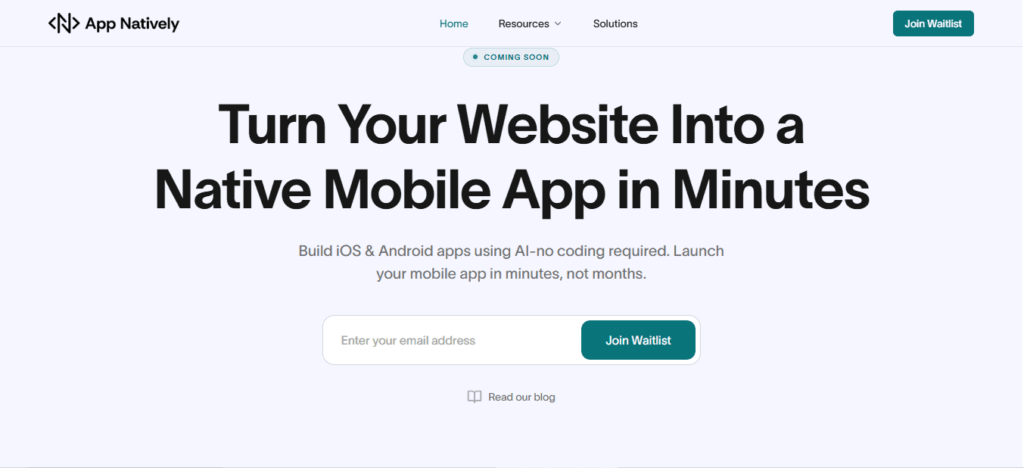
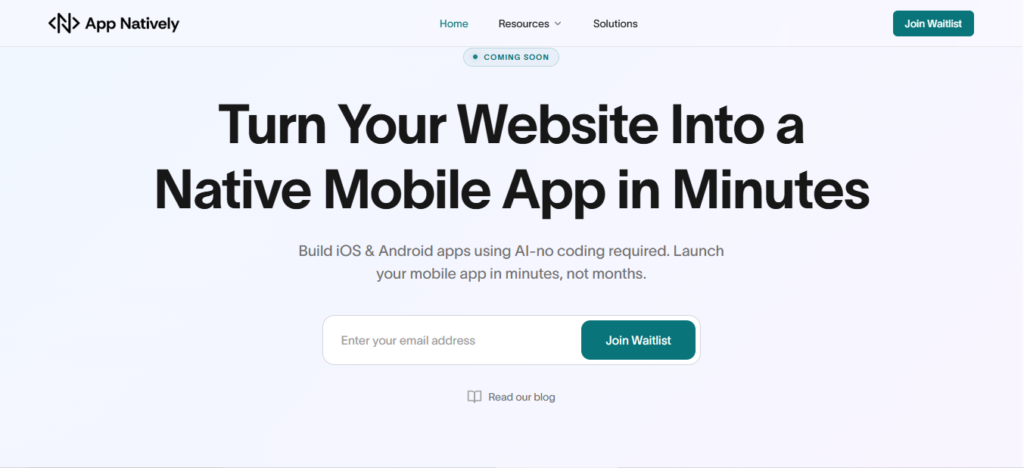
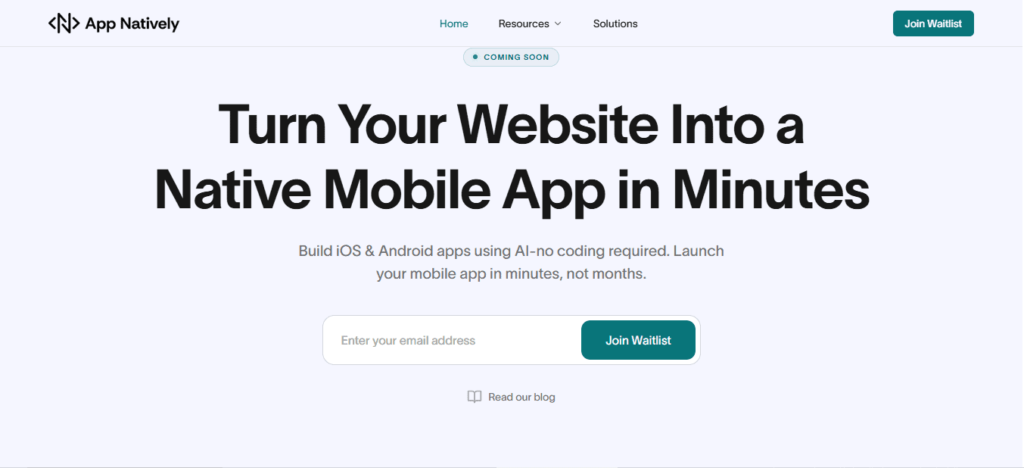
Convert your website into an iOS & Android app in minutes (Join waitlist)
Bubble vs App Natively: Core Differences
1. Speed of MVP launch
Speed is everything when building an MVP.
App Natively allows you to launch a mobile app in days, not weeks. It eliminates complex setup and focuses on rapid deployment.
Bubble, on the other hand, requires time to design workflows, structure databases, and test features. While powerful, it’s not the fastest option for beginners.
Winner: App Natively
2. Ease of use
App Natively is built for simplicity. You don’t need technical knowledge to get started.
Bubble offers more control but comes with a steeper learning curve. Beginners often spend time understanding its interface and logic system.
Winner: App Natively
3. Customization & flexibility
Bubble is unmatched in customization. You can build almost any type of web application with advanced logic.
App Natively focuses on predefined structures, especially for directory and listing-based apps. While customizable, it’s not as flexible as Bubble.
Winner: Bubble
4. Mobile app capability
App Natively shines here. It creates real mobile apps that can be published on app stores.
Bubble primarily builds web apps. While you can wrap Bubble apps into mobile apps, it requires additional tools and effort.
Winner: App Natively
5. Scalability
Bubble is highly scalable for complex SaaS platforms.
App Natively is scalable for directory apps and mobile-first platforms, especially when combined with powerful backends like Directorist.
Winner: Depends on use case
6. Cost efficiency
App Natively is cost-effective for MVPs because it reduces development time and eliminates the need for developers.
Bubble can become expensive as your app scales due to workload units and infrastructure usage.
Winner: App Natively (for MVP stage)
When Should You Choose Bubble?
Choose Bubble if you are building a complex MVP that requires custom workflows, user dashboards, or SaaS functionality.
It is ideal for startups that want full control over their product and are willing to invest time in development.
When Should You Choose App Natively?
Choose App Natively if your goal is to launch quickly and validate your idea through a mobile app.
It is perfect for directory apps, marketplaces, and local business platforms where speed and accessibility matter most.
Frequently Asked Questions (FAQs)
Is Bubble good for MVP development?
Yes, Bubble is excellent for MVPs that require complex features and custom workflows. However, it may take longer to launch compared to simpler tools.
Can App Natively build a full mobile app?
Yes, App Natively creates fully functional mobile native apps that can be published on app stores without coding.
Which platform is cheaper for MVPs?
App Natively is generally more cost-effective for MVPs due to faster deployment and lower development complexity.
Is Bubble better than App Natively?
Bubble is better for complex web applications, while App Natively is better for fast mobile app MVPs.
Can I scale my startup with App Natively?
Yes, especially for directory and mobile-first platforms. However, for highly complex systems, Bubble may offer more flexibility.
Do I need coding skills for these platforms?
No, both Bubble and App Natively are no-code platforms designed for non-developers.
Can I build a SaaS MVP with Bubble?
Yes, Bubble is one of the best no-code tools for SaaS MVP development.
Is App Natively good for startups?
Yes, especially for mobile-first startups and directory-based platforms.
Do both platforms require coding?
No, both Bubble and App Natively are no-code platforms.
Which platform is faster to launch?
App Natively is significantly faster for MVP deployment.
Can I scale after MVP?
Yes, both platforms support scaling, but Bubble offers more flexibility for complex systems.
Building an app without coding is no longer a dream. It’s a proven path used by startups and solo founders worldwide.
But while no-code tools make development easier, most apps still fail due to poor strategy, lack of validation, and weak user experience.
So, how do you actually build a successful app without writing code?
The secret lies in combining the right no-code tools with smart validation, user-focused design, and scalable growth tactics.
In this blog post, you’ll discover step-by-step strategies to launch, grow, and monetize your app without touching a single line of code.
What Does It Mean to Build an App Without Coding?
No-code app development allows you to create web or mobile apps using visual builders, drag-and-drop interfaces, and AI-powered automation without programming skills.
Instead of writing code, you:
Design interfaces visually
Connect workflows with logic builders
Use APIs and integrations
Launch apps faster and cheaper
Result: Faster time-to-market + lower development cost
🚀 Want to build your app in minutes instead of weeks?
Join the early access of App Natively — the AI-powered platform that turns your ideas (or even websites) into real mobile apps without coding.
👉 Join the waitlist now before public launch
7 Secrets to Building a Successful App Without Writing Code
Building an app no longer requires coding skills, just the right strategy and mindset. Here are 7 powerful secrets founders and beginners can use to build a successful app without writing code.
1. Start with a painful, high-value problem
Founders often fail not because their app is bad, but because the problem isn’t important enough.
As a beginner, your biggest advantage is focusing on a specific, painful problem that people actively want solved.
Look for frustrations in everyday workflows, school tasks, small business operations, or online communities.
If people are already using messy solutions like spreadsheets, notes, or multiple apps, that’s a strong opportunity.
When your app removes friction and saves time, users immediately recognize its value, and adoption becomes much easier.
2. Validate demand before you build anything
Beginners often spend weeks building features no one ends up using. Smart founders validate first.
Talk to potential users, describe your idea, and pay attention to their reactions. If they ask when it will be ready or request specific features, that’s a strong sign of interest.
Validation helps you understand whether your idea solves a real need. This step also helps you refine your concept, making your first version more focused and impactful.
3. No-code tools let beginners move like startups
No-code platforms give founders and beginners the ability to build quickly without technical skills.
Instead of spending months learning programming, you can focus on solving problems and improving your product.
These tools allow you to test multiple ideas, pivot quickly, and launch faster than traditional development.
For beginners, this means lower risk and faster learning. For founders, it means validating business ideas before investing heavily in development.
4. Build a focused MVP that solves one core problem
Beginners often try to build too many features at once, which leads to delays and confusion.
A focused MVP helps you launch quickly and gather real feedback. Identify the core feature that delivers the most value and build around it.
This approach reduces complexity and helps users understand your app immediately.
Once users start using your app, you can expand gradually based on their needs instead of guessing.
5. Prioritize user experience from day one
Founders sometimes underestimate how important user experience is, especially for beginners.
If users struggle to understand your app, they won’t stay long enough to see its value.
Keep your design clean, your navigation simple, and your actions clear. A beginner-friendly app builds trust and encourages repeated use.
When users enjoy using your app, they naturally recommend it to others, helping you grow organically.
6. Start building an audience early
Successful founders don’t wait until launch day to find users. As a beginner, building an audience early gives you valuable feedback and momentum.
Share your progress, talk about the problem you’re solving, and involve potential users in your journey.
This builds trust and excitement. When your app launches, you already have interested users ready to try it and provide feedback.
7. Launch early, learn fast, and improve continuously
Many beginners delay launching because they want everything to be perfect.
Successful founders understand that improvement comes from real users. Launch early, collect feedback, and refine your app step by step.
Each improvement makes your app stronger and more valuable. Over time, consistent updates and learning create a successful product that evolves with user needs.
How to Monetize Your App With Ease
Turning your app into a revenue-generating product doesn’t have to be complicated. Here are simple and proven monetization strategies that founders and beginners can implement with ease.
1. Start with freemium to attract more users
The freemium model is one of the easiest ways to monetize an app. Offer your core features for free while keeping advanced features behind a paid upgrade.
This lowers the barrier for new users and helps you grow quickly. Once users see value in your app, many will naturally upgrade to unlock premium features.
This strategy works especially well for beginners because it builds trust before asking users to pay.
2. Use subscription for consistent revenue
Subscriptions create a predictable monthly or yearly income. Instead of charging once, users pay regularly to keep using premium features.
This model works best for apps that provide ongoing value, like productivity tools, learning apps, or community platforms.
Even a small monthly fee can grow into steady revenue as your user base expands.
3. Offer one-time premium upgrades
Some users prefer paying once instead of subscribing. Offering a one-time upgrade unlocks additional features or removes limitations.
This approach is simple to implement and easy for beginners to manage. It also gives users flexibility while still allowing you to generate revenue.
4. Add in-app purchases for extra features
In-app purchases allow users to buy additional features, tools, or content inside your app.
This works especially well if your app has customizable options, templates, or extra functionality.
Users only pay for what they need, which makes this strategy user-friendly and effective.
5. Use ads carefully without hurting the experience
Advertising can be an easy way to monetize, especially if your app is free. However, too many ads can push users away.
The key is to keep ads minimal and place them where they don’t disrupt the experience.
You can also offer an ad-free premium version for users who prefer a cleaner experience.
6. Offer paid features for power users
Not all users need advanced features, but power users often do. You can create premium tools, analytics, customization, or automation features specifically for these users.
This allows you to monetize without affecting casual users while delivering extra value to those who need it most.
7. Start simple and optimize over time
You don’t need a perfect monetization strategy from day one. Start with one simple method and improve based on user behavior.
Pay attention to what users are willing to pay for and adjust your pricing accordingly. Over time, small improvements can significantly increase your revenue.
A successful app doesn’t just gain users — it builds sustainable income. Start simple, focus on value, and let your monetization grow with your app.
Turn Your Website into a Native Mobile App in Minutes
One of the smartest shortcuts today is transforming your existing website into a mobile app without coding.
With modern AI-powered app builders (like upcoming tools such as App Natively), you can:
Convert your website into Android & iOS apps instantly
Skip traditional development
Launch faster with minimal effort
Reach mobile users effortlessly
If you’re building a SaaS, directory, or content platform—this is one of the fastest ways to scale.
Conclusion
Building a successful app without coding isn’t about tools. It’s about strategy, validation, and execution.
If you:
Validate your idea
Launch fast with MVP
Focus on users
Market early
You can build, grow, and monetize an app without ever hiring a developer.
Frequently Asked Questions (FAQs)
1. Can I really build an app without coding?
Yes. No-code and AI tools allow anyone to create fully functional apps using visual interfaces and automation.
2. What is the best no-code platform for beginners?
It depends on your needs. Glide is great for simple apps, while Bubble offers more advanced customization.
3. How long does it take to build a no-code app?
You can build a basic MVP in a few days to a few weeks, depending on complexity.
4. Can no-code apps make money?
Absolutely. Many successful startups generate revenue through no-code apps, including subscriptions and premium features.
5. Is no-code app development scalable?
Yes, but you must choose the right platform and optimize performance as you grow.
6. Do I need technical skills to use no-code tools?
No. Most tools are beginner-friendly, though a basic understanding of logic helps.
7. What are the biggest mistakes in no-code app building?
Skipping validation
Overbuilding features
Ignoring UX
Not marketing early
8. Can I convert my website into a mobile app without coding?
Yes, modern AI tools allow instant conversion of websites into mobile apps.
AI app builders are transforming how apps are built, turning simple ideas into working products in hours rather than months.
By combining artificial intelligence with no-code and low-code technology, these tools can generate interfaces, databases, and even business logic from a single prompt.
But not all AI app builders are created equal.
Some tools generate only the visual layer, while others can build fully functional applications with payments, workflows, and automation.
In this blog post, we break down the best AI app builders in 2026 based on real performance—not marketing claims—so you can choose the right platform to build faster and smarter.
The New Reality: AI Is Replacing Traditional App Development
This shift isn’t just about convenience, but it’s about who gets to build software.
Founders, marketers, and creators can now launch products without technical teams.
Not All AI App Builders Are Equal (Critical Insight)
Here’s the biggest mistake people make:
They assume all AI builders create “real apps.”
In reality, there are three categories:
1. UI Generators
Tools that create beautiful designs but lack functionality.
2. Assisted Builders
Platforms that help you build faster, but still require manual setup.
3. Full-Stack AI Builders
Tools that generate both frontend and backend automatically.
Understanding this difference is the key to choosing the right platform.
Ultimate Comparison: Best AI App Builders in 2026
Platform
Best For
Full App (Frontend + Backend)
Ease of Use
Speed
Key Strength
App Natively
Full app creation
✅ Yes
⭐⭐⭐⭐⭐
⚡ Very Fast
End-to-end AI app generation
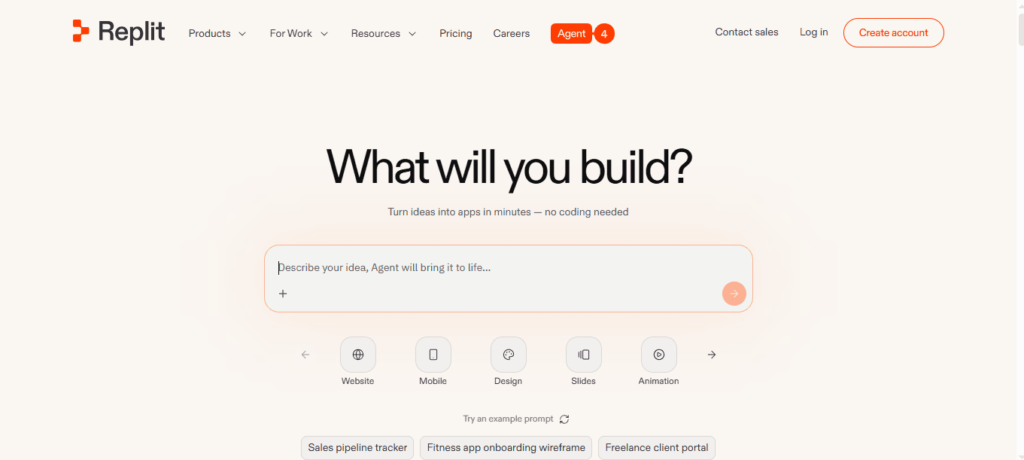
Replit
Developers
✅ Yes
⭐⭐⭐
⚡ Fast
Real code + scalability
Lovable
UI prototypes
❌ Partial
⭐⭐⭐⭐⭐
⚡ Very Fast
Stunning design output
Base44
Iteration
❌ Partial
⭐⭐⭐⭐
⚡ Fast
AI-driven refinement
Bubble
Complex apps
✅ (Manual)
⭐⭐
⏳ Medium
Advanced workflows
Figma App Builder
Design
❌ No
⭐⭐⭐⭐⭐
⚡ Very Fast
High-quality UI
Glide
Data apps
❌ Partial
⭐⭐⭐⭐
⚡ Fast
Spreadsheet-based apps
The Top AI App Builders in 2026 (Ranked by Real Capability)
Instead of listing tools at random, we’ve ranked them based on what matters most: output quality, real usability, and speed to launch.
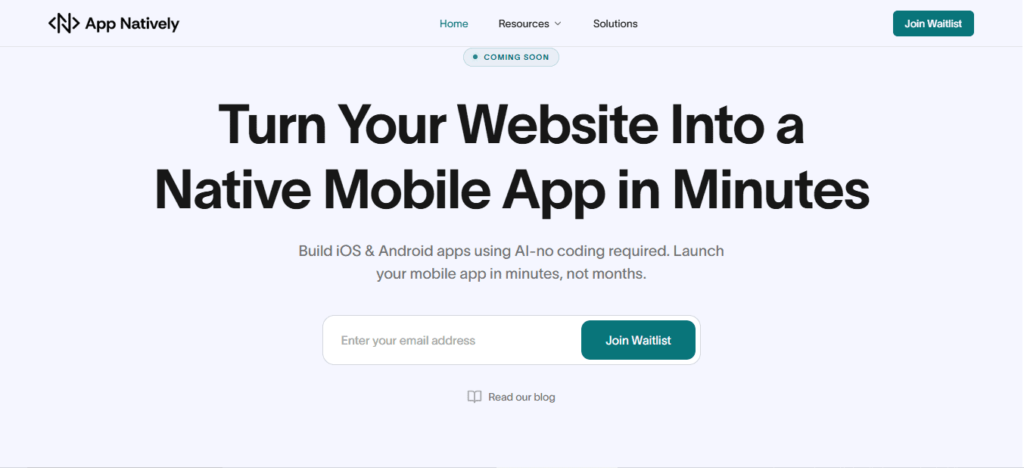
1. App Natively — The Next Evolution of AI App Building (Join the Waitlist)
While testing all these AI app builders, one pattern became impossible to ignore:
You’re always forced to compromise.
Some tools are easy but limited. Some are powerful but painfully complex. Others look great but break when real functionality is needed.
App Natively is being built to remove that compromise entirely.
A New Direction: Power Without Complexity
App Natively isn’t trying to be “another AI builder.” It’s being developed with a clear philosophy:
Building apps should feel as simple as describing an idea without sacrificing real functionality.
Instead of forcing you to learn systems, configure workflows, or connect endless integrations, the goal is to create an experience where everything flows naturally from idea → app.
What Makes App Natively Worth Paying Attention To
Designed for Zero Learning Curve
Most platforms still require time to understand interfaces, logic builders, or workflows. App Natively is being built so that even non-technical users can move from idea to app without friction.
Advanced Capabilities, Simplified
Features like payments, automation, integrations, and user management shouldn’t feel like “advanced work.” The vision here is simple: powerful features should just work without complexity.
Affordability at Its Core
A major issue with current tools is pricing that scales quickly as you grow. App Natively is being developed with a strong focus on making powerful app creation accessible without breaking budgets.
Built for Real Apps, Not Just Demos
Many platforms stop at prototypes. App Natively is being shaped to support real, usable applications—not just UI mockups.
Why Early Access Matters
App Natively is still under development, which makes this the best time to get in early.
Joining the waitlist means:
You get early access before the public launch
You can explore features before the crowd
You may unlock early-user pricing advantages
You get a chance to influence the product direction
If You’ve Been Waiting for Simpler App Building…
If you’ve tried tools that felt:
Too technical
Too limited
Too expensive
Then App Natively is worth keeping on your radar.
👉 Join the waitlist now to be among the first to experience a simpler, more powerful way to build apps.
The next generation of AI app builders won’t just be smarter. They’ll remove friction completely.
App Natively is being built for exactly that future.
Instead of hiding the code, it generates real, editable applications.
What You Get
Full codebase generation
Live testing on real devices
Deployment-ready apps
Why It’s Powerful
You’re not locked into a system—you own the product.
Trade-Off
It’s not beginner-friendly. You’ll need some technical understanding.
Best For
Developers and startups planning to scale.
3. Lovable — The Fastest Way to Visualize an App Idea
Lovable focuses on one thing: making your app look real instantly.
Strength
Clean UI
Smooth navigation
Professional layouts
Limitation
It doesn’t automatically build backend functionality.
Why It Still Matters
Speed of visualization = faster decision-making.
Best For
Validating ideas before development.
4. Base44 — AI That Improves Your App Over Time
Base44 is less about generation and more about refinement.
Unique Advantage
You can continuously improve your app using simple instructions:
“Make it more user-friendly.”
“Improve layout”
What Makes It Different
It edits multiple parts of your app simultaneously.
Best For
Teams focused on user experience and iteration.
5. Bubble — The Powerhouse for Complex Applications
Bubble isn’t new, but its AI layer adds speed to an already powerful platform.
Where It Excels
Complex workflows
Custom logic
Database relationships
Where It Struggles
Steep learning curve
Overwhelming interface
While tools like Bubble offer powerful customization, many users struggle with its steep learning curve. If you’re looking for a simpler and faster solution, exploring Bubble alternatives can help you launch apps without the complexity.
Best For
Building SaaS platforms and marketplaces.
6. Figma App Builder — Design Comes First
Figma’s approach is simple: design before functionality.
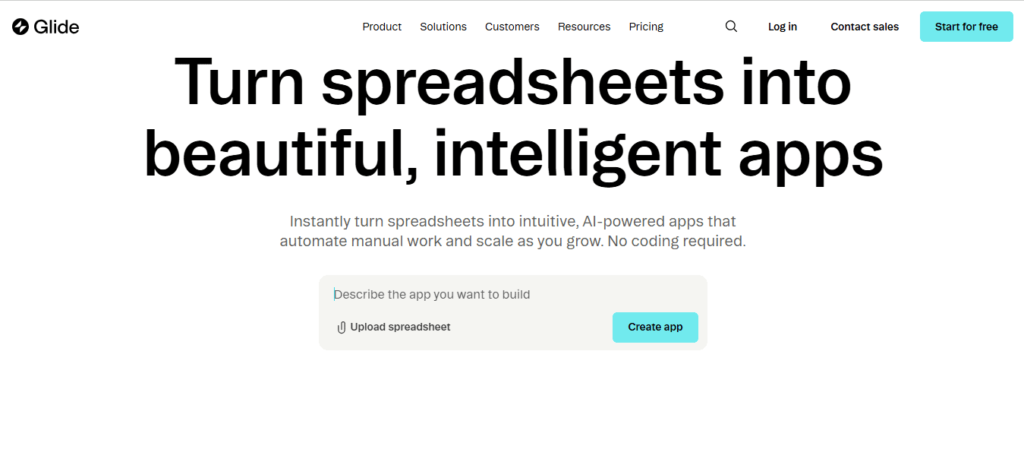
If you’re deciding between spreadsheet-based tools and full AI app builders, this detailed comparison of Glide vs App Natively breaks down which platform is better for real-world app development.
Performance Comparison (In a Flash)
Metric
App Natively
Replit
Lovable
Bubble
Figma
Glide
Prototype Speed
2–5 min
5–10 min
2–4 min
30–60 min
1–3 min
3–7 min
Working App
10–30 min
30–90 min
❌ Not complete
Days–Weeks
❌ Prototype only
Hours–Days
UI Quality
High
Medium
Very High
High
Very High
High
Backend Completeness
Very High
High
Low
High
None
Low
The Biggest Gap in the AI App Builder Market
Here’s the insight most people miss:
👉 The hardest part of an app isn’t design
👉 It’s the logic behind it
Things like:
Payment systems
Scheduling rules
Notifications
Admin controls
This is where most AI builders fail.
Reality Check
80% of tools = UI only
20% = functional apps
Hidden Costs Nobody Talks About
Most app builders mention pricing, but not the real cost.
Here’s what you need to know:
Credit-based systems can get expensive
Backend features often require upgrades
Scaling increases costs significantly
The cheapest tool upfront is not always the cheapest long-term.
Where AI App Builders Are Headed
We’re entering a new phase of development.
Soon, AI will:
Build apps autonomously
Manage updates
Optimize user experience in real-time
The future isn’t just no-code—it’s no-build.
Frequently Asked Questions (FAQs)
1. What is an AI app builder?
An AI app builder is a platform that uses artificial intelligence to help users create applications without coding.
By describing your app idea in natural language, the tool automatically generates UI, workflows, and sometimes backend logic, making app development faster, easier, and accessible to non-technical users.
2. What is the best AI app builder in 2026?
The best AI app builder in 2026 depends on your needs. App Natively is ideal for fast, full app creation, while Replit suits developers needing scalability.
Bubble remains strong for complex workflows, making it important to choose a platform based on speed, flexibility, and technical expertise.
3. Can AI build a full app without coding?
Yes, AI can build a full app without coding using advanced app builders. These platforms generate user interfaces, databases, and backend logic from simple prompts.
However, the completeness of the app depends on the tool, with some focusing only on design and others delivering full functionality.
4. Which AI app builder is best for beginners?
The best AI app builders for beginners are those with intuitive interfaces and natural language input.
Tools like App Natively and Lovable allow users to create apps by simply describing their ideas, eliminating the need for technical skills and significantly reducing the learning curve.
5. Are AI-built apps production-ready?
AI-built apps can be production-ready depending on the platform used. Some tools generate fully functional apps with backend logic, while others focus on prototypes.
For real-world deployment, it’s important to choose an AI app builder that supports databases, authentication, and integrations.
6. How long does it take to build an app using AI?
Building an app with AI can take anywhere from a few minutes to a few hours.
Simple apps can be generated almost instantly, while more complex applications with custom workflows and integrations may require additional time for refinement and testing.
7. Do AI app builders support mobile apps?
Yes, many AI app builders support mobile app creation. They either generate native apps for iOS and Android or create responsive web apps that function like mobile applications, allowing users to launch apps across multiple devices with minimal effort.
8. Can I monetize apps built with AI app builders?
Yes, you can monetize apps built with AI app builders through various methods such as subscriptions, in-app purchases, ads, and payment integrations.
Many platforms support tools like Stripe, making it easy to generate revenue from your application.
9. What are the limitations of AI app builders?
AI app builders may have limitations such as restricted customization, limited code access, and dependency on platform features.
While they simplify development, advanced use cases may require manual adjustments or integration with traditional coding tools to achieve full flexibility.
10. Is App Natively better than no-code tools like Bubble?
App Natively focuses on speed and automation, enabling users to build apps quickly using AI prompts.
In contrast, Bubble offers deeper customization and control but requires more manual effort. The better choice depends on whether you prioritize speed or advanced functionality.
11. What is the difference between AI app builders and no-code platforms?
AI app builders automate app creation using artificial intelligence and natural language prompts, while no-code platforms rely on manual drag-and-drop interfaces.
AI tools significantly reduce development time, whereas no-code platforms provide more control over customization and logic building.
12. Can developers benefit from AI app builders?
Yes, developers can benefit from AI app builders by accelerating development, automating repetitive tasks, and quickly prototyping ideas.
These tools enhance productivity, allowing developers to focus on complex logic and optimization instead of building everything from scratch.
13. Which AI app builder is best for startups?
Startups benefit from AI app builders that offer speed and scalability. App Natively is ideal for rapid MVP launches, while Replit supports long-term scalability with real code.
Choosing the right platform depends on your startup’s technical resources and growth goals.
14. Are AI app builders secure?
Most AI app builders include standard security features such as authentication, data encryption, and secure hosting.
However, security levels vary by platform, so it’s important to evaluate each tool’s infrastructure, compliance standards, and data protection policies before launching an app.
15. Can I export code from AI app builders?
Some AI app builders allow code export, giving users full ownership and flexibility. Others operate within closed ecosystems, limiting access to the underlying code. If long-term control is important, choosing a platform with export capabilities is essential.
16. Do AI app builders replace developers?
AI app builders do not replace developers but instead enhance their efficiency.
They automate basic tasks and simplify development, allowing developers to focus on complex features, performance optimization, and scaling applications effectively.
17. What kind of apps can I build with AI app builders?
AI app builders can create a wide range of applications, including SaaS platforms, marketplaces, booking systems, dashboards, and eCommerce apps.
The type of app you can build depends on the platform’s capabilities and available integrations.
18. Is it possible to scale an AI-built app?
Yes, AI-built apps can scale depending on the platform’s architecture.
Tools that provide backend logic, database management, and integration options are better suited for scaling, while simpler builders may be limited to smaller projects or prototypes.
19. Are AI app builders worth it in 2026?
AI app builders are highly valuable in 2026 because they reduce development time, cost, and technical barriers.
They enable individuals and businesses to quickly turn ideas into functional applications, making them an essential tool for modern app development.
20. How do I choose the right AI app builder?
To choose the right AI app builder, consider your goals, technical skills, and project complexity.
Look for platforms that balance ease of use, scalability, and features such as backend support, integrations, and customization options to match your needs.
Final Thoughts
AI app builders are no longer experimental. Instead, they’re becoming the default way to build software.
But the real advantage isn’t just using AI.
It’s choosing the right type of AI builder for your goal.
Because in 2026, the fastest builders don’t win— The smartest builders do.
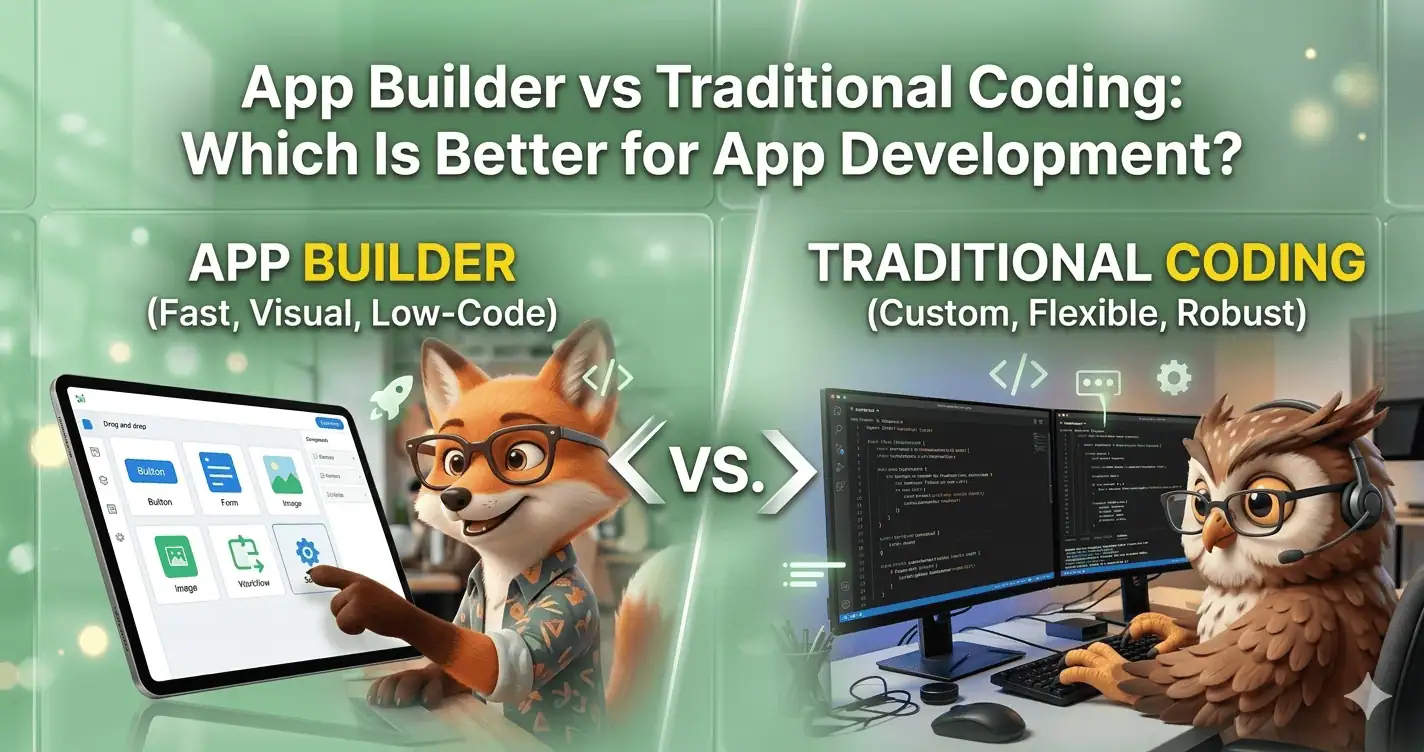
The debate between app builder vs traditional coding has become increasingly important as businesses look for faster and more cost-effective ways to build applications.
App builders allow users to create mobile or web apps using visual interfaces, drag-and-drop components, and minimal coding knowledge.
Traditional coding, however, requires developers to write custom code using programming languages such as JavaScript, Swift, or Kotlin.
Both approaches have distinct advantages. No-code and low-code app builders help startups launch apps faster and reduce development costs, while traditional coding offers full customization, scalability, and control over the application architecture.
The right choice depends on your budget, project complexity, development timeline, and technical expertise.
Understanding the pros and cons of app builders vs traditional coding can help businesses choose the best approach for building scalable and efficient applications.
What Is an App Builder in Modern App Development?
An app builder is a platform that allows users to build apps without coding by using visual development tools.
These platforms typically include drag-and-drop interfaces, pre-built templates, database integrations, and automation features.
The rise of no code app development tools has made it possible for entrepreneurs, marketers, and small businesses to build applications without hiring large development teams.
By simplifying the technical process, app builders help companies launch products faster and experiment with ideas more efficiently.
Modern no-code app development platforms can even generate native mobile apps for Android and iOS, making them a powerful alternative to traditional development.
What Is Traditional Coding in App Development?
Traditional coding refers to building applications by writing code manually using programming languages and development frameworks.
Developers create both the frontend and backend of the application using tools such as React, Flutter, Swift, Kotlin, and Node.js.
This approach allows for custom app development, where every element of the application can be designed according to specific requirements.
Businesses that need unique workflows, high performance, or advanced integrations often rely on traditional coding to achieve complete control over the product.
Although this method offers maximum flexibility, it usually requires experienced developers and longer development cycles.
App Builder vs Traditional Coding: Key Differences
Feature
App Builder
Traditional Coding
Development Speed
Very fast
Slower
Technical Skills
Minimal
Advanced programming required
Cost
Lower
Higher
Customization
Limited to platform features
Fully customizable
Scalability
Moderate
High
Ownership
Platform dependent
Full ownership
This comparison highlights why no code vs traditional development has become a major discussion in the app development industry.
Pros of App Builders
i. Faster Time to Market
One of the biggest app builder advantages is the ability to launch applications quickly. Instead of building everything from scratch, users can assemble apps using ready-made components and integrations.
This allows startups to test ideas quickly and release products in weeks instead of months.
ii. Lower Development Costs
App builders significantly reduce development expenses. Businesses can build apps without hiring large development teams, which makes app development without coding accessible to smaller organizations.
Many platforms offer affordable monthly plans that replace expensive development contracts.
iii. Accessibility for Non-Developers
With visual development tools, even non-technical founders can create functional applications.
This democratization of technology has helped many startups build digital products without relying heavily on engineers.
Cons of App Builders
i. Limited Flexibility
Although modern app builders offer many features, they may not support extremely complex workflows or unique product requirements.
Companies that require specialized functionality may eventually need custom development.
ii. Platform Dependency
Using an app builder often means relying on the platform’s infrastructure, which can limit portability and control over the application.
Pros of Traditional Coding
1. Complete customization
One of the biggest traditional coding benefits is the ability to build applications exactly as required.
Developers can create custom features, unique user experiences, and specialized integrations.
2. High Scalability
Applications built through traditional coding can scale more efficiently because developers control the architecture and infrastructure.
This is particularly important for large SaaS platforms or enterprise-level software.
Cons of Traditional Coding
Higher Costs
Custom development requires skilled engineers, designers, and infrastructure resources. This makes traditional coding significantly more expensive than no-code development.
Longer Development Timeline
Building an app from scratch takes time. Development, testing, debugging, and deployment can take several months before the product becomes market ready.
App Builder vs Traditional Coding: Real Cost Breakdown (2026)
One of the biggest factors when choosing between app builders and traditional coding is development cost.
Businesses and startups often struggle to estimate how much it actually costs to build an app using different development methods.
Understanding the true cost difference between no-code app builders and traditional development can help companies choose the most practical solution for their project.
Cost of building an app with an App Builder
Modern no-code app builders dramatically reduce development costs because they eliminate the need for large engineering teams.
Instead of building infrastructure and code from scratch, users assemble apps using pre-built components and visual interfaces.
For most startups, the cost of using an app builder typically ranges between $20 and $200 per month, depending on the platform and features included.
Because development happens much faster, businesses can launch apps in weeks instead of months. This also reduces opportunity cost and allows teams to test their ideas earlier.
Cost of traditional App development
Traditional coding is significantly more expensive because it involves hiring developers, designers, testers, and sometimes DevOps engineers.
The total cost can vary depending on app complexity, platform requirements, and development timeline.
A basic mobile application built through traditional coding can cost anywhere between $20,000 and $80,000.
More complex apps with advanced integrations, custom backend systems, and scalability requirements can easily exceed $150,000 or more.
Additionally, companies must consider ongoing costs such as server infrastructure, maintenance, updates, and security management.
App Builder vs Traditional Coding Cost Comparison
Factor
App Builder
Traditional Coding
Initial Cost
Very Low
High
Development Time
Weeks
Months
Maintenance
Mostly handled by platform
Managed by development team
Infrastructure
Included in platform
Requires custom setup
Scaling Cost
Predictable subscription
Increasing engineering cost
This comparison shows why many startups now prefer no-code app development platforms for launching MVPs and early-stage products.
Which Option Is More Cost-Effective?
For early-stage startups and entrepreneurs, app builders are usually the most cost-effective option. They allow businesses to launch products quickly, validate ideas, and avoid large upfront investments.
However, companies building highly customized platforms or enterprise-grade software may eventually require traditional coding to achieve deeper flexibility and advanced scalability.
In many cases, successful companies start with no-code app builders to validate their product and later transition to custom development as their business grows.
When Should You Choose an App Builder?
App builders are ideal for startups, entrepreneurs, and businesses that want to launch apps quickly with limited budgets.
They are particularly useful for:
MVP development
business tools
marketplace apps
booking systems
content apps
If speed and affordability are top priorities, no code app development can be the best option.
When Should You Choose Traditional Coding?
Traditional coding is best suited for complex products that require advanced features, high scalability, and full control over the application infrastructure.
Large SaaS platforms, enterprise software, and advanced mobile applications typically rely on traditional development.
The Future of No-Code vs Traditional Development
The rise of native app builder platforms is changing how businesses approach software development.
Many modern tools now allow users to build fully functional mobile apps without extensive coding.
However, traditional coding will continue to play an important role in building highly customized and performance-driven applications.
The future of app development will likely involve a hybrid approach that combines visual app development platforms with custom coding capabilities.
The Benefits of Modern App Development
Here are the aspects of modern app development that you, as a smart user, should know about.
1. Developer productivity and workflow
One major advantage of modern app development platforms is improved developer productivity.
Visual development environments reduce repetitive coding tasks, allowing teams to focus on building product features instead of writing boilerplate code.
Traditional coding still provides more control, but it often requires managing complex development environments, frameworks, and dependencies.
2. Maintenance and long-term updates
Maintenance is another critical factor when choosing between no-code app development and traditional coding. App builders often handle updates, security patches, and infrastructure management automatically.
With traditional development, companies must maintain servers, update frameworks, and manage security vulnerabilities themselves.
3. Integration ecosystems
Modern businesses rely heavily on integrations with CRM systems, payment gateways, analytics tools, and marketing platforms.
Many modern app builders and native app builder platforms provide pre-built integrations that simplify connecting with external services.
Traditional coding can achieve the same results but usually requires building custom APIs and integrations manually.
4. Speed of experimentation
Startups often need to test multiple ideas quickly. App builders enable rapid experimentation by allowing teams to launch prototypes or MVPs without investing months into development.
This makes no-code development particularly valuable for early-stage startups and product validation.
Why Modern Startups Prefer AI-Powered App Builders Like App Natively
As the demand for faster product launches continues to grow, many startups are turning toward AI-powered app builders that combine simplicity with powerful development capabilities.
Instead of spending months building apps through traditional coding, founders can now design and launch mobile applications using intelligent visual tools that automate much of the development process.
Modern platforms are evolving beyond basic no-code builders. With the help of AI, these tools can now assist with layout creation, workflow automation, and feature configuration, making it possible to generate fully functional native mobile apps with minimal technical effort.
One example of this next generation of tools is App Natively. It is an AI-powered no-code native app builder currently under development, designed to help entrepreneurs, startups, and creators build professional mobile apps without writing code.
Instead of requiring deep programming knowledge, users can visually design their apps while AI helps streamline the development process.
For early-stage startups and founders, this approach offers several key advantages.
1. Faster product launches
Speed is critical for startups. With AI-assisted no-code development, founders can design and launch mobile apps significantly faster than traditional coding cycles that often take months.
This allows teams to validate ideas quickly and reach users earlier.
2. Lower development costs
Traditional app development often requires hiring multiple developers, designers, and infrastructure specialists.
With AI-powered no-code platforms, startups can dramatically reduce development costs and invest more resources into marketing, growth, and product improvement.
3. Accessible app development
AI-driven visual builders make app creation accessible to entrepreneurs, creators, and small businesses.
Instead of depending entirely on engineering teams, founders can build and iterate on their apps themselves.
4. Built for native mobile apps
Unlike many traditional no-code tools that create web apps or hybrid apps, platforms like App Natively focus on generating real native mobile apps, giving users better performance and user experience.
5. Built for affordability
One of the key goals behind App Natively is affordability. The platform aims to offer one of the most accessible pricing models in the no-code app builder market, including a free version so that creators and startups can start building without financial barriers.
Join the App Natively Waitlist
App Natively is currently under development, and early users now have the opportunity to join the exclusive waitlist.
By joining the waitlist, you can:
Get early access to the platform
Try the free version when it launches
Be among the first to build AI-powered native mobile apps without coding
If you’re a startup founder, entrepreneur, or creator looking to build your own app faster and more affordably, joining the App Natively waitlist is the best way to stay ahead of the next wave of app development.
Conclusion
Choosing between app builder vs traditional coding depends on your project goals, technical requirements, and available resources.
App builders offer speed, affordability, and accessibility, making them perfect for startups and rapid product launches.
Traditional coding, on the other hand, provides full flexibility and scalability for complex applications.
By understanding the strengths of both approaches, businesses can choose the development strategy that best supports their growth and innovation.
Frequently Asked Questions (FAQs)
Is no-code better than traditional coding?
No-code platforms are better for speed, affordability, and accessibility. Traditional coding is better for complex and highly customized applications.
Can you build professional apps without coding?
Yes. Many modern app builders allow users to create professional mobile and web applications without writing code.
Are no-code apps scalable?
No-code apps can scale for many use cases, but extremely complex or high-traffic applications may require custom development.
Do companies use no-code platforms?
Yes. Many startups and businesses use no-code tools to build MVPs, internal tools, and customer-facing applications.
Why startups prefer no-code app builders?
Many startups prefer no-code app builders because they significantly reduce development time and cost.
Instead of hiring large engineering teams, founders can build MVPs quickly, test their ideas, and launch products faster using visual development platforms.
How long does it take to build an app?
The time required to build an app depends on the development method. Using an app builder, a basic application can be created in a few days or weeks.
With traditional coding, development may take several months due to custom programming, testing, and deployment.