Author: Daniel Brooks

  • Apple Is Rejecting AI-Generated Apps: Here’s What You’re Doing Wrong

    Apple Is Rejecting AI-Generated Apps: Here’s What You’re Doing Wrong

    Apple is not rejecting apps simply because they are built with AI. Instead, it’s rejecting them for violating core App Store guidelines.

    In 2026, stricter rules around privacy, functionality, and dynamic code execution mean that many AI-generated apps fail before they even reach users.

    If your AI app keeps getting rejected, it’s likely due to poor compliance, lack of originality, or hidden technical violations, not the AI itself.

    Convert your website into an iOS & Android app in minutes (Join waitlist)

    The Real Truth: Apple Isn’t Anti-AI (But It Is Anti-Lazy Apps)

    Despite the headlines, Apple isn’t banning AI apps. In fact, it actively supports AI development inside tools like Xcode. The crackdown is happening because of how AI apps are being built and deployed.

    Recent reports show Apple has even blocked updates to AI “vibe coding” apps unless they remove problematic features or comply with guidelines.

    So what’s the issue?

    👉 Apps that bypass review systems, auto-generate content, or behave unpredictably are being flagged.

    What You’re Doing Wrong Actually

    Before we dive into the specific mistakes, understand this: most App Store rejections aren’t random—they’re predictable and preventable.

    If your AI app keeps getting rejected, chances are you’re breaking key guidelines without even realizing it.

    Mistake #1: Your app violates the “No Dynamic Code Execution” rule

    One of the biggest silent killers.

    Apple strictly prohibits apps from:

    • Downloading new code
    • Changing functionality after approval
    • Creating other apps inside the app

    AI-generated apps often break this rule unintentionally, especially “app builder” apps.

    Apple clearly enforces this under long-standing policies to prevent apps from altering behavior after review.

    💡 Fix:

    Ensure your AI outputs content, not executable app logic.

    Mistake #2: You’re using AI without proper data disclosure

    Since late 2025, Apple has treated AI as a regulated data category.

    If your app:

    • Sends prompts to external AI (OpenAI, Gemini, etc.)
    • Collects user input for AI processing

    You MUST:

    • Clearly disclose it
    • Get user consent

    Failure to do this leads to instant rejection.

    💡 Fix:

    Add:

    • AI data usage disclosure
    • Transparent privacy policy
    • Consent prompts

    Mistake #3: Your app has “Minimum Functionality” issues

    This is the #1 reason AI apps fail.

    Apple rejects apps that feel like:

    • Wrapped websites
    • Basic AI prompt tools
    • Template-based clones

    Guideline 4.2 requires your app to offer real value beyond a web view.

    💡 Fix:

    Ask yourself:
    👉 “Would this exist as a real product without AI?”

    If not, it’s getting rejected.

    Mistake #4: You built a template-based “AI Spam App.”

    AI makes it easy to mass-produce apps—but Apple hates that.

    Apps created from:

    • Generators
    • Templates
    • Clone scripts

    They are flagged as design spam under Guideline 4.2.6.

    💡 Fix:

    • Customize UI/UX deeply
    • Add unique features
    • Avoid repeating app structures

    Mistake #5: Your AI logic Is a “Black Box.”

    Apple reviewers need to understand:

    • How your AI works
    • What data it uses
    • What outputs it generates

    If they can’t verify this, rejection is almost guaranteed.

    💡 Fix:

    Include in review notes:

    • AI workflow explanation
    • Sample inputs/outputs
    • Moderation strategy

    Mistake #6: Metadata doesn’t match the app

    This is more common than you think.

    If your App Store listing says:

    • “AI-powered design tool”

    But the app is:

    • A simple chatbot

    You’ll get rejected.

    Apple frequently flags mismatches between:

    • Description
    • Screenshots
    • Actual functionality

    💡 Fix:

    Align:

    • Screenshots
    • Demo content
    • Feature descriptions

    Mistake #7: You ignore content moderation

    AI apps generate unpredictable content.

    If your app:

    • Produces unsafe outputs
    • Lacks moderation
    • Allows harmful content

    It violates user safety rules.

    Apple requires moderation for any user-generated or AI-generated content.

    💡 Fix:

    • Add filters
    • Include reporting systems
    • Moderate AI outputs

    Why Rejections Are Increasing in 2026

    The numbers tell the story:

    • Around 15% of apps are now rejected due to stricter enforcement
    • AI-generated apps are rising fast
    • Apple is prioritizing quality over quantity

    And with AI making app creation easier, Apple is acting as a gatekeeper more than ever.

    How to Get Your AI App Approved (Checklist)

    Instead of guessing, follow this:

    • Build real functionality (not just an AI wrapper)
    • Disclose all AI data usage
    • Avoid dynamic code execution
    • Add strong moderation
    • Ensure originality
    • Explain your AI clearly in review notes

    Pro Insight: The “Vibe Coding” Problem

    A new trend called AI vibe coding lets users create apps using prompts.

    Sounds powerful, but here’s the issue:

    👉 These apps often generate apps outside Apple’s review system, which violates core policies.

    That’s why Apple has started restricting or modifying such apps.

    Build App Store-Ready AI Apps Without Rejection Risks — Try App Natively

    If you’re tired of getting stuck in the App Store rejection loop, this is where things change.

    Instead of relying on unstable “vibe coding” tools or generic AI builders, App Natively is being designed specifically to help you launch compliant, high-quality apps that actually get approved.
    Unlike typical no-code or AI app generators, App Natively focuses on what Apple truly cares about—real functionality, clean architecture, and guideline compliance from day one.

    That means you’re not just building faster, you’re building smarter with fewer risks of rejection due to dynamic code issues, poor UX, or policy violations.

    What makes it powerful is its approval-first approach. Every feature, workflow, and output is being shaped around App Store standards, so you don’t have to guess what might get flagged.

    Whether you’re building an MVP, SaaS tool, or AI-powered app, the goal is simple: help you go live without the frustrating back-and-forth with Apple’s review team.

    👉 App Natively is currently under development, and early users are getting priority access. If you want to stay ahead of the curve and launch AI apps the right way, this is your chance to get in early.

    Join the waitlist now and be among the first to build rejection-proof apps.

    Frequently Asked Questions (FAQs)

    Why is Apple rejecting AI-generated apps?

    Apple rejects AI apps mainly due to violations of privacy, functionality, and code execution rules—not because they use AI itself.

    Can AI apps get approved on the App Store?

    Yes, if they comply with App Store guidelines, especially around transparency, moderation, and originality.

    What is the biggest mistake in AI app submission?

    Lack of minimum functionality—apps that feel like templates or simple wrappers are most commonly rejected.

    Do I need to disclose AI usage in my app?

    Yes. Apple requires full disclosure and user consent when using third-party AI services.

    How do I fix a rejected AI app?

    Carefully read the rejection reason, align your app with the guidelines, improve functionality, and resubmit with clear explanations.

  • How to Make Money with a Directory App

    How to Make Money with a Directory App

    A directory app makes money by connecting users with businesses and charging for visibility, leads, or premium access.

    The most effective monetization strategies include paid listings, featured placements, subscriptions, advertising, and lead generation.

    With the rise of no-code tools, anyone can launch a profitable directory app without coding and scale it into a recurring revenue business.

    What makes a directory app so powerful is its ability to generate income from multiple streams at once.

    Instead of relying on a single model, you can combine listings, ads, and subscriptions to build a sustainable digital asset.

    Whether you’re targeting local businesses, global niches, or service marketplaces, the opportunity is massive if you execute the right strategy.

    Convert your directory website into an iOS & Android app in 60 seconds (Join waitlist)


    Why Directory Apps Are a Goldmine in 2026 & Beyond

    Directory apps are quietly becoming one of the most profitable and low-risk digital businesses in 2026 & beyond. Here’s why they’re considered a goldmine right now

    i. AI made building them ridiculously easy

    In 2026, tools like ChatGPT, Bubble, Glide, and Webflow let anyone build a directory in hours instead of months.

    People now create directories for AI tools, remote jobs, student scholarships, and local businesses.

    In the past, building something like this required developers and high costs.

    Now one person can build and launch in a weekend. Low cost, combined with a fast launch, creates a massive opportunity.

    ii. SEO traffic compounds over time

    Directories naturally perform well on search engines because they contain many pages, target long-tail keywords, and earn backlinks over time.

    Searches like “Best AI tools for students,” “Best free design tools,” and “Remote jobs for teens” are perfect examples of how directories attract traffic.

    Sites like Product Hunt, G2, and Yelp are essentially large directories generating millions in revenue.

    Once SEO starts working, traffic becomes free, and revenue becomes more passive. This is why founders love directories.

    iii. Multiple ways to make money

    Directory apps offer several monetization opportunities. Owners can charge for featured listings, offer premium subscriptions, promote affiliate tools, and run ads once traffic increases.

    A single directory can generate income from multiple sources, making it a flexible and sustainable business model.

    iv. Niche directories are exploding

    General directories are becoming crowded, but niche directories are growing fast.

    Examples include AI tools for students, startup tools for teenagers, freelance jobs for beginners, scholarships in Japan, and creator tools directories.

    When you choose a smaller niche, competition becomes lower, and growth becomes faster. This makes it easier for new creators to enter the market and succeed.

    v. Low-maintenance business

    After building a directory, maintenance is relatively simple. Owners mostly add new listings, update information occasionally, and respond to inquiries.

    Compared to SaaS products that require constant development or e-commerce businesses that involve shipping and inventory, directories are much easier to manage.

    vi. Big exit potential

    Many people are buying directories in 2026. Smaller directories can sell for thousands of dollars, while successful ones can reach much higher valuations.

    Buyers are attracted to passive traffic, SEO authority, and recurring revenue.

    vii. Simple example

    Imagine building a directory called “Best AI Tools for Students.” After adding around 100 tools and gaining search traffic, you could charge companies for featured placements.

    If several companies pay for promotion, the directory can quickly generate monthly income. A small directory can turn into real money.

    Your website. Now truly native. Experience App Natively


    12 Proven Ways to Monetize a Directory App

    Directory apps are powerful because you can monetize them in multiple ways at the same time.

    Here are 12 proven methods used by successful directory founders in 2026.

    1. Paid listings

    You charge businesses or creators to be listed in your directory. This is one of the most common monetization methods.

    For example, companies pay to appear in an AI tools directory, job board, or local business directory.

    You can offer one-time payments or recurring listings. Many directories charge between $10 and $200, depending on niche and traffic.

    2. Featured listings

    Businesses pay to appear at the top of your directory. This gives them more visibility and clicks.

    For example, you can offer:

    • Featured on homepage
    • Top of category
    • Highlighted listing

    This works extremely well once you get traffic.

    3. Subscription plans

    You can create monthly or yearly plans for businesses. These plans may include premium placement, analytics, backlinks, or verified badges.

    Example pricing:

    • Basic plan $9/month
    • Pro plan $29/month
    • Business plan $99/month

    Recurring revenue makes directories very valuable.

    4. Affiliate commissions

    You earn money by promoting tools or services. When users sign up through your directory, you get a commission.

    Many directories earn using programs from companies like Amazon, Shopify, and Notion.

    This works especially well for:

    • AI tools
    • Software directories
    • Course directories

    5. Advertising (Display ads)

    Once your directory gets traffic, you can run ads. You can use platforms like Google through Google AdSense or sell direct ad space.

    Even small directories can start earning passive ad revenue.

    6. Sponsored posts

    Companies pay you to publish a featured article about their product or service. This works well if your directory also has a blog.

    Example:

    “Top AI Tools for Students — Sponsored by XYZ”

    Sponsored content often pays well.

    7. Lead generation

    You collect leads for businesses and charge them per lead. This works great for directories like:

    • Agencies
    • Freelancers
    • Local services
    • Real estate

    Businesses pay because you’re sending potential customers.

    8. Job posting fees

    If your directory includes job listings, you can charge companies to post jobs.

    Example:

    • $19 per job post
    • $49 featured job post

    Job directories monetize extremely well.

    9. Premium access for users

    You can charge users for premium features like:

    • Advanced filters
    • Exclusive listings
    • Early access
    • Saved favorites

    This creates an additional revenue stream.

    10. Sell data & insights

    Directories collect valuable market data. You can create reports and sell them.

    Example:

    “Top AI Tools Growth Report 2026”

    Companies pay for insights and trends.

    11. Marketplace commissions

    If your directory connects buyers and sellers, you can take a small commission.

    Example:

    • Freelancer directories
    • Creator marketplaces
    • Tool marketplaces

    Even a 5% commission can add up quickly.

    12. Sell the directory (Exit Strategy)

    Many founders build directories and sell them. Buyers love directories because they generate passive traffic and recurring revenue.

    You can sell on platforms like Flippa or Acquire.com.

    Some directories sell for thousands or even six figures

    Launch, Scale & Monetize Faster with App Natively

    What if your directory website could instantly become a high-converting mobile app that drives more traffic, more engagement, and more revenue without hiring developers or touching code?

    That’s the unfair advantage App Natively gives you.

    How to Make Money with a Directory App

    App Natively is not just another no-code builder—it’s a growth engine built specifically for directory businesses.

    Whether you’re using Directorist, GeoDirectory, Business Directory Plugin, HivePress, aDirectory, or Brilliant Directories, App Natively seamlessly integrates with your existing setup and transforms it into a lightning-fast native app.

    No rebuilding. No complexity. No delays.

    Everything you’ve already built—your listings, users, categories, and content—instantly becomes part of your mobile experience.

    And from there, you unlock the real power: deeper user engagement, higher retention, and significantly better conversions compared to web-only directories.

    But the real magic happens when you scale.

    With App Natively, you can fully customize your app to match your brand and niche while adding powerful features like unlimited push notifications, in-app monetization, advanced search, and user dashboards.

    This means you’re not just launching an app—you’re creating a scalable, revenue-driven ecosystem designed to grow with your business.

    Think about it—while your competitors are stuck with slow websites, you’re building a mobile-first brand that users keep on their home screen.

    Don’t just build a directory. Build an app that people come back to daily.

    Join the App Natively waitlist and get early access to the future of no-code app building.

    Frequently Asked Questions (FAQs)

    How much money can a directory app make?

    A directory app can make anywhere from a few hundred to thousands of dollars per month, depending on traffic, niche, and monetization strategies.

    High-performing directories generate consistent recurring revenue through subscriptions and ads.

    What is the best monetization strategy for a directory app?

    The best strategy is a combination of paid listings, featured placements, and subscriptions. This ensures both one-time and recurring income.

    Can I build a directory app without coding?

    Yes, no-code app builders allow you to create fully functional directory apps without any programming knowledge.

    How long does it take to make money?

    Most directory apps take 3–6 months to generate consistent income, depending on marketing efforts and niche demand.

    Is a directory app profitable in 2026 & beyond?

    Yes, directory apps remain highly profitable due to increasing demand for curated information and local search solutions.

    How do I get businesses to pay for listings?

    Offer free listings initially, then upsell premium features like better visibility, leads, and analytics.

  • 7 Best Glide Alternatives for More Customization in 2026

    7 Best Glide Alternatives for More Customization in 2026

    No-code development has transformed how entrepreneurs, startups, and creators build digital products.

    Platforms like Glide made it incredibly easy to turn spreadsheets into functional apps without writing code. For quick internal tools or simple MVPs, Glide works well.

    However, as applications grow, many builders begin to face limitations. Users often need more control over UI design, deeper workflow logic, advanced integrations, and scalable infrastructure. These limitations lead many developers to search for Glide alternatives that provide stronger customization and flexibility.

    Fortunately, the no-code ecosystem has evolved rapidly. Modern platforms such as Bubble, FlutterFlow, and Adalo offer powerful visual builders capable of creating complex apps without traditional programming.

    In this guide, we will explore the best Glide alternatives for more customization, helping you choose the right platform to build scalable web and mobile applications.

    Why Many Builders Search for Glide Alternatives

    Although Glide is beginner-friendly, several factors push users to explore other options.

    1. Limited UI customization

    Glide offers pre-built components that make development simple. However, these components also limit the design flexibility available to developers.

    Brands that want highly customized interfaces or unique user experiences may struggle with these limitations.

    2. Spreadsheet dependency

    Glide apps rely heavily on spreadsheet-style databases. While this approach works well for simple projects, it becomes difficult to manage when applications require complex relational data.

    3. Workflow restrictions

    Advanced applications require conditional logic, automation triggers, and workflow branching.

    Some Glide users eventually move to platforms with stronger workflow engines.

    4. Scalability challenges

    As apps grow in traffic and complexity, many founders prefer platforms with stronger infrastructure and backend flexibility.

    Because of these limitations, the demand for Glide alternatives continues to grow in the no-code ecosystem.

    Key Features to Look for in a Glide Alternative

    Choosing the right platform requires understanding the capabilities that matter most.

    Advanced UI customization

    The best no-code platforms allow complete control over layout, styling, typography, and branding.

    This enables developers to create unique user experiences that match their product vision.

    Flexible databases

    Apps with complex data relationships require structured databases rather than spreadsheet-based storage.

    Platforms that support relational databases allow more powerful data modeling.

    Workflow automation

    Advanced automation features enable creators to build conditional logic, triggers, and automated workflows that make apps dynamic and interactive.

    Native mobile app support

    Some builders generate real Android and iOS apps rather than simply converting web pages into mobile interfaces.

    Integrations and APIs

    A strong integration ecosystem allows connections with payment gateways, automation tools, analytics platforms, and third-party services.

    App Natively — The Most Affordable Glide Alternative (Join the Early Access Waitlist)

    App Natively is an upcoming no-code platform designed to help founders, creators, and startups build fully functional mobile apps without expensive development costs.

    Best Glide Alternatives for More Customization

    While many no-code builders charge high monthly subscriptions, App Natively is being built with a different vision: making powerful mobile app development affordable and accessible to everyone.

    The platform is currently under development and is accepting early users through a waitlist, giving founders a chance to get early access before the official launch.

    The Founder Story Behind App Natively

    Every great product starts with a problem that someone experienced personally.

    The idea behind App Natively came from a simple frustration shared by many founders and creators.

    Building a mobile app often requires hiring developers, managing long development cycles, and spending thousands of dollars before even launching a minimum viable product.

    Many entrepreneurs tried no-code platforms like Glide to simplify the process. While these tools helped launch simple apps quickly, creators often discovered limitations once their ideas started growing.

    Customization options could feel restrictive, pricing could increase as projects scaled, and building fully featured mobile apps sometimes required switching platforms.

    The founders of App Natively believed there should be a better way.

    Instead of forcing creators to choose between simplicity and power, they envisioned a platform that could combine ease of use, flexibility, and affordability in a single app builder.

    The goal was simple: make mobile app development accessible to anyone with an idea, not just developers or well-funded startups.

    That vision is what led to the creation of App Natively.

    Why We’re Building App Natively

    The mission behind App Natively is rooted in one belief: great ideas shouldn’t be limited by technical barriers or high development costs.

    Today, launching a mobile app can still be expensive and complicated for many founders. Even with the rise of no-code tools, creators often face trade-offs between affordability, customization, and scalability.

    Some platforms are easy to use but lack flexibility. Others are powerful but require steep learning curves or expensive subscriptions.

    App Natively is being built to bridge that gap.

    The vision is to create a platform where creators can design mobile apps visually, customize their products freely, and launch applications without needing a large development budget.

    Instead of targeting only developers or enterprise teams, App Natively focuses on empowering entrepreneurs, indie makers, startups, and small businesses.

    By prioritizing affordability and accessibility, the platform aims to help more people turn ideas into real products.

    That’s why the team is currently inviting early adopters to join the waitlist and become part of the journey before the official launch.

    For creators who believe the future of software should be faster, more accessible, and more affordable, App Natively represents an exciting step forward.

    Best Glide Alternatives for More Customization

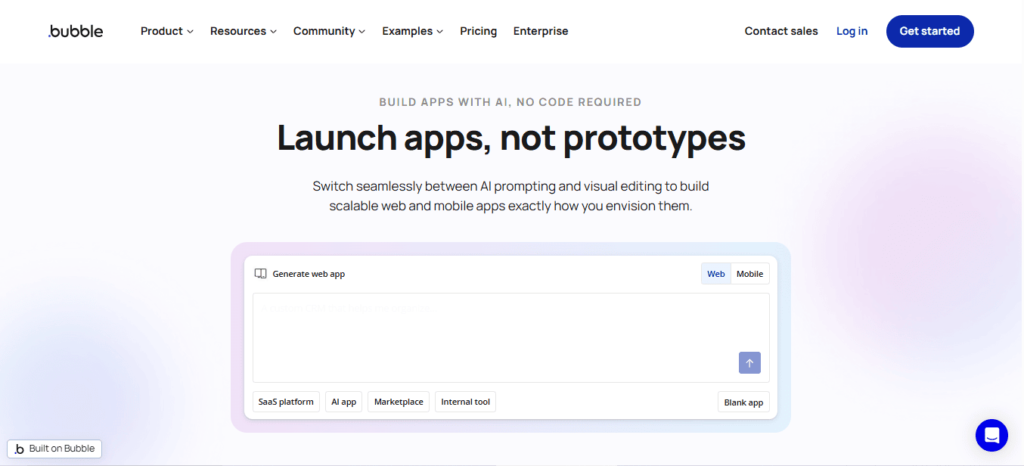
    1. Bubble

    Bubble is widely considered one of the most powerful no-code platforms available today.

    Unlike Glide, Bubble allows users to build complete web applications with custom databases, advanced workflows, and complex integrations.

    This flexibility makes it a popular choice among startups building SaaS platforms, marketplaces, and social apps.

    Best Glide Alternatives for More Customization

    Bubble’s visual programming interface allows developers to define logic, triggers, and workflows without writing code.

    However, the platform does have a steeper learning curve compared to beginner-focused tools.

    For builders willing to invest time learning the platform, Bubble provides nearly unlimited customization.

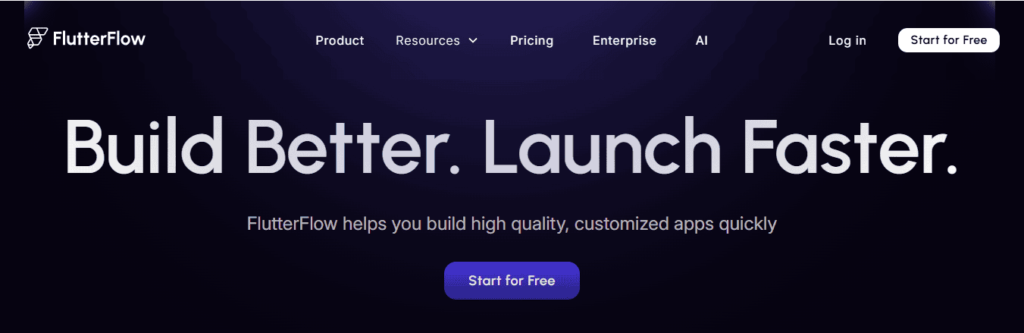
    2. FlutterFlow

    The rise of platforms like FlutterFlow shows how no-code tools are evolving to support production-grade mobile apps.

    Compared to Glide, FlutterFlow offers far greater control over UI design, layout customization, and app functionality.

    Developers can create sophisticated mobile experiences that feel similar to traditionally coded applications.

    Best Glide Alternatives for More Customization

    Another major advantage is code export. Users can export the Flutter code generated by the platform, allowing developers to continue development outside the tool if needed.

    This flexibility makes FlutterFlow one of the best Glide alternatives for startups building scalable mobile apps.

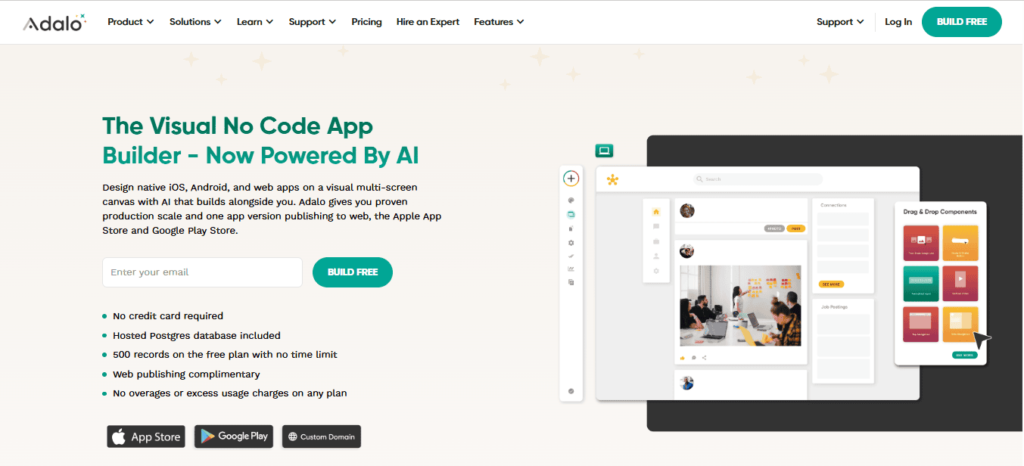
    3. Adalo

    Adalo is a popular mobile app builder that focuses on ease of use while still offering customization features.

    Adalo allows users to design mobile interfaces visually, connect databases, and integrate third-party services.

    Its drag-and-drop interface makes it accessible for beginners while still supporting more advanced features.

    Best Glide Alternatives for More Customization

    Many founders use Adalo to launch MVP mobile apps quickly before scaling to more complex platforms.

    4. Softr

    Softr is commonly used for building web apps, marketplaces, and membership portals powered by external databases like Airtable.

    Compared to Glide, Softr offers more flexible UI blocks and stronger integration capabilities.

    Businesses often use it to create directories, internal tools, and client portals.

    Best Glide Alternatives for More Customization

    For teams building web-based platforms rather than mobile apps, Softr is a powerful Glide alternative.

    5. Draftbit

    Draftbit focuses on building mobile apps using React Native.

    Draftbit provides strong design customization and allows developers to export code.

    Best Glide Alternatives for More Customization

    This makes it suitable for teams that want to transition from no-code to traditional development later.

    6. Thunkable

    Thunkable allows users to create mobile apps using a visual block-based interface.

    The platform supports both Android and iOS development and offers integration options for APIs and third-party services.

    Best Glide Alternatives for More Customization

    While simpler than some advanced builders, Thunkable still provides more customization flexibility than Glide.

    Glide vs Glide Alternatives: Detailed Comparison

    FeatureGlideAlternatives
    Custom UILimitedAdvanced
    Workflow LogicBasicAdvanced
    DatabaseSpreadsheetStructured Database
    Native AppsLimitedSupported
    ScalabilityModerateHigh

    This comparison highlights why many developers eventually transition to more powerful platforms.

    Best Glide Alternatives for Startups

    Startups often prioritize speed, affordability, and scalability.

    Platforms like App Natively and FlutterFlow are popular choices because they allow founders to build complex products while maintaining flexibility for future growth.

    Adalo is also commonly used for building MVP mobile apps before scaling.

    When You Should Switch from Glide

    You should consider switching platforms if your project requires:

    • advanced automation workflows
    • relational databases
    • custom UI design
    • scalable infrastructure
    • advanced integrations

    At this stage, a more powerful app builder will provide the flexibility needed to grow your product.

    Future of No-Code App Development

    The no-code ecosystem is evolving rapidly.

    Platforms are no longer limited to simple website builders. They now support the development of complex products such as SaaS platforms, marketplaces, AI tools, and scalable mobile applications.

    As these technologies continue to improve, the gap between traditional coding and no-code development will continue to shrink.

    This evolution will make it easier for entrepreneurs and creators to launch powerful digital products without large engineering teams.

    Final Thoughts

    Glide remains one of the easiest platforms for building simple apps quickly. However, many founders eventually require more advanced customization, scalability, and workflow flexibility.

    Platforms like App Natively, Bubble, FlutterFlow, Adalo, and Softr provide powerful alternatives that enable developers to build more sophisticated applications without coding.

    By choosing the right tool for your project, you can create scalable apps that grow alongside your business.

    Frequently Asked Questions ( FAQs)

    Best Glide Alternatives for Mobile Apps

    For developers building mobile-first applications, tools that generate native apps are usually the best choice.

    App Natively, FlutterFlow and Draftbit stand out because they provide advanced UI customization and strong performance.

    Best Glide Alternatives for Internal Tools

    Businesses building internal dashboards, directories, or team tools often prefer Softr because of its integration with Airtable and easy UI customization.

    Which Glide alternative offers the most customization?

    App Natively, Bubble and FlutterFlow are widely considered the most customizable platforms in the no-code ecosystem.

    Are Glide alternatives beginner friendly?

    Yes. Platforms like App Natively, Adalo and Softr are designed for beginners while still offering greater flexibility than Glide.

    Can no-code platforms build real mobile apps?

    Yes. Platforms such as App Natively, FlutterFlow, Draftbit, and Thunkable allow users to build real Android and iOS apps without coding.

    Are no-code platforms suitable for startups?

    Yes. Many startups launch MVPs using no-code platforms before transitioning to traditional development.

  • Glide vs App Natively: Which Builds Real Mobile Apps Affordably?

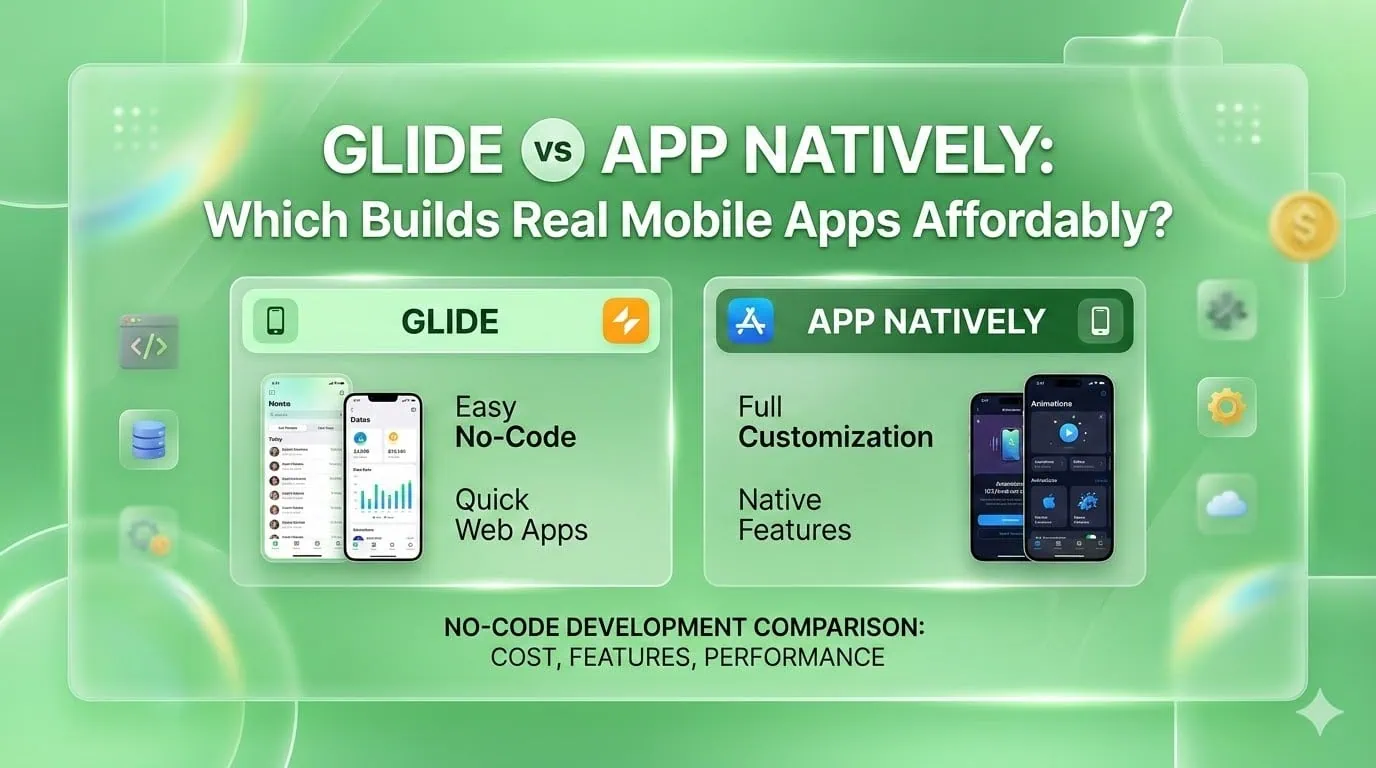
    Glide vs App Natively: Which Builds Real Mobile Apps Affordably?

    Building a mobile app traditionally requires high development costs and long timelines. No-code platforms have changed that by allowing founders and businesses to create apps without coding.

    In this comparison of Glide vs App Natively, we explore which platform helps users build real mobile apps at a lower cost. Glide is known for transforming data into functional apps quickly.

    Meanwhile, App Natively is being developed as a powerful drag-and-drop platform focused on creating true native mobile apps with advanced features at an affordable price.

    The platform is currently under development, and early users can join the waitlist to get access when it launches.

    What Is Glide?

    Glide is a well-known no-code platform that allows users to create apps using data sources such as spreadsheets and databases.

    Glide vs App Natively

    It became popular because it offers a fast way to transform structured data into functional applications.

    Many teams use Glide for internal tools, dashboards, and lightweight applications where speed matters more than deep customization.

    The platform focuses on simplicity. Users can connect data sources, design app layouts visually, and publish apps quickly without technical complexity.

    What Is App Natively?

    App Natively is a new no-code platform designed with a different vision: making real native mobile app development affordable and accessible for everyone.

    Top Tools to Build Apps Under $500

    Instead of focusing primarily on web-based app experiences, App Natively aims to provide a powerful drag-and-drop environment for building true native mobile applications.

    The goal is simple: remove the traditional complexity and cost associated with mobile app development while still delivering powerful functionality.

    App Natively is currently under development and is accepting users for its early access waitlist.

    Glide vs App Natively: Side-by-Side Comparison

    FeatureGlideApp Natively
    Primary FocusSpreadsheet-based appsNative mobile app builder
    App TypeWeb apps optimized for mobileReal native iOS & Android apps
    Ease of UseBeginner friendlyDrag-and-drop builder
    CustomizationModerateDesigned for flexibility
    ScalabilityBest for internal toolsBuilt for production apps
    Pricing PhilosophyTier-based pricingStartup-friendly affordability

    Glide vs App Natively: Key Differences

    Understanding the differences between Glide and App Natively helps founders choose the right platform based on their goals.

    1. App Type

    Glide primarily focuses on apps that function similarly to web applications.

    They work well for data-driven workflows but may not always deliver a fully native mobile experience.

    App Natively is designed specifically for building native mobile apps, which typically provide better performance and deeper device integration.

    2. Performance

    Web-based applications rely on browsers to function. While modern browsers are powerful, they may still have performance limitations.

    Native apps run directly on the device’s operating system, which can result in smoother interactions and faster performance.

    3. Customization Flexibility

    Glide offers predefined components that work well for many use cases. However, complex app experiences may require additional flexibility.

    App Natively aims to provide a builder that allows greater freedom when designing mobile applications.

    4. Scalability

    Glide works well for internal tools, lightweight apps, and early prototypes.

    App Natively is being designed to support production-ready mobile apps that businesses can grow and scale.

    5. Pricing Philosophy

    Glide offers different pricing tiers depending on features and usage.

    App Natively aims to position itself as an affordable solution for founders who want to build real mobile apps without massive costs.

    When Glide Might Be the Right Choice

    Glide remains a strong option for many scenarios.

    Businesses may prefer Glide when they need to:

    • Build internal productivity tools quickly
    • Create simple workflow apps
    • Turn spreadsheets into lightweight dashboards
    • Launch quick prototypes

    For teams that want to organize data or automate workflows, Glide can be an efficient solution.

    However, if the goal is to launch a full mobile product for customers, founders may want to explore tools focused on native development.

    Why App Natively Could Be the Future of No-Code App Development

    The no-code ecosystem continues to evolve rapidly. Early tools focused on building simple applications, but the next generation of platforms aims to support real product development.

    App Natively is being built with that future in mind.

    By focusing on native mobile experiences and affordable pricing, the platform attempts to remove two of the biggest barriers founders face: technical complexity and development cost.

    For startups, this could mean the ability to:

    • Launch mobile apps faster
    • Test new product ideas quickly
    • Build scalable mobile products
    • Reduce dependency on expensive development teams

    If these goals are achieved, App Natively could become an attractive option for entrepreneurs who want the benefits of native apps without traditional development challenges.

    Who Should Consider App Natively

    Several groups may benefit from the platform.

    Startup founders

    Entrepreneurs who want to launch mobile products without heavy development costs.

    Indie makers

    Creators who want to validate new app ideas quickly.

    Agencies

    Digital agencies building apps for clients may use no-code tools to accelerate delivery.

    SaaS creators

    Product builders looking to extend their platforms into mobile applications.

    Business owners

    Companies that want custom mobile apps without hiring large engineering teams.

    For these users, an affordable native app builder could unlock new opportunities.

    Why Most No-Code Apps Fail to Become Real Products

    The no-code movement has made app creation easier than ever. However, many projects built with no-code platforms struggle when they try to grow beyond simple prototypes.

    One major reason is that many builders generate web apps wrapped as mobile apps.

    While this works for internal tools or quick MVPs, it often creates limitations in performance, user experience, and scalability when the product starts gaining real users.

    As startups move from validation to growth, they usually need true native mobile apps, better performance, and more control over features.

    That shift often forces founders to rebuild their product using traditional development, which increases cost and delays progress.

    This is exactly the problem new platforms like App Natively aim to solve, allowing creators to build real native mobile apps from the start without the traditional development complexity or cost.

    Why App Natively Is Built for the Next Generation of App Creators

    Many no-code tools were originally designed for internal dashboards or simple workflow apps.

    But modern founders want something bigger: the ability to launch real mobile products that users download from app stores.

    App Natively is being developed with this exact vision in mind.

    Instead of focusing only on simple app prototypes, the platform is designed to help creators build production-ready native apps using an intuitive drag-and-drop experience.

    The goal is to combine the simplicity of no-code with the performance and flexibility of native development.

    Another key focus is affordability. Many platforms become expensive as your app grows.

    App Natively aims to make powerful mobile app creation accessible to startups, indie makers, and small teams who want to launch apps without massive budgets.

    By lowering both the technical and financial barriers, App Natively is positioning itself as a new generation app builder for founders who want to move fast.

    Join the App Natively Early Access Waitlist

    App Natively is currently under development, and the team is inviting early adopters to join the waitlist.

    Early access users will have the opportunity to explore the platform before public release and help shape the future of the product.

    This also allows founders and creators to stay ahead by preparing their mobile apps using a platform designed for real native performance and startup-friendly pricing.

    If you are planning to launch a mobile app without the traditional development cost, joining the waitlist could be the perfect opportunity to get early access.

    Join the App Natively waitlist today and be among the first creators building powerful native mobile apps without coding.

    Final Verdict: Glide vs App Natively

    Glide has established itself as a useful platform for building quick apps powered by data. It works particularly well for internal tools, simple workflows, and lightweight applications.

    App Natively is approaching the problem from a different direction. The platform aims to make real native mobile app development accessible and affordable for startups and creators.

    If your goal is to build simple data-driven apps quickly, Glide may be a practical solution.

    If you are looking for a platform focused on building scalable native mobile apps without traditional development complexity, App Natively could become a compelling option to watch.

    Frequently Asked Questions (FAQs)

    1. Is Glide a no-code app builder?

    Yes, Glide is a no-code platform that allows users to build apps from spreadsheets or databases without writing code. It is commonly used for internal tools, directories, and lightweight business apps.

    2. Can App Natively publish apps to both iOS and Android?

    Yes, App Natively can convert a web app or website into a native mobile application that can be published on both the Apple App Store and Google Play Store.

    3. Do Glide apps require coding knowledge?

    No, Glide is designed for non-developers. Users can build functional apps using drag-and-drop components and data from Google Sheets, Excel, or Glide Tables.

    4. Is App Natively a no-code platform?

    Yes, App Natively is a drag & drop no-code native app builder.

    5. Are Glide apps SEO friendly?

    Glide apps are primarily web apps, so SEO capabilities are limited compared to traditional websites, though they can still be indexed depending on configuration.

    6. Can Glide apps send push notifications?

    Glide supports basic push notifications, but native mobile apps typically provide more advanced notification features.

    7. What type of apps can you build with Glide?

    Glide is commonly used to build internal tools, marketplaces, directories, dashboards, CRMs, and community apps.

    8. Which option is better for launching a public mobile app?

    If your goal is to launch an app on Apple App Store or Google Play, a native solution like App Natively is typically required since Glide apps are mainly web-based.